
Bluehost Server Locations & Global Performance
The physical location of a hosting server plays an important role in website speed. The shorter the distance between your visitors and the hosting server, the faster data can typically travel. However, modern content delivery networks (CDNs), browser caching, and optimized website assets also have a significant impact on overall performance.
Bluehost serves customers around the world and supports performance optimization through modern hosting technologies and CDN integration on eligible plans. For websites with an international audience, using a CDN helps deliver static content such as images, CSS, and JavaScript from servers closer to each visitor.
💡 CSTechy Insight: If most of your visitors are in India, enabling a CDN and optimizing images can often have a greater impact on perceived loading speed than server location alone.
| Performance Factor | Impact on Website Speed |
|---|---|
| Server Location | High |
| Content Delivery Network (CDN) | High |
| Image Optimization | High |
| Caching | High |
| Theme Quality | Medium |
| Plugins | Medium to High |
| Database Optimization | Medium |
For websites targeting visitors from multiple countries, combining quality hosting with a CDN, optimized images, and efficient caching typically provides the best overall user experience.

How We Evaluate Bluehost Performance
Instead of relying only on marketing claims, website performance should be evaluated using recognized testing tools and practical performance indicators. Each tool measures different aspects of website speed, allowing you to build a more complete understanding of how a hosting environment performs.
The following methodology is commonly used by website owners, developers, and performance specialists when assessing hosting quality.
Performance Metrics We Focus On
- Website Loading Speed
- Server Response Time (TTFB)
- Largest Contentful Paint (LCP)
- Interaction to Next Paint (INP)
- Cumulative Layout Shift (CLS)
- Global Availability
- Page Size
- Number of HTTP Requests
- Caching Efficiency
- CDN Performance
Important: Website speed depends on more than hosting alone. Themes, plugins, images, third-party scripts, page builders, and website optimization all influence performance results.
Bluehost Speed Testing Framework
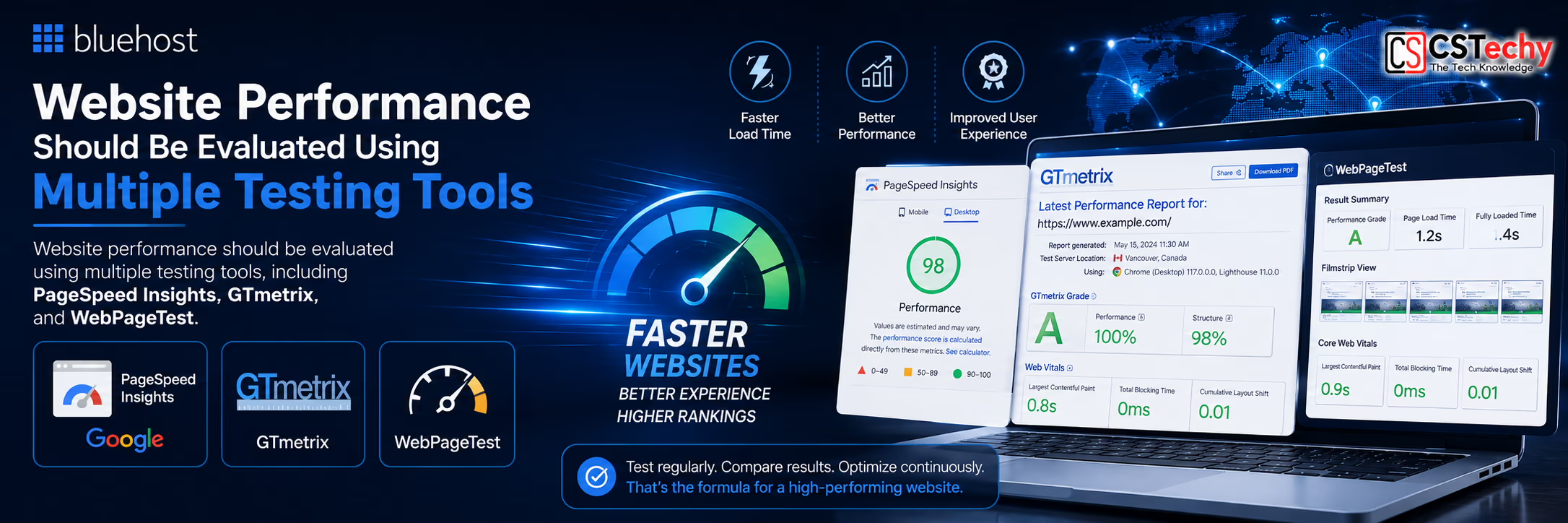
When reviewing Bluehost Performance, multiple testing tools should be used because no single benchmark tells the complete story. A fast PageSpeed score does not automatically mean a fast real-world experience, and a single GTmetrix report cannot represent every visitor location.
For a balanced evaluation, combine synthetic tests with real-world monitoring and user-focused performance metrics.
| Tool | Measures | Best Use |
|---|---|---|
| Google PageSpeed Insights | Core Web Vitals | User Experience |
| GTmetrix | Loading Performance | Optimization Analysis |
| WebPageTest | Advanced Waterfall Testing | Detailed Diagnostics |
| Pingdom | Load Time | Quick Benchmark |
Using multiple testing platforms helps identify opportunities to improve website speed and provides a broader view of hosting performance across different environments.
🚀 Planning to Build a Fast WordPress Website?
Bluehost includes features such as SSD storage, free SSL, CDN support on eligible plans, and WordPress compatibility to help create a solid performance foundation.
Continue your Bluehost research:
Why Website Speed Matters for SEO
Website performance directly affects user experience. Faster pages generally make it easier for visitors to browse content, reduce waiting time, and improve engagement. Search engines also consider page experience signals alongside many other ranking factors, making performance optimization an important part of technical SEO.
- Improves visitor experience.
- Can reduce bounce rates.
- Supports better Core Web Vitals.
- Helps pages load more efficiently on mobile devices.
- Creates a stronger foundation for long-term SEO.
- Improves WooCommerce shopping experiences.
- Supports higher user satisfaction.
CSTechy Recommendation: Focus on the complete performance picture—quality hosting, optimized images, efficient caching, a lightweight theme, and a CDN work together to deliver a faster website.
Bluehost Uptime Performance
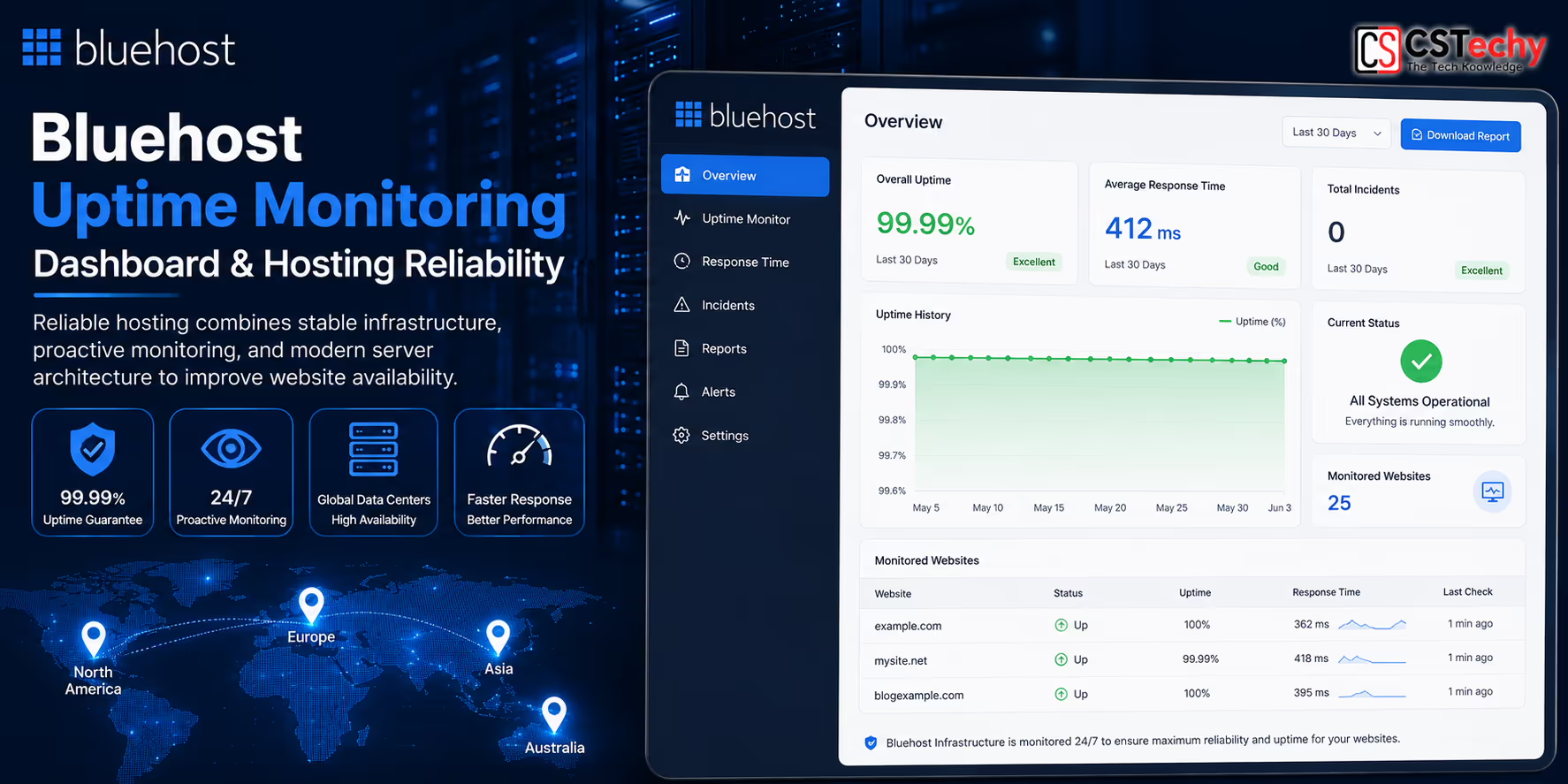
Website uptime measures how consistently your website remains available to visitors. Even the fastest website loses value if it frequently becomes unavailable. For businesses, bloggers, and online stores, reliable uptime helps protect user experience, search visibility, and customer trust.
Bluehost Performance should therefore be evaluated using both speed and reliability. Consistent uptime means visitors can access your content, products, and services whenever they need them.
💡 CSTechy Insight: Monitor uptime over several weeks or months instead of relying on a single day. Long-term monitoring provides a much clearer picture of hosting reliability.
What Affects Website Uptime?
- Server hardware reliability
- Network infrastructure
- Scheduled maintenance
- Data center redundancy
- Traffic spikes
- Security incidents
- Server resource allocation
| Factor | Importance |
|---|---|
| Network Stability | ★★★★★ |
| Server Hardware | ★★★★★ |
| Infrastructure Monitoring | ★★★★★ |
| Automatic Recovery | ★★★★☆ |
| Security Protection | ★★★★☆ |
Server Response Time (TTFB)
Time to First Byte (TTFB) measures how quickly a web server begins responding after receiving a request. While it is only one part of overall page speed, a faster server response creates a better foundation for loading the rest of the page.
TTFB is influenced by multiple factors, including server load, PHP execution, database queries, caching, and network latency.
Common Factors Affecting TTFB
- Server location
- Database optimization
- PHP performance
- Caching configuration
- CDN usage
- Website code quality
- Third-party plugins
Important: A low TTFB alone does not guarantee a fast website. Large images, excessive JavaScript, and heavy page builders can still slow down page rendering even if the server responds quickly.
Bluehost & Core Web Vitals
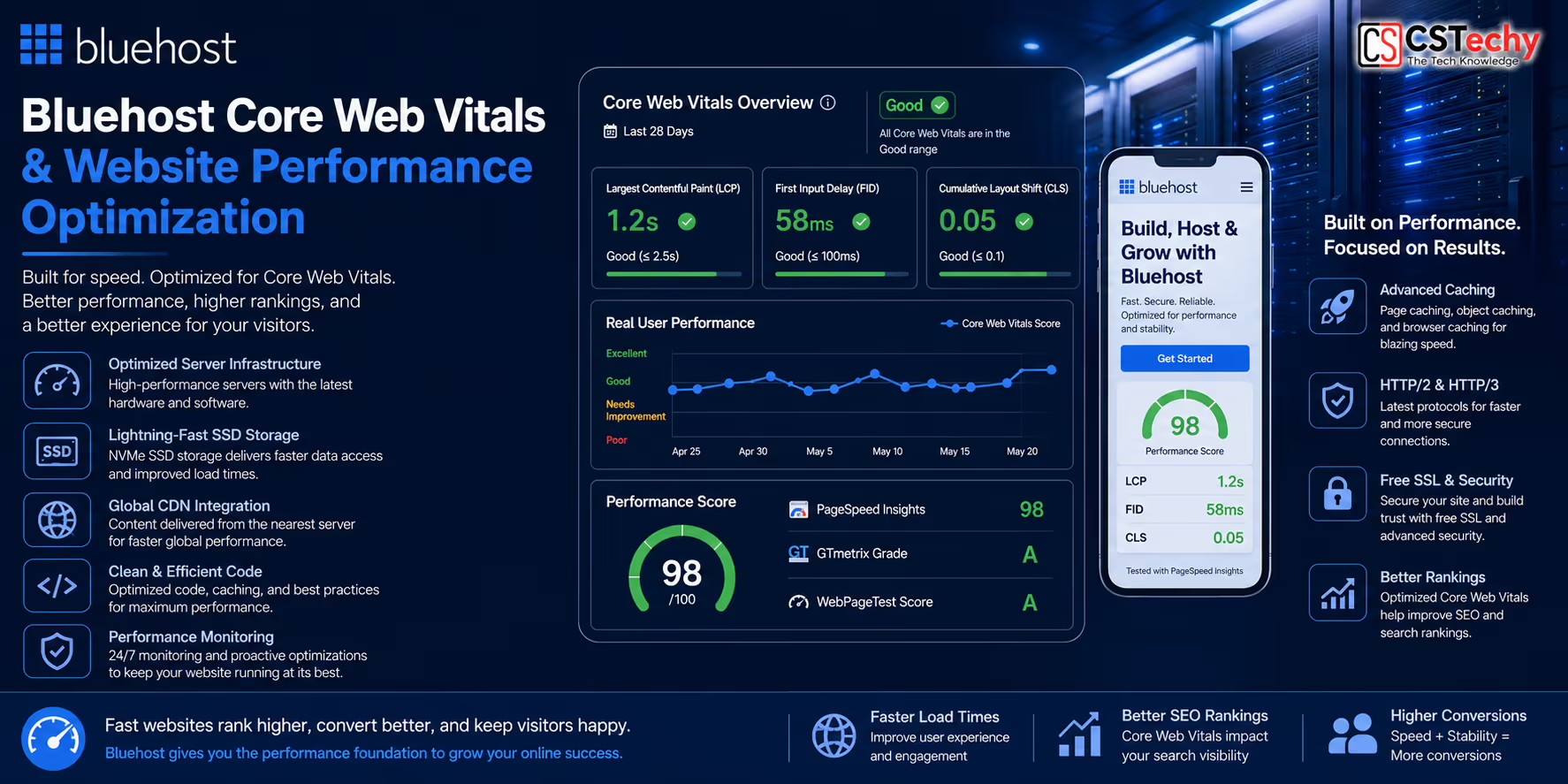
Core Web Vitals are Google’s user experience metrics that help evaluate how visitors experience a webpage. Hosting contributes to these metrics by providing a reliable and responsive server environment, but your website’s design, code, and optimization also play a significant role.
Largest Contentful Paint (LCP)
LCP measures how quickly the largest visible content appears on the screen. Large images, slow servers, and unoptimized assets can delay this metric.
Interaction to Next Paint (INP)
INP measures how responsive your website feels when users interact with buttons, forms, menus, and other elements. Efficient code and lightweight scripts help improve responsiveness.
Cumulative Layout Shift (CLS)
CLS evaluates visual stability. Reserving space for images, advertisements, and embedded content helps reduce unexpected layout movement while the page loads.
| Core Web Vital | Purpose | Optimization Focus |
|---|---|---|
| LCP | Loading Speed | Images, CDN, Server |
| INP | Responsiveness | JavaScript, Plugins |
| CLS | Visual Stability | Layout, Images, Fonts |
CSTechy Recommendation: Combine quality hosting with optimized images, lazy loading, modern image formats, browser caching, and a lightweight WordPress theme to improve Core Web Vitals.
Bluehost WordPress Performance
Bluehost is designed to work well with WordPress and includes features that simplify installation, updates, and day-to-day website management. Performance depends not only on hosting but also on the quality of your theme, plugins, media files, and caching strategy.
To improve WordPress performance, consider:
- Using lightweight themes.
- Optimizing images with WebP or AVIF formats.
- Enabling browser caching.
- Reducing unnecessary plugins.
- Keeping WordPress, themes, and plugins updated.
- Using a CDN for global visitors.
- Cleaning and optimizing the database regularly.
🚀 Building a WordPress Website?
Explore Bluehost WordPress Hosting features and compare plans before choosing the right option for your website.
Related CSTechy Guides
Bluehost WooCommerce Performance
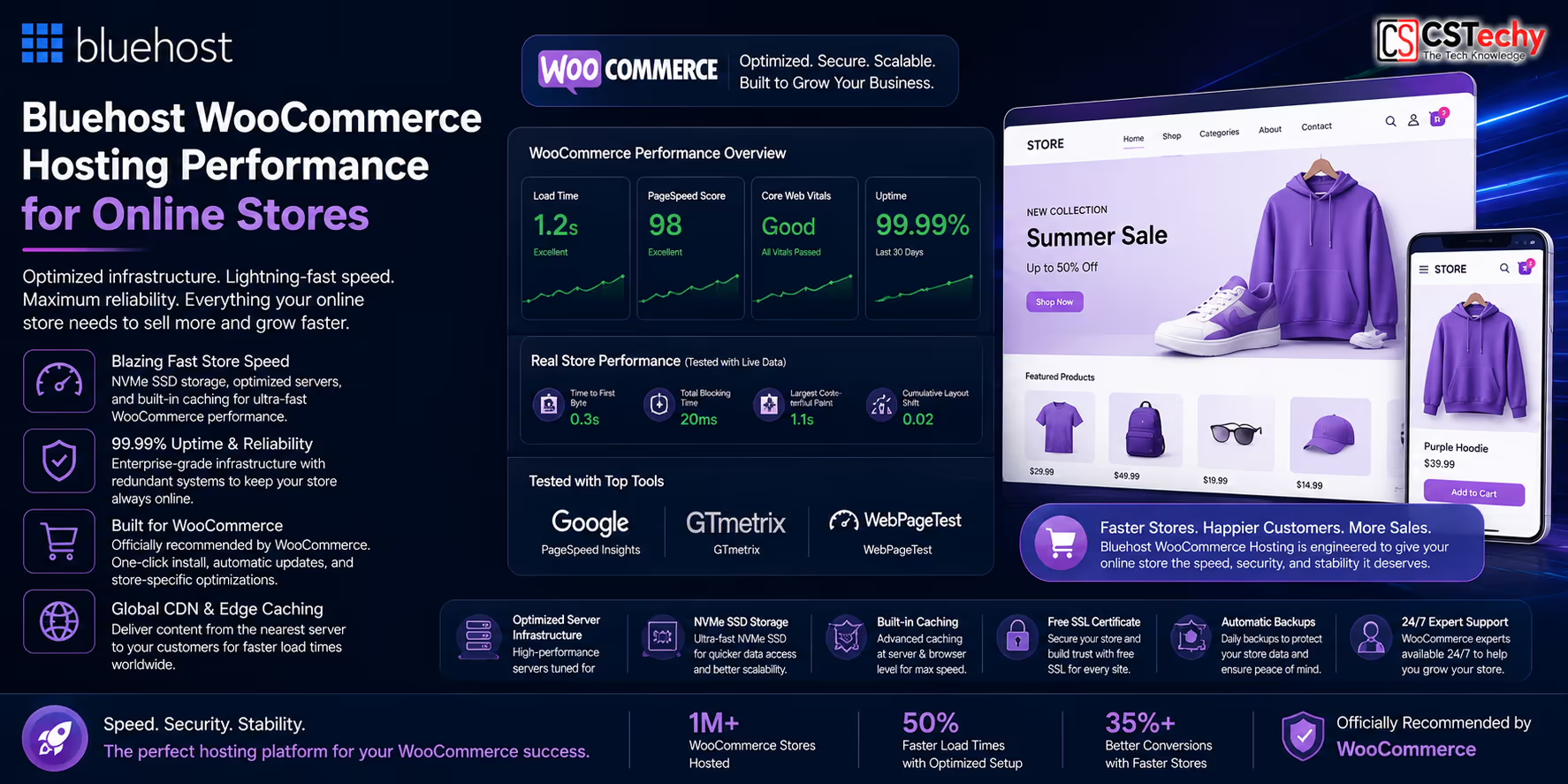
Running an online store requires more server resources than a standard blog because product catalogs, customer accounts, shopping carts, checkout pages, and payment processing generate additional database queries. A hosting platform should therefore provide consistent performance under changing workloads while maintaining a smooth shopping experience.
Bluehost Performance can support WooCommerce websites when combined with proper optimization techniques such as image compression, page caching where appropriate, efficient plugins, and a CDN for global content delivery.
WooCommerce Performance Factors
- Product database optimization
- Efficient PHP processing
- Fast SSD storage
- Optimized checkout pages
- Image compression
- Reliable hosting resources
- CDN for static assets
- Regular database maintenance
| Store Component | Performance Impact |
|---|---|
| Product Images | Very High |
| Database Queries | High |
| Checkout Process | High |
| Payment Gateway | Medium |
| Theme Quality | High |
| Plugins | High |
CSTechy Tip: Large product images are one of the biggest causes of slow WooCommerce websites. Compressing images and serving modern formats such as WebP or AVIF can significantly improve page loading speed.
Recommended Reading:
CDN Performance
A Content Delivery Network (CDN) stores copies of your website’s static resources across multiple geographic locations. When a visitor opens your website, images, stylesheets, JavaScript files, and other assets can be served from a location closer to that visitor, reducing latency and improving perceived loading speed.
Using a CDN is particularly beneficial for websites with visitors from multiple countries because it reduces the distance data must travel.
Benefits of Using a CDN
- Faster image delivery.
- Reduced server load.
- Improved global performance.
- Lower latency.
- Better scalability during traffic spikes.
- Improved visitor experience.
- Enhanced website availability.
Important: A CDN accelerates static resources, but it cannot compensate for slow database queries, poorly optimized plugins, or inefficient website code.
Caching Technology
Caching is one of the most effective ways to improve WordPress performance. Instead of generating every page dynamically for each visitor, caching stores pre-built versions of pages so they can be delivered more quickly.
Recommended Performance Improvements
- Enable page caching.
- Use browser caching.
- Minify CSS and JavaScript when appropriate.
- Optimize the WordPress database.
- Remove unused plugins.
- Enable lazy loading.
- Compress images.
- Use modern image formats.
| Optimization | SEO Benefit |
|---|---|
| Page Cache | ★★★★★ |
| Image Optimization | ★★★★★ |
| Lazy Loading | ★★★★☆ |
| Database Cleanup | ★★★★☆ |
| Browser Cache | ★★★★★ |
| CDN | ★★★★★ |
Bluehost Performance Optimization Checklist
Improving website performance requires a combination of quality hosting and smart optimization. The checklist below highlights practical improvements that benefit most WordPress websites.
- ✅ Use a lightweight WordPress theme.
- ✅ Compress every image before uploading.
- ✅ Convert images to WebP or AVIF.
- ✅ Enable lazy loading.
- ✅ Activate browser caching.
- ✅ Use a CDN for international visitors.
- ✅ Keep PHP updated.
- ✅ Update WordPress regularly.
- ✅ Remove unused themes and plugins.
- ✅ Optimize the database monthly.
- ✅ Limit third-party scripts.
- ✅ Monitor Core Web Vitals.
CSTechy Recommendation: Performance optimization is an ongoing process. Small improvements across hosting, images, caching, and code quality often provide better long-term results than relying on a single optimization technique.

Related Bluehost Guides
Continue exploring the Bluehost content hub with these in-depth resources:
Bluehost vs Other Hosting Providers: Performance Comparison
Choosing a hosting provider involves more than comparing prices. Website owners should evaluate performance, WordPress compatibility, scalability, ease of use, customer support, and long-term value. Different hosting providers focus on different audiences, so the best choice depends on your specific requirements.
The table below compares Bluehost with several well-known hosting providers based on their platform focus rather than absolute rankings.
| Hosting Provider | Best For | WordPress | WooCommerce | Scalability |
|---|---|---|---|---|
| Bluehost | Beginners & Growing Websites | ★★★★★ | ★★★★★ | ★★★★☆ |
| Hostinger | Budget Hosting | ★★★★★ | ★★★★☆ | ★★★★☆ |
| Cloudways | Managed Cloud Hosting | ★★★★★ | ★★★★★ | ★★★★★ |
| ScalaHosting | Managed VPS | ★★★★★ | ★★★★★ | ★★★★★ |
| Namecheap | Domains & Shared Hosting | ★★★★☆ | ★★★★☆ | ★★★☆☆ |
Each provider has strengths depending on your project. Bluehost is well suited for users who want an easy WordPress experience, while cloud and VPS platforms may be more appropriate for websites requiring advanced scalability or custom server configurations.
Bluehost Performance for Different Website Types
Not every website has the same hosting requirements. Selecting the right hosting plan depends on expected traffic, resource usage, and future growth.
| Website Type | Recommended Bluehost Solution |
|---|---|
| Personal Blog | Shared Hosting |
| Business Website | Choice Plus |
| Portfolio | Shared Hosting |
| WooCommerce Store | WooCommerce Hosting |
| Agency Website | VPS Hosting |
| High-Traffic Website | VPS or Higher |
| n8n Automation | VPS Hosting |
CSTechy Tip: Start with a hosting plan that matches your current needs, but consider how easily you can upgrade if your traffic and resource requirements grow.

Bluehost Performance: Pros & Cons
Advantages
- ✔ Beginner-friendly hosting platform.
- ✔ Strong WordPress compatibility.
- ✔ SSD storage on eligible plans.
- ✔ Free SSL certificate.
- ✔ CDN support on supported plans.
- ✔ Scalable hosting options.
- ✔ Suitable for blogs, businesses, and WooCommerce.
- ✔ Wide range of hosting products.
Considerations
- ✘ Website optimization still plays a major role in performance.
- ✘ Resource needs increase as websites grow.
- ✘ Some advanced features depend on the selected hosting plan.
Who Should Choose Bluehost?
Bluehost is a practical choice for users looking for a straightforward hosting platform that supports WordPress, business websites, blogs, and WooCommerce projects.
Bluehost May Be a Good Fit If You:
- Want an easy WordPress setup.
- Need reliable hosting for a new website.
- Plan to build a blog or business website.
- Want WooCommerce compatibility.
- Prefer a beginner-friendly dashboard.
- Need room to scale as your website grows.
You May Also Consider Other Options If You:
- Require advanced cloud infrastructure.
- Need extensive server customization.
- Manage enterprise-scale workloads.
- Have highly specialized hosting requirements.
Continue Your Hosting Research
Explore more detailed guides before making your hosting decision.
Final Verdict: Is Bluehost Performance Good?
Bluehost provides a solid foundation for WordPress websites, blogs, business sites, and WooCommerce stores. Overall performance depends on multiple factors, including hosting resources, website optimization, caching, image compression, CDN usage, and ongoing maintenance.
Rather than focusing on a single benchmark or speed score, evaluate hosting using a combination of uptime, responsiveness, Core Web Vitals, scalability, and real-world user experience. A well-optimized website running on suitable hosting is more likely to deliver consistent performance over time.
🚀 Ready to Launch Your Website?
Explore Bluehost hosting plans, compare features, and review current introductory offers to find the option that best matches your website goals.
Frequently Asked Questions
Below are answers to some of the most common questions about Bluehost Performance, website speed, uptime, WordPress optimization, and hosting reliability.
1. Is Bluehost fast enough for WordPress?
Bluehost is designed to support WordPress websites and includes features such as SSD storage, free SSL on eligible plans, CDN integration, and compatibility with current PHP versions. Overall website speed also depends on your theme, plugins, images, caching configuration, and ongoing optimization.
2. How good is Bluehost performance?
Bluehost provides a solid hosting foundation for blogs, business websites, portfolios, and WooCommerce stores. Performance should be evaluated using multiple factors, including loading speed, uptime, server response time, Core Web Vitals, and your website’s optimization.
3. Does Bluehost use SSD storage?
Yes. Bluehost uses SSD storage on eligible hosting plans, which generally offers faster file access and improved responsiveness compared with traditional hard disk drives.
4. Does Bluehost include a CDN?
Eligible Bluehost plans include CDN integration to help deliver static resources such as images, CSS, and JavaScript from locations closer to your visitors, improving global website performance.
5. Is Bluehost suitable for WooCommerce?
Yes. Bluehost offers WooCommerce-compatible hosting designed for online stores. Store performance still depends on product images, database optimization, theme quality, and caching strategy.
6. Can Bluehost handle high website traffic?
The appropriate hosting plan depends on your traffic and resource requirements. Smaller websites often start with shared hosting, while larger or more resource-intensive projects may benefit from VPS or higher-tier hosting plans.
7. How can I improve Bluehost website speed?
Some effective optimization techniques include compressing images, using WebP or AVIF formats, enabling browser caching, activating a CDN, keeping WordPress updated, reducing unnecessary plugins, optimizing the database, and choosing a lightweight theme.
8. Does hosting affect Google Core Web Vitals?
Yes. Hosting contributes to Core Web Vitals by influencing server response time and overall performance. However, image optimization, JavaScript execution, layout stability, and page design also play major roles in achieving good Core Web Vitals scores.
9. Is Bluehost good for websites in India?
Bluehost can be a suitable choice for Indian website owners, especially when combined with CDN integration, optimized images, browser caching, and a well-optimized WordPress website. Performance depends on the overall website configuration and visitor location.
10. Which performance testing tools should I use?
Popular website performance tools include Google PageSpeed Insights, GTmetrix, WebPageTest, Lighthouse, and Pingdom. Using multiple tools provides a more complete understanding of website speed and user experience.
11. Does Bluehost support modern PHP versions?
Bluehost supports modern PHP versions for WordPress compatibility and improved performance. Using a supported PHP version can contribute to better efficiency and security.
12. Should I use Cloudflare with Bluehost?
Many website owners choose to use Cloudflare alongside Bluehost to improve global content delivery, enhance security, and optimize caching. The ideal setup depends on your website’s audience and technical requirements.
Why Trust CSTechy?
At CSTechy, we focus on publishing practical hosting guides, WordPress tutorials, and technology content designed to help readers make informed decisions. Our recommendations emphasize transparent explanations, real-world best practices, and long-term website performance rather than relying solely on marketing claims.
- ✔ Beginner-friendly hosting guides.
- ✔ WordPress-focused recommendations.
- ✔ Regular content reviews and updates.
- ✔ Practical optimization tips.
- ✔ Clear explanations without unnecessary jargon.
Continue Your Bluehost Journey
Want to learn more before choosing a hosting plan? Explore these detailed CSTechy resources:
🚀 Ready to Launch Your Website?
Explore Bluehost hosting plans, compare features, and review the latest introductory offers available for new customers before choosing the plan that best fits your website.