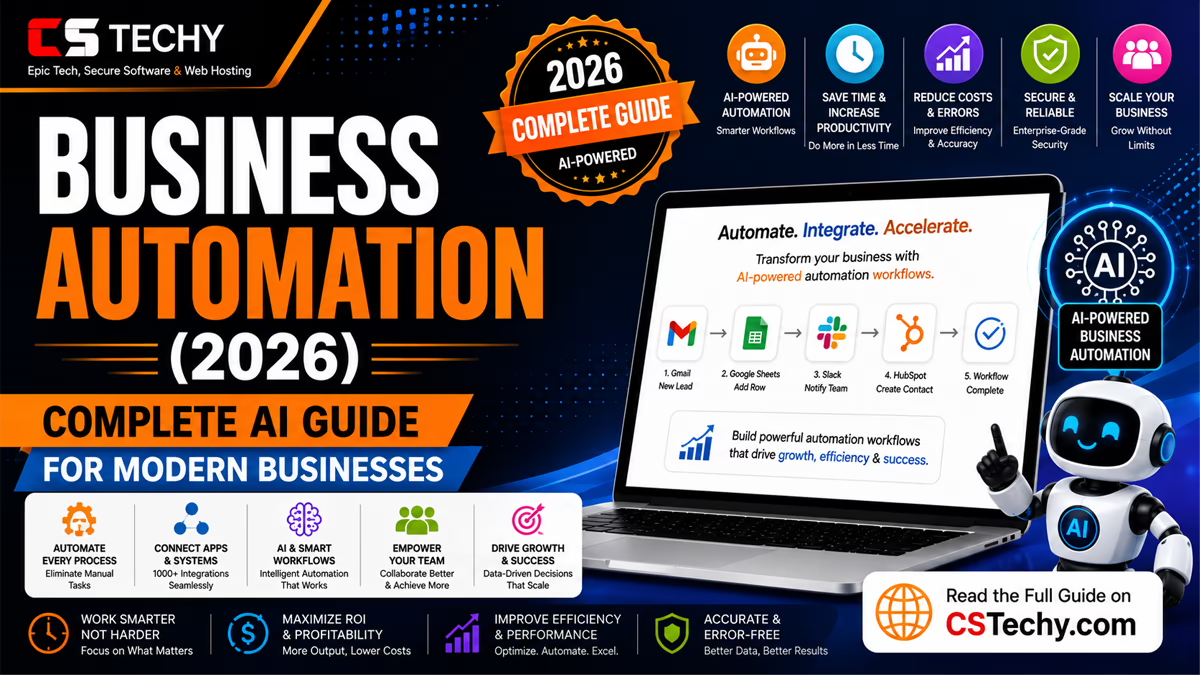
Business Automation
Business automation means using software to run tasks that people used to do by hand. It takes routine work off your plate. It runs the same steps the same way, every single time.
If you run a business today, you already feel the pressure. More customers. More data. More tools. Less time. Business automation is how growing companies keep up without burning out their team, department by department, one repetitive task at a time.
This guide covers everything you need to know about business automation. You will learn what it is, how it works, and which tools actually help. You will see real examples from sales, marketing, HR, finance, and operations. You will also learn the mistakes to avoid and the best practices that separate businesses that automate well from businesses that automate badly.
We wrote this guide the way we would explain it to a friend starting their own company. No jargon walls. No empty hype. Just what works, why it works, and how to start.
By the time you finish reading, you will understand exactly where business automation fits inside your business, whether you run a small team of five people or lead an entire enterprise department. You will also know precisely which process to automate first, so you can start seeing real results this week, not sometime in the distant future.
What Is Business Automation?
Business automation is the use of software and technology to complete business tasks with little or no human input. Instead of a person doing a task step by step, a system does it automatically, based on rules or triggers you set up once.
Automation is not one single tool. It is a strategy. It touches every department, from sales to finance to HR. Business automation covers small tasks, like sending a welcome email, and large processes, like running your entire order fulfillment cycle from start to finish.
You may also hear this called business process automation. The two terms are often used to mean the same thing. Business process automation focuses on end-to-end processes. Business automation is the broader idea that includes single tasks, full processes, and entire departments.
Business Automation vs Manual Work
Here is a simple comparison. It shows what changes when a task moves from manual work to automation.
| Manual Business Process | Automated Business Process |
|---|---|
| A person repeats the same steps every time | Software repeats the same steps every time, without fatigue |
| Speed depends on how busy the person is | Speed stays constant, even during busy periods |
| Mistakes happen from tiredness or distraction | Mistakes happen only if the rules were set up wrong |
| Hard to track what happened and when | Every action is logged automatically |
| Costs grow as volume grows | Costs stay flat even as volume grows |
Business Automation vs Workflow Automation
People often confuse business automation with workflow automation. They are related, but they are not the same thing.
Workflow automation is about automating a specific sequence of steps, like approving an expense report. Business automation is the bigger picture. It includes workflow automation, but it also covers software systems, department strategy, and company-wide operations.
Think of workflow automation as one gear inside a larger machine. Business automation is the whole machine.
This distinction matters when you are choosing software too. Some tools focus narrowly on connecting a few apps together for simple workflow automation. Others are built to manage automation across sales, marketing, finance, and operations at the same time, which is closer to true business automation software. Knowing which one you actually need will save you from buying more, or less, than your business requires.
Who Should Care About Business Automation?
You should care about business automation if any of this sounds familiar:
- You run a small business and you are doing everything yourself
- You manage a growing team and repetitive tasks are slowing everyone down
- You lead an enterprise department and need consistent, auditable processes
- You are tired of small mistakes that keep happening in the same step
- You want to scale your business without hiring at the same pace
What Business Automation Is Not
It helps to be clear about what business automation is not, since this is where many businesses get confused.
Business automation is not simply buying more software. Owning ten different tools that nobody connects together is not automation. It is just more software to manage. Real business automation means those tools talk to each other, so information flows automatically between them, without someone manually copying data from one screen to another.
Business automation is also not the same as replacing your team with machines. Automation removes repetitive tasks, not people. The businesses that get the best results are the ones that use automation to support their team, not to eliminate it entirely.
Quick Tip
Before buying any new software, ask a simple question: will this connect to the tools I already use? A tool that cannot connect to your existing systems creates more manual work, not less.
How Business Automation Fits Into Digital Transformation
Business automation is usually the first practical step inside a bigger digital transformation effort. Digital transformation is the broad shift toward running your business on modern, connected technology. Business automation is where that shift actually becomes visible day to day, since it changes how your team’s daily work actually gets done.
Companies rarely transform everything overnight. They automate one painful process, see the results, and use that success to justify the next step. This slow, steady approach is far more realistic than trying to modernize an entire business all at once.
How Business Automation Works
Business automation always follows the same basic pattern. Once you understand this pattern, every automation tool makes more sense.
The Trigger
Every automation starts with a trigger. A trigger is the event that tells the system to start working. It could be a new form submission, a new customer, a specific date, or a status change in another tool.
The Rules
Once triggered, the system checks a set of rules. Rules decide what should happen next. For example, if an order is over 500 dollars, send it for manager approval. If it is under 500 dollars, process it right away.
The Actions
Actions are the actual tasks the system performs. This could be sending an email, updating a spreadsheet, creating a task, or moving a deal to a new stage in your CRM.
The Data
Data connects every step together. The customer name, order number, or email address moves through the whole process, so each action has the right information at the right time.
A Simple Real Example
Let us walk through one full example, so you can see this in action.
A customer fills out a contact form on your website. That is the trigger. The system checks the rules. If the customer selected “Enterprise” as their company size, it assigns the lead to a senior sales rep. If they selected “Small Business,” it assigns the lead to a different rep.
Then the action happens. A welcome email goes out. A task is created for the assigned rep. A new row appears in your CRM automatically. All of this happens in seconds, without anyone touching a keyboard.
You set the rules once. The system follows them forever, exactly the same way, every time.
What Happens When Something Goes Wrong
Real business processes are never perfectly clean. A field might be missing. An app might be temporarily down. A customer might submit information in an unexpected format.
Good business automation plans for this. Instead of silently failing, a well-built system flags the problem and notifies a real person. This is called error handling, and it is one of the most overlooked parts of building reliable automation.
Expert Note
Never assume your automation will always receive perfect data. Build in a simple check for missing or unexpected information, and route anything unusual to a human before it causes a bigger problem.
A Second Example: Automated Invoice Approval
Here is another common pattern that shows how these pieces work together in finance.
An employee submits an expense for reimbursement. That is the trigger. The system checks the rules. If the amount is under 100 dollars, it approves automatically and schedules payment. If it is over 100 dollars, it routes the request to the employee’s manager for approval.
Once approved, the action happens automatically. The finance system updates. A confirmation email goes to the employee. The payment gets scheduled for the next payment run. No one had to manually track down an approval or remember to process the payment.
A Simple Diagram, Described in Text
If you sketched this on a whiteboard, it would look like a straight line with one fork in it. Picture five boxes connected by arrows, left to right.
Box one is the trigger, labeled “Expense submitted.” An arrow leads to box two, the rule check, labeled “Is the amount over 100 dollars?” From there, the line splits into two paths. The top path, for amounts under 100 dollars, leads directly to box three, labeled “Auto-approve and schedule payment.” The bottom path, for amounts over 100 dollars, leads to a different box three, labeled “Send to manager for approval.” Both paths then merge back into one final box, labeled “Update records and notify employee.”
Every business automation, no matter how complex it looks in a screenshot, can be reduced to this same shape: a trigger, one or more decision points, and a final set of actions that always run once the decision is made.
Benefits of Business Automation
The benefits of business automation go far beyond saving time. Here is what actually changes for a business once automation is in place.
You Save Real Hours Every Week
Repetitive admin work eats hours out of every week. Automating even one process can give your team back several hours, which adds up fast across a whole year.
You Reduce Costly Mistakes
People get tired. People get distracted. A well-built automation does not. It follows the same steps correctly every single time, which means fewer refunds, fewer angry emails, and fewer late-night fixes.
You Respond Faster
Speed builds trust with customers. A lead that gets an instant reply is far more likely to convert than one that waits a whole day. Automation makes fast responses the default, not the exception.
You Scale Without Breaking
Manual processes often break when a business grows. Automated ones do not care if you have ten customers or ten thousand. The process runs the same way at any size.
You Get Better Data
Automation keeps your data clean and consistent. There is no more retyping information into three different tools, which means fewer duplicate records and fewer reporting errors.
You Improve Employee Experience
Nobody enjoys copy-pasting data all day. When automation removes the boring parts of a job, your team gets to focus on the parts that use their actual skills, which improves morale and retention.
ROI: How to Measure the Value
You can measure business automation ROI with a simple formula.
(Hours saved per month multiplied by hourly labor cost) minus monthly software cost equals your net monthly ROI.
Many businesses are surprised how fast this number becomes positive. A tool that costs 50 dollars a month can pay for itself within days if it saves even a few hours each week.
Pros and Cons of Business Automation
Automation brings real advantages, but it is fair to look at both sides before you begin.
| Pros | Cons |
|---|---|
| Saves significant time on repetitive tasks | Requires upfront setup and testing time |
| Reduces human error in rule-based work | Can fail silently if not monitored properly |
| Improves speed and consistency for customers | Needs occasional updates as processes change |
| Scales without a proportional rise in cost | Some employees may resist the change at first |
| Frees employees for higher-value work | Poor implementation can create new problems |
ROI Comparison: Manual vs Automated Process
Here is a simple side-by-side look at how ROI typically compares between a manual process and its automated version over the course of a year.
| Factor | Manual Process | Automated Process |
|---|---|---|
| Hours spent per month | High, and grows with volume | Low, and stays flat as volume grows |
| Error rate | Increases with fatigue and volume | Stays consistent once rules are correct |
| Cost over one year | Grows steadily with business growth | Mostly flat after initial setup cost |
| Speed of execution | Depends on staff availability | Instant, regardless of staff availability |
Types of Business Automation
Business automation is not one single category. It spans nearly every department in a company. Here is a quick overview before we go deeper into each type in the sections below.
- Sales automation, which handles leads, follow-ups, and deal tracking
- Marketing automation, which handles campaigns, emails, and audience segments
- Customer service automation, which handles support tickets and live chat
- Human resources automation, which handles onboarding, payroll, and reviews
- Finance automation, which handles invoicing, reconciliation, and reporting
- Operations automation, which handles inventory, supply chain, and logistics
- Project management automation, which handles task tracking and reporting
- Document automation, which handles contracts, forms, and file generation
- Approval workflow automation, which handles sign-offs and compliance steps
Some businesses automate one department first. Others automate several at once. There is no single right order. The right order is whichever process is causing you the most pain right now.
Small Business Automation vs Enterprise Business Automation
Small business automation usually starts simple. A small team might automate lead capture, invoicing, and email follow-ups using affordable, easy tools with almost no setup time.
Enterprise business automation usually involves more departments, more compliance requirements, and more complex systems working together. Enterprise teams often need stronger security, detailed audit trails, and dedicated support from their software vendor.
The core idea is the same at both levels. Only the scale, budget, and complexity change.
How to Decide Which Type to Automate First
With nine different types of business automation to choose from, it helps to have a simple decision framework rather than guessing.
- Which department loses the most hours to repetitive manual work each week?
- Which process causes the most customer complaints or delays right now?
- Which task is the easiest to automate with the tools you already own?
- Which process, if automated, would free up your most valuable employees?
Answer these questions honestly, and the right starting point usually becomes obvious. Most businesses find that sales automation or customer service automation delivers the fastest, most visible win, since both areas directly affect revenue and customer experience.
Sales Automation
Sales automation uses software to handle repetitive sales tasks, so your reps can spend more time actually selling.
What Sales Automation Actually Does
- Captures new leads automatically from your website or ad campaigns
- Assigns leads to the right rep based on territory, size, or industry
- Sends automatic follow-up emails when a lead goes quiet
- Updates deal stages in your CRM automatically based on activity
- Reminds reps about tasks they might otherwise forget
Why This Matters for Revenue
Every minute a lead waits without a reply is a minute a competitor has to steal them. Sales automation removes that delay completely, which directly protects your revenue.
A Common Mistake to Avoid
Do not automate your entire sales pipeline overnight. Start with one weak point, like slow lead response times, prove it works, then expand to the next stage of your pipeline.
CRM Automation and Sales Automation
CRM automation is a core part of sales automation. Your CRM, or customer relationship management system, is usually where sales automation lives. It tracks every contact, deal, and interaction, and it becomes far more powerful once it updates itself automatically instead of relying on reps to log everything by hand.
When CRM automation and sales automation work together, deal stages update themselves, follow-up tasks appear automatically, and managers get accurate pipeline reports without chasing anyone for updates.
A Real-World Scenario
A software company noticed deals were quietly going cold because reps forgot to follow up after a demo. After automating a follow-up reminder three days after every demo call, their close rate improved within the first quarter.
Sales Automation Checklist
- New leads are captured automatically from every source
- Leads are assigned automatically based on clear, fair rules
- Follow-up reminders trigger automatically when a deal goes quiet
- Deal stages update automatically based on real activity
- Sales reports generate automatically without manual data entry
Marketing Automation
Marketing automation handles the repetitive side of marketing, so your team can focus on strategy and creative work instead of manual sending and tracking.
What Marketing Automation Actually Does
- Sends email sequences automatically based on user behavior
- Segments your audience automatically based on their interests
- Schedules and publishes social media content in advance
- Scores leads automatically based on engagement level
- Triggers personalized offers based on browsing or purchase history
Why This Matters for Growth
Personalized marketing at scale used to require a huge team. Marketing automation lets a small team deliver the same personal touch to thousands of contacts at once.
A Quick Tip
Start with one automated welcome sequence for new subscribers. It is simple to build and usually shows results within the first month.
Marketing Automation Beyond Email
Marketing automation is not only about email, although email is often the easiest starting point. It also covers retargeting ads that trigger automatically based on website behavior, automatic lead scoring that tells sales which contacts are ready to buy, and automated reporting that shows exactly which campaigns are working.
The goal is always the same. Reduce the manual work of running campaigns, while making each message feel more relevant and personal to the person receiving it.
Warning
Over-automating marketing without checking in on tone can make your brand feel robotic. Review automated messages regularly to make sure they still sound like your business, not like a generic template.
Marketing Automation Checklist
- New subscribers receive an automatic, well-written welcome sequence
- Audience segments update automatically based on behavior
- Abandoned actions, like an unfinished signup, trigger a gentle follow-up
- Lead scores update automatically as contacts engage with your content
- Campaign performance reports generate without manual spreadsheet work
Customer Service Automation
Customer service automation helps your support team respond faster and more consistently, without losing the human touch where it matters most.
What Customer Service Automation Actually Does
- Routes support tickets automatically based on topic or urgency
- Answers common questions instantly through a chatbot or help center
- Sends automatic status updates so customers are never left wondering
- Escalates urgent issues to a human the moment they are detected
- Collects feedback automatically after a ticket is resolved
Why This Matters for Loyalty
Customers judge your business by how you handle problems, not just how you handle sales. Fast, consistent support builds trust that keeps customers coming back.
An Important Warning
Never remove the option to reach a real human. Automation should speed up simple requests, not trap frustrated customers in an endless loop with no way out.
Customer Service Automation Software in Practice
Most customer service automation software works by combining three things: a knowledge base of common answers, a routing system that understands ticket topics, and a chatbot or auto-responder that handles the simplest requests instantly.
The best setups let customers escalate to a human at any point, with full context already attached, so the customer never has to repeat themselves.
Best Practice
Always show customers a clear, easy way to reach a human. Even the best automated system should feel like a helpful shortcut, not a locked door.
Customer Service Automation Checklist
- Common questions are answered instantly through a chatbot or help center
- Tickets route automatically based on topic and urgency
- Customers always have a clear path to reach a real person
- Status updates send automatically so customers are never left guessing
- Feedback requests trigger automatically after a ticket closes
Human Resources Automation
Human resources automation, often called HR automation, takes the paperwork out of managing people, so your HR team can focus on culture and people, not files.
What HR Automation Actually Does
- Automates new employee onboarding, from paperwork to account setup
- Tracks time off requests and approvals automatically
- Sends automatic reminders for performance reviews
- Manages payroll calculations with far fewer manual errors
- Notifies the right teams the moment a new hire is confirmed
Why This Matters for New Hires
A new employee’s first week shapes how they feel about your company. Automated onboarding means accounts, documents, and welcome messages are ready before they even sit down.
A Best Practice
Always keep a human check on sensitive HR decisions, like performance reviews or terminations. Automation should support these processes, never replace human judgment entirely.
HR Automation Across the Employee Lifecycle
HR automation is useful at every stage of an employee’s time with your company, not just onboarding. It can automatically remind managers when a review is due, track certification renewals, and even automate parts of the offboarding process, like revoking system access the moment someone leaves.
Handled well, HR automation makes the entire employee experience feel more organized and professional, from the first day to the last.
A Real-World Scenario
A growing agency used to lose track of performance review dates, sometimes going months overdue. After automating review reminders tied to each employee’s start date, reviews now happen consistently, on time, every cycle.
HR Automation Checklist
- New hire paperwork and accounts are set up automatically
- Time off requests route automatically to the correct approver
- Performance review reminders trigger automatically on schedule
- Offboarding steps, like access removal, happen automatically on exit
- Payroll data flows automatically with minimal manual entry
Finance Automation
Finance automation handles the repetitive, rule-based side of accounting and finance, where accuracy matters more than almost anywhere else in the business.
What Finance Automation Actually Does
- Generates and sends invoices automatically on a set schedule
- Sends automatic payment reminders before and after due dates
- Reconciles transactions automatically across bank accounts
- Flags unusual expenses automatically for manual review
- Builds financial reports automatically from live data
Why This Matters for Cash Flow
Late invoices and missed reminders directly hurt your cash flow. Automating this single process often improves how fast customers actually pay you.
An Expert Note
Finance automation should always include an audit trail. Every automated action should be traceable, which matters enormously for compliance and for your accountant’s sanity.
Finance Automation and Financial Reporting
One of the most valuable uses of finance automation is reporting. Instead of manually pulling numbers from several systems at the end of each month, finance automation can build reports automatically from live data, so leadership always has an accurate, up-to-date picture of the business.
This is especially valuable for growing businesses, where financial decisions need to happen quickly and cannot wait for someone to finish building a spreadsheet by hand.
Warning
Never fully automate a financial process without a review step for unusually large or unusual transactions. Automatic approval limits should always have a sensible cap.
Finance Automation Checklist
- Invoices generate and send automatically on a set schedule
- Payment reminders trigger automatically before and after due dates
- Bank transactions reconcile automatically against your records
- Unusual expenses flag automatically for manual review
- Financial reports build automatically from live, accurate data
Operations Automation
Operations automation, sometimes called business operations automation, covers the behind-the-scenes processes that keep your business physically running.
What Operations Automation Actually Does
- Tracks inventory levels automatically and reorders stock before it runs out
- Automatically updates order status across your systems
- Coordinates supplier communication when stock is low
- Automatically routes shipments based on location and cost
- Flags quality issues automatically based on set thresholds
Why This Matters for Reliability
Operations that rely on someone remembering to check a spreadsheet will eventually fail. Automation removes that single point of failure completely.
A Real-World Scenario
A small retailer used to run out of best-selling items every few weeks. After automating stock alerts, reorders now happen automatically before shelves ever go empty.
Operations Automation and the Supply Chain
Operations automation becomes especially valuable once your supply chain has more than one moving part. When inventory levels, supplier orders, and shipping updates are all connected, a single trigger, like stock falling below a set number, can set off an entire chain of actions without anyone needing to check a spreadsheet.
This matters most for businesses selling physical products, where a stockout does not just lose one sale, it can lose a customer’s trust in your business entirely.
Best Practice
Set reorder thresholds with a buffer for shipping delays. Automating a reorder that arrives too late defeats the purpose of automating it in the first place.
Operations Automation Checklist
- Inventory levels are tracked automatically in real time
- Reorders trigger automatically before stock actually runs out
- Order status updates flow automatically across every connected system
- Supplier communication happens automatically when stock is low
- Quality or shipping issues get flagged automatically for review
Project Management Automation
Project management automation keeps your team’s work moving without someone manually chasing updates or reassigning tasks all day.
What Project Management Automation Actually Does
- Creates tasks automatically when a project reaches a new stage
- Notifies the right person automatically when a task becomes overdue
- Updates project status automatically based on task completion
- Generates weekly progress reports without manual data entry
- Assigns tasks automatically based on workload or availability
Why This Matters for Deadlines
Projects rarely fail because of one big mistake. They usually fail because small tasks quietly slip through the cracks. Automation catches those small slips before they become big problems.
A Quick Tip
Start by automating status updates and overdue task alerts. These two automations alone remove most of the manual chasing in project management.
Project Management Automation for Remote Teams
Project management automation matters even more for remote and hybrid teams, where informal check-ins in the hallway simply do not happen. Automated status updates and overdue alerts replace those casual conversations, keeping everyone aligned without requiring extra meetings.
Many teams also automate recurring tasks, like weekly reporting or sprint planning reminders, so the rhythm of the project continues even during busy weeks.
Project Management Automation Checklist
- Tasks generate automatically as a project moves through its stages
- Overdue task alerts trigger automatically for the right person
- Project status updates automatically based on real task completion
- Recurring tasks, like weekly reports, are created automatically
- Workload is balanced automatically based on current assignments
Document Automation
Document automation uses software to create, manage, and process documents automatically, instead of building them from scratch by hand every time.
What Document Automation Actually Does
- Generates contracts automatically by filling in a template with live data
- Creates proposals automatically the moment a deal reaches a certain stage
- Extracts information automatically from uploaded documents
- Sends documents for electronic signature automatically
- Stores completed documents automatically in the correct folder
Why This Matters for Speed
A contract that used to take an hour to draft can now be ready in under a minute. That speed can be the difference between closing a deal today and losing it to a faster competitor tomorrow.
A Best Practice
Always review the first few automatically generated documents closely. Small template errors can repeat across every document until someone catches them.
Document Automation for Contracts and Compliance
Document automation is especially valuable for contracts, where small mistakes can carry real legal weight. By generating contracts from a locked, approved template and only filling in specific fields automatically, businesses reduce the risk of an outdated clause slipping into a new agreement.
This same approach works well for compliance documents, where consistency across every version matters just as much as speed.
Document Automation Checklist
- Contracts generate automatically from an approved, locked template
- Proposals build automatically once a deal reaches the right stage
- Key information extracts automatically from uploaded documents
- Documents route automatically for electronic signature
- Completed documents file automatically in the correct folder
Approval Workflow Automation
Approval workflow automation manages sign-offs and permissions automatically, so requests do not sit in someone’s inbox for days waiting for a reply.
What Approval Workflow Automation Actually Does
- Routes requests automatically to the correct approver based on amount or type
- Sends automatic reminders if a request has not been approved in time
- Escalates automatically to a backup approver if someone is unavailable
- Logs every approval decision automatically for compliance purposes
- Triggers the next step automatically the moment approval is granted
Why This Matters for Speed and Compliance
Slow approvals frustrate employees and slow down the whole business. Automated approval workflows keep requests moving while still keeping full compliance records.
A Common Mistake to Avoid
Do not build an approval workflow with no backup approver. A single point of failure in an approval chain can freeze important requests for days.
Approval Workflow Automation for Compliance-Heavy Industries
In industries with strict compliance requirements, like finance or healthcare, approval workflow automation does more than save time. It creates a complete, timestamped record of every decision, which matters enormously during an audit.
Instead of digging through email threads to prove a request was properly approved, a compliance team can pull a clear, automatic log showing exactly who approved what, and when.
Approval Workflow Automation Checklist
- Requests route automatically to the correct approver every time
- Reminders trigger automatically if a request sits too long
- A backup approver is always in place for unavailability
- Every approval decision logs automatically for compliance
- The next step triggers automatically the moment approval is granted
AI Business Automation
AI business automation combines artificial intelligence with traditional automation, so systems can handle tasks that need judgment, not just fixed rules.
How AI Automation Is Different From Traditional Automation
Traditional automation follows a script. If this happens, do that. AI business automation goes further. It can read an email, understand what the customer actually means, and decide the best next action on its own.
| Traditional Business Automation | AI Business Automation |
|---|---|
| Follows exact pre-set rules | Understands intent and context |
| Struggles with messy, unstructured input | Handles unstructured data like emails and documents |
| Cannot adapt to new situations on its own | Can adjust its approach based on new information |
| Best for high-volume, predictable tasks | Best for tasks that need judgment and flexibility |
AI Agents and Agentic Workflows
AI agents are systems that can understand a goal and take multiple steps on their own to achieve it. Instead of following one fixed path, an AI agent plans its own steps and adjusts along the way.
When several AI agents work together toward a shared goal, this is often called agentic workflows. One agent might research, another might draft a reply, and another might check that reply before it goes out.
This matters for business automation because it opens the door to automating work that used to be too unpredictable for a fixed set of rules, like handling a customer complaint that could go in several different directions depending on how the conversation unfolds.
Where AI Business Automation Fits Best
- Reading and categorizing incoming customer messages automatically
- Drafting first-response emails for a human to quickly review
- Summarizing long documents or meeting notes in seconds
- Flagging unusual patterns in financial or operational data
- Answering internal employee questions instantly
An Important Warning
Always keep a human check on high-stakes AI decisions, especially anything involving money, legal terms, or sensitive customer data. AI automation should support your team, not replace careful judgment entirely.
Getting Started With AI Business Automation
The easiest way to start with AI business automation is to add one AI step inside a workflow you already trust, rather than rebuilding an entire process around AI from scratch. For example, you might keep your existing support ticket routing exactly as it is, but add an AI step that drafts a suggested reply for the human agent to review before sending.
This approach lets you see real value quickly, while keeping full control over anything that reaches a customer or affects your finances.
AI Business Automation Checklist
- The task chosen genuinely needs judgment, not just a fixed rule
- A human reviews any AI output before it reaches a customer
- The AI only has access to the specific data it actually needs
- Results are monitored regularly, not just checked once at launch
- There is a clear, fast way to pause the automation if something looks wrong
Business Automation Software
Business automation software is the platform that actually runs your automations. Choosing the right one depends on your team’s technical comfort, budget, and the systems you need to connect.
Categories of Business Automation Software
- General-purpose workflow automation software that connects many apps together
- Department-specific software built for one function, like marketing automation or CRM automation
- Enterprise automation platforms built for complex, large-scale processes
- No-code automation platforms designed for non-technical users
What to Look for Before You Choose
- Does it connect to the apps you already use every day?
- Can your team actually use it without months of training?
- Does the pricing model make sense as your usage grows?
- Does it offer clear logs, so you can see what happened and when?
- Does it have real customer support when something breaks?
An Expert Note
The best business automation software is rarely the one with the most features. It is the one your team will actually use every day without frustration.
No-Code Automation and Why It Matters
No-code automation lets people build automated processes using visual, drag-and-drop tools instead of writing programming code. This has completely changed who can build automation inside a business.
Previously, automating a process usually meant waiting for a developer to have free time. Now, a marketing manager, an HR coordinator, or a small business owner can often build a working automation themselves in an afternoon. This shift is one of the biggest reasons business automation has spread so quickly across companies of every size.
Business Automation Software Checklist
- It connects to the specific apps your business already relies on
- Your team can learn it without months of dedicated training
- Pricing scales sensibly as your usage and team size grow
- It provides clear logs so you always know what happened and when
- Real support is available when something breaks unexpectedly
Best Business Automation Tools
Here is an honest look at some of the most trusted business automation tools on the market today.
| Tool | Best For | Key Strength |
|---|---|---|
| n8n | Technical teams wanting full control | Open-source flexibility and self-hosting |
| Zapier | Beginners connecting popular apps | Huge library of simple, ready-made integrations |
| Make | Complex, branching automations | Visual builder for detailed logic |
| Microsoft Power Automate | Businesses inside the Microsoft ecosystem | Deep integration with Microsoft 365 and Teams |
| ActiveCampaign | Marketing and customer experience automation | Strong email and CRM automation features |
How to Choose Between Them
If your team is technical and wants full control, a flexible tool like n8n is a strong fit. If you want the simplest possible starting point, Zapier is usually the easiest first step. If your automations involve complex branching logic, Make gives you more visual control. If your company already runs on Microsoft tools, Power Automate is often the path of least resistance. If your main focus is marketing and customer relationships, ActiveCampaign is built specifically for that.
Many growing businesses end up using more than one of these tools at once, each handling the department it fits best, rather than trying to force a single tool to cover every use case across the whole company.
A Quick Tip
Do not judge a tool only by its price. Judge it by how well it connects to the specific tools your business already depends on every day.
Choosing Tools for Small Business Automation vs Enterprise Business Automation
Small business automation usually favors simple, affordable tools with fast setup and minimal training required. A small team rarely needs deep customization. They need something that works quickly and reliably without a big learning curve.
Enterprise business automation often requires stronger security controls, detailed permission settings, and the ability to handle far higher volumes of data. Enterprise buyers should also weigh how well a vendor supports complex, multi-department rollouts, since enterprise automation projects usually involve more stakeholders and more approval steps along the way.
Warning
Avoid choosing enterprise-level software for a small team, or basic software for a large enterprise. Mismatched tools either waste money on unused features or leave a growing business without the controls it actually needs.
How to Automate Your Business Step by Step
Here is a clear, practical path you can follow to automate your first business process with confidence.
Step 1: Map the Process As It Happens Today
Write down every single step of the current process, exactly as it happens now, including the messy parts. You cannot automate a process you do not fully understand.
Step 2: Find the Repetitive, Rule-Based Steps
Look for steps that follow a clear pattern with no real judgment needed. These are your best candidates for automation.
Step 3: Choose Your Trigger
Decide exactly what event should start the automation. Be specific. “A new form is submitted” works. “Something happens with sales” does not.
Step 4: Pick the Right Tool
Choose business automation software that connects to the exact apps this process touches, based on the categories and tools covered earlier in this guide.
Step 5: Build the Simplest Version First
Do not try to automate every branch and exception right away. Build the basic version, get it working, then add complexity over time.
Step 6: Test With Real Data
Run the automation using real, messy examples before turning it on for everyone. Check every field carefully.
Step 7: Launch and Monitor Closely
Turn it on and watch the first dozen runs closely. Small errors are much easier to fix early than after they have run quietly for months.
Step 8: Document What You Built
Write a short note explaining what the automation does and why it exists. This saves confusion later, especially if someone else needs to update it.
Step 9: Expand to the Next Process
Once your first automation has run reliably for a few weeks, look for the next repetitive task causing your team the most frustration, and repeat the same process.
Step 10: Build a Simple Automation Roadmap
As you automate more processes, keep a simple running list of what has been automated, what is planned next, and who owns each one. This keeps your growing automation system organized instead of scattered.
A Practical Checklist Before You Launch
- I have mapped the full manual process, start to finish
- I know exactly what should trigger the automation
- I have chosen a tool that connects to every app involved
- I have tested with real, messy data, not just perfect examples
- I know who should be notified if something goes wrong
- I have written a short note explaining what this automation does
Business Automation Examples
Seeing automation in action often makes the concept click faster than theory alone. Here are real business automation examples from different departments.
Example: Automated Lead Follow-Up
A small consulting firm used to reply to new leads within a day, sometimes two. After automating lead capture and first-response emails, replies now go out within minutes, and their close rate improved noticeably.
Example: Automated Employee Onboarding
A growing company used to spend three full days onboarding each new hire. After automating account creation, welcome emails, and document delivery, onboarding now takes less than an hour of actual staff time.
Example: Automated Invoice Reminders
An agency used to chase late payments manually every month. After automating payment reminders before and after due dates, late payments dropped and cash flow became far more predictable.
Example: Automated Support Ticket Routing
A software company used to have one person manually reading and assigning every support ticket. After automating routing based on keywords and urgency, tickets now reach the right specialist within seconds.
Example: Automated Inventory Reordering
A retail store used to run out of popular products every few weeks. After automating stock alerts and supplier orders, the store rarely runs out of its best sellers anymore.
Example: Automated Contract Generation
A consulting firm used to spend an hour drafting each new client contract by hand. After automating contract generation from an approved template, contracts now go out within minutes of a deal closing.
Example: Automated Approval Routing
A mid-sized company used to lose days waiting for expense approvals stuck in someone’s inbox. After automating approval routing based on amount and department, requests now move within hours instead of days.
Example: Enterprise-Wide Onboarding Automation
A larger enterprise used to coordinate new employee onboarding across five separate departments, each handling their piece manually. After connecting HR, IT, and facilities through one automated workflow, every department now receives exactly what it needs, at exactly the right time, without a single email chain.
Common Business Automation Mistakes
Automation done carelessly can create bigger problems than the manual process it replaced. Here are the mistakes worth avoiding.
Mistake 1: Automating a Broken Process
Speeding up a flawed process just means mistakes happen faster. Fix the process first, then automate the clean version.
Mistake 2: Skipping Real Testing
An automation tested only with perfect, clean data is not really tested at all. Always test with real, messy examples first.
Mistake 3: No Error Handling
What happens if a field is empty or an app goes down for a moment? Without a plan for errors, small hiccups can quietly break your whole process.
Mistake 4: Trying to Automate Everything at Once
Automation overwhelm is real. Start with one process, prove it works, then expand gradually.
Mistake 5: Removing the Human Touch Completely
Not every task should be automated. Sensitive conversations and complex decisions still need a real person involved.
Mistake 6: No Documentation
When the person who built the automation leaves, a lack of documentation turns it into a mystery nobody wants to touch.
Mistake 7: Never Reviewing Old Automations
Businesses change over time. An automation built two years ago might no longer match how the business actually works today. Review your automations regularly.
Mistake 8: Ignoring Employee Concerns
Rolling out automation quietly, without explaining what is changing, often creates quiet resistance or mistrust. Be open early about what automation will and will not replace.
Business Automation Best Practices
These best practices separate businesses that automate successfully from ones that struggle.
Start Small and Build Confidence
Pick one painful, repetitive task first. A quick, visible win builds trust in automation across your whole team.
Involve the People Doing the Work
The person currently doing a task by hand usually knows its hidden edge cases better than anyone. Involve them before you build anything.
Keep Clear Ownership
Every automation should have one person responsible for checking it works and updating it when the process changes.
Build in Monitoring From Day One
Set up alerts for failed runs so problems get caught quickly, rather than discovered weeks later by an unhappy customer.
Protect Sensitive Data
Only connect an automation to the data it actually needs. The smaller the footprint, the smaller the risk if something goes wrong.
Review and Improve Regularly
Schedule a periodic check, even once or twice a year, to confirm your automations still match how your business actually operates.
Measure Results, Not Just Activity
Track the actual time and cost saved by each automation, not just whether it is technically running. This helps you decide where to invest next and proves the value of automation to the rest of your business.
Business Automation Challenges
Business automation brings real benefits, but it is not without challenges. Understanding them helps you plan around them instead of being surprised by them.
Employee Resistance to Change
People sometimes worry automation threatens their job. Address this early, honestly, and clearly explain what automation will and will not replace.
Integration Complexity
Older, legacy software does not always connect easily to modern automation tools. This can require extra setup time or specialized connectors.
Upfront Time Investment
Building automation properly takes time upfront, even though it saves much more time later. Businesses that rush this step often build automations that break quickly.
Ongoing Maintenance Needs
Automations are not “set and forget” forever. Business processes change, and automations need updates to keep matching reality.
Security and Compliance Concerns
Connecting sensitive business data to automation tools requires careful attention to permissions, encryption, and compliance rules relevant to your industry.
Choosing the Wrong Tool for Your Scale
A tool that works well for a five-person team can become expensive or limiting once you reach fifty employees. Plan for growth when choosing your automation software, so a scaling business does not force an unplanned migration later.
Balancing Speed With Accuracy
Faster is not always better if it comes at the cost of accuracy. Businesses should always weigh how much oversight a process needs before automating it fully, especially for anything customer-facing or financially sensitive.
Future of Business Automation
Business automation is moving fast, and a few clear trends are already shaping where it goes next.
AI and Automation Will Keep Merging
Traditional rule-based automation will keep combining with AI business automation, letting systems handle both predictable tasks and judgment-based decisions in the same process.
No-Code Automation Will Keep Growing
Building automation will require less and less technical skill, letting more people across a business build their own automations without waiting on a developer.
Agentic Workflows Will Become More Common
More businesses will use AI agents that plan and adjust their own steps, rather than following a fixed script, especially for complex or unpredictable tasks.
Automation Will Reach Smaller Businesses Faster
Small business automation tools keep becoming cheaper and easier to use, closing the gap between what small teams and large enterprises can achieve.
Human Oversight Will Remain Essential
Even as automation grows more capable, businesses that succeed long-term will keep meaningful human judgment involved in the decisions that matter most.
Automation Will Become a Standard Business Skill
Just as spreadsheets became a basic skill expected of most office workers, building simple automations is quickly becoming a similar baseline expectation, especially as no-code tools keep getting easier to use across every department.
How to Know Your Business Automation Is Working
Before moving to the next section, it helps to know what real success looks like. A working business automation should show up in clear, measurable ways, not just a general feeling that things are smoother.
- Fewer manual errors reported in the process you automated
- Faster turnaround time between the trigger and the final action
- Less time logged by employees on the task you automated
- Fewer customer complaints tied to delays in that specific process
- A clear, positive number when you calculate its ROI
If an automation is not showing improvement in at least a few of these areas after a reasonable testing period, it is worth revisiting the rules, the trigger, or the tool itself before assuming automation was not the right choice.
Frequently Asked Questions
Here are honest answers to the questions we hear most often from business owners and teams exploring business automation for the first time.
What is business automation in simple terms?
Business automation is the use of software to complete business tasks automatically, based on rules or triggers you set up once. Instead of a person repeating the same steps by hand, a system performs those steps consistently, every single time, without needing to be asked. It covers everything from a single automated email to an entire department running on connected workflows. Business automation exists in every size of company, from solo founders automating simple admin work to large enterprises running complex, multi-department processes. The goal is always the same: remove repetitive manual work so people can focus on tasks that genuinely need human judgment, creativity, and relationship building. It is not about replacing your team. It is about freeing your team from work that a computer can do faster and more consistently.
Is business automation only for large companies?
No. Small business automation is just as common as enterprise business automation, and often easier to set up. Many affordable, beginner-friendly tools were built specifically for small teams with limited budgets and no dedicated technical staff. A solo founder can automate lead capture, invoicing, and email follow-ups in a single afternoon using simple, low-cost software. Enterprise businesses tend to automate more departments at once and need stronger security and compliance features, but the underlying idea works the same way at any size. If you are a small business owner wondering whether automation is worth your time, the honest answer is almost always yes, especially for the repetitive tasks that quietly eat hours out of your week.
What is the difference between business automation and workflow automation?
Workflow automation usually refers to automating one specific sequence of steps, such as routing an approval request to the right manager. Business automation is the broader term, covering entire departments, multiple connected workflows, and company-wide operations working together. You can think of workflow automation as one building block inside the larger structure of business automation. A business might use dozens of individual workflow automations across sales, marketing, HR, and finance, and together those workflows form its overall business automation strategy. Understanding this distinction helps when choosing software, since some tools focus narrowly on workflows while others are built to manage automation across an entire business.
How much does business automation software cost?
Pricing varies widely depending on the tool and the scale of your business. Many platforms offer a free tier that is enough for testing simple automations, with paid plans typically starting around 15 to 30 dollars a month for small teams. Mid-sized businesses often pay more as their usage grows, since pricing is frequently based on the number of tasks, users, or automated workflows involved. Enterprise business automation platforms usually involve custom pricing, based on the complexity of the systems being connected and the level of support required. A good approach is to start with an affordable plan, prove the value with one or two automations, and upgrade only once you clearly see the time and cost savings in practice.
Can business automation replace employees?
Business automation is designed to remove repetitive tasks, not to replace people. It handles the predictable, rule-based parts of a job, freeing employees to focus on the work that actually requires judgment, creativity, empathy, and relationship building. Most businesses that automate well do not reduce their headcount. Instead, they redirect their team’s time toward higher-value work, such as closing deals, solving complex customer problems, or improving strategy. The businesses that get automation wrong are usually the ones that try to automate everything, including tasks that genuinely need a human decision. Used correctly, automation supports your team rather than threatening it, and often improves job satisfaction by removing the most tedious parts of daily work.
What departments benefit most from business automation?
Nearly every department benefits, but a few tend to see the fastest results. Sales automation speeds up lead response times and keeps follow-ups consistent. Marketing automation handles email sequences and audience segmentation at a scale no human team could match manually. Customer service automation routes and resolves tickets faster, improving customer satisfaction. Finance automation reduces late payments and reporting errors. HR automation makes onboarding smoother and more consistent for every new hire. The best starting point depends entirely on where your business feels the most pain right now. Look for the department where repetitive tasks are causing the most delays, mistakes, or frustration, and start your automation journey there.
What is AI business automation and how is it different?
AI business automation combines artificial intelligence with traditional automation, allowing systems to handle tasks that require understanding and judgment, not just fixed rules. Traditional automation follows a script: if this specific thing happens, do that specific action. AI business automation goes further, using AI agents and language models to read unstructured information, like an email or a document, and decide the best next step on its own. This makes it especially useful for tasks like categorizing customer messages, drafting responses, or summarizing long documents. AI business automation should still include human oversight for high-stakes decisions, especially anything involving money, legal terms, or sensitive data, since AI can occasionally make mistakes that a rule-based system simply would not make.
How long does it take to build a business automation?
A simple automation, like sending a welcome email when a new lead signs up, can often be built in under an hour, even by a complete beginner. More complex automations involving multiple steps, conditions, and connected apps may take a few hours to a few days, including proper testing. Automations spanning multiple departments or systems, such as a full employee onboarding process, can take longer to plan and build correctly. The good news is that most of this time is upfront. Once built and tested, an automation runs on its own indefinitely, requiring only occasional review and small updates as your business processes change over time.
What should I automate first in my business?
Start with the most repetitive, rule-based task that causes you the most frustration right now. Common first automations include sending welcome emails to new leads, generating and sending invoices, routing support tickets, or onboarding new employees. Choose a task where the steps are predictable and do not require much judgment, since these are the easiest and safest to automate first. Avoid starting with a complex process involving many exceptions or sensitive decisions. Once your first automation is working well, use that success to build confidence across your team, then move on to the next repetitive task. This gradual approach almost always works better than trying to automate your entire business all at once.
Related Topics to Explore Next
This guide focused on business automation as a whole. A few related topics go deeper into specific pieces of what you just read, and are worth exploring next.
- Workflow Automation, for a closer look at building the rule-based processes covered throughout this guide
- AI Automation, for a deeper dive into AI agents, agentic workflows, and how AI fits into modern business systems
- Automation Tools, for an expanded, regularly updated directory of the software mentioned in this guide
- Tutorials, for step-by-step walkthroughs of building specific automations from scratch
- Reviews, for detailed, honest breakdowns of individual platforms like n8n, Zapier, Make, and others
- Comparisons, for direct, side-by-side looks at how popular automation tools stack up against each other
Conclusion
Business automation is one of the most practical investments a growing company can make today. It saves real hours every week, reduces costly mistakes, and helps your business scale without burning out your team.
Throughout this guide, you have seen how business automation works across sales, marketing, customer service, HR, finance, operations, project management, documents, and approvals. You have seen how AI business automation adds judgment to traditional rule-based systems, and how the right business automation software and tools can turn a repetitive process into a system that quietly runs itself.
You do not need to automate everything today. You need one process, the one causing you the most frustration right now, automated well. Prove it works. Build confidence. Then move on to the next one.
That is exactly how every successful business automation story starts, whether it is a solo founder automating their first invoice reminder or an enterprise team connecting an entire department. Start small, stay consistent, and let business automation give you back the time and focus your business truly deserves.
Business automation is not a destination you reach and stop. It is an ongoing habit of noticing repetitive work, questioning why a person still has to do it by hand, and building a system that quietly takes care of it instead. The businesses that treat automation this way, one honest improvement at a time, are the ones still growing steadily years from now, while their competitors remain stuck doing everything the hard way.
Whatever stage your business is at today, the next right step is the same. Choose one process. Automate it well. Then let that success carry you into the next one, and the one after that, until business automation quietly becomes part of how your entire company works.
Business Automation FAQs
Everything you need to know about AI-powered business automation in 2026.
🚀 What is Business Automation, and why is it important in 2026?
Business Automation uses software, AI, and workflows to automate repetitive tasks, reduce manual work, improve accuracy, lower operational costs, and help businesses scale faster while increasing productivity.
🤖 How does AI Business Automation improve productivity?
AI automates data entry, customer support, emails, approvals, reporting, lead management, and decision-making, allowing teams to focus on high-value strategic work instead of repetitive manual tasks.
💰 Can small businesses benefit from Business Automation?
Absolutely. Modern no-code platforms make automation affordable for startups and SMEs by streamlining marketing, accounting, CRM, HR, inventory management, and customer support without hiring large teams.
⚡ Which Business Automation tools are best in 2026?
Popular platforms include n8n, Activepieces, Zapier, Make.com, Microsoft Power Automate, Pabbly Connect, HubSpot, Salesforce Flow, and Google Workspace Automation depending on your business needs.
📈 Which business processes should you automate first?
Start with repetitive, time-consuming tasks such as lead capture, invoice generation, email marketing, approvals, CRM updates, employee onboarding, reporting, and customer service workflows.
🔒 Is Business Automation secure for sensitive company data?
Yes. Most enterprise automation platforms offer encryption, role-based access, audit logs, multi-factor authentication, compliance certifications, and secure API integrations to protect business data.
🆚 What is the difference between Workflow Automation and Business Automation?
Workflow Automation focuses on automating individual tasks and workflows, while Business Automation integrates multiple workflows, systems, departments, and AI into a complete business operation.
📊 Does Business Automation increase ROI?
Yes. Businesses often reduce operational costs, minimize human errors, improve employee efficiency, accelerate customer response times, and increase revenue by automating repetitive processes.
🌟 What is the future of Business Automation?
The future combines AI Agents, intelligent workflows, predictive analytics, no-code automation, and autonomous decision-making to create self-optimizing businesses with minimal manual intervention.