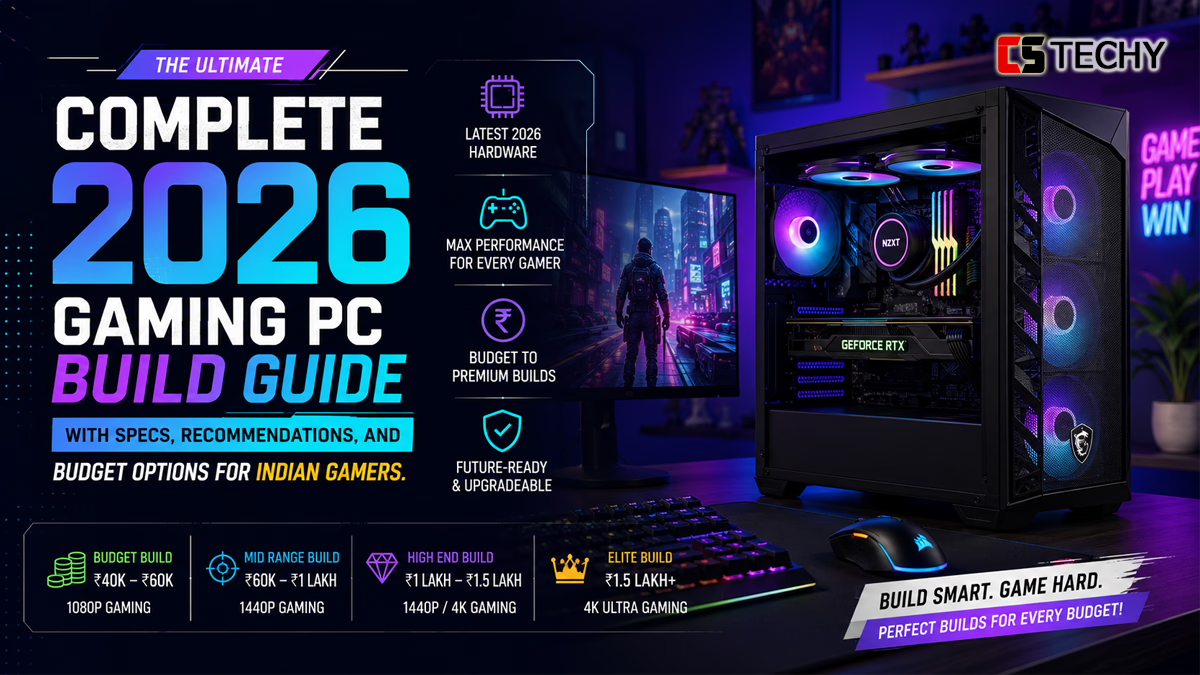
Gaming PC Build Guide 2026: How to Build the Perfect Gaming Computer
Introduction
Building your own gaming computer in 2026 gives you the best performance for your money.
⚠️ Choose the Right Desk Setup Components Before You Waste Money!
A great desk setup isn’t about buying expensive gadgets—it’s about choosing the right components that work together. The wrong monitor, chair, lighting, or accessories can hurt your productivity, comfort, and budget.
💡 Discover the exact desk setup essentials professionals, creators, gamers, and remote workers use to build a clean, powerful, and efficient workspace.
🔥 Save money. Work smarter. Upgrade with confidence.
👉
Read the Ultimate Desk Setup Guide 2026
It beats consoles and laptops in speed, upgrade options, and long-term value.
Many gamers in India now build their own PCs. This guide shows you how to do it the right way.
What is a Gaming PC?
A gaming PC is a desktop made for running modern games smoothly.
It has a dedicated graphics card, a strong processor, fast memory, and a good power supply.
Normal office computers cannot handle today’s games well. Gaming PCs give you high frame rates and better graphics.
Gaming PC Specifications Explained
Specifications tell you how powerful the PC will be.
Focus on three things: resolution, refresh rate, and features like ray tracing.
Most gamers in 2026 aim for 1440p at high refresh rates. This gives sharp images and smooth gameplay.
Best Gaming PC Processors
Two companies make the best processors in 2026: AMD and Intel.
AMD’s X3D models currently win in gaming performance.
AMD Ryzen 9000 Series
The Ryzen 7 9800X3D and Ryzen 7 7600X3D are the top choices for gaming.
They have a large cache that reduces delays in games. They also work well for streaming.
These processors use the AM5 platform, which will stay supported for many years.
Intel Core Ultra 200 Series
Intel’s Core Ultra 7 265K and Core Ultra 5 245K are strong in multi-tasking.
They are good if you also edit videos or do heavy work while gaming.
However, they are slightly behind AMD in pure gaming speed.
Expert Recommendation
Choose the AMD Ryzen 7 9800X3D or Ryzen 7 9700X for most gaming builds in India.
They give the best balance of performance and future value.
Best Gaming Motherboards
The motherboard connects all parts of your PC.
Choose one with strong power delivery and modern features.
B650 or B760 boards offer the best value for most gamers.
Higher models like X870 or Z890 add extra features if you want them.
Best Graphics Cards
The graphics card is the most important part for gaming.
It creates every image you see on screen.
NVIDIA RTX 50 Series
The RTX 5070 and RTX 5070 Ti are excellent for 1440p gaming.
They support ray tracing and DLSS 4 upscaling for better performance.
Choose at least 12 GB of video memory for future-proofing.
AMD Radeon RX 9000 Series
AMD cards like the RX 9060 XT give strong value for money.
They perform well in most games and cost less than similar NVIDIA cards.
Ray Tracing, DLSS, and FSR Explained
Ray tracing makes lighting and reflections look real in games.
DLSS and FSR improve frame rates. They make games run smoother without losing much quality.
Best Gaming RAM
Fast memory helps games load quickly and run smoothly.
In 2026, use DDR5 memory.
Most gamers need 32 GB (two 16 GB sticks). This is enough for gaming, streaming, and multitasking.
Always use dual-channel mode for best results.
Best SSD for Gaming
A fast SSD reduces loading times a lot.
Use at least 1 TB of NVMe PCIe 4.0 storage.
A 2 TB drive is better if you keep many games installed.
Avoid cheap drives without DRAM cache. They can slow down during long gaming sessions.
Best Power Supply Units
The power supply keeps your PC stable and safe.
Buy an 80 PLUS Gold or Platinum unit from a trusted brand.
Use 650–750 W for most mid-range builds.
High-end builds with RTX 5080 or 5090 need 850 W or more.
Best Gaming PC Cabinets
The case affects cooling and how easy it is to build your PC.
Choose a case with good airflow and a mesh front panel.
Dust filters help keep your parts clean for longer.
Air Cooling vs Liquid Cooling
Both cooling types work well in 2026.
Air coolers are simple, quiet, and need almost no maintenance.
Liquid coolers remove heat better on powerful processors. They also look nicer.
Use a 240 mm or 360 mm AIO cooler for high-power CPUs.
Performance Analysis
Performance depends on balance between all parts.
A good mid-range build with Ryzen 7 9700X and RTX 5070 usually gives 100–160 frames per second at 1440p high settings.
Esports games often run above 300 frames per second at 1080p.
Avoid pairing a weak processor with a very powerful graphics card.
Gaming PC Assembly Under ₹20,000
Building a full gaming PC under ₹20,000 is difficult in 2026.
Most options use older parts or integrated graphics.
An AMD Ryzen 5 5500 can run lighter esports titles at 1080p low settings.
Many builders add a little more budget or buy used parts to get better performance.
Gaming PC Assembly Under ₹50,000
This is the most popular budget range in India.
It delivers strong 1080p and entry-level 1440p gaming.
A typical build includes:
- Processor: AMD Ryzen 5 7600 or Intel Core Ultra 5 245K
- Motherboard: B650M or B760
- Memory: 16 GB DDR5-6000
- Graphics: RTX 5050 8 GB or similar AMD card
- Storage: 1 TB NVMe SSD
- Power supply: 650 W Gold modular
- Case: Good airflow mid-tower
- Cooling: Air cooler or 240 mm AIO
Total cost is usually between ₹48,000 and ₹55,000.
This setup handles modern games well at 1080p high or 1440p medium settings.
Gaming PC Assembly Under ₹1 Lakh
This budget gives excellent 1440p performance and good 4K capability.
A strong build includes:
- Processor: AMD Ryzen 7 9800X3D or Ryzen 7 9700X
- Motherboard: X870 or high-quality B650
- Memory: 32 GB DDR5-6000
- Graphics: RTX 5070 Ti 16 GB or RTX 5080
- Storage: 2 TB NVMe SSD
- Power supply: 850 W Gold or Platinum
- Case: Premium airflow model
- Cooling: 360 mm AIO
Expected cost: ₹85,000 to ₹98,000.
This level supports high settings, streaming, and content creation for years.
Gaming Laptop vs Gaming PC
Gaming laptops are portable but cost more for the same performance.
They also run hotter and are harder to upgrade.
Desktop builds give better cooling, easier upgrades, and higher performance per rupee.
Choose a laptop only if you need to travel often. Otherwise, build a desktop.
Gaming PC Setup Cost in India
Besides the tower, you need a monitor, keyboard, mouse, and Windows licence.
These usually add ₹15,000 to ₹35,000 to your total cost.
Professional assembly costs ₹1,500 to ₹3,000 in most cities.
Comparison Tables
Budget Gaming PC Assembly Comparison (June 2026)
| Component | Under ₹20,000 | Under ₹50,000 | Under ₹1 Lakh |
|---|---|---|---|
| Processor | AMD Ryzen 5 5500 | AMD Ryzen 5 7600 | AMD Ryzen 7 9800X3D |
| Graphics | Integrated | RTX 5050 8 GB | RTX 5070 Ti 16 GB |
| Memory | 16 GB | 16 GB DDR5 | 32 GB DDR5 |
| Storage | 512 GB NVMe | 1 TB NVMe | 2 TB NVMe |
| Power Supply | 450–550 W | 650 W Gold | 850 W Gold |
| Total Estimate | ₹18,000–₹22,000 | ₹48,000–₹55,000 | ₹85,000–₹98,000 |
AMD vs Intel for Gaming in 2026
| Factor | AMD Ryzen 9000 X3D | Intel Core Ultra 200 | Best For |
|---|---|---|---|
| Gaming Speed | Higher in most games | Good but lower | AMD for pure gaming |
| Productivity | Very strong | Excellent | Intel for heavy editing |
| Future Upgrades | Long support | New socket often | AMD for longevity |
Buying Guide and Expert Recommendations
Start by deciding your target resolution and frame rate.
Spend the most money on the graphics card. Then choose a strong processor and enough fast memory.
Always buy a quality power supply and a case with good airflow.
For most Indian gamers, a ₹45,000–₹55,000 build gives excellent results.
Common Mistakes to Avoid
- Buying a cheap or weak power supply. It can damage your parts.
- Ignoring case airflow. Poor cooling lowers performance and shortens component life.
- Pairing a weak processor with a powerful graphics card. This creates a bottleneck.
- Using low-capacity or slow storage. Games will load slowly.
- Skipping dual-channel memory. This reduces gaming performance.
Future Trends
Artificial intelligence will become more important in games.
Expect better lighting, smarter characters, and improved upscaling.
New standards like PCIe 6.0 and DDR6 memory will appear gradually.
Compact and modular builds are becoming more popular.
Frequently Asked Questions
How much does it cost to assemble a gaming computer in India in 2026?
A good gaming computer for 1080p and entry 1440p costs ₹45,000–₹55,000. High-end 1440p and 4K systems usually range from ₹85,000 to ₹1,20,000.
What is the best graphics card for a gaming computer in 2026?
The NVIDIA RTX 5070 or RTX 5070 Ti offers the best balance for most gamers. AMD’s RX 9060 XT gives strong value.
Which processor should I choose for gaming: Intel or AMD?
AMD Ryzen 7 9800X3D models currently deliver the highest frame rates. Intel Core Ultra 200 series works well for mixed use.
How much memory do I need for a gaming computer?
Start with 16 GB of DDR5. Upgrade to 32 GB for better future-proofing and multitasking.
What storage is recommended for modern gaming?
Use at least 1 TB of fast NVMe SSD storage. A 2 TB drive is better if you install many large games.
How do I choose the right motherboard?
Pick a board with strong power delivery and modern connectivity. B650 or B760 boards suit most gamers well.
What power supply do I need?
Choose an 80 PLUS Gold certified unit. Use 650–750 W for mid-range builds and 850 W or higher for high-end cards.
How can I future-proof my build?
Choose a strong platform, quality power supply, good airflow case, and at least 32 GB of fast memory. Upgrade the graphics card first.
What performance can I expect?
A ₹50,000 build delivers smooth 1080p and good 1440p gaming. A ₹1 Lakh build handles high 1440p and playable 4K.
Final Verdict
Building a gaming computer in 2026 is still the best way to get maximum performance and value.
A well-planned custom system lasts longer and performs better than most alternatives.
Key Takeaways
- AMD X3D processors lead in gaming speed right now.
- The ₹45,000–₹55,000 range offers the best value for most Indian gamers.
- Quality power supply and good cooling protect your components.
- Plan for upgrades over time instead of buying the most expensive parts today.
Expert Recommendation
Most gamers in India should build around an AMD Ryzen 7 9700X or 9800X3D with an RTX 5070-class graphics card.
This combination delivers excellent 1440p results today and stays relevant for years.
Who Should Buy
Anyone who wants the best performance for their money and plans to upgrade over time will benefit most from a custom build.
Who Should Avoid
People who travel often or want a simple plug-and-play solution may prefer a gaming laptop or prebuilt system.
Future Outlook
Desktop gaming computers will remain the top choice for high-quality gaming. New technology will make them even more powerful in the coming years.
Define your budget and goals first. Then select quality parts from trusted sellers. The result will be a gaming computer that meets your needs for a long time.