
Bluehost: Complete Guide to Hosting, WordPress, AI Website Builder, Pricing & Performance
Choosing a web host is one of the first big decisions you make when you start a website, and Bluehost is one of the names you will run into again and again. It has been around since 2003, it powers millions of sites, and WordPress.org has recommended it for years. But “popular” does not automatically mean “right for you.” This guide breaks down exactly what Bluehost is, how its plans work, what you actually get for your money, and who should (and should not) buy it — so you can decide with confidence instead of guessing.
We update this guide regularly and use it as the central hub for every Bluehost article on CSTechy, including our full Bluehost review, our shared hosting breakdown, and our VPS hosting guide. If you are comparing hosts in general rather than just Bluehost, our web hosting architecture guide is a good place to start.
What Is Bluehost?
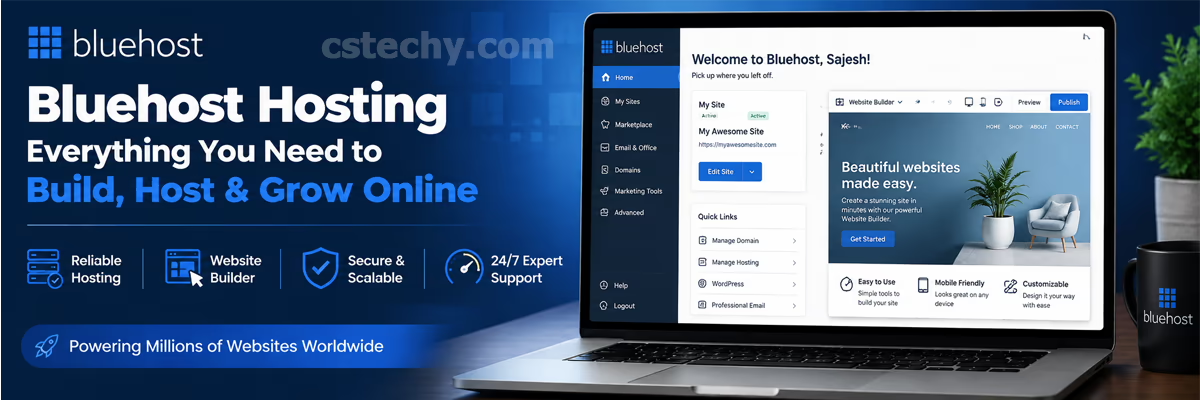
Bluehost is a web hosting company that rents out server space so individuals and businesses can put a website online. It offers shared hosting, WordPress hosting, WooCommerce hosting, VPS hosting, and dedicated servers, along with domain registration, email hosting, and an AI-assisted website builder — all managed from one account.
In plain terms, a website needs somewhere to “live” so people can visit it at any hour of the day. That somewhere is a server. Bluehost owns and manages the servers, so you do not have to buy hardware, set up networking, or handle physical maintenance yourself. You pay a monthly or yearly fee, and Bluehost keeps the server running, patched, and (mostly) online.
Bluehost is best known for two things: being one of the three hosts officially recommended by WordPress.org for years, and for aggressive discount pricing aimed at first-time website owners. Both of those facts shape almost everything else in this guide.
Bluehost Company Overview
Bluehost History
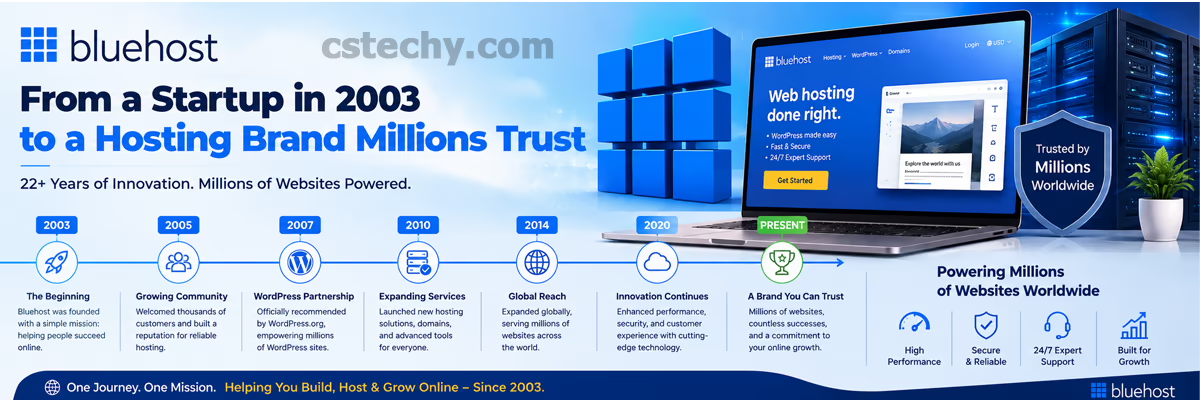
Bluehost was founded in 2003 by Matt Heaton and Danny Ashworth in Provo, Utah. It grew from a small hosting operation into one of the largest hosting brands in the world, and in 2010 it became part of Endurance International Group (EIG), a holding company that owns several hosting brands. Bluehost is now part of Newfold Digital, the company formed after EIG’s hosting portfolio was restructured. This corporate history matters a little, because it explains why Bluehost shares some backend infrastructure and support systems with sister brands like HostGator.
Over two decades, Bluehost expanded from a single shared-hosting product into the full range covered in this guide — shared, WordPress-specific, WooCommerce, VPS, and dedicated hosting, plus domains, email, and more recently an AI-assisted website builder. That expansion is part of why it can serve such a wide range of users, from a student building a first portfolio to a developer running a VPS-hosted automation stack, all under one brand.
Why Millions of Websites Use Bluehost
Scale is Bluehost’s biggest selling point. It hosts a large share of the WordPress ecosystem, largely because WordPress.org has featured it as a recommended host for new users installing WordPress for the first time. That recommendation created a network effect: more tutorials, more plugin compatibility testing, more community answers, and more familiarity among freelancers and agencies who already know how the Bluehost dashboard works.
Beyond brand recognition, people choose Bluehost because the entry price is low, the setup process is beginner-friendly, and the one-click WordPress install removes a technical barrier that used to intimidate new site owners. For a full independent breakdown of how it performs in practice, see our Bluehost review.
There is also a simple trust factor at play: when a hosting brand has been around for two decades and hosts millions of active sites, most first-time buyers reasonably assume the company knows how to keep a server running and a support team staffed, even if that scale alone does not guarantee the best possible price or the fastest possible support response for every individual customer.
Beginner tip: If this is your very first website, you do not need to understand server infrastructure to get started. Bluehost’s setup wizard walks you through picking a plan, connecting a domain, and installing WordPress in one flow.
Bluehost Hosting Plans Explained
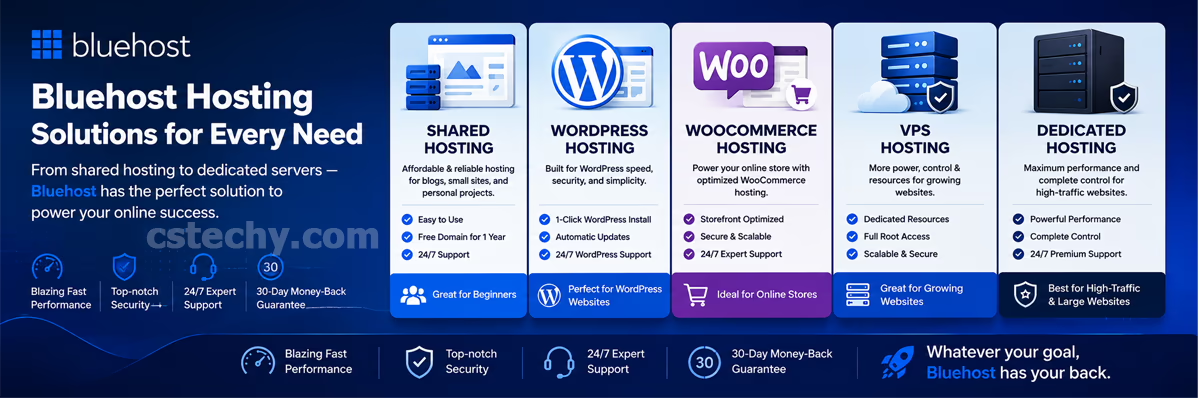
Bluehost is not one product — it is a family of hosting types, each built for a different stage of a website’s life. Picking the wrong category (not just the wrong tier) is the single most common mistake first-time buyers make. Here is the full breakdown.
| Hosting Type | Best For | Typical Starting Range | Key Trait |
|---|---|---|---|
| Shared Hosting | New blogs, portfolios, small sites | Lowest introductory price | Server resources shared with other users |
| WordPress Hosting | WordPress-first site owners | Similar to shared tiers | WordPress pre-installed and tuned |
| Managed WordPress | Business/agency WordPress sites | Mid-range | Automatic updates, staging, more headroom |
| WooCommerce Hosting | Online stores | Mid-range | Pre-installed store tools and templates |
| VPS Hosting | Growing or resource-heavy sites | Higher, tiered by CPU/RAM | Dedicated virtual resources, root access |
| Dedicated Hosting | High-traffic or compliance-sensitive sites | Highest | Entire physical server is yours |
Shared Hosting
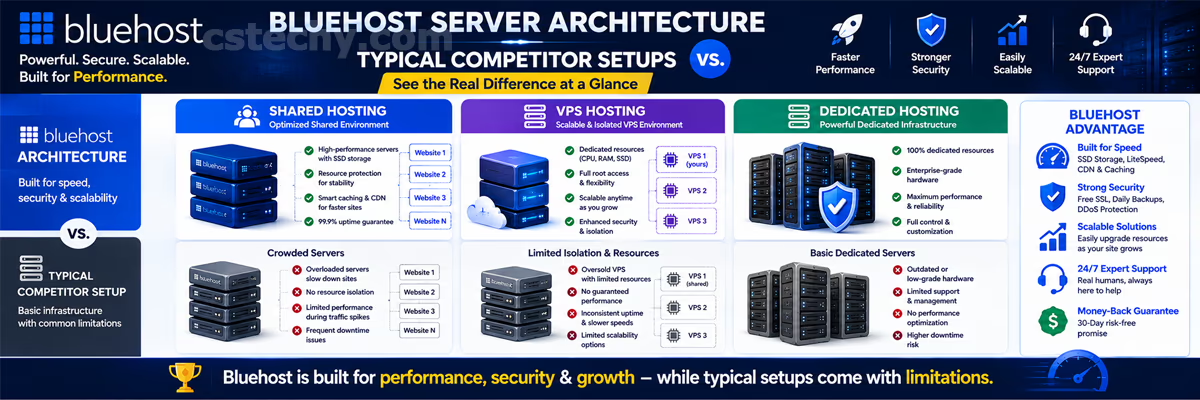
Shared hosting is the entry point. Your website sits on a server alongside many other websites, splitting CPU, RAM, and bandwidth among all of them. This keeps the price low, which is why almost every beginner starts here. Bluehost’s shared plans typically include a free domain for the first year, a free SSL certificate, and one-click WordPress installation. The tradeoff is that performance can dip if a neighboring site on the same server suddenly gets a traffic spike. We cover this in more depth in our dedicated Bluehost shared hosting guide, and if you want to see how shared stacks up against VPS and cloud in general, read shared vs VPS vs cloud hosting compared.
Within shared hosting, Bluehost usually splits its lineup into a few tiers — an entry tier limited to one website, and higher tiers that unlock unlimited websites, more storage, and extra features like spam filtering. If you plan to build more than one site eventually (a personal blog and a small business site, for example), it is often cheaper in the long run to start one tier up rather than paying for two separate entry-level accounts.
WordPress Hosting
This tier is functionally close to shared hosting but comes with WordPress pre-installed and lightly optimized. It is a good fit if you already know you want WordPress specifically, rather than a generic website builder. For a full walkthrough of what is included, see our Bluehost WordPress hosting guide. The setup wizard asks about your site’s purpose — blog, portfolio, business — and adjusts the starter theme and plugin suggestions accordingly, which trims a step that used to take beginners an hour or more of trial and error.
Managed WordPress
Managed WordPress hosting adds automatic core and plugin updates, daily backups, staging environments to test changes safely, and better resource allocation specifically tuned for WordPress workloads. It is aimed at businesses and agencies that cannot afford downtime or a broken update, and it costs more than basic WordPress hosting in exchange for that peace of mind. Because updates apply automatically, it also reduces the maintenance workload for anyone managing several client sites, though it is still worth reviewing update logs periodically rather than assuming everything is always compatible.
WooCommerce Hosting
WooCommerce hosting is a WordPress environment pre-loaded with the WooCommerce plugin, store-ready themes, and payment integrations already configured. It is built for anyone opening an online store rather than a blog or brochure site. Our Bluehost WooCommerce hosting guide covers store-specific setup in detail, and if you are torn between hosts for a store specifically, Hostinger vs Bluehost for ecommerce is worth reading before you buy. Store owners should pay particular attention to storage limits and database performance on this tier, since product catalogs and order history grow the database faster than a typical blog.
VPS Hosting
VPS (Virtual Private Server) hosting splits a physical server into isolated virtual servers, each with guaranteed CPU, RAM, and storage that nobody else can touch. You get root access, which means more control but also more responsibility — you are expected to know at least the basics of server management, or hire someone who does. It is the natural next step once a site outgrows shared hosting, or when you are running something resource-intensive like automation workflows. See our Bluehost VPS hosting guide and, if you are evaluating VPS for automation tools specifically, our Bluehost n8n VPS tutorial and general VPS buying guide. VPS plans usually come in a few sizes based on CPU cores, RAM, and storage, so match the tier to your actual workload rather than guessing — an underpowered VPS running a database-heavy application will bottleneck just as easily as an overcrowded shared server.
Dedicated Hosting
Dedicated hosting gives you an entire physical server, with nothing shared. It is the most expensive tier and is meant for high-traffic sites, large applications, or organizations with strict compliance or performance requirements that a virtualized environment cannot meet. Because you are not sharing hardware with anyone, performance is far more predictable, but you also take on more responsibility for configuration unless you pay for managed support on top.
Cloud Hosting
Bluehost has periodically offered cloud-based hosting options that distribute a site’s resources across multiple servers rather than one physical machine, which can improve reliability. Availability and naming of cloud tiers change over time, so always confirm current cloud hosting options directly on Bluehost’s pricing page before assuming a specific plan exists.
| Feature | Shared Hosting | WordPress Hosting |
|---|---|---|
| CMS pre-installed | Optional, manual choice | WordPress pre-installed |
| Best for | Any small site type | WordPress-only site owners |
| Setup speed | Fast | Faster (fewer steps) |
| Flexibility | Higher (any CMS or static site) | Lower (WordPress-focused) |
| Feature | WordPress Hosting | WooCommerce Hosting |
|---|---|---|
| Store plugin included | No, install manually | Yes, pre-configured |
| Payment gateway setup | Manual | Guided during onboarding |
| Ideal use case | Blogs, portfolios, business sites | Online stores |
| Extra store templates | No | Yes |
| Feature | WooCommerce Hosting | VPS Hosting |
|---|---|---|
| Resource guarantee | Shared environment | Dedicated CPU/RAM allocation |
| Root access | No | Yes |
| Best traffic range | Small to mid-size stores | Growing stores or apps with spikes |
| Technical skill needed | Low | Moderate to high |
| Feature | VPS Hosting | Dedicated Hosting |
|---|---|---|
| Server sharing | Virtualized, isolated slice of a physical server | None — entire physical server is yours |
| Cost | Moderate to high | Highest |
| Best for | Mid-size businesses, dev/automation projects | Enterprises, high-traffic platforms |
| Management complexity | Moderate | High, or requires managed support |
Warning: Do not buy VPS or dedicated hosting because it “sounds more powerful.” If your site gets a few hundred visitors a day, shared or WordPress hosting is almost always the right call, and upgrading later is straightforward.
Bluehost AI Website Builder
Bluehost’s AI website builder lets you generate a working website by describing your business in a few prompts, and it then produces layout, starter copy, and image suggestions you can edit. It is aimed at people who want a live site quickly without hiring a designer or learning WordPress from scratch.
The tool asks a handful of questions — your business type, goals, and style preferences — and drafts a starting site. From there, you edit sections, swap images, and adjust text through a visual editor rather than code. It will not replace a custom-built site for a business with complex requirements, but for a simple business, portfolio, or landing page, it removes a lot of the blank-page problem beginners run into. We go deeper into the builder’s actual workflow in our Bluehost AI website builder guide.
Treat the AI-generated draft as a starting point, not a finished product. Generated copy in particular tends to be generic and benefits from a manual rewrite in your own voice, and any AI-suggested stock imagery should be reviewed for licensing before use on a commercial site. The real value of the tool is speed to a usable first draft, not a finished, launch-ready site straight out of the box.

Domains on Bluehost
Most Bluehost hosting plans include a free domain for the first year, which is convenient because it lets you register and host your site in a single checkout instead of juggling two separate accounts. After the first year, domain renewal is billed at Bluehost’s standard rate, which varies by extension (.com, .in, .store, and so on).
You are not required to buy your domain through Bluehost. You can register a domain elsewhere and point it at your Bluehost hosting account using DNS records, which some experienced site owners prefer for easier domain portability later. Keeping your domain registration separate from your hosting account also means you can switch hosts in the future without needing to transfer the domain itself, only the DNS records pointing to it.
Email Hosting
Bluehost includes business email tied to your domain (for example, you@yourbusiness.com) with most hosting plans, which looks more professional than a generic free email address. Depending on the plan and add-ons chosen, you may also have the option to connect Google Workspace for a more full-featured business email and productivity suite at an additional cost.
For a small business or freelancer, a domain-based email address is a small detail that has an outsized effect on how professional your communication looks to clients and customers, so it is worth setting up even if you do not need the full features of a paid productivity suite right away.
Website Migration to Bluehost
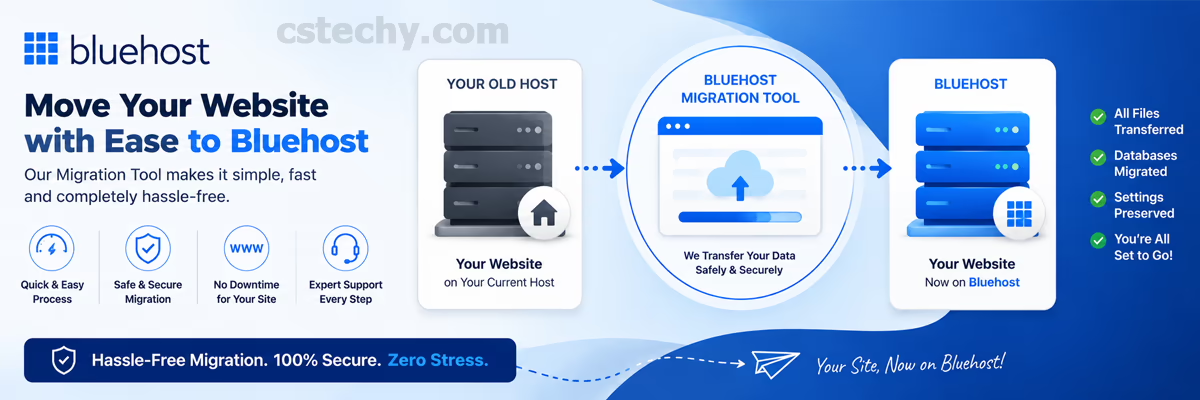
If you already have a website hosted elsewhere, Bluehost offers migration tools and, on some plans, assisted migration where their team moves your site for you. This typically covers moving files, databases, and — for WordPress sites — plugins and themes, with the goal of minimizing downtime during the switch.
For anyone migrating a store, back up your database and test the checkout flow immediately after migration; payment gateway settings occasionally need to be reconnected manually.
Before migrating, point a temporary staging URL or local environment at the new host so you can check that theme layouts, forms, and plugins still work correctly before switching your live domain over. Once you do switch, DNS changes can take anywhere from a few minutes to about 48 hours to fully propagate worldwide, so keep the old hosting account active until you have confirmed the new one is working everywhere.
Bluehost Performance and Speed
Core Web Vitals
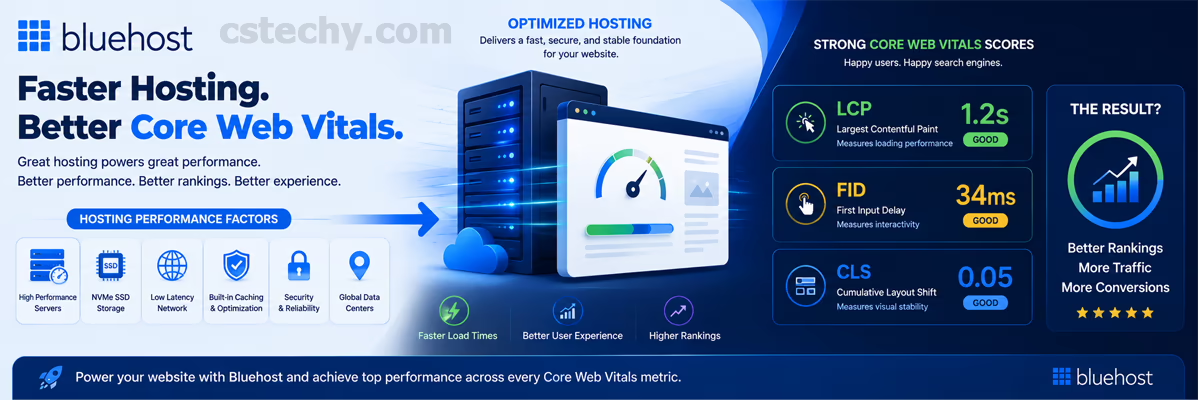
Google uses Core Web Vitals — loading speed, interactivity, and visual stability — as ranking signals, so hosting performance is not just a user-experience issue, it is an SEO issue too. A slow host can quietly hold back an otherwise well-optimized site.
Speed Optimization Features
Bluehost includes server-level caching on many plans, which reduces the work the server has to redo for repeat visitors. Combined with a lightweight theme and a caching plugin, this generally produces solid load times for standard content sites.
Server Infrastructure
Bluehost runs on a mix of data center infrastructure built for shared and virtualized hosting at scale. As with any host, actual performance depends on your specific plan tier, your site’s optimization, and current server load — not the marketing page alone.
Server location can also affect load times for your visitors, since data has to physically travel between the server and the browser requesting it. If most of your audience is concentrated in one region, a CDN (covered next) does more to close that gap than picking a specific data center alone, since it caches your static content closer to each visitor regardless of where the origin server sits.
CDN
A Content Delivery Network (CDN) stores copies of your site’s static files (images, CSS, JavaScript) on servers around the world, so visitors load your site from a location near them instead of a single origin server. Bluehost offers CDN integration on eligible plans, which particularly helps sites with an international audience.
NVMe Storage
NVMe drives are a faster class of solid-state storage than older SSDs, and Bluehost has rolled NVMe storage into parts of its hosting infrastructure. Faster storage speeds up database queries and file reads, which matters most for dynamic sites like WooCommerce stores with lots of database activity.
| Hosting Tier | Resource Consistency | Best Suited Traffic Level |
|---|---|---|
| Shared | Variable, depends on neighbors | Low to moderate |
| WordPress / WooCommerce | Optimized but still shared resources | Moderate |
| VPS | Guaranteed, isolated | Moderate to high |
| Dedicated | Fully guaranteed | High |
Uptime and Reliability
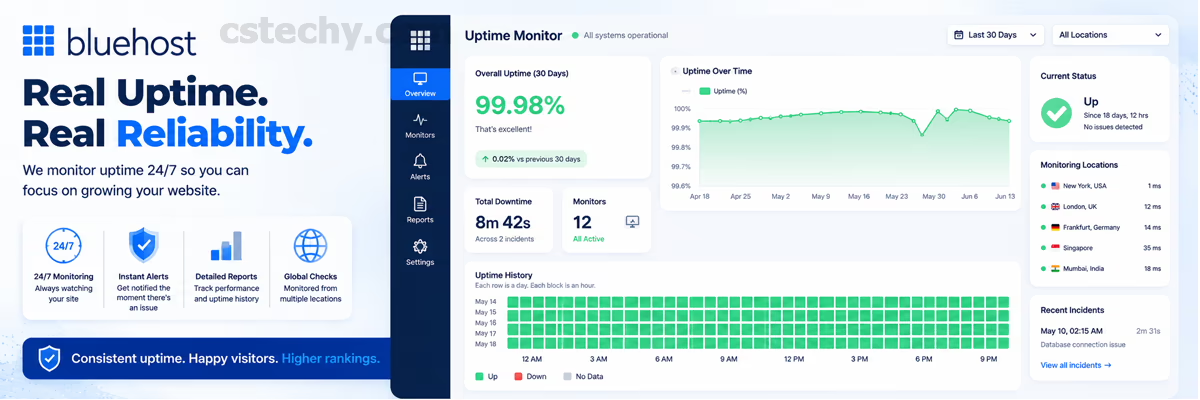
Bluehost, like most established hosts, aims for an industry-standard 99.9% uptime target across its hosting plans. No host can promise zero downtime, but a mature host with redundant infrastructure should keep unplanned outages rare and short.
Uptime matters more than most beginners realize, because every minute your site is down is a minute visitors, customers, or search engine crawlers cannot reach you. If your business depends on the website being reachable around the clock — a store, a booking system, a SaaS landing page — reliability should weigh as heavily in your decision as price. It is worth monitoring your own site’s actual uptime after purchase using a free uptime monitoring tool rather than only trusting the marketing claim, since real-world results can vary by data center, plan tier, and time period.
Customer Support
Bluehost offers 24/7 customer support through live chat and phone, along with a large self-service knowledge base covering common setup and troubleshooting questions. Because Bluehost is so widely used, you will also find an unusually large amount of third-party tutorials, forum threads, and YouTube walkthroughs, which can sometimes resolve an issue faster than waiting in a support queue.
Support quality and response time can vary depending on the time of day and how the ticket is routed, which is a common complaint across large hosting providers generally, not just Bluehost. If responsive, hands-on support is a top priority for you, it is worth reading recent independent reviews close to your purchase date, since support quality can shift over time as a company scales or restructures its support team.
Beginner tip: Before contacting support, search the Bluehost knowledge base first — many common issues (SSL not showing, email not sending, domain not connecting) have documented step-by-step fixes that are faster than waiting on chat.
Bluehost Security Features
SSL Certificates
Every Bluehost hosting plan includes a free SSL certificate, which encrypts data between your visitor’s browser and your server and shows the padlock icon in the address bar. This is table stakes for any website today — browsers actively flag non-HTTPS sites as “not secure.”
Malware Protection
Bluehost includes basic malware scanning on entry-level plans, with more thorough malware detection and removal tools available on higher tiers or as paid add-ons. If your site handles customer data or payments, it is worth budgeting for the stronger tier of protection rather than relying on the basic scan alone.
Backups
Automatic backups are included on many plans, letting you restore your site to an earlier point if something breaks or gets compromised. Backup frequency and retention windows vary by plan, so check the specifics for the tier you are considering rather than assuming daily backups are included everywhere.
Restoring from a backup is typically handled through the dashboard with a point-and-click restore tool rather than a manual file transfer, which is a meaningful advantage for non-technical users during a stressful moment like a hacked site or a bad plugin update. Even so, it is good practice to occasionally download a manual copy of your site and database yourself, so you are not solely dependent on the host’s backup system if something goes wrong with your account.
Warning: Free malware scanning is not the same as malware removal. On entry-level plans, confirm whether cleanup is included or billed separately before you actually need it.
| Feature | Entry-Level Plans | Higher-Tier Plans |
|---|---|---|
| Free SSL | Included | Included |
| Malware scanning | Basic | Advanced |
| Malware removal | Often add-on | Often included |
| Domain privacy | Add-on | Sometimes included |
| Automatic backups | Basic/limited | More frequent/retained longer |

Control Panel and Dashboard
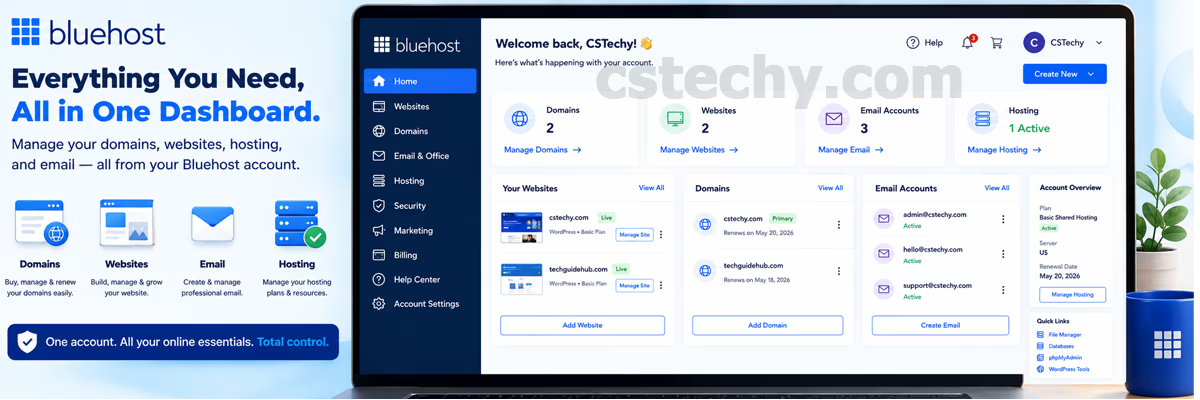
Bluehost uses its own custom dashboard layered over familiar hosting management tools, designed to be friendlier for beginners than a raw cPanel interface. From the dashboard you manage domains, email, backups, security add-ons, and — on WordPress plans — jump straight into the WordPress admin area. Advanced users can typically still access cPanel-level tools for finer control.
The dashboard also surfaces basic performance and security status at a glance, so you do not have to dig through menus to confirm SSL is active or check whether a recent backup ran successfully. For anyone coming from a more technical, cPanel-only host, the layout takes a few minutes to get used to, but most of the underlying functionality (file manager, database access, email accounts) is still there once you know where to look.
WordPress Tools on Bluehost
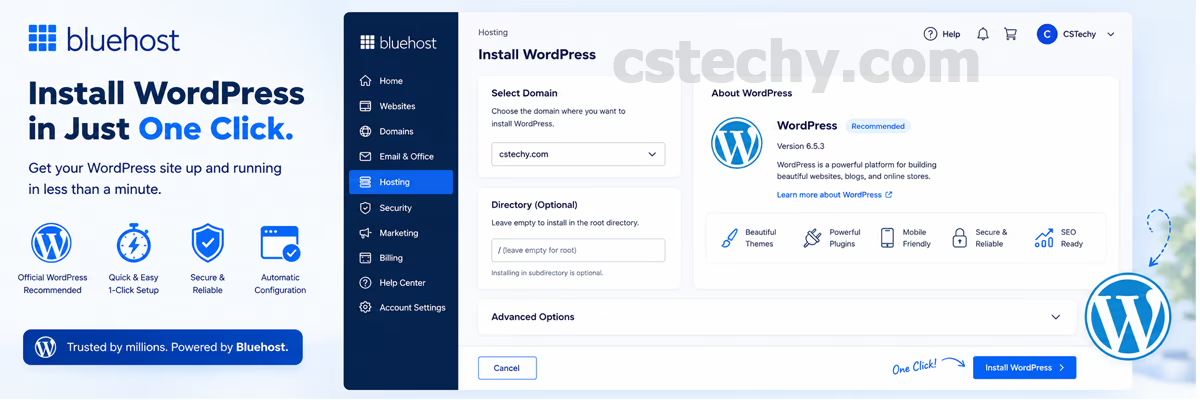
Bluehost’s WordPress-focused plans include one-click WordPress installation, automatic core updates, and staging environments on higher tiers so you can test theme or plugin changes before pushing them live. Some plans also bundle a lightweight page builder and a curated set of starter themes, which shortens the setup process for non-technical users.
Staging environments deserve special mention: they let you clone your live site into a private, non-public copy, make changes (a new plugin, a theme update, a redesign) and test them thoroughly, then push those changes to the live site only once you are confident nothing broke. This single feature can prevent a lot of the “I updated a plugin and now my site is broken” panic that beginners without staging access run into.
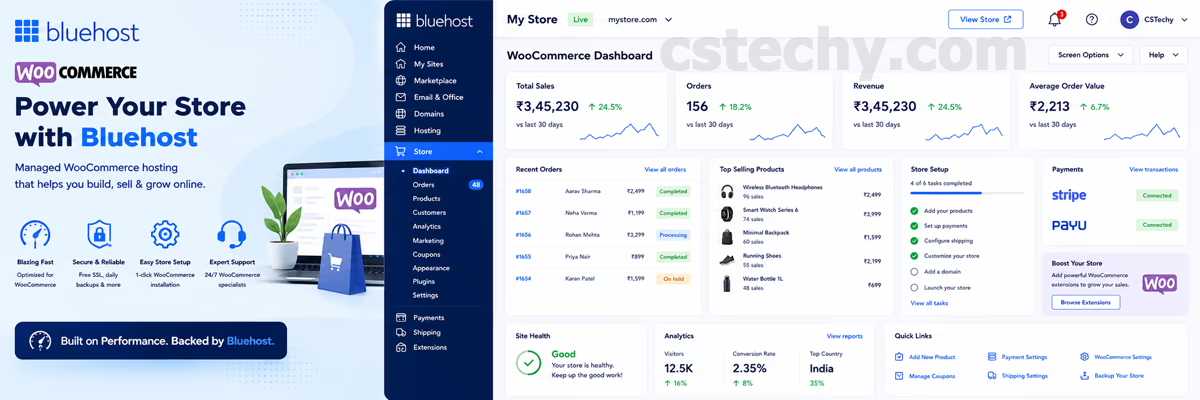
WooCommerce Features
On WooCommerce-specific plans, Bluehost pre-installs the WooCommerce plugin, offers store-focused themes, and guides you through configuring shipping, tax, and payment settings during onboarding. This is meaningfully faster than installing and configuring WooCommerce manually on a generic hosting plan. If ecommerce performance under load is a priority, compare this against dedicated ecommerce hosts in our Hostinger vs Bluehost ecommerce hosting comparison.
| Aspect | Beginner (Basic/Starter) | Business/WooCommerce Tier |
|---|---|---|
| Website limit | Usually 1 site | Usually unlimited sites |
| Storage | Limited SSD | Higher or unmetered NVMe storage |
| Store tools | Not included | Pre-configured |
| Priority support | Standard queue | Often prioritized |
Developer Features
Bluehost supports SSH access on eligible plans (mainly VPS and dedicated), staging environments for safer deployments, and Git-friendly workflows for developers who want to manage code changes outside the WordPress admin. On VPS, you get root access, letting you install custom software stacks, run background processes, and configure the server the way a traditional Linux VPS would allow. This makes it a workable option for hosting automation tools like n8n — see our Bluehost n8n VPS tutorial and our broader AI automation guide for context on what these workflows need from a server.
Developers evaluating Bluehost for anything beyond a standard WordPress site should treat the shared and WordPress-focused plans as off-limits for custom applications, since those tiers restrict server-level access by design to keep the shared environment stable for everyone. VPS is the practical floor for anything involving custom services, background processes, cron jobs, or non-WordPress applications.
Scalability and Growth Path
One underrated advantage of choosing a full-range host like Bluehost is the upgrade path. A site can start on a basic shared plan, move to WordPress or WooCommerce hosting as it gains features and traffic, then graduate to VPS once it needs guaranteed resources, and finally to dedicated hosting if it becomes a large, high-traffic platform — all without switching providers or migrating to a completely different company. This matters because migrations, even routine ones, carry some risk of downtime or configuration issues.
That said, scalability within one provider is not automatically the cheapest path. It is worth periodically comparing your renewal cost against what a competitor charges for equivalent resources, especially once you reach the VPS or dedicated tiers where prices diverge more between providers.
Bluehost Pricing
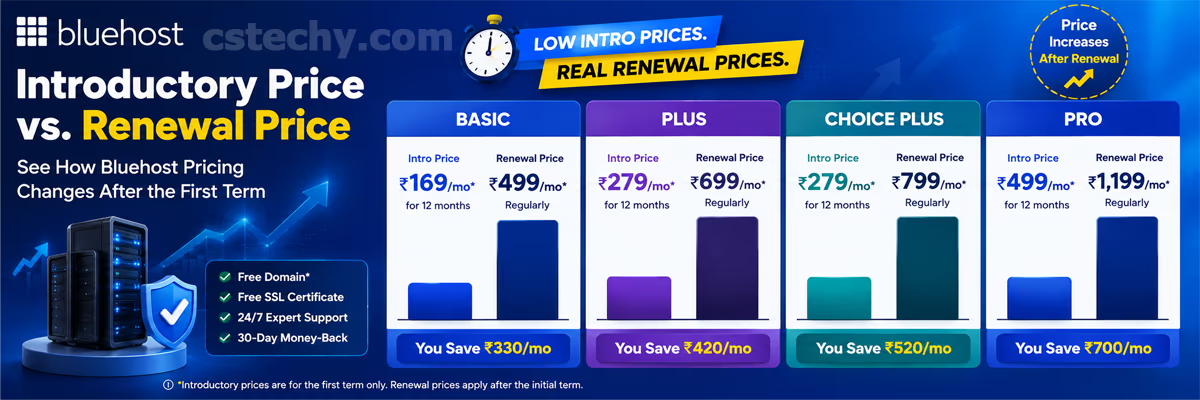
Bluehost prices its plans with a discounted introductory rate tied to longer contract terms (often 12–36 months), then renews at a noticeably higher standard rate. Shared plans typically start in the low single dollars per month for the first term, while VPS and dedicated plans run considerably higher, with renewal pricing increasing across every tier.
Because promotional pricing, term lengths, and included extras change frequently, we deliberately avoid quoting exact figures that go stale within months. Always check Bluehost’s live pricing page for the current introductory rate and renewal rate on the specific plan you want before checking out.
What stays consistent across most hosting providers, Bluehost included, is the general shape of the pricing model: a heavily discounted rate for new customers on a longer commitment, followed by a standard rate at renewal. Understanding that shape matters more than memorizing today’s exact number, since it tells you what question to ask at checkout regardless of when you are reading this.
Renewal Pricing
The gap between introductory and renewal pricing is the single most important number to check before buying. Across most third-party pricing breakdowns, renewal rates commonly run somewhere between roughly 1.5x and 3x the introductory rate, depending on plan and term length. Before you commit, open the checkout page, add your plan to the cart, and look at the renewal price shown at checkout — do not rely on the big headline number alone. It also helps to calculate the total cost over your full contract term (introductory rate times the number of months, plus the renewal-rate months if you plan to keep the site long-term) rather than judging a plan by its monthly figure in isolation.
Money-Back Guarantee
Bluehost offers a money-back guarantee window on hosting plans (commonly 30 days on standard hosting), giving you time to test the service before you are locked in. Guarantee terms can differ by plan type, especially for domain registration fees, which are often non-refundable even when hosting is refunded, so read the specific terms for your plan at checkout.
Cancellation Process
If you decide to cancel within the guarantee window, cancellation is typically handled from your account dashboard or by contacting support directly, and refunds are processed back to your original payment method. Outside the guarantee window, you can still cancel to stop future renewals, but you generally will not receive a refund for the current term already paid. Turning off auto-renewal ahead of your renewal date is the simplest way to avoid an unwanted charge if you are undecided about continuing.
Checkout Add-Ons to Understand
During checkout, Bluehost typically offers optional add-ons such as domain privacy protection, advanced malware scanning or removal, and SEO tools. None of these are required to get a working website, and skipping them at signup does not lock you out of adding them later if you decide you need them. A good rule of thumb: if you do not understand what an add-on does after reading its one-line description, leave it unchecked and research it separately before deciding.
| Plan Type | Typical Term for Best Rate | Renewal Pattern |
|---|---|---|
| Shared / WordPress | 36 months | Renews noticeably higher than intro rate |
| WooCommerce | 12–36 months | Similar pattern to WordPress tiers |
| VPS | 12–36 months | Smaller relative jump, higher base cost |
| Dedicated | 12 months | Highest base cost, moderate renewal increase |
Expert tip: If cash flow is tight, a 12-month term with a slightly higher monthly rate is often smarter than locking into 36 months just to chase the lowest advertised number — it limits your exposure if you decide to switch hosts later.
Pros of Bluehost
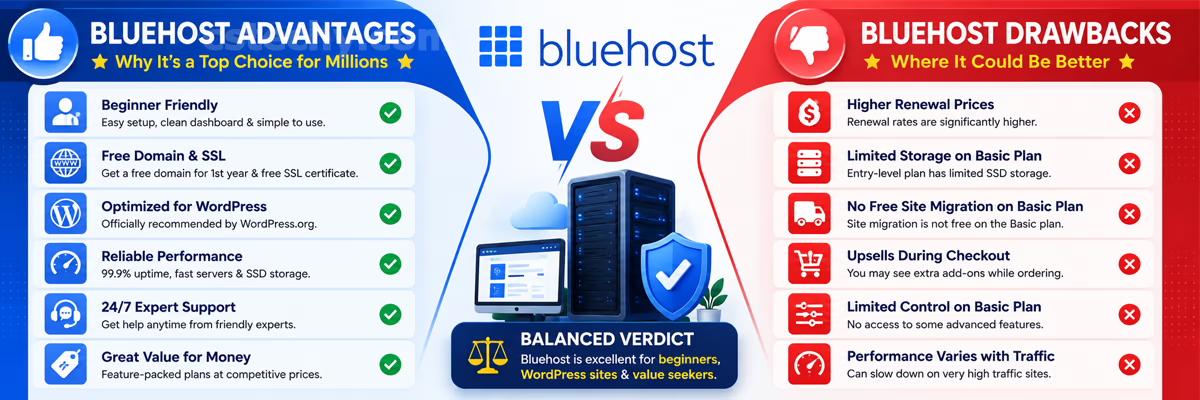
- Low introductory pricing: Makes starting a site accessible even on a tight budget, especially for a first project.
- Long-standing WordPress.org recommendation: Years of deep WordPress compatibility and community familiarity make troubleshooting easier to find help for.
- Free domain, SSL, and one-click install: Removes several setup steps that used to require separate purchases or manual configuration.
- Clear upgrade path: You can move from shared hosting all the way to dedicated servers without switching providers as your site grows.
- Wide tutorial and community support: Its popularity means more third-party guides, forum answers, and plugin compatibility testing than smaller hosts.
- AI website builder: Lowers the barrier for non-technical users who want a working site without hiring a designer.
Cons of Bluehost
- Renewal pricing jump: The rate you pay after your first term is significantly higher than the advertised introductory rate.
- Long-term commitment for best pricing: The lowest advertised rates require locking in up to 36 months upfront.
- Checkout upsells: Security add-ons and backup upgrades can inflate the final price if you are not paying attention at checkout.
- Variable shared hosting performance: Because resources are shared, performance can dip during high load from other sites on the same server.
- Gated advanced security: Some stronger malware removal and protection tools are only available on higher tiers or as paid add-ons.
| Pros | Cons |
|---|---|
| Beginner-friendly setup and dashboard | Renewal pricing jump after year one |
| Deep WordPress integration | Checkout upsells can add cost |
| Full range from shared to dedicated | Shared tier performance can vary |
| Free domain, SSL, and easy install | Some security tools cost extra |
Bluehost vs Competitors
No host is the right answer for everyone, and Bluehost is no exception. Here is how it generally compares against other popular options.
Bluehost vs Hostinger
Hostinger is typically the more budget-friendly option at renewal, with a reputation for strong price-to-performance on entry-level plans. Bluehost tends to win on brand-name WordPress.org recommendation history and beginner support resources. For VPS specifically, we compared the two head-to-head for automation workloads in Bluehost vs Hostinger VPS for n8n.
Bluehost vs GoDaddy
GoDaddy is another beginner-oriented host with a similarly aggressive discount pricing model. The two are closer competitors than Bluehost and Hostinger, and the choice often comes down to dashboard preference, domain management experience, and which brand’s support style you get along with better, since core feature sets overlap heavily at the entry level.
Bluehost vs SiteGround and DreamHost
Against hosts like SiteGround or DreamHost, the differences usually come down to support style, caching technology, and renewal pricing structure rather than one host being universally “better.” SiteGround is often praised for its caching setup and support responsiveness, though typically at a higher renewal price point than Bluehost. DreamHost has historically offered longer money-back guarantee windows on some plans, which risk-averse beginners may value. For a broader side-by-side across several providers at once, see our top hosting providers compared roundup.
| Factor | Bluehost | Typical Budget Competitor |
|---|---|---|
| WordPress.org history | Long-standing recommended host | Varies by provider |
| Entry price | Low, promotional | Often similarly low or lower |
| Renewal jump | Noticeable | Varies, sometimes smaller |
| Ecosystem familiarity | Very high (tutorials, plugins, community) | Varies |
| Feature | Bluehost | Typical Competitor |
|---|---|---|
| Free domain (year 1) | Yes, most plans | Varies |
| Free SSL | Yes | Common industry standard |
| AI website builder | Yes | Increasingly common |
| Staging environments | Higher tiers | Varies by provider |
Best Use Cases for Bluehost
Bluehost is broad enough that “who is it for” depends heavily on which plan tier you are looking at. Here is how it tends to fit different types of users.
- Beginners and bloggers: The guided setup, one-click WordPress install, and AI website builder remove most of the technical friction of launching a first site.
- Small businesses: WordPress hosting with a free domain and business email covers the basics of a professional online presence without a large upfront investment.
- Agencies: Managed WordPress plans with staging environments and automatic updates make it easier to maintain several client sites without manual, repetitive maintenance work.
- Developers: VPS and dedicated tiers provide root access and enough server control to run custom stacks, including automation tools, outside the standard WordPress environment.
- WooCommerce store owners: Pre-configured store tools and templates shorten the path from “empty hosting account” to “working checkout.”
- Students and freelancers: Entry-level shared or WordPress plans are affordable enough for a portfolio site, personal brand, or small side project without a large budget commitment.
- Enterprise users: Dedicated hosting can meet higher performance and compliance needs, though larger organizations should evaluate it carefully against enterprise-focused hosts built specifically for that scale.
Who Should Avoid Bluehost
- Highly price-sensitive buyers unwilling to commit long-term: If you want month-to-month flexibility, you will not get the best advertised rate, and some competitors offer better short-term pricing.
- High-traffic sites on a shared budget: If your traffic already justifies VPS-level resources but your budget only stretches to shared hosting, performance will likely disappoint you.
- Buyers optimizing purely for lowest long-term renewal cost: Some competitors are cheaper specifically at renewal, which matters more than the first-term price if you plan to keep the site for years.
- Anyone who wants a fully transparent, zero-add-on checkout: If upsell prompts during signup are a dealbreaker for you, budget extra time to review the cart carefully or consider a host with a simpler checkout flow.
Real-World Recommendations
If you are launching your first blog or small business site and you are comfortable with a longer contract term, Bluehost’s shared or WordPress hosting is a reasonable, low-friction starting point. If you are opening a store, go straight to the WooCommerce plan rather than adding WooCommerce manually onto a basic plan — it saves setup time. If you are running or planning to run resource-heavy tools like automation workflows, skip shared hosting entirely and start with VPS; trying to run heavier workloads on shared hosting usually leads to a frustrating mid-project upgrade anyway.
If you are a freelancer or agency managing several client sites, weigh Managed WordPress against basic shared hosting even though it costs more — the time saved on manual updates and troubleshooting across multiple sites usually outweighs the price difference once you are managing more than two or three sites. If you are a student or hobbyist building a portfolio on a tight budget, an entry-level shared plan is enough; there is no need to overspend on resources a personal portfolio site will never use. And if you are already running a mid-size store or application elsewhere and are only considering Bluehost because of the discount pricing, run the renewal-cost math first — migrating twice (once in, once back out if it does not work) costs more time than most people expect.
Common Mistakes to Avoid
- Buying the longest contract term without checking the renewal price: The 36-month term looks cheapest upfront, but locks you into that plan the longest before you can reassess pricing.
- Accepting every checkout add-on without reading what it does: It is easy to click through checkout quickly and end up paying for features you never use.
- Choosing shared hosting for a store expecting heavy traffic from day one: Start on a plan matched to your realistic near-term traffic, and upgrade once you actually need to.
- Assuming “free domain” means free forever: The domain is only free for the first term; renewal is billed at the standard registration rate afterward.
- Skipping backup configuration: Confirm what is backed up, how often, and how to restore it, rather than assuming full protection is automatic on every plan.
Warning: Auto-renewal is typically switched on by default. Set a calendar reminder before your term ends if you want to review pricing or switch plans instead of renewing automatically.
How to Get Started with Bluehost
If you have decided Bluehost fits your project, the actual setup process is straightforward. Here is what it typically looks like from account creation to a live website.
- Pick your hosting category. Decide between shared, WordPress, WooCommerce, VPS, or dedicated based on the project type covered earlier in this guide, not just the price.
- Choose a plan tier and term length. Compare the introductory price against the renewal price shown at checkout before selecting a contract length.
- Register or connect a domain. Use the free first-year domain if you do not already own one, or enter an existing domain you plan to point at Bluehost.
- Review add-ons at checkout. Uncheck anything you do not understand, and confirm exactly what is included by default (SSL, backups, malware scanning).
- Complete account setup. Create your login, confirm payment, and wait for the confirmation email with your account details.
- Install WordPress (if applicable). Most plans offer a one-click install; the AI website builder is also available at this stage if you want a generated starting layout.
- Set up email and security basics. Create your business email address, confirm SSL is active, and check that backups are configured the way you expect.
- Publish and test. Load your site from a few different devices and browsers, test any forms or checkout flows, and confirm your domain resolves correctly before promoting the site publicly.
Most beginners can complete this entire process in under an hour, which is a large part of why Bluehost remains a popular starting point for first-time site owners.

Buying Tips
- Decide your hosting category first (shared, WordPress, WooCommerce, VPS, dedicated) based on your project, not the price alone — the category matters more than the tier within it.
- Add your chosen plan to the cart and look at the renewal price before entering payment details, since this is the number that actually determines your long-term cost.
- Uncheck add-ons you do not understand, and add them later if you decide you actually need them after researching what they do.
- Confirm the money-back guarantee window and what it does and does not cover, particularly around domain fees.
- If you are between two plan tiers, pick the higher one only if you can clearly justify the extra resources you will use, rather than “just in case.”
- Set a reminder a few weeks before your renewal date so you have time to compare pricing, negotiate, or switch plans instead of being auto-renewed by default.
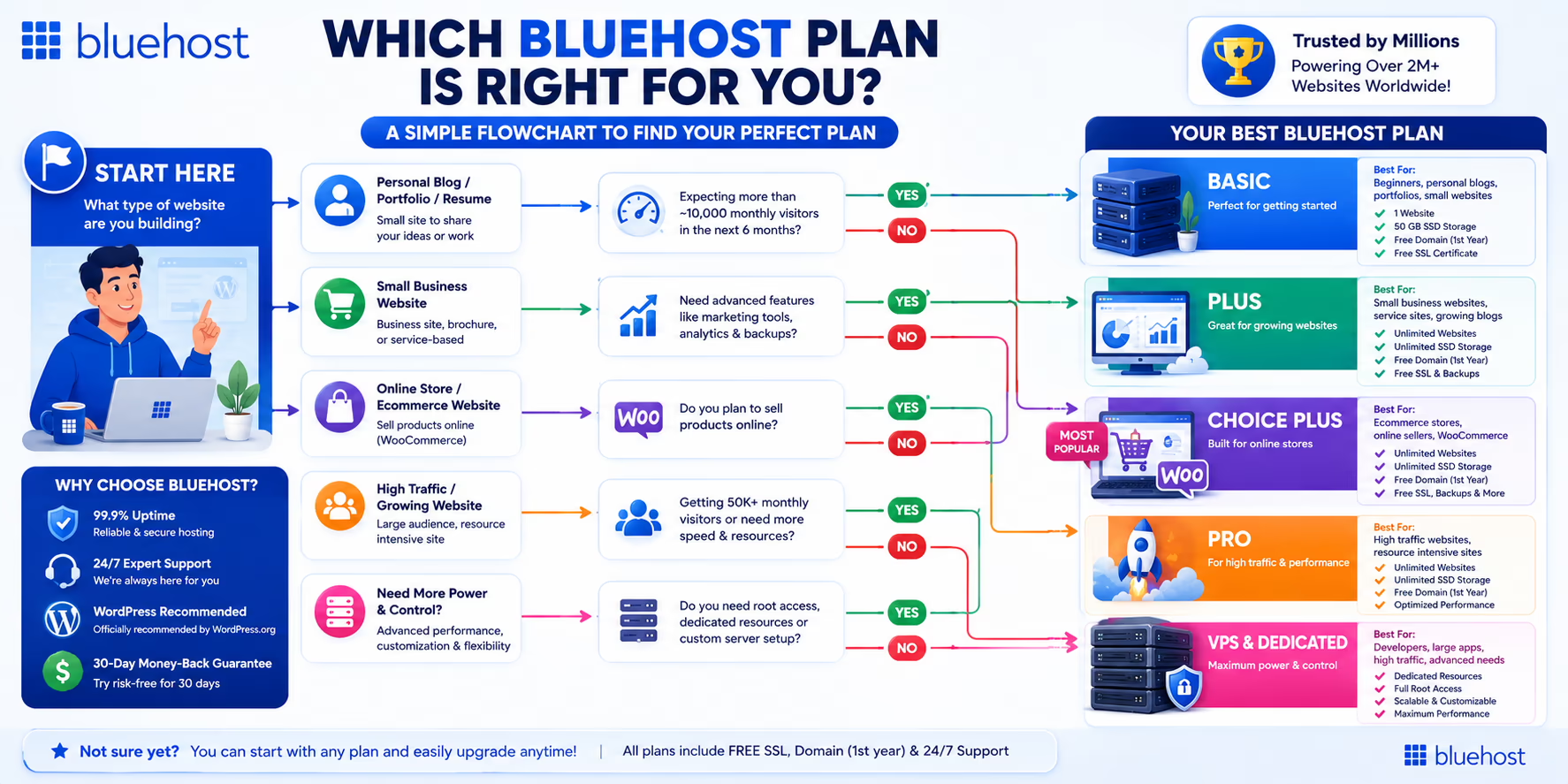
| User Type | Recommended Bluehost Plan |
|---|---|
| First-time blogger | Shared or WordPress hosting, entry tier |
| Small business site | WordPress hosting, mid tier |
| Online store | WooCommerce hosting |
| Agency managing multiple sites | Managed WordPress or higher shared tier |
| Developer/automation project | VPS hosting |
| Enterprise or compliance-heavy site | Dedicated hosting |
| Priority | Best Fit |
|---|---|
| Lowest possible starting cost | Shared hosting |
| Balance of cost and WordPress features | WordPress or Managed WordPress hosting |
| Store-specific tools out of the box | WooCommerce hosting |
| Maximum control and isolated resources | VPS hosting |
| Maximum performance, no sharing at all | Dedicated hosting |
Future Outlook
Hosting providers, Bluehost included, are steadily shifting toward AI-assisted setup tools, faster NVMe-based storage, and tighter WordPress integration as competition in the beginner hosting space intensifies. Expect continued investment in the AI website builder and in performance infrastructure, since both directly target the two things beginners care about most: ease of use and speed. As always, treat any specific plan names, prices, or feature sets in this space as subject to change, and verify current details before purchase.

Final Verdict
Bluehost is a solid, beginner-friendly host with deep WordPress roots, best suited for first-time site owners and small businesses willing to commit to a longer term for the lowest starting price. It is not necessarily the cheapest option at renewal, so it rewards buyers who read the fine print rather than just the homepage discount banner.
Weighed against the full range of hosts covered elsewhere on CSTechy, Bluehost earns its place as a default recommendation for beginners specifically because the downside of choosing it is small — worst case, you pay a bit more at renewal than a rival host would have charged — while the upside is a genuinely easier first experience building a website. For more experienced users with specific performance or budget requirements, it is still worth comparing against alternatives before committing, which is exactly what the comparison tables throughout this guide are meant to help with.
Frequently Asked Questions
Is Bluehost good for beginners?
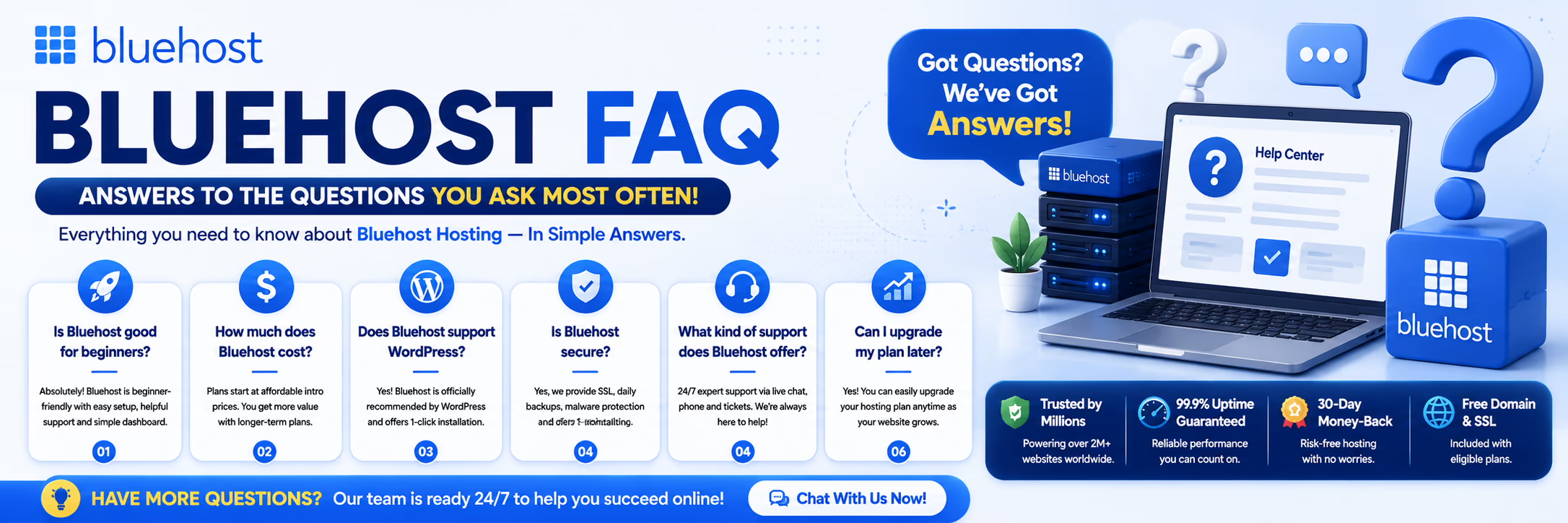
Yes. Bluehost is widely considered beginner-friendly because of its guided setup wizard, one-click WordPress installation, and long history as a WordPress.org recommended host. The AI website builder adds another beginner-friendly option for anyone who does not want to build a layout from scratch.
Is Bluehost the cheapest web hosting option?
Not always. Its introductory pricing is competitive, but renewal rates are typically higher than some budget competitors, so it depends on whether you are comparing first-term price or long-term cost. Always check the renewal price shown at checkout rather than relying on the advertised homepage rate.
Does Bluehost include a free domain?
Most Bluehost hosting plans include a free domain for the first year. After that, the domain renews at Bluehost’s standard registration rate for that extension, which varies depending on the domain ending you choose.
Can I upgrade my Bluehost plan later?
Yes. You can generally upgrade from shared hosting to WordPress, WooCommerce, VPS, or dedicated hosting as your site grows, without needing to start over from scratch or migrate to a different provider.
Is Bluehost good for WooCommerce stores?
Bluehost’s dedicated WooCommerce plans pre-install the plugin and store-ready themes, which makes it a workable choice for small to mid-size stores, though larger stores may eventually need VPS-level resources for database performance under heavier order volume.
Does Bluehost offer a money-back guarantee?
Bluehost typically offers a money-back guarantee window on standard hosting plans, though terms can vary by plan type, and domain fees are often handled separately from hosting refunds. Confirm the exact window and exclusions at checkout before you buy.
Is Bluehost good for developers?
On VPS and dedicated plans, Bluehost provides root access and more server control, which works for developers building custom applications or running non-WordPress workloads. Shared and WordPress plans are more restrictive and better suited to non-technical users running a standard site.
How does Bluehost’s AI website builder work?
You answer a short set of questions about your business and goals, and the tool generates a starter website with layout, copy, and image suggestions that you can then edit visually through a drag-and-drop style editor, without touching code.
Is Bluehost better than Hostinger?
Neither host is universally “better.” Bluehost tends to lead on WordPress ecosystem familiarity and beginner support resources, while Hostinger is often more competitive on long-term renewal pricing — the right choice depends on whether ecosystem familiarity or long-term cost matters more to you.
Conclusion
Bluehost earns its reputation as a dependable starting point for WordPress websites, not because it is flawless, but because it removes friction for people who do not want to think about servers. It is best for first-time bloggers, small businesses, and WooCommerce store owners who are comfortable committing to a longer term to unlock the lowest starting price. It is a weaker fit for buyers chasing the absolute lowest long-term renewal cost, or anyone who wants zero checkout upsells.
The core strengths are ease of setup, WordPress-specific tooling, and a clear upgrade path from shared hosting all the way to dedicated servers. The core limitations are the introductory-to-renewal pricing gap and checkout add-ons that require some label-reading. As Bluehost continues investing in AI tooling and faster storage, it is likely to stay a relevant, mainstream option for beginners rather than a niche or fading product.
If you have read this far and decided Bluehost fits your project, you can start with our Bluehost hosting page, or dig into a specific plan type first: our shared hosting, WordPress hosting, WooCommerce hosting, and VPS hosting guides each go deeper into their respective tier.

Launch Your Website with Bluehost Today
Get reliable hosting, a FREE domain for the first year, SSL certificate, AI Website Builder, and 24/7 expert support. Perfect for blogs, businesses, and WordPress websites.
🚀 Claim Bluehost Discount →⭐ Free Domain • Free SSL • 1-Click WordPress • 30-Day Money-Back Guarantee
Disclosure: CSTechy may earn a commission if you purchase Bluehost hosting through links on this page, at no extra cost to you. This does not affect our editorial opinions, which are based on independent research and testing.