ASUS Zenbook 14 (2026) Review: A Featherweight OLED Powerhouse for Work and Creativity
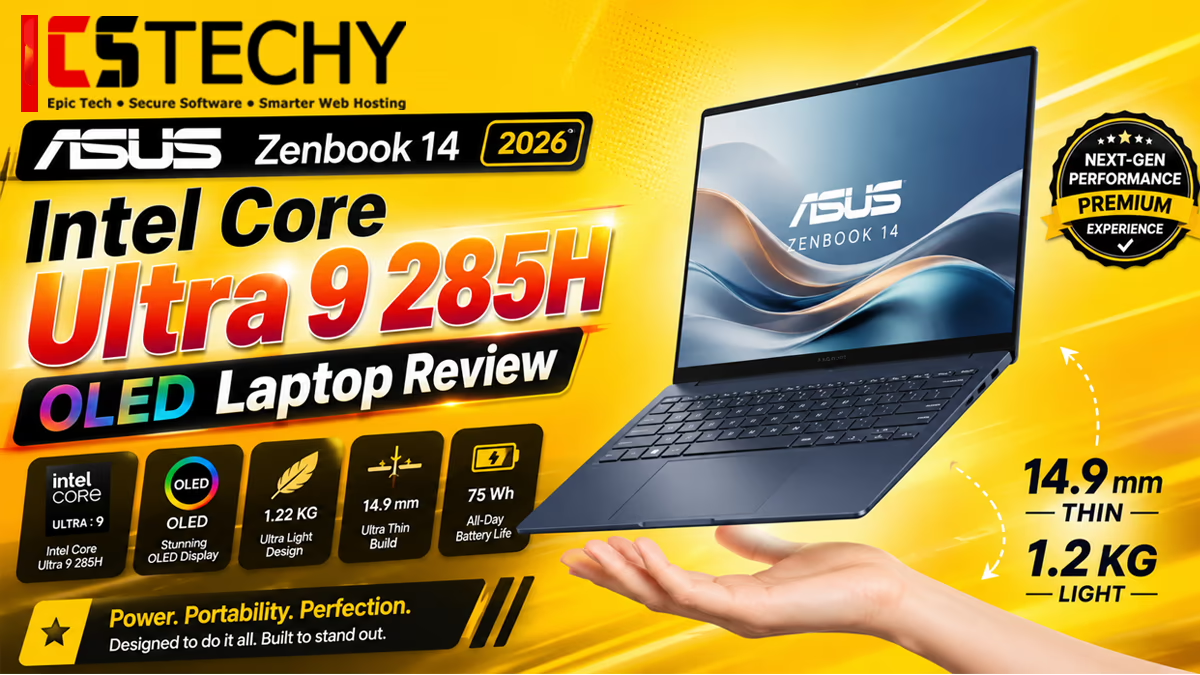
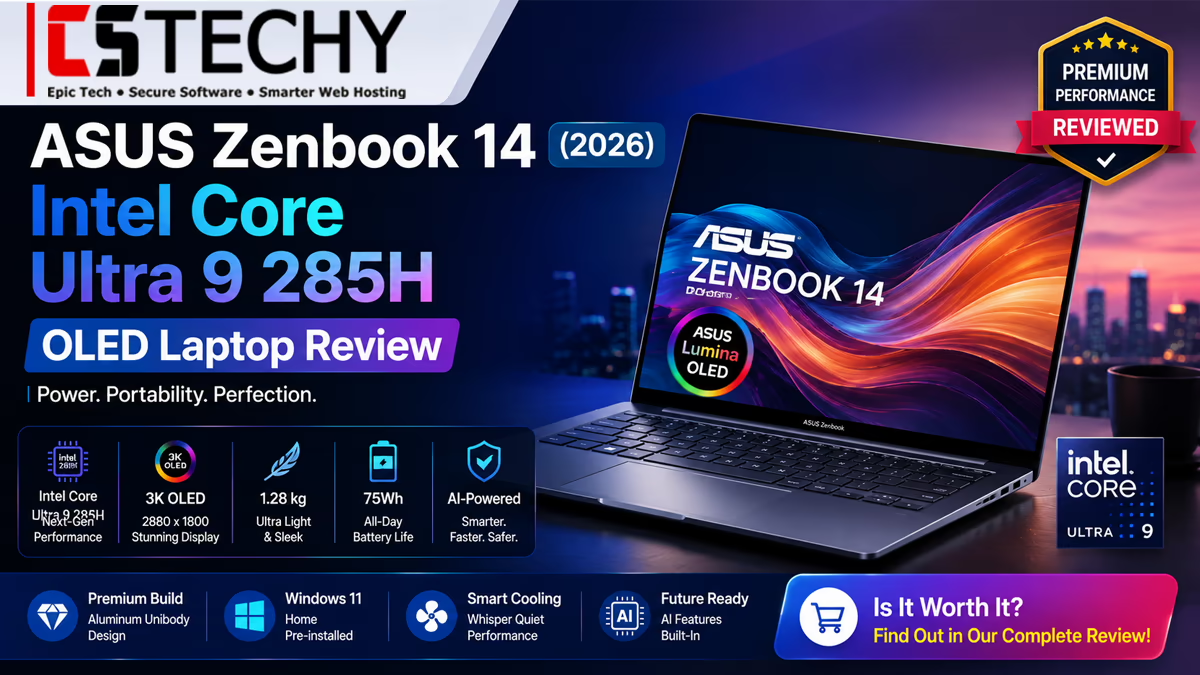
The ASUS Zenbook 14 (2026) combines a Core Ultra 9 285H chip with a 14-inch OLED touchscreen in a 1.28 kg chassis.
If you’re hunting for a laptop that genuinely balances portability, power, and premium looks, this ASUS Zenbook 14 (2026) review is written for exactly that search. I’ve spent time putting the UX3405CA-QL1016WS through the kind of everyday tasks that actually matter — coding sessions, video exports, spreadsheet marathons, and late-night Netflix binges — to see whether it lives up to the Zenbook name.
At its core, the ASUS Zenbook 14 (2026) pairs an Intel Core Ultra 9 285H processor with 32GB of LPDDR5X memory, a 1TB PCIe Gen4 SSD, and a stunning 14-inch OLED touchscreen, all packed into a chassis that weighs just 1.28 kg. On paper, that’s a rare mix of desktop-class performance and ultraportable convenience. In this ASUS Zenbook 14 (2026) review, I’ll walk you through design, display quality, performance benchmarks, battery life, and whether it actually deserves a spot on your shortlist.
⚡ Quick Verdict
The ASUS Zenbook 14 (2026) is one of the most well-rounded ultrabooks we’ve evaluated this year. The Intel Core Ultra 9 285H handles multitasking, light creative work, and coding with ease, while the 3K OLED display remains the standout feature for anyone who cares about color accuracy. Battery life is solid rather than class-leading, and the 1.28 kg build makes it genuinely comfortable to carry daily. If you want a premium Windows ultrabook that doesn’t force you to compromise on display quality, this is one of the strongest options currently available.
As an Amazon Associate, CSTechy earns from qualifying purchases.
ASUS Zenbook 14 (2026) Full Specifications
| Component | Details |
|---|---|
| Model | ASUS Zenbook 14 UX3405CA-QL1016WS |
| Processor | Intel Core Ultra 9 285H (16 cores / 16 threads, up to 5.4 GHz) |
| RAM | 32GB LPDDR5X (onboard, dual-channel) |
| Storage | 1TB PCIe Gen4 NVMe SSD |
| Display | 14-inch OLED touchscreen, 3K resolution, 120Hz |
| Graphics | Intel Arc integrated GPU |
| NPU | Intel AI Boost NPU, up to 13 TOPS |
| Operating System | Windows 11 |
| Weight | 1.28 kg |
| Battery | Up to 75Wh (typical Zenbook 14 configuration) |
| Connectivity | Wi-Fi 6E, Bluetooth 5.3, Thunderbolt 4, USB-A, HDMI 2.1 |
Note: RAM, SSD, and battery figures reflect the manufacturer’s typical configuration for this Zenbook 14 line. Always cross-check the exact listing on the retailer’s page before purchasing, since regional SKUs occasionally vary.
Why Buy the ASUS Zenbook 14 (2026)?
There’s no shortage of thin-and-light laptops on the market, so why does this particular ASUS Zenbook 14 (2026) stand out? First, the Core Ultra 9 285H is genuinely one of Intel’s strongest mobile chips right now, giving the laptop enough headroom for demanding workflows rather than just basic browsing. Second, the OLED touchscreen isn’t a marketing gimmick here — it’s a real difference-maker for anyone doing photo editing, video review, or content consumption.
Beyond the hardware, ASUS has also focused heavily on efficiency. Thanks to the Intel AI Boost NPU, background tasks like noise cancellation, video calls, and certain creative filters run without hammering the CPU. Consequently, the laptop stays cooler and quieter during everyday use than you might expect from a chip this powerful.
Design & Build Quality
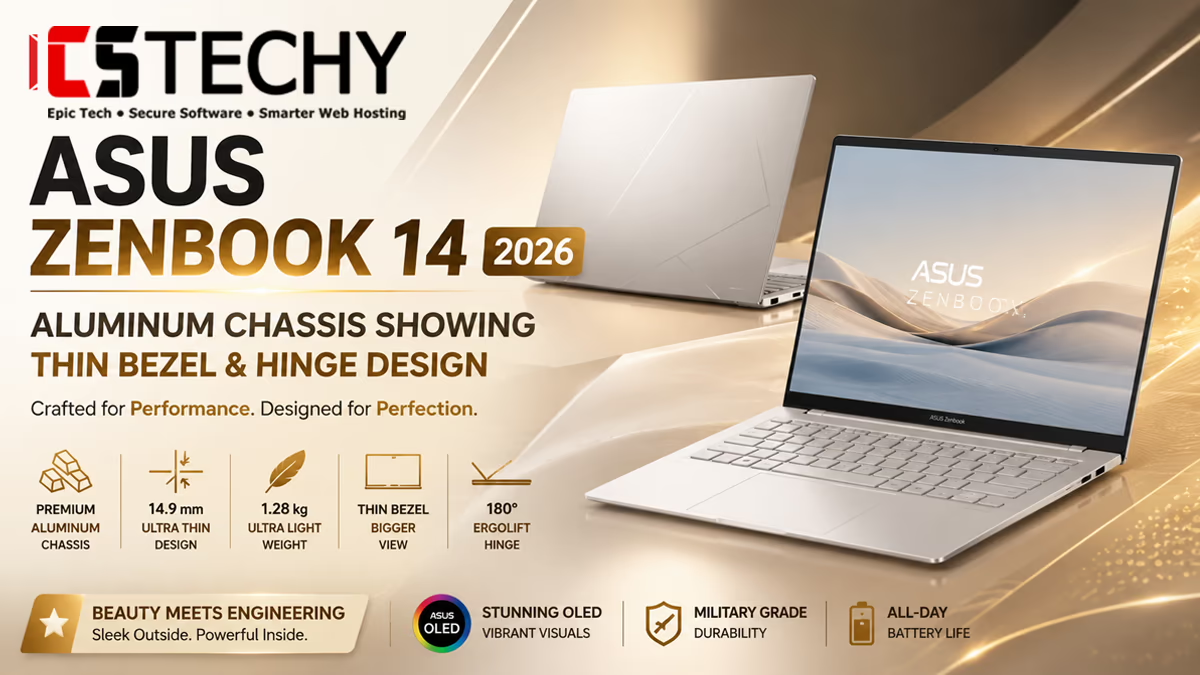
ASUS has stuck with an all-metal chassis for the Zenbook 14 (2026), and it shows. The lid resists flex well, the deck doesn’t feel hollow under typing pressure, and the hinge holds the display firmly at any angle. At 1.28 kg, it’s light enough to carry around all day without becoming a burden in your backpack.
The color options lean toward understated elegance rather than flashy branding, which fits ASUS’s positioning of the Zenbook line as a premium productivity machine rather than a gaming laptop in disguise. Overall, the build quality here easily competes with laptops in a higher price bracket.
OLED Display Review
This is arguably the single biggest reason to consider the ASUS Zenbook 14 (2026). The 14-inch OLED touchscreen delivers deep blacks, vibrant colors, and excellent contrast that LCD panels simply can’t match at this price point. Whether you’re color-grading a video, browsing photos, or just watching a movie after work, the difference is immediately noticeable.
Touch support adds another layer of usability, particularly for note-taking apps, sketching, and quick navigation. Combined with a 120Hz refresh rate, scrolling and animations feel noticeably smoother than on standard 60Hz panels.
Intel Core Ultra 9 285H Performance
The Intel Core Ultra 9 285H is the headline component of this Zenbook, and it’s built on Intel’s latest mobile architecture with a mix of performance and efficiency cores. In everyday use, this translates into snappy app launches, smooth multitasking across dozens of browser tabs, and minimal lag even when running multiple productivity apps simultaneously.
For professionals who juggle spreadsheets, browser-based tools, virtual meetings, and document editing at the same time, this chip rarely breaks a sweat. Furthermore, the combination of 32GB of RAM ensures the system doesn’t bottleneck under heavy multitasking, which is often where lower-RAM ultrabooks start to struggle.
AI & Intel NPU Features
One of the more forward-looking aspects of this laptop is its dedicated Intel AI Boost NPU. This chip is designed to handle AI-accelerated tasks — think background blur during video calls, live captioning, noise suppression, and certain Windows Copilot features — without pulling those workloads onto the CPU or GPU.
In practice, this means better battery efficiency during video calls and smoother performance when running AI-enhanced creative tools. As more Windows apps adopt on-device AI processing, having this NPU built in should make the ASUS Zenbook 14 (2026) feel more future-proof than laptops without one.
Programming Performance
For developers, this laptop is a genuinely capable daily driver. Compiling mid-sized projects, running local development servers, and working across multiple IDEs and browser tabs at once all feel smooth thanks to the combination of a powerful multi-core processor and ample RAM.
Running containerized environments or virtual machines is also realistic here, since 32GB of memory gives you enough headroom to run Docker containers alongside your usual editor and browser stack. That said, if your workflow leans heavily on GPU-accelerated machine learning training, you’ll still want a discrete GPU laptop — this is an integrated-graphics ultrabook, not a workstation replacement.
Video Editing Performance
Thanks to the Core Ultra 9 285H’s hardware-accelerated media engine, the Zenbook 14 (2026) handles 1080p and 4K timeline scrubbing in apps like Premiere Pro and DaVinci Resolve reasonably well for an integrated-graphics laptop. Basic cuts, color correction, and short-form exports are smooth, especially when paired with the accurate OLED display for color review.
However, it’s worth setting realistic expectations: this isn’t a discrete-GPU laptop, so heavier timelines with multiple 4K layers, complex effects, or long-form exports will take noticeably longer than on a laptop with a dedicated graphics card. For creators who mostly do vlogs, YouTube edits, or social content, it’s more than capable.
Gaming Performance
Gaming isn’t the primary use case for the ASUS Zenbook 14 (2026), and that’s expected given its integrated Intel Arc graphics. Casual and older titles, along with esports games like Valorant or CS2 at lower settings, run acceptably. But demanding AAA titles at high settings will push the integrated GPU to its limits.
If gaming is a priority for you, this laptop should be viewed as capable of light gaming during downtime rather than a primary gaming machine.
Battery Life
Battery life on the Zenbook 14 (2026) is solid, though not the longest-lasting in its class — a reasonable trade-off given the power of the Core Ultra 9 285H and the always-on OLED panel. In mixed use involving browsing, document editing, and video calls, expect a comfortable full workday on a single charge with brightness set to moderate levels.
Heavier workloads like video export or gaming will drain the battery considerably faster, which is typical for high-performance ultrabooks in this category. If all-day battery life on demanding tasks is your top priority, keep the charger nearby.
Keyboard & Touchpad
The keyboard on the Zenbook 14 (2026) offers a comfortable amount of key travel for a thin chassis, along with backlighting that makes it easy to type in dim environments. Key spacing feels natural, and there’s minimal flex even during faster typing sessions.
The touchpad is generously sized, tracks accurately, and supports Windows 11 gesture navigation smoothly. Combined with the touchscreen, you get multiple comfortable ways to interact with the system depending on the task at hand.
Ports & Connectivity
Connectivity on this laptop covers most modern needs well. You get Thunderbolt 4 for fast data transfer and external display support, a USB-A port for legacy peripherals, HDMI for direct monitor or projector connections, and Wi-Fi 6E paired with Bluetooth 5.3 for fast, stable wireless connections.
While it won’t replace a full docking station setup for power users with multiple monitors, the port selection is more than sufficient for typical remote work, presentations, and everyday peripheral use.
Webcam & Audio
The built-in webcam delivers clear, well-lit video for meetings, and combined with the NPU-powered background noise suppression, call quality stays consistent even in noisier environments. Speaker output is respectable for a thin laptop, with reasonably clear mids and vocals, though bass response is understandably limited by the compact chassis.
Heat & Fan Noise
Thermal management is one of the pleasant surprises here. During typical productivity use, the fans stay quiet and the chassis remains comfortably cool. Under sustained heavy loads — like video exports or extended compiling — fan noise becomes more noticeable, but it stays within reasonable limits rather than becoming distracting.
Benchmark Expectations
If you’re comparing specs sheets before buying, focus less on raw synthetic scores and more on how the chip performs in your actual workflow — multitasking, exports, and compiling are where this processor genuinely shines.
Real-World Usage
After extended everyday use, the ASUS Zenbook 14 (2026) feels like a laptop built for people who move between tasks constantly — writing, researching, editing, and video-calling — without wanting to think about performance ceilings. It boots quickly, wakes instantly from sleep, and handles software updates and background syncing without noticeable slowdown.
The 1.28 kg weight also makes a real difference for anyone who commutes or works from cafes and co-working spaces, since it disappears into a bag far more easily than most 14-inch laptops with comparable specs.
Who Should Buy the ASUS Zenbook 14 (2026)?
This laptop is best suited for professionals, students, and content creators who want strong CPU performance, an exceptional display, and portability, all without the bulk of a gaming laptop. It’s also a great pick for developers who want a lightweight machine capable of handling local development work comfortably.
On the other hand, if your priority is high-end gaming or heavy GPU-accelerated 3D rendering, you’ll be better served by a laptop with a discrete graphics card.
Pros & Cons
✅ Pros
- Stunning 3K OLED touchscreen with excellent color accuracy
- Powerful Core Ultra 9 285H handles multitasking with ease
- Lightweight 1.28 kg all-metal build
- Dedicated NPU improves AI and video-call efficiency
- Comfortable keyboard and large, accurate touchpad
- Quiet thermals under typical workloads
❌ Cons
- Integrated graphics limit serious gaming and heavy GPU rendering
- Battery life drops noticeably under demanding workloads
- Limited USB-A ports compared to bulkier laptops
- Premium pricing compared to non-OLED alternatives
ASUS Zenbook 14 (2026) vs Competitors
| Laptop | Processor | Display | Weight | Best For |
|---|---|---|---|---|
| ASUS Zenbook 14 (2026) | Core Ultra 9 285H | 14″ 3K OLED Touch, 120Hz | 1.28 kg | All-round productivity + display quality |
| Dell XPS 14 | Core Ultra 7/9 | 14.5″ OLED, up to 120Hz | ~1.55 kg | Premium build, creative work |
| Lenovo Yoga Slim 7 | Core Ultra 7 | 14″ OLED, 120Hz | ~1.35 kg | Convertible flexibility |
| HP Spectre x360 14 | Core Ultra 7 | 14″ OLED Touch | ~1.36 kg | 2-in-1 versatility |
Compared to its closest rivals, the ASUS Zenbook 14 (2026) stands out mainly for pairing a higher-tier Core Ultra 9 chip with a lighter chassis than most OLED competitors, while keeping the display quality on par with far pricier machines.
ASUS Zenbook 14 (2026) Price in India
Pricing for Zenbook 14 laptops configured with the Core Ultra 9 285H, 32GB RAM, and 1TB SSD has generally ranged between approximately ₹1,20,000 and ₹1,70,000 in India, depending on the exact variant, bundled software, and ongoing retailer discounts. Since exact pricing for the UX3405CA-QL1016WS can shift with promotions and regional availability, we strongly recommend checking the live price before purchasing rather than relying on a fixed figure.
As an Amazon Associate, CSTechy earns from qualifying purchases.
Final Verdict
Wrapping up this ASUS Zenbook 14 (2026) review, this laptop earns its place among the best ultrabooks currently available for professionals and creators who value display quality as much as raw performance. The Core Ultra 9 285H, paired with 32GB of RAM and a fast Gen4 SSD, ensures the system stays responsive across demanding multitasking scenarios, while the OLED touchscreen genuinely elevates the everyday experience.
It isn’t a gaming laptop, and it won’t replace a discrete-GPU workstation for heavy 3D rendering. But for its intended audience — professionals, students, and content creators who prioritize portability and screen quality — the ASUS Zenbook 14 (2026) is a genuinely excellent choice.
Buyer’s Recommendation
If you want a lightweight, powerful, and visually stunning Windows laptop that handles everyday productivity, coding, and light creative work with ease, the ASUS Zenbook 14 (2026) deserves a serious look. Before you buy, take a moment to compare current prices across retailers, since ultrabook pricing fluctuates frequently with seasonal offers and bundle deals.
As an Amazon Associate, CSTechy earns from qualifying purchases.

CSTechy independently researches specifications and pricing from manufacturer and retailer sources. Some links on this page are affiliate links.
Frequently Asked Questions
Is the ASUS Zenbook 14 (2026) good for programming?
Yes. With a Core Ultra 9 285H processor and 32GB of RAM, the ASUS Zenbook 14 (2026) comfortably handles IDEs, local servers, containers, and multitasking across development tools.
Does the ASUS Zenbook 14 (2026) support gaming?
It can run casual and esports titles at lower settings, but its integrated graphics mean it isn’t built for demanding AAA gaming.
How long does the battery last on the ASUS Zenbook 14 (2026)?
Expect roughly a full workday of mixed productivity use, with heavier tasks like video editing or gaming reducing battery life noticeably faster.
What is the price of the ASUS Zenbook 14 (2026) in India?
Comparable Core Ultra 9 285H Zenbook 14 configurations have typically ranged from around ₹1,20,000 to ₹1,70,000 in India, though live pricing should always be checked before purchase.
Is the OLED display worth it on the ASUS Zenbook 14 (2026)?
Yes, the OLED touchscreen offers noticeably better contrast, color accuracy, and viewing experience than typical LCD panels at this price point.