Hostinger VPS hosting for n8n: Intro
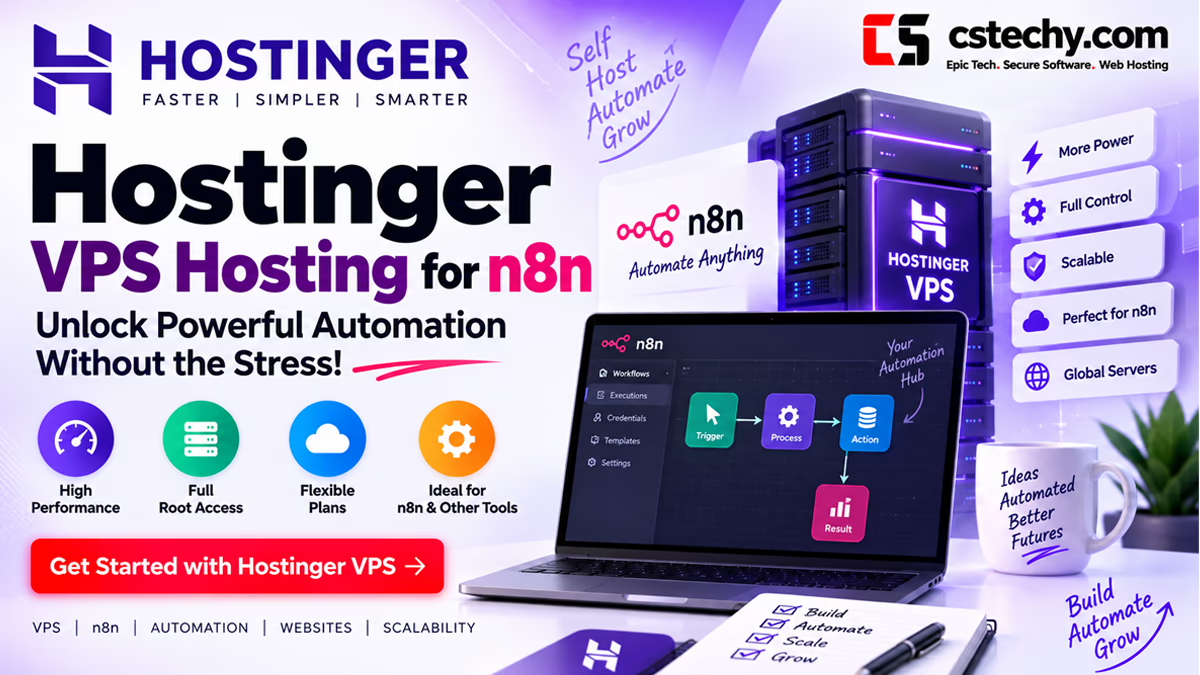
Hostinger VPS hosting for n8n is free to self-host, but “free” only covers the software. It still needs a server, and where you put that server decides how fast your workflows run, how much downtime you deal with,
and how much you actually pay each month once n8n Cloud’s execution limits stop being enough. This guide covers why a VPS beats shared hosting and n8n Cloud for serious automation work,
exactly which Hostinger KVM plan fits your workflow volume, and a complete Docker-based setup you can follow end to end.
n8n’s own cloud plans are convenient, but they cap monthly workflow executions and charge more as you scale, which is exactly the trade-off self-hosting removes.
A Hostinger VPS gives you full root access, dedicated compute, and unlimited executions for a flat monthly server cost instead of a per-execution one,
which is why so many automation-heavy users move to self-hosting once their workflows go from occasional to constant.
Quick Answer
- Best Hostinger plan for n8n: KVM 2 (2 vCPU, 8 GB RAM) for most production instances; KVM 1 works for testing or very light personal automation.
- Installation method: Docker Compose is the fastest, most maintainable way to run n8n on a VPS, and it is what this guide walks through.
- Cost: a KVM 2 VPS runs roughly $8.99/mo on Hostinger’s introductory rate, well under n8n Cloud’s paid tiers once you are running more than a handful of active workflows.
- Setup time: 20 to 40 minutes for a working instance with a custom domain and SSL, following the steps below in order.
- Who this is for: anyone running n8n workflows regularly enough that execution limits, per-workflow pricing, or shared hosting resource caps have started to matter.
Get a VPS built for self-hosting n8n
Get Hostinger VPS for n8n KVM plans with AMD EPYC processors, NVMe storage, and full root access.Why Self-Host n8n on a VPS
n8n gives you three ways to run it: n8n Cloud (fully managed, billed by plan tier and execution volume),
shared hosting with a one-click installer (rare, and resource-limited even when available),
or a self-managed VPS where you control the entire stack. For anyone running more than a light, occasional workflow, the VPS route wins on almost every axis that matters.
n8n Cloud’s pricing scales with active workflows and monthly executions, which means the bill grows automatically as your automation grows, exactly when you’d want costs to stay flat. A VPS flips that: you pay a fixed monthly server cost regardless of how many workflows you run or how often they fire,
as long as the server has the CPU and RAM to keep up. Self-hosting also removes n8n Cloud’s data residency and retention limits, gives you direct access to logs and the underlying file system for debugging, and lets you install community nodes and custom integrations that cloud plans restrict.
The trade-off is that a VPS is unmanaged: you are responsible for keeping the OS patched, Docker updated, and backups running.
That is a reasonable trade for the cost savings and control it buys,
and the steps later in this guide cover exactly how to handle each of those responsibilities without needing deep systems administration experience.
Which Hostinger VPS Plan Fits n8n
n8n itself is lightweight when idle. Resource pressure comes from active executions, especially workflows that call AI APIs,
process large JSON payloads, handle file transforms, or run on webhook triggers that fire frequently. RAM matters more than CPU cores for most n8n workloads,
since each active execution and each open workflow keeps data in memory while it runs.
| Plan | vCPU | RAM | Storage | Good fit for |
|---|---|---|---|---|
| KVM 1 | 1 | 4 GB | 50 GB NVMe | Testing, personal automation, fewer than 10 active workflows |
| KVM 2 | 2 | 8 GB | 100 GB NVMe | Production instances, small business automation, most freelancer or agency use cases |
| KVM 4 | 4 | 16 GB | 200 GB NVMe | High-volume webhooks, multiple concurrent workflows, AI-heavy pipelines |
| KVM 8 | 8 | 32 GB | 400 GB NVMe | Agencies running n8n for multiple clients, queue mode with multiple workers |
KVM 2 is the realistic starting point for a production n8n instance. It comfortably runs n8n plus a PostgreSQL database (recommended over the default SQLite once you have real workflows and data worth protecting) with headroom for several concurrent executions.
KVM 1 is fine to test a setup or run light personal automation, but its 4 GB of RAM gets tight quickly once you add a database container and a few memory-hungry workflow nodes.
If you are running n8n in queue mode with separate worker processes to handle high webhook volume,
or hosting n8n for multiple clients on one server, KVM 4 or KVM 8 give you the headroom to add worker containers without contention.
For more detail on matching VPS specs to any workload, not just n8n, see our general VPS buying guide and the full Hostinger VPS review.
Need the full resource breakdown across all four KVM tiers
Get Hostinger VPS HostingStep by Step: Installing n8n on a Hostinger VPS
This walkthrough uses Docker Compose, which is the method n8n’s own documentation recommends for production self-hosting.
It keeps n8n, its database, and any supporting services isolated in containers, which makes updates, backups, and troubleshooting far simpler than a bare-metal install.
- Order your VPS and choose an OS template Sign up for a Hostinger KVM plan (KVM 2 recommended for production), then in hPanel choose Ubuntu 24.04 as your operating system template. Hostinger provisions the server within a few minutes and emails you the root login details.
- Connect to your VPS over SSH
From your terminal, connect with
ssh root@your-server-ipusing the IP address and password from hPanel, or an SSH key if you set one up during provisioning. Our guide to connecting to your VPS covers this step in more detail if it is your first time on a VPS. - Update the system and install Docker
Run
apt update && apt upgrade -yto patch the base OS, then install Docker and Docker Compose using Docker’s official installation script. Hostinger’s VPS templates also offer a one-click Docker template at provisioning time, which skips this step entirely if you select it upfront. - Point your domain at the VPS
In your domain registrar’s DNS settings, create an A record for a subdomain (for example
n8n.yourdomain.com) pointing to your VPS’s IP address. Our guide to connecting a domain to hosting walks through this if you have not done it before. DNS propagation typically takes a few minutes to a few hours. - Create your Docker Compose configuration
Create a project folder and a
docker-compose.ymlfile defining an n8n service and a PostgreSQL service, with environment variables for your domain, timezone, and database credentials. A minimal production setup looks like this:version: “3.8” services: postgres: image: postgres:16 restart: always environment: POSTGRES_DB: n8n POSTGRES_USER: n8n POSTGRES_PASSWORD: your_secure_password volumes: – postgres_data:/var/lib/postgresql/datan8n: image: n8nio/n8n:latest restart: always ports: – “5678:5678” environment: N8N_HOST: n8n.yourdomain.com N8N_PROTOCOL: https WEBHOOK_URL: https://n8n.yourdomain.com/ DB_TYPE: postgresdb DB_POSTGRESDB_HOST: postgres DB_POSTGRESDB_DATABASE: n8n DB_POSTGRESDB_USER: n8n DB_POSTGRESDB_PASSWORD: your_secure_password GENERIC_TIMEZONE: UTC volumes: – n8n_data:/home/node/.n8n depends_on: – postgresvolumes: postgres_data: n8n_data:Replace the domain and password placeholders with your own values before starting the containers. - Add a reverse proxy and free SSL Install Nginx or Caddy as a reverse proxy in front of n8n so traffic reaches it over HTTPS instead of a raw port. Caddy is the simpler option since it issues and renews Let’s Encrypt SSL certificates automatically with just a few lines of configuration pointing at your domain and the n8n container’s internal port.
- Start the stack and open n8n
Run
docker compose up -dfrom your project folder. Docker pulls the images and starts both containers in the background. Once the reverse proxy’s SSL certificate issues (usually under a minute), visiting your subdomain in a browser loads n8n’s owner account setup screen. - Create your owner account and start building Set your admin email and password on first load. From here your n8n instance is fully live, ready for workflows, credentials, and webhook-triggered automations, all running on infrastructure you control.
Ready to spin up your own n8n server
Get Hostinger VPS for n8n Includes root access, NVMe storage, and free weekly backups on every KVM plan.Setting Up Webhooks and Environment Variables Correctly
The single most common mistake in a self-hosted n8n setup is a misconfigured WEBHOOK_URL environment variable.
If it is left pointing at localhost or an internal Docker hostname instead of your public domain, every webhook-triggered workflow (Telegram bots,
form submissions, third-party API callbacks) will silently fail to receive external requests even though the n8n UI itself loads fine. Always set WEBHOOK_URL to your full public HTTPS domain, matching the N8N_HOST value, before starting the stack.
If you migrate to a new server or change domains later, our guide to changing the webhook URL in n8n covers updating it without breaking existing workflow triggers.
A few other environment variables are worth setting deliberately rather than leaving at defaults: GENERIC_TIMEZONE should match your business’s actual timezone so scheduled triggers fire when you expect them to,
and N8N_ENCRYPTION_KEY should be set explicitly and backed up separately from your server, since losing it makes stored credentials unrecoverable even if your data volumes are intact.
Backups, Updates and Security for Your n8n VPS
Because a VPS is unmanaged, ongoing maintenance is your responsibility, but it is lighter than it sounds once a routine is in place.
- Backups: Hostinger includes free weekly backups on every KVM plan, covering the whole server. For workflow-level protection, also export critical workflows periodically or mount your Postgres data volume to a backup script, since a full server restore is a heavier recovery path than restoring a single workflow.
- Updates: pull the latest n8n image and recreate the container periodically (
docker compose pull && docker compose up -d) to get security patches and new node integrations. Our guide to updating n8n covers version-specific gotchas worth checking before a major version jump. - Security: keep the OS patched, restrict SSH to key-based login instead of passwords, and enable Hostinger’s built-in firewall manager to close any ports you are not actively using. Our guide to securing an n8n VPS goes deeper on hardening a self-hosted instance specifically.
- Monitoring uptime: for workflows that depend on external triggers firing reliably, it is worth knowing how to check server and n8n service status quickly if something seems off. Our is n8n down troubleshooting guide covers the difference between an n8n Cloud outage and a problem with your own self-hosted instance.
n8n Self-Hosted vs n8n Cloud Pricing
The financial case for self-hosting gets stronger the more you actually use n8n. n8n Cloud’s plans bill by monthly workflow executions and active workflows, which means cost rises with usage. A self-hosted VPS bills a flat server fee regardless of execution volume, so heavy users save considerably, while very light users may find n8n Cloud’s free or entry tier simpler.
| Setup | Typical Monthly Cost | Execution Limit | Best For |
|---|---|---|---|
| n8n Cloud Starter | ~$20-24/mo | Limited monthly executions | Light, occasional automation |
| n8n Cloud Pro | ~$50-60/mo | Higher execution cap | Growing automation with predictable billing |
| Hostinger KVM 1 (self-hosted) | ~$6.49/mo | Unlimited | Testing, light personal use |
| Hostinger KVM 2 (self-hosted) | ~$8.99/mo | Unlimited | Production use, most freelancers and small teams |
Beyond the sticker price, self-hosting removes the anxiety of an unexpected overage charge when a workflow loop fires more often than planned, since your cost is fixed by the server tier, not the execution count. The trade-off, worth repeating, is that you take on the maintenance work n8n Cloud otherwise handles for you. For a wider view of what a Hostinger plan costs across all hosting types, not just VPS, see our Hostinger plans and pricing guide.
Hostinger VPS vs Other Hosts for n8n
Hostinger is not the only VPS provider that works well for n8n,
but its combination of low entry pricing, NVMe storage, and a genuinely fast setup process (Docker templates available at provisioning) makes it one of the stronger defaults for self-hosters who do not want to spend a weekend tuning server configuration.
Where it is worth comparing directly against alternatives is on long-term renewal pricing and raw performance under sustained load. We have head-to-head breakdowns if you are weighing options: Hostinger vs Bluehost VPS for n8n and MilesWeb vs Namecheap VPS for n8n. If you are running n8n through a managed platform like Cloudways instead of a bare VPS, our Cloudways vs self-managed VPS for n8n comparison lays out that trade-off specifically.
It is also worth being clear about what n8n competes with beyond hosting choice. If you are still deciding whether n8n itself is the right automation tool before committing to server infrastructure for it,
our n8n vs Zapier vs Make comparison and full n8n review cover that decision separately from the hosting question this guide focuses on.
Common Setup Issues and How to Fix Them
A handful of problems account for most self-hosted n8n support requests, and nearly all of them trace back to configuration rather than the server itself.
Webhooks not receiving external requests
Almost always an incorrect WEBHOOK_URL pointing at localhost instead of your public domain. Verify it matches your live HTTPS URL exactly.
Workflow data or JSON not parsing correctly
Usually a formatting mismatch when pasting external JSON into a node. See our guide to pasting JSON in n8n for the correct approach.
Container running out of memory on complex workflows
A sign you have outgrown KVM 1. Upgrading to KVM 2 or KVM 4 resolves most out-of-memory crashes on execution-heavy workflows.
SSL certificate not issuing
Usually means DNS has not finished propagating, or port 80/443 is blocked by the firewall. Confirm the domain resolves to your VPS IP before troubleshooting the proxy config.
n8n instance unreachable after a server reboot
Add restart: always to every service in your Docker Compose file (shown in the setup steps above) so containers relaunch automatically after any VPS restart.
Connecting n8n to external trading bots or APIs
Self-hosting also opens up integrations n8n Cloud restricts. See our guide on whether n8n can access StockHero trading bots for one example of an external-API integration pattern.
Is Hostinger VPS the Right Choice for Your n8n Setup
A VPS makes the most sense once your automation has moved past casual experimentation. If you are only testing a handful of simple workflows a few times a week, n8n Cloud’s free or entry tier,
or even a lightweight shared hosting trial, is genuinely simpler and not worth complicating with server management. Once workflows are running your business processes,
firing on webhooks throughout the day, or calling paid AI APIs where execution reliability matters, the fixed cost, unlimited executions, and full control of a self-hosted VPS start paying for themselves quickly. For a broader look at other providers building n8n-focused hosting offers,
our best n8n hosting providers roundup lines up several options side by side, and our Hostinger hosting guide covers Hostinger’s full product range if VPS turns out not to be the right fit for the rest of your stack.
Start self-hosting n8n on your own Hostinger VPS today
Get Hostinger VPS for n8n 30 day money-back guarantee on every VPS plan.Frequently Asked Questions
Can I run n8n on Hostinger shared hosting instead of a VPS?
Not reliably. n8n requires Node.js and background processes that standard shared hosting environments are not built to run continuously. A VPS with Docker support is the practical minimum for a stable self-hosted n8n instance.
Which Hostinger VPS plan is best for n8n?
KVM 2, with 2 vCPU cores and 8 GB of RAM, is the best starting point for a production n8n instance. It comfortably handles n8n plus a PostgreSQL database with room for several concurrent workflow executions. KVM 1 works for testing but gets memory-constrained quickly under real use.
How much does it cost to self-host n8n on Hostinger?
A KVM 2 VPS starts around $8.99 per month on Hostinger’s introductory long-term rate, renewing at roughly $14.99 per month afterward.
This is a flat cost regardless of how many workflows or executions you run, unlike n8n Cloud’s usage-based pricing.
Do I need Docker to install n8n on a VPS?
Docker is not strictly required, n8n can also be installed directly via npm, but Docker Compose is the method n8n’s own documentation recommends for production use because it isolates n8n and its database cleanly and makes updates and backups significantly simpler.
Is self-hosted n8n free?
The n8n software itself is free and open source to self-host with unlimited workflow executions. The only cost is the server it runs on, such as a Hostinger VPS, which is a fixed monthly fee rather than a per-execution charge.
Why are my n8n webhooks not working after self-hosting?
This almost always means the WEBHOOK_URL environment variable is not set to your public HTTPS domain. If it is left at a default or internal address,
external services cannot reach your webhook endpoints even though the n8n interface itself works fine.
How do I secure a self-hosted n8n VPS?
Use SSH key authentication instead of passwords, keep the OS and Docker images updated, enable Hostinger’s firewall to close unused ports, always run n8n behind HTTPS via a reverse proxy, and set a strong, separately backed-up encryption key for stored credentials.
Can I move from n8n Cloud to a self-hosted VPS later?
Yes. Workflows can be exported from n8n Cloud as JSON files and imported directly into a self-hosted instance, so migrating later does not mean rebuilding your automations from scratch.
What happens if my Hostinger VPS goes down while running n8n
Hostinger backs every VPS plan with a 99.9 percent uptime guarantee and free weekly backups. Setting restart policies in your Docker Compose file also ensures n8n and its database restart automatically after any server reboot without manual intervention.
This post contains affiliate links to Hostinger. If you purchase a plan through one of these links, cstechy.com may earn a commission at no extra cost to you. Pricing mentioned above reflects publicly available rates at the time of writing and is subject to change; always confirm the current price on the linked page before purchasing.