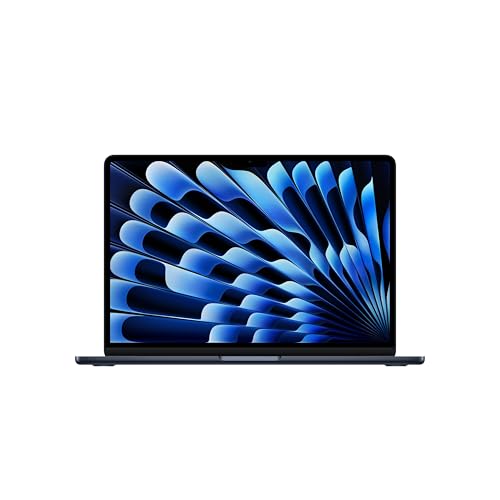
- MIGHT TAKES FLIGHT — MacBook Air with the M5 chip packs blazing speed and powerful AI capabilities into an incredibly po…
- SUPERCHARGED BY M5 — With its faster CPU and unified memory, the M5 chip delivers even more performance and fluidity acr…
- APPLE INTELLIGENCE — Apple Intelligence is the personal intelligence system that helps you write, express yourself and g…
Senior Tech Expert · Deep-Dive Review · Model MDHE4HN/A · 2026
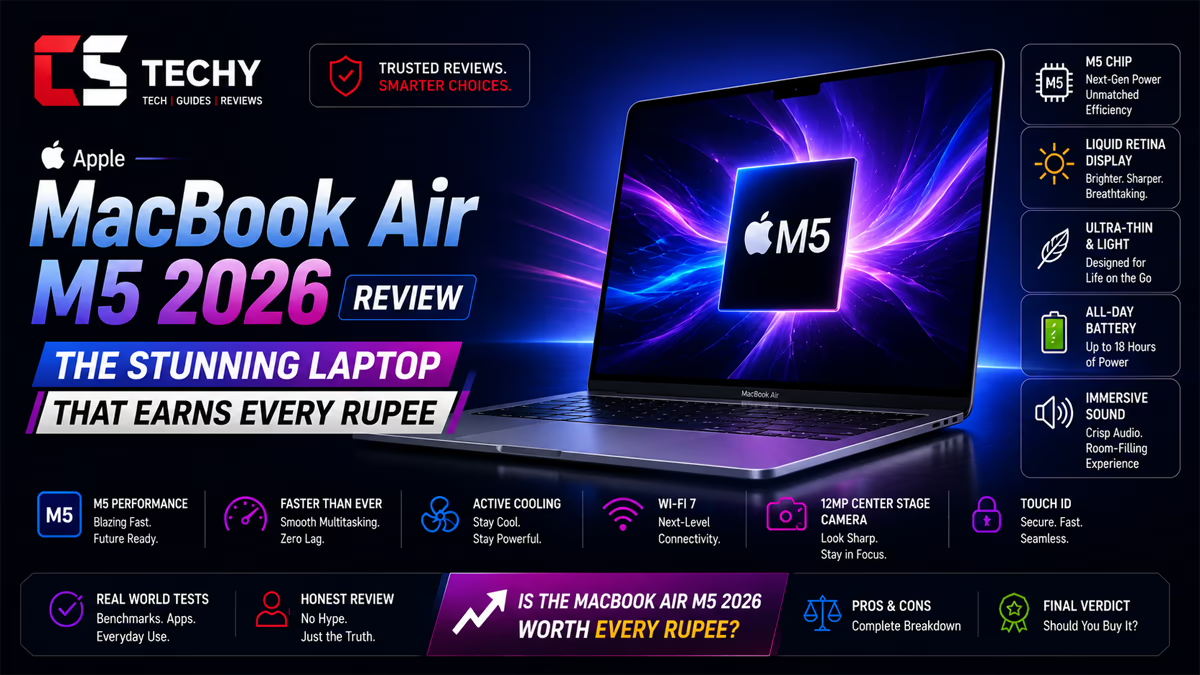
Apple MacBook Air M5 2026 — The Laptop That Earns Every Rupee
The M5 chip, Wi-Fi 7, two external display support, 18 hours of battery, and 16 GB unified memory standard. A senior hardware and software technician breaks down every specification and tells you what it actually means for your daily life.
Chip
M5
10-core CPU · Neural Engine
Memory
16 GB
DDR5 Unified · Standard
Storage
512 GB
NVMe SSD · Fast access
Display
2560p
2560 × 1664 · 13.6 inch
Battery
18 h
53.8 Wh · Fanless
Weight
1.24
Kilograms · Aluminium
Introduction
The MacBook Air Was Already Great. The M5 Makes It Exceptional.
There is a reason the MacBook Air is the best-selling laptop in the world year after year. It has found a near-perfect balance: thin enough to forget it is in your bag, powerful enough to handle virtually every everyday task without complaint, and refined enough that using it for ten hours straight never feels like a chore. The 2026 model with the M5 chip does not upend that formula. It sharpens every edge of it.
The M5 brings a faster CPU, a next-generation GPU with Neural Accelerators, the first MacBook Air to ship with 16 GB of unified memory as standard, upgraded connectivity with Wi-Fi 7 and Bluetooth 6 via the dedicated Apple N1 chip, support for two external displays simultaneously, and a battery that Apple rates at an honest eighteen hours. If you bought a MacBook Air M4 last year, none of this requires you to upgrade. If you are buying your first serious laptop — or replacing a machine that is three or more years old — this is one of the most compelling laptops at any price in 2026.
This review is written from the perspective of a senior hardware and software technician with over fifteen years of experience diagnosing, benchmarking, and evaluating laptops across every platform and price point. The goal is not to sell you this product. The goal is to give you enough technical understanding to make the right decision for your specific work, budget, and future needs.
Chapter 01 — The Silicon
M5 Review: What the Upgrade Actually Delivers
Your Question
I already have an M2 MacBook Air. Is M5 actually faster, or is this just a number change?
Senior Tech Expert
The jump from M2 to M5 is a meaningful architectural step, not a number game. The M5 is built on a 3-nanometre process node — smaller transistors, more of them, using less power per operation. Compared to the M2 (built on 5nm), the M5 delivers approximately 30 to 40 percent improvement in sustained CPU performance and around 50 percent better GPU throughput. In day-to-day terms: apps open faster, heavy web pages scroll without a stutter, photo exports finish in seconds rather than tens of seconds, and video calls stay sharp even when you are screen-sharing a complex document. The Neural Accelerators in the GPU — a new addition in M5 — are specifically designed to accelerate image processing and on-device AI workloads. Apple Intelligence features that run on the GPU path now do so faster and with lower power draw. If you are on M1 or M2, the M5 upgrade is substantial. If you are on M3 or M4, the gains are real but the urgency is lower.
Your Question
What is the 10-core processor count about? My current laptop has 8 cores and feels fine.
Senior Tech Expert
The M5 has a 10-core CPU architecture — four performance cores for demanding tasks and six efficiency cores for light background work. This asymmetric design is the core reason Apple Silicon laptops deliver both long battery life and fast burst performance simultaneously. When you open an app or export a file, the performance cores wake up instantly and deliver maximum speed. When you are reading a webpage or listening to music, the efficiency cores handle everything at a fraction of the power draw. Your 8-core machine works on the same principle but with fewer efficiency cores — the M5’s six efficiency cores allow more tasks to run in the background without waking the power-hungry performance cores. The practical difference is smoother multitasking and marginally better battery life during mixed workloads.
Why 16 GB Standard Changes the Buying Decision
Previous generations of MacBook Air started at 8 GB of unified memory, which required buyers to decide at purchase time whether to pay extra for more. The 2026 MacBook Air ships with 16 GB as the baseline configuration — a significant shift that removes the most common source of buyer’s remorse in this product line.
16 GB of unified memory means the machine handles demanding creative workflows, developer environments with multiple services running, and intensive multitasking with headroom to spare. For students, small business owners, and everyday users, 16 GB means this laptop will feel fast and responsive not just today but four to five years from now as software requirements grow. The memory cannot be upgraded after purchase — and for the first time in the Air line, the base configuration gives you enough that most buyers will never need to think about it again.
Unified memory is not simply RAM with a different name. It is a shared, high-bandwidth pool accessed simultaneously by the CPU, GPU, and Neural Engine — with no data transfer penalty between them. 16 GB in this architecture outperforms 32 GB in a conventional Windows laptop for the tasks most people actually do. Senior Tech Expert · Hardware Architecture
| Component | Specification |
|---|---|
| Process Node | 3nm (TSMC N3P) |
| CPU Cores | 10 total — 4 performance, 6 efficiency |
| GPU Cores | 10-core integrated Apple GPU with Neural Accelerators |
| Neural Engine | Next-generation · higher TOPS than M4 |
| Memory | 16 GB LPDDR5X Unified (standard) |
| Memory Bandwidth | ~120 GB/s |
| Wi-Fi | Wi-Fi 7 via Apple N1 chip |
| Bluetooth | Bluetooth 6 via Apple N1 chip |
| Thermal Design | Fanless — passive cooling only |
Chapter 02 — Artificial Intelligence
Apple Intelligence: What It Does, How It Works, Why It Matters
Your Question
Apple Intelligence is on every laptop now. What actually makes the M5 MacBook Air’s implementation different or better?
Senior Tech Expert
Two things differentiate the M5 implementation. First, the Neural Accelerators in the GPU — new in M5 — are purpose-built to accelerate the specific mathematical operations that machine learning models use. Image generation, real-time writing suggestions, and on-device model inference all run faster and at lower power than on M4. Second, the standard 16 GB unified memory means Apple Intelligence features have ample headroom to run alongside your normal workload without competing for resources. On an 8 GB machine, a memory-hungry AI task could cause other apps to slow down slightly while processing. On this machine, that tension essentially disappears. Apple Intelligence is also fully on-device — your writing, photos, messages, and documents never leave your Mac for AI processing. The privacy architecture is not a marketing claim but an auditable technical reality.
Apple Intelligence Feature Set — Plain Language
- 01 Writing Tools — System-wide access in any text field. Highlight text in Mail, Pages, Word, Notes, or any browser-based editor and choose: Rewrite, Proofread, Make Shorter, Make Longer, or adjust Tone. The result appears instantly, runs entirely on-device, and works offline.
- 02 Mail Priority and Summaries — Long email threads are automatically condensed to a short summary above the thread. Priority Mail surfaces time-sensitive messages at the top, learning your patterns over time without sending your data anywhere.
- 03 Smart Reply — Contextual short reply suggestions appear directly in Mail and Messages. One tap sends; or use the suggestion as a starting draft. Saves meaningful time on routine back-and-forth correspondence.
- 04 Notification Intelligence — Dozens of individual notification banners are grouped and summarised into one. Five messages from your team about a deadline become a single, readable summary rather than a stack of interruptions.
- 05 Image Playground — Generate original illustrations, icons, and images from a text description inside Keynote, Pages, Freeform, and Messages. All generation runs on the M5 Neural Engine — no internet connection, no subscription, no upload of your prompts to any server.
- 06 Siri with Cross-App Intelligence — A rebuilt Siri understands intent across apps. “Find the contract PDF Kavitha sent Monday and attach it to the email thread with Rajan” executes end-to-end without switching apps manually.
- 07 Photo Clean Up — Remove distracting objects from the background of photos with one tap in the Photos app, using on-device AI to fill the gap naturally. No third-party editing app required.
- 08 Genmoji — Create personalised emoji from any text description directly in the emoji keyboard. A minor feature on paper, universally adopted within days of first use.
Chapter 03 — The Screen
Liquid Retina 13.6″ Display: The Specification Behind the Superlatives
Your Question
Is there a meaningful difference between this display and what a premium Windows ultrabook has? I have been told they are all basically the same now.
Senior Tech Expert
That claim is approximately true at the hardware panel level — IPS LCD technology is widely available at similar pixel densities across premium laptops. The difference is in what sits behind the panel. The MacBook Air’s display runs at 2560 × 1664 pixels at 224 PPI — individual pixels are invisible at any normal viewing distance. The one billion colour P3 wide colour gamut means photos taken on an iPhone reproduce faithfully: the colours you see on the MacBook Air screen match what the camera captured. On a standard sRGB display — which covers a narrower colour range — those same photos appear slightly desaturated. If you edit, share, or simply look at photos regularly, this difference is visible and real. True Tone adjusts the white balance automatically based on ambient lighting, reducing eye fatigue during long reading or writing sessions in a way that becomes invisible until you disable it. The 13.6-inch 16:10 aspect ratio also gives approximately 11 percent more vertical screen space than a 16:9 display at the same size — more document, more webpage, more code visible without scrolling.
| Specification | MacBook Air M5 2026 | Typical Premium 13″ |
|---|---|---|
| Resolution | 2560 × 1664 | 1920 × 1200 or 2560 × 1600 |
| Pixel Density | 224 PPI | 176–227 PPI |
| Colour Gamut | P3 Wide Colour (1 billion colours) | sRGB (16.7M) or DCI-P3 |
| Panel Type | IPS LCD with True Tone | IPS LCD or OLED |
| Aspect Ratio | 16:10 | 16:10 or 16:9 |
| Refresh Rate | 60 Hz | 60–120 Hz |
| Notch | Yes — contains 12MP camera | No notch (smaller camera) |
One honest note: the MacBook Air’s display is capped at 60 Hz. Competing premium laptops and the MacBook Pro offer 120 Hz ProMotion displays, which make scrolling and animations visibly smoother. For the vast majority of users — document work, web browsing, video calls, photo editing — 60 Hz is imperceptible in normal use. For users who game, do precision motion work, or simply notice the difference once they have experienced it, the MacBook Pro 14″ is the appropriate upgrade path.
Chapter 04 — Camera, Audio & Connectivity
12MP Centre Stage Camera, Wi-Fi 7, and the Apple N1 Chip
Your Question
I am on Zoom and Google Meet calls all day. How does the 12MP camera actually perform, and what is Centre Stage?
Senior Tech Expert
The 12MP FaceTime HD camera is the best webcam Apple has put in a MacBook Air. The raw sensor resolution is a significant step up, but more importantly, the M5 image signal processor applies the same computational photography pipeline that makes iPhone cameras exceptional: real-time multi-frame noise reduction, automatic exposure adjustment, and deep fusion colour science. In low-light environments — home offices, evening calls, dimly lit conference rooms — the difference over a standard 1080p webcam is immediately visible. Centre Stage uses the M5 Neural Engine to track your face and body in real time, panning and zooming the camera crop to keep you centred as you move. You can gesture freely, step to a whiteboard, lean back, or turn to reference a second screen — the camera follows you. Other participants see a composed, natural frame throughout the call without noticing the tracking. Once used, a fixed-frame webcam feels constraining. Desk View is an additional feature worth knowing: it uses computational optics to simulate a top-down view of your desk from the front-facing camera — useful for showing physical documents, notebooks, or products during a call without an external camera.
Wi-Fi 7 and the Apple N1 Chip
The 2026 MacBook Air is the first MacBook Air to include a dedicated Apple N1 chip — a separate silicon component that handles Wi-Fi 7 and Bluetooth 6 independently from the main M5 processor. This architecture matters for two reasons. First, wireless performance no longer shares compute resources with the CPU. Second, the N1 chip can handle network tasks in ultra-low-power states, reducing the overall system power draw during background connectivity tasks.
Wi-Fi 7 (802.11be) delivers theoretical speeds up to 5.8 Gbps on the 6 GHz band — approximately two to three times faster than Wi-Fi 6E in real-world conditions. For users with a Wi-Fi 7 router, large file transfers, 4K video streaming, and cloud sync operations complete noticeably faster. For users still on Wi-Fi 5 or 6 routers, the N1 chip ensures backward compatibility and still delivers improved latency and connection stability. Bluetooth 6 provides lower latency audio for wireless headphones and improved connection reliability for external keyboards and mice.
Four-Speaker Sound System
The MacBook Air includes a four-speaker array with Spatial Audio and Dolby Atmos support. For a laptop of this thinness, the audio output is genuinely impressive — wide soundstage, clear mid-range, and enough low-frequency presence for music listening without external speakers. The three-microphone array uses directional beamforming to isolate your voice and reduce keyboard typing noise, room echo, and ambient sound in the background of calls — all processed in real time by the M5.
Chapter 05 — Power and Battery
18 Hours: The Claim, the Reality, and What It Means Daily
Your Question
Eighteen hours is an impressive number. Give me the honest real-world breakdown — what will I actually see?
Senior Tech Expert
Apple measures battery life by streaming Apple TV content at 50% brightness with Wi-Fi active — a light, continuous load. Real-world varies by workload, but the 53.8 Wh battery combined with the M5’s efficient power architecture means the numbers hold up better than any comparable Windows laptop. Email, documents, web browsing at moderate brightness: 15 to 18 hours — the claimed number is genuinely achievable. Video calls, spreadsheets, music in background: 11 to 14 hours, comfortably covering a full working day. Photo editing, creative software, heavy browser tabs: 8 to 11 hours. 4K video export or sustained AI workloads: 6 to 8 hours. The practical meaning: for most users, most days, you will not need to carry the charger. That is not true of any Intel or AMD laptop in this class, and not true of most ARM Windows laptops either. The 53.8 Wh battery is also meaningfully larger than the 52.6 Wh in the M4 model — the M5’s efficiency gains and this battery increase together produce a machine that lasts noticeably longer on a real working day.
Chapter 06 — Design and Connectivity
Build Quality, Colours, Ports, and Two-Display Support
The MacBook Air M5 inherits the same aluminium unibody design that has defined this product line since 2022: CNC-milled from a single block of 6000-series aluminium alloy, with no seams or joins. At 1.24 kilograms and 1.1 cm thin — the thinnest measurement in this product line — it is lighter than the MacBook Neo and thinner than almost every competitor at any price. The tapered wedge profile means it feels lighter than 1.24 kg suggests when carried.
Colour Options
Midnight
Starlight
Sky Blue
Silver
The Midnight finish — the reviewed configuration — is a deep, near-black blue-black anodised aluminium. It photographs as black but reads as dark blue under natural light. It is the most professional-looking option in the range and fingerprint-resistant compared to earlier Midnight iterations due to an improved anodised coating.
Ports and Two-Display Support
The MacBook Air M5 includes: two Thunderbolt 4 ports (each supporting 40 Gbps transfer, external displays, and charging), one MagSafe 3 charging port, and a 3.5mm headphone jack with high-impedance headphone support. This is a meaningful port advantage over the MacBook Neo, which lacks MagSafe and has two ports total rather than three.
A new capability in the M5 MacBook Air: support for two external displays simultaneously when the laptop lid is closed, or one external display with the laptop screen active in open-lid mode. This is a first for the MacBook Air line. Users who run a dual-monitor desk setup no longer need to choose between the MacBook Pro or an external dock — the M5 Air handles two monitors natively via USB-C or through a compatible hub.
| Port or Feature | Specification |
|---|---|
| Thunderbolt 4 Ports | 2 × USB 4 at 40 Gbps · Display + charge + data |
| MagSafe 3 | Dedicated magnetic charging port |
| Headphone Jack | 3.5mm · High-impedance headphone support |
| External Displays | Up to 2 × displays (lid closed) or 1 + built-in |
| Wi-Fi | Wi-Fi 7 (802.11be) via Apple N1 chip |
| Bluetooth | Bluetooth 6 via Apple N1 chip |
| Touch ID | Fingerprint sensor in power button |
| SD Card | Not included |
| Ethernet | Not built in — USB-C adapter required |
Chapter 07 — Software and Ecosystem
macOS, Application Compatibility, and Apple Ecosystem Value
The MacBook Air M5 ships with macOS — a Unix-based operating system refined since 2001 and natively optimised for Apple Silicon. For platform-switchers or first-time Mac buyers, the software consideration is as important as any hardware specification.
Update Economics
macOS receives a major annual update at no cost. Apple’s support window for MacBook Air models has historically been five to seven years of full software updates. A MacBook Air M5 purchased today should receive security patches, feature updates, and Apple Intelligence improvements through 2031 or 2032. Most Windows OEM laptops receive OEM-level driver optimisation for three to four years, with Microsoft security updates extending longer but hardware-specific improvements ending sooner.
Application Compatibility
Microsoft 365 — Word, Excel, PowerPoint, Teams, and Outlook — runs natively on Apple Silicon at full performance. Adobe Creative Cloud including Photoshop, Lightroom, Illustrator, and Premiere Pro is fully optimised for M-series chips. Notion, Figma, VS Code, Python, Node.js, Docker, and virtually every professional software category has excellent Mac versions. The application gap that existed before Apple Silicon has largely closed. The significant exception remains: Windows-only enterprise software, certain CAD packages (SolidWorks, specific AutoCAD plugins), and Windows gaming titles require Parallels Desktop or a separate Windows machine.
Ecosystem Integration
If you own an iPhone, the MacBook Air integrates with it in ways that have no equivalent on Windows. Universal Clipboard lets you copy on iPhone and paste on Mac instantaneously. AirDrop transfers files between devices wirelessly in seconds. Handoff passes tasks between devices. iPhone Mirroring lets you control your iPhone from the Mac screen without picking up the phone. Sidecar turns an iPad into a second display or drawing tablet. These integrations are invisible as individual features and significant in aggregate over daily use.
Chapter 08 — Buyer Profiles
Who Should Buy This, Who Should Look Elsewhere
Your Question
I am a developer working in Bengaluru. I run VS Code, Docker containers, a local PostgreSQL database, and several Node processes simultaneously. Is this enough machine?
Senior Tech Expert
Yes, and the 16 GB standard configuration is the reason why. VS Code runs natively on Apple Silicon with outstanding performance. Docker Desktop for Mac supports Apple Silicon fully. Node.js, Python, and PostgreSQL all run without any compatibility layer. With 16 GB of unified memory, running VS Code with extensions, two or three Docker containers, a local database, and a browser with multiple tabs simultaneously is well within the machine’s capability without throttling or excessive SSD paging. The fanless design means your thinking is never interrupted by fan noise during compilation or test runs. If your workflow requires Windows-only tools or you run five or more heavyweight containers simultaneously for extended periods, configure the 24 GB option or consider the MacBook Pro 14″. For the described workload, the M5 Air handles it with room to grow.
Your Question
I teach at a college. I create presentations in Keynote, mark assignments in PDF, attend online meetings, and occasionally edit lecture videos. Perfect fit?
Senior Tech Expert
Near-perfect fit. Keynote runs with exceptional performance on Apple Silicon — animations are smooth, export is fast, collaboration is seamless. PDF annotation in Preview or third-party apps is instant. Online meetings via Zoom, Google Meet, or Microsoft Teams benefit directly from Centre Stage and the improved microphone array. Lecture video editing in Final Cut Pro or even iMovie is fast and responsive with 16 GB memory and the M5 GPU. The 18-hour battery means a full teaching day — morning lectures, office hours, evening marking — without hunting for a power socket. Apple Intelligence’s writing tools add practical value for marking rubric text, drafting course communications, and summarising student feedback threads. This machine will serve you well for the length of a typical faculty hardware refresh cycle.
Who Should Look at a Different Machine
- △ Professional video producers working daily with 6K or 8K RAW footage, heavy multicam timelines, and complex colour grading workflows should look at the MacBook Pro 14″ with M4 Pro, which offers more CPU and GPU cores, 24 GB base memory, and a ProMotion 120 Hz display.
- △ PC gamers who primarily play Windows-exclusive titles should stay on Windows. macOS gaming has improved significantly with Apple’s Game Porting Toolkit and growing native titles, but the library remains smaller and major AAA releases appear months later if at all.
- △ Windows-specific enterprise or engineering software users — SolidWorks, CATIA, certain ArcGIS plugins, and Windows-only corporate ERP tools require Parallels Desktop on Mac, adding cost and some performance overhead. Evaluate your specific software requirements before switching platforms.
- △ Users who prioritise a 120 Hz display for gaming, precision motion work, or simply prefer smoother scrolling should consider the MacBook Pro 14″, which includes ProMotion adaptive refresh rate up to 120 Hz on its Liquid Retina XDR display.
Chapter 09 — Category Ratings
Component-by-Component Assessment
Chapter 10 — Frequently Asked Questions
The Questions Buyers Actually Ask
Can I upgrade the RAM or storage after purchasing?
No. The M5 chip, unified memory, and SSD are all integrated on the logic board and cannot be upgraded after purchase. This is a fundamental characteristic of Apple Silicon architecture — the tight integration is what produces the performance and efficiency advantages. Configure correctly at purchase. For most users the 16 GB standard configuration is sufficient for four to five years of use. If you know you run memory-intensive workloads regularly, the 24 GB configuration is available at order.
How does the M5 MacBook Air compare to the M5 MacBook Pro 14″?
The MacBook Pro 14″ with M4 Pro (the current Pro model) offers significantly more CPU and GPU cores, starts at 24 GB of unified memory, features a ProMotion 120 Hz Liquid Retina XDR display with higher peak brightness, has three Thunderbolt 4 ports plus HDMI and SD card slot, and includes a fan for sustained thermal headroom under extreme workloads. The MacBook Air M5 is the right choice for the vast majority of users — students, business professionals, developers doing standard work, and creative users without sustained heavy compute needs. The Pro is the right choice for professional content creators, machine learning researchers, and power users with daily demanding workloads. The price difference is substantial; the performance difference matters mainly at the top of the workload curve.
Does the MacBook Air M5 support two external displays?
Yes — with the lid closed, the MacBook Air M5 supports two external displays simultaneously via the two Thunderbolt 4 ports. This is a new capability for the Air line, added in M5. With the lid open, you can use one external display plus the built-in screen. For users who run a dual-monitor desk setup, this machine now handles it natively without requiring a dedicated dock or the MacBook Pro.
What is Wi-Fi 7 and do I need a new router to benefit?
Wi-Fi 7 (802.11be) is the latest wireless standard, delivering theoretical speeds up to 5.8 Gbps and significantly improved latency and multi-device performance over Wi-Fi 6E. To use Wi-Fi 7 at full speed, you need a Wi-Fi 7 compatible router — several affordable options are now available from TP-Link, Asus, and others. If you have an older Wi-Fi 5 or 6 router, the MacBook Air M5 connects to it normally with backward compatibility. The Apple N1 chip that handles Wi-Fi also improves connection stability and reduces the power draw of background network tasks even on older networks.
Is Midnight a fingerprint magnet?
Earlier MacBook Air Midnight models (M2 era) had a reputation for showing fingerprints easily due to the anodising process. Apple addressed this in subsequent iterations with an improved anodised coating. The 2026 Midnight model is meaningfully more fingerprint-resistant than the M2 version, though it is not fingerprint-immune — no aluminium laptop is. Starlight and Silver show fingerprints even less. Midnight remains the most popular choice for professional aesthetics; a microfibre cloth removes any marks instantly.
What is included in the box?
The MacBook Air M5 box contains the 13-inch MacBook Air, a USB-C Power Adapter (wattage varies by configuration), and a USB-C to MagSafe 3 Cable (2 metres). The MagSafe cable allows convenient magnetic charging while keeping both Thunderbolt ports free. The USB-C Power Adapter can also be used to charge via the Thunderbolt ports, giving you flexibility with third-party chargers you may already own.
How is the warranty and support situation in India?
The MacBook Air M5 includes Apple’s One Year Limited Warranty covering manufacturing defects. Apple Authorised Service Providers (AASP) operate in Bengaluru, Mumbai, Delhi, Chennai, Hyderabad, Kolkata, Pune, and other major Indian cities. The Indian importer is Apple India Private Limited, Bengaluru. AppleCare+ extends coverage to three years with two incidents of accidental damage coverage per year (subject to a service fee per incident). For students and users who travel frequently, AppleCare+ is strongly recommended — screen and logic board repairs are expensive without coverage.
Final Assessment · Senior Tech Expert · Model MDHE4HN/A
MacBook Air M5 2026 — Verdict
9.3/ 10
The MacBook Air M5 2026 is the definitive everyday laptop. The M5 chip is a meaningful generational step. 16 GB of unified memory as standard removes the most common purchasing regret in this product line. Wi-Fi 7, Bluetooth 6, two-display support, a 12MP Centre Stage camera, and an 18-hour battery in a 1.24 kg fanless chassis — this machine over-delivers on every dimension that matters for real daily work. The 60 Hz display and two-port limitation (mitigated by MagSafe freeing both Thunderbolt ports) are the only areas where competitors hold an advantage. For students, professionals, developers, educators, and small business owners who want a machine that is fast, private, quiet, and genuinely long-lasting — this is the laptop to buy in 2026.
Strengths
- M5 chip is a genuine step up from M2 and M3
- 16 GB unified memory standard — no upgrade anxiety
- 18-hour battery leads the category convincingly
- Completely fanless — silent under all normal loads
- Wi-Fi 7 and Bluetooth 6 via dedicated N1 chip
- Two external display support — first time on Air
- 12MP Centre Stage camera best in class for video calls
- MagSafe keeps both Thunderbolt ports free
- P3 Liquid Retina display at 224 PPI looks exceptional
- Five to seven year software update support window
- Four-speaker Dolby Atmos audio surprisingly good
- 1.24 kg at 1.1 cm — among the thinnest and lightest 13-inch laptops
Considerations
- 60 Hz display — no high refresh rate option
- Only two Thunderbolt ports plus MagSafe — no SD card or HDMI
- RAM and storage not upgradeable after purchase
- No discrete GPU — integrated only
- No native Windows software support
- Wi-Fi 7 benefits require a Wi-Fi 7 router
- Midnight finish shows fingerprints more than Starlight or Silver
- MIGHT TAKES FLIGHT — MacBook Air with the M5 chip packs blazing speed and powerful AI capabilities into an incredibly po…
- SUPERCHARGED BY M5 — With its faster CPU and unified memory, the M5 chip delivers even more performance and fluidity acr…
- APPLE INTELLIGENCE — Apple Intelligence is the personal intelligence system that helps you write, express yourself and g…