Is n8n Down? Real-Time Status Check and Fixes (2026 Guide)
There is nothing more frustrating than an automation engine that stops mid-workflow. You’ve built complex AI agents, integrated your CRM, and suddenly—nothing. If you are asking “Is n8n down?” right now, you are likely facing a 502, 503, or 522 error. In 2026, where business operations are 90% automated, every minute of downtime costs money.
🚀 Want complete control over your automation workflows? Before you dive deeper, don’t miss our ultimate n8n self hosting guide for 2026 . This step-by-step pillar guide shows you how to build a fast, secure, and fully scalable n8n setup like a pro.
However, “down” can mean two very different things. Is the n8n Cloud infrastructure having a global outage, or is your self-hosted VPS (on Hostinger or Bluehost) simply out of RAM? This 2,500-word emergency guide is designed to help you diagnose the issue in under 60 seconds and get your workflows back online.
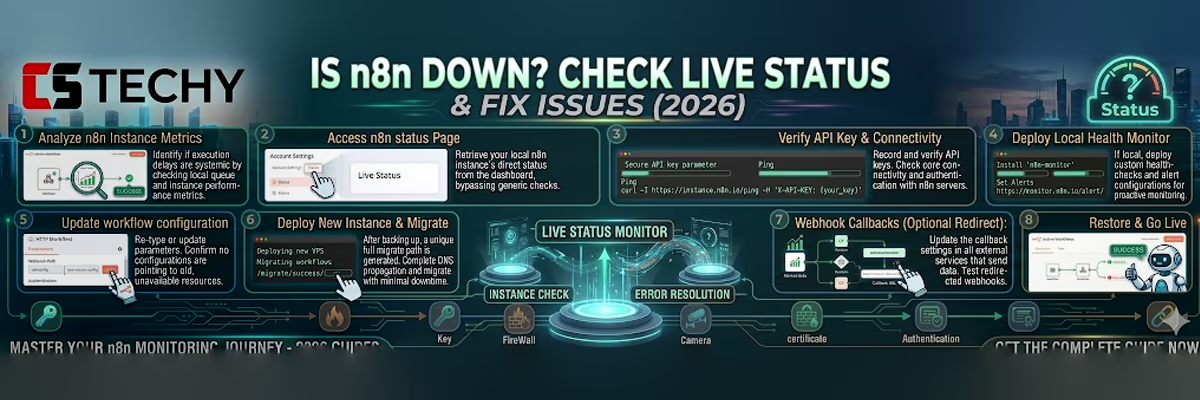
Step 1: Is n8n Down? Verify Using the Official Status Page
If you are using the official n8n.cloud service, the problem might be on their end. In early 2026, we saw a few minor “Instance Cluster” outages that affected users in specific regions like Australia and parts of Europe.
- Official Status Page: Always start by checking the official n8n status page . This is where the team confirms outages and shares real-time updates on major incidents.
- StatusGator and IsDown: Community monitoring tools can often detect early warning signals before official updates. If you notice a spike in reports on StatusGator or IsDown, it likely indicates a widespread issue.
- Community Forum: Visit the n8n Community Questions section . If n8n is down, you’ll quickly see a surge of users reporting issues within minutes.
If the status page is Green, but your instance is still unresponsive, the issue is likely isolated to your specific account or your local infrastructure.
Step 2: Is n8n Down or Just You? Check Your Self-Hosted Setup
When you self-host on a VPS, you are the “Status Page.” If your URL is showing a 522 Connection Timeout or a 503 Service Unavailable, your server is likely struggling.
Common 2026 Self-Hosted Failure Points:
- Docker Container Crash: Sometimes the n8n process simply stops. Log into your SSH terminal and run
docker ps. If your n8n container isn’t listed, it has crashed. - Out of Memory (OOM): In 2026, AI nodes are memory-heavy. If your VPS has only 4GB of RAM and you run a complex AI agent, the Linux kernel will kill the n8n process to save the OS.
- Disk Full (No Inodes): n8n logs every execution. If you haven’t set up a data retention policy, your NVMe drive might be 100% full, preventing the database from writing new data.
Is n8n Down? The Self-Healing Checklist for 2026
If n8n is down only for you, follow these steps in order to “self-heal” your automation server.
1. Restart the Docker Stack
This is the “Turn it off and on again” for the modern age. It clears the temporary cache and restarts the Node.js process.
docker compose restart n8n
2. Check for “Zombie” Processes
Sometimes a workflow gets stuck in an infinite loop, consuming 100% of your CPU. Use the top or htop command in your terminal. If you see node consuming all your resources, you need to kill that specific execution.
3. Clear Docker Logs
If your server is “down” because the disk is full, run this command to see which container is the culprit:
du -sh /var/lib/docker/containers/*
Then, prune your old images and volumes with docker system prune -a.
Is n8n Down? Hostinger vs Bluehost Outage Comparison
Sometimes, it’s not n8n—it’s the provider.
Hostinger: In 2026, Hostinger has a 99.9% uptime, but they do perform scheduled maintenance on their KVM nodes. Check your hPanel “Maintenance” tab to see if your specific server rack is undergoing an upgrade.
Bluehost: Since moving to the Oracle Cloud backbone, Bluehost rarely goes down. However, if you see a 524 Timeout, it might be their network firewall blocking high-frequency webhook traffic.
If your instance is consistently crashing or failing to execute nodes properly, you might be running an outdated docker image. Walk through our steps on how to safely update your n8n version to patch known stability issues.
How to Prevent n8n from Going Down Again
Once you get back online, you need to “Bulletproof” your setup.
- Set Up UptimeRobot: Use a free tool like UptimeRobot to ping your n8n URL every 5 minutes. If it goes down, you’ll get a notification on your phone immediately.
- Enable “Queue Mode”: As discussed in our Pillar Post, splitting your workload across Redis and multiple workers prevents a single heavy workflow from crashing the whole UI.
- Auto-Restart Policy: Ensure your
docker-compose.ymlhasrestart: always. This ensures that if the server reboots or n8n crashes, it will attempt to come back online automatically.
Conclusion: Don’t Panic!
Most “Is n8n down” queries in 2026 are solved by a simple server restart or by clearing out old Docker images. If it is a global cloud outage, take the time to document your manual processes—it’s a great reminder of why self-hosting on a high-performance VPS is the ultimate goal for any serious automation team.
Is n8n Down FAQ Everything You Need to Know 2026
1. How can I check if n8n is currently down?

The fastest way is to check the official n8n status page or monitoring services like StatusGator. These tools track incidents and outages and show whether n8n services are operational or experiencing downtime.
2. Why does n8n sometimes show “Connection Lost” errors?

This usually happens due to network problems, browser issues, or server resource limits. In many cases, the n8n editor loses connection temporarily while workflows continue running in the background.
3. Is n8n Cloud down or is it my server?

If you are using self-hosted n8n, the issue is usually related to your VPS or container configuration. If you are using n8n Cloud, check the official status page to see whether a global outage is affecting users.
4. What are the fastest fixes when n8n stops working?

Try these quick fixes:
Refresh the browser or clear cache
Restart the Docker container or VPS service
Check server logs for errors
Verify environment variables and configuration files.
5. Why is it important to update n8n regularly?
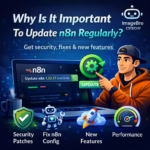
Updates often include security patches and bug fixes. In 2026, several vulnerabilities affecting n8n instances were discovered, so keeping your installation updated is critical for protecting automation servers.