Pabbly Connect Pricing: The Complete 2026 Guide to Plans, Costs & Value
Choosing an automation tool without understanding Pabbly Connect pricing is a mistake that can cost you money later. Task limits, hidden restrictions, and confusing tiers trip up a lot of buyers. This guide breaks down every Pabbly Connect plan, what it actually includes, and how it stacks up against Zapier and Make, so you can pick the right option with confidence.
What Is Pabbly Connect?
Pabbly Connect is a no-code automation platform that lets you connect thousands of apps and move data between them automatically. Instead of manually copying leads from a form into your CRM, or updating a spreadsheet every time someone pays through Stripe, Pabbly Connect handles it in the background.
It works on a simple trigger-and-action model. A trigger fires when something happens in one app, and an action carries out a task in another app. String several actions together, and you get a multi-step workflow that runs without you touching it.
- Connects thousands of applications across marketing, sales, support, and finance
- No coding required to build a workflow
- Positioned as a lower-cost alternative to Zapier and Make
- Backed by official Pabbly documentation and an active support community
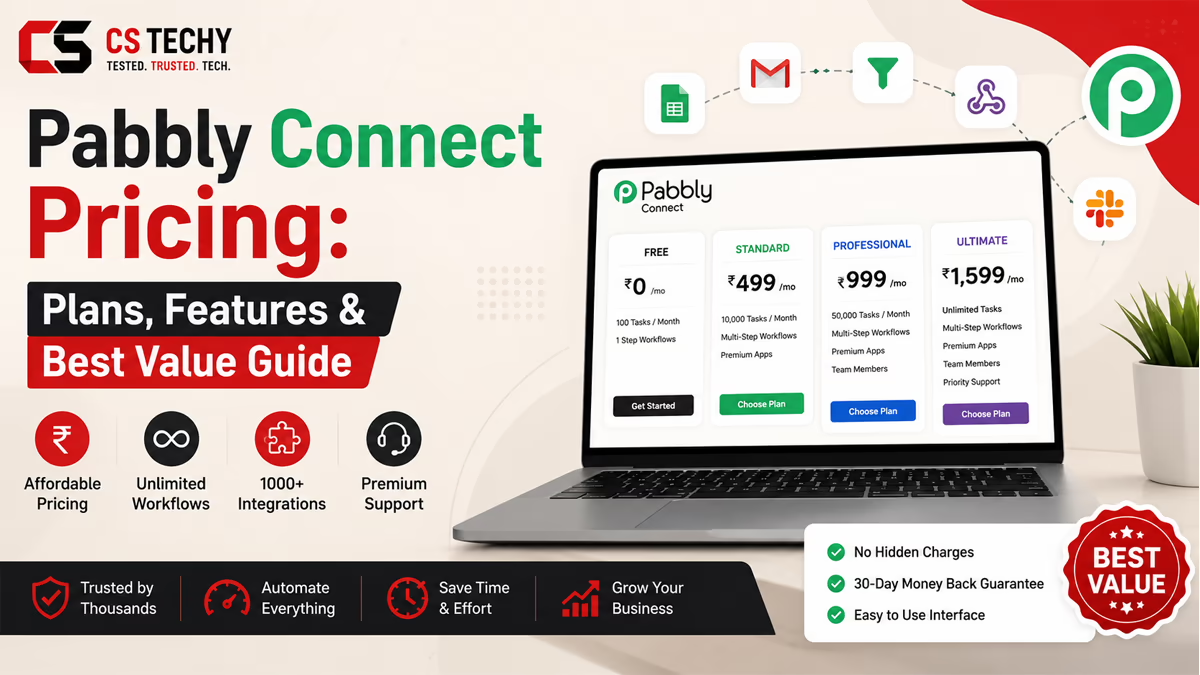
Pabbly Connect Pricing Overview
Pabbly Connect keeps its pricing structure simpler than most competitors. There is one free plan, a set of recurring annual plans, and a one-time lifetime deal.
Every paid plan, regardless of tier, unlocks the same core feature set. The only thing that changes as you move up is your monthly task allowance, along with a few workflow-count restrictions on the cheapest one-time tier.
- Free Plan — for testing the platform on a small scale
- Annual Subscription Plans — billed yearly, with a monthly-equivalent price
- One-Time (Lifetime) Plans — a single upfront payment for permanent access
Pabbly Connect also offers a 30-day money-back guarantee on every paid plan, which gives new users room to test the platform properly before committing.
Pabbly Connect Free Plan
The Pabbly Connect free plan is genuinely usable, not just a stripped-down trial. It gives you 100 tasks every month at no cost, with no credit card required to sign up.
On the free plan, you can build up to two workflows, each limited to two steps. That is enough to automate one or two simple processes, such as sending a new form submission to your inbox or adding a new lead to a spreadsheet.
- 100 tasks per month, free forever
- Up to 2 workflows with 2 steps each
- Unlimited internal tasks and unlimited operations
- Instant webhook support included
Beginners and bloggers testing automation for the first time can comfortably run a single workflow, such as syncing contact form leads to an email list, entirely on the free plan.
Pabbly Connect Paid Plans
Once your automation needs grow past the free tier, Pabbly Connect offers annual subscription plans built around task volume rather than feature restrictions. Every paid annual plan includes unlimited workflows, unlimited team members, multi-step workflows, and full access to premium apps.
As of mid-2026, the published annual pricing looks roughly like this, though Pabbly Connect runs frequent promotional pricing, so it is worth checking the live pricing page for the exact current rate in your currency.
| Plan | Price (billed yearly) | Tasks | Workflows | Best For |
|---|---|---|---|---|
| Free | $0/mo | 100/month | 2 workflows, 2 steps each | Beginners testing automation |
| Standard | Around $16/mo | 10,000/month | Unlimited | Freelancers & small businesses |
| Unlimited | Around $67/mo | Unlimited | Unlimited | Agencies & growing teams |
Businesses that need a task volume between the two paid tiers should contact Pabbly’s sales team, since custom plans are available for accounts needing several million tasks a month.
Monthly vs Yearly Pricing
Pabbly Connect structures its recurring plans around annual billing, with discounts that grow the longer you commit. A one-year commitment earns a meaningful discount over the base rate, while two-year and three-year terms unlock progressively steeper savings.
Here is how to think about the trade-off:
- Short-term or uncertain needs: Stick with a one-year term so you are not locked into automation you might outgrow or abandon.
- Predictable, ongoing automation: A two or three-year term lowers your effective monthly cost significantly.
- Testing the waters: Use the free plan first, then commit to a paid term once you know your monthly task volume.
Because task allowances stay fixed within a term, it pays to estimate your monthly task usage honestly before choosing a longer commitment.
Lifetime Deal Explained
Pabbly Connect’s one-time payment plans are one of its most distinctive features. Instead of paying every month or year, you pay once and keep access permanently, with your monthly task allowance staying fixed for as long as you use the account.
As verified directly from Pabbly’s official checkout page, three one-time tiers are currently available:
- Standard: $349 one-time payment, 3,000 tasks every month, limited to 10 workflows with two steps each
- Ultimate: $799 one-time payment, 10,000 tasks every month, unlimited workflows, multi-step automation
- Ultimate Plus: $1,298 one-time payment, 20,000 tasks every month, unlimited workflows, multi-step automation, plus one year of premium support
A few important details separate the one-time plans from the annual subscriptions. Once purchased, a one-time plan cannot be upgraded to a different one-time tier later. Support also differs: the Standard and Ultimate one-time plans are self-service only, while Ultimate Plus includes a year of dedicated support before you would need to purchase an extension.
Small business owners or solo entrepreneurs with a predictable, limited automation need are the most natural fit for a lifetime plan, since the upfront cost pays for itself compared to years of subscription fees.
Features Included in Every Plan
One thing that makes evaluating Pabbly Connect pricing easier is that almost every automation feature is available across all paid tiers. You are not paying extra for filters, routers, or delay steps the way you might with some competitors.
- Unlimited path routers for branching logic
- Filters, formatters, and an iterator for looping through data
- Delay and scheduling steps for time-based automation
- Email parser for extracting data from incoming emails
- Two-factor authentication and SSL-encrypted connections
- Shared folders for team collaboration
- JavaScript and Python modules for custom code steps
- MCP server support, allowing AI agent clients to trigger workflows directly
This flat feature approach is a genuine advantage for freelancers and small teams who often get priced out of advanced features on other platforms.
Task Limits Explained
Understanding how Pabbly Connect counts tasks is essential before you pick a plan, since it directly affects how far your monthly allowance stretches.
A task is counted only when an action step runs against an external application. If your workflow sends a new lead from a form into your CRM, that is one task. Add a second action, such as also emailing the lead a welcome message, and that becomes two tasks for a single trigger event.
- Triggers are never counted as tasks
- Only action steps against external apps consume your allowance
- Internal steps like filters and formatters are always free
- Checks for new data, called operations, are unlimited and unbilled
According to Pabbly’s own estimates, 3,000 Pabbly Connect tasks can accomplish roughly what 7,000 Zapier tasks would, simply because Pabbly doesn’t bill for internal steps the way some competitors do.
Internal Tasks Explained
Internal tasks are the operations that happen inside your workflow rather than out to another application. Pabbly Connect treats all of the following as completely free, regardless of how often you use them:
- Filter and Router steps
- Text, Number, Date/Time, and Currency Formatters
- Iterator for looping through arrays
- Email Parser and JSON Extractor
- Regex-based text extraction and number extraction
- Encryption and decryption operations
For agencies building complex, multi-branch workflows with heavy filtering logic, this free internal task policy can meaningfully extend how long a task allowance lasts each month, since the branching and formatting logic itself costs nothing.
Which Pabbly Connect Plan Should You Choose?
The right plan depends on your task volume, your budget style, and how confident you are in your long-term usage. Here is a practical breakdown by user type.
- Beginners & bloggers: Start on the free plan. Upgrade only once you consistently hit the 100-task ceiling.
- Freelancers & solo entrepreneurs: The Standard annual plan or the Standard one-time deal both work well for predictable, lower-volume automation.
- Small businesses: The Standard annual plan at 10,000 tasks a month covers most day-to-day CRM, email, and order automation.
- Agencies managing multiple clients: The Unlimited annual plan removes the need to track task counts across accounts.
- Developers & automation professionals: The Ultimate or Ultimate Plus one-time plans offer strong long-term value if usage is predictable and JavaScript/Python modules are part of the workflow.
- Enterprise users: Contact Pabbly directly for a custom plan once monthly task needs exceed several million.
A Quick Buying Checklist
- Estimate your realistic monthly task count, counting only external action steps
- Decide whether you prefer a lower upfront cost (annual) or a larger one-time payment (lifetime)
- Check whether you need multi-step workflows, since the cheapest lifetime tier restricts this
- Factor in whether you need ongoing support, since only the top lifetime tier includes it
Pabbly Connect Pricing vs Zapier
Zapier remains the best-known automation platform, but it is also considerably more expensive at comparable task volumes. Zapier counts every action step as a task and also charges for many formatter and filter steps that Pabbly Connect gives away for free.
| Comparison | Pabbly Connect | Zapier |
|---|---|---|
| Pricing Model | Annual subscription or one-time lifetime payment | Monthly or annual subscription only |
| Free Plan | 100 tasks/month, free forever | Limited free tier with far fewer tasks |
| Internal Task Billing | Filters, formatters, routers are free | Many formatter and filter steps consume tasks |
| Ease of Use | Simple, drag-and-drop builder | Polished, slightly more refined interface |
| Best Users | Budget-conscious freelancers and small businesses | Larger teams wanting the most polished ecosystem |
The core takeaway: if your workflows involve a lot of filtering, routing, and formatting logic, Pabbly Connect’s free internal task policy means your monthly allowance goes noticeably further than an equivalent Zapier plan.
Pabbly Connect Pricing vs Make
Make (formerly Integromat) sits between Zapier and Pabbly Connect in most pricing comparisons. It offers a visual, flowchart-style builder that some advanced users prefer, but it also counts internal operations differently than Pabbly Connect.
- Task counting: Make can consume multiple operations for a single workflow run, where Pabbly Connect counts just one task for the equivalent action.
- Free plan: Make’s free tier is more limited on monthly operations than Pabbly Connect’s free plan.
- Pricing structure: Make is subscription-only, while Pabbly Connect offers the added flexibility of a one-time lifetime purchase.
- Interface: Make’s canvas-style builder suits complex, branching automations, while Pabbly Connect favors a simpler linear workflow view.
For teams that specifically want a one-time payment option with no recurring fees, Make does not currently offer an equivalent, which puts Pabbly Connect in a category of its own on that front.
Pros and Cons
Pros
- Genuinely usable free plan with no credit card required
- One-time lifetime plans with no recurring fees ever
- Filters, routers, and formatters never consume tasks
- Full feature access on every paid tier, with no artificial feature-gating
- 30-day money-back guarantee on paid plans
- SOC 2 Type 2 and ISO 27001:2022 certified infrastructure
Cons
- No live chat support; email and forum support only on most tiers
- The cheapest one-time plan restricts workflows to two steps
- One-time plans cannot be upgraded to a different one-time tier later
- Interface is functional but less polished than some competitors
Is Pabbly Connect Worth the Price?
For most freelancers, small businesses, and budget-conscious agencies, Pabbly Connect offers genuine value for money. The combination of a usable free plan, an affordable annual tier, and an optional lifetime deal gives buyers flexibility that few competitors match.
The trade-off is support quality and interface polish. If your business depends on fast, guaranteed support response times or the most refined visual builder on the market, you may still lean toward a pricier competitor. But for task-volume-driven pricing without hidden feature walls, Pabbly Connect is difficult to beat.
Money-Saving Tips
- Start on the free plan and confirm your real task usage before upgrading
- Choose a longer annual term only once your automation needs are stable
- Take advantage of the free internal task policy by building filter-heavy workflows rather than separate, simpler ones
- Watch for seasonal promotional pricing on the lifetime plans, since Pabbly frequently runs limited-time discounts
Common Mistakes to Avoid
- Buying a lifetime plan before confirming your real monthly task volume
- Choosing the cheapest one-time plan without realizing it limits you to two-step workflows
- Ignoring the free internal task policy and overestimating how many tasks a workflow will use
- Committing to a long-term annual plan before testing on the free tier first
Final Verdict
Pabbly Connect pricing is built around a simple idea: pay for the tasks you need, not for the features you use. That structure, combined with a free internal task policy and an optional lifetime deal, makes it one of the more approachable automation platforms for beginners and small businesses on a budget.
If you are just starting out, the free plan is a safe, no-risk way to test automation. Freelancers and small teams will likely find the Standard annual plan the sweet spot, while agencies and heavier users should weigh the Unlimited annual plan against the Ultimate Plus lifetime deal based on how predictable their task volume is. Whichever you choose, the 30-day money-back guarantee gives you a safety net to try it properly.
Ready to dig deeper before you buy? Explore more automation guides on CSTechy to compare tools, read hands-on reviews, and find the workflow templates that fit your business.
Frequently Asked Questions
How much does Pabbly Connect cost?
Pabbly Connect costs $0 on the free plan, roughly $16 to $67 per month on annual paid plans, and $349 to $1,298 as a one-time lifetime payment.
Is Pabbly Connect free?
Yes, Pabbly Connect has a free forever plan with 100 tasks per month. No credit card is required to sign up.
Does Pabbly Connect have a lifetime deal?
Yes, Pabbly Connect offers one-time lifetime plans starting at $349, giving permanent access with no recurring fees.
Which Pabbly Connect plan is best?
The Standard annual plan suits most freelancers and small businesses, while the Unlimited plan fits agencies with heavier task volumes.
Is Pabbly Connect cheaper than Zapier?
Yes, Pabbly Connect pricing is generally lower than Zapier at comparable task volumes, especially since internal steps stay free.
Can I upgrade my Pabbly Connect plan?
Annual subscription plans can be upgraded at renewal. One-time lifetime plans cannot be upgraded to a different lifetime tier later.
Does Pabbly Connect offer unlimited workflows?
Yes, all annual paid plans and the higher one-time tiers include unlimited workflows. The cheapest one-time plan limits you to 10 workflows.
How are tasks counted in Pabbly Connect?
Only action steps performed on external apps count as tasks. Triggers and internal steps like filters are never counted.
Is Pabbly Connect worth buying?
For budget-conscious users who want full features without task-based feature gating, Pabbly Connect pricing offers strong value for money.