Pabbly Review (2026):
If you’ve spent any time comparing automation tools, you’ve probably noticed that Zapier’s bill has a habit of creeping up just when your business starts working. Pabbly is the tool most people land on when they go looking for a way out of that trap, and this Pabbly review exists to tell you, honestly, whether it deserves the switch.
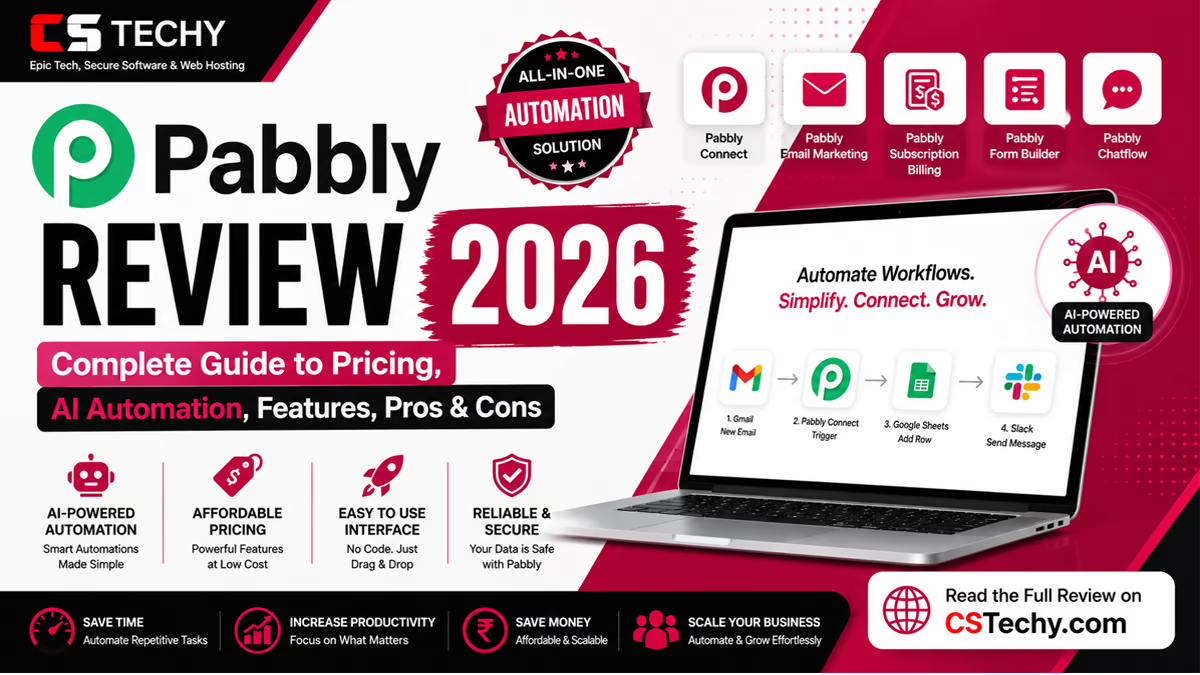
Pabbly isn’t one product. It’s a small suite built by Magnet Brains, an Indian software company, and it includes Pabbly Connect (workflow automation), Pabbly Chatflow (WhatsApp automation), Pabbly Subscription Billing, Pabbly Email Marketing, and Pabbly Form Builder. Pabbly Connect is the flagship, and it’s what most people mean when they say “Pabbly review.”
Pabbly suits bootstrapped founders, freelancers, small agencies, and lean marketing teams who need real automation but can’t justify Zapier’s task-based pricing. It’s a weaker fit for enterprises that need SLA-backed support, mission-critical reliability, or a polished AI-native flow builder. If you’re managing 200+ integrations with strict compliance needs, look elsewhere.
Our testing methodology for this Pabbly Connect review combined hands-on workflow building with a wide review of verified feedback from Capterra, G2, Trustpilot, Software Advice, and GetApp, cross-checked against Pabbly’s own pricing and product pages. Affiliate disclosure: some links in automation reviews like this one may be affiliate links, and we only recommend tools we’d genuinely suggest to a friend running a small business.
What Is Pabbly?
Company overview
Pabbly is owned by Magnet Brains, a company that started life training college students in software development before pivoting into SaaS. The team has grown to more than 70 people, and Pabbly itself has been running since 2018.
Products offered
The Pabbly ecosystem includes Pabbly Connect (automation), Pabbly Chatflow (WhatsApp), Pabbly Subscription Billing, Pabbly Email Marketing, Pabbly Form Builder, and Pabbly Hook (webhook handling). All of these can be bundled under a single “Pabbly Plus” plan.
Who owns Pabbly
Pabbly is a product of MagnetBrains LLC, based in India, and is self-funded rather than venture-backed, which explains why the pricing model leans so heavily on lifetime deals rather than investor-driven growth targets.
Target users
Small businesses make up the vast majority of reviewers on Capterra, with marketing and advertising the most common industry. Freelancers, solo founders, and small agencies running client workflows are the other core group.
Key benefits
The two things that keep coming up in Pabbly reviews are price and task calculation. Pabbly doesn’t charge for triggers, filters, routers, or formatters, so you can build far more complex workflows before hitting a paid tier than you could on Zapier.
Pabbly Products Explained
Pabbly Connect
The core workflow automation tool. It links over 1,000 apps through a visual, drag-and-drop builder: pick a trigger, add one or more actions, and the workflow runs whenever the trigger fires.
Pabbly Subscription Billing
Handles one-time and recurring payments, invoicing, and subscription management, with zero transaction fees on top of standard payment gateway charges.
Pabbly Email Marketing
A bulk and transactional email tool with list management and email verification. It’s the weakest link in the suite; several long-term users describe it as barebones next to dedicated platforms, particularly around segmentation and open tracking.
Pabbly Form Builder
A no-code form creator for lead capture, surveys, and payment forms, designed to plug directly into Pabbly Connect workflows.
Pabbly Chatflow
A WhatsApp automation platform built on the official Meta Cloud API. It supports unlimited WhatsApp numbers, shared team inboxes, broadcast messaging, and chatbot flows, all without extra per-seat charges.
Which product should you choose?
If you’re here for general app-to-app automation, start with Pabbly Connect alone. If WhatsApp is central to your sales or support process, Pabbly Plus (which bundles Chatflow, Connect, and the rest) is the more sensible buy, especially since it comes in at a fraction of what standalone WhatsApp tools like WATI or Interakt charge.
Pabbly Connect Review
Interface
The builder is functional rather than beautiful. Reviewers on Capterra and G2 consistently call it “straightforward,” though a few describe it as dated compared with Make’s flowchart canvas.
Workflow Builder
You pick a trigger app and event, then chain action steps. Filters let you apply if/else logic, the Router step splits a single trigger into multiple parallel paths, and formatters clean up messy data before it lands in the destination app.
Automation Features
Beyond the basics, Pabbly Connect supports scheduled workflows, delay steps, an email parser, custom JavaScript and Python code steps, and auto re-execution of failed or skipped steps, giving it more depth than the “cheap Zapier clone” reputation suggests.
Templates
Pabbly maintains thousands of pre-built workflow templates and tutorial videos, which meaningfully shortens the learning curve for non-technical users setting up their first automation.
Integrations
Coverage sits at roughly 1,000 to 2,000 native apps depending on the source, well behind Zapier’s 9,000-plus, but the mainstream stack, Google Workspace, Shopify, WooCommerce, Stripe, PayPal, HubSpot, Mailchimp, Slack, and WhatsApp, is fully covered.
Performance
Independent reviewers report reliability in the high-90s percentile range for successful task runs, with most workflows executing within a minute of the trigger firing.
Reliability
This is the recurring soft spot. Multiple reviewers describe occasional silent failures, particularly on more complex multi-step workflows, and note that Pabbly’s error logging and recovery tools are more basic than n8n’s or Make’s.
Ease of Use
Most non-technical users report building a working first automation within an hour, aided by the large tutorial library and an active 21,000-plus member Facebook community.
Pros
Genuinely affordable, doesn’t charge for internal steps, unlimited workflows and team members on every paid tier, a real lifetime pricing option, and a support team that’s frequently described as passionate even when it’s slow.
Cons
Thinner integration library than Zapier, no live chat support, dated documentation that occasionally lags behind UI changes, and editor lag on workflows beyond roughly 15 to 18 steps.
Pabbly AI Features
Pabbly AI Assistant
Pabbly’s AI Assistant lets you create knowledge-base-trained assistants that can hold dynamic conversations, most commonly deployed inside Pabbly Chatflow to answer WhatsApp customer queries automatically using uploaded product or policy documents.
AI Automation
Inside Pabbly Connect, AI automation typically means connecting to a third-party model, most often OpenAI, as an action step. You can generate email copy, summarise form responses, or extract data from uploaded documents by mapping fields into a prompt.
AI Agents
Pabbly’s step-by-step guides walk users through building simple AI agents, for example, a workflow that reads a Google Sheet, generates product descriptions with an AI action step, and writes the result back automatically.
AI inside Pabbly Connect
Unlike Zapier’s Copilot or newer AI-native builders, Pabbly Connect doesn’t offer a natural-language “describe your workflow and I’ll build it” experience. Every AI feature is added by wiring in an external model rather than through a built-in NLP layer.
Future AI roadmap
The most notable 2026 addition is Pabbly’s MCP Server, which exposes Pabbly Connect workflows to AI agents and assistants like Claude through the Model Context Protocol, a genuinely forward-looking move that few automation tools at this price point have shipped yet.
Pabbly Pricing (Updated)
Pabbly Connect offers a forever-free plan with 100 tasks a month, three annual subscription tiers, and one-time lifetime deals. Crucially, triggers, filters, routers, and formatters never consume your task allowance, only completed action steps do, which is why Pabbly users often report needing far fewer “tasks” than the same workflow would burn on Zapier.
| Plan | Monthly (billed annually) | Tasks Included | Lifetime Option |
|---|---|---|---|
| Free | $0 | 100/month | N/A |
| Standard | ~$16–19 | 10,000–12,000/month | From $249 |
| Pro | ~$33 | 20,000–24,000/month | Available on request |
| Ultimate | ~$67–69 | Up to 300,000/month | Up to $699 |
Pabbly’s value case is strongest at volume. A workflow that costs roughly $73 a month on Zapier at 10,000 tasks can run for around $16 to $19 a month on Pabbly’s Standard tier, and every paid plan includes unlimited workflows and unlimited team members, features Zapier gates behind its higher tiers.
Hidden costs worth knowing about: support is email-only on the Standard and Pro tiers, with no live chat option at all, and one-time lifetime plans lock you out of future upgrades to a different one-time tier. Account changes, like updating the email tied to your account, are reportedly rigid, and refunds outside the 30-day window aren’t offered.
Real User Reviews & Ratings
Pabbly’s reputation genuinely depends on which platform you check. On Capterra and G2, ratings cluster comfortably above 4 out of 5, with reviewers repeatedly praising the price-to-feature ratio and calling it a credible Zapier alternative. On Trustpilot, the picture is more polarised, ranging from enthusiastic praise for speed and generous free credits to sharp complaints about renewal billing and refund refusals.
Common praise across Reddit threads, Facebook groups, and YouTube creator reviews centres on three things: the task-counting system that ignores internal steps, the founder’s visible presence in the community, and the sheer gap in price versus Zapier or Make. A recurring line from long-term users is some version of “there’s no way I’d pay for Zapier now that Pabbly exists.”
Common complaints are just as consistent: no live chat, support response times that can stretch past 24 to 36 hours on lower tiers, occasional silent workflow failures, and frustration with account management policies, particularly around transferring ownership or changing a linked email address.
Pabbly Customer Support
Support quality
Reviewers describe support as knowledgeable and genuinely helpful once you reach a human, but getting there can take time on entry-level plans.
Knowledge base
Pabbly maintains an extensive tutorial library, reportedly thousands of videos across its products, covering most common workflow patterns step by step.
Email support
Support runs six days a week (Sundays off), roughly 10am to 6pm, via email ticket only on Standard and Pro plans.
Community
The Pabbly Connect Facebook group has more than 21,000 members, and the founder is noted by multiple reviewers as being personally active in it, answering questions and sharing use cases directly.
Documentation
Written documentation occasionally lags behind interface updates, so screenshots in older tutorials can look slightly out of date compared with the current builder.
Response time
Independent reviews report response times ranging from a few hours to more than 36 hours, depending on plan tier and issue complexity. Priority or faster support is generally reserved for Ultimate-tier customers.
Pabbly vs Competitors
| Tool | Entry Price | Ease of Use | AI | Integrations | Best For |
|---|---|---|---|---|---|
| Pabbly Connect | Free; paid from ~$16/mo | High | External API only + MCP Server | 1,000–2,000+ | Budget-conscious SMBs |
| Zapier | Free; paid from ~$20–30/mo | Very High | Copilot, native AI agents | 9,000+ | Non-technical teams, broad app coverage |
| Make | Free; paid from ~$9/mo | Medium | Growing AI modules | 2,000+ | Complex visual logic at lower cost |
| n8n | Free self-hosted; cloud from ~$20/mo | Low–Medium (technical) | Native AI agent nodes | 400+ | Developers wanting full control |
| Integrately | Free; paid tiers available | High | Limited | 1,200+ | One-click templated automations |
| Zoho Flow | Free; paid tiers available | Medium | Limited | 800+ | Existing Zoho ecosystem users |
| AiSensy / Interakt / WATI | From ~$15–40/mo | Medium | WhatsApp-focused AI | WhatsApp-centric | Dedicated WhatsApp commerce teams |
Winner by category: Zapier wins on raw integration breadth and interface polish. Make wins on complex visual logic per dollar. n8n wins on developer control and native AI. Pabbly wins on flat, predictable pricing and task-counting fairness, which makes it the strongest pick for cost-conscious small teams running the mainstream SaaS stack rather than niche enterprise tools.
Pros & Cons
Pros:
- Dramatically cheaper than Zapier at equivalent task volumes
- Doesn’t charge for triggers, filters, routers, or formatters
- Unlimited workflows and team members on every paid plan
- Genuine lifetime pricing option, rare in this category
- SOC 2 Type II and ISO 27001:2022 certified
- Large tutorial library and active community
- Supports custom JavaScript and Python code steps
- MCP Server support for connecting workflows to AI assistants
- WhatsApp automation built on the official Meta Cloud API
- No transaction fees on Pabbly Subscription Billing
Cons:
- No live chat support at any tier
- Support response times can exceed 24 to 36 hours
- Fewer integrations than Zapier or Make
- No native AI workflow builder or natural-language automation
- Editor can lag on workflows beyond 15 to 18 steps
- Documentation sometimes lags behind interface changes
- Not HIPAA compliant
- Rigid account management policies, including email changes
- Lifetime deal buyers lose access to future one-time tier upgrades
- Trustpilot sentiment is notably more mixed than Capterra or G2
Who Should Use Pabbly?
Bloggers automating WordPress and social posting will find Pabbly more than capable, and cheap enough to justify for a handful of workflows. Freelancers managing multiple client accounts benefit from unlimited team members with no per-seat penalty. Agencies running dozens of near-identical client workflows get real value from the flat task pricing. Small businesses replacing manual data entry between a CRM, email tool, and spreadsheet are Pabbly’s core audience. Developers get some flexibility through code steps and webhooks, though n8n remains the stronger choice for deep customisation. Ecommerce stores connecting Shopify or WooCommerce to invoicing and CRM tools are well served. Marketing teams running lead routing and reporting workflows will appreciate the predictable bill. WhatsApp businesses get a genuinely competitive alternative to WATI or Interakt through Pabbly Chatflow.
Who should avoid it: enterprises needing SLA-backed support, teams handling protected health information, and anyone who specifically needs Zapier’s AI Copilot or its 9,000-app library.
Is Pabbly Worth It?
For the audience it targets, yes. The ROI case is straightforward: a small business automating a few hundred to a few thousand actions a month will typically pay a fraction of Zapier’s equivalent bill, and the savings compound every month you stay. Long-term value depends on how much you weigh the lifetime-deal risk, since a one-time payment ties you to a single company’s continued existence, against the peace of mind of no recurring fees.
Scalability has real limits. Pabbly comfortably handles SMB-scale automation, but reviewers consistently note that reliability and editor performance degrade at high workflow complexity, and enterprises with mission-critical needs are better served elsewhere. As an affiliate recommendation, Pabbly earns its place on any serious shortlist of Zapier alternatives, provided you go in aware of the support trade-offs.
Final Verdict
Pabbly Connect does the core job of workflow automation reliably enough for most small businesses, at a price that genuinely undercuts every major competitor once you factor in unlimited internal steps and lifetime pricing. It isn’t the most polished tool on the market, its AI story is still catching up, and support won’t rescue you in a same-day emergency on a lower tier. But for the specific person this Pabbly review is written for, a founder, freelancer, or small agency tired of watching automation costs scale faster than revenue, it’s hard to argue against the value. If that’s you, Pabbly deserves a real trial before you renew anything else.
Frequently Asked Questions
Is Pabbly better than Zapier?
Pabbly is better on price, task-counting fairness, and unlimited workflows on every paid plan. Zapier is better on integration breadth, at over 9,000 apps versus Pabbly’s roughly 1,000 to 2,000, interface polish, and built-in AI features like Copilot. If your automations rely on niche or enterprise apps, Zapier’s library matters more than Pabbly’s savings. For mainstream SaaS stacks and cost-conscious small businesses, Pabbly typically wins on total value.
Is Pabbly better than Make?
It depends on your priority. Make offers a more visual, flowchart-style builder and stronger handling of complex branching logic, but it charges per operation, which can add up on high-volume workflows. Pabbly’s flat task pricing and free internal steps make costs more predictable at scale. Make has a steeper learning curve; Pabbly is generally faster to pick up for non-technical users building straightforward automations.
Is Pabbly free?
Yes, Pabbly Connect offers a genuine forever-free plan with 100 tasks per month and access to core features, not just a time-limited trial. It’s enough to test a couple of light workflows, but most active users outgrow it within a few weeks and move to the Standard paid tier for higher task limits and full functionality.
Is Pabbly Connect worth it?
For small businesses, freelancers, and agencies automating mainstream SaaS tools, yes. The combination of flat pricing, unlimited workflows, and free internal steps means most users save significantly compared with Zapier or Make at equivalent volumes. It’s less worth it for enterprises needing guaranteed support response times, deep AI-native building, or access to highly niche integrations outside the mainstream stack.
Does Pabbly use AI?
Yes, but indirectly rather than natively. Pabbly offers an AI Assistant for knowledge-base-trained chat, particularly inside Pabbly Chatflow, and lets you wire AI models like OpenAI into Connect workflows as action steps. Its newer MCP Server connects workflows to AI agents like Claude. However, it lacks a built-in natural-language workflow builder comparable to Zapier’s Copilot.
Is Pabbly safe?
Pabbly is SOC 2 Type II and ISO 27001:2022 certified, which covers standard security, availability, and confidentiality controls suitable for most business automation. It is not HIPAA compliant, so it shouldn’t be used for protected health information. For general use cases like CRM syncing, lead routing, or WhatsApp automation, it’s considered a secure, reasonably trustworthy platform by reviewers.
How good is Pabbly customer support?
Support quality is genuinely mixed. Reviewers consistently praise the team’s knowledge and willingness to help once contacted, and the founder’s visible presence in the community stands out. The catch is speed: there’s no live chat at any tier, and email response times can range from a few hours to over 36 hours, especially on lower-priced plans, which matters if your workflows are business-critical.
What are the disadvantages of Pabbly?
The main disadvantages are no live chat support, slower email response times on entry plans, a smaller integration library than Zapier or Make, no native AI workflow builder, occasional silent failures on complex workflows, and rigid account management policies around changing linked emails or transferring ownership. Documentation can also lag behind interface updates.
Which is better: Pabbly or n8n?
n8n wins for technical teams that want self-hosting, full data control, native AI agent nodes, and deeper customisation through code. Pabbly wins for non-technical users who want a hosted, ready-to-use platform with a much gentler learning curve and genuine lifetime pricing. If your team is comfortable with servers and API-level tinkering, n8n scales further; if you want automation running today without infrastructure work, Pabbly is the faster path.
Frequently Asked Questions About Pabbly
Get quick answers to the most common questions about Pabbly, its pricing, automation features, integrations, and whether it’s the right workflow automation platform for your business.
Is Pabbly worth buying in 2026?
Yes. Pabbly remains one of the best-value workflow automation platforms thanks to its lifetime plans, unlimited workflow execution options, extensive integrations, and no per-task pricing. It is especially suitable for freelancers, agencies, marketers, and growing businesses looking to reduce recurring automation costs.
What is Pabbly Connect used for?
Pabbly Connect automates repetitive tasks by connecting hundreds of applications. You can automatically transfer data between CRMs, email marketing tools, payment gateways, Google Workspace, AI tools, and many other business applications without writing code.
Is Pabbly better than Zapier?
For many users, yes. Pabbly generally offers lower long-term costs, lifetime deals, and unlimited workflow executions on several plans. Zapier, however, provides a larger app ecosystem and more advanced enterprise capabilities. The better choice depends on your automation requirements and budget.
Can beginners use Pabbly without coding?
Absolutely. Pabbly offers a visual workflow builder with drag-and-drop automation, making it easy for beginners to build workflows without programming knowledge. Most integrations only require authentication and workflow configuration.
How many apps does Pabbly integrate with?
Pabbly supports thousands of applications through native integrations, webhooks, and API connections. Popular services include Gmail, Google Sheets, Slack, Shopify, WooCommerce, Stripe, PayPal, OpenAI, Facebook Lead Ads, Airtable, and many more.
Does Pabbly offer a lifetime deal?
Pabbly has frequently offered lifetime pricing through limited promotions. Availability can change, so always check the official pricing page before purchasing to confirm the latest offers.
Can Pabbly replace multiple business tools?
Yes. Depending on your workflow, Pabbly can automate tasks across CRM systems, marketing platforms, payment processing, lead generation, customer communication, and spreadsheets, helping reduce manual work and software expenses.
Is Pabbly secure for business automation?
Pabbly uses encrypted connections and secure authentication methods for supported applications. As with any automation platform, you should enable strong passwords, use secure API credentials, and regularly review connected accounts.
Who should use Pabbly Connect?
Pabbly Connect is ideal for bloggers, affiliate marketers, agencies, SaaS businesses, ecommerce stores, freelancers, startups, and enterprises that want affordable no-code automation with reliable workflow execution and broad integration support.