Automation Tools · Honest Review
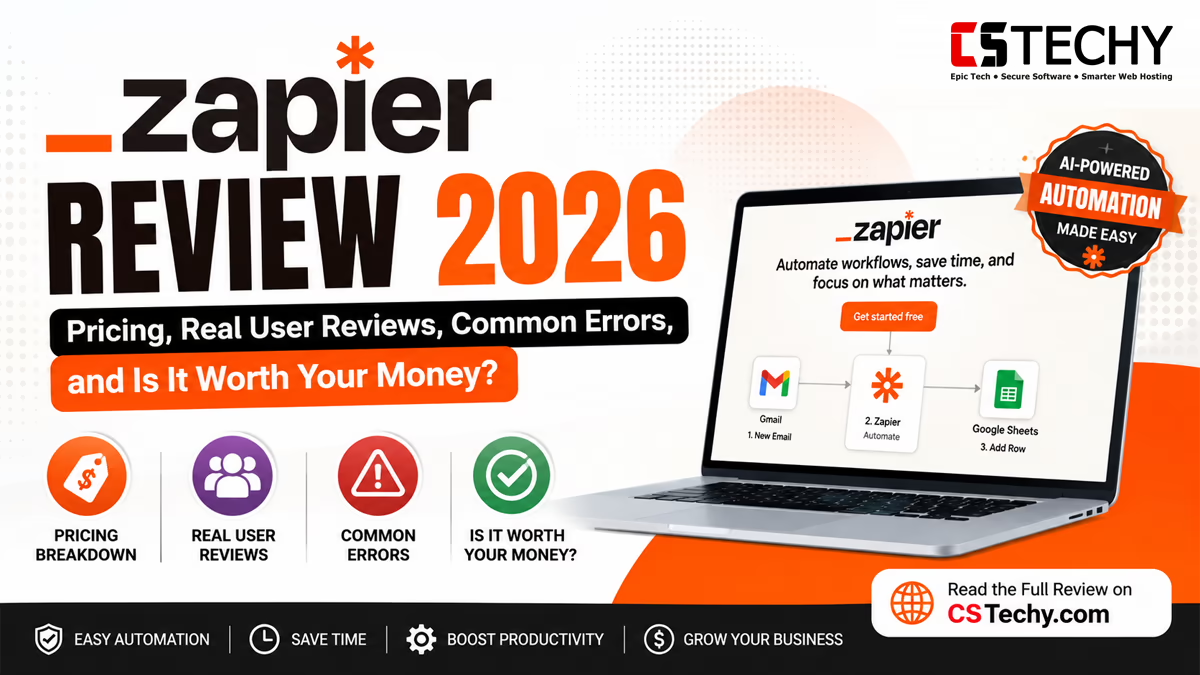
Zapier Review 2026: Pricing, Real User Reviews, Common Errors, and Is It Worth Your Money?
Everything you actually need to know before you sign up — what Zapier is, what real employees and users say about it, exactly what it costs, the errors you’ll run into, and how it stacks up against Make and n8n.
Let’s have a straightforward conversation about Zapier. You’ve probably heard the name a hundred times — maybe from a coworker, a YouTube tutorial, or a “best automation tools” listicle. But most reviews either read like a sales page or bury you in technical jargon before you even know what a “Zap” is. This guide walks you through it step by step, in plain English, the way you’d explain it to a friend over coffee. By the end, you’ll know exactly what Zapier does, what it costs, what real people (including Zapier’s own employees) say about it, and whether it deserves a spot in your workflow.
What we’ll cover in this Zapier review
- What Is Zapier, Exactly?
- Why Is Zapier So Popular?
- How Does Zapier Work? A Simple Step-by-Step Walkthrough
- Zapier Pricing in 2026: What You’ll Actually Pay
- Zapier Reviews: What Do Reddit and Real Users Say?
- Zapier Company and Employee Reviews (Glassdoor & Careers)
- Zapier AI and Zapier Agents: Are They Any Good?
- Zapier for Business and Social Media Automation
- Common Zapier Errors and How to Fix Them Fast
- Zapier vs Make vs n8n: Who Wins?
- Pros and Cons of Zapier
- Final Verdict: Is Zapier Worth It in 2026?
- Frequently Asked Questions
What Is Zapier, Exactly?
Zapier is a no-code automation platform that connects two or more apps together so they can talk to each other automatically. Instead of manually copying a new lead from a form into your CRM, then messaging your sales team about it, Zapier does all of that for you, instantly, every single time it happens.
Each automation you build in Zapier is called a Zap. A Zap has two basic parts:
- A trigger — the event that starts everything (a new email arrives, a form is submitted, a payment comes through)
- One or more actions — what happens next (send a Slack message, add a row to a spreadsheet, create a task)
Example, one-to-one: Let’s say you run an online store. Every time someone places an order on Shopify (the trigger), you want a new row added to Google Sheets, a thank-you email sent, and a notification posted in your team’s Slack channel (three actions). That entire chain is one Zap. Once it’s built and turned on, you never have to touch it again.
Zapier connects to more than 8,000 apps, which is the largest integration library of any automation platform on the market today — and that scale is a big part of why it became the default choice for non-technical teams.
Why Is Zapier So Popular?
Zapier didn’t win the automation space by being the cheapest or the most powerful — it won by being the easiest. Here’s why the hype has stuck around for over a decade.
1. It requires zero coding knowledge
You don’t need to understand APIs, webhooks, or code to build a working automation. The interface guides you through connecting apps and mapping fields with plain dropdown menus.
2. It has the biggest app library in the industry
Whatever obscure tool your business uses, there’s a good chance Zapier already connects to it. This removes the “will this even work with my stack” hesitation that slows down adoption of other tools.
3. Zapier Copilot and built-in AI make building faster
Zapier now includes an AI assistant called Copilot that can help you describe what you want in plain language and have it build (or suggest) the Zap for you, which lowers the learning curve even further.
4. It’s trusted by huge companies and solo freelancers alike
From one-person Etsy shops to enterprise support teams, Zapier’s flexibility across company sizes has made it a safe, recognizable default choice — the “nobody gets fired for choosing Zapier” effect.
How Does Zapier Work? A Simple Step-by-Step Walkthrough
Here’s exactly how building your first Zap goes, explained the way you’d walk a beginner through it in person.
Step 1: Pick your trigger app and event
You choose the app that starts the automation and the specific event inside it — for example, “New Row in Google Sheets” or “New Submission in Typeform.”
Step 2: Connect your account
Zapier asks you to log in and authorize access to that app, the same way you’d sign into any website.
Step 3: Add your action step (or steps)
You choose what should happen next — send an email, create a record, post a message — and map the data from your trigger into the right fields.
Step 4: Test the Zap
Zapier lets you send a real test through the workflow so you can see exactly what data moves where, before anything goes live.
Step 5: Turn it on
Once you’re happy with the test, you flip the Zap to “on,” and it now runs automatically in the background, 24/7.
Simple way to remember it: Trigger = what starts it. Action = what happens because of it. Zap = the whole automated recipe.
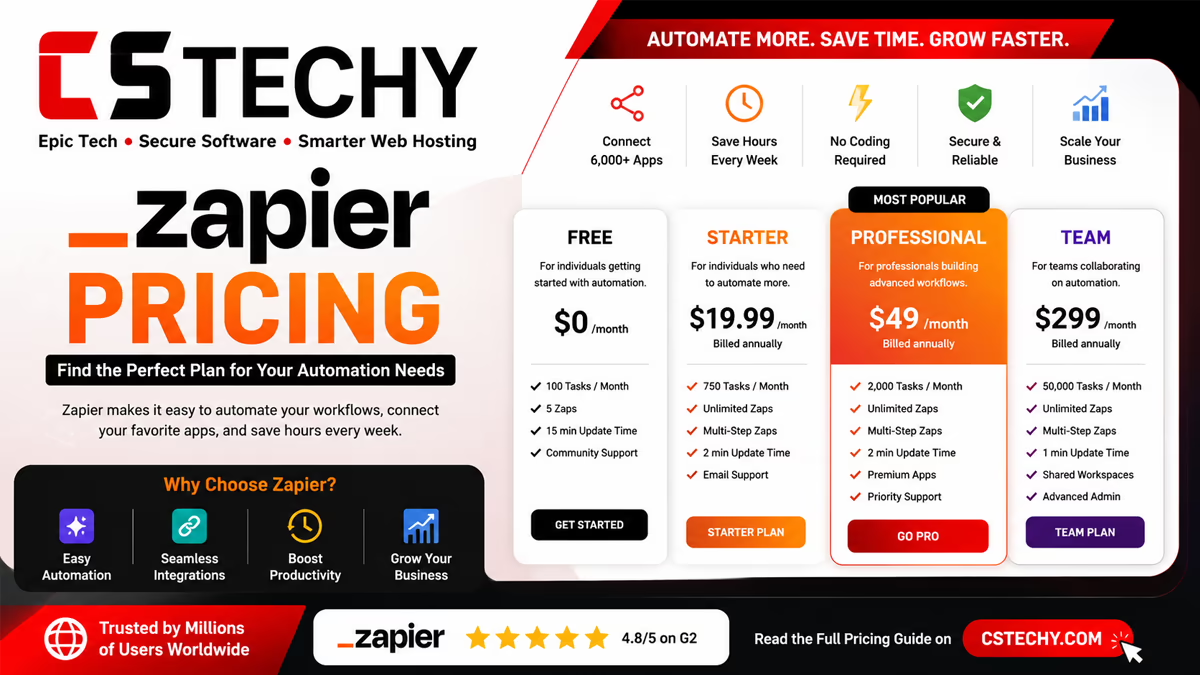
Zapier Pricing in 2026: What You’ll Actually Pay
Zapier’s pricing is based on tasks. A task is counted every time a Zap successfully completes an action step. Triggers themselves are free — it’s only the actions that use up your monthly allowance.
| Plan | Price | Tasks Included | Best For |
|---|---|---|---|
| Free | $0/month | 100 tasks, single-step Zaps only | Testing the platform, very light use |
| Professional | From ~$19.99–29.99/month | 750 tasks (scalable up to millions) | Freelancers and small businesses needing multi-step Zaps |
| Team | From ~$69–103.50/month | 2,000 tasks | Teams needing shared workspaces and SSO |
| Enterprise | Custom pricing | Custom / high volume | Large organizations needing governance and dedicated support |
Example, one-to-one: Imagine a Zap that pulls a new form submission, adds a row to Google Sheets, and sends a Slack message. That’s two action steps (the trigger is free), so every time it runs, it uses two tasks. Run it 375 times a month, and you’ve used your entire 750-task Professional allowance on that one Zap alone.
A few things that catch people off guard:
- The Free plan only allows single-step Zaps (one trigger, one action) — you can’t build multi-step automations until you upgrade.
- Built-in tools like Filter, Paths, Formatter, Tables, and Forms generally don’t count against your task usage — only the “real” action steps do.
- Annual billing typically saves around 30% compared to paying monthly.
- Once you hit your task limit, Zapier will pause your automations unless you’ve enabled pay-per-task overage billing, which charges a higher rate per extra task.
Quick tip: Before picking a plan, count how many action steps your busiest Zap uses per run, then multiply by how often it will realistically run in a month. That number, not the number of Zaps you plan to build, is what actually determines your bill.
Zapier Reviews: What Do Reddit and Real Users Say?
Search “Zapier reviews Reddit” and you’ll find a fairly consistent pattern of feedback from actual users, both good and bad.
What people like
- The sheer number of supported apps means almost nothing gets left out
- The visual editor is genuinely beginner-friendly, even for people with zero technical background
- Templates make it fast to get a common automation running in minutes
- Support documentation is thorough and easy to search
What people complain about
- Costs escalate quickly once you move beyond simple, low-volume automations
- The task-based billing model is confusing until you’ve been burned by it once
- Some users report Zaps silently failing or slowing down during high-traffic periods
- Complex logic (heavy branching, loops) can feel clunky compared to more visual competitors like Make
The overall theme across most Zapier reviews and complaints is simple: people love how easy Zapier is to start with, but many outgrow it financially once their automation needs get more advanced.
Zapier Company and Employee Reviews (Glassdoor & Careers)
Because so many people search for “Zapier Glassdoor,” “Zapier careers reviews,” and “Zapier work from home,” it’s worth covering Zapier as an employer too, not just as a product.
Zapier has been a fully remote, distributed company since it was founded, and that shows up strongly in reviews — employees consistently praise the flexibility, async culture, and work-life balance that come with 100% work-from-home roles. Compensation and benefits also score well, which matters if you’re researching “Zapier automation jobs remote” as a career move.
That said, more recent reviews (into 2026) mention some growing pains: pressure to tie individual roles more directly to revenue, layoffs that weren’t always communicated clearly, and mixed feelings about how fast the company has leaned into AI-driven internal processes. This is a fairly normal pattern for a company that’s scaled quickly — the earliest reviews describe a tight-knit startup culture, while newer ones reflect the friction of becoming a larger, more structured organization.
In short: If remote flexibility and pay matter most to you, Zapier still rates well. If you’re specifically researching culture stability during a period of change, it’s worth reading a spread of both older and newer reviews rather than relying on just one or two.
Zapier AI and Zapier Agents: Are They Any Good?
Zapier has increasingly positioned itself as an “AI orchestration platform,” not just a simple app-connector. Two features drive this:
AI by Zapier (steps inside your Zaps)
You can now insert an AI step directly into any Zap — for example, having an AI model summarize an incoming support ticket before it’s routed to a human agent. Different AI model tiers (standard, advanced, premium) use different task multipliers, meaning more powerful models cost more tasks per run.
Zapier Agents
Zapier Agents are semi-autonomous AI assistants that can be given a goal and a set of tools, then decide on their own how to complete a task — similar in concept to AI agents in other automation platforms, but built to plug directly into Zapier’s existing library of app connections.
The honest take: Zapier’s AI features are genuinely useful for teams already inside the Zapier ecosystem who want to add intelligence to existing workflows without learning a new tool. They’re not as deeply customizable as building an AI agent node-by-node in a more technical platform, but they’re dramatically faster to set up.
Zapier for Business and Social Media Automation
Some of the most common real-world Zapier automations include:
Social media automation
Automatically posting new blog content to social platforms, cross-posting between networks, and logging engagement metrics into a spreadsheet for reporting.
Business process automation
Syncing new CRM leads to a sales team’s Slack channel, automating invoice creation when a deal closes, and routing support tickets based on urgency.
E-commerce automation
Sending order confirmations, syncing inventory between platforms, and flagging abandoned carts for a follow-up email — all common “zapier ecommerce” use cases.
Common Zapier Errors and How to Fix Them Fast
If you’ve been building Zaps for more than a week, you’ve probably run into one of these. Here’s what they mean and how to fix them quickly.
| Error / Message | What It Means | Quick Fix |
|---|---|---|
| No trigger available | The app you connected doesn’t have any new data matching the trigger event you selected. | Fix: Create a fresh test record in the trigger app, then re-run the test — Zapier needs at least one real example to detect the trigger. |
| No action available | The connected account doesn’t have permission, or the target field/record doesn’t exist yet. | Fix: Reconnect the app account and confirm the required field or list actually exists on the destination app. |
| No options are available | Zapier can’t load dropdown values from the connected app, usually due to an expired or limited-permission connection. | Fix: Disconnect and reconnect the app, making sure you approve all requested permissions during login. |
| No data on mapped value | A field you mapped from a previous step came back empty during the actual run, even though it worked in testing. | Fix: Add a Filter or a Formatter step to handle empty values, or set a fallback/default value in the field mapping. |
| Task limit reached | Your account has used its full monthly task allowance, so Zaps have paused. | Fix: Upgrade your plan, enable pay-per-task overage billing, or turn off low-priority Zaps until the next billing cycle. |
Example, one-to-one: Say your Zap worked perfectly in testing but suddenly throws “No data on mapped value” two weeks later. Nine times out of ten, this happens because the trigger app sent a record with a blank field (like a form submitted without a phone number). Adding a simple Filter step — “only continue if phone number exists” — usually solves it in under two minutes.
Zapier vs Make vs n8n: Who Actually Wins?
Every honest Zapier review needs to answer the “but what about the alternatives” question. Here’s the real comparison, including each tool’s core USP.
| Tool | Core USP | Pricing Model | Best For | Trade-off |
|---|---|---|---|---|
| Zapier | Largest app library (8,000+), easiest possible setup, strong AI orchestration add-ons | Per-task billing | Non-technical users, teams wanting the fastest setup with the widest app support | Gets expensive fast on multi-step or high-volume workflows |
| Make (formerly Integromat) | Visual, highly flexible canvas; charges per operation, not per step | Per-operation billing | Users wanting more complex logic without code, at a lower cost per run | Slightly steeper learning curve than Zapier’s linear interface |
| n8n | Open-source, self-hostable, execution-based billing regardless of workflow length | Free self-hosted or paid cloud (per execution) | Developers and cost-conscious teams running complex, multi-step automations | Requires more technical comfort to get the most out of it |
The bottom line: Zapier wins decisively on ease-of-use and app coverage. Make and n8n both win on cost-efficiency once your automations get complex, because they don’t charge you per individual step the way Zapier does. If you’re a total beginner running a handful of simple automations, Zapier is genuinely the fastest path to value. If you’re scaling past a few thousand tasks a month, it’s worth seriously pricing out the alternatives.
Pros and Cons of Zapier
Pros
- Easiest automation platform to learn, with no coding required
- Largest integration library in the industry (8,000+ apps)
- Generous free tier for testing simple, single-step automations
- Built-in AI features (Copilot, AI by Zapier, Agents) without needing a separate subscription
- Strong documentation and a large community of templates
Cons
- Task-based pricing becomes expensive quickly for multi-step or high-frequency workflows
- Free plan restricts you to single-step Zaps only
- Complex branching logic feels less intuitive than in more visual competitors
- Overage billing and task limits can catch new users off guard
- Recent employee reviews suggest some cultural growing pains as the company scales
Final Verdict: Is Zapier Worth It in 2026?
Bottom line
Zapier earns its popularity honestly — it remains the easiest way for a non-technical person to automate real work, and its enormous app library means almost nothing gets left unsupported. Where it loses points is cost: the moment your automations get longer or more frequent, that per-task pricing model adds up fast, and cheaper alternatives like Make or n8n start to look very attractive. If you’re just getting started, running simple workflows, and value your time over saving a few dollars, Zapier is absolutely worth it. If you’re scaling and cost-sensitive, it’s worth testing an alternative before you commit to a higher tier.
Frequently Asked Questions About Zapier
1. What exactly does Zapier do?
Zapier connects two or more apps so that an action in one automatically triggers an action in another — for example, adding a new lead to your CRM the moment they fill out a form, without you lifting a finger.
2. Is Zapier free to use?
Yes, Zapier has a free plan with 100 tasks per month, but it only supports single-step Zaps (one trigger, one action). Multi-step automations require a paid Professional plan or higher.
3. How does Zapier’s pricing actually work?
Zapier charges based on “tasks” — every successful action step in a Zap uses one task. Triggers are free, and built-in tools like Filters or Formatter typically don’t count against your usage.
4. Is Zapier easy to learn for a complete beginner?
Yes, it’s widely considered the easiest automation platform to learn, thanks to its simple drag-and-drop style interface and large library of ready-made templates.
5. What do employees say about working at Zapier on Glassdoor?
Zapier holds an overall employee rating around 4.1 out of 5 on Glassdoor, with especially strong marks for compensation and remote work flexibility, though some newer reviews mention growing pains as the company scales.
6. Why do my Zaps show “no data on mapped value”?
This usually happens when a field you mapped from an earlier step comes back empty during a real run. Adding a Filter step or a default fallback value in your field mapping typically resolves it.
7. Is Zapier better than Make or n8n?
Zapier is easier to use and connects to more apps, but Make and n8n are generally cheaper for complex, high-volume automations because they don’t bill per individual step the way Zapier does.
8. What happens when I reach my Zapier task limit?
Your Zaps will pause until your next billing cycle unless you’ve enabled pay-per-task overage billing, which lets your automations keep running at a higher per-task rate.
9. Can I use Zapier for social media and business automation?
Yes, Zapier is commonly used to automate social media posting, lead routing, e-commerce order notifications, and internal business processes across thousands of supported apps.