HubSpot Templates: The Complete Guide to Email, Sales, CRM, and Marketing Templates
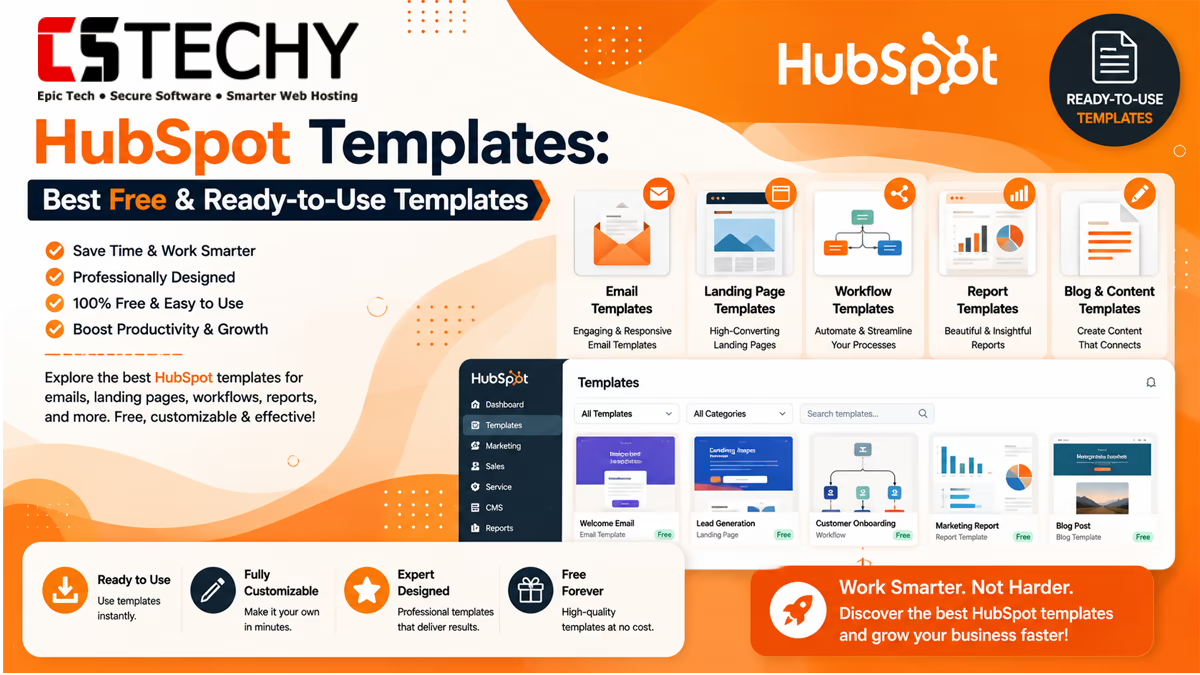
HubSpot templates help you get work done faster. Instead of building every email, page, or workflow from scratch, you start with a proven layout and customize it. This guide covers every major template type inside HubSpot, how to use them, and how to pick the right one for your business.
Whether you run a small blog, manage sales outreach, or lead a marketing team, HubSpot templates can save hours every week. We will walk through email templates, sales templates, CRM templates, workflow templates, landing page templates, quote templates, and the HubSpot Template Marketplace. You will also learn how to customize templates, when to choose free versus premium options, and which mistakes to avoid.
What Are HubSpot Templates?
A HubSpot template is a pre-built layout or structure that you can reuse and personalize. Templates exist across almost every part of the HubSpot platform, including email, CRM records, sales documents, landing pages, and automation workflows.
Instead of designing a new email or page every time, you open a template, swap in your text and images, and publish. This is especially useful for teams that send repeat communications, like onboarding emails, follow-up sequences, or monthly newsletters.
Template availability can vary depending on which HubSpot product you use, such as Marketing Hub, Sales Hub, or Service Hub, and which subscription tier you are on. Some advanced templates are only available on Professional or Enterprise plans.
Templates are not just about saving time. They also encode best practices. A well-built landing page template already follows proven conversion principles, like a clear headline and a visible call-to-action. A well-built workflow template already reflects a logical sequence of nurture steps. Using templates means you inherit some of that thinking automatically, even if you are new to marketing or sales.
It helps to think of HubSpot templates as building blocks rather than finished products. The starting design gives you structure, but the value comes from how you adapt it to your audience, your offer, and your brand voice.
Benefits of Using Templates
Templates are popular because they solve a real problem: consistency takes time to build manually. Here is what teams typically gain from using them.
- Speed: Create emails, pages, or documents in minutes instead of hours.
- Consistency: Keep branding, tone, and formatting uniform across your team.
- Fewer errors: Pre-built structures reduce the chance of broken layouts or missing fields.
- Easier onboarding: New team members can start producing content without design training.
- Better testing: Reusable templates make it simpler to A/B test subject lines, layouts, or offers.
HubSpot Email Templates
HubSpot email templates are pre-designed layouts used for newsletters, promotions, onboarding sequences, and one-to-one sales emails. They are built inside the drag-and-drop email editor, so you do not need coding skills to use them.
Types of Email Templates
You will typically find templates for newsletters, welcome emails, promotional campaigns, event invitations, and re-engagement emails. Sales-focused email templates are separate and designed for one-to-one outreach rather than mass sends.
Most Popular Email Template Categories
- Newsletter templates
- Welcome and onboarding templates
- Promotional and sales campaign templates
- Event invitation templates
- Re-engagement and win-back templates
For teams that outgrow the basic drag-and-drop options, custom-coded HubSpot email templates built with HTML and HubL offer more control over layout and branding, though they usually require developer support.
HubSpot Sales Templates
Sales templates live inside Sales Hub and help reps send consistent, high-performing emails without rewriting the same message every time. Reps can save their best-performing emails as templates and reuse them with light personalization.
Common Sales Template Use Cases
- Cold outreach and prospecting emails
- Follow-up emails after a call or demo
- Meeting request and scheduling emails
- Proposal and pricing follow-ups
- Re-engagement emails for stalled deals
Sales templates support personalization tokens, so fields like first name or company name update automatically for each contact. Basic sales templates are available on free plans, while advanced features like team-wide template libraries and reporting are tied to paid tiers.
HubSpot CRM Templates
CRM templates help standardize how deals, tickets, and contact records are structured and tracked. Rather than starting from a blank pipeline, teams can use pre-built deal stages, ticket pipelines, or record layouts as a starting point.
These templates are especially useful for sales managers building a repeatable pipeline process, or support teams setting up ticket workflows that match their service structure.
Where CRM Templates Help Most
- Standardizing deal stages across a sales team
- Setting up support ticket pipelines
- Creating consistent contact and company record properties
- Speeding up onboarding for new sales hires
HubSpot Marketing Templates
Marketing templates cover a wider range than email alone. These include campaign templates, social media post templates, ad templates, and content planning templates, all designed to support inbound marketing strategy.
Marketing Hub also provides downloadable resources like calendar templates, reporting dashboard templates, and campaign planning templates, which are often available even to non-customers as free resources.
Marketing Template Examples
- Campaign planning templates
- Social media content calendars
- Marketing dashboard and reporting templates
- Buyer persona templates
HubSpot Workflow Templates
Workflow templates are pre-built automation sequences. Instead of building an automation from a blank canvas, you start with a template designed for a specific goal, such as lead nurturing or internal notifications.
Popular Workflow Automation Templates
- Lead nurturing email sequences
- Internal deal notification workflows
- Contact lifecycle stage updates
- Abandoned form or cart follow-up automation
- Customer onboarding sequences
Workflow automation is a core part of Marketing Hub and Sales Hub Professional and Enterprise tiers. Free and Starter plans typically offer simpler automation options with fewer branching or conditional logic features.
HubSpot Landing Page Templates
Landing page templates help you build conversion-focused pages without a developer. These templates usually include a hero section, benefits list, testimonials area, and a call-to-action form.
When to Use a Landing Page Template
- Launching a new product or service
- Promoting a webinar or event registration
- Running a paid ad campaign that needs a dedicated landing page
- Collecting leads through a gated content offer, like an ebook
Landing page templates are drag-and-drop editable, and many are mobile-responsive by default. More advanced, professionally designed landing page themes are available through the HubSpot Template Marketplace.
HubSpot Quote Templates
Quote templates let sales teams generate professional, branded quotes directly from a deal record. This removes the need to manually build pricing documents in a separate tool.
A typical quote template includes company branding, itemized pricing, payment terms, and an e-signature option. Quotes can pull data directly from the associated deal, which reduces manual entry errors.
Benefits of Quote Templates
- Faster quote turnaround for sales reps
- Consistent branding across every quote sent
- Reduced manual data entry through CRM integration
- Optional e-signature and payment collection features
HubSpot Template Marketplace
The HubSpot Template Marketplace is where you can find both free and premium themes built by HubSpot and certified partners. These include website themes, landing page templates, and email modules designed for specific industries, such as SaaS, real estate, or events.
Marketplace templates typically come with additional modules and design flexibility compared to the default in-editor templates. Premium templates are a good option for businesses that want a more polished, unique design without hiring a full development team.
What You Can Find in the Marketplace
- Full website themes with multiple page templates
- Industry-specific landing page designs
- Custom email modules and design systems
- CMS modules for advanced page building
Before buying a premium Marketplace theme, check a few practical details first. Look at how recently the theme was updated, whether the seller offers support, and how many modules are included. A theme with frequent updates and active support is usually a safer long-term choice, especially for a business website you plan to grow over several years.
It is also worth comparing a few themes side by side rather than choosing the first one that looks appealing. Preview the demo site on both desktop and mobile, and check whether the included modules match what your business actually needs, such as pricing tables, testimonial sections, or booking forms.
How to Customize Templates
Most HubSpot templates are built for customization without code. You can typically update colors, fonts, images, and text directly inside the drag-and-drop editor.
Customization Tips
- Match your brand colors and fonts before publishing any template.
- Replace placeholder images with real product or team photos.
- Keep your call-to-action clear and above the fold on landing pages.
- Test personalization tokens before sending to your full contact list.
- Save a customized version as your own reusable template for future use.
For deeper customization, such as custom modules or unique layouts, HubL and HTML coding knowledge is required. Many agencies offer this as a service for businesses that want a fully custom design system.
A practical approach is to start simple. Customize one template fully, publish it, and review how it performs before building out a full library of variations. This prevents wasted effort on designs that may need rework once you see real engagement data.
It also helps to build a lightweight style guide before customizing multiple templates. Note your exact brand colors, font choices, logo placement rules, and preferred button style in one place. This keeps every template consistent, even if different team members are making the edits.
Free vs Premium Templates
Free templates are a solid starting point for small businesses and beginners. Premium templates, whether from HubSpot’s own premium tiers or the Marketplace, typically offer more design flexibility, additional modules, and stronger brand customization options.
| Aspect | Free Templates | Premium Templates |
|---|---|---|
| Cost | Included with free or Starter plans | One-time or subscription fee, or higher-tier plan |
| Design Flexibility | Basic, limited customization | Advanced modules and layout options |
| Branding Control | Standard sections and colors | Deeper brand customization |
| Best For | Beginners, small businesses, testing ideas | Agencies, growing brands, unique design needs |
| Support | Community and help docs | Often includes partner or marketplace seller support |
Best Templates by Business Type
The right template depends heavily on your goals and team size. Here is a general starting point by business type.
| Business Type | Recommended Templates |
|---|---|
| Bloggers and Freelancers | Free email templates, basic landing page templates |
| Small Businesses | Email templates, CRM deal templates, quote templates |
| Sales Teams | Sales email templates, quote templates, CRM pipeline templates |
| Marketing Teams | Campaign templates, landing page templates, workflow templates |
| Agencies | Marketplace themes, custom-coded email templates |
| Enterprises | Advanced workflow templates, custom CMS templates, premium marketplace themes |
Template Type Overview
| Template Type | Purpose | Best For |
|---|---|---|
| Email Templates | Newsletters, campaigns, one-to-one outreach | Marketing and sales teams |
| Sales Templates | Repeatable outreach and follow-up emails | Sales reps |
| CRM Templates | Standardized deal and ticket pipelines | Sales and support managers |
| Workflow Templates | Pre-built marketing and sales automation | Marketing operations teams |
| Landing Page Templates | Lead capture and campaign pages | Marketers running campaigns |
| Quote Templates | Branded, itemized sales quotes | Sales teams closing deals |
Customization Difficulty Guide
| Template | Customization | Difficulty | Recommended Users |
|---|---|---|---|
| Basic Email Template | Drag-and-drop editing | Easy | Beginners |
| Landing Page Template | Drag-and-drop with modules | Easy to Moderate | Marketers |
| Quote Template | Field mapping and branding setup | Moderate | Sales operations |
| Workflow Template | Trigger and action configuration | Moderate to Advanced | Marketing operations |
| Custom-Coded Template | HTML and HubL development | Advanced | Developers, agencies |
Real-World Use Cases
Here is how different template types apply to common business scenarios.
- Email marketing campaigns: Use email templates to launch a monthly newsletter or seasonal promotion quickly.
- Sales outreach emails: Use sales templates to send consistent, personalized prospecting emails at scale.
- Lead nurturing workflows: Use workflow templates to automatically follow up with new leads over several days.
- Product launch pages: Use landing page templates to build a dedicated page for a new offer.
- CRM follow-up processes: Use CRM templates to keep deal stages and follow-up tasks consistent.
- Customer support responses: Use email and ticket templates to answer common questions faster.
- Quote generation: Use quote templates to send professional pricing documents directly from a deal.
- Marketing automation campaigns: Combine workflow and email templates for multi-step nurture campaigns.
Best Practices
- Always preview templates on both desktop and mobile before publishing.
- Keep subject lines and headlines short and specific.
- Reuse and refine your best-performing templates instead of starting fresh each time.
- Use personalization tokens carefully, and always test with sample data first.
- Review template performance data regularly and retire underperforming versions.
Beginner Checklist
- Choose a template type that matches your immediate goal.
- Update all placeholder text, images, and links.
- Match brand colors and fonts.
- Test on mobile before publishing.
- Save your customized version for future reuse.
Common Mistakes
- Leaving placeholder content: Publishing a template with sample text or stock images still in place.
- Ignoring mobile view: Not checking how the template renders on smaller screens.
- Overcomplicating design: Adding too many sections or colors, which hurts readability.
- Skipping A/B testing: Sticking with one version instead of testing subject lines or layouts.
- Not tracking performance: Reusing templates without checking open rates, click rates, or conversion data.
Pros and Cons of Using Templates
- Pro: Saves significant time compared to building from scratch.
- Pro: Reduces design and formatting errors.
- Pro: Makes onboarding new team members easier.
- Con: Free templates can look generic if not customized well.
- Con: Advanced templates may require Professional or Enterprise plans.
- Con: Deep customization often needs coding knowledge.
Frequently Asked Questions
What are HubSpot templates used for?
HubSpot templates are pre-built layouts for emails, pages, quotes, and workflows. They help teams save time and stay consistent.
Are HubSpot templates free?
Many HubSpot templates are free, especially basic email and landing page options. Premium templates and advanced features usually require a paid plan.
Can I customize HubSpot email templates?
Yes, most HubSpot email templates can be customized using the drag-and-drop editor. No coding is required for basic changes.
What is the HubSpot Template Marketplace?
The HubSpot Template Marketplace is a library of free and premium themes and modules built by HubSpot and partners.
Do I need coding skills to use HubSpot templates?
No, most HubSpot templates only need drag-and-drop editing. Coding skills are only needed for custom-built templates.
What are HubSpot workflow templates?
Workflow templates are pre-built automation sequences for tasks like lead nurturing or internal notifications.
Are HubSpot quote templates customizable?
Yes, quote templates can include your branding, pricing structure, and payment or signature options.
Which HubSpot plan includes premium templates?
Premium template features are generally tied to Professional or Enterprise tiers, though availability can vary by product.
Can agencies use HubSpot templates for clients?
Yes, agencies commonly use Marketplace templates and custom-coded templates to deliver branded designs for clients.
Final Verdict
HubSpot templates are one of the fastest ways to produce professional emails, pages, and sales documents without starting from zero. Free templates work well for beginners and small businesses, while premium and Marketplace options suit teams that need stronger branding and flexibility.
Start with the free templates that match your immediate goal, whether that is an email campaign, a landing page, or a sales quote. As your needs grow, explore premium and custom-coded options to build a more distinct, scalable system.
Related Articles
- HubSpot Review
- HubSpot Pricing
- HubSpot Tutorial
- HubSpot CRM Guide
- HubSpot Alternatives
- HubSpot vs Salesforce
- Workflow Automation
- Business Automation
- CRM Software