HubSpot Integrations (2026): Best Apps, CRM, AI, Automation & Complete Integration Guide
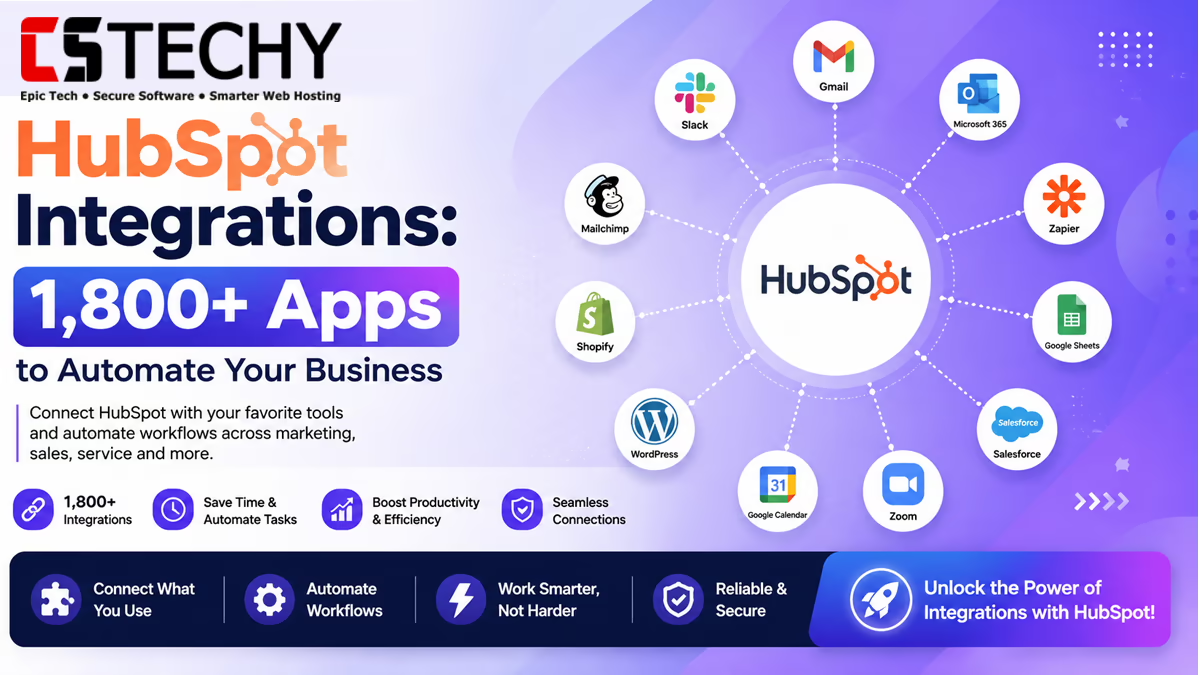
HubSpot integrations connect the platform’s CRM, marketing, sales and service tools to the rest of your software stack, so data moves automatically instead of being copied by hand between systems. With HubSpot’s App Marketplace now listing well over a thousand native connections, alongside a growing set of AI-driven automation options, choosing the right integrations has become a genuine strategic decision rather than an afterthought.
Quick summary: this guide covers what HubSpot integrations are, the best options across CRM, email, e-commerce, payments, automation and AI, how much they cost, how to connect them, and how HubSpot’s own API and Breeze AI layer fit into the picture. It is written for marketers, sales operations teams, agencies and founders evaluating HubSpot or trying to get more out of an existing account.
Integrations matter because HubSpot is rarely the only tool a business runs. Support tickets live in a helpdesk, payments run through Stripe or PayPal, and outreach often happens on Slack or WhatsApp. Without integrations, teams end up manually re-entering data, which slows down reporting and increases the chance of errors in the CRM record that sales and marketing both depend on.
What Are HubSpot Integrations?
A HubSpot integration is a connection between HubSpot and another application that allows data or actions to flow between the two systems. That could mean syncing contacts from Gmail, pulling order data from Shopify, or triggering a Slack message when a deal changes stage.
How Integrations Work
Most integrations work through APIs: HubSpot exposes endpoints for contacts, deals, tickets and other objects, and the connected app reads from or writes to those endpoints, usually on a schedule or in response to a webhook event.
Native vs Third-Party Integrations
Native integrations are built and maintained by HubSpot or by the software vendor itself, and are installed directly from the App Marketplace with a few clicks. Third-party integrations, by contrast, are usually built by automation platforms such as Zapier, Make or n8n, which connect HubSpot to apps that don’t have a dedicated native listing. Native integrations tend to be more reliable and better supported, while third-party platforms offer far greater flexibility for custom workflows.
HubSpot App Marketplace
The App Marketplace is HubSpot’s directory of pre-built integrations, organised by category such as marketing, sales, finance, productivity and data sync. Listings show ratings, install counts and which HubSpot tier is required, which makes it a reasonable starting point before reaching for a custom API build.
API Integrations
For anything not covered by a marketplace app, HubSpot’s REST API and CRM API allow developers to build custom integrations, typically authenticated through a private app token or OAuth. This is the route agencies and larger businesses take when they need bespoke logic that off-the-shelf connectors don’t support.
Benefits for Businesses
The core benefits are fewer manual data-entry tasks, a single source of truth for customer records, faster handoffs between marketing, sales and support, and reporting that reflects what is actually happening across the business rather than one slice of it.
Latest 2026 Updates
HubSpot has continued expanding its native AI layer, Breeze, through 2026, and introduced an official Model Context Protocol (MCP) server alongside a direct connector for Claude, allowing AI agents to read and act on CRM data through natural language rather than only through the dashboard or webhooks. This adds a genuinely new connection method on top of native apps, third-party automation platforms and the API.
Top HubSpot Integrations
The table below summarises 25 of the most widely used HubSpot integrations across categories. Ratings reflect general market reputation and ease of use rather than a formal benchmark.
| Integration | Category | Free Plan | Native Support | AI Features | Automation | Difficulty | Best For |
|---|---|---|---|---|---|---|---|
| Slack | Communication | Yes | Yes | No | Yes | Easy | Team notifications |
| Microsoft Teams | Communication | Yes | Yes | No | Yes | Easy | Enterprise comms |
| Google Workspace | Productivity | Yes | Yes | No | Partial | Easy | Email and calendar sync |
| Gmail | Yes | Yes | Yes | Yes | Easy | Sales inboxes | |
| Outlook | Yes | Yes | Yes | Yes | Easy | Microsoft-based teams | |
| Zoom | Meetings | Yes | Yes | No | Partial | Easy | Sales calls and demos |
| Shopify | E-commerce | No | Yes | Partial | Yes | Moderate | Online retailers |
| WooCommerce | E-commerce | No | Yes | No | Yes | Moderate | WordPress stores |
| Stripe | Payments | No | Yes | No | Yes | Moderate | Subscription billing |
| PayPal | Payments | No | Partial | No | Partial | Moderate | Small businesses |
| Salesforce | CRM | No | Yes | No | Yes | Advanced | Enterprise sales teams |
| Zoho CRM | CRM | No | Partial | No | Yes | Moderate | SMBs migrating platforms |
| Mailchimp | Email Marketing | No | Yes | Partial | Yes | Easy | Newsletter-led marketing |
| ActiveCampaign | Marketing Automation | No | Partial | Partial | Yes | Moderate | Automation-heavy marketers |
| Klaviyo | Email Marketing | No | Yes | Partial | Yes | Moderate | E-commerce email flows |
| Zapier | Automation | Yes | Yes | Partial | Yes | Easy | No-code automation |
| Make | Automation | Yes | Yes | Partial | Yes | Moderate | Visual multi-step flows |
| n8n | Automation | Yes | Partial | Partial | Yes | Advanced | Self-hosted, technical teams |
| Pabbly Connect | Automation | No | Partial | No | Yes | Easy | Budget automation |
| Google Analytics | Analytics | Yes | Yes | No | No | Easy | Traffic and attribution |
| Google Ads | Advertising | No | Yes | Partial | Yes | Moderate | Paid search teams |
| Meta Ads | Advertising | No | Yes | Partial | Yes | Moderate | Social ad campaigns |
| LinkedIn Ads | Advertising | No | Yes | No | Yes | Moderate | B2B lead generation |
| Messaging | No | Partial | No | Yes | Moderate | Customer service teams | |
| ChatGPT / OpenAI | AI | Partial | Partial | Yes | Yes | Moderate | Content and support drafting |
A handful of these deserve a closer look because of how frequently they come up in HubSpot buying decisions.
Slack connects HubSpot notifications, such as new form submissions or deal updates, directly into team channels, and lets reps look up or create CRM records from within Slack itself. It’s free to install, works on every HubSpot tier, and is one of the fastest integrations to set up.
Gmail and Outlook sync email threads, meeting bookings and contact activity into the CRM timeline automatically, which is the single most common reason small sales teams adopt HubSpot in the first place.
Shopify pulls order history, product data and customer spend into HubSpot, enabling segmentation such as “customers who haven’t purchased in 90 days.” It requires a paid HubSpot tier for full functionality and is best suited to stores that already run meaningful marketing automation.
Salesforce is typically used where sales runs on Salesforce but marketing runs on HubSpot; the integration keeps lead and opportunity data synced bidirectionally, though field-mapping setup takes real planning to avoid duplicate or conflicting records.
Zapier and Make extend HubSpot to thousands of apps that don’t have native listings. Zapier favours simplicity with linear “trigger, then action” workflows, while Make’s visual canvas suits more branching, multi-step logic.
HubSpot AI Integrations
HubSpot’s native AI layer is called Breeze, and it spans three parts: Breeze Assistant, a free in-app writing and research companion available on every tier including the free CRM; Breeze Agents, task-specific AI workers such as the Customer Agent, Prospecting Agent and Data Agent that run on usage-based HubSpot Credits; and Breeze Studio, where teams can build and customise their own agents with defined tools and knowledge sources.
Separately, HubSpot can be connected to general-purpose AI tools including ChatGPT, OpenAI’s API, Claude and Gemini, either through marketplace apps or custom API integrations, for tasks such as content generation, AI email drafting, first-line customer support responses and lead qualification scoring. In 2026, HubSpot also launched an official MCP server and a direct Claude connector, letting AI agents query and update CRM data conversationally rather than only through workflows or dashboards. Looking ahead, expect deeper agent-to-agent handoffs between Breeze and third-party AI tools, and tighter audit controls as more agents gain write access to CRM records.
HubSpot Automation Integrations
HubSpot’s native workflow builder handles lead nurturing, internal task creation, lifecycle stage updates and basic sales automation without needing a third-party tool, and is available in a limited form from the Starter tier upward. For automation that spans systems outside HubSpot, teams typically layer in Zapier, Make or n8n, triggered either on a schedule or through HubSpot’s webhook system, which fires in near real time when a specified CRM event occurs. Marketing automation (multi-step nurture campaigns, lead scoring) and customer support automation (ticket routing, auto-responses) both draw on the same workflow engine, just applied to different HubSpot objects.
How to Connect Apps with HubSpot
Most native integrations follow the same basic sequence. Search the App Marketplace for the app you want to connect, and check which HubSpot tier it requires before installing. Click install, then authorise the connection, usually via OAuth, which asks you to log into the third-party app and approve the specific permissions HubSpot is requesting. For apps without OAuth support, you may need to generate an API key from within that app’s settings instead. Once connected, run a small test, such as creating a test contact, to confirm data flows correctly in both directions before rolling it out to the whole team. If a sync fails, the most common causes are expired authentication tokens, mismatched field types between systems, or hitting an API rate limit on the lower-tier plan.
On security, only grant the minimum scopes an integration actually needs, review connected apps periodically under HubSpot’s account settings, and treat any AI agent with write access to CRM records the same way you’d treat a human user with edit permissions: scope it, and check what it changes.
HubSpot API & Developer Features
Developers building custom integrations work primarily with the CRM API for contacts, companies, deals and tickets, alongside separate endpoints for marketing, and a webhooks system for real-time event notifications. Authentication runs through OAuth for public apps distributed via the marketplace, or through simpler private app access tokens for internal, single-account integrations. Rate limits scale with HubSpot tier, and Starter-level accounts can hit ceilings quickly if several integrations are pulling data simultaneously, which is one of the more common reasons growing teams upgrade. Full developer documentation, sandboxes and SDKs are published on HubSpot’s own developer site.
Best HubSpot Integrations by Business Type
- Small business: Gmail or Outlook, Google Workspace, and Zapier for lightweight automation.
- Startups: Slack, Calendly, and a lightweight AI writing tool such as Breeze Assistant.
- Agencies: Make or n8n for client-specific automation, plus reporting integrations.
- E-commerce: Shopify or WooCommerce, Stripe, and Klaviyo for post-purchase email flows.
- Healthcare and finance: Integrations should be evaluated carefully for compliance; native, well-audited connections are generally preferable to ad-hoc API builds.
- Real estate: Calendly for viewings, WhatsApp for buyer communication.
- SaaS and enterprise: Salesforce or Zoho for sales, Operations Hub for advanced data sync, and the native API for custom product-usage tracking.
HubSpot Pricing for Integrations
Most native marketplace integrations, including Slack, Gmail and Google Analytics, install for free, though the depth of what they can do often depends on your HubSpot tier rather than the integration itself. HubSpot’s own paid tiers, current as of mid-2026, start with a free CRM, move to Starter at roughly $15–20 per seat per month, then jump significantly at Professional, where Marketing Hub starts around $890 a month for three seats plus a one-off onboarding fee typically in the $1,500–3,000 range, and Enterprise bundles running from roughly $3,600 a month upward. AI features across the platform are billed separately through HubSpot Credits, priced at roughly $9–10 per 1,000 credits, with monthly allotments included on paid tiers. Third-party automation platforms add their own separate subscription: Zapier and Make both offer usable free tiers, with paid plans scaling by number of automation “tasks” or “operations” run per month. The main hidden cost to watch for is API rate limits on lower tiers, which can force an upgrade once several integrations are running simultaneously.
Pros and Cons of HubSpot Integrations
| Pros | Cons |
|---|---|
| Large native marketplace with over a thousand apps | Deeper automation and API limits are locked behind Professional and Enterprise tiers |
| Strong built-in workflow automation without extra tools | Third-party automation platforms add a second subscription cost |
| Native AI layer (Breeze) grounded directly in CRM data | AI features run on metered credits, which can add up unpredictably |
| Well-documented REST and CRM API for custom builds | Field mapping between HubSpot and other CRMs takes real setup time |
| OAuth-based security model for third-party access | Starter-tier API rate limits can bottleneck multi-integration setups |
HubSpot vs Other Integration Platforms
| Platform | Best For | Free Tier | Learning Curve | HubSpot-Native |
|---|---|---|---|---|
| Zapier | Simple, linear automations | Yes | Low | Third-party |
| Make | Complex, branching workflows | Yes | Moderate | Third-party |
| n8n | Self-hosted, technical control | Yes (self-hosted) | High | Third-party |
| Pabbly Connect | Budget-conscious automation | Limited | Low | Third-party |
| Salesforce | Enterprise sales complexity | No | High | Native CRM integration |
| Zoho | All-in-one budget CRM suite | Yes | Moderate | Partial native integration |
HubSpot’s own workflow builder covers most day-to-day CRM automation without needing an external platform, which is why many HubSpot users only add Zapier or Make once they need to reach an app outside the native marketplace. n8n stands apart because it can be self-hosted, appealing to technical teams that want full control over data residency and workflow logic rather than paying per task.
Our Expert Recommendations
- Best overall: Slack, for the balance of setup speed and daily usefulness.
- Best free: Google Analytics, for attribution reporting at no added cost.
- Best for marketing: Mailchimp or Klaviyo, depending on whether the priority is broad newsletters or e-commerce flows.
- Best for sales: Gmail or Outlook, for timeline-synced email tracking.
- Best for e-commerce: Shopify, for order-based segmentation.
- Best AI integration: Breeze Assistant, since it’s free on every tier and grounded in your actual CRM data.
- Best CRM integration: Salesforce, for teams running sales and marketing on separate platforms.
- Best automation platform: Make, for teams that need multi-step, conditional logic beyond HubSpot’s native workflows.
Buying Guide: How to Choose HubSpot Integrations
Start from the workflow you’re trying to fix, not the app you’ve heard of; a long list of connected tools with no clear purpose is a common and avoidable mistake. Check which HubSpot tier an integration actually requires before assuming it will work, since several of the most useful automation features are gated to Professional and Enterprise. On security, only authorise integrations from reputable marketplace listings or well-known automation platforms, and review connected app permissions periodically. Watch performance: too many simultaneous syncs on a Starter-tier account can hit API rate limits and cause delayed or failed updates. If your business handles regulated data, confirm each integration’s compliance posture, particularly around where data is stored and processed, before connecting it. Finally, plan for data synchronisation conflicts upfront, especially when two systems can both edit the same record, by deciding which one is treated as the source of truth.
Conclusion
The best HubSpot integrations are the ones that remove a genuine manual step, whether that’s Slack keeping the team informed, Gmail syncing sales conversations, or Shopify feeding order data into marketing segmentation. Businesses running a lean stack with a handful of core tools will get most of the value from a few well-chosen native apps, while agencies and larger teams juggling many systems will likely need Zapier, Make or a custom API build to fill the gaps. Teams that only need a contact list and basic email should be cautious about over-integrating, since every connected app adds a small ongoing maintenance and security burden. Looking forward, expect AI agents, including HubSpot’s own Breeze Agents and the new MCP-based connectors, to take on a growing share of routine CRM tasks. Our overall recommendation: map your actual workflow gaps first, prioritise native integrations where they exist, and add automation platforms only once you hit something the marketplace genuinely can’t do.
FAQ 1: What are HubSpot integrations?
HubSpot integrations are connections between HubSpot and other software that let data or actions flow automatically between the two systems, instead of being copied by hand. They can be native apps installed from HubSpot’s own App Marketplace, third-party automations built through platforms like Zapier or Make, or custom connections built with HubSpot’s API. Common examples include syncing email conversations from Gmail, pulling order data from Shopify, or sending a Slack alert when a deal changes stage. Integrations exist across every part of HubSpot, including marketing, sales, service and reporting, and range from simple one-click installs to more involved custom builds that require developer input to configure correctly.
FAQ 2: How do HubSpot integrations work?
Most integrations rely on APIs: HubSpot exposes data such as contacts, deals and tickets through its CRM API, and the connected app either reads that data, writes new data into it, or both. Native marketplace apps typically authenticate through OAuth, where you log into the other tool and approve the specific permissions being requested. Third-party automation platforms sit between two or more apps, watching for a trigger event, such as a new form submission, and then carrying out a defined action elsewhere. Webhooks allow this to happen in near real time rather than on a delayed polling schedule, which is particularly useful for time-sensitive workflows like lead routing.
FAQ 3: Are HubSpot integrations free?
Many native integrations, including Slack, Gmail, Outlook and Google Analytics, are free to install and don’t carry a separate cost beyond your existing HubSpot subscription. However, some integrations only unlock full functionality on paid HubSpot tiers, and a number of AI-driven features run on metered HubSpot Credits rather than being free outright. Third-party automation platforms such as Zapier and Make offer free tiers with limited monthly task allowances, with paid plans required once usage grows. It’s worth checking both the HubSpot tier requirement and any separate platform cost before assuming an integration is free.
FAQ 4: Which are the best HubSpot integrations?
The right integrations depend heavily on what a business actually needs, but Slack, Gmail or Outlook, Google Analytics, Shopify and Zapier are among the most widely adopted across different business types. Slack and email integrations tend to deliver value almost immediately because they plug directly into daily workflows with minimal setup. E-commerce businesses generally get the most from Shopify or WooCommerce paired with an email platform like Klaviyo. Teams needing automation beyond HubSpot’s native workflow builder typically add Zapier for simplicity or Make for more complex, branching logic.
FAQ 5: Can HubSpot integrate with ChatGPT?
Yes, HubSpot can connect to ChatGPT and OpenAI’s models both through marketplace apps and custom API integrations, commonly used for AI-assisted content drafting, email writing and support response suggestions. HubSpot also has its own native AI layer, Breeze, which includes a free in-app assistant and paid, credit-based AI agents that work directly with CRM data rather than requiring an external connection. In 2026, HubSpot additionally introduced an official MCP server and a direct Claude connector, allowing AI agents to query and act on CRM records conversationally. Businesses can use either the native Breeze tools, an external AI connection, or both together depending on their workflow.
FAQ 6: Can HubSpot integrate with Shopify?
Yes, Shopify has a native HubSpot integration that syncs order history, product catalogues and customer purchase data into HubSpot’s CRM. This allows marketers to build segments based on real purchase behaviour, such as recent buyers or lapsed customers, and to trigger automated email flows accordingly. The integration generally requires a paid HubSpot Marketing Hub tier to unlock full automation capability, though basic data sync is available more broadly. Setup is considered moderate difficulty, mainly due to mapping product and order fields correctly during the initial configuration.
FAQ 7: Does HubSpot support API integrations?
Yes, HubSpot provides a well-documented REST API and CRM API that developers can use to build custom integrations beyond what’s available in the App Marketplace. This includes access to contacts, companies, deals, tickets and other CRM objects, along with a webhooks system for real-time event notifications. Authentication is handled through OAuth for apps distributed publicly, or through simpler private app access tokens for internal use. API rate limits scale with HubSpot subscription tier, so businesses running several simultaneous integrations should check their limits before hitting bottlenecks.
FAQ 8: Can I automate workflows using HubSpot integrations?
Yes, HubSpot’s native workflow builder can automate tasks such as lead nurturing, lifecycle stage updates, internal notifications and basic ticket routing without needing any third-party tool. For automation spanning systems outside HubSpot, teams typically add Zapier, Make or n8n, triggered by HubSpot webhooks or scheduled syncs. Automation depth varies by HubSpot tier, with more advanced multi-step and conditional workflows generally reserved for Professional and Enterprise plans. Combining native workflows with an external automation platform is common practice once a business needs to reach apps that don’t have a direct HubSpot listing.
FAQ 9: Are HubSpot integrations worth using in 2026?
For most businesses already running HubSpot, integrations are worth using because they remove manual data entry and keep the CRM record accurate across marketing, sales and service. The value is clearest when an integration replaces a specific manual task, such as re-typing email activity or order history, rather than being added simply because it’s available. Businesses with a very simple stack, such as just a contact list and basic email, may not need much beyond the free native integrations. Given the expansion of Breeze AI and HubSpot’s new MCP-based connectors through 2026, integrations are increasingly central to how HubSpot is used day to day rather than an optional extra.