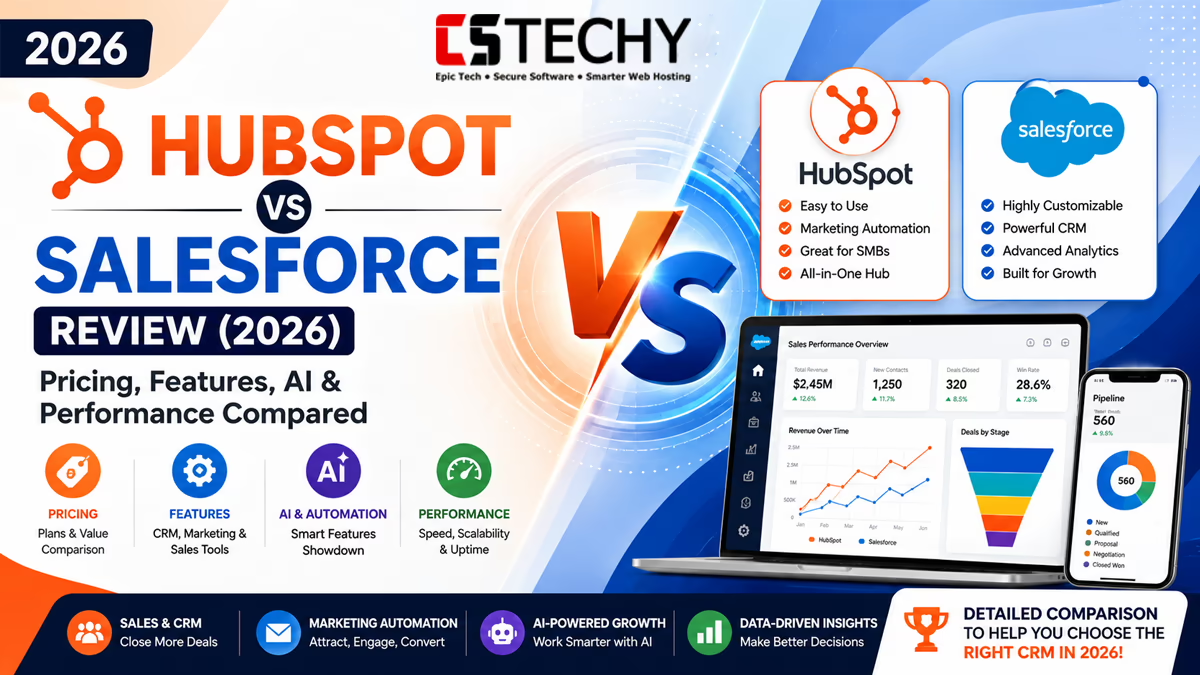
HubSpot vs Salesforce (2026): Which CRM Is Better?
HubSpot vs Salesforce is one of the most searched CRM comparisons because both platforms dominate the customer relationship management market. Whether you’re a startup looking for your first CRM or a global enterprise managing thousands of customers, choosing the right platform can directly affect sales performance, marketing efficiency, customer satisfaction, and long-term business growth.
HubSpot has earned a reputation for being easy to use, offering an intuitive interface and powerful marketing automation that appeals to small businesses, startups, agencies, and growing companies. Salesforce, on the other hand, has become the industry standard for enterprise CRM, providing extensive customisation, advanced analytics, AI-powered insights, and unmatched scalability for large organisations.
Although both platforms help businesses manage contacts, automate workflows, and improve customer relationships, they take very different approaches. HubSpot focuses on simplicity and an all-in-one user experience, while Salesforce prioritises flexibility, deep customisation, and enterprise-grade capabilities.
In this comprehensive comparison, we’ll evaluate both CRMs across pricing, features, artificial intelligence, automation, integrations, reporting, security, customer support, and long-term value. By the end of this guide, you’ll know exactly which CRM is the better choice for your business in 2026.
Quick Verdict
| Category | Winner | Reason |
|---|---|---|
| Overall Winner | HubSpot | Excellent balance of usability, automation and marketing tools. |
| Best for Beginners | HubSpot | Simple interface with minimal learning curve. |
| Best Enterprise CRM | Salesforce | Highly scalable with extensive customisation. |
| Best Marketing Platform | HubSpot | Outstanding inbound marketing ecosystem. |
| Best Sales Platform | Salesforce | Advanced forecasting, CPQ and enterprise sales tools. |
| Best AI | Salesforce | Einstein AI provides mature predictive capabilities. |
| Best Automation | Salesforce | Powerful workflow automation for complex organisations. |
| Best Value | HubSpot | Lower entry cost with generous free CRM. |
| Editor’s Choice | HubSpot | Ideal for most small and medium-sized businesses. |
HubSpot vs Salesforce Comparison at a Glance
| Feature | HubSpot | Salesforce |
|---|---|---|
| Free CRM | ✔ Yes | ✖ No permanent free CRM |
| Ease of Use | ★★★★★ | ★★★★☆ |
| Marketing Automation | ★★★★★ | ★★★★☆ |
| Sales Automation | ★★★★☆ | ★★★★★ |
| Artificial Intelligence | HubSpot AI | Einstein AI |
| Customisation | High | Excellent |
| Reporting | Advanced | Enterprise Grade |
| API | Excellent | Excellent |
| Marketplace | 1,800+ Integrations | Thousands of Apps |
| Learning Curve | Low | High |
| Best For | SMBs & Growing Businesses | Large Enterprises |
| Overall Rating | 9.6/10 | 9.5/10 |
Company Overview
HubSpot
Founded in 2006, HubSpot pioneered the concept of inbound marketing and has evolved into one of the world’s most popular CRM platforms. Its ecosystem combines CRM, marketing, sales, customer service, content management, operations, and AI tools into a unified platform.
HubSpot’s greatest strength is its usability. Teams can often start using the platform within hours, making it particularly attractive to startups, agencies, SaaS companies, and small to medium-sized businesses that want quick implementation without extensive technical expertise.
Salesforce
Founded in 1999, Salesforce transformed the CRM industry by popularising cloud-based customer relationship management. Today, it serves organisations of all sizes but is especially dominant among large enterprises requiring complex workflows, global deployments, extensive integrations, and advanced analytics.
Salesforce offers a vast ecosystem of products, including Sales Cloud, Service Cloud, Marketing Cloud, Commerce Cloud, Tableau, Slack integration, and Einstein AI, making it one of the most comprehensive enterprise business platforms available.
Market Position
| Category | HubSpot | Salesforce |
|---|---|---|
| Primary Audience | SMBs, Startups, Agencies | Mid-market & Enterprise |
| Ease of Adoption | Excellent | Moderate |
| Scalability | Very High | Exceptional |
| Marketing Strength | Excellent | Very Good |
| Enterprise Capability | High | Outstanding |
What You’ll Learn Next
In the next section, we’ll perform a detailed pricing comparison covering free plans, starter packages, professional editions, enterprise licensing, implementation costs, hidden fees, return on investment, and value for money. We’ll also examine which CRM offers the best long-term value for startups, growing businesses, agencies, and enterprise organisations.
HubSpot vs Salesforce Pricing Comparison
Pricing is often the deciding factor when comparing CRM platforms. Although both HubSpot and Salesforce offer scalable subscription models, they target different types of businesses. HubSpot focuses on transparent pricing and an easy upgrade path, while Salesforce provides highly configurable enterprise plans that can become significantly more expensive once additional products and services are included.
The right choice depends not only on the monthly subscription cost but also on implementation, onboarding, integrations, user training, and long-term ownership costs.
Pricing Overview
| Plan | HubSpot | Salesforce |
|---|---|---|
| Free CRM | Available | Limited Trial Only |
| Starter | Suitable for small businesses | Starter Suite available |
| Professional | Advanced automation and reporting | Professional edition with enterprise features |
| Enterprise | Large teams and growing organisations | Large enterprises and global businesses |
| Custom Enterprise Solutions | Available | Extensive enterprise licensing |
HubSpot Pricing
HubSpot is widely recognised for offering one of the most generous free CRM platforms available. Businesses can store contacts, manage deals, track communications, and access basic reporting without paying a subscription fee.
As businesses grow, additional Hubs such as Marketing Hub, Sales Hub, Service Hub, Content Hub and Operations Hub can be added individually or as part of a bundled package.
Advantages
- Excellent free CRM for startups
- Simple pricing structure
- Fast onboarding
- Minimal technical knowledge required
- Easy upgrades as business grows
Potential Limitations
- Professional marketing tools increase subscription costs.
- Enterprise features are considerably more expensive than Starter plans.
- Some advanced automation is restricted to higher-tier subscriptions.
Salesforce Pricing
Salesforce uses a modular pricing model. Businesses select the clouds and editions they require, such as Sales Cloud, Service Cloud or Marketing Cloud. This flexibility allows organisations to build powerful enterprise solutions but also makes budgeting more complex.
Many enterprise customers also purchase consulting, implementation, custom development and AppExchange applications, increasing the overall investment.
Advantages
- Highly flexible licensing
- Enterprise scalability
- Advanced functionality across every department
- Large ecosystem of optional products
Potential Limitations
- Higher learning curve
- Implementation often requires specialist consultants
- Total ownership cost may increase significantly over time
Hidden Costs to Consider
Subscription fees are only one part of the total investment. Businesses should also evaluate implementation expenses, user training, premium integrations, API usage, storage requirements and ongoing administration.
| Cost Area | HubSpot | Salesforce |
|---|---|---|
| Implementation | Usually simple | Often consultant-led |
| User Training | Low | Moderate to High |
| Custom Development | Occasionally required | Common in enterprise deployments |
| Third-party Apps | Optional | Frequently used |
| Administration | Simple | Often requires dedicated administrators |
Implementation Costs
Most small businesses can deploy HubSpot within a few days using its guided setup, templates and migration tools. Teams generally require minimal technical assistance.
Salesforce deployments vary considerably depending on business size. Enterprise implementations often include workflow design, custom objects, permission structures, data migration and integrations with finance, ERP and customer support systems.
Value for Money
HubSpot provides outstanding value for startups, agencies and growing companies because many core CRM capabilities are available before any subscription is required. Businesses can expand gradually without investing heavily upfront.
Salesforce delivers exceptional value when organisations require enterprise-grade reporting, advanced automation, complex approval processes, global scalability and extensive customisation. While the initial investment is higher, many large organisations achieve significant long-term returns through process automation and operational efficiency.
Five-Year Total Cost of Ownership
| Category | HubSpot | Salesforce |
|---|---|---|
| Software Licensing | Moderate | High |
| Implementation | Low | High |
| Training | Low | Moderate |
| Administration | Low | Moderate to High |
| Scalability Costs | Predictable | Depends on configuration |
| Overall Ownership Cost | Lower | Higher |
HubSpot vs Salesforce CRM Features
The core purpose of any Customer Relationship Management (CRM) platform is to organise customer data, streamline sales processes and improve customer relationships. Both HubSpot and Salesforce excel in this area, but they are built with different priorities in mind.
HubSpot focuses on simplicity and productivity, enabling teams to manage contacts, deals and customer communications with minimal setup. Salesforce provides a highly configurable CRM capable of supporting complex business processes, multiple departments and global operations.
CRM Feature Comparison
| Feature | HubSpot | Salesforce | Winner |
|---|---|---|---|
| Contact Management | ★★★★★ | ★★★★★ | Draw |
| Deal Management | ★★★★★ | ★★★★★ | Draw |
| Custom Objects | ★★★★☆ | ★★★★★ | Salesforce |
| Pipeline Management | ★★★★★ | ★★★★★ | Draw |
| Dashboards | ★★★★★ | ★★★★★ | Draw |
| Reporting | ★★★★☆ | ★★★★★ | Salesforce |
| Email Tracking | ★★★★★ | ★★★★☆ | HubSpot |
| Meeting Scheduling | ★★★★★ | ★★★★☆ | HubSpot |
Contact Management
HubSpot automatically builds a unified customer profile by collecting information from emails, forms, website activity, live chat, marketing campaigns and sales interactions. This creates a complete timeline that is easy for every team member to understand.
Salesforce also offers comprehensive contact management but allows businesses to customise almost every aspect of customer records. Organisations can create unique objects, custom relationships and specialised workflows tailored to their business model.
HubSpot Strengths
- Automatic contact enrichment
- Clean customer timeline
- Easy duplicate management
- Fast search and filtering
- Simple contact segmentation
Salesforce Strengths
- Highly configurable records
- Complex relationship mapping
- Unlimited business scenarios
- Advanced security permissions
- Enterprise-grade scalability
Company Management
Both CRMs allow businesses to organise contacts under company records, making it easier to manage B2B relationships. HubSpot automatically associates contacts with companies based on email domains, reducing manual work.
Salesforce provides more flexibility by allowing businesses to model sophisticated account hierarchies, parent-child organisations and multi-level customer relationships.
Deal Management
HubSpot makes deal management highly visual. Sales representatives can drag and drop opportunities between pipeline stages, monitor expected revenue and automate follow-up activities without technical knowledge.
Salesforce offers similar functionality but extends it with enterprise forecasting, approval processes, territory management and highly configurable opportunity stages.
| Capability | HubSpot | Salesforce |
|---|---|---|
| Visual Pipelines | ✔ | ✔ |
| Revenue Forecasting | Advanced | Enterprise |
| Opportunity Scoring | AI Assisted | Einstein AI |
| Approval Workflows | Limited | Extensive |
Pipeline Management
Pipeline management is one of HubSpot’s strongest areas. Teams can build multiple pipelines for different products or business units while monitoring progress using an intuitive visual interface.
Salesforce supports multiple pipelines as well, but businesses can also implement complex approval stages, branching processes and regional sales structures, making it ideal for multinational organisations.
Custom Fields and Custom Objects
HubSpot supports custom properties that allow businesses to capture additional customer information. For many growing businesses, this level of flexibility is more than sufficient.
Salesforce goes much further with Custom Objects, enabling organisations to model virtually any business process, including contracts, subscriptions, assets, projects, healthcare records and industry-specific workflows.
Task Management
HubSpot enables users to create reminders, follow-up tasks, call schedules and meeting activities directly from contact records. The task interface is simple and easy for small teams to adopt.
Salesforce integrates task management with broader workflow automation, allowing organisations to create sophisticated business processes across departments.
Email Tracking
HubSpot includes one of the easiest email tracking systems available. Users receive notifications when prospects open emails, click links or interact with shared documents.
Salesforce supports email tracking through its sales tools and integrations, although the experience may require additional configuration depending on the deployment.
Meeting Scheduler
HubSpot’s built-in meeting scheduler integrates with major calendar providers, allowing prospects to book appointments based on real-time availability.
Salesforce also supports scheduling capabilities, but many organisations extend this functionality through additional Salesforce products or marketplace applications.
Dashboards and Reporting
HubSpot offers attractive dashboards that are easy to customise without technical expertise. Sales managers can quickly monitor revenue, conversion rates, pipeline performance and marketing attribution.
Salesforce provides significantly deeper reporting capabilities. Complex reports, cross-object analytics, executive dashboards and advanced forecasting make it one of the strongest reporting platforms available.
| Reporting Area | HubSpot | Salesforce |
|---|---|---|
| Standard Reports | ★★★★★ | ★★★★★ |
| Custom Reports | ★★★★☆ | ★★★★★ |
| Executive Dashboards | ★★★★☆ | ★★★★★ |
| Forecast Reports | ★★★★☆ | ★★★★★ |
| Cross-object Reporting | Limited | Excellent |
Real Business Scenario
A digital marketing agency with 20 employees typically benefits from HubSpot because new team members can begin managing leads, tracking deals and launching campaigns within a short time.
By contrast, a multinational manufacturing company with regional sales teams, distributors, compliance requirements and multiple approval levels is more likely to benefit from Salesforce’s extensive customisation and governance capabilities.
HubSpot vs Salesforce Marketing Features
Marketing automation has become one of the biggest deciding factors when choosing a CRM. Modern businesses expect their CRM to generate leads, nurture prospects, personalise customer journeys and measure campaign performance from one central platform.
HubSpot was originally built as an inbound marketing platform before expanding into a complete CRM. Because of this heritage, its marketing tools are tightly integrated and easy to use. Salesforce approaches marketing differently through Marketing Cloud and Account Engagement (formerly Pardot), providing enterprise-grade capabilities for organisations running large-scale campaigns.
Marketing Feature Comparison
| Feature | HubSpot | Salesforce | Winner |
|---|---|---|---|
| Email Marketing | ★★★★★ | ★★★★★ | Draw |
| Landing Pages | ★★★★★ | ★★★★☆ | HubSpot |
| Forms | ★★★★★ | ★★★★☆ | HubSpot |
| Lead Scoring | ★★★★☆ | ★★★★★ | Salesforce |
| Marketing Automation | ★★★★★ | ★★★★★ | Draw |
| Campaign Management | ★★★★★ | ★★★★★ | Draw |
| SEO Tools | ★★★★★ | ★★★☆☆ | HubSpot |
| Social Media | ★★★★★ | ★★★★☆ | HubSpot |
| Advertising | ★★★★☆ | ★★★★★ | Salesforce |
| Marketing Analytics | ★★★★★ | ★★★★★ | Draw |
Email Marketing
HubSpot includes one of the most user-friendly email marketing platforms available. Businesses can design professional campaigns using drag-and-drop editors, personalise messages with CRM data and automate follow-up sequences without requiring specialist knowledge.
Salesforce delivers enterprise-grade email marketing through Marketing Cloud. It supports sophisticated segmentation, dynamic content, customer journeys and omnichannel messaging across email, SMS, mobile applications and advertising platforms.
HubSpot Advantages
- Simple drag-and-drop email builder.
- Excellent personalisation options.
- Built-in A/B testing.
- CRM-powered segmentation.
- Quick campaign creation.
Salesforce Advantages
- Enterprise customer journeys.
- Advanced audience segmentation.
- Cross-channel messaging.
- Large-scale campaign delivery.
- AI-powered optimisation.
Landing Pages
HubSpot allows marketers to build responsive landing pages using visual templates. Every page integrates directly with forms, CRM contacts, analytics and marketing automation workflows.
Salesforce supports landing page creation through Marketing Cloud and connected products. While extremely capable, implementation often requires more configuration than HubSpot.
Forms and Lead Capture
HubSpot provides embedded forms, pop-ups, live chat and chatbot tools that automatically create or update CRM records. Progressive profiling enables businesses to collect additional customer information over time without overwhelming visitors.
Salesforce also supports advanced lead capture but typically relies on Marketing Cloud components or integrations depending on the business environment.
| Capability | HubSpot | Salesforce |
|---|---|---|
| Embedded Forms | ✔ | ✔ |
| Pop-up Forms | ✔ | Available |
| Live Chat | ✔ | ✔ |
| Chatbots | ✔ | ✔ |
| Progressive Profiling | ✔ | ✔ |
Lead Scoring
Lead scoring helps sales teams prioritise prospects based on engagement and purchase intent. HubSpot offers configurable lead scoring using customer behaviour, website activity, email engagement and CRM properties.
Salesforce extends this concept through Einstein AI, using predictive analytics and machine learning to identify high-value opportunities more accurately across large datasets.
Campaign Management
HubSpot allows marketers to manage campaigns from one dashboard, tracking emails, blog posts, landing pages, paid advertising and social media activity together.
Salesforce supports enterprise campaign management across multiple business units, regions and customer segments while providing extensive reporting and attribution capabilities.
Marketing Automation
Automation is one of HubSpot’s strongest capabilities. Businesses can build workflows visually using triggers such as form submissions, email opens, deal stages or customer behaviour.
Salesforce provides equally powerful automation but is designed for highly complex customer journeys involving multiple products, departments and communication channels.
| Automation Feature | HubSpot | Salesforce |
|---|---|---|
| Email Sequences | ★★★★★ | ★★★★★ |
| Lead Nurturing | ★★★★★ | ★★★★★ |
| Behaviour Triggers | ★★★★★ | ★★★★★ |
| Customer Journeys | ★★★★☆ | ★★★★★ |
| Multi-channel Automation | ★★★★☆ | ★★★★★ |
SEO Tools
HubSpot includes built-in SEO recommendations, topic clusters, content strategy tools and optimisation guidance directly inside its CMS and content editor. This makes it particularly attractive for content marketing teams.
Salesforce focuses more on enterprise marketing execution than SEO optimisation. Businesses typically rely on external SEO platforms alongside Salesforce.
Advertising Management
HubSpot connects with major advertising platforms, allowing marketers to manage campaigns and attribute leads back to CRM records. Performance reporting is straightforward and integrated.
Salesforce provides enterprise advertising capabilities with deeper audience management and customer segmentation, making it more suitable for organisations running high-budget advertising programmes.
Social Media Management
HubSpot enables users to schedule posts, monitor engagement and measure campaign performance across multiple social networks from a single dashboard.
Salesforce also supports social engagement through its broader ecosystem, although many organisations deploy additional Salesforce products or third-party solutions for complete social media management.
Marketing Analytics
Both platforms provide detailed campaign reporting, attribution models and ROI analysis. HubSpot presents marketing metrics in an intuitive interface that is easy for non-technical users to understand.
Salesforce delivers enterprise-grade analytics capable of combining marketing, sales and customer service data into executive dashboards for strategic decision-making.
Real Business Scenario
A software startup with a lean marketing team can launch email campaigns, landing pages, lead capture forms and automated nurture sequences within a few days using HubSpot.
By comparison, a multinational retailer coordinating campaigns across several countries, languages and business units may gain greater long-term value from Salesforce Marketing Cloud because of its scalability and advanced customer journey capabilities.
HubSpot vs Salesforce Sales Features
Sales teams rely on their CRM every day to manage leads, nurture prospects, forecast revenue and close deals efficiently. While both HubSpot and Salesforce provide powerful sales capabilities, they are designed for different levels of complexity.
HubSpot prioritises speed, simplicity and productivity, allowing sales representatives to spend more time selling instead of managing software. Salesforce delivers one of the most advanced enterprise sales platforms available, supporting complex sales processes, multiple territories, channel partners and global revenue operations.
Sales Feature Comparison
| Feature | HubSpot | Salesforce | Winner |
|---|---|---|---|
| Pipeline Management | ★★★★★ | ★★★★★ | Draw |
| Revenue Forecasting | ★★★★☆ | ★★★★★ | Salesforce |
| CPQ | ★★★☆☆ | ★★★★★ | Salesforce |
| Quotes | ★★★★☆ | ★★★★★ | Salesforce |
| Email Sequences | ★★★★★ | ★★★★☆ | HubSpot |
| Calling | ★★★★☆ | ★★★★★ | Salesforce |
| Meeting Scheduler | ★★★★★ | ★★★★☆ | HubSpot |
| Prospecting | ★★★★☆ | ★★★★★ | Salesforce |
| Sales Automation | ★★★★★ | ★★★★★ | Draw |
| Revenue Intelligence | ★★★★☆ | ★★★★★ | Salesforce |
Sales Pipeline Management
HubSpot offers an intuitive visual pipeline where opportunities can be moved between stages using drag-and-drop functionality. Sales managers gain instant visibility into deal progress, expected revenue and pipeline health without requiring technical expertise.
Salesforce provides similar visual pipeline management but extends it with advanced territory management, approval workflows, regional sales structures and enterprise forecasting. These capabilities make it particularly suitable for organisations with large or distributed sales teams.
Lead Management and Prospecting
HubSpot automatically captures leads from website forms, live chat, marketing campaigns and email interactions. Every customer touchpoint is recorded within a unified timeline, allowing representatives to understand prospect behaviour before making contact.
Salesforce offers powerful lead management combined with sophisticated assignment rules, routing logic and territory-based distribution. Large organisations can automatically direct qualified leads to the appropriate representatives based on geography, product line or business rules.
| Capability | HubSpot | Salesforce |
|---|---|---|
| Automatic Lead Capture | ✔ | ✔ |
| Lead Assignment | Advanced | Enterprise |
| Lead Qualification | AI Assisted | Einstein AI |
| Territory Management | Limited | Excellent |
Quotes and CPQ
HubSpot enables users to create professional quotations and proposals using templates that integrate directly with CRM records. This functionality works well for many growing businesses and agencies.
Salesforce provides a significantly more advanced Configure, Price and Quote (CPQ) solution. Organisations selling configurable products, subscription services or enterprise contracts can automate pricing rules, discounts, approvals and renewals.
Email Sequences
HubSpot’s Sales Hub includes automated email sequences that help representatives follow up consistently without manual effort. Contacts automatically leave sequences when they reply, reducing unnecessary communication and improving customer experience.
Salesforce also supports sales engagement through its ecosystem, although implementation often varies depending on the products selected.
Calling and Communication
HubSpot allows users to place calls, record conversations, log activities and monitor outcomes directly from the CRM. Sales representatives can also schedule meetings using integrated calendar tools.
Salesforce supports telephony integrations, call logging and conversation management at enterprise scale, making it suitable for large contact centres and international sales operations.
Revenue Forecasting
Revenue forecasting helps organisations predict future income and identify potential risks before they affect business performance.
HubSpot offers clear forecasting dashboards that are easy to understand for growing teams. Managers can monitor pipeline health, expected revenue and sales performance with minimal configuration.
Salesforce delivers enterprise forecasting with advanced scenario planning, quota management, territory reporting and AI-powered revenue predictions. These tools provide executives with detailed operational insights across multiple business units.
Sales Automation
Both platforms automate repetitive sales activities such as follow-up reminders, lead routing, task creation, notifications and pipeline updates.
HubSpot focuses on making automation accessible to non-technical users through a visual workflow builder.
Salesforce enables organisations to automate highly complex business processes involving approvals, multiple departments, compliance requirements and enterprise governance.
| Automation | HubSpot | Salesforce |
|---|---|---|
| Task Automation | ★★★★★ | ★★★★★ |
| Lead Routing | ★★★★☆ | ★★★★★ |
| Deal Automation | ★★★★★ | ★★★★★ |
| Approval Processes | ★★★☆☆ | ★★★★★ |
| Territory Automation | ★★★☆☆ | ★★★★★ |
Revenue Intelligence
HubSpot provides AI-assisted insights into deal progress, customer engagement and sales performance, helping representatives prioritise opportunities more effectively.
Salesforce extends revenue intelligence through Einstein AI, analysing customer interactions, historical performance and sales trends to identify risks, predict outcomes and recommend next actions.
Real Business Scenario
A software company with ten sales representatives can deploy HubSpot quickly and benefit from visual pipelines, email automation, meeting scheduling and integrated reporting without requiring dedicated CRM administrators.
By contrast, a multinational enterprise managing hundreds of account executives across different countries may require Salesforce’s territory management, CPQ, forecasting and enterprise approval processes to support complex sales operations.
HubSpot vs Salesforce AI Features
Artificial Intelligence is no longer a premium feature reserved for enterprise software. In 2026, AI has become one of the biggest factors influencing CRM purchasing decisions. Businesses expect their CRM to generate content, prioritise leads, automate repetitive work, predict customer behaviour and provide actionable insights that improve productivity.
Both HubSpot and Salesforce have invested heavily in AI. HubSpot focuses on making artificial intelligence accessible for every user through easy-to-use assistants built directly into the CRM. Salesforce takes a broader enterprise approach with Einstein AI, delivering predictive analytics, automation, forecasting and advanced intelligence across its cloud ecosystem.
The result is that both platforms provide excellent AI capabilities, but they target different audiences. HubSpot prioritises simplicity and immediate productivity, while Salesforce focuses on enterprise intelligence and large-scale business optimisation.
AI Feature Comparison
| Feature | HubSpot AI | Salesforce Einstein AI | Winner |
|---|---|---|---|
| AI Content Generation | ★★★★★ | ★★★★☆ | HubSpot |
| Email Writing | ★★★★★ | ★★★★★ | Draw |
| Predictive Analytics | ★★★★☆ | ★★★★★ | Salesforce |
| Lead Scoring | ★★★★☆ | ★★★★★ | Salesforce |
| Forecasting | ★★★★☆ | ★★★★★ | Salesforce |
| Conversation Intelligence | ★★★★☆ | ★★★★★ | Salesforce |
| Meeting Summaries | ★★★★★ | ★★★★★ | Draw |
| Workflow Suggestions | ★★★★★ | ★★★★★ | Draw |
| Ease of Use | ★★★★★ | ★★★★☆ | HubSpot |
HubSpot AI
HubSpot integrates AI throughout its platform rather than treating it as a separate product. Users can generate marketing copy, sales emails, blog outlines, social media posts and customer responses directly inside the CRM.
The AI assistant also helps users summarise records, recommend next actions, generate workflow ideas and improve productivity without requiring advanced technical knowledge.
HubSpot AI Strengths
- AI-powered content generation.
- Email drafting and rewriting.
- Meeting summaries.
- CRM record summaries.
- Workflow recommendations.
- Marketing content assistance.
- Simple user experience.
Salesforce Einstein AI
Einstein AI has been part of Salesforce for several years and continues to evolve into one of the most comprehensive enterprise AI platforms. It analyses customer behaviour, predicts outcomes and assists teams across sales, marketing and customer service.
Einstein can automatically score leads, predict deal success, recommend next actions, identify customer risks and generate intelligent forecasts based on historical CRM data.
Salesforce Einstein Strengths
- Predictive lead scoring.
- Revenue forecasting.
- Opportunity insights.
- Customer sentiment analysis.
- Conversation intelligence.
- Enterprise reporting.
- Advanced machine learning.
AI Content Generation
HubSpot makes content generation extremely accessible. Marketing teams can quickly create blog ideas, email campaigns, landing page copy and social media content without leaving the CRM.
Salesforce also supports AI-generated content, particularly within its marketing ecosystem, but its primary strength lies in enterprise customer engagement rather than everyday content creation.
AI Email Assistance
Writing personalised sales emails consumes valuable time. Both platforms use AI to draft emails, improve tone, suggest subject lines and personalise communication using CRM data.
HubSpot’s implementation is particularly beginner-friendly, while Salesforce allows organisations to embed AI within broader enterprise communication workflows.
Predictive Analytics
Predictive analytics transforms historical customer data into future business insights.
HubSpot provides practical recommendations based on customer interactions, engagement history and sales activity. These insights help growing businesses prioritise opportunities without overwhelming users.
Salesforce Einstein analyses significantly larger datasets and provides sophisticated predictions around deal success, customer retention, revenue growth and sales performance.
Lead Scoring
Both platforms automatically prioritise prospects based on engagement and buying intent.
HubSpot combines behavioural activity with CRM properties to calculate lead quality, making it easy for sales representatives to identify promising opportunities.
Salesforce Einstein extends lead scoring through machine learning models that continuously improve predictions as more customer data becomes available.
Conversation Intelligence
Sales conversations contain valuable information that can improve coaching and customer engagement.
HubSpot provides conversation analysis, call recording and activity summaries that help teams review interactions efficiently.
Salesforce delivers deeper enterprise conversation intelligence by analysing customer sentiment, identifying trends and highlighting coaching opportunities across entire sales organisations.
Meeting Summaries
Both CRMs use AI to generate meeting summaries, reducing manual note-taking and ensuring important customer discussions are recorded consistently.
These summaries can automatically update CRM records, assign follow-up tasks and provide context for future customer interactions.
Workflow Recommendations
Artificial intelligence increasingly assists businesses by recommending automation opportunities.
HubSpot suggests workflows that reduce repetitive marketing and sales tasks, while Salesforce analyses complex operational processes to recommend enterprise-scale automation improvements.
AI Dashboards
| Capability | HubSpot | Salesforce |
|---|---|---|
| AI Reports | ★★★★★ | ★★★★★ |
| Predictive Forecasts | ★★★★☆ | ★★★★★ |
| AI Recommendations | ★★★★★ | ★★★★★ |
| Natural Language Assistance | ★★★★★ | ★★★★★ |
| Executive Insights | ★★★★☆ | ★★★★★ |
Real Business Scenario
A startup marketing team producing regular blog articles, newsletters and landing pages will usually gain immediate value from HubSpot’s AI writing tools because they require very little training.
An international enterprise managing thousands of customer interactions every day is more likely to benefit from Salesforce Einstein’s predictive analytics, intelligent forecasting and enterprise-wide recommendations.
HubSpot vs Salesforce Automation Comparison
Automation is one of the biggest reasons businesses invest in a CRM. By reducing repetitive work, automating customer journeys and connecting business processes, organisations can improve productivity while delivering a more consistent customer experience.
HubSpot and Salesforce both provide powerful automation capabilities, but they target different levels of business complexity. HubSpot focuses on creating workflows that are simple to build and maintain, whereas Salesforce offers enterprise-grade automation capable of handling sophisticated business processes across multiple departments.
Automation Feature Comparison
| Automation Feature | HubSpot | Salesforce | Winner |
|---|---|---|---|
| Visual Workflow Builder | ★★★★★ | ★★★★★ | Draw |
| Conditional Logic | ★★★★☆ | ★★★★★ | Salesforce |
| Lead Routing | ★★★★☆ | ★★★★★ | Salesforce |
| Marketing Automation | ★★★★★ | ★★★★★ | Draw |
| Sales Automation | ★★★★★ | ★★★★★ | Draw |
| Approval Processes | ★★★☆☆ | ★★★★★ | Salesforce |
| No-Code Experience | ★★★★★ | ★★★★☆ | HubSpot |
Workflow Builder
HubSpot includes an intuitive visual workflow builder that allows users to automate marketing, sales and customer service processes without writing code. Users can create workflows using simple drag-and-drop actions and logical branches.
Salesforce provides Flow Builder, one of the most powerful automation platforms available for enterprise CRM. Flow Builder supports sophisticated business logic, multiple decision paths, record updates, approvals and integrations across Salesforce products.
Triggers
Automation begins with a trigger. Both platforms allow workflows to start automatically when predefined events occur.
| Trigger Type | HubSpot | Salesforce |
|---|---|---|
| Form Submission | ✔ | ✔ |
| Email Open | ✔ | ✔ |
| Deal Stage Change | ✔ | ✔ |
| Property Update | ✔ | ✔ |
| API Event | ✔ | ✔ |
| Scheduled Time | ✔ | ✔ |
Actions
Once triggered, workflows can perform a wide range of automated actions.
- Create or update CRM records.
- Send personalised emails.
- Assign leads to sales representatives.
- Create follow-up tasks.
- Notify internal teams.
- Update deal stages.
- Send Slack notifications.
- Trigger third-party applications.
Salesforce extends these capabilities with advanced approval chains, complex branching logic and cross-object automation designed for enterprise operations.
Conditional Logic
Conditional logic allows workflows to behave differently depending on customer actions or CRM data.
HubSpot supports multiple branches, behavioural triggers and property-based decisions that satisfy the needs of most growing businesses.
Salesforce supports considerably more sophisticated logic, making it suitable for industries with regulatory requirements, multiple approval levels and highly customised business processes.
Lead Routing
Both platforms automatically distribute leads to sales representatives based on predefined rules.
HubSpot focuses on straightforward assignment rules using geography, lifecycle stage or ownership.
Salesforce expands lead routing with territories, business units, product categories, partner networks and advanced assignment algorithms.
Marketing Automation
Marketing automation is one of HubSpot’s strongest capabilities. Businesses can nurture leads using personalised email sequences, dynamic content, behavioural triggers and lifecycle-based campaigns.
Salesforce offers enterprise marketing automation through Marketing Cloud, enabling sophisticated customer journeys spanning email, SMS, advertising, mobile messaging and customer service interactions.
Sales Automation
Sales representatives benefit from automated reminders, task creation, follow-up emails and opportunity updates.
HubSpot emphasises ease of use, while Salesforce enables highly customised sales processes that support global organisations with multiple sales teams and approval structures.
Approval Processes
Approval workflows become increasingly important as organisations grow.
HubSpot provides basic approval capabilities suitable for many small and medium-sized businesses.
Salesforce excels in this area by supporting multi-stage approvals involving managers, finance teams, legal departments and executive stakeholders.
Real Business Scenario
A digital agency can use HubSpot to automatically capture leads from its website, assign them to account managers, send welcome emails and create follow-up tasks within minutes.
A multinational manufacturer can use Salesforce to automate quotation approvals, regional pricing rules, distributor management and contract renewals across several countries using complex workflows.
HubSpot vs Salesforce Integrations
No CRM operates in isolation. Businesses depend on integrations to connect accounting software, ecommerce platforms, communication tools, marketing systems and workflow automation services.
Both HubSpot and Salesforce support thousands of integrations, but they differ in ecosystem maturity, implementation complexity and developer flexibility.
Integration Comparison
| Integration Category | HubSpot | Salesforce | Winner |
|---|---|---|---|
| App Marketplace | ★★★★★ | ★★★★★ | Draw |
| API | ★★★★★ | ★★★★★ | Draw |
| Developer Tools | ★★★★☆ | ★★★★★ | Salesforce |
| No-Code Integrations | ★★★★★ | ★★★★☆ | HubSpot |
| Enterprise Connectivity | ★★★★☆ | ★★★★★ | Salesforce |
Marketplace Ecosystem
HubSpot provides an extensive marketplace featuring integrations for marketing, ecommerce, finance, productivity and customer support applications.
Salesforce AppExchange remains one of the largest enterprise software marketplaces in the world, offering thousands of applications, industry solutions and specialised business extensions.
Popular Native Integrations
| Platform | HubSpot | Salesforce |
|---|---|---|
| Google Workspace | ✔ | ✔ |
| Microsoft 365 | ✔ | ✔ |
| Slack | ✔ | ✔ |
| Zoom | ✔ | ✔ |
| Stripe | ✔ | ✔ |
| Shopify | ✔ | ✔ |
| WooCommerce | ✔ | ✔ |
| QuickBooks | ✔ | ✔ |
| Xero | ✔ | ✔ |
Automation Platforms
Businesses increasingly use no-code automation platforms to connect CRM systems with hundreds of external applications.
| Platform | HubSpot | Salesforce |
|---|---|---|
| Zapier | Excellent | Excellent |
| Make | Excellent | Excellent |
| Activepieces | Supported | Supported |
| n8n | Supported | Supported |
Developer Experience
HubSpot provides well-documented REST APIs, webhooks and SDKs that allow developers to extend CRM functionality with relatively little complexity.
Salesforce offers one of the richest developer ecosystems in enterprise software, including APIs, Apex, Lightning Platform, custom applications and extensive automation capabilities. This flexibility comes with a steeper learning curve.
API and Webhooks
Both platforms expose APIs for contacts, companies, deals, products, tickets and custom data.
Webhooks allow external applications to react instantly to CRM events such as lead creation, deal updates or customer activity, making real-time automation possible.
Real Business Scenario
An ecommerce retailer can integrate HubSpot with Shopify, Stripe, Google Workspace and Zapier to automate customer onboarding, abandoned cart emails and post-purchase communication without specialist development resources.
A multinational financial services company can integrate Salesforce with ERP platforms, identity providers, business intelligence tools and custom internal systems while maintaining enterprise governance and compliance.
HubSpot vs Salesforce Ease of Use
A CRM only delivers value if teams actually use it. Even the most powerful platform can become a burden if employees struggle to learn the interface or complete everyday tasks efficiently.
HubSpot has built its reputation around simplicity. Its clean interface, logical navigation and guided onboarding allow most businesses to become productive within a short period.
Salesforce, by comparison, prioritises flexibility over simplicity. The platform can be customised extensively, but that flexibility also introduces additional complexity. Enterprise organisations often dedicate administrators to manage configuration, permissions and ongoing optimisation.
Ease of Use Comparison
| Category | HubSpot | Salesforce | Winner |
|---|---|---|---|
| User Interface | ★★★★★ | ★★★★☆ | HubSpot |
| Navigation | ★★★★★ | ★★★★☆ | HubSpot |
| Initial Setup | ★★★★★ | ★★★☆☆ | HubSpot |
| Learning Curve | ★★★★★ | ★★★☆☆ | HubSpot |
| Customisation | ★★★★☆ | ★★★★★ | Salesforce |
| Enterprise Administration | ★★★★☆ | ★★★★★ | Salesforce |
| Mobile Experience | ★★★★★ | ★★★★★ | Draw |
User Interface
HubSpot provides a modern, uncluttered interface where contacts, deals, emails, tasks and reports are organised consistently throughout the platform. New users generally find important features quickly without extensive training.
Salesforce’s Lightning Experience has improved usability considerably, but the interface still contains significantly more menus, settings and configuration options. This additional depth benefits experienced administrators but may overwhelm first-time users.
Navigation
HubSpot keeps navigation simple with clearly labelled menus and contextual actions. Users rarely need to leave the current screen to complete common tasks.
Salesforce offers powerful navigation but organisations frequently customise layouts according to departments and business processes. While this flexibility is valuable, it also means the user experience can vary between organisations.
Getting Started
HubSpot includes guided onboarding, sample data, setup checklists and migration tools that help businesses become productive quickly.
Salesforce deployments generally require more planning. Organisations often configure custom fields, security permissions, approval processes and integrations before users begin working inside the CRM.
Learning Curve
For small businesses, HubSpot’s learning curve is one of its biggest strengths. Sales and marketing teams can often begin using core features after only a short introduction.
Salesforce requires a greater investment in training because of its extensive feature set. Large organisations frequently appoint dedicated Salesforce administrators to manage configuration, training and ongoing optimisation.
| User Type | HubSpot | Salesforce |
|---|---|---|
| Startup Founder | Excellent | Moderate |
| Sales Representative | Excellent | Very Good |
| Marketing Team | Excellent | Very Good |
| CRM Administrator | Very Good | Excellent |
| Enterprise Operations | Very Good | Excellent |
Documentation and Learning Resources
Both vendors provide comprehensive documentation, knowledge bases, certification programmes and online communities.
HubSpot Academy is widely recognised for free courses covering CRM, marketing, sales and customer service. Salesforce Trailhead offers one of the most comprehensive enterprise learning platforms available, including hands-on training and certification pathways.
Mobile Applications
HubSpot’s mobile application enables users to manage contacts, deals, meetings, emails and tasks while travelling. The interface closely mirrors the desktop experience.
Salesforce’s mobile application supports enterprise workflows, dashboards, approvals and custom applications, making it particularly valuable for distributed sales teams.
Customer Support
HubSpot offers support through documentation, community forums, email, live chat and phone support depending on the subscription level.
Salesforce provides enterprise-grade support with multiple service tiers, extensive documentation, implementation partners and global consulting services.
| Support Area | HubSpot | Salesforce |
|---|---|---|
| Knowledge Base | ★★★★★ | ★★★★★ |
| Community | ★★★★★ | ★★★★★ |
| Training Platform | HubSpot Academy | Trailhead |
| Enterprise Support | ★★★★☆ | ★★★★★ |
HubSpot vs Salesforce Security and Compliance
Security is a critical consideration when selecting a CRM because these platforms store customer information, sales pipelines, marketing campaigns and commercially sensitive business data.
Both HubSpot and Salesforce invest heavily in cloud security and provide enterprise-grade protection. However, Salesforce offers a broader range of governance features for organisations operating in highly regulated industries.
Security Comparison
| Feature | HubSpot | Salesforce | Winner |
|---|---|---|---|
| Encryption | ★★★★★ | ★★★★★ | Draw |
| Role-Based Permissions | ★★★★★ | ★★★★★ | Draw |
| Audit Logs | ★★★★☆ | ★★★★★ | Salesforce |
| Compliance | ★★★★★ | ★★★★★ | Draw |
| Enterprise Governance | ★★★★☆ | ★★★★★ | Salesforce |
Data Protection
Both platforms encrypt customer information during transmission and at rest while applying multiple layers of infrastructure security.
Role-based permissions allow administrators to control access to customer records, reports and business processes based on employee responsibilities.
Compliance
HubSpot and Salesforce support businesses operating under international privacy and security requirements, including GDPR and other recognised compliance frameworks. Larger organisations should review the latest compliance documentation and certifications relevant to their industry before deployment.
Audit and Administration
Salesforce provides more extensive administrative controls, making it particularly suitable for organisations requiring detailed auditing, compliance reporting and governance across multiple departments.
HubSpot includes strong administrative capabilities while maintaining a simpler management experience for growing businesses.
HubSpot vs Salesforce Performance and Scalability
Performance affects user productivity, customer experience and long-term business growth. A CRM should remain responsive whether it manages hundreds of contacts or millions of customer records.
Performance Comparison
| Category | HubSpot | Salesforce | Winner |
|---|---|---|---|
| Platform Reliability | ★★★★★ | ★★★★★ | Draw |
| Scalability | ★★★★☆ | ★★★★★ | Salesforce |
| Global Deployments | ★★★★☆ | ★★★★★ | Salesforce |
| SMB Performance | ★★★★★ | ★★★★★ | Draw |
| Enterprise Readiness | ★★★★☆ | ★★★★★ | Salesforce |
Speed and Reliability
Both CRM platforms are cloud-based and engineered for high availability. Day-to-day performance depends on factors such as implementation quality, integrations, customisation and network connectivity.
Scalability
HubSpot scales effectively from startups to large organisations, making it an excellent choice for businesses expecting steady growth.
Salesforce has long been recognised for supporting complex enterprise environments with thousands of users, multiple regions, extensive integrations and sophisticated operational requirements.
Enterprise Readiness
Organisations operating globally often require advanced identity management, regional compliance, custom applications, complex reporting and extensive API usage. Salesforce has traditionally been stronger in these enterprise scenarios.
HubSpot continues to expand its enterprise capabilities while maintaining the usability that has made it popular among growing businesses.
Real Business Scenario
A technology startup planning to grow from 20 employees to 150 over the next few years can comfortably scale with HubSpot while maintaining a consistent user experience.
A multinational enterprise with thousands of employees, regional sales teams and highly customised business processes is more likely to benefit from Salesforce’s enterprise architecture and governance capabilities.
HubSpot vs Salesforce Pros and Cons
Every CRM platform involves trade-offs. While both HubSpot and Salesforce rank among the world’s leading CRM solutions, each excels in different areas. Understanding their strengths and limitations helps businesses select the platform that aligns with their budget, technical expertise and long-term growth strategy.
HubSpot Pros
- Excellent free CRM with generous features.
- Modern and intuitive user interface.
- Fast implementation with minimal technical expertise.
- Outstanding inbound marketing tools.
- Powerful email marketing and automation.
- Integrated CMS and content marketing platform.
- Built-in meeting scheduler and live chat.
- Comprehensive reporting dashboards.
- Large integration marketplace.
- Ideal for startups and growing businesses.
HubSpot Cons
- Advanced features require higher-tier subscriptions.
- Enterprise customisation is more limited than Salesforce.
- Marketing Hub can become expensive as contact databases grow.
- Fewer industry-specific solutions for highly regulated sectors.
- Less flexibility for extremely complex approval workflows.
Salesforce Pros
- Industry-leading enterprise CRM platform.
- Exceptional scalability.
- Extensive workflow automation.
- Highly configurable architecture.
- Advanced reporting and analytics.
- Powerful AI through Einstein.
- Outstanding AppExchange ecosystem.
- Strong governance and security controls.
- Excellent support for global organisations.
- Rich developer platform.
Salesforce Cons
- Steeper learning curve.
- Implementation often requires consultants.
- Higher total cost of ownership.
- Administration can be complex.
- Smaller businesses may not use many enterprise capabilities.
Pros and Cons Summary
| Category | HubSpot | Salesforce |
|---|---|---|
| Ease of Use | ★★★★★ | ★★★★☆ |
| Marketing | ★★★★★ | ★★★★☆ |
| Sales | ★★★★☆ | ★★★★★ |
| Enterprise Features | ★★★★☆ | ★★★★★ |
| Value for Money | ★★★★★ | ★★★★☆ |
| Scalability | ★★★★☆ | ★★★★★ |
Which CRM Is Best for Your Business?
The ideal CRM depends on your organisation’s size, technical resources, growth plans and operational complexity.
Small Businesses
Recommended: HubSpot
Small businesses benefit from HubSpot’s free CRM, intuitive interface and rapid deployment. Owners can begin managing contacts, sales and marketing without employing dedicated CRM specialists.
Startups
Recommended: HubSpot
Startups require speed, affordability and flexibility. HubSpot allows founders to launch sales and marketing processes quickly while scaling gradually as the business grows.
Marketing Teams
Recommended: HubSpot
Its integrated email marketing, landing pages, SEO tools, automation and analytics make HubSpot one of the strongest marketing platforms available.
Sales Teams
Recommended: Salesforce
Salesforce offers advanced forecasting, CPQ, territory management and enterprise reporting that benefit complex sales organisations.
Agencies
Recommended: HubSpot
Marketing and digital agencies appreciate HubSpot’s client management, campaign automation, reporting and content marketing tools.
SaaS Companies
Recommended: HubSpot
Growing SaaS businesses benefit from automated lead nurturing, onboarding workflows and integrated customer success features.
E-commerce Businesses
Recommended: HubSpot
HubSpot integrates effectively with ecommerce platforms, allowing businesses to automate customer journeys, abandoned basket campaigns and lifecycle marketing.
Large Enterprises
Recommended: Salesforce
Global organisations requiring advanced governance, security, compliance, forecasting and complex business processes typically achieve greater long-term value from Salesforce.
B2B Organisations
Recommended: Draw
Both platforms perform exceptionally well for B2B organisations. HubSpot is easier to implement, while Salesforce offers greater flexibility for enterprise account management.
Decision Matrix
| Business Type | Recommended CRM |
|---|---|
| Startup | HubSpot |
| Small Business | HubSpot |
| Growing Company | HubSpot |
| Digital Agency | HubSpot |
| Mid-sized Enterprise | Salesforce |
| Large Enterprise | Salesforce |
| Global Corporation | Salesforce |
Best HubSpot and Salesforce Alternatives
Although HubSpot and Salesforce dominate the CRM market, several alternatives provide compelling features for businesses with different budgets and requirements.
| CRM Platform | Best For | Main Strength |
|---|---|---|
| Zoho CRM | Small Businesses | Affordable all-in-one CRM |
| Pipedrive | Sales Teams | Visual sales pipelines |
| Freshsales | Growing Companies | Integrated communication tools |
| Microsoft Dynamics 365 | Large Enterprises | Microsoft ecosystem integration |
| Monday CRM | Project-focused Teams | Custom workflows |
| Zendesk Sell | Customer Support Teams | Integrated support workflows |
| Copper CRM | Google Workspace Users | Native Google integration |
| ActiveCampaign | Email Marketing | Marketing automation |
When Should You Consider an Alternative?
- Your business has a limited CRM budget.
- You only require pipeline management.
- You want deeper integration with Microsoft or Google products.
- Your primary focus is email marketing rather than enterprise CRM.
- You need industry-specific functionality.
Final Verdict: HubSpot vs Salesforce
After comparing pricing, CRM capabilities, marketing, sales, artificial intelligence, workflow automation, integrations, security, scalability and long-term value, it is clear that both HubSpot and Salesforce are outstanding CRM platforms. However, they serve different business needs.
HubSpot excels because it combines CRM, marketing, sales, customer service and automation within a single platform that is easy to learn and quick to implement. Businesses can begin generating value almost immediately without hiring specialist CRM administrators or consultants.
Salesforce remains the benchmark for enterprise customer relationship management. Its flexibility, scalability and ecosystem allow organisations to build highly customised business solutions that support thousands of employees, multiple business units and global operations.
Who Should Buy HubSpot?
- Startups launching their first CRM.
- Small and medium-sized businesses.
- Marketing-focused organisations.
- Digital agencies.
- SaaS companies.
- Businesses seeking rapid deployment.
- Teams with limited technical resources.
- Companies wanting an integrated marketing platform.
Who Should Buy Salesforce?
- Large enterprises.
- Global organisations.
- Companies with complex approval workflows.
- Businesses requiring advanced forecasting.
- Sales organisations with multiple territories.
- Industries requiring extensive compliance.
- Businesses needing extensive customisation.
- Organisations employing dedicated CRM administrators.
Who Should Avoid HubSpot?
Businesses requiring extremely complex enterprise workflows, highly customised data models or industry-specific governance requirements may eventually outgrow HubSpot’s native capabilities.
Who Should Avoid Salesforce?
Very small businesses, startups with limited budgets or organisations seeking an intuitive out-of-the-box CRM may find Salesforce unnecessarily complex and more expensive than required.
Overall Winner
| Category | Winner |
|---|---|
| Ease of Use | HubSpot |
| Marketing | HubSpot |
| Sales | Salesforce |
| Artificial Intelligence | Salesforce |
| Automation | Draw |
| Integrations | Draw |
| Security | Draw |
| Enterprise Features | Salesforce |
| Value for Money | HubSpot |
| Overall Recommendation | HubSpot |
Frequently Asked Questions
Is HubSpot better than Salesforce?
HubSpot is generally the better choice for startups, small businesses and marketing-focused organisations because it is easier to use and faster to implement. Salesforce is better suited to enterprises requiring extensive customisation and advanced operational capabilities.
Which CRM is easier to learn?
HubSpot has a significantly shorter learning curve, while Salesforce typically requires more training due to its extensive functionality.
Does HubSpot have a free CRM?
Yes. HubSpot offers one of the most comprehensive free CRM platforms available, making it attractive for startups and growing businesses.
Does Salesforce offer better AI?
Salesforce Einstein provides advanced predictive analytics and enterprise intelligence. HubSpot AI focuses more on productivity and content generation.
Which platform offers better marketing automation?
HubSpot generally provides the stronger all-in-one marketing platform, while Salesforce excels in enterprise customer journey orchestration.
Which CRM is best for sales teams?
HubSpot works well for small and medium-sized sales teams. Salesforce is stronger for enterprise sales organisations with complex processes.
Can I migrate from HubSpot to Salesforce?
Yes. Customer records, companies, deals and many business processes can be migrated using native tools, APIs or specialist migration partners.
Which CRM has better integrations?
Both platforms integrate with thousands of business applications. HubSpot is simpler for most organisations, while Salesforce provides greater flexibility for enterprise integrations.
Is Salesforce worth the higher price?
For organisations needing advanced forecasting, governance, customisation and scalability, Salesforce often delivers excellent long-term value despite higher implementation costs.
Which CRM is better for startups?
HubSpot is generally the preferred option because of its free CRM, ease of use and integrated marketing capabilities.
Can both platforms support remote sales teams?
Yes. Both provide cloud-based access, mobile applications and collaboration features suitable for distributed teams.
Which CRM provides better reporting?
Salesforce offers deeper enterprise reporting and analytics, while HubSpot provides highly accessible dashboards for everyday business users.
Can I customise both CRMs?
Yes. HubSpot supports custom properties and workflows, while Salesforce offers much deeper customisation through custom objects, automation and developer tools.
Which CRM scales better?
Both platforms scale effectively. Salesforce has an advantage for very large enterprises with highly complex operational requirements.
Which CRM is the best overall in 2026?
For most businesses, HubSpot offers the strongest balance of features, usability and value. Salesforce remains the preferred platform for large enterprises requiring maximum flexibility and scalability.