Automation > Workflow Automation > Zapier
Zapier AI (2026): Features, Use Cases, and Is It Worth It?
Zapier has quietly moved from “move data between apps” to “let an AI step in and make a decision along the way.” Zapier AI is the umbrella term for that shift: AI-powered actions and autonomous AI agents built directly into the Zapier platform, rather than a separate product you have to bolt on.
For a lot of everyday business automation, this means a Zap can now draft a reply, summarise a document, or classify a support ticket before it ever reaches a human, instead of simply forwarding raw data along.
This guide breaks down what Zapier AI actually includes, how its AI agents differ from a normal AI action, what it costs, and where it’s genuinely useful versus where a dedicated AI-first tool might serve you better.
What Is Zapier AI?
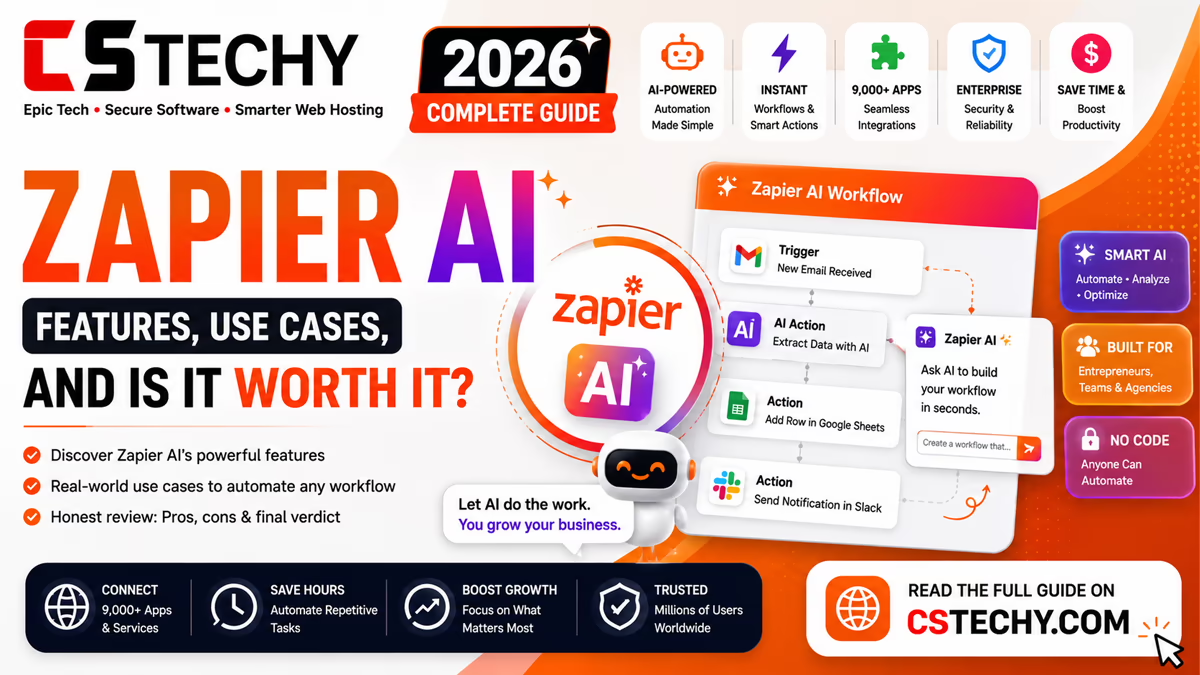
Zapier AI refers to the artificial intelligence features built into Zapier’s automation platform, split broadly into two categories: AI actions that slot into a normal Zap, and AI Agents that can operate more independently across multiple steps and tools.
Rather than requiring a separate AI subscription, these features live inside the same Zapier account you already use for regular automations, drawing on connected AI models to read, generate, or decide within a workflow.
Key Zapier AI Features
- AI-powered actions — single steps that summarise, draft, translate, or classify content mid-Zap.
- AI Agents — autonomous assistants that can plan and carry out multi-step tasks across connected apps.
- Natural-language Zap building — describing a workflow in plain English to generate a starting Zap.
- AI-assisted formatting — cleaning up or restructuring data between steps without manual formulas.
- Custom AI prompts — writing your own instructions for how an AI step should behave within a Zap.
Zapier AI Agents
AI Agents are Zapier’s answer to fully autonomous automation. Instead of following one fixed sequence of steps, an agent is given a goal and a set of connected tools, then works out which actions to take to reach it.
A support-ticket agent, for example, might read an incoming message, decide whether it needs a refund, a technical answer, or escalation, and take the appropriate action across your helpdesk and CRM — all without a human pre-defining every branch in advance.
AI Actions Inside Existing Zaps
For most users, the simpler entry point is an AI action added to an existing Zap — for example, inserting a “summarise this email” or “draft a reply” step between a trigger and the final action.
These work like any other Zapier step: you map the input fields, write a short prompt describing what you want the AI to do, and the output feeds into the next step exactly like data from a regular app.
Supported AI Models
Zapier’s AI features connect to major providers, including OpenAI’s GPT models, Anthropic’s Claude, and Google’s Gemini, so you can choose the underlying model per step rather than being locked to a single provider.
This flexibility matters if you already have a preferred model for accuracy, tone, or cost reasons in other parts of your stack.
Practical Zapier AI Use Cases
- Drafting first-pass replies to customer support emails before a human reviews them.
- Summarising long incoming documents or call transcripts into a short internal note.
- Classifying and routing leads based on the content of a form submission.
- Generating first drafts of social captions from a blog post’s content.
- Extracting key details from unstructured text, like an invoice or enquiry, into structured fields.
Zapier AI Pricing
| Feature | Availability |
|---|---|
| Basic AI actions | Available on most paid Zapier plans |
| AI Agents | Available as a distinct offering, billed separately from standard Zap tasks |
| Model choice | Varies by plan; higher tiers unlock more model options |
| Usage limits | AI steps typically count toward task usage in addition to any AI-specific limits |
Because Zapier’s plans and AI usage limits are updated fairly often, it’s worth checking the current pricing page for exact figures before budgeting a workflow around heavy AI usage.
Pros and Cons
| Pros | Cons |
|---|---|
| No separate AI subscription needed | Less deep than dedicated AI-agent platforms |
| Works inside your existing Zaps | AI usage adds to overall task/plan costs |
| Choice of major AI models | Complex agent behaviour still needs careful setup |
| Good for simple drafting and summarising | Not built for heavy, custom AI engineering |
Zapier AI vs Alternatives
Compared with n8n’s AI agent nodes, Zapier AI is easier to set up but offers less low-level control over how an agent reasons or chains tools together. Compared with Make’s native AI modules, the two are fairly close in depth, with Make’s visual canvas making multi-step AI logic slightly easier to trace.
For teams already living inside Zapier, its AI features are a convenient extension. For teams building AI-first automation from the ground up, a more developer-oriented tool may offer more headroom.
Getting Started with Zapier AI
- Open an existing Zap or start a new one from the Zapier dashboard.
- Add an AI-powered action step where you want the AI to draft, summarise, or classify content.
- Choose your preferred AI model for that step.
- Write a clear prompt describing exactly what you want the step to output.
- Test the step with real sample data before publishing the Zap.
- For more autonomous tasks, explore setting up a dedicated AI Agent instead of a single action.
Common Mistakes to Avoid
- Letting an AI action send communications directly to customers without human review.
- Writing vague prompts and expecting consistently accurate output.
- Ignoring how AI usage affects overall task or plan costs.
- Reaching for a full AI Agent when a single AI action would do the job just as well.
Zapier AI (2026) Review
Everything you need to know about Zapier’s transformation into a full-stack AI orchestration platform.
Key Features (2026)
Zapier Agents
Custom AI teammates trained with plain-text prompts to execute multi-step logic across 9,000+ apps. As of 2026, they feature live data reading, native web browsing, and agent-to-agent delegation.
Zapier Copilot
A natural language workflow builder. Describe what you need in plain English (e.g., “summarize new leads in Slack”), and Copilot automatically configures the accounts, triggers, and data mapping.
Model Context Protocol (MCP)
Install Zapier directly inside your AI harnesses (like ChatGPT or Claude). It acts as a bridge, allowing your chat interfaces to trigger workflows across your tech stack without managing individual API keys.
AI by Zapier
Agentic tooling and built-in models accessible directly in the Zap editor. Extracts data, generates text, and analyzes info without requiring a separate OpenAI or Anthropic account.
Top AI Use Cases
1. Automated Lead Enrichment
An AI agent triggers when a form is submitted, scours the web for company details, scores the lead based on your custom criteria, adds them to your CRM, and alerts the sales team in Slack.
2. Intelligent Support Triage
An AI Chatbot acts as the first line of defense for Zendesk. It reads your internal knowledge base to instantly resolve common tickets, automatically escalating highly technical or billing issues to human agents.
3. Meeting Prep Assistant
Before any external meeting on your calendar, a Zapier Agent pulls attendee information from LinkedIn and company websites, delivering a concise dossier to your inbox 15 minutes before the call.
Is It Worth It?
Pros
- Unmatched Ecosystem: Native access to over 9,000 apps without coding.
- Enterprise Security: SOC 2 Type II, ISO 27001, and strict AI Guardrails that IT can control across all connected LLMs.
- All-in-One Bundle: Paid plans now bundle workflows, Agents, Tables, Interfaces, and Canvas together.
Cons
- Task Limits Scale Fast: AI multi-step reasoning loops can eat through task allowances quickly. (Though June 2026 introduced new model-based pricing to help offset this).
- Debugging Complex Agents: While plain-language building is easy, debugging a multi-agent logic loop still requires a systems-thinking mindset.
The 2026 Verdict
Yes. Zapier has successfully transitioned from a rigid “if-this-then-that” connector to the definitive AI orchestration layer. If you want to deploy autonomous AI agents that actually take action securely across your company’s apps—without maintaining a custom codebase or wrangling OAuth flows—Zapier is the undisputed gold standard.
9 Frequently Asked Questions
1. Do I need an OpenAI API key to use Zapier AI?
No. “AI by Zapier” provides built-in access to top-tier models without requiring a separate developer API key. However, if you prefer, you can “Bring Your Own Model”.
2. What is Zapier MCP?
The Model Context Protocol (MCP) connectivity lets you install Zapier directly into your preferred AI harness (like Claude or ChatGPT). This allows you to trigger automated workflows across 9,000+ apps directly from your chat window.
3. Can Zapier AI Agents browse the live internet?
Yes. Zapier Agents feature native web browsing, allowing them to look up current market research, scrape news, or parse specific URLs before taking action.
4. What does Zapier AI cost in 2026?
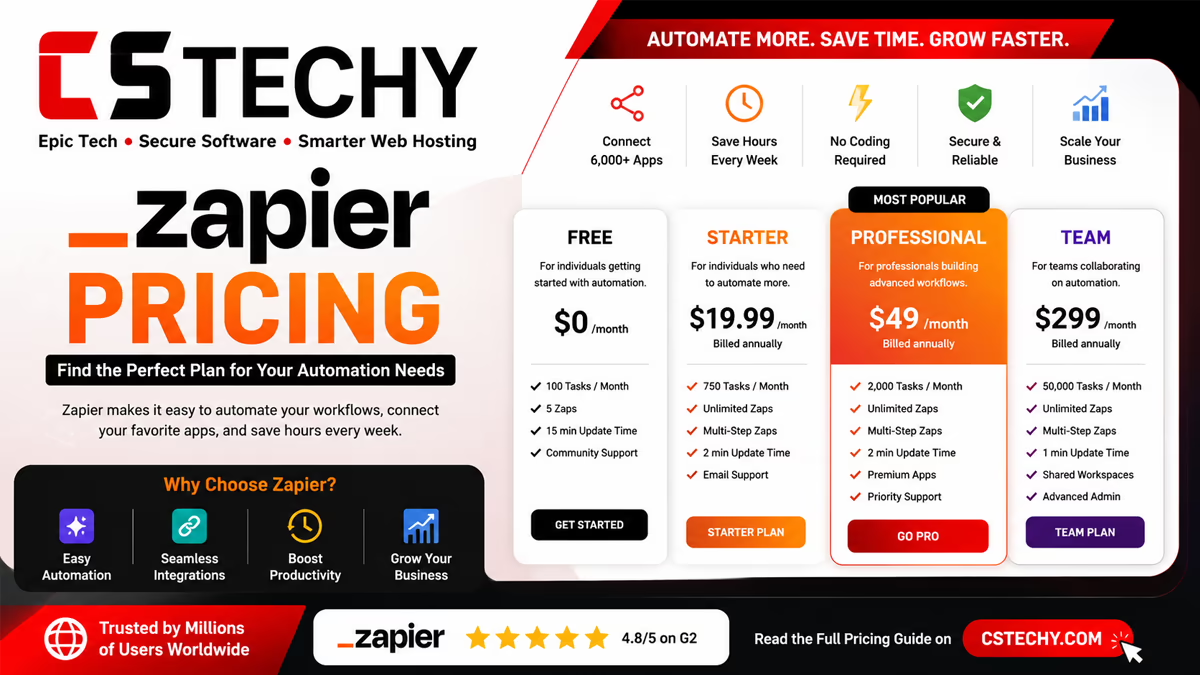
Core AI tools (Copilot, Agents, Canvas) are bundled into standard Zapier plans starting from the Free tier. The popular Professional tier is $29.99/mo (750 tasks). For heavy, complex AI usage, Zapier rolled out new model-based pricing in June 2026.
5. Can multiple AI Agents communicate with each other?
Yes. Zapier introduced Agent-to-Agent calling. In your prompt, you can instruct one agent to “call” another to delegate specific sub-tasks, mimicking a team of specialized human workers.
6. Are AI workflows secure for enterprise data?
Absolutely. Zapier maintains SOC 2 Type II and ISO 27001 certifications. Furthermore, they feature strict “AI Guardrails” and a single audit trail, ensuring IT retains complete control over which apps and actions an AI agent is permitted to touch.
7. What happened to Zapier Functions?
Zapier Functions was officially deprecated in May 2026. Users have transitioned to robust Code steps (which now support thousands of npm and PyPI packages) and Agentic workflow logic.
8. Where do my AI Agents store their data?
Zapier includes “Tables,” a built-in, spreadsheet-style automation database. It is integrated directly into the workflow ecosystem so your agents can effortlessly log, retrieve, and update persistent data.
9. Is it difficult to program an AI Agent?
No coding is required. You write instructions in plain English, and Zapier’s prompt assistant will automatically enhance your directions to ensure the underlying LLM understands its role, parameters, and goals accurately.
Final Verdict
Zapier AI is less about replacing your existing automations and more about giving them a bit of judgement. For everyday tasks like drafting, summarising, and simple classification, it’s a genuinely useful addition that doesn’t require leaving the platform you’re already using.
If you need deep, custom AI-agent engineering, a more developer-oriented tool may offer more control. For most teams, though, starting with a single AI action inside an existing Zap is the easiest way to see the benefit firsthand. Explore our related automation guides to see how Zapier’s AI features compare with other platforms.