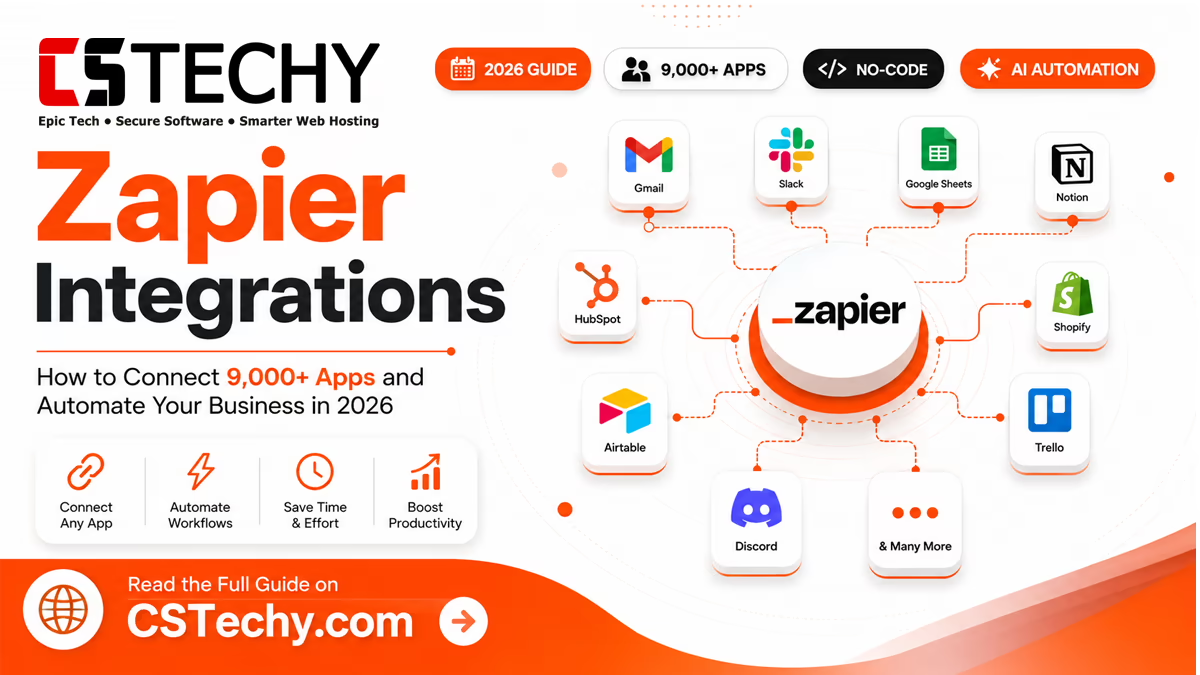
Zapier Integrations: How to Connect 9,000+ Apps and Automate Your Business in 2026
If you’ve ever copied a lead from an email into a spreadsheet, then pasted it again into a CRM, you already understand why Zapier exists. Zapier integrations let you wire your everyday apps together so that one action — a new order, a form reply, a Slack message — automatically triggers the next step, without you touching a keyboard. Below, we’ve tested and researched the platform’s most useful app connections, real workflow examples, pricing, and where Zapier actually falls short, so you can decide exactly which integrations are worth setting up first.
Key Takeaways
- Zapier’s app directory now covers more than 9,000 apps, making it the widest-reaching automation platform for non-technical teams.
- Pricing is task-based: the free plan gives 100 tasks a month on two-step Zaps only, while the Professional plan starts from roughly $19.99–$29.99/month for 750 tasks.
- The best Zapier integrations for most businesses are Google Sheets, Gmail, Slack, HubSpot, Shopify and ChatGPT — they cover marketing, sales, ecommerce, and AI in one workflow.
- Zapier now bundles AI Agents, Copilot, and Zapier MCP for connecting AI assistants like Claude and ChatGPT to your app stack.
- At high task volumes, alternatives such as Make, n8n, and Activepieces are considerably cheaper — worth comparing before you commit to a paid Zapier plan.
What Are Zapier Integrations?
A Zapier integration is simply a connection between Zapier and a third-party app — Gmail, Shopify, Slack, your CRM — that lets Zapier read data from that app or perform actions inside it. Once an app is integrated, you can use it as a building block inside a “Zap”: an automated workflow made up of a trigger (the event that starts the workflow) and one or more actions (what happens next).
Zapier itself doesn’t replace your tools. It sits in the background and passes data between them, so your CRM, your inbox, your spreadsheet, and your team chat all stay in sync without manual copy-paste. For a small business, this typically means fewer dropped leads, faster follow-ups, and hours saved every week on admin that used to be done by hand.
Best For
Teams that use several separate apps day-to-day (a CRM, an inbox, a spreadsheet, a chat tool) and want them to talk to each other without hiring a developer.
Real-world example: a small agency gets a new client enquiry through a website form. Instead of someone manually adding the contact to the CRM, sending a welcome email, and posting in the team’s Slack channel, a single Zap does all three the moment the form is submitted — typically within seconds.
How Zapier Connects Different Apps
Every Zap is built from the same handful of components. Understanding them makes it much easier to design reliable automations rather than fragile ones that break the first time your data looks slightly different.
- Triggers — the event that starts a Zap, such as “New Row in Google Sheets” or “New Email Matching Search in Gmail”.
- Actions — what Zapier does once triggered, like “Create Contact in HubSpot” or “Send Channel Message in Slack”.
- Multi-step Zaps — a single trigger can fire off a whole chain of actions across several apps, run in sequence.
- Filters — stop a Zap from continuing unless certain conditions are met (for example, only continue if the deal value is above £500).
- Paths — conditional branching, so a Zap can follow different routes depending on the incoming data (a support ticket vs. a sales enquiry, for instance).
- AI steps — “AI by Zapier” lets you drop a prompt into any step to summarise, classify, or extract data before it moves to the next app.
- Webhooks — for apps that don’t have a native Zapier integration, webhooks let you send or receive raw data over HTTP, extending Zapier to almost anything with an API.
Pro Tip
Add a Filter step early in longer Zaps. It’s the single easiest way to avoid burning through your monthly task allowance on records you never actually needed to process.
Simple workflow example: Trigger — new row added to a Google Sheet of event sign-ups. Filter — only continue if the “Confirmed” column says yes. Action 1 — add the contact to Mailchimp. Action 2 — post a summary in a Slack channel. Three tasks, one automation, zero manual entry.
Most Popular Zapier Integrations
Below is a quick-reference table of the 20 apps most commonly connected through Zapier, followed by deeper breakdowns of the ones that deliver the most value for content sites, agencies, and small teams.
| App | Category | Typical use in a Zap |
|---|---|---|
| Google Sheets | Spreadsheets | Log leads, orders, or form responses automatically |
| Gmail | Trigger on new emails; send templated replies | |
| Slack | Team chat | Post real-time alerts for sales, errors, or tasks |
| Microsoft Teams | Team chat | Mirror Slack-style alerts for Microsoft-based teams |
| Notion | Docs & wikis | Turn form submissions into structured database entries |
| HubSpot | CRM | Sync contacts, deals, and marketing lists |
| Salesforce | CRM | Create and update leads/opportunities automatically |
| Shopify | Ecommerce | Trigger on new orders, refunds, or low stock |
| WooCommerce | Ecommerce | Sync WordPress store orders to accounting or email tools |
| Mailchimp | Email marketing | Add new subscribers and tag them by source |
| Airtable | Database | Use as a lightweight CRM or content calendar backend |
| ClickUp | Project management | Auto-create tasks from emails, forms, or Slack messages |
| Asana | Project management | Turn requests into tracked tasks with due dates |
| Trello | Project management | Create cards from new leads or support tickets |
| Discord | Community | Post automated announcements or moderation alerts |
| ChatGPT | AI | Summarise, draft, or classify content inside a Zap |
| Google Drive | File storage | Auto-file uploaded documents into the right folder |
| Dropbox | File storage | Back up form uploads or generated reports |
| Calendly | Scheduling | Trigger CRM and Slack updates on new bookings |
| Zoom | Video meetings | Auto-create meeting links from calendar or CRM events |
Google Sheets Most connected
Google Sheets is the closest thing Zapier has to a universal adapter — if an app doesn’t have the integration you need, a spreadsheet usually fills the gap as a lightweight database or reporting log.
Best automation ideas
- Log every form submission as a new row
- Build a running revenue or lead-source report
- Feed data into a dashboard tool like Looker Studio
Pros & limitations
- Free, familiar, works with almost every trigger
- Slows down noticeably once sheets exceed a few thousand rows
Gmail
Gmail triggers are the backbone of countless support and sales workflows: a new message matching a search term can kick off ticket creation, lead scoring, or an automatic acknowledgement.
Best automation ideas
- Auto-label and forward invoices to accounting
- Turn starred emails into tasks
- Send a Slack alert for VIP client emails
Pros & limitations
- Deep search-based triggers
- Polling delay on lower-tier plans (up to 15 minutes)
Slack
Slack is usually the destination, not the source, of a Zap: it’s where teams want real-time visibility into what’s happening elsewhere in the business.
Best automation ideas
- Alert #sales when a high-value deal closes
- Post daily automated summaries
- Escalate failed payments to a support channel
Pros & limitations
- Rich formatting and channel targeting
- Over-automating alerts can create notification fatigue
HubSpot
HubSpot’s Zapier integration is popular with marketing teams who want lead data flowing in from ad platforms, forms, and chat tools without a native connector for each one.
Best automation ideas
- Create contacts from Facebook Lead Ads
- Update deal stages from Stripe payment events
- Sync HubSpot lists to Mailchimp segments
Pros & limitations
- Granular contact and deal-property mapping
- Counts as a premium app on some plans
Shopify
For ecommerce stores, Shopify is typically the trigger app that everything else reacts to — new orders, cancellations, and inventory changes all ripple out from here.
Best automation ideas
- Log every order to a spreadsheet for reporting
- Trigger low-stock alerts to Slack or email
- Send order data to accounting software automatically
Pros & limitations
- Near real-time triggers on new orders
- High order volumes can consume tasks quickly
ChatGPT AI
Dropping a ChatGPT step into a Zap turns unstructured text — an email, a form response, a support ticket — into something structured and actionable further down the workflow.
Best automation ideas
- Summarise long support emails before routing them
- Draft first-pass replies for a human to approve
- Classify incoming leads by intent or urgency
Pros & limitations
- Genuinely reduces manual reading and triage
- Zapier’s AI steps now use tiered pricing, so heavier reasoning tasks cost more tasks per run
Best Zapier Integrations for Marketing
Marketing teams get the most value from Zapier by closing the gap between where a lead is captured and where it’s nurtured. The most common stack pairs a form or ad tool (Facebook Lead Ads, Typeform, Google Forms) with an email platform (Mailchimp, ActiveCampaign) and a CRM (HubSpot, Salesforce). Add a content calendar tool like Notion or Airtable, and Zapier can also notify writers or approvers automatically when a draft moves to “ready for review”, tightening the publishing workflow without extra software.
Social scheduling is another strong use case: a Zap can watch an RSS feed or a “new blog post” trigger from WordPress and automatically draft posts on connected social accounts, saving a genuinely repetitive weekly task.
Best Zapier Integrations for Sales Teams
For sales, speed to lead matters more than almost anything else. Zapier integrations built around Calendly, HubSpot, Salesforce, and Slack let a rep get notified the moment a prospect books a call or a form is submitted — often before the prospect has even closed the browser tab.
- Lead capture: route form and ad leads straight into the CRM with source tagging intact.
- CRM automation: auto-update deal stages based on email replies or payment events.
- Notifications: alert the right rep in Slack or Teams the instant a lead reaches a threshold.
- Pipeline management: flag deals that have gone quiet for follow-up.
- Follow-ups: trigger a scheduled reminder task if no reply is logged within 48 hours.
Best Zapier Integrations for Ecommerce
Ecommerce automation is where task volume climbs fastest, so it’s worth planning your Zaps carefully. Shopify and WooCommerce sit at the centre, with Stripe and PayPal handling payment events, and inventory or fulfilment tools reacting downstream.
| Trigger app | Action | Business outcome |
|---|---|---|
| Shopify — new order | Add row to Google Sheets | Live sales log without exporting reports |
| Stripe — payment failed | Send Gmail follow-up | Recover failed payments automatically |
| WooCommerce — low stock | Post to Slack | Faster reordering, fewer stockouts |
| PayPal — refund issued | Update accounting software | Books stay accurate without manual entry |
Best Zapier Integrations for AI Workflows
Zapier’s AI layer has expanded well beyond a single “AI by Zapier” step. In 2026, the platform bundles three distinct AI tools into paid plans: AI steps for classifying and drafting content inside a Zap, autonomous AI Agents that can research and act across your connected apps, and AI Chatbots for customer-facing conversations that hand off to an Agent when a query gets complex. Zapier MCP also lets you connect AI assistants such as Claude or ChatGPT directly to your app stack, so an assistant can trigger real actions rather than just generate text.
Expert Insight
Since mid-2026, Zapier prices AI steps by model tier rather than a flat rate — lighter “Standard” prompts cost fewer tasks than “Advanced” or “Premium” reasoning. Match the tier to the job: use the cheapest tier for simple classification and save the higher tiers for genuinely complex drafting or analysis.
- AI writing: auto-draft product descriptions or email replies for a human to approve.
- AI customer support: a chatbot answers FAQs instantly, escalating anything it can’t resolve.
- AI content generation: turn a bullet-point brief into a first-draft blog outline.
- AI summarisation: condense long support threads or meeting transcripts before they reach a human.
- AI assistants: connect Claude or ChatGPT via Zapier MCP to run multi-step tasks across your tools.
Best Zapier Integrations for Productivity
Productivity-focused automations are less about revenue and more about protecting focus time. Google Workspace and Microsoft 365 integrations can auto-file emails, create calendar holds, and back up important attachments. Task tools like Notion, ClickUp, Trello, and Asana benefit from Zaps that turn incoming requests — a Slack message, a form, an email — into a properly assigned task with a due date, rather than something that gets lost in a channel.
Real-World Automation Examples
Here are fifteen genuinely useful Zaps you can set up in under ten minutes each:
- Gmail → SlackPost an alert when an email from a key client arrives.
- Shopify → Google SheetsLog every new order for live reporting.
- Facebook Leads → HubSpotCreate a contact the moment a lead ad is submitted.
- Typeform → NotionTurn survey responses into a structured database entry.
- Stripe → GmailSend a receipt or dunning email on payment events.
- Calendly → ZoomAuto-generate a meeting link for every new booking.
- ChatGPT → GmailDraft a first-pass reply for review before sending.
- WooCommerce → SlackAlert the team when a large order comes through.
- Airtable → DiscordAnnounce new content or community updates automatically.
- Google Forms → SheetsCapture responses into a live, shareable spreadsheet.
- Trello → SlackNotify the channel when a card moves to “Done”.
- Mailchimp → Google SheetsTrack new subscribers alongside their sign-up source.
- Zoom → NotionFile meeting recordings and notes automatically.
- Salesforce → SlackPing the sales channel when a deal closes.
- Asana → GmailSend a status update email when a project task completes.
How to Choose the Right Zapier Integrations
Rather than connecting every app you own, start with the workflow that currently wastes the most time. Weigh up:
- Business goals: are you trying to save time, reduce errors, or respond faster to leads?
- Existing software: confirm your core tools have solid, well-reviewed Zapier integrations before committing.
- Budget: map your expected monthly task volume against the pricing tiers before you build anything complex.
- Automation complexity: a single-step Zap might live happily on the free plan; branching, multi-app workflows need Professional or above.
- Scalability: if you expect order or lead volume to grow quickly, model what that does to your task usage now, not after the bill arrives.
Zapier Pricing Considerations
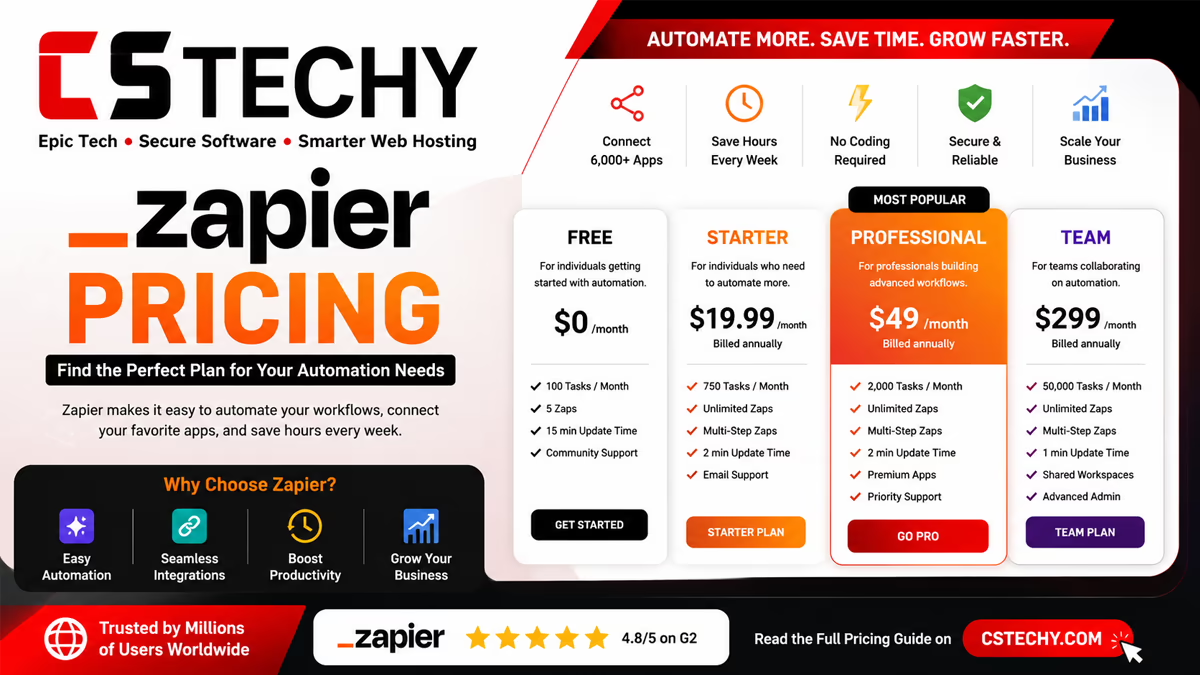
Zapier bills by “tasks” — each successful action a Zap performs counts as one task, so a five-step Zap uses five tasks every time it runs. As of 2026, the core tiers are:
| Plan | Starting price | Monthly tasks | Notes |
|---|---|---|---|
| Free | $0 | 100 | Two-step Zaps only, 15-minute update interval |
| Professional | From ~$19.99–$29.99/mo | 750 | Unlimited multi-step Zaps, premium apps, faster updates |
| Team | From ~$69–$103.50/mo | 2,000 | Shared workspaces, centralised billing, admin controls |
| Enterprise | Custom quote | Custom | SSO, advanced governance, dedicated support |
Prices vary by region and by whether you pay monthly or annually (annual billing is typically cheaper). Note that AI steps, Agents, and premium apps can draw down your task allowance faster than simple trigger-action Zaps, so it’s worth monitoring usage in your first month on any paid plan.
Warning
Task overages are billed at a premium above your plan’s base rate. If your automations are growing fast, it’s often cheaper to upgrade a tier proactively than to let overage charges accumulate.
Pros and Cons
| Pros | Cons |
|---|---|
| Largest app directory of any automation platform (9,000+) | Task-based pricing gets expensive at scale |
| No-code builder, genuinely beginner-friendly | Free plan is limited to two-step Zaps |
| Copilot can draft entire Zaps from a plain-English prompt | Complex branching logic still requires some learning curve |
| Built-in AI Agents, Chatbots, and MCP for AI-assistant workflows | AI steps now use tiered, usage-based pricing |
| Strong reliability and uptime for a SaaS automation tool | Premium apps require a paid plan |
Common Problems and Solutions
- Authentication failures: reconnect the app under Zapier’s “My Apps” settings — most auth errors stem from an expired token rather than a broken Zap.
- Rate limits: some apps (particularly CRMs) throttle API calls; spacing out or batching actions reduces failures.
- Task limits: add Filters earlier in the Zap so records that don’t need processing are excluded before they consume a task.
- Delayed automation: lower-tier plans poll on a 15-minute interval; upgrading unlocks faster, closer-to-instant triggers.
- Broken workflows: turn on Zapier’s built-in error notifications so failures reach you by email or Slack immediately, not days later.
- Duplicate actions: use a Filter or a “Lookup” step to check whether a record already exists before creating a new one.
- API issues: when a third-party app changes its API, the integration can briefly break; check Zapier’s status page and the app’s own changelog first.
Zapier vs Native Integrations
Many SaaS tools offer their own built-in integrations (Shopify to Mailchimp, for example) alongside Zapier support. Native integrations are usually faster and don’t consume Zapier tasks, but they’re limited to whatever the vendor has chosen to build. Zapier trades a small amount of speed and an ongoing subscription cost for far greater flexibility — multi-step logic, conditional branching, and the ability to connect apps that were never designed to talk to each other.
| Factor | Native integration | Zapier |
|---|---|---|
| Ease of use | Usually simplest for the exact use case built by the vendor | Slightly more setup, but far more flexible |
| Cost | Often free, bundled with the app | Subscription cost scales with task volume |
| Flexibility | Limited to what the vendor supports | Multi-step, conditional, cross-app logic |
| Features | Fixed feature set | Filters, Paths, AI steps, webhooks |
| Maintenance | Maintained entirely by the vendor | You own and maintain each Zap |
Zapier Integration Alternatives
Zapier isn’t the only option, and depending on your task volume and technical comfort, it may not be the cheapest. Here’s how the main alternatives compare in 2026:
| Platform | Starting price | Best for |
|---|---|---|
| Make | From ~$9/mo (10,000 operations) | Visual, multi-branch workflows at a lower cost per task |
| n8n | Free self-hosted; cloud from ~$24/mo | Developers wanting full control and no per-execution billing |
| Activepieces | Free, open-source; self-hostable | Teams that want a Zapier-like interface without task limits |
| Pabbly Connect | Flat rate, from ~$19/mo unlimited tasks | High-volume, simple trigger-action automations on a fixed budget |
| Microsoft Power Automate | Per-user, from ~$12/user/mo | Organisations already standardised on Microsoft 365 |
As a rule of thumb: choose Zapier for breadth of integrations and ease of use, Make for a visual builder at a lower cost, n8n or Activepieces if you’re comfortable self-hosting, and Pabbly Connect if you run a high volume of simple, repetitive automations and want to avoid task-based pricing altogether.
Final Verdict
Zapier earns its place as the default automation tool for most small businesses, agencies, and marketing teams because nothing else matches its combined app coverage and ease of setup. If your stack is mostly mainstream SaaS tools and you value getting a workflow running in minutes rather than hours, Zapier’s integrations are genuinely worth the subscription. If you’re running high-volume, repetitive automations, or you’re comfortable with a slightly steeper learning curve, it’s worth testing Make, n8n, or Pabbly Connect against your actual task volume before renewing at the next pricing tier. For most CSTechy readers starting out, though, Zapier remains the safest, fastest way to connect the apps you already use — and in 2026, that now extends to genuinely useful AI Agents and MCP connections as well.
Ready to Automate Your Workflow?
Explore our full Zapier review, pricing breakdown, and template library for more ways to connect your apps.
Read the Full Zapier ReviewFrequently Asked Questions
What are Zapier integrations, in simple terms?
They’re the connections between Zapier and other apps that let data and actions flow automatically between them — for example, adding a new email sign-up straight into your CRM without copying it manually.
How many apps does Zapier integrate with?
Zapier’s directory now lists more than 9,000 apps, covering categories from CRM and email marketing to AI tools, ecommerce platforms, and project management software.
Is Zapier free to use?
Yes, Zapier offers a free plan with 100 tasks a month, but it’s limited to two-step Zaps and a 15-minute update interval. Multi-step workflows and premium apps require a paid plan.
What counts as a “task” in Zapier’s pricing?
Every successful action a Zap performs counts as one task. A workflow with five actions uses five tasks each time it runs, which is why multi-step Zaps consume your monthly allowance faster than simple ones.
What’s the best Zapier integration for beginners?
Google Sheets is usually the easiest starting point — it’s free, familiar, and works as either a trigger or an action in almost any workflow, making it a low-risk way to learn how Zaps work.
Can Zapier connect to ChatGPT or Claude?
Yes. You can add AI steps inside a Zap for tasks like summarising or classifying content, and Zapier MCP allows AI assistants such as Claude or ChatGPT to trigger real actions across your connected apps.
Is Zapier better than Make or n8n?
Zapier has the widest app coverage and the gentlest learning curve, which makes it the best choice for most non-technical teams. Make and n8n typically offer lower cost per task and more advanced logic, which suits technical teams running high-volume automations.
Why do my Zaps keep failing?
The most common causes are expired app authentication, third-party API changes, or hitting a rate limit on the connected app. Turning on Zapier’s error notifications helps you catch and fix failures quickly.
Do I need coding skills to use Zapier integrations?
No. Zapier is built as a no-code platform, and most integrations can be set up entirely through its visual editor. Webhooks are the one feature that occasionally benefits from basic technical knowledge.