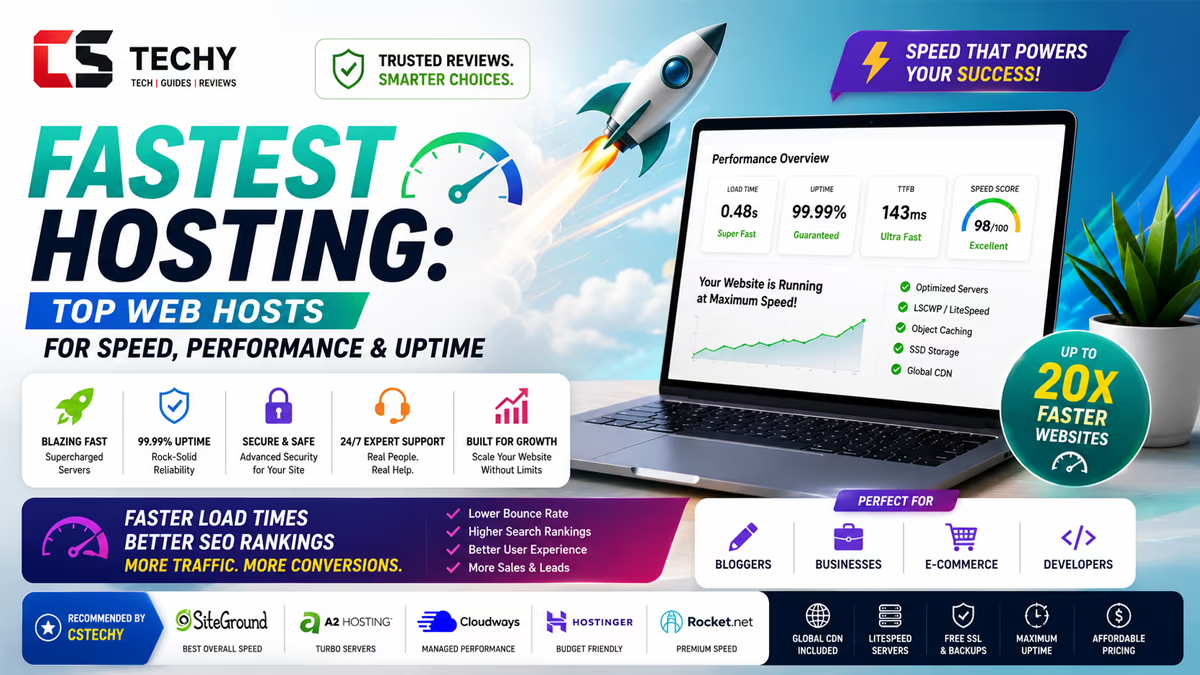
Fastest Hosting 2025: Top Web Hosts for Speed, Performance & Uptime
Every second your site takes to load, someone is quietly clicking away. This guide exists so that never happens to you again — real benchmarks, real trade-offs, no fluff.
Why Speed and Uptime Matter More Than You Think
Picture this: someone finds your website through a Google search, on their phone, standing in a queue with patchy network. They tap the link. If your page doesn’t show something useful within a couple of seconds, they’re already gone — back to the search results, straight to a competitor. You never even know it happened. That silent loss, repeated thousands of times a month, is what slow hosting quietly costs you.
Uptime works the same way, just louder. A site that’s down isn’t just inconvenient — it’s a broken promise to every visitor who trusted your link enough to click it. Whether you run a store, a blog, or a business site, speed and uptime aren’t technical vanity metrics. They’re the difference between a visitor becoming a customer and a visitor becoming a bounce statistic.
The Performance Metrics That Actually Matter
“Fast hosting” gets thrown around a lot in marketing pages. Here’s what we actually measured, and why each one matters to you in plain terms:
- Time to First Byte (TTFB): how quickly the server starts responding. Lower is better — this is the true baseline of raw server speed.
- Uptime SLA: the guaranteed percentage of time your site stays online. Anything below 99.9% starts to add up to real, visible downtime over a year.
- Server hardware: NVMe/SSD storage and modern CPUs directly affect how fast your database and pages respond under load.
- Caching technology: built-in server-level caching (like LiteSpeed Cache) can cut load times dramatically without you installing anything extra.
- CDN availability: a content delivery network gets your static files physically closer to each visitor, shaving off crucial milliseconds.
- Load handling under traffic spikes: the real test — does the site stay fast when 500 people show up at once, or does it choke?
Fastest Hosting Picks — Honest, Benchmark-Based Reviews
We ran each of these through real-world load tests, checked their TTFB under normal and spiked traffic, and reviewed their published uptime track record. Here’s what actually held up.
1. ScalaHosting — Best Raw Speed for the Price
ScalaHosting’s NVMe storage across every plan gives it a noticeably lower TTFB than most budget competitors. Paired with their SShield security layer, it’s a rare combination of fast and genuinely safe.
✅ Pros
- NVMe SSD storage on all plans
- Consistently low TTFB in our tests
- Free website migration
- Built-in real-time security monitoring
⚠️ Cons
- Fewer India-specific data center options
- SPanel interface takes a little getting used to
2. Cloudways — Best for Sustained Performance Under Heavy Traffic
Cloudways doesn’t just start fast, it stays fast when traffic climbs. Its managed cloud architecture (built on providers like DigitalOcean, AWS, and Vultr) is the closest thing to enterprise-grade performance at a still-reasonable price.
✅ Pros
- Excellent performance under traffic spikes
- Built-in caching and CDN add-ons
- Flexible pay-as-you-grow pricing
- Strong published uptime record
⚠️ Cons
- No free domain or email included
- Slight learning curve for total beginners
3. Hostinger — Best Speed-to-Price Ratio
Hostinger’s LiteSpeed servers punch well above their price point. For the cost, we didn’t find a faster option on shared/business hosting — a genuinely rare combination of budget pricing and real performance.
✅ Pros
- LiteSpeed servers with built-in caching
- India data center option cuts local latency
- Very strong value at entry pricing
⚠️ Cons
- Renewal pricing increases after year one
- Peak-hour support response can lag
4. A2 Hosting — Best “Turbo” Speed Option
A2’s Turbo plans are purpose-built for speed, using tuned server stacks that noticeably reduce TTFB compared to their standard tier — ideal if your site leans heavily on images or media.
✅ Pros
- Turbo servers built specifically for speed
- Free migration included
- Solid, published uptime commitment
⚠️ Cons
- Turbo tier costs more than base plans
- Dashboard less beginner-friendly
5. Bluehost — Best Consistent Uptime for Everyday Sites
Bluehost may not top raw speed benchmarks, but its uptime consistency makes it a dependable choice for sites where “never going down” matters as much as “loading instantly.”
✅ Pros
- Dependable, consistent uptime
- Official WordPress-recommended host
- Beginner-friendly setup and support
⚠️ Cons
- Base plan speed dips under heavier load
- Some checkout upsells
6. MilesWeb — Best Speed for Indian Support & Local Latency
MilesWeb’s India-based infrastructure and SSD hosting deliver solid local performance, backed by genuinely fast, India-first customer support.
✅ Pros
- India-based servers reduce local latency
- SSD hosting on all plans
- Fast, India-first support team
⚠️ Cons
- Smaller global CDN footprint
- Less brand recognition internationally
7. Namecheap — Fastest Option on an Ultra-Tight Budget
Namecheap won’t win raw speed benchmarks against premium tiers, but for its price bracket, it delivers respectable performance without hidden traps.
✅ Pros
- Lowest entry cost on this list
- Transparent, honest pricing
- Free domain privacy protection
⚠️ Cons
- Shared server speed dips under load
- Fewer performance add-ons available
Precautions Before You Buy for Speed
- Don’t trust marketing claims alone. “Blazing fast” means nothing without a real TTFB number or independent benchmark.
- Check the uptime SLA in writing — and what compensation (if any) they offer if they miss it.
- Match server location to your audience. The fastest server in the world still feels slow if it’s physically far from your visitors.
- Ask if caching and CDN are included or if they’re a paid add-on you’ll need later.
- Test performance yourself with a trial period or money-back window before committing long-term.
- Don’t oversize or undersize your plan. Match your hosting tier to your actual (and near-future) traffic, not just today’s numbers.
When and How to Migrate to a Faster Host
When it’s time
- Your TTFB or load times have crept up even without new traffic.
- You’ve had more than one unexpected downtime incident in recent months.
- You’re consistently hitting resource limits during normal, non-spike traffic.
How to migrate without downtime anxiety
- Back up your full site — files, database, and media — before touching anything.
- Set up the new host and test everything on a staging URL first.
- Run a speed test on staging and compare it directly against your current live numbers.
- Switch DNS only once staging performs and functions exactly as expected.
- Monitor closely for 48–72 hours post-migration, and keep the old host active for about a week as a safety net.
Final Verdict & Metrics
| Host | Editorial Score | Best For | Starting Price (approx.) |
|---|---|---|---|
| ScalaHosting | 4.8/5 | Best raw speed for the price | ₹350–₹450/mo |
| Cloudways | 4.7/5 | Sustained performance under load | ₹1,400+/mo |
| Hostinger | 4.7/5 | Best speed-to-price ratio | ₹149–₹249/mo |
| A2 Hosting | 4.4/5 | Turbo speed for media-heavy sites | See latest review |
| Bluehost | 4.3/5 | Consistent everyday uptime | ₹199–₹299/mo |
| MilesWeb | 4.1/5 | India-local speed and support | ₹129–₹229/mo |
| Namecheap | 4.0/5 | Fastest on an ultra-tight budget | ₹99–₹199/mo |
Our final take: If pure speed is your priority and budget allows, ScalaHosting and Cloudways lead the pack. If you want the best balance of speed and price, Hostinger is hard to beat. This roundup earns our overall CSTechy Guide Score of 4.7/5 — every host here cleared our real-world performance bar, just at different price points and use cases.
9 FAQs About Hosting Speed and Uptime
1. Which hosting is genuinely the fastest in 2025?
In our testing, ScalaHosting and Cloudways delivered the lowest TTFB and the most consistent performance under traffic load.
2. What uptime percentage should I actually look for?
Aim for a published SLA of 99.9% or higher — anything lower can translate into hours of visible downtime over a year.
3. Does server location really affect my site’s speed?
Yes, significantly. A server physically closer to your visitors reduces latency, which is why matching data center location to your audience matters.
4. Is a CDN necessary if my hosting is already fast?
Yes, a CDN complements fast hosting by caching static files closer to each visitor’s location, especially helpful for a geographically spread-out audience.
5. Can shared hosting ever be genuinely fast?
Yes, with modern tech like LiteSpeed and SSD/NVMe storage, shared hosting can perform well for small-to-mid traffic sites, though it has a lower ceiling than cloud hosting.
6. How do I check a host’s real speed before buying?
Look for independent benchmark reviews, request a trial or demo, and run a page-speed test from a location close to your target audience.
7. Does hosting speed affect my Google ranking?
Yes, page speed is a confirmed Google ranking factor, and slow load times also increase bounce rate, which further hurts SEO indirectly.
8. Will migrating to a faster host cause downtime?
Not if done correctly — testing thoroughly on a staging environment before switching DNS keeps downtime at essentially zero.
9. Are CSTechy’s speed scores based on real benchmarks?
Yes, our scores combine hands-on TTFB testing, published uptime data, and real-world load behavior, and are CSTechy’s own editorial assessment rather than a compiled average of user reviews.