Pabbly Connect Alternatives: 9 Best Workflow Automation Tools Compared
Pabbly Connect is a solid automation tool, but it is not the only option out there. If you need more apps, more advanced logic, or self-hosted control, you might want to explore Pabbly Connect Alternatives.
In this guide, we compare the best alternatives to Pabbly Connect, including Zapier, Make, n8n, and more. You will learn who each platform suits best, how pricing compares, and which tool fits your specific business needs.
We also cover real business use cases, a migration checklist, and expert recommendations so you can switch platforms without losing any of your existing automation work.
What Are Pabbly Connect Alternatives?
Pabbly Connect Alternatives are other workflow automation platforms that connect your apps and automate repetitive tasks, just like Pabbly Connect does.
Each alternative has its own strengths. Some focus on the largest app library, some focus on visual workflow building, and others focus on self-hosted developer control.
Choosing the right platform depends on your budget, technical skill, and how complex your automations need to be. This guide breaks down every major option so you can decide with confidence.
None of these tools are objectively “better” in every situation. A freelancer automating a simple contact form has very different needs than an enterprise team running hundreds of daily workflows across departments.
Why Look for an Alternative?
Most people search for Pabbly Connect Competitors for a few common reasons. Understanding these reasons helps you know whether switching actually makes sense for you.
- Limited app library: Your specific tool is not natively supported.
- Need for advanced logic: You want complex branching, loops, or error handling.
- Self-hosting requirements: You need full control over your data and server.
- Team collaboration features: You need shared workspaces for larger teams.
- Enterprise compliance needs: You require specific security certifications.
None of these reasons mean Pabbly Connect is a bad platform. It simply means your workflow needs have grown beyond what any single tool can offer at every price point.
When Should You Switch?
Switching platforms is a big decision, so it should not be taken lightly. Here are clear signs it might be time to consider an alternative.
If your current automation tool cannot handle your workflow complexity or app requirements, the cost of staying is often higher than the cost of switching.
You should consider switching if you regularly hit app limitations, if your workflows are becoming too complex for simple trigger-action logic, or if your team has outgrown the platform’s collaboration tools.
Best Pabbly Connect Alternatives
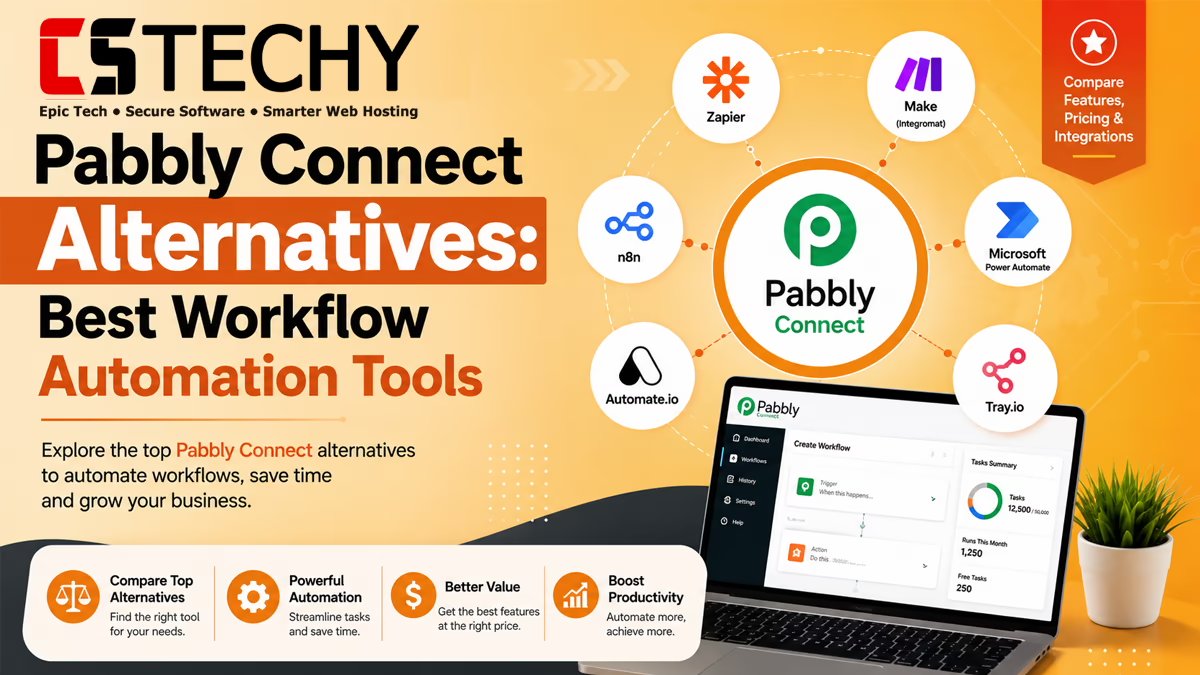
Here is a quick look at the top Workflow Automation Tools worth considering, before we break down each one in detail.
- Zapier
- Make
- n8n
- Microsoft Power Automate
- Activepieces
- Integrately
- Albato
- Relay.app
- Workato
Zapier Overview
Zapier is the most established name in workflow automation, known for supporting thousands of apps. It works well for teams that need broad compatibility above everything else.
The interface is beginner-friendly, but pricing rises quickly as your task volume grows. This makes Zapier a better fit for businesses with a healthy automation budget.
If your workflows depend on niche or lesser-known software, Zapier’s massive app library often makes it the safest choice, even if it costs more than Pabbly Connect.
Make Overview
Make offers a highly visual, drag-and-drop workflow builder. It is ideal for users who want to see their entire automation as a flowchart on screen.
Make supports advanced logic like routers, filters, and error handlers, making it popular among developers and technically confident marketers who want deep customization.
Agencies managing several client workflows often prefer Make because the visual canvas makes it easier to spot errors and explain automations to non-technical clients.
n8n Overview
n8n stands out because it can be self-hosted, giving you complete control over your data and infrastructure. This makes n8n vs Pabbly Connect a common comparison among developers.
It supports custom JavaScript code inside workflows, which appeals to technical teams that need automation logic beyond simple triggers and actions.
Because you can host it on your own server, n8n is often chosen by companies with strict data privacy requirements that cannot rely on third-party cloud storage.
Microsoft Power Automate Overview
Microsoft Power Automate integrates deeply with Microsoft 365 tools like Outlook, Excel, and Teams. It is the natural choice for enterprises already using the Microsoft ecosystem.
Setup can feel more complex compared to Pabbly Connect, but the payoff is tight integration with enterprise-grade Microsoft security and compliance features.
Large organizations that already pay for Microsoft 365 licenses often find Power Automate included, which reduces the need for a separate automation subscription.
Activepieces Overview
Activepieces is an open-source automation platform that appeals to developers who want flexibility without vendor lock-in. It supports both cloud and self-hosted deployment.
It is newer than most competitors, so its app library is still growing, but its open-source nature makes it attractive for privacy-focused teams.
Startups and technical founders often choose Activepieces when they want the cost savings of open-source software without building an automation tool from scratch.
Integrately Overview
Integrately focuses on one-click automation templates, which makes it extremely beginner-friendly. You pick a pre-built workflow instead of building one from scratch.
This approach saves time for non-technical users, though it offers less flexibility for highly custom or unusual automation needs.
Bloggers and solopreneurs often like Integrately because they can launch a working automation in minutes without ever building a workflow from a blank canvas.
Albato Overview
Albato is a budget-friendly automation platform that supports a wide range of apps, particularly popular among international eCommerce and marketing teams.
Its pricing structure appeals to small businesses that need solid automation without the higher costs of more established competitors.
Online sellers running stores across multiple regions often choose Albato for its strong coverage of regional payment and marketplace tools.
Relay.app Overview
Relay.app is a newer platform built around human-in-the-loop automation, meaning workflows can pause for manual approval before continuing.
This makes it a strong choice for teams that want automation with built-in checkpoints, such as approving content before it publishes.
Marketing and legal teams that cannot risk fully automated actions often prefer Relay.app because a human always stays in control of the final step.
Workato Overview
Workato is an enterprise-grade automation platform built for large organizations with complex, cross-department workflows and strict governance needs.
It comes with a higher price point and steeper learning curve, making it best suited for enterprises rather than solo users or small teams.
Workato is commonly used by IT departments that need centralized control over every automation running across a large organization’s software stack.
Feature Comparison
Here is how these platforms compare across the features that matter most when choosing Workflow Automation Tools.
| Feature Comparison | Pabbly Connect | Zapier | Make | n8n | Power Automate | Activepieces | Integrately | Albato | Relay.app |
|---|---|---|---|---|---|---|---|---|---|
| Self-Hosting | No | No | No | Yes | No | Yes | No | No | No |
| Visual Builder | Yes | Yes | Yes | Yes | Yes | Yes | Yes | Yes | Yes |
| AI Features | Limited | Yes | Yes | Yes | Yes | Limited | Limited | Limited | Yes |
| Beginner Friendly | Yes | Yes | Moderate | No | Moderate | Moderate | Yes | Yes | Yes |
| Enterprise Ready | Limited | Yes | Yes | Yes | Yes | Limited | Limited | Limited | Limited |
Pricing Comparison
Budget is one of the biggest deciding factors when comparing Pabbly Connect Alternatives. Here is how the major platforms stack up.
| Platform | Best For | Free Plan | Pricing | Integrations | Ease of Use |
|---|---|---|---|---|---|
| Pabbly Connect | Small businesses, beginners | Yes | Budget-friendly, lifetime plans | 300+ | Very Easy |
| Zapier | Broad app compatibility | Yes | Higher cost at scale | 6000+ | Easy |
| Make | Visual, custom workflows | Yes | Mid-range | 1500+ | Moderate |
| n8n | Developers, self-hosting | Yes, self-hosted | Free self-hosted, paid cloud | 400+ | Technical |
| Power Automate | Microsoft 365 enterprises | Limited | Enterprise pricing | 1000+ | Moderate |
| Activepieces | Open-source developers | Yes | Free self-hosted, paid cloud | 200+ | Moderate |
| Integrately | One-click beginners | Yes | Budget-friendly | 1200+ | Very Easy |
| Albato | Budget eCommerce teams | Yes | Budget-friendly | 800+ | Easy |
| Relay.app | Human-in-the-loop teams | Yes | Mid-range | 100+ | Easy |
Integration Comparison
App count matters, but only if the apps you actually use are supported. Zapier leads in raw numbers, while Pabbly Connect and Albato focus on covering the most commonly needed categories.
Developers who need custom API integrations often prefer n8n or Activepieces, since both allow custom code when a native app connection is not available.
Before switching, always check whether your must-have apps are natively supported. A platform with thousands of integrations is not helpful if your specific tools are missing.
Ease of Use Comparison
Pabbly Connect, Integrately, and Zapier are the easiest platforms for beginners, thanks to simple trigger-and-action setups. Make and Power Automate require more learning time.
n8n has the steepest learning curve because it is built for technical users comfortable with self-hosting and custom scripting.
If ease of use is your top priority, avoid platforms that require self-hosting or coding knowledge, even if they offer more powerful features on paper.
Who Should Choose Which Platform?
Different users have different priorities. Here is a quick breakdown to help you match your needs to the right platform.
Best for Beginners
Pabbly Connect, Integrately, and Zapier offer the simplest setup experience for people with no automation background. Each uses a clear trigger-and-action structure that new users understand within minutes.
If you have never built a workflow before, starting with one of these three platforms will save you frustration and help you learn automation logic gradually.
Best for Businesses
Make and Albato balance flexibility and affordability well for growing small and mid-sized businesses. Both support enough app coverage for most sales, marketing, and support workflows.
Growing teams that need more than basic automation but are not ready for enterprise pricing usually land comfortably in this middle tier.
Best for Developers
n8n and Activepieces give developers full control through self-hosting and custom code support. Both let you write custom logic that off-the-shelf platforms simply cannot replicate.
Technical teams building internal tools or handling sensitive customer data often value this level of control more than convenience.
Real-World Use Cases
Here is how different users apply these platforms in real business situations. These examples show that the “best” platform always depends on the specific job at hand.
- Blogger automating WordPress and Google Sheets: Pabbly Connect or Integrately works well for simple, low-cost logging automations.
- Agency managing multiple client workflows: Make or Zapier handles complex, branching workflows across many client accounts.
- eCommerce store connecting Shopify, Gmail, and Slack: Pabbly Connect or Albato offers affordable, reliable order notifications.
- Sales team using HubSpot and Gmail: Zapier or Pabbly Connect keeps lead follow-ups fast and consistent.
- Marketing team connecting Facebook Lead Ads and Google Sheets: Integrately’s templates make setup nearly instant.
- Developer using n8n for self-hosted automation: n8n gives full data control and custom code flexibility.
- Enterprise using Microsoft Power Automate with Microsoft 365: Power Automate integrates natively with existing enterprise infrastructure.
Pros & Cons
Pros of Switching
- Access to more apps and advanced features.
- Better fit for specific technical or enterprise needs.
- Potential for stronger AI automation capabilities.
- Better support for self-hosting and data privacy needs.
Cons of Switching
- Migration takes time and careful planning.
- Some alternatives cost significantly more at scale.
- Learning a new interface slows your team temporarily.
- Some workflows may need to be rebuilt rather than copied directly.
Migration Tips
Switching automation platforms does not have to be stressful if you follow a structured approach. Most migration problems happen when teams try to move everything at once instead of working carefully through one workflow at a time.
Give yourself a realistic timeline, especially if you are moving dozens of active workflows. Rushing a migration is the most common reason businesses lose data or break critical automations.
Migration Checklist
- List every active workflow currently running in Pabbly Connect.
- Identify which apps and triggers each workflow depends on.
- Rebuild one workflow at a time in the new platform.
- Test each rebuilt workflow with sample data before going live.
- Run both platforms in parallel briefly to confirm accuracy.
- Turn off the old workflow only after the new one is verified.
Buying Checklist
- Check if your key apps are natively supported.
- Compare pricing at your expected monthly task volume.
- Confirm the platform offers the automation logic you need.
- Test the free plan before committing to a paid tier.
- Review customer support quality and response times.
Best Practices
- Start migration with your simplest, lowest-risk workflow first.
- Document every workflow so your team understands the logic.
- Set up error notifications to catch failures early.
- Review and clean up unused workflows every few months.
Common Mistakes
- Switching platforms without testing critical workflows first.
- Choosing a platform based on price alone, ignoring app support.
- Migrating everything at once instead of one workflow at a time.
- Ignoring the learning curve required for advanced platforms like n8n.
Frequently Asked Questions
What is the best alternative to Pabbly Connect?
It depends on your needs. Zapier suits broad app support, while n8n suits developers who want self-hosted control.
Is there a free Pabbly Connect alternative?
Yes, most Pabbly Connect Alternatives, including Zapier, Make, and Activepieces, offer a free plan to start with.
Which alternative is best for developers?
n8n and Activepieces are the top choices, since both support self-hosting and custom code for advanced automation.
Is Zapier better than Pabbly Connect?
Zapier supports more apps, but Pabbly Connect is usually more affordable for small businesses with simpler needs.
Which Pabbly Connect Alternative is best for enterprises?
Microsoft Power Automate and Workato are built for enterprise-scale automation with strong compliance features.
Can I migrate my Pabbly Connect workflows easily?
Yes, if you rebuild workflows one at a time and test each one before going live, migration stays manageable.
What is the cheapest Pabbly Connect alternative?
Albato and Integrately are generally the most budget-friendly options among the Best Pabbly Connect Alternatives.
Do these alternatives support AI automation?
Yes, platforms like Zapier, Make, and Relay.app offer built-in AI features for content and workflow automation.
Should beginners switch from Pabbly Connect?
Only if you have outgrown its app library or need more advanced logic. Otherwise, Pabbly Connect remains a solid choice.
Final Verdict
There is no single best option among Pabbly Connect Alternatives. The right choice depends on your budget, technical skill, and the apps your business relies on daily.
Beginners and small businesses often do best sticking with Pabbly Connect or trying Integrately. Developers should look at n8n, and enterprises should consider Power Automate or Workato.
Take time to test a free plan before committing. The best Pabbly Connect Alternatives for someone else may not match your specific apps, budget, or technical comfort level.
Explore more CSTechy automation guides to compare pricing, tutorials, and templates before making your final decision.
Related Articles
- Pabbly Connect Review
- Pabbly Connect Pricing
- Pabbly Connect Tutorial
- Pabbly Connect Templates
- Pabbly Connect Integrations
- Pabbly Connect vs Zapier
- Pabbly Connect vs Make
- Workflow Automation
- Business Automation
- Automation Tools