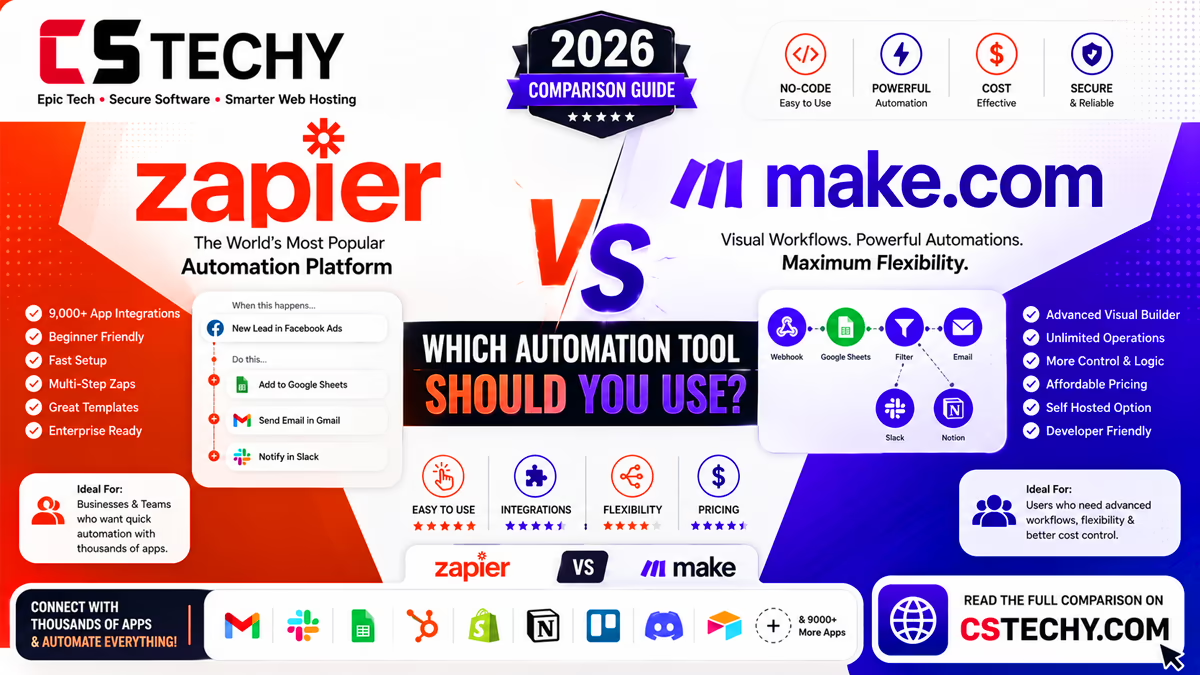
Automation > Workflow Automation > Comparisons
Zapier vs Make.com (2026): Which Automation Tool Should You Use?
Zapier and Make.com are the two biggest names in cloud-based, no-code automation, and on the surface they solve the same problem: connecting apps so data flows automatically between them. Look closer, though, and the two tools reward different habits — Zapier optimises for speed and simplicity, while Make optimises for visual control over complex, branching logic.
That difference shows up most clearly once a workflow grows past a simple two-app connection. This guide compares Zapier vs Make across pricing, ease of use, integrations, AI features, and advanced logic, so you can decide which one fits how your team actually works.
It’s written for bloggers, agencies, small businesses, marketing teams, and anyone choosing between the two for a new or existing automation project.
Zapier vs Make: Quick Overview
Zapier is a cloud-based automation platform built around simple, linear “Zaps” billed by the number of tasks performed each month. Make (formerly Integromat) is also cloud-based, but built around a visual, node-and-connector canvas billed by the number of operations a scenario runs, which tends to work out cheaper for complex workflows.
What Is Zapier?
Zapier connects over 7,000 apps through trigger-and-action workflows called Zaps. Each Zap is built as a vertical list of steps, making it easy to follow but less visual once a workflow branches into multiple paths.
Its main strength is breadth: almost any mainstream SaaS tool has a native, well-maintained Zapier integration.
What Is Make.com?
Make presents automations as “scenarios” on a visual canvas, where you can see every branch, filter, and router at a glance rather than scrolling through a linear list. It’s aimed at users who want to build and troubleshoot more complex, multi-path workflows without writing code.
Make bills by operations rather than tasks, which often works out more generous for workflows with several steps per run.
Zapier vs Make: Feature Comparison Table
| Feature | Zapier | Make |
|---|---|---|
| Workflow builder | Linear step list | Visual branching canvas |
| Pricing model | Per task | Per operation |
| Integrations | 7,000+ native apps | 1,500+ native apps plus API/HTTP modules |
| Free plan | Limited monthly tasks | Usable free operations allowance |
| AI capabilities | Native AI actions | Native OpenAI/Claude modules, AI scenario assistance |
| Best for | Simple, fast setups | Complex, branching workflows |
| Ease of use | Very easy | Moderate |
| CSTechy Rating | 4.5/5 | 4.6/5 |
Workflow Builder: Linear vs Visual Canvas
Zapier’s step-by-step list is easy to follow for a simple A-to-B workflow, but it can get harder to track once you add filters, paths, and multiple actions.
Make’s canvas shows the entire scenario as a flowchart, with routers and filters visible as branching lines rather than nested settings. That makes it easier to spot where a complex workflow might break, though it takes a little longer to learn than Zapier’s simpler list view.
Ease of Use
Zapier is generally quicker to pick up for a complete beginner, since its guided, linear setup mirrors filling in a simple form.
Make’s visual canvas has a slightly steeper initial learning curve, but many users find it easier to reason about once a workflow involves more than two or three steps.
Integrations
Zapier has the larger integration library by a wide margin, which matters most if you rely on a niche or less common app.
Make covers the vast majority of mainstream business tools natively, and fills gaps with generic HTTP and webhook modules, so most workflows are still achievable even without a dedicated native connector.
AI Capabilities
Zapier’s AI actions slot into existing linear Zaps for tasks like drafting replies or summarising content at a single step.
Make offers native OpenAI and Claude modules alongside AI-assisted scenario building, which can suggest or help construct parts of a workflow directly on the canvas.
Pricing Compared
| Plan Type | Zapier | Make |
|---|---|---|
| Free plan | Limited monthly tasks | Usable monthly operations allowance |
| Entry paid plan | Low monthly tier, capped tasks | Low monthly tier, capped operations |
| Cost at scale | Rises quickly with task volume | Generally more generous per pound/dollar spent |
| Billing unit | Per completed task | Per operation within a scenario run |
Because Make counts operations rather than whole tasks, a single scenario run with several steps can sometimes cost less overall than the equivalent multi-step Zap, particularly at higher volumes.
Advanced Logic and Error Handling
Make’s router and filter system is built directly into the visual canvas, making conditional branching and error-handling paths easier to design and audit at a glance.
Zapier supports paths and filters too, but they sit within its linear step list, which can make a heavily branched Zap harder to review quickly compared with Make’s flowchart view.
Best Use Cases for Each
- Choose Zapier if: your workflows are mostly simple and linear, and you want the widest possible choice of native app integrations.
- Choose Make if: your workflows branch into multiple paths, involve several steps per run, or need a visual way to spot where logic might break.
Pros and Cons
| Platform | Pros | Cons |
|---|---|---|
| Zapier | Huge integration library, very easy to learn | Cost rises fast at volume, harder to audit complex Zaps |
| Make | Visual canvas, generous operation-based pricing | Slightly steeper learning curve, smaller integration library |
Which Should You Choose?
- Beginners: Zapier, for its guided, linear setup.
- Agencies and marketing teams: Make, for visual, branching client workflows.
- Budget-conscious teams with multi-step workflows: Make, for its operation-based pricing.
- Users who need a rare or niche app: Zapier, for its larger integration library.
- Fast, no-fuss setup: Zapier, since the linear builder needs less upfront learning.
Make vs. Zapier FAQs
Is Make cheaper than Zapier?
Is Make harder to learn than Zapier?
Does Make have as many integrations as Zapier?
Can I build complex branching workflows in Zapier?
Which platform is better for AI automation?
Can I migrate my Zaps to Make?
Does Make offer a free plan?
Is Zapier better for beginners than Make?
Which is better for agencies managing client workflows?
Final Verdict
Zapier and Make both do the same underlying job well, but they suit different working styles. Zapier is the quicker route to a simple automation with the widest possible app support, while Make rewards a little extra learning with better value and clearer visual control over complex, branching workflows.
If you’re automating a straightforward, one-off task, Zapier is the safer first choice. If your workflows involve several steps, conditional branches, or you want to keep costs down at higher volume, Make is worth the short learning curve. Explore our related automation comparisons to see how other tools stack up against both.