Pabbly Connect review: The Complete Guide
AI tools like ChatGPT, Gemini, and Claude have changed how businesses handle content, support, and data. But using them one prompt at a time does not scale.
Pabbly Connect AI automation solves this by connecting these AI services directly into your everyday apps. This guide explains exactly how it works, what you can build, and how to avoid common mistakes.
Whether you run a blog, manage a support inbox, or handle sales leads, this guide will show you practical, working examples you can set up today, without writing a single line of code.
What Is Pabbly Connect AI?
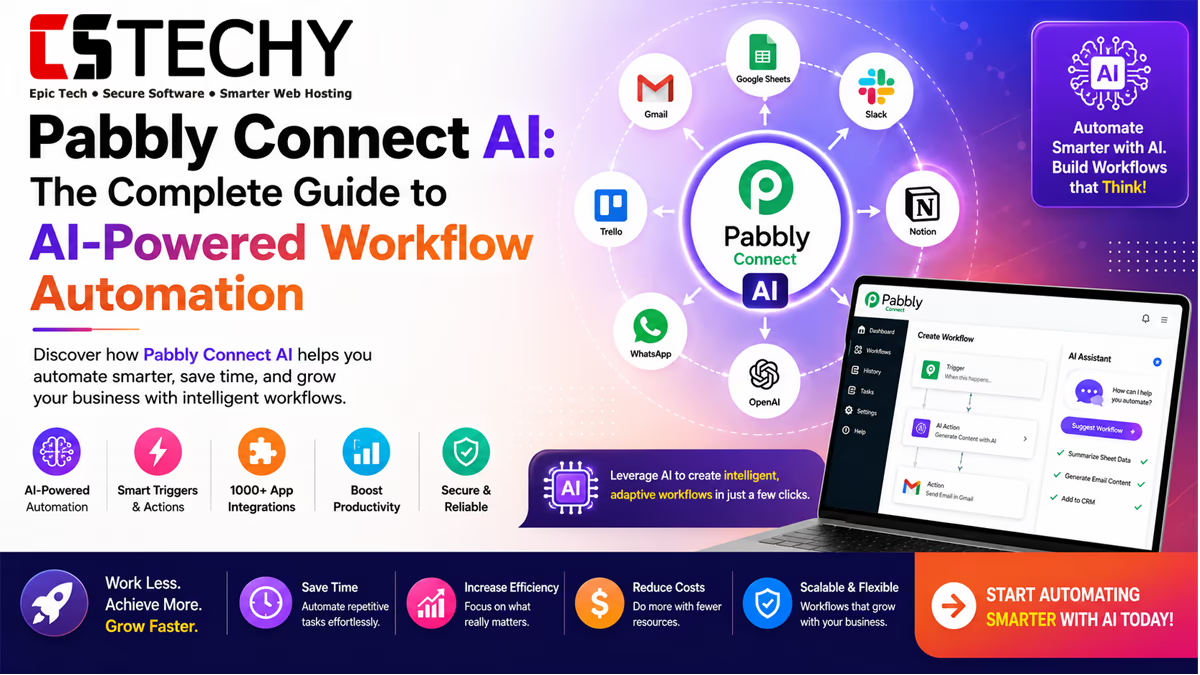
Pabbly Connect AI refers to using Pabbly Connect’s workflow automation platform to link external AI services, like ChatGPT or Gemini, with the other apps you already use.
Pabbly Connect itself is not an AI model. It is an automation layer that passes data to and from AI providers, letting you trigger AI actions automatically instead of manually copying text into a chatbot.
For example, instead of manually asking ChatGPT to summarize a support ticket, Pabbly Connect can send the ticket text to OpenAI automatically and post the summary wherever you need it.
This distinction matters for search intent too. People searching “Pabbly Connect AI” are usually not looking for a chatbot built into Pabbly itself — they want to know how to combine Pabbly Connect’s automation engine with the AI tools they already rely on.
How AI Works with Pabbly Connect
Every Pabbly Connect workflow follows the same basic structure: a trigger starts the workflow, and one or more action steps follow.
When adding AI to a workflow, the AI service usually sits in the middle as an action step. Data flows in from the trigger app, gets processed by the AI, and the result flows out to a final action app.
A simple AI workflow looks like this: trigger app collects data, an AI action step generates or analyzes text, and a final action step delivers the output to an app like Google Sheets or Slack.
You can also chain multiple AI steps together in a single workflow. For instance, one step might classify an incoming message, while a second step generates a reply based on that classification, giving you more control over the final output.
Benefits of AI Automation
Combining AI with workflow automation saves time on repetitive tasks that normally require human judgment, like writing replies or summarizing documents.
It also reduces errors, since AI-generated text follows the same prompt structure every time, unlike manual work that varies between team members.
Most importantly, it frees up your team to focus on higher-value work while routine AI tasks run in the background automatically.
Supported AI Services
Pabbly Connect supports integration with several major AI providers through their APIs. This gives users flexibility to choose the AI model that fits their budget and use case.
| AI Tool | Primary Use | Best For |
|---|---|---|
| ChatGPT / OpenAI API | Text generation, summarization, chat replies | Content and support automation |
| Google Gemini | Text and multimodal content generation | Blog drafts and Google Workspace workflows |
| Claude | Long-form reasoning and document analysis | Detailed support replies and document review |
ChatGPT Integration
ChatGPT connects to Pabbly Connect through the OpenAI API. You provide an API key, then build a workflow that sends a prompt and receives a text response.
Common ChatGPT automations include generating social media captions, drafting email replies, and summarizing long documents into short bullet points.
OpenAI Integration
Beyond ChatGPT’s conversational model, the broader OpenAI API also supports tasks like text classification, sentiment analysis, and structured data extraction.
This makes it useful for workflows that need to categorize incoming data, such as tagging support tickets by urgency or topic before routing them to the right team.
Structured data extraction is especially valuable for teams processing large volumes of unstructured text, since it turns messy input into clean fields that other apps can use directly.
Google Gemini Integration
Gemini integrates well with Google Workspace tools, which makes it a natural fit for workflows involving Google Docs, Sheets, and Forms.
A common use case is generating blog post drafts from a simple outline submitted through Google Forms, then saving the result directly into Google Docs.
Claude AI Integration
Claude is known for handling longer text inputs and producing detailed, well-reasoned responses, making it a strong choice for document-heavy workflows.
Businesses often use Claude for tasks like reviewing contracts, analyzing customer feedback in bulk, or drafting more nuanced customer support replies.
AI Agents & Intelligent Workflows
An AI agent goes beyond a single prompt-response step. It can make decisions, choose between multiple actions, or loop through several steps based on the input it receives.
Pabbly Connect workflows can simulate simple agent-like behavior using conditional logic combined with AI action steps, though true multi-step AI agents are more common in developer-focused platforms.
For most small business use cases, a single AI action step combined with clear conditional rules is enough to automate the decision-making process.
If you need more advanced, multi-step agent behavior — such as an AI that plans several actions on its own — dedicated automation platforms with native AI agent nodes may offer more depth than Pabbly Connect currently provides.
AI Content Automation
Content creation is one of the most popular AI automation use cases. Businesses use Pabbly Connect to turn a simple topic idea into a full draft automatically.
A typical workflow takes a topic from a spreadsheet or form, sends it to an AI model with a content prompt, and saves the generated draft into WordPress or Google Docs for editing.
AI Email Automation
AI-powered email automation can draft replies to common customer questions, saving support teams significant time on repetitive messages.
Incoming emails trigger the workflow, the AI model generates a suggested reply based on the message content, and the draft is sent to the support inbox or a review queue.
This approach works especially well for teams that receive high volumes of similar questions, such as order status updates, refund requests, or account access issues, since the AI can learn from consistent prompt instructions to keep tone and accuracy steady.
AI Customer Support
Support automation is a strong use case for AI because most tickets fall into a handful of common categories that AI models handle well.
Workflows can classify incoming tickets by topic, generate a first-draft reply, or summarize long ticket threads so support agents can respond faster.
AI Document Processing
Document processing workflows use AI to extract key information from unstructured files, like invoices, forms, or scanned documents.
For example, an invoice can be run through OCR to extract text, then an AI model organizes that text into structured fields before saving it to a spreadsheet or database.
This same pattern works for other document types too, such as pulling shipping details from delivery notes, or extracting key terms from contracts before routing them for approval.
Business Use Cases
AI automation through Pabbly Connect applies across nearly every department, from marketing to sales to daily operations. Here are some of the most common ways businesses put it to work.
- Marketing teams: Automatically generate social media captions from a content calendar spreadsheet.
- Support teams: Summarize long customer complaints into short, actionable notes for agents.
- Sales teams: Qualify incoming leads by analyzing form responses with AI before adding them to a CRM.
- Bloggers: Turn keyword ideas into first-draft blog posts ready for editing.
- Agencies: Generate client report summaries automatically from raw performance data.
- Ecommerce stores: Draft personalized responses to product questions from WooCommerce orders.
Workflow Examples
| AI Workflow | Trigger | Action | Result |
|---|---|---|---|
| Support Summary | New Gmail message | ChatGPT summarizes the email | Summary saved to Google Docs |
| Form Content Generator | New Google Forms response | OpenAI generates content from the input | Result saved to Google Sheets |
| Order Follow-Up | New WooCommerce order | ChatGPT drafts a thank-you message | Message posted to Slack for review |
| Lead Qualification | New Facebook Lead Ad submission | AI analyzes lead details and scores intent | Qualified lead added to CRM |
| Support Reply Draft | New support ticket | Claude drafts a detailed reply | Draft sent to Gmail for review |
| Blog Draft Generator | New topic idea submitted | Gemini writes a full blog draft | Draft saved as a WordPress draft post |
| Invoice Data Extraction | New invoice file uploaded | OCR plus AI extracts key fields | Structured data saved to Google Drive |
Each of these workflows follows the same basic pattern: a trigger collects raw input, an AI model processes or generates text, and a final action delivers the result where your team can use it.
Notice that none of these examples require the AI provider to know anything about Pabbly Connect itself. Pabbly Connect simply moves data in and out of the AI service at the right moment, which is exactly what makes this style of automation so flexible.
Prompt Engineering Tips
- Be specific about tone, length, and format when writing prompts for automated workflows.
- Include example outputs in your prompt so the AI model matches your expected style.
- Break complex tasks into smaller prompts rather than one long, vague instruction.
- Test prompts manually before adding them to a live, automated workflow.
Best Practices
- Always review AI-generated content before it reaches customers, especially in early testing stages.
- Keep API keys secure and avoid sharing them across unrelated workflows.
- Start with low-risk workflows, like internal summaries, before automating customer-facing replies.
- Monitor AI output regularly to catch any drift in quality or tone over time.
- Set clear fallback rules for when an AI step fails or returns an unexpected result, so your workflow doesn’t stall.
Common Mistakes
- Sending sensitive customer data to AI models without checking provider privacy policies.
- Writing vague prompts that produce inconsistent or off-topic results.
- Automating customer-facing replies without a human review step early on.
- Ignoring API rate limits, which can cause workflows to fail unexpectedly.
- Assuming one AI provider works equally well for every task, instead of matching the provider to the job.
Security & Privacy
Whenever you send data to an external AI provider, that data leaves your own systems and is processed according to the provider’s own privacy policy.
Businesses handling sensitive information should review each AI provider’s data retention policy and avoid sending personally identifiable information unless necessary.
Using API keys with limited permissions and rotating them periodically also reduces risk if a key is ever exposed.
It also helps to keep a written record of exactly which workflows send data to which AI provider. This makes it much easier to respond quickly if a customer or regulator asks how their data is handled.
Comparison: AI Providers for Automation
| Comparison | ChatGPT | Gemini | Claude |
|---|---|---|---|
| Strength | General-purpose text generation | Google Workspace integration | Long-form reasoning |
| Best Use Case | Content and quick replies | Docs and Sheets automation | Document analysis and support |
| Access Method | OpenAI API | Gemini API | Anthropic API |
Pros & Cons
Pros
- Automates repetitive writing and analysis tasks at scale
- Works with multiple AI providers through simple API connections
- No coding required to build most AI workflows
- Saves significant time on content and support tasks
Cons
- AI output still requires human review for accuracy
- API usage costs are separate from Pabbly Connect’s own pricing
- Complex, multi-step AI agent logic is limited compared to developer-first platforms
Beginner Checklist
- Choose one AI provider and create an API key before starting.
- Pick one simple, low-risk workflow to automate first.
- Write and test your prompt manually before connecting it to a workflow.
- Add a review step before any AI output reaches customers.
- Monitor the first week of automated runs closely for quality issues.
AI Productivity Ideas
- Automatically summarize long meeting notes into short action items.
- Generate first-draft replies to frequently asked customer questions.
- Turn raw survey data into a readable summary report.
- Draft social media captions from a weekly content calendar.
- Automatically translate incoming customer messages before they reach your support team.
Frequently Asked Questions
What is Pabbly Connect AI?
Pabbly Connect AI refers to using Pabbly Connect to link external AI services like ChatGPT into your automated workflows.
Does Pabbly Connect have its own AI model?
No, Pabbly Connect does not have its own AI model. It connects to external providers like OpenAI, Gemini, and Claude.
Can I use ChatGPT with Pabbly Connect?
Yes, you can connect ChatGPT through the OpenAI API using an API key inside your Pabbly Connect workflow.
Is Google Gemini supported in Pabbly Connect?
Yes, Google Gemini can be integrated using its API, especially for workflows involving Google Workspace apps.
Does Pabbly Connect support Claude AI?
Yes, Claude can be connected through the Anthropic API for tasks needing detailed, long-form responses.
Is Pabbly Connect AI automation free?
Pabbly Connect has its own pricing plans, but AI provider API usage is billed separately by each provider.
Do I need coding skills for Pabbly Connect AI workflows?
No, most Pabbly Connect AI workflows can be built using the no-code visual editor without any coding.
Is it safe to send customer data to AI models?
You should review each AI provider’s privacy policy and avoid sending sensitive personal data unless necessary.
What is the easiest AI workflow for beginners?
A simple email summarization workflow using ChatGPT is one of the easiest ways to start with Pabbly Connect AI.
Final Verdict
Pabbly Connect AI is not a separate AI product. It is a practical way to connect powerful AI models like ChatGPT, Gemini, and Claude into the everyday tools your business already uses.
Start small with one low-risk workflow, like summarizing emails or drafting content ideas, and expand as you get comfortable with prompt design and reviewing AI output.
With the right prompts and a clear review process, AI automation through Pabbly Connect can save significant time across content, support, and data tasks.
As AI providers continue to improve their models and expand their APIs, expect Pabbly Connect’s AI integrations to grow alongside them, opening up even more automation possibilities for businesses of every size.
Related Articles
- Pabbly Connect Review
- Pabbly Connect Pricing
- Pabbly Connect Tutorial
- Pabbly Connect Templates
- Pabbly Connect Integrations
- Pabbly Connect Alternatives
- Pabbly Connect vs Zapier
- AI Automation
- AI Agents
- Workflow Automation
- Business Automation