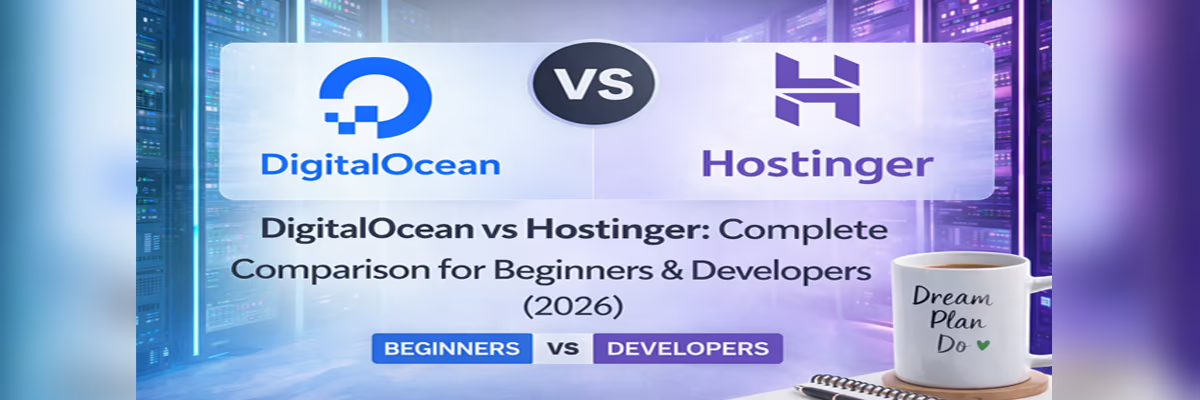
🏆 DigitalOcean vs Hostinger: Complete Comparison for Beginners & Developers (2026)
Choosing the right web hosting in 2026 isn’t just about picking a popular name — it’s about choosing the foundation of your online success. Your hosting provider affects your website speed, uptime, SEO rankings, and ultimately your income.
In this in-depth guide, we compare DigitalOcean vs Hostinger — two giants built for completely different audiences. If you’re confused between power and simplicity, this guide will give you crystal-clear direction.
👉 By the end, you’ll know exactly which one to choose.
🚀 Quick Overview: DigitalOcean vs Hostinger
Before diving deep, let’s understand the core difference:
- DigitalOcean → Cloud infrastructure for developers, full control, scalable
- Hostinger → Beginner-friendly shared hosting with easy setup
If you’re someone who loves control, coding, and custom setups — DigitalOcean is your playground. If you want a website running in minutes without technical headaches — Hostinger is your best friend.
💰 Pricing Comparison (2026)
Pricing is where most beginners make their first mistake. Cheap doesn’t always mean better — and expensive doesn’t always mean powerful.
🔹 Hostinger Pricing
- Starts at ₹69/month (shared hosting)
- Free domain & SSL included
- Perfect for beginners and bloggers
🔹 DigitalOcean Pricing
- Starts at $4/month (~₹330)
- Pay-as-you-go model
- No free domain or extras
💡 Verdict: Hostinger wins for affordability and value. DigitalOcean is better for scalable investment.
⚡ Performance & Speed
Speed is everything. A 1-second delay can reduce conversions drastically.
🔹 Hostinger Performance
- LiteSpeed servers
- Built-in caching
- Optimised for WordPress
🔹 DigitalOcean Performance
- SSD cloud infrastructure
- Dedicated resources
- Blazing fast if configured properly
💡 Verdict: DigitalOcean wins in raw power. Hostinger wins in out-of-the-box performance.
🧠 Ease of Use: Beginner vs Developer
This is the biggest deciding factor.
🔹 Hostinger
- Simple dashboard (hPanel)
- 1-click WordPress install
- No technical knowledge required
🔹 DigitalOcean
- Requires Linux knowledge
- Manual setup (SSH, server config)
- Full control but complex
💡 Verdict: Hostinger is perfect for beginners. DigitalOcean is strictly for developers.
🔧 Features Comparison
| Feature | Hostinger | DigitalOcean |
|---|---|---|
| Free Domain | ✅ Yes | ❌ No |
| SSL | ✅ Free | ⚠️ Manual setup |
| Control Panel | ✅ Easy | ❌ None |
| Scalability | ⚠️ Limited | ✅ Excellent |
💡 Verdict: Hostinger offers convenience. DigitalOcean offers flexibility.
🔒 Security & Reliability
Security is critical — especially if you’re running an affiliate or eCommerce website.
- Hostinger: Automatic updates, free SSL, built-in protection
- DigitalOcean: Full control but requires manual security setup
💡 Verdict: Hostinger is safer for beginners. DigitalOcean depends on your expertise.
🎯 Best Use Cases
👉 Choose Hostinger if:
- You’re a beginner
- You want fast setup
- You run blogs or affiliate sites
👉 Choose DigitalOcean if:
- You’re a developer
- You need scalability
- You build apps or SaaS platforms
⚖️ Pros & Cons
Hostinger Pros
- Affordable
- Beginner-friendly
- Fast setup
Hostinger Cons
- Limited scalability
DigitalOcean Pros
- High performance
- Full control
- Scalable
DigitalOcean Cons
- Not beginner-friendly
- No free extras
🏁 Final Verdict: Which One Should You Choose?
If you’re just starting your journey — building a blog, affiliate site, or small business website — Hostinger is the clear winner. It removes complexity and helps you focus on growth.
But if you’re a developer or planning to scale aggressively — DigitalOcean gives you unmatched power and flexibility.
👉 Simple Rule:
Beginner = Hostinger
Developer = DigitalOcean
Choose wisely — because your hosting isn’t just a tool, it’s your growth engine 🚀
🔥 Ready to Get Started?
Don’t overthink. Start where you are.
👉 If you want simplicity → Go with Hostinger
👉 If you want power → Go with DigitalOcean
Your future website success starts with this one decision.
🔷 DigitalOcean vs Hostinger – Quick Comparison
If you’re short on time and just want a quick answer, this table gives you a clear snapshot of how DigitalOcean and Hostinger compare in 2026.
| Feature | Hostinger | DigitalOcean |
|---|---|---|
| 💰 Pricing | Starts at ₹69/month (budget-friendly, includes free domain & SSL) | Starts at $4/month (~₹330), pay-as-you-go, no free extras |
| 🧠 Ease of Use | Very easy (beginner-friendly dashboard, 1-click installs) | Advanced (requires technical knowledge, manual setup) |
| ⚡ Performance | Optimised for speed (LiteSpeed, caching built-in) | High-performance cloud (dedicated resources, highly scalable) |
| 🎯 Best For | Beginners, bloggers, affiliate marketers, small businesses | Developers, startups, SaaS, high-traffic applications |
💡 Quick Insight: If you want simplicity and fast setup, choose Hostinger. If you want control, scalability, and raw performance, DigitalOcean is the better choice.
💰 Pricing Comparison – Which is More Affordable?
Pricing is often the first thing people look at — and honestly, it should be. But here’s the truth: the cheapest option isn’t always the best. What matters is the value you get for what you pay.
Let’s break down Hostinger vs DigitalOcean pricing in a simple, no-confusion way so you can choose what actually fits your budget and goals.
🔹 Hostinger Pricing Plans
Hostinger is built for affordability. It’s one of the lowest-cost hosting providers in 2026, making it perfect for beginners and bloggers starting their journey.
- 💸 Starts as low as ₹69/month (long-term plans)
- 🌐 Free domain included (on yearly plans)
- 🔒 Free SSL certificate
- ⚡ Optimised performance with LiteSpeed servers
- 📦 Shared hosting (resources are shared with others)
The biggest advantage? You don’t need to worry about anything technical. Everything is bundled — just pay, click, and launch your website.
🔹 DigitalOcean Pricing (Pay-as-you-go)
DigitalOcean works completely differently. Instead of fixed plans, you pay based on the resources you use — which gives flexibility, but also requires understanding.
- 💸 Starts at $4/month (~₹330) for basic droplets
- 📈 Pay-as-you-go billing (scale up anytime)
- ❌ No free domain or bundled features
- ⚙️ You manage server setup, security, and optimisation
- 🚀 Ideal for scalable apps and custom environments
While it looks cheap at first glance, costs can increase as you add backups, bandwidth, or higher resources.
👉 Which is Cheaper for Beginners?
If you’re just starting out, Hostinger is clearly the cheaper and smarter option.
Here’s why:
- ✔ Lower starting cost (₹69 vs ₹330)
- ✔ Includes domain, SSL, and setup tools
- ✔ No hidden costs or technical expenses
- ✔ Saves time (which is money for beginners)
On the other hand, DigitalOcean becomes cost-effective only when you know how to optimise and scale. For developers, it’s powerful — but for beginners, it can become expensive and complicated quickly.
💡 Final Verdict:
👉 Beginners → Hostinger wins (budget + simplicity)
👉 Developers → DigitalOcean wins (flexibility + scalability)
Choose based on your current skill level — not just the price tag. That’s the smartest investment you can make.
⚡ Performance & Speed Comparison
When it comes to hosting, performance isn’t just a feature — it’s the backbone of your website’s success. Faster websites rank higher on Google, convert better, and keep users engaged.
So how do DigitalOcean and Hostinger perform in real-world conditions? Let’s break it down.
🚀 Server Speed & Load Time
Speed is where things get interesting.
- Hostinger: Uses LiteSpeed servers and built-in caching, delivering fast load times right out of the box. In real tests, websites load in under 1 second (around 0.6s LCP), which is excellent for SEO and user experience. :contentReference[oaicite:0]{index=0}
- DigitalOcean: Offers raw cloud power with SSD infrastructure and dedicated resources. However, performance depends heavily on how well you configure your server.
💡 Insight: Hostinger gives you speed instantly. DigitalOcean gives you speed only if you know how to optimise.
⏱️ Uptime Reliability
Uptime is critical — even a few minutes of downtime can cost traffic, rankings, and revenue.
- Hostinger: Offers a standard 99.9% uptime guarantee, which is solid for most websites. :contentReference[oaicite:1]{index=1}
- DigitalOcean: Provides a stronger 99.99% uptime SLA, reducing downtime to less than an hour per year — ideal for high-demand apps. :contentReference[oaicite:2]{index=2}
💡 Insight: DigitalOcean wins in reliability on paper, especially for mission-critical projects.
🌍 Real-world Performance
Real-world performance is where theory meets reality.
- Hostinger: Performs extremely well for blogs, affiliate sites, and small businesses. It’s optimised for typical use cases and handles moderate traffic smoothly. :contentReference[oaicite:3]{index=3}
- DigitalOcean: Excels under heavy workloads and high traffic. Its cloud infrastructure is designed for scalability and stability during traffic spikes. :contentReference[oaicite:4]{index=4}
Some real-world tests even show Hostinger delivering faster load times for standard websites, while DigitalOcean dominates when scaling and handling complex applications. :contentReference[oaicite:5]{index=5}
💡 Final Verdict:
👉 For blogs & affiliate sites → Hostinger wins (fast & ready)
👉 For apps & high traffic → DigitalOcean wins (power & scalability)
The smartest choice? Pick based on your workload — not just raw specs.
🧠 Ease of Use – Best for Beginners
Let’s be honest — not everyone is a developer. Most people just want to launch a website quickly without dealing with technical complexity.
This is where the real difference between Hostinger and DigitalOcean becomes crystal clear.
🟢 Hostinger Control Panel (hPanel)
Hostinger is designed with beginners in mind — and it shows the moment you log in.
- ✅ Clean and modern hPanel dashboard
- ✅ Easy navigation with simple menus
- ✅ 1-click WordPress installation
- ✅ Manage domain, email, SSL — all in one place
Even if you’ve never built a website before, you can figure things out in minutes. The interface is intuitive and everything is clearly organised, making it stress-free to manage your site. :contentReference[oaicite:0]{index=0}
💡 Reality: You don’t need coding skills. Just click, set up, and go live.
🔵 DigitalOcean Dashboard (Developer-focused)
DigitalOcean takes a completely different approach. It’s not built for beginners — it’s built for developers.
- ⚙️ Requires server setup (Droplets)
- ⚙️ Uses SSH, command line, and manual configuration
- ⚙️ No traditional control panel like cPanel or hPanel
- ⚙️ Full control over server environment
While it offers powerful tools and flexibility, you’ll need technical knowledge to use it effectively. You are responsible for setup, security, and optimisation. :contentReference[oaicite:1]{index=1}
💡 Reality: Great power — but comes with a steep learning curve.
👉 Which is Easier to Use?
The answer is simple:
- 👶 Beginner → Hostinger wins (easy, guided, stress-free)
- 👨💻 Developer → DigitalOcean wins (control, flexibility)
If your goal is to launch a blog, affiliate site, or business website quickly — Hostinger is the smartest choice.
But if you enjoy working with servers, coding, and building custom environments — DigitalOcean gives you unmatched control.
🔥 Final Insight: Don’t choose based on hype — choose based on your skill level. That’s the difference between frustration and fast success.
🖥️ DigitalOcean vs Hostinger VPS Comparison
If you’re moving beyond shared hosting, VPS (Virtual Private Server) is where things get serious. You get dedicated resources, better performance, and more control — but also more responsibility.
Both Hostinger and DigitalOcean offer VPS solutions, but they follow completely different philosophies.
⚙️ Managed vs Unmanaged Hosting
This is the most important difference you need to understand before choosing a VPS.
- Hostinger VPS: Primarily unmanaged, but beginner-friendly tools (like templates and AI assistant) make it easier to handle. :contentReference[oaicite:0]{index=0} You still get root access, but setup is simplified.
- DigitalOcean VPS: Fully unmanaged cloud infrastructure with complete control via Droplets (virtual servers). :contentReference[oaicite:1]{index=1} You are responsible for everything — setup, security, updates, and optimisation.
💡 Insight: Managed = less stress, more cost. Unmanaged = more control, more responsibility. :contentReference[oaicite:2]{index=2}
⚡ VPS Performance
VPS performance depends on resources like CPU, RAM, storage, and how well the server is configured.
- Hostinger VPS: Offers strong NVMe SSD performance and excellent single-core speed, making it ideal for websites and WordPress. :contentReference[oaicite:3]{index=3} It performs extremely well out-of-the-box without deep optimisation.
- DigitalOcean VPS: Known for high-performance cloud infrastructure with flexible scaling and dedicated resources. :contentReference[oaicite:4]{index=4} Network performance and scalability are often superior, especially under heavy workloads. :contentReference[oaicite:5]{index=5}
💡 Verdict:
👉 Ready-to-use performance → Hostinger
👉 High-end scalable performance → DigitalOcean
🎯 Use Cases
Choosing between these two depends heavily on what you’re building.
👉 Choose Hostinger VPS if:
- 🟢 You’re running blogs, affiliate sites, or small businesses
- 🟢 You want easier management with less technical effort
- 🟢 You need predictable pricing and bundled features
👉 Choose DigitalOcean VPS if:
- 🔵 You’re building apps, SaaS platforms, or APIs
- 🔵 You need full server control and custom configurations
- 🔵 You expect high traffic or scaling requirements
DigitalOcean is widely trusted by developers and startups for its flexibility and scalability, while Hostinger is preferred by beginners and small businesses for its simplicity and value. :contentReference[oaicite:6]{index=6}
🔥 Final Verdict:
👉 Beginners & growing sites → Hostinger VPS
👉 Developers & scalable apps → DigitalOcean VPS
The right VPS isn’t about features — it’s about how much control you actually need.
☁️ Best Cloud Platform for Developers
When it comes to modern cloud platforms, developers are no longer just looking for hosting — they need flexibility, scalability, and full control over their environment.
This is where the gap between Hostinger and DigitalOcean becomes even more obvious.
For developer use, the right platform isn’t about simplicity — it’s about power, customisation, and the ability to build exactly what you want without limitations.
🔵 DigitalOcean – Built for Developers
DigitalOcean is one of the most popular cloud platforms among developers — and for good reason.
- ⚙️ Full root access to servers (Droplets)
- ⚙️ Deploy apps using Docker, Kubernetes, and APIs
- ⚙️ Flexible scaling (CPU, RAM, storage on demand)
- ⚙️ Advanced networking, load balancers, and databases
It gives developers complete freedom to configure their environment exactly how they want. Whether you’re building a SaaS product, backend API, or automation tool — DigitalOcean provides the infrastructure to scale without limits.
💡 Reality: It’s powerful, but requires technical knowledge. You’re in full control — which means full responsibility.
🟢 Hostinger – Limited for Advanced Developer Use
Hostinger, while excellent for beginners, isn’t designed as a full-scale developer cloud platform.
- ✅ Easy deployment for WordPress and websites
- ⚠️ Limited backend control compared to cloud platforms
- ⚠️ Not ideal for complex app deployments
- ✅ Good for small-scale projects and simple applications
It works well if your development needs are basic — but once you start building more complex systems, you’ll quickly feel the limitations.
👉 Which is the Best Cloud Platform for Developers?
The answer is clear:
- 👨💻 For serious developer use → DigitalOcean wins
- 👶 For beginners or simple websites → Hostinger is enough
If you’re working with modern stacks, APIs, automation tools, or scalable applications — DigitalOcean is one of the best cloud platforms you can choose in 2026.
But if your focus is launching quickly without complexity, Hostinger still delivers excellent value.
🔥 Final Insight: Developers don’t just need hosting — they need freedom. And that’s exactly what the right cloud platform provides.
🌐 Is DigitalOcean One of the Best Cloud Providers?
With so many options available today, choosing among the best cloud providers can feel overwhelming. Names like AWS, Google Cloud, and Azure dominate the market — but where does DigitalOcean stand?
The answer depends on one key factor: who you are and what you need.
🚀 Where DigitalOcean Stands in the Cloud Market
DigitalOcean has carved out a strong position among modern cloud platforms by focusing on simplicity, developer experience, and predictable pricing.
- ⚙️ Clean and developer-friendly interface
- 💰 Transparent, affordable pricing
- 🚀 Fast deployment of servers (Droplets)
- 📈 Scalable infrastructure for growing apps
Unlike complex enterprise platforms, DigitalOcean removes unnecessary layers and gives developers exactly what they need — nothing more, nothing less.
💡 Why DigitalOcean is Among the Best Cloud Providers
DigitalOcean is often ranked among the best cloud providers for startups, developers, and small-to-medium businesses.
- ✅ Ideal for developers and technical users
- ✅ Excellent performance with SSD-based infrastructure
- ✅ Easy scaling without complicated pricing models
- ✅ Strong ecosystem (Kubernetes, App Platform, Managed DBs)
It hits the perfect balance between power and simplicity — something many larger providers struggle to achieve.
⚠️ Where It Falls Short
While DigitalOcean is powerful, it’s not perfect for everyone.
- ❌ Not beginner-friendly
- ❌ Limited enterprise-level features compared to AWS/Azure
- ❌ Requires technical knowledge for setup and management
If you’re expecting a plug-and-play experience, you may find it challenging.
👉 Final Verdict
Yes — DigitalOcean is absolutely one of the best cloud providers in 2026, especially for developers, startups, and scalable applications.
However, it’s not built for everyone.
- 👨💻 Developers & startups → Excellent choice
- 👶 Beginners → Better to start with simpler hosting like Hostinger
🔥 Final Insight: The “best” cloud provider isn’t universal — it’s the one that matches your skill level and goals. And for developers, DigitalOcean remains a top contender.
🔐 DigitalOcean Features Explained (Login, cPanel, Trial)
Before choosing DigitalOcean, it’s important to understand how its core features actually work. Unlike traditional hosting, DigitalOcean follows a developer-first approach — which means things may feel different if you’re coming from platforms like Hostinger.
🔑 DigitalOcean Login Overview
The DigitalOcean login process is simple, but what you access after logging in is where things change.
- 🌐 Login via email, Google, or GitHub account
- 📊 Access to the DigitalOcean dashboard
- ⚙️ Create and manage Droplets (cloud servers)
- 🔐 Full control over networking, storage, and security
Once inside, you’re not managing a “website” — you’re managing a server. That’s a key difference that many beginners don’t realise at first.
💡 Insight: DigitalOcean gives you infrastructure, not a ready-made website environment.
🧩 Does DigitalOcean Support cPanel?
This is one of the most common questions — and the answer is important.
👉 No, DigitalOcean does NOT include cPanel by default.
- ❌ No built-in cPanel or hPanel
- ⚙️ You need to install cPanel manually (paid license required)
- 🔧 Alternatives: CyberPanel, Plesk, or Webmin
Unlike Hostinger, where everything is pre-configured, DigitalOcean expects you to set up your own control panel if needed.
💡 Reality: More flexibility, but more setup work.
🎁 DigitalOcean Free Trial / Credits
DigitalOcean offers a generous free trial, which is great for testing the platform without risk.
- 💸 Up to $200 in free credits (limited-time offers)
- ⏳ Valid for 60 days
- 🧪 Perfect for testing apps, servers, and deployments
This gives you enough time to explore the platform, deploy projects, and understand whether it fits your workflow.
However, once credits expire, billing starts based on your usage — so it’s important to monitor your resources.
👉 What Does This Mean for You?
DigitalOcean is powerful, but it’s not plug-and-play.
- 👨💻 Developers → Perfect (full control, flexible setup)
- 👶 Beginners → Can feel complex without guidance
🔥 Final Insight: If you want simplicity, go with managed hosting. If you want full control over your server environment, DigitalOcean gives you exactly that — no limits.
💬 What Reddit Users Say (Real Opinions)
When it comes to honest reviews, nothing beats Reddit. No marketing, no fluff — just real users sharing real experiences.
So, what do actual users think about DigitalOcean vs Hostinger? Let’s break down the real user insights and community-driven pros and cons.
🔵 DigitalOcean – Reddit User Insights
DigitalOcean is widely respected in developer communities. Many Reddit users highlight its reliability and performance.
“DigitalOcean has worked well for me… first place I look for infrastructure.” :contentReference[oaicite:0]{index=0}
“A bit more expensive, but certainly worth it.” :contentReference[oaicite:1]{index=1}
- ✅ Strong performance and stability
- ✅ Preferred by developers and advanced users
- ✅ Reliable for long-term projects
- ❌ Requires technical knowledge (not beginner-friendly)
- ❌ Slightly higher cost compared to budget hosting
💡 Community Insight: DigitalOcean is often seen as a “serious” platform — powerful, reliable, but meant for users who know what they’re doing.
🟢 Hostinger – Reddit User Insights
Hostinger gets mixed reactions on Reddit — some users love it, while others raise concerns.
“Very easy to use… built our whole business website.” :contentReference[oaicite:2]{index=2}
“They get you in with discounts… renewal prices increase.” :contentReference[oaicite:3]{index=3}
- ✅ Extremely affordable (great for beginners)
- ✅ Easy setup and user-friendly interface
- ✅ Good for blogs and small websites
- ❌ Pricing can increase on renewal
- ❌ Performance issues reported under heavy load
💡 Community Insight: Hostinger is seen as a great starting point — but not always ideal for scaling or advanced use.
⚖️ Real-World Pros & Cons from the Community
Looking at multiple Reddit threads, a clear pattern emerges:
- 🟢 Hostinger = Best value for beginners
- 🔵 DigitalOcean = Best for developers & performance
One user summed it up perfectly:
“Best value: Hostinger… Power user: DigitalOcean.” :contentReference[oaicite:4]{index=4}
🔥 Final Insight: Reddit users don’t follow hype — they follow experience. And the consensus is clear:
- 👉 Want easy + cheap → Hostinger
- 👉 Want power + control → DigitalOcean
That’s real-world advice you can trust.
⚖️ Pros and Cons
Every hosting provider has its strengths and weaknesses. Instead of marketing hype, let’s look at the real advantages and limitations of both Hostinger and DigitalOcean.
🟢 Hostinger Pros & Cons
✅ Pros:
- 💰 Extremely affordable (one of the cheapest hosting options in 2026)
- 🧠 Beginner-friendly dashboard (hPanel)
- ⚡ Fast performance with LiteSpeed servers
- 🌐 Free domain and SSL included
- 🚀 Quick setup (launch a website in minutes)
❌ Cons:
- 📈 Limited scalability for high-traffic websites
- 💸 Renewal prices can be higher
- ⚙️ Less control compared to cloud platforms
💡 Summary: Hostinger is perfect for beginners, bloggers, and small businesses looking for simplicity and value.
🔵 DigitalOcean Pros & Cons
✅ Pros:
- 🚀 High-performance cloud infrastructure
- ⚙️ Full control over server configuration
- 📈 Excellent scalability for growing projects
- 💡 Transparent pay-as-you-go pricing
- 🧑💻 Ideal for developers and advanced users
❌ Cons:
- 🧠 Not beginner-friendly (requires technical knowledge)
- ❌ No free domain or bundled features
- ⚙️ Manual setup for security, backups, and optimisation
💡 Summary: DigitalOcean is best for developers, startups, and users who need full control and scalability.
🔥 Final Insight:
👉 Want simplicity and affordability → Hostinger
👉 Want power and flexibility → DigitalOcean
The right choice depends on your experience level and long-term goals — not just features.
🏁 Final Verdict – Which Hosting Should You Choose?
After comparing everything — pricing, performance, ease of use, and scalability — the truth is simple: there is no one-size-fits-all winner.
The right choice depends entirely on your experience level, goals, and how you plan to grow.
Let’s make it crystal clear so you can decide in seconds 👇
🟢 Choose Hostinger if…
- 👶 You’re a beginner starting your first website
- 💰 You want the most affordable hosting option
- ⚡ You prefer a simple, ready-to-use setup
- 📝 You’re building a blog, affiliate site, or small business website
- ⏳ You don’t want to deal with technical configurations
👉 Best for: Bloggers, affiliate marketers, freelancers, and small business owners.
💡 Why? Hostinger removes complexity and lets you focus on growing your website — not managing servers.
🔵 Choose DigitalOcean if…
- 👨💻 You have technical knowledge (or are willing to learn)
- ⚙️ You want full control over your server environment
- 🚀 You’re building apps, SaaS platforms, or APIs
- 📈 You expect high traffic and need scalability
- 🔧 You prefer flexibility over convenience
👉 Best for: Developers, startups, and scalable tech projects.
💡 Why? DigitalOcean gives you raw power and flexibility — but expects you to know how to use it.
🔥 The Smart Choice (Simple Rule)
If you’re still confused, just follow this:
👉 Beginner → Go with Hostinger
👉 Developer → Go with DigitalOcean
Don’t overthink it. The biggest mistake is not starting at all.
Your hosting is your foundation — choose the one that helps you grow, not struggle.
🚀 Start today, scale tomorrow.
❓ Frequently Asked Questions (FAQs)
Is Hostinger better than DigitalOcean for beginners?
Yes. Hostinger is much easier to use with a simple dashboard and one-click setup. DigitalOcean is more technical and better suited for developers.
Is DigitalOcean faster than Hostinger?
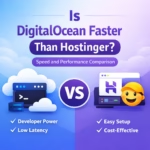
DigitalOcean can be faster in raw performance, but only if properly configured. Hostinger provides fast speed instantly without any setup.
Which is cheaper: Hostinger or DigitalOcean?
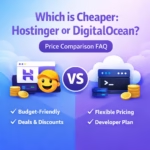
Hostinger is cheaper for beginners, starting at very low monthly prices. DigitalOcean uses a pay-as-you-go model and can cost more over time.
Can I use WordPress on DigitalOcean?
Yes, but it requires manual setup or pre-configured images. Hostinger is much easier with one-click WordPress installation.
Which hosting is best for developers?
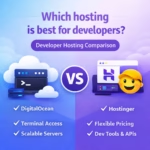
DigitalOcean is better for developers because it offers full control, scalability, and support for advanced tools and custom setups.