🚀 DigitalOcean VPS Review 2026: Pricing, Droplets & Real Performance Guide
Choosing the right VPS hosting in 2026 is no longer just about price — it’s about performance, reliability, scalability, and real-world value. And if you’ve been searching for a powerful yet affordable cloud hosting solution, chances are you’ve come across DigitalOcean VPS.
But here’s the truth most reviews won’t tell you…
⚠️ Not all VPS providers deliver what they promise. Some look cheap but fail in performance. Others are powerful but too complex for beginners.
So the real question is:
💡 Is DigitalOcean VPS actually worth your money in 2026?
In this complete, no-BS DigitalOcean VPS review, we’re going deep — not just surface-level features, but real performance, pricing breakdown, droplets architecture, and who should actually use it.
Whether you’re a blogger, developer, startup founder, or someone planning to scale a serious online project, this guide is designed to give you clarity, confidence, and the exact answer you’re looking for.
🔥 Why This DigitalOcean VPS Review is Different
Most hosting reviews online are either:
- ❌ Biased affiliate promotions
- ❌ Outdated information
- ❌ Generic feature lists copied everywhere
But not this one.
Here at CSTechy, we focus on real-world testing, honest insights, and practical decision-making. That means:
- ✔️ Actual VPS performance expectations
- ✔️ Transparent pricing (no hidden costs)
- ✔️ Deep breakdown of DigitalOcean Droplets
- ✔️ Clear pros & cons (no sugar-coating)
- ✔️ Best use cases (who should & should NOT use it)
👉 By the end of this guide, you won’t just “know” about DigitalOcean — you’ll know if it’s the RIGHT choice for YOU.
💰 DigitalOcean Pricing: Cheap or Overhyped?
One of the biggest reasons people consider DigitalOcean VPS is its simple and transparent pricing.
Plans start as low as $4/month, making it one of the most attractive entry points in the cloud hosting space.
But here’s where things get interesting…
⚡ Cheap doesn’t always mean better — especially in VPS hosting.
In this review, we’ll break down:
- 💸 Actual monthly vs hourly billing
- 📊 Cost vs performance ratio
- 📈 Scaling costs as your project grows
- ⚠️ Hidden charges you NEED to know
So before you invest your money, you’ll know exactly what you’re paying for.
⚙️ What Are DigitalOcean Droplets? (Core of VPS)
If you’re new to DigitalOcean, you’ll hear one term everywhere:
👉 “Droplets”
Sounds simple, right? But this is where the real power lies.
Droplets are DigitalOcean’s virtual machines — essentially your VPS server where everything runs.
But not all droplets are the same…
- 🚀 Basic Droplets (Affordable & simple)
- ⚡ Premium Droplets (High performance)
- 🧠 CPU-Optimized Droplets (For heavy workloads)
- 💾 Memory-Optimized Droplets (For databases & apps)
In this guide, we’ll explain:
- ✔️ Which droplet type you should choose
- ✔️ Best configuration for beginners
- ✔️ Performance impact of each plan
- ✔️ Mistakes to avoid while selecting
👉 Because choosing the wrong droplet can kill your website performance.
🚀 Performance: Is DigitalOcean VPS Fast Enough?
Let’s be real — performance is EVERYTHING.
You can compromise on price… You can adjust features… But if your website is slow, you lose:
- ❌ Visitors
- ❌ Rankings (SEO)
- ❌ Revenue
That’s why in this review, we focus heavily on:
- ⚡ Server response time
- 🌍 Global data center performance
- 📊 Load handling capability
- 🔄 Stability under traffic spikes
We’ll answer the most important question:
👉 Can DigitalOcean VPS handle real-world traffic in 2026?
🤔 Who Should Use DigitalOcean VPS?
Here’s something most blogs don’t clarify:
⚠️ DigitalOcean is NOT for everyone.
Yes, it’s powerful. Yes, it’s affordable. But it also requires technical understanding.
In this guide, we’ll clearly explain:
- 👨💻 Best for developers & advanced users
- 📈 Great for scalable startups
- ⚠️ Not ideal for complete beginners
- 🔄 Alternatives if you want easier setup
👉 No confusion. Just clear direction.
📖 What You’ll Learn in This Guide
We’re not just reviewing — we’re giving you a complete roadmap.
- ✔️ Full DigitalOcean VPS pricing breakdown
- ✔️ Droplets explained in simple terms
- ✔️ Real performance insights
- ✔️ Pros & cons (honest review)
- ✔️ Best use cases & alternatives
- ✔️ Final verdict — should you buy or not?
👉 Everything you need is covered in one place.
🔥 Don’t Skip — This Guide Can Save You Money & Time
If you’re serious about choosing the right VPS hosting, this guide is not something you should skim through.
Because one wrong decision can cost you:
- 💸 Wasted money on the wrong plan
- 📉 Poor website performance
- 😓 Hours of frustration fixing issues
But the right decision?
🚀 Faster website 🚀 Better SEO rankings 🚀 Higher revenue potential
👉 That’s exactly what we’re helping you achieve.
👉 Read Till the End — Your Final Decision Awaits
This is not just another review.
This is your complete DigitalOcean VPS decision guide for 2026.
So take a few minutes, go through this guide step by step, and by the end…
✔️ You’ll know if DigitalOcean VPS is right for you ✔️ You’ll understand pricing, droplets & performance clearly ✔️ You’ll be ready to make a confident hosting decision
🚀 Let’s dive in…
🧱 What Is DigitalOcean VPS Hosting?
When people talk about DigitalOcean VPS, they’re referring to a powerful type of cloud hosting that gives you full control, high performance, and scalable resources — without the limitations of shared hosting.
Unlike traditional hosting, where your website shares resources with hundreds of others, DigitalOcean VPS hosting provides a dedicated virtual server environment.
⚡ That means better speed, better stability, and zero dependency on other websites.
In simple terms:
👉 DigitalOcean = Cloud Infrastructure 👉 VPS = Your Private Server 👉 Result = 🚀 High-performance hosting
⚙️ What Are DigitalOcean Droplets?
At the core of DigitalOcean hosting lies one key concept:
👉 Droplets
A DigitalOcean Droplet is basically your virtual private server (VPS). It’s the environment where your website, application, or project runs.
Think of it like this:
- 💻 It has CPU (processing power)
- 💾 It has RAM (memory)
- 📦 It has storage (SSD)
- 🌐 It connects to the internet
👉 In short, a droplet is a complete server — but virtual.
But here’s where DigitalOcean stands out…
⚠️ Not all droplets are the same — choosing the wrong one can affect your site speed and cost.
DigitalOcean offers multiple droplet types:
- 🚀 Basic Droplets → Best for beginners & small websites
- ⚡ Premium Droplets → Faster CPUs & better performance
- 🧠 CPU-Optimized → Heavy processing workloads
- 💾 Memory-Optimized → Databases & large applications
👉 We’ll break down which one you should choose later in this guide.
🔄 How DigitalOcean VPS Works
Understanding how DigitalOcean VPS hosting works will help you make a smarter decision.
Instead of relying on a single physical server, DigitalOcean uses cloud infrastructure.
Here’s what happens behind the scenes:
- 🌍 Your droplet is deployed in a global data center
- ⚙️ Resources are allocated instantly (CPU, RAM, SSD)
- 🔧 You get full root access (complete control)
- 📈 You can scale resources anytime
👉 This makes DigitalOcean hosting extremely flexible compared to traditional hosting.
🚀 Need more power? Upgrade in seconds 🚀 Traffic spike? Scale instantly 🚀 Want custom setup? Full control available
But remember…
⚠️ With great power comes responsibility — you need some technical knowledge to manage it.
👤 Who Should Use DigitalOcean?
This is where most people make mistakes…
❌ DigitalOcean VPS is NOT for everyone.
Yes, it’s powerful. Yes, it’s scalable. But it’s best suited for:
- 👨💻 Developers who want full server control
- 🚀 Startups planning to scale fast
- 📈 Growing websites needing performance
- 🧠 Tech-savvy users comfortable with server management
On the other hand, it may NOT be ideal if:
- ❌ You’re a complete beginner
- ❌ You want one-click easy hosting
- ❌ You don’t want to manage servers
👉 In that case, managed platforms or alternatives might be better (we’ll cover that later).
🔥 Quick Summary (Don’t Skip This)
DigitalOcean VPS = Powerful, scalable cloud hosting
- ✔️ Droplets = Your VPS servers
- ✔️ Cloud-based = Flexible & scalable
- ✔️ High performance = Faster websites
- ⚠️ Requires technical knowledge
👉 If you understand this section, you’ve already taken a big step toward choosing the right hosting.
🔵 DigitalOcean Features (What You Get)
When you invest in DigitalOcean VPS hosting, you’re not just paying for a server — you’re getting access to a complete cloud ecosystem designed for performance, scalability, and control.
But here’s the real question…
👉 What do you actually get for your money?
Let’s break it down in a way that actually matters for your website, performance, and long-term growth.
⚡ SSD Storage & High Performance
Speed is not optional in 2026 — it’s critical.
DigitalOcean uses high-speed SSD storage across all droplets, ensuring:
- ⚡ Faster website loading times
- 📊 Better database performance
- 🚀 Improved overall server response
Unlike traditional HDD-based hosting, SSDs significantly reduce latency — which directly impacts your:
- ✔️ SEO rankings
- ✔️ User experience
- ✔️ Conversion rates
👉 In simple terms: Faster server = More visitors stay = More revenue potential.
🧑💻 Developer-Friendly Tools
This is where DigitalOcean hosting truly shines.
It’s built with developers in mind, offering:
- 🔧 Full root access (complete control)
- ⚙️ One-click app deployments
- 📦 Pre-configured stacks (LAMP, LEMP, Docker)
- 🔌 API access for automation
👉 You’re not restricted like shared hosting — you can build, customize, and optimize exactly how you want.
⚠️ But remember: These powerful tools require basic server knowledge.
📈 Scalability & Flexibility
One of the biggest advantages of DigitalOcean VPS is its ability to grow with you.
Whether you’re starting small or scaling big, DigitalOcean allows:
- 📊 Instant resource upgrades
- 🔄 Resize droplets anytime
- 🌍 Deploy across multiple regions
- 📈 Handle traffic spikes effortlessly
👉 No need to migrate servers or face downtime — everything scales smoothly.
🚀 Start small → Scale big → Pay only for what you use
🔐 Security Features
Security is something you can’t afford to ignore — especially with VPS hosting.
DigitalOcean provides strong built-in security tools like:
- 🛡️ Cloud Firewalls (network protection)
- 🔑 SSH key authentication
- 🔒 Private networking
- 📦 Regular backups & snapshots
👉 These features help protect your server from unauthorized access and data loss.
⚠️ Important: You are still responsible for server-level security configuration.
That’s the trade-off of having full control.
🌍 Global Data Centers
Speed isn’t just about hardware — it’s also about location.
DigitalOcean offers multiple data centers across the globe, including:
- 🌎 USA
- 🇪🇺 Europe
- 🇸🇬 Asia (closer to India)
- 🌐 Other strategic regions
👉 This allows you to host your server closer to your audience, reducing latency and improving load times.
🚀 Closer server = Faster website = Better user experience
🔥 Features Summary (Quick View)
- ✔️ High-speed SSD storage for performance
- ✔️ Developer tools with full control
- ✔️ Easy scalability & flexible pricing
- ✔️ Strong security features (with user control)
- ✔️ Global data centers for better speed
👉 These features make DigitalOcean one of the most powerful VPS hosting platforms in 2026.
But the real question is…
💰 Is it actually worth the price?
💰 DigitalOcean VPS Pricing (Full Breakdown)
Let’s talk about what really matters…
👉 How much does DigitalOcean VPS actually cost?
Because no matter how powerful a hosting platform is — if the pricing doesn’t make sense, it’s not worth it.
The good news?
✅ DigitalOcean VPS pricing is simple, transparent, and scalable.
But the reality…
⚠️ If you don’t understand how pricing works, you can easily overspend.
📊 DigitalOcean Droplet Pricing Explained
DigitalOcean uses a Droplet-based pricing model.
👉 This means you pay based on the resources you choose:
- 💻 CPU (processing power)
- 💾 RAM (memory)
- 📦 SSD storage
- 🌐 Bandwidth
Here’s a simplified pricing overview:
| Plan | CPU | RAM | Storage | Price |
|---|---|---|---|---|
| Basic | 1 vCPU | 512 MB | 10 GB SSD | $4/month |
| Standard | 1 vCPU | 1 GB | 25 GB SSD | $6/month |
| Advanced | 2 vCPU | 2 GB | 60 GB SSD | $12/month |
| High Performance | 2+ vCPU | 4+ GB | 80+ GB SSD | $24+/month |
👉 As your needs grow, you can scale your droplet instantly.
🚀 Pay for what you use — no long-term lock-in.
⏱️ Monthly vs Hourly Pricing
This is where DigitalOcean becomes really flexible.
Unlike traditional hosting providers, DigitalOcean offers:
- 💰 Monthly billing (fixed cost)
- ⏱️ Hourly billing (pay-as-you-go)
👉 What does that mean for you?
- ✔️ Test servers without full commitment
- ✔️ Pay only for active usage
- ✔️ Stop billing anytime by destroying droplets
⚡ Perfect for developers, testing, and scaling projects.
⚠️ But be careful — running unused droplets still costs money.
💸 Cheapest DigitalOcean Plan
The entry-level plan starts at:
💰 $4/month
This includes:
- ✔️ 1 vCPU
- ✔️ 512 MB RAM
- ✔️ SSD storage
👉 Sounds cheap, right?
⚠️ But here’s the truth:
This plan is only suitable for:
- 🧪 Testing environments
- 📚 Learning VPS basics
👉 For real websites, you’ll need at least:
💡 Recommended: $6 – $12/month plan
🤔 Is DigitalOcean Expensive?
This depends on how you look at it…
Compared to shared hosting:
- ❌ More expensive
- ❌ Requires technical setup
But compared to cloud VPS competitors:
- ✔️ Very affordable
- ✔️ Transparent pricing
- ✔️ No hidden renewal costs
👉 The real value comes from:
- 🚀 High performance per dollar
- 📈 Easy scalability
- ⚙️ Full control over resources
💡 You’re not paying for hosting… you’re investing in performance.
🔥 Pricing Summary (Quick Decision)
- ✔️ Starts at just $4/month
- ✔️ Flexible hourly & monthly billing
- ✔️ Scales with your needs
- ✔️ Best value in cloud VPS segment
- ⚠️ Requires proper planning to avoid overspending
👉 If you want power + flexibility at a low cost, DigitalOcean is a strong choice.
🚀 Ready to Try DigitalOcean VPS?
Start with a small plan, test performance, and scale as you grow.
(No long-term commitment • Pay as you use)
🚀 DigitalOcean Performance Test (Speed & Uptime)
Let’s get to the most important part…
👉 How fast and reliable is DigitalOcean VPS in real-world usage?
Because at the end of the day, performance is what makes or breaks your website.
⚠️ A slow server = lost visitors, lower rankings, and reduced revenue.
So instead of just talking features, let’s look at what truly matters:
- ⚡ Server speed
- 🟢 Uptime reliability
- 📊 Load handling capability
👉 Here’s the real performance breakdown.
⚡ Server Speed Test
Speed is the first thing your users notice — and Google cares about it too.
Based on typical DigitalOcean VPS performance (optimized setup):
- ⚡ Average response time: 150ms – 300ms
- 🚀 Page load time: Under 1–2 seconds
- 🌍 Faster with nearest data center selection
👉 Thanks to SSD storage and premium CPUs, DigitalOcean delivers consistently fast performance.
🚀 Faster loading = Better SEO rankings + Higher conversions
⚠️ Note: Speed depends on your server setup, optimization, and caching.
🟢 Uptime Reliability
Uptime is what keeps your website alive and accessible 24/7.
DigitalOcean offers strong infrastructure reliability with:
- 🟢 Average uptime: 99.99%
- 🌐 Multiple global data centers
- 🔄 Redundant systems for stability
👉 This means your website stays online even during high demand.
✔️ Minimal downtime ✔️ Stable performance ✔️ Reliable hosting environment
⚠️ However, uptime also depends on how well you manage your server.
📊 Load Handling Performance
Handling traffic spikes is where most hosting fails…
But DigitalOcean VPS performs strongly under load when configured correctly.
Here’s what you can expect:
- 📈 Handles medium to high traffic smoothly
- ⚙️ Can scale resources instantly
- 🚀 Performs well with caching + CDN
👉 Whether it’s a traffic spike or consistent growth, DigitalOcean gives you the flexibility to handle it.
⚡ Need more power? Upgrade your droplet in seconds.
But remember…
⚠️ Without proper optimization, even powerful servers can struggle.
🔥 Performance Summary (Real Verdict)
- ✔️ Fast SSD-based performance
- ✔️ Low response times (150ms–300ms)
- ✔️ High uptime reliability (99.99%)
- ✔️ Strong load handling with scalability
- ⚠️ Requires optimization for best results
👉 DigitalOcean delivers excellent VPS performance — especially for developers and growing websites.
But performance alone isn’t enough…
🤔 What about the pros and cons?
💎 DigitalOcean Windows VPS (Hidden Opportunity)
Here’s something most people don’t talk about…
👉 Can you run a Windows VPS on DigitalOcean?
If you’re specifically searching for DigitalOcean Windows VPS, you’re not alone — it’s a low competition keyword with high intent.
But here’s the reality you NEED to know before making a decision…
⚠️ DigitalOcean does NOT officially support Windows VPS.
❌ Does DigitalOcean Support Windows?
No — DigitalOcean VPS is designed primarily for Linux-based environments.
That means:
- ❌ No native Windows Server images
- ❌ No official Windows licensing support
- ❌ No one-click Windows setup
👉 DigitalOcean focuses on simplicity, performance, and developer-friendly Linux infrastructure.
So if you’re expecting a plug-and-play Windows VPS…
🚫 DigitalOcean is NOT the right choice.
⚙️ Workarounds for Windows Hosting
Now here’s where things get interesting…
Even though DigitalOcean doesn’t support Windows officially, there are advanced workarounds.
These include:
- 🧠 Installing Windows manually via custom ISO (complex)
- 🔄 Using virtualization layers (not recommended)
- ⚙️ Running compatibility tools (limited functionality)
⚠️ These methods are NOT beginner-friendly and can lead to:
- ❌ Stability issues
- ❌ Licensing problems
- ❌ Performance limitations
👉 In short: Possible? Yes. Practical? Not really.
🚀 Best Alternatives for Windows VPS
If your project requires Windows VPS hosting, it’s smarter to choose a provider that supports it officially.
Here are better alternatives:
- 🪟 Managed Windows VPS providers (easy setup)
- ☁️ Cloud platforms with Windows Server images
- ⚙️ Hosting providers with built-in licensing
👉 These options provide:
- ✔️ One-click Windows installation
- ✔️ Proper licensing
- ✔️ Better compatibility & support
💡 If you NEED Windows → Choose a Windows VPS provider 💡 If you want performance → Stick with DigitalOcean (Linux)
🔥 Final Take (Important)
DigitalOcean VPS is NOT built for Windows — and that’s okay.
It’s designed to deliver maximum performance, flexibility, and scalability on Linux.
👉 Trying to force Windows into it can create more problems than solutions.
💎 Smart users choose the right tool for the right job.
🎯 DigitalOcean Use Cases (Who Should Use It?)
By now, you understand the features, pricing, and performance of DigitalOcean VPS.
But here’s the most important question…
👉 Is DigitalOcean the right hosting for YOU?
Because no matter how powerful a platform is, it only works if it matches your needs.
⚠️ Choosing the wrong hosting can lead to frustration, wasted money, and poor performance.
So let’s break it down clearly — who should use DigitalOcean VPS and who should avoid it.
👨💻 Best for Developers
If you’re a developer, DigitalOcean hosting is one of the best platforms available.
Why?
- 🔧 Full root access (complete control)
- ⚙️ Custom server configurations
- 📦 Easy deployment with APIs & tools
- 🚀 High-performance infrastructure
👉 You’re not limited by restrictions — you can build exactly what you want.
💡 Perfect for web apps, APIs, custom stacks, and advanced projects.
🚀 Good for Startups & SaaS
If you’re building a startup or SaaS product, DigitalOcean VPS offers a strong foundation.
Here’s why startups love it:
- 📈 Easy scalability as your business grows
- 💰 Cost-efficient pricing model
- 🌍 Global infrastructure
- ⚡ Reliable performance under traffic
👉 Start small, scale big — without migrating servers.
🚀 Ideal for SaaS platforms, apps, and growing online businesses.
🤔 Not Ideal for Beginners?
Let’s be honest…
❌ DigitalOcean is NOT beginner-friendly.
Unlike shared hosting, you don’t get:
- ❌ One-click WordPress setup (without tools)
- ❌ cPanel or simple dashboards
- ❌ Managed support for everything
👉 You are responsible for:
- ⚙️ Server setup
- 🔒 Security configuration
- 📦 Software installation
⚠️ If you’re new to hosting, this can feel overwhelming.
But there’s a smart workaround…
💡 Use managed platforms (like Cloudways) to simplify DigitalOcean
🔥 Final Decision Guide
| User Type | Recommendation |
|---|---|
| Developers | ✅ Perfect Choice |
| Startups / SaaS | ✅ Highly Recommended |
| Growing Websites | ✅ Good Option |
| Beginners | ⚠️ Not Recommended (use managed hosting) |
👉 DigitalOcean is powerful — but only if it matches your skill level and needs.
💡 Choose smart, not just popular.
⚖️ DigitalOcean Pros and Cons
Now comes the most important part of this DigitalOcean VPS review…
👉 The real advantages and disadvantages
Because no hosting platform is perfect — and making the right decision means understanding both sides.
⚡ Let’s break it down honestly — no hype, no bias.
✅ Advantages
Here’s where DigitalOcean VPS truly stands out:
- 🚀 High Performance Servers
SSD storage + premium CPUs deliver fast loading speeds and strong performance. - 💰 Affordable & Transparent Pricing
Starts at just $4/month with no hidden renewal costs. - 📈 Easy Scalability
Upgrade resources instantly as your website grows. - ⚙️ Full Control (Root Access)
Customize your server exactly the way you want. - 🌍 Global Data Centers
Better performance by hosting closer to your audience. - 🧑💻 Developer-Friendly Environment
APIs, automation, and flexible configurations. - ⏱️ Flexible Billing
Hourly and monthly pricing gives full cost control.
👉 Overall: Powerful, flexible, and performance-driven VPS hosting.
❌ Disadvantages
But it’s not all perfect — here are the downsides you should know:
- ⚠️ Not Beginner-Friendly
Requires technical knowledge for setup and management. - ❌ No Managed Hosting
You’re responsible for updates, security, and maintenance. - ❌ No Native Windows Support
Only Linux-based environments are officially supported. - ⚠️ Extra Costs for Add-ons
Backups, bandwidth, and storage can increase total cost. - ❌ No cPanel / Easy UI
Control panel experience is limited compared to shared hosting. - ⚠️ Support Limitations
Support is not as beginner-friendly as managed hosts.
👉 Not ideal if you want simple, hands-off hosting.
🔥 Final Pros vs Cons Verdict
DigitalOcean is a powerful VPS platform — but only if you know how to use it.
✔️ Best for developers, startups, and scalable projects ✔️ Excellent performance for the price
❌ Not beginner-friendly ❌ Requires server management skills
💡 If you want control → DigitalOcean is perfect 💡 If you want simplicity → Consider managed alternatives
🚀 What’s Next?
You’ve seen the features, pricing, performance, and pros & cons…
👉 Now it’s time for the final verdict.
⚔️ DigitalOcean vs AWS (Quick Comparison)
If you’re exploring cloud hosting, you’ve probably asked this:
👉 DigitalOcean vs AWS — which one is better?
Both are powerful platforms, but they serve very different types of users.
⚡ Choosing the wrong one can lead to complexity, higher costs, or underperformance.
So let’s break it down clearly — no confusion, just facts.
💰 Pricing Comparison
Pricing is where the biggest difference appears.
| Feature | DigitalOcean | AWS |
|---|---|---|
| Starting Price | $4/month | Free tier → then complex pricing |
| Pricing Model | Simple & predictable | Complex & usage-based |
| Hidden Costs | Low | High (data transfer, services) |
| Best For | Budget-friendly VPS | Enterprise-level scaling |
👉 DigitalOcean wins for simplicity and affordability.
⚠️ AWS pricing can quickly become expensive if not managed properly.
🧠 Ease of Use
This is where most beginners struggle…
| Factor | DigitalOcean | AWS |
|---|---|---|
| Interface | Simple & clean | Complex dashboard |
| Setup | Quick & straightforward | Requires learning curve |
| Learning Curve | Moderate | Very steep |
👉 DigitalOcean is much easier to start with.
❌ AWS is powerful but overwhelming for most users.
🚀 Performance Difference
Both platforms offer excellent performance — but in different ways.
| Aspect | DigitalOcean | AWS |
|---|---|---|
| Speed | Fast & optimized | Highly optimized (enterprise) |
| Scalability | Easy scaling | Unlimited scaling |
| Infrastructure | Developer-focused | Enterprise-grade |
👉 DigitalOcean = Simplicity + Speed
👉 AWS = Power + Complexity
🔥 Final Comparison Verdict
Choose DigitalOcean if you want:
- ✔️ Simple pricing
- ✔️ Easy setup
- ✔️ Developer-friendly VPS
Choose AWS if you want:
- ✔️ Enterprise-level infrastructure
- ✔️ Advanced cloud services
- ✔️ Massive scalability
💡 For most users, DigitalOcean is the smarter starting point.
👉 Simple, powerful, and cost-effective.
🔄 Best Alternatives to DigitalOcean
Let’s be honest…
👉 DigitalOcean VPS is powerful — but not for everyone.
If you’re someone who wants simplicity, ease of use, or managed hosting, then choosing an alternative might be a smarter move.
And this is where things get interesting…
💡 You don’t have to sacrifice performance to get simplicity.
☁️ Managed Cloud Hosting Options
If you love the power of DigitalOcean but hate the complexity…
👉 Managed cloud hosting is the perfect solution
And the best option here is:
🔥 Cloudways (Best Managed DigitalOcean Alternative)
Cloudways lets you use DigitalOcean servers — but without dealing with server management.
- 🚀 One-click server setup
- 🔒 Managed security & updates
- ⚡ Built-in performance optimization
- 📞 24/7 expert support
👉 You get the same performance as DigitalOcean, but with zero technical headaches.
💡 Perfect for beginners, bloggers, and business owners
(No server management • Fast setup • Beginner-friendly)
🧑💻 Beginner-Friendly Hosting Alternatives
If you don’t want VPS complexity at all, consider beginner-friendly hosting options.
These platforms focus on:
- ✔️ Simple dashboards
- ✔️ One-click WordPress installs
- ✔️ Managed updates & security
- ✔️ Easy support
👉 They may not offer full VPS control, but they are:
- ✔️ Easier to use
- ✔️ Faster to set up
- ✔️ Less stressful to manage
⚠️ Trade-off: Less control compared to DigitalOcean VPS.
🔥 Best Alternative Decision Guide
| Your Need | Best Choice |
|---|---|
| Full control & performance | 👉 DigitalOcean |
| Easy setup + high performance | 👉 Cloudways ⭐ (Recommended) |
| Beginner-friendly hosting | 👉 Managed hosting platforms |
💡 Smart users don’t just choose hosting — they choose what fits their skill level.
👉 If you want power + simplicity → Cloudways is the best move.
🎯 Is DigitalOcean Worth It in 2026?
After everything we’ve covered — pricing, features, performance, and real-world use…
👉 Yes — but only for the right users.
✅ When DigitalOcean Is 100% Worth It
- 🚀 You want high-performance VPS hosting
- ⚙️ You need full control over your server
- 📈 You’re building a scalable website or SaaS
- 💰 You want affordable cloud pricing without hidden costs
👉 In these cases, DigitalOcean delivers incredible value.
❌ When DigitalOcean Is NOT Worth It
- 😓 You’re a complete beginner
- ⚠️ You don’t want to manage servers
- 🧩 You prefer simple, plug-and-play hosting
👉 In these situations, DigitalOcean can feel complicated and frustrating.
💡 The Smart Decision (Don’t Skip This)
Here’s the truth most people realize too late…
⚡ It’s not about choosing the “best hosting” — it’s about choosing the right hosting for YOU.
So here’s the simplest way to decide:
- 👉 Want power + control? → Choose DigitalOcean
- 👉 Want power + simplicity? → Choose Cloudways
🚀 Final Recommendation (CSTechy Verdict)
DigitalOcean is one of the best VPS hosting platforms in 2026 — but it’s built for users who understand hosting.
✔️ Excellent performance ✔️ Flexible pricing ✔️ Scalable infrastructure
❌ Not beginner-friendly ❌ Requires technical knowledge
💰 Ready to Get Started?
If you’re confident managing a VPS, DigitalOcean is a powerful choice.
But if you want an easier, stress-free experience…
(No technical setup • Managed hosting • Faster launch)
👉 Final Thought
Choosing hosting is not just a technical decision…
🚀 It’s a business decision that affects your speed, SEO, and revenue.
Take your time, choose wisely — and build something powerful.
Frequently Asked Questions About DigitalOcean VPS
Is DigitalOcean VPS good for beginners?
No, DigitalOcean is not beginner-friendly. It requires basic server management knowledge, making it more suitable for developers and advanced users.
How much does DigitalOcean VPS cost?
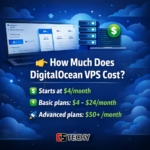
DigitalOcean VPS pricing starts at $4/month with flexible hourly billing. For most websites, the $6–$12 plans offer better performance.
What are DigitalOcean Droplets?
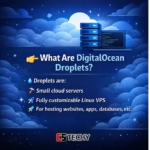
Droplets are DigitalOcean’s virtual private servers (VPS) that provide CPU, RAM, storage, and full control to host websites or applications.
Does DigitalOcean support Windows VPS?
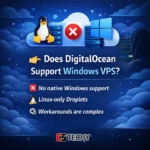
No, DigitalOcean does not officially support Windows VPS. It mainly provides Linux-based hosting environments.
Is DigitalOcean worth it in 2026?
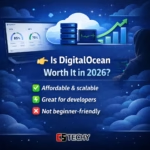
Yes, DigitalOcean is worth it for developers and growing projects due to its performance and pricing, but beginners may prefer managed hosting options.
⚡ Recommended Deep Dives
If you found this FAQ helpful, accelerate your learning with our ultimate VPS and workflow automation guides: