HubSpot Review: Is It Still the Best All-In-One CRM in 2026?
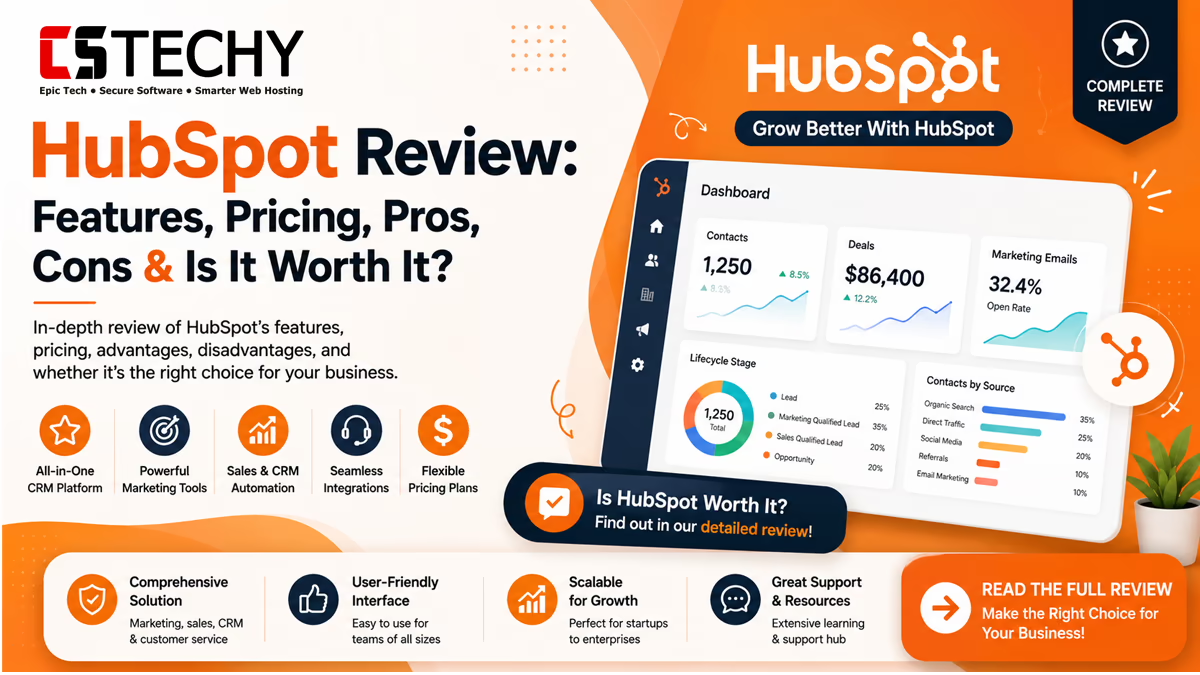
HubSpot is one of the most talked-about names in CRM and marketing software. But is it actually worth your money, or just clever marketing? This HubSpot review breaks down every Hub, the pricing, the AI tools, and the real limitations so you can decide with confidence.
We tested HubSpot’s free CRM, dug through its Marketing, Sales, Service, Content, and Operations Hubs, and checked its 2026 pricing against official sources. No hype, no fluff — just an honest, evidence-based HubSpot CRM review.
HubSpot Review Summary
HubSpot is a cloud-based CRM platform built around one shared customer database. It combines marketing automation, sales pipelines, customer service tools, content management, and operations software in a single system.
It suits small businesses that want an easy starting point and enterprises that need advanced automation. The free CRM is genuinely usable, but paid tiers get expensive fast once your contact list and team grow.
| Feature | Available | Rating |
|---|---|---|
| Free CRM | Yes | 4.5/5 |
| Marketing Automation | Yes | 4.5/5 |
| Sales Pipeline Management | Yes | 4.6/5 |
| AI Tools (Breeze) | Yes | 4/5 |
| Customer Support Ticketing | Yes | 4.3/5 |
| Integrations & App Marketplace | Yes | 4.7/5 |
| Affordable Pricing at Scale | Partial | 3.2/5 |
What Is HubSpot?
HubSpot is a customer relationship management platform that grew out of the inbound marketing movement. Its core idea is simple: keep every contact, deal, ticket, and campaign in one connected database instead of scattered tools.
Today, HubSpot sells its Smart CRM as a free foundation, wrapped by paid “Hubs” for marketing, sales, service, content, and operations. Businesses can buy a single Hub or the full Customer Platform bundle.
Who Created HubSpot?
HubSpot was founded in 2006 and built its reputation on inbound marketing, meaning attracting customers through helpful content rather than cold outreach. That philosophy still shapes its product design today.
Over time, HubSpot expanded from a marketing-only tool into a full customer platform. It now serves businesses ranging from solo freelancers running a single campaign to enterprises managing thousands of contacts across several departments.
How HubSpot’s Smart CRM Works
Every contact, company, deal, and ticket in HubSpot sits inside one shared record. This is the core of what HubSpot calls its Smart CRM, and it separates HubSpot from tools that only handle one function, like email marketing or ticketing alone.
Because marketing, sales, and service teams read from the same database, a support agent can see a customer’s past purchases, while a salesperson can see which emails a lead opened, all without switching software.
Key Features
HubSpot’s feature set is broad, which is both its biggest strength and the reason pricing can get complicated. Here are the standout capabilities across the platform.
- Free CRM with unlimited users and contact storage
- Drag-and-drop email marketing and landing page builder
- Visual workflow automation for marketing and sales
- Deal pipelines with customizable stages
- Live chat, chatbots, and shared team inboxes
- Customer service ticketing with automation rules
- Built-in blogging and SEO content tools
- Breeze AI for content drafting, lead scoring, and data enrichment
- Reporting dashboards with custom attribution models
- Over 1,900 App Marketplace integrations
HubSpot CRM
The free HubSpot CRM is the foundation everything else sits on. It includes contact management, deal tracking, task reminders, and basic email templates at no cost, with no user limit.
Small teams often start here before ever paying HubSpot a cent. The catch is that free tier automation is minimal, so growing teams eventually need a paid Starter, Professional, or Enterprise seat.
Marketing Hub
Marketing Hub covers email campaigns, landing pages, forms, SEO recommendations, and multi-step workflow automation. It is priced by the number of marketing contacts in your database rather than by seat.
Professional and Enterprise tiers unlock advanced automation branches, A/B testing, and custom reporting. This is where HubSpot competes directly with tools like ActiveCampaign and Mailchimp.
Marketing Automation Example
A typical workflow might tag a new lead who downloads an ebook, enroll them in a nurture sequence, and notify a sales rep once they hit a lead-score threshold, all without manual work.
Sales Hub
Sales Hub focuses on deal pipelines, email sequences, meeting scheduling, and call tracking. Pricing here is per-seat rather than per-contact, which matters for teams deciding on a plan.
The Professional tier adds sales automation, forecasting, and custom reporting, while Enterprise adds advanced permissioning and predictive lead scoring for larger sales organizations.
Service Hub
Service Hub gives support teams ticketing, a shared inbox, live chat, customer feedback surveys, and a knowledge base. Tickets connect directly to the same contact record used by marketing and sales.
This shared-data approach means a support agent can see a customer’s marketing history and past deals in one place, which reduces repeated questions and improves response quality.
Content Hub
Content Hub (formerly CMS Hub) is HubSpot’s website and blogging platform. It includes drag-and-drop page building, membership content, SEO recommendations, and AI-assisted content drafting.
It suits businesses that want their website, blog, and CRM data running on one system instead of managing a separate WordPress install alongside HubSpot.
Operations Hub
Operations Hub focuses on data syncing, custom automation logic, and data quality tools that keep records clean across every connected app. It matters most for businesses running many integrated tools.
Larger teams use it to build custom workflow actions and two-way data sync with platforms like Salesforce, NetSuite, or Snowflake, reducing manual data cleanup.
AI Features
HubSpot’s AI suite is called Breeze, and it spans three parts: Breeze Assistant, Breeze Agents, and Breeze Intelligence. Basic Assistant features, like content suggestions, are available even on the free plan.
Breeze Agents are more advanced and work autonomously. The Content Agent drafts blog posts and social snippets, the Customer Agent answers support questions in chat, and the Prospecting Agent researches and scores leads.
Breeze Intelligence handles data enrichment, automatically filling in missing contact details and flagging high-intent buyers. Most Agent features require a Professional or Enterprise subscription, and some Agents bill separately per resolved action.
Are HubSpot’s AI Tools Worth It?
Breeze works best as a drafting assistant that a human reviews, not a fully autonomous system. Teams report solid results using AI for first drafts, then editing for accuracy and brand voice before publishing.
Pricing
HubSpot pricing depends heavily on which Hub you need and whether you buy contacts, seats, or both. Below is a simplified breakdown of 2026 starting prices based on official plan structures.
| Pricing Plan | Best For | Main Features |
|---|---|---|
| Free CRM | Beginners and freelancers | Unlimited users, basic contact and deal tracking, live chat |
| Starter (from around $20/seat/month) | Small businesses and solo marketers | Marketing, sales, and service tools bundled with limited automation |
| Professional (from around $800–$890/month for Marketing Hub) | Growing teams and agencies | Advanced automation, A/B testing, custom reporting, Breeze Agents |
| Enterprise (from around $3,600/month for Marketing Hub) | Large companies and enterprises | Custom permissions, predictive AI, advanced attribution, priority support |
Professional and Enterprise plans also carry mandatory one-time onboarding fees, which can add thousands of dollars to your first-year cost. Always request a full quote before committing.
Sales Hub and Service Hub are priced per seat rather than per contact, so a ten-person sales team pays significantly more than a solo user on the same tier. Marketing Hub, by contrast, scales with your contact list size, meaning costs can rise quickly for fast-growing email lists even if your team stays small.
Many buyers also negotiate below list price, particularly on annual commitments or when bundling multiple Hubs together. It’s worth requesting a custom quote rather than assuming the published price is final.
Ease of Use
HubSpot’s interface is genuinely beginner-friendly compared to older CRMs like Salesforce. Menus are clearly labeled, and the drag-and-drop editors need little technical skill.
Bigger accounts with multiple Hubs can still feel overwhelming at first, simply because there is so much available. HubSpot Academy’s free courses help flatten that learning curve.
New users typically get comfortable with the contact and deal views within a few days. Setting up multi-step automation and custom reporting takes longer, especially for teams without prior CRM experience.
Integrations
HubSpot connects to over 1,900 apps through its Marketplace, including Gmail, Outlook, Slack, Shopify, WordPress, Zoom, and Google Ads. Native integrations sync data automatically without custom coding.
For more complex, condition-based data flows, HubSpot also supports Zapier and Make, giving businesses flexibility beyond the built-in connector list.
Agencies managing multiple clients often rely on these integrations to connect ad platforms, ecommerce stores, and accounting software directly to HubSpot, reducing manual data entry between systems.
Customer Support
Free and Starter users get email and chat support with standard response times. Professional and Enterprise customers get phone support and, at the top tier, a dedicated customer success manager.
HubSpot Academy and its community forum are strong self-help resources, offering certifications that many marketing and sales professionals now list on their resumes.
Performance
HubSpot generally performs reliably, with page load speeds that hold up well for a hosted platform. Larger portals with many workflows and integrations can occasionally see reporting lag during heavy data syncs.
Uptime has historically been strong, and HubSpot publishes a public status page so customers can track incidents in real time.
Security
HubSpot offers two-factor authentication, single sign-on on higher tiers, and role-based permissions to control who can view or edit records. Data is encrypted both in transit and at rest.
The platform maintains SOC 2 Type II compliance and offers GDPR-focused features, which matters for businesses handling customer data across regions.
Real-World Business Use Cases
Beyond feature lists, it helps to see how HubSpot actually gets used day to day. Here are common scenarios across different departments and business sizes.
- Lead management: a marketing agency captures form submissions, automatically scores leads, and routes hot prospects to the right sales rep.
- Sales pipeline automation: a SaaS company moves deals through custom stages, with automatic follow-up tasks created when a deal stalls.
- Email marketing campaigns: an ecommerce brand segments customers by purchase history and sends targeted product recommendation emails.
- Customer support ticket automation: a software company routes incoming tickets by issue type and triggers satisfaction surveys after resolution.
- CRM reporting: a sales manager builds a custom dashboard tracking deal velocity and rep performance across the quarter.
- AI email writing: a small business owner uses Breeze Assistant to draft outreach emails, then edits them for tone before sending.
- Marketing workflow automation: a B2B company nurtures webinar signups with a multi-week email sequence tied to lead scoring.
- Customer lifecycle management: an agency tracks a client from first website visit through onboarding and renewal, all in one timeline.
Agencies and marketing teams tend to benefit most from the automation depth, while small businesses and freelancers get the most value from the free CRM and Starter-tier basics.
Best Practices for Getting the Most From HubSpot
- Clean up duplicate contacts before building automation, since messy data breaks workflow logic.
- Start with one or two workflows and expand gradually instead of automating everything at once.
- Review Breeze AI drafts before publishing, since human review still improves accuracy and brand voice.
- Use custom properties to track the specific data points that matter most to your sales cycle.
Pros & Cons
- Pro: Free CRM with unlimited users is genuinely useful long-term
- Pro: Marketing, sales, and service data live in one connected system
- Pro: Strong AI tools for content drafting and lead scoring
- Pro: Huge integration marketplace and beginner-friendly interface
- Con: Professional and Enterprise pricing scales quickly as contacts grow
- Con: Mandatory onboarding fees on higher tiers are not obvious upfront
- Con: Advanced automation and reporting are locked behind paid tiers
- Con: Some Breeze AI Agents bill separately per action, adding cost complexity
HubSpot vs Competitors
How does HubSpot really compare to the other big names in CRM and marketing automation? Here’s a side-by-side look at core differences.
| Category | HubSpot | Salesforce | Zoho CRM | ActiveCampaign |
|---|---|---|---|---|
| Free Plan | Yes, generous | No | Limited | No |
| Ease of Use | High | Moderate to complex | Moderate | High |
| Best For | All-in-one marketing and sales | Complex enterprise sales | Budget-conscious CRM users | Email and marketing automation |
| Starting Price | Free / from $20 seat | From around $25/user | Free / from $14/user | From around $15/month |
| AI Capabilities | Breeze AI suite | Einstein AI | Zia AI | Basic AI content tools |
Who Should Use HubSpot?
HubSpot works well across a wide range of business types, though the right plan depends on team size, budget, and how much automation you actually need.
- Beginners and freelancers: the free CRM is a strong starting point
- Small businesses: Starter tier bundles enough tools without heavy cost
- Marketing teams: Marketing Hub Professional suits content-heavy strategies
- Sales teams: Sales Hub’s pipeline and sequence tools scale well
- Agencies: multi-client management and reporting are strong fits
- Enterprises: Enterprise tier offers the permissions and AI depth needed at scale
Buying Checklist
- Count your active marketing contacts before choosing a Marketing Hub tier
- Decide if you need per-seat Sales or Service tools versus core seats
- Ask directly about onboarding fees before signing an annual contract
- Test the free CRM first to confirm the interface fits your team
- Compare total year-one cost, not just the monthly sticker price
Expert Tips
- Negotiate multi-year or annual terms, since discounts of 15–30% off list price are common
- Use View-Only seats for stakeholders who only need dashboards, since they’re unlimited and free
- Set Breeze AI credit limits to avoid surprise charges from automatic tier upgrades
Frequently Asked Questions
Is HubSpot good for small businesses?
Yes, HubSpot’s free CRM and Starter plan give small businesses an affordable, easy-to-use entry point. Costs rise as contact lists and automation needs grow.
Is HubSpot really free?
HubSpot’s core CRM is free with unlimited users. Advanced marketing, sales, and service automation require a paid Hub subscription.
How much does HubSpot cost per month?
Paid plans start around $20 per seat monthly, while Professional Marketing Hub plans run roughly $800 to $890 per month depending on contacts.
Is HubSpot better than Salesforce?
HubSpot is easier to learn and cheaper to start with, while Salesforce offers deeper customization for complex enterprise sales processes.
Does HubSpot have AI features?
Yes, HubSpot’s Breeze AI suite includes content generation, lead scoring, chat agents, and data enrichment tools across most paid plans.
Is HubSpot good for email marketing?
Yes, Marketing Hub includes drag-and-drop email builders, automation workflows, and A/B testing suited to most email marketing needs.
Can HubSpot integrate with other software?
HubSpot connects with over 1,900 apps through its Marketplace, including Gmail, Shopify, Slack, and WordPress, plus Zapier for custom flows.
Is HubSpot suitable for enterprises?
Yes, HubSpot Enterprise tiers add custom permissions, predictive AI, and advanced reporting built for larger, more complex organizations.
What are the biggest downsides of HubSpot?
The main downsides are rising costs at scale, mandatory onboarding fees on higher tiers, and advanced features locked behind Professional or Enterprise plans.
Final Verdict
HubSpot earns its reputation as one of the most complete CRM platforms available. Its free CRM alone justifies a try, and its connected marketing, sales, and service tools genuinely simplify day-to-day operations.
The main thing to watch is cost. Pricing scales quickly once you need Professional or Enterprise features, so budget carefully and always confirm onboarding fees before signing.
For beginners, freelancers, and small businesses, HubSpot’s free and Starter tiers offer excellent value. For growing teams ready to invest, the Professional tier remains one of the strongest all-in-one options on the market.
Related Articles
- HubSpot Pricing
- HubSpot Tutorial
- HubSpot CRM Guide
- HubSpot Alternatives
- HubSpot vs Salesforce
- HubSpot vs Zoho CRM
- HubSpot vs ActiveCampaign
- Workflow Automation
- Business Automation
- CRM Software