Automation > Workflow Automation > Comparisons
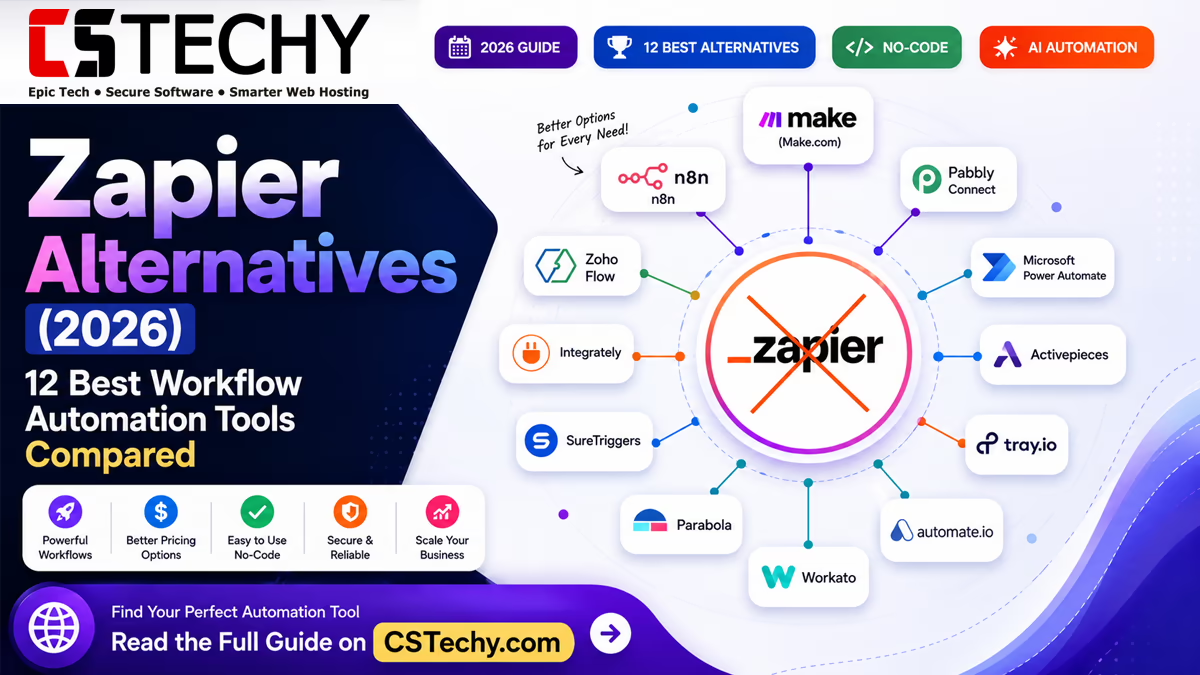
Zapier Alternatives (2026): 12 Best Workflow Automation Tools Compared
Zapier popularised no-code automation, connecting apps like Gmail, Slack, and Google Sheets without a developer in sight. But as teams scale, its task-based pricing and per-step billing start to bite, which is why so many people search for a genuine Zapier alternative once their workflows get more ambitious.
People go looking for something else for a handful of recurring reasons: task limits that run out mid-month, no self-hosting option, limited AI features, or simply a lower price for the same result. This guide compares twelve of the strongest workflow automation tools on the market in 2026, so you can see exactly where each one wins and where it falls short.
It’s written for bloggers, agencies, small businesses, sales and marketing teams, ecommerce stores, SaaS companies, and developers alike — anyone deciding whether to stay with Zapier or move a workflow elsewhere.
Key Takeaways
- Zapier’s per-task pricing becomes expensive fast once workflows run at volume.
- Make and n8n offer the most flexible visual workflow builders outside Zapier.
- n8n and Activepieces are the leading open-source, self-hostable options.
- Pabbly Connect and Integrately are the strongest picks for budget-conscious teams.
- Workato and Tray.io are built for enterprise governance, not solo users.
- Most alternatives now include some form of AI action, but depth varies widely.
What Are Zapier Alternatives?
A Zapier alternative is any workflow automation platform that connects apps together through triggers and actions, in the same way Zapier does, but with a different pricing model, hosting option, or feature set. Most work identically at a basic level: something happens in one app, and it triggers an action in another.
The benefit of looking beyond Zapier is choice. Some alternatives charge by operation rather than by task, some are open-source and free to self-host, and some are built specifically around AI agents rather than simple linear workflows.
Automation platforms generally fall into a few types: visual no-code builders (Make, Zapier), developer-friendly node-based tools (n8n), simple one-to-one connectors (IFTTT), and enterprise integration platforms (Workato, Tray.io).
Cloud-hosted tools like Zapier and Make require no infrastructure of your own, while self-hosted tools like n8n run on your own server, giving you full control over your data at the cost of some setup effort. AI-powered automation is the newest dividing line, with platforms increasingly offering AI agents that can make decisions mid-workflow rather than just moving data from A to B.
Why Consider a Zapier Alternative?
- Pricing — Zapier’s cost rises quickly once you pass a few thousand tasks a month.
- Task limits — heavy users can hit monthly caps unexpectedly.
- Self-hosting — Zapier offers no self-hosted option for teams that need one.
- AI capabilities — some competitors now offer deeper native AI agents.
- Enterprise requirements — larger organisations often need governance features Zapier doesn’t prioritise.
- Data privacy — regulated industries may require on-premises processing.
- Open-source options — some teams prefer to audit and modify their own automation code.
- Advanced workflows — complex branching or looping logic can be easier in node-based tools.
Quick Comparison Table
| Platform | Best For | Free Plan | Self-Hosted | AI Features | Starting Price | Ease of Use | Rating |
|---|---|---|---|---|---|---|---|
| Make | Visual complex workflows | Yes | No | Good | Paid tiers from a low monthly fee | Moderate | 4.6/5 |
| n8n | Developers, self-hosting | Yes (self-hosted) | Yes | Strong | Free self-hosted; paid cloud tiers | Moderate–Advanced | 4.6/5 |
| Activepieces | Open-source beginners | Yes | Yes | Good | Free self-hosted; paid cloud tiers | Easy | 4.3/5 |
| Pabbly Connect | Budget-conscious teams | Limited | No | Basic | Low one-time-style plans | Easy | 4.2/5 |
| Power Automate | Microsoft-centric teams | Limited | No | Good | Included with some Microsoft 365 plans | Moderate | 4.1/5 |
| Integrately | One-click simple setups | Yes | No | Basic | Low monthly plans | Very Easy | 4.0/5 |
| IFTTT | Personal, smart-home use | Yes | No | Minimal | Low monthly plans | Very Easy | 3.6/5 |
| Albato | Budget business automation | Yes | No | Basic | Low monthly plans | Easy | 3.9/5 |
| Relay.app | Human-in-the-loop workflows | Yes | No | Strong | Low–moderate monthly plans | Easy | 4.2/5 |
| Bardeen | Browser-based automation | Yes | No | Good | Low monthly plans | Very Easy | 4.0/5 |
| Workato | Enterprise governance | No | No | Strong | Custom enterprise pricing | Advanced | 4.4/5 |
| Tray.io | Enterprise integration teams | No | No | Strong | Custom enterprise pricing | Advanced | 4.3/5 |
Best Zapier Alternatives in 2026
Make
Overview: Make (formerly Integromat) is a visual, node-based automation platform known for its flexible canvas and ability to handle complex, branching workflows.
Key Features:
- Visual drag-and-drop scenario builder
- Advanced routing, filtering, and error handling
- Built-in data stores and functions
Integrations: Over 1,500 apps, with a strong developer API for custom connections.
AI Capabilities: Native OpenAI and Claude modules, plus AI-assisted scenario building.
Pricing: Free tier available; paid plans scale by operations rather than tasks.
Advantages: Highly visual, handles complex logic well, generous free tier.
Disadvantages: Steeper learning curve than Zapier for complete beginners.
Best For: Agencies and marketing teams running multi-branch workflows.
CSTechy Rating: 4.6/5
n8n
Overview: n8n is an open-source, node-based automation tool that can be self-hosted for full data control or used via its managed cloud.
Key Features:
- Self-hosting with full source-code access
- Visual node editor with custom JavaScript steps
- Native AI agent and LangChain-style nodes
Integrations: Hundreds of native nodes plus generic HTTP and webhook support for anything else.
AI Capabilities: Strong — built-in AI agent nodes, vector stores, and model chaining.
Pricing: Free when self-hosted; paid cloud tiers for managed hosting.
Advantages: Full data control, no per-task cost when self-hosted, developer-friendly.
Disadvantages: Self-hosting requires basic server management skills.
Best For: Developers and privacy-conscious teams.
CSTechy Rating: 4.6/5
Activepieces
Overview: Activepieces is an open-source automation tool designed to be friendlier to non-developers than n8n while still offering self-hosting.
Key Features:
- Clean, beginner-friendly visual builder
- Open-source with self-hosting option
- Growing library of pre-built “pieces”
Integrations: A steadily growing catalogue, smaller than Make or Zapier but expanding quickly.
AI Capabilities: Built-in AI pieces for text generation and summarisation.
Pricing: Free self-hosted; affordable paid cloud tiers.
Advantages: Easiest open-source option to learn, transparent pricing.
Disadvantages: Smaller integration library than the major cloud players.
Best For: Beginners who want open-source without n8n’s learning curve.
CSTechy Rating: 4.3/5
Pabbly Connect
Overview: Pabbly Connect is a budget-focused automation tool that markets itself heavily on flat, affordable pricing rather than per-task billing.
Key Features:
- Simple trigger-and-action builder
- Unlimited workflows on most plans
- Built-in webhook and API support
Integrations: A solid catalogue of mainstream business apps, smaller than Zapier’s full library.
AI Capabilities: Basic, with limited native AI actions compared with Make or n8n.
Pricing: Among the lowest-cost options for the volume of tasks included.
Advantages: Very affordable, straightforward interface, good for high-volume simple tasks.
Disadvantages: Fewer advanced logic options and a smaller app library.
Best For: Small businesses on a tight automation budget.
CSTechy Rating: 4.2/5
Microsoft Power Automate
Overview: Power Automate is Microsoft’s automation platform, tightly integrated with Microsoft 365, Teams, and Dynamics.
Key Features:
- Deep Microsoft 365 and Teams integration
- Robotic process automation (RPA) for desktop tasks
- Enterprise-grade admin and governance controls
Integrations: Best-in-class for Microsoft products; solid but secondary support for third-party apps.
AI Capabilities: Copilot-assisted flow building and AI-driven document processing.
Pricing: Included in some Microsoft 365 plans; standalone plans priced per user or per flow.
Advantages: Unmatched for organisations already deep in the Microsoft ecosystem.
Disadvantages: Less intuitive for non-Microsoft workflows.
Best For: Enterprises and teams standardised on Microsoft 365.
CSTechy Rating: 4.1/5
Integrately
Overview: Integrately focuses on one-click, pre-built automations that require almost no configuration for common use cases.
Key Features:
- Over a million pre-built one-click automations
- Simple linear workflow builder
- Fast setup for common app pairs
Integrations: Broad coverage of mainstream SaaS tools.
AI Capabilities: Basic, limited to simple AI actions.
Pricing: Competitive entry-level plans aimed at cost-conscious beginners.
Advantages: Extremely fast setup, minimal learning curve.
Disadvantages: Less suited to complex, multi-branch logic.
Best For: Beginners who want the fastest possible setup.
CSTechy Rating: 4.0/5
IFTTT
Overview: IFTTT (“If This Then That”) is a lightweight automation tool best known for smart-home and personal app connections.
Key Features:
- Extremely simple one-trigger, one-action “applets”
- Strong smart-home and mobile app support
- Consumer-friendly interface
Integrations: Strong for consumer and IoT devices, weaker for business SaaS tools.
AI Capabilities: Minimal, with few native AI actions.
Pricing: Low-cost personal and pro plans.
Advantages: Very easy to use for personal automation.
Disadvantages: Not built for serious business workflows.
Best For: Personal use and smart-home automation, not business teams.
CSTechy Rating: 3.6/5
Albato
Overview: Albato is a growing budget automation platform aimed at small businesses that need multi-step workflows without enterprise pricing.
Key Features:
- Multi-step workflow builder
- Built-in webhook and custom API connector
- Affordable team plans
Integrations: A growing but moderate-sized app library.
AI Capabilities: Basic AI actions for text processing.
Pricing: Competitive, aimed squarely at budget-conscious teams.
Advantages: Good value multi-step workflows at a low price point.
Disadvantages: Smaller community and documentation base than larger rivals.
Best For: Small businesses wanting more than IFTTT without Zapier’s cost.
CSTechy Rating: 3.9/5
Relay.app
Overview: Relay.app is built around “human-in-the-loop” automation, letting a workflow pause for manual approval before continuing.
Key Features:
- Built-in approval and review steps
- Clean, modern workflow builder
- Native AI steps for drafting and summarising
Integrations: A focused but growing set of common business apps.
AI Capabilities: Strong, with AI drafting built directly into approval steps.
Pricing: Mid-range plans priced per collaborator.
Advantages: Excellent for workflows that need a human check before sending.
Disadvantages: Smaller integration catalogue than the major players.
Best For: Teams that want AI assistance without removing human oversight.
CSTechy Rating: 4.2/5
Bardeen
Overview: Bardeen is a browser-based automation tool that can interact directly with web pages, in addition to standard app-to-app connections.
Key Features:
- Browser extension for scraping and web actions
- Point-and-click workflow recorder
- AI-assisted playbook suggestions
Integrations: Strong browser and web-app coverage, lighter on deep backend integrations.
AI Capabilities: Good, with AI used to suggest and generate automation playbooks.
Pricing: Affordable individual and team plans.
Advantages: Unique for web scraping and browser-based tasks.
Disadvantages: Less suited to deep backend or database-heavy workflows.
Best For: Solo operators and researchers automating browser tasks.
CSTechy Rating: 4.0/5
Workato
Overview: Workato is an enterprise integration platform built for large organisations that need governed, auditable automation at scale.
Key Features:
- Enterprise-grade governance and access controls
- Recipe-based workflow builder
- Built-in AI agent orchestration
Integrations: Extensive, with strong support for enterprise systems like Salesforce, SAP, and Workday.
AI Capabilities: Strong, including AI agent orchestration for complex decision workflows.
Pricing: Custom, enterprise-only pricing.
Advantages: Built for scale, compliance, and cross-department governance.
Disadvantages: Overkill and cost-prohibitive for small teams.
Best For: Large enterprises with complex integration needs.
CSTechy Rating: 4.4/5
Tray.io
Overview: Tray.io is a flexible, developer-friendly integration platform aimed at technical teams building complex, scalable automations.
Key Features:
- Highly flexible low-code workflow builder
- Built-in AI orchestration layer
- Strong version control and collaboration tools
Integrations: Broad enterprise app coverage plus custom connector building.
AI Capabilities: Strong, with dedicated AI workflow orchestration tools.
Pricing: Custom, enterprise-focused pricing.
Advantages: Excellent flexibility for technical teams building bespoke integrations.
Disadvantages: Requires more technical skill than most alternatives on this list.
Best For: Technical integration teams at mid-size to large companies.
CSTechy Rating: 4.3/5
Best Free Zapier Alternatives
Several alternatives offer usable free tiers, though each comes with its own limitation worth knowing before you commit a workflow to it.
- n8n — free indefinitely when self-hosted, but requires your own server.
- Activepieces — free self-hosted, with a smaller integration library than Make.
- Make — a genuinely usable free operations allowance, though it’s capped monthly.
- IFTTT — free for a limited number of simple applets, better suited to personal use.
- Microsoft Power Automate — free trial and limited free flows, but full value requires a Microsoft 365 licence.
Best Open-Source Automation Platforms
Open-source tools appeal to teams that want to inspect the code they run, avoid vendor lock-in, or keep sensitive data entirely in-house.
n8n is the most feature-complete open-source option, with a large community and active development. Activepieces takes a friendlier, lower-code approach that suits teams without a dedicated developer.
Self-hosting either tool means the data never leaves your own infrastructure, which matters for regulated industries or privacy-sensitive workflows. The trade-off is that you take on responsibility for uptime, updates, and security patching yourself, and community support — while active for both projects — is not the same as a paid enterprise support contract.
Best AI Automation Platforms
AI is now a genuine differentiator between automation tools, not just a marketing checkbox. The strongest platforms let an AI agent make a decision mid-workflow, rather than only generating text at a single step.
n8n’s AI agent nodes and vector store integrations make it a favourite for developers building genuinely autonomous workflows. Make and Relay.app both offer strong native AI actions with a gentler learning curve, while Workato and Tray.io focus on AI orchestration across many connected enterprise systems at once.
Comparison Guides
Zapier vs Make
| Factor | Zapier | Make |
|---|---|---|
| Pricing model | Per task | Per operation |
| Visual complexity | Linear | Branching canvas |
| Learning curve | Lower | Moderate |
Zapier vs n8n
| Factor | Zapier | n8n |
|---|---|---|
| Hosting | Cloud only | Cloud or self-hosted |
| Cost at scale | Rises with task volume | Free when self-hosted |
| Technical skill needed | Low | Moderate |
Zapier vs Activepieces
| Factor | Zapier | Activepieces |
|---|---|---|
| Open-source | No | Yes |
| Integration library | Very large | Growing |
| Beginner friendliness | High | High |
Zapier vs Pabbly Connect
| Factor | Zapier | Pabbly Connect |
|---|---|---|
| Pricing | Higher at volume | Lower flat pricing |
| Advanced logic | Strong | Basic |
| App library | Very large | Moderate |
Zapier vs Microsoft Power Automate
| Factor | Zapier | Power Automate |
|---|---|---|
| Microsoft integration | Basic | Deep, native |
| Third-party app coverage | Very broad | Moderate |
| RPA (desktop automation) | Not available | Included |
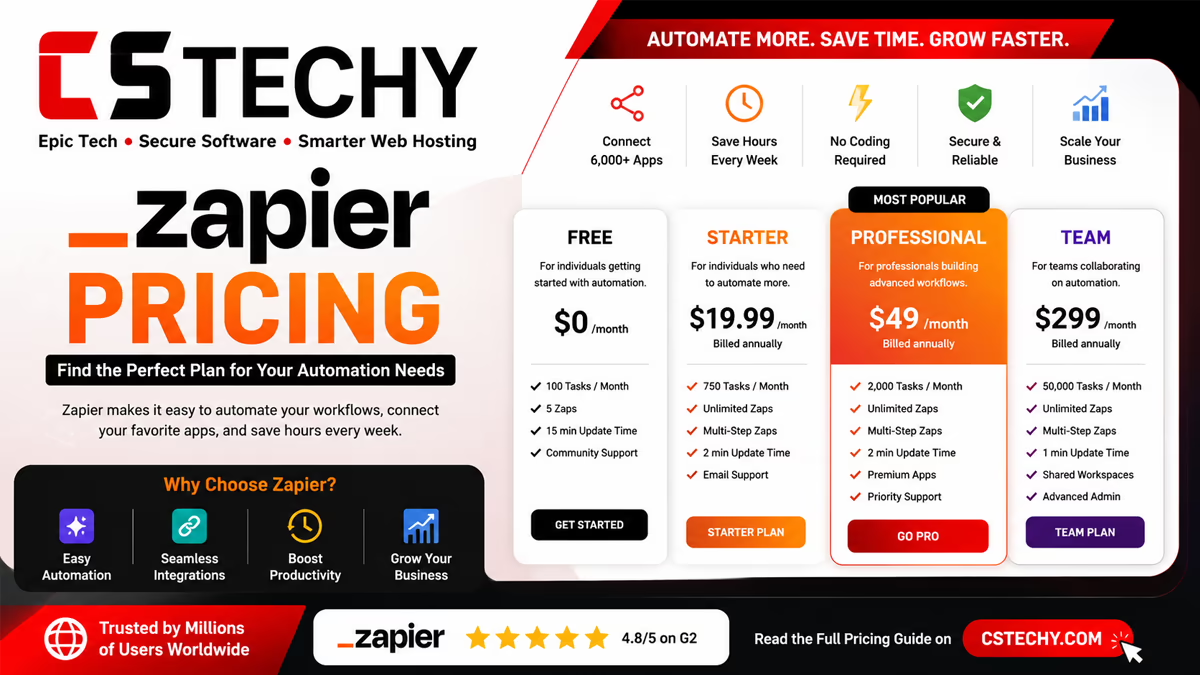
Pricing Comparison
| Platform | Free Plan | Entry Paid Plan | Task/Operation Limits | Enterprise Pricing |
|---|---|---|---|---|
| Zapier | Limited tasks | Low monthly tier | Capped, scales with plan | Custom |
| Make | Usable free tier | Low monthly tier | Operation-based, generous | Custom |
| n8n | Unlimited (self-hosted) | Cloud plans available | None when self-hosted | Custom cloud tiers |
| Activepieces | Unlimited (self-hosted) | Low cloud tier | None when self-hosted | Custom |
| Pabbly Connect | Limited | Very low flat fee | High task allowance | Not applicable |
| Workato | None | Not published | Custom | Custom, quote-based |
Pros and Cons
| Platform | Pros | Cons |
|---|---|---|
| Make | Flexible, generous free tier | Steeper learning curve |
| n8n | Free self-hosted, powerful AI nodes | Needs server management |
| Activepieces | Easiest open-source option | Smaller app library |
| Pabbly Connect | Very affordable | Limited advanced logic |
| Power Automate | Deep Microsoft integration | Weaker outside Microsoft apps |
| Workato | Enterprise governance | Expensive, complex to set up |
How to Choose the Right Automation Tool
- Budget — compare cost per task or operation at your expected volume, not just the entry price.
- Business size — solo users and small teams rarely need enterprise governance features.
- Required integrations — confirm your specific apps are supported before committing.
- AI features — decide whether you need simple AI text actions or full agentic decision-making.
- Self-hosting — factor in whether your team can maintain a self-hosted server.
- Scalability — check what happens to pricing and performance as task volume grows.
- Technical skills — node-based tools reward technical users but can frustrate complete beginners.
Common Mistakes When Choosing Automation Software
- Buying based on price alone, without checking real task volume needs.
- Ignoring whether required integrations actually exist before signing up.
- Not checking task or operation limits until a workflow stops mid-month.
- Ignoring scalability, then having to migrate workflows later at a busy time.
- Overlooking AI features that could remove additional manual steps entirely.
Frequently Asked Questions
What is the best Zapier alternative overall?
Make is generally the best all-round Zapier alternative in 2026, thanks to its visual builder and operation-based pricing that scales more affordably than Zapier’s task model.
What is the best free Zapier alternative?
n8n is the best free option when self-hosted, since it removes task limits entirely, while Make offers the most usable free tier for anyone who prefers a cloud-hosted tool.
Is there a truly self-hosted Zapier alternative?
Yes, both n8n and Activepieces can be fully self-hosted, giving you complete control over where your automation data is processed and stored.
Which Zapier alternative is best for developers?
n8n is the strongest choice for developers, offering custom JavaScript steps, self-hosting, and advanced AI agent nodes not found in simpler tools.
Which Zapier alternative is cheapest?
Pabbly Connect and Integrately are typically the most affordable options for teams running a high volume of straightforward, linear workflows.
Which Zapier alternative is best for enterprises?
Workato and Tray.io are built specifically for enterprise governance, auditability, and scale, making them the better fit than Zapier for large organisations.
Does Zapier have an AI-powered alternative?
Several do — n8n, Make, and Relay.app all offer native AI actions, with n8n currently leading on genuinely agentic, decision-making AI workflows.
Can I switch from Zapier to another platform easily?
Most workflows can be rebuilt manually in a new platform, though there is no universal one-click migration tool, so budget time to recreate and test each Zap.
Is Make better than Zapier?
Make tends to offer better value at scale and stronger visual handling of complex, branching workflows, though Zapier still has the larger integration library overall.
Final Verdict
There is no single best Zapier alternative for everyone — the right choice depends on budget, technical skill, and how complex your workflows really are.
- Beginners: Integrately or Activepieces for the gentlest learning curve.
- Small businesses: Pabbly Connect for affordable, high-volume simple workflows.
- Agencies: Make for flexible, branching, client-ready automations.
- Enterprises: Workato or Tray.io for governance and scale.
- Developers: n8n for full control and self-hosting.
- AI users: n8n or Relay.app for genuine AI-driven decision-making.
- Budget-conscious users: Pabbly Connect or Albato.
Whichever platform you choose, the goal stays the same as with Zapier itself: remove repetitive manual work so your team can focus on what actually needs a human. Explore our related automation guides to plan your next move with confidence.