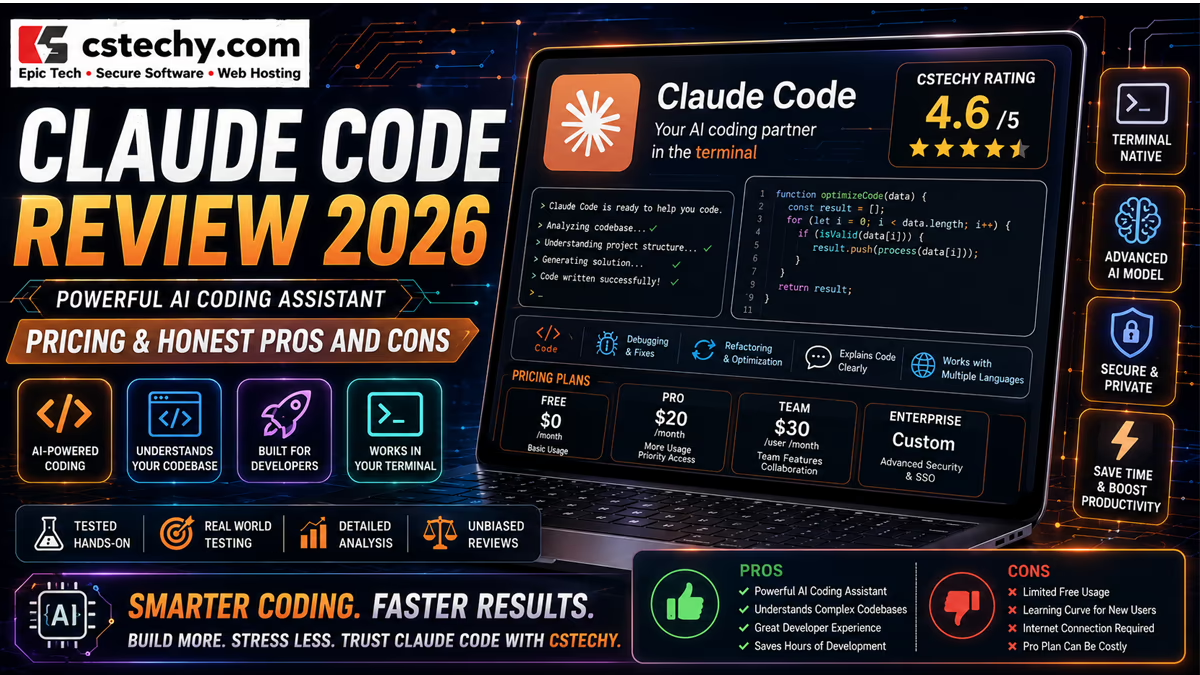
Claude Code Review 2026: AI Coding Agent, Features, Pricing & Is It Worth It?
Claude Code started as a terminal tool for developers who wanted Claude working directly in their codebase instead of a chat window. In 2026, it’s grown well beyond that: the same underlying engine now runs in the terminal, inside VS Code and JetBrains, in a standalone desktop app, on the web, and even from a phone via remote control — all sharing the same project memory, permissions, and connected tools. This CSTechy review covers what Claude Code actually does today, how it differs from just chatting with Claude, what it costs, and whether it’s worth adding to a development workflow in 2026.
What Is Claude Code?
Claude Code is Anthropic’s agentic coding tool: it reads a codebase, edits files, runs commands, and integrates with development tools like Git, GitHub, and CI systems — not just a chatbot that answers coding questions, but a tool that can take direct action inside a real project. It sits at the far end of a spectrum that runs from AI chatbot, to coding assistant that suggests snippets, to autonomous agent that plans and executes multi-step development work. That said, Claude Code operates within a permission system rather than with unrestricted autonomy — by default it’s read-only and asks approval before modifying files or running most commands, with sandboxing and configurable rules available to reduce (not eliminate) that friction.
Claude Code Review 2026: What’s New?
Claude Code’s biggest recent expansion has been surface coverage rather than a single flagship feature: it’s now available as a full CLI, a VS Code extension with inline diffs and plan review, a JetBrains plugin, a standalone desktop app with visual diff review and scheduled tasks, and a browser-based version at claude.ai/code for kicking off work with no local setup. On top of that, Anthropic has added Remote Control for continuing a local session from a phone, Routines for cloud-based recurring automation, GitHub Code Review for automatic pull-request feedback, and a built-in OS-level sandbox that can cut permission-approval prompts substantially by enforcing filesystem and network boundaries directly rather than asking before every command.
How Claude Code Works
Claude Code explores the project it’s pointed at — reading relevant files, understanding structure and dependencies — before proposing or making a change. For straightforward requests it can go directly to editing files; for more complex tasks it plans an approach first, which a developer can review before execution. It then edits code across however many files the task requires, runs commands like tests or linters where permitted, and iterates based on the results — checking whether a test now passes, whether a build succeeds, or whether an error has actually been resolved, rather than stopping after a single generation pass.
Claude Code vs Claude Chat
Claude’s regular chat interface is primarily conversational: a developer can paste in code, ask questions, and receive suggestions, but Claude has no direct access to the actual project, files, or terminal — everything has to be manually copied in and back out. Claude Code inverts that: it runs inside (or connected to) a real project, with direct file access, terminal command execution, Git operations, MCP tool connections, and multi-step agentic task execution built in. The practical difference is that chat is for discussing code, while Claude Code is for actually working inside it — exploring a repository, making coordinated edits across files, running the test suite, and preparing a commit or pull request, without the developer manually relaying file contents back and forth.
Claude Code’s Key Features
Terminal-Based Coding
The original and still fully-featured surface is the CLI: running claude inside a project directory gives direct terminal access to explore the codebase, edit files, and manage the project through natural language. Claude Code is explicitly designed to be composable in the Unix tradition — output can be piped in from other tools (like feeding log files in for analysis), run non-interactively in CI with the -p flag, or chained with other command-line tools. This terminal-native design is powerful for developers already comfortable living in a shell, though it does carry a real learning curve for anyone used to a purely graphical development environment.
Agentic Software Development
This is the core distinction from a code-suggestion tool: rather than returning a single snippet, Claude Code can plan a multi-step task, explore the parts of a codebase relevant to it, make coordinated changes across multiple files, execute commands to verify the work, and iterate based on results — debugging its own output rather than stopping after one attempt. It’s a meaningfully different thing than asking for a code suggestion; it’s asking an agent to carry out and verify a bounded development task. That verification loop doesn’t guarantee correct or production-ready output — a test passing confirms the specific thing that test checks, not that the broader change is correct, secure, or complete.
Codebase Understanding
Claude Code explores a project’s file structure, relationships between files, dependencies, and configuration to build working context for a task, and can maintain persistent project knowledge through CLAUDE.md files and auto-generated memory (more below). This context-building is not infallible — large or unusually structured codebases, missing documentation, or genuinely ambiguous requirements can still lead Claude Code to incorrect assumptions about how a system fits together, the same way a new human contributor might misread an unfamiliar codebase.
Multi-File Editing
Because tasks are often spread across multiple files — a feature touching a handler, its tests, and its documentation, for instance — Claude Code can make coordinated changes across all of them in one pass rather than requiring a developer to apply each edit manually. This is genuinely useful for refactoring, migrations, and feature work that crosses file boundaries, but it also means a single task can produce a larger diff than expected — developers should review the full changeset, not just the file they were originally focused on, before accepting it.
Command Execution
Where permissions allow, Claude Code can run terminal commands directly: installing packages, running builds, executing test suites, linting, and Git operations. This is where capability and risk scale together most directly — a command that installs a dependency or modifies files can do real damage if approved without reading it first. Destructive or privileged commands (deleting files, force-pushing, modifying production infrastructure) should never be approved reflexively; Claude Code’s permission prompts and sandboxing exist specifically because blind approval undermines the safety the tool is designed to provide.
Testing and Debugging
Claude Code can run a project’s existing tests, interpret failures, trace them back to a root cause, and implement a fix — then re-run the tests to confirm the fix worked, closing a loop that a static code-suggestion tool can’t. It’s worth being clear-eyed about what a passing test actually proves: it confirms the specific behavior that test checks, not that the fix is complete, secure, or free of side effects elsewhere in the codebase. AI-generated fixes still warrant the same independent scrutiny — code review, broader test coverage, and manual verification — that any other contributor’s change would get.
Git and GitHub Integration
Claude Code works directly with Git: staging changes, writing commit messages, creating branches, and opening pull requests as part of a task rather than as a separate manual step. Beyond local Git operations, it integrates with GitHub Actions and GitLab CI/CD for automating code review and issue triage in CI pipelines. Exact capabilities and defaults can vary by how it’s deployed (local CLI vs. CI automation vs. GitHub Code Review), so specifics should be confirmed against Anthropic’s current documentation before assuming a given workflow is available out of the box.
Pull Requests and Code Review
Claude Code can prepare pull requests as part of a task, and separately offers automatic code review on pull requests through its GitHub integration — flagging potential issues and suggesting improvements as review comments. As with any AI-assisted review, this is an additional layer of scrutiny on top of human review, not a replacement for a qualified reviewer’s sign-off before code merges, particularly for anything with real production or security stakes.
Claude Code Web
Claude Code is also available directly in the browser at claude.ai/code, requiring no local installation — useful for kicking off a long-running task and checking back later, working on a repository not set up locally, or running multiple tasks in parallel without tying up a local machine. It’s available on desktop browsers as well as the Claude mobile app for iOS and Android, and work can move between the web and a local terminal session (via a “teleport” feature) rather than being stuck on one surface. Web and CLI share the same underlying engine and project settings, but exact available actions can differ somewhat between surfaces — confirm current capabilities in Anthropic’s documentation for a specific workflow rather than assuming full parity.
IDE Integrations
Claude Code integrates with VS Code (and VS Code-based editors like Cursor) through an official extension offering inline diffs, @-mentions, plan review, and conversation history directly in the editor, and with JetBrains IDEs (IntelliJ, PyCharm, WebStorm, and others) through a plugin offering interactive diff viewing and shared selection context — though the JetBrains plugin still requires the underlying CLI to be installed separately. Feature depth isn’t necessarily identical across every supported editor; developers picking an IDE around a specific Claude Code feature should verify current support for that combination directly.
MCP
Claude Code supports the Model Context Protocol, an open standard letting it connect to external tools and data sources — reading design docs from Google Drive, updating Jira tickets, pulling context from Slack, or reaching custom internal tooling — through a standardized interface rather than one-off integrations built for each service. This substantially expands what Claude Code can act on beyond the local codebase, but every MCP connection is also an additional permission and trust boundary: a connected server can read or write to whatever it’s been granted access to, so each one deserves review before being enabled, especially for anything touching sensitive systems or credentials.
Plugins
Plugins package reusable functionality — custom commands, agents, hooks, and skills — that a team can share and install as a unit rather than reconstructing the same workflow individually. This is genuinely useful for standardizing how a team uses Claude Code across a codebase, but third-party plugins carry the same evaluation burden as any third-party code or tooling: review what a plugin actually does and what access it requires before installing it, particularly anything sourced outside the team’s own organization.
Skills
Skills package repeatable workflows — like a custom /review-pr or /deploy-staging command — that encode a specific, often multi-step task so it doesn’t need to be re-explained in every session. This reduces repetitive prompting for tasks a team does often, but a skill only encodes what it’s given; a poorly specified or outdated skill will reliably reproduce its own flaws, so skills benefit from the same periodic review as any other piece of shared team tooling.
Hooks
Hooks let a developer or team run shell commands automatically before or after specific Claude Code actions — for example, auto-formatting a file after every edit, or running lint checks before a commit is created. Because hooks execute automatically without a per-action approval prompt, they deserve careful review before being adopted, especially anything that touches the filesystem, network, or deployment systems — a hook is effectively pre-authorized automation, and its scope should be no broader than the task actually requires.
Subagents
Claude Code can spawn multiple agents working on different parts of a task simultaneously, coordinated by a lead agent that assigns subtasks and merges results — useful for decomposing a larger project into parallel streams of work. Running several full sessions in parallel and watching them from one screen is supported through a dedicated background-agent view, and for fully custom orchestration, Anthropic’s Agent SDK lets developers build their own agents on top of Claude Code’s underlying tools and capabilities. More parallel agents mean more throughput and exploration, not automatically better code — each stream of work still needs the same review as a single agent’s output, and running many agents at once increases both resource usage and the total surface area that needs checking.
Memory and CLAUDE.md
CLAUDE.md is a markdown file placed at a project’s root that Claude Code reads at the start of every session, used to set coding standards, architectural decisions, preferred libraries, and review checklists specific to that project. Beyond this developer-authored file, Claude Code also builds “auto memory” as it works — saving learnings like build commands and debugging insights across sessions without manual documentation. Project-level instructions genuinely improve consistency across sessions and contributors, but the relationship cuts both ways: incorrect or outdated instructions in CLAUDE.md will be followed just as faithfully as correct ones, producing consistently wrong behavior until the file itself is corrected.
Permissions and Sandboxing
By default, Claude Code operates on a permission-based model: it’s read-only, asking for approval before modifying files or running most commands, with some safe commands like echo or cat auto-allowed. Constantly approving each action can lead to “approval fatigue,” where users click through prompts without carefully reading them — to address this, Anthropic built a sandboxing system using OS-level primitives (macOS Seatbelt, and Bubblewrap on Linux/WSL2) that restricts filesystem writes to the project directory and a temporary session directory, and restricts network access to approved domains, enforced by the operating system rather than depending on Claude correctly interpreting a command. Sandboxing currently supports macOS, Linux, and WSL2, but not native Windows. Even with sandboxing enabled, this narrows the blast radius of a mistake rather than eliminating risk entirely — least-privilege configuration and periodic review of allow/deny rules remain a developer’s responsibility, particularly in environments with sensitive credentials or production access.
What Can You Use Claude Code For?
Claude Code for Beginners
Claude Code can accelerate learning tasks — explaining an unfamiliar repository, walking through why an error occurred, and generating illustrative examples — but it can accelerate development without automatically teaching why the code works. Beginners get the most value by reviewing and understanding what Claude Code changes rather than accepting it purely on faith, since skipping that step tends to produce code they can’t later maintain or debug themselves.
Claude Code for Students
Students can reasonably use Claude Code for practice projects, debugging help, and understanding unfamiliar codebases. Academic policies on AI-assisted work vary significantly across institutions and courses, so students should confirm what’s permitted before submitting Claude Code-assisted work as their own for graded assignments.
Claude Code for Developers
Professional developers are generally positioned to extract the most value, because they can evaluate agent-generated diffs quickly and catch subtle issues — feature implementation, refactoring, migrations, debugging, test writing, and documentation are all common strong fits, particularly when combined with subagents to parallelize independent pieces of larger work.
Claude Code for Startups
Small engineering teams often use Claude Code for MVP development, rapid prototyping, and iteration where speed matters and the codebase is still small enough for an agent to hold meaningful context on. This can genuinely speed up early development; it doesn’t guarantee a startup’s broader growth or product-market fit, which depend on far more than how fast code ships.
Claude Code for Teams
Teams benefit from shared CLAUDE.md instructions, plugins, and skills that standardize how Claude Code is used across a codebase, along with permission rules that can be committed to version control as a shared security policy. This organizational layer helps consistency but doesn’t replace the need for each team to define its own review standards for AI-assisted changes.
Claude Code for Enterprise
Enterprise plans add centralized administration, identity and access management, audit logs, custom data retention, role-based access, and a compliance API for organizations that need governance beyond what Team provides. None of this automatically makes an organization’s development process compliant with a specific regulatory framework (HIPAA, SOC 2, or otherwise) — it provides the controls an organization needs to build and demonstrate that compliance itself, typically alongside its own policies and legal review.
Claude Code Plans and Pricing
Claude Code has no standalone price — it’s included as part of a broader Claude subscription or billed through the Anthropic API, drawing from the same usage pool as Claude’s chat and other apps. As of publication, the individual and organizational subscription tiers are:
| Plan | Price | Notes |
|---|---|---|
| Free | $0 | Does not include Claude Code |
| Pro | $20/month ($17/month annual) | Lowest tier that includes Claude Code |
| Max 5x | $100/month | 5x Pro’s usage allowance |
| Max 20x | $200/month | 20x Pro’s usage allowance |
| Team Standard | ~$25/seat/month ($20 annual) | Does not include Claude Code; 5-seat minimum |
| Team Premium | ~$125/seat/month ($100 annual) | Includes Claude Code; 5-seat minimum; can mix with Standard seats |
| Enterprise | Custom (seat fee plus usage) | Includes Claude Code, SCIM, audit logs, custom retention |
Usage on subscription plans is metered against a rolling five-hour session window plus a weekly cap, shared across Claude chat, Claude Code, and Anthropic’s other apps under that account. Beyond a subscription, Claude Code can also be billed through the Anthropic API on a pay-per-token basis with no monthly minimum and no built-in ceiling — a different model better suited to automation, CI/CD, or highly variable usage than to steady interactive coding. Because Anthropic adjusts pricing, usage limits, and included models periodically, current figures should always be confirmed at claude.com/pricing before subscribing or budgeting.
Claude Code Free vs Pro vs Max
The Free plan does not include Claude Code at all — a Pro subscription, a qualifying Team/Enterprise seat, or an Anthropic API key is required to use it.
Pro ($20/month) is the entry point that includes Claude Code across the terminal, IDE extensions, desktop app, and web, alongside Claude’s chat models and other apps, sharing one usage pool.
Max 5x and Max 20x ($100 and $200/month respectively) multiply that usage allowance five and twenty times over Pro, aimed at developers running long or frequent agentic sessions who consistently exhaust Pro’s limits — casual users are unlikely to need Max, and jumping straight to it rarely fixes an underlying prompting or workflow problem.
Claude Code Team and Enterprise
Team plans require a minimum of five members and offer two seat types that can be mixed within one organization: Standard seats (around $20–25/month depending on billing cycle) that do not include Claude Code, and Premium seats (around $100–125/month) that do. This distinction catches some organizations by surprise — buying Team Standard seats for developers and expecting Claude Code access identical to an individual Pro subscription is a common configuration mistake. Enterprise adds a seat fee plus usage billed at API rates on top, along with SCIM provisioning, audit logs, custom data retention, role-based access controls, a compliance API, and a larger default context window — the governance layer organizations with compliance or procurement requirements typically need.
| Plan | Best For | Main Benefits | Important Consideration |
|---|---|---|---|
| Pro | Individual developers starting out | Claude Code across all surfaces, shared with chat | Usage shared with everything else on the account |
| Max 5x / 20x | Heavy individual agent users | Substantially larger usage allowance | Real cost jump; only worth it once Pro is consistently maxed out |
| Team Standard | Teams needing collaboration without Claude Code | Shared billing, lower seat cost | Does not include Claude Code |
| Team Premium | Teams that need Claude Code for every developer | Full Claude Code access per seat | Significant per-seat cost, 5-seat minimum |
| Enterprise | Organizations with compliance/governance needs | SCIM, audit logs, custom retention, compliance API | Custom pricing scales with usage on top of seats |
Claude Code Pros and Cons
- Strength: A genuinely terminal-native, composable workflow that fits naturally into existing developer habits and CI pipelines.
- Strength: Strong agentic capability — planning, multi-file editing, command execution, and iteration based on real test results.
- Strength: Consistent experience across terminal, IDE, desktop, web, and mobile remote control, sharing the same project memory and settings.
- Strength: A genuinely well-engineered permission and sandboxing system built on OS-level enforcement rather than relying on the model alone.
- Strength: MCP, plugins, skills, hooks, and subagents provide real extensibility for teams wanting standardized workflows.
- Weakness: No standalone free tier — a Pro subscription, qualifying Team/Enterprise seat, or API key is required to use Claude Code at all.
- Weakness: Usage is shared with Claude’s chat and other apps on subscription plans, which can create unexpected contention for heavy users.
- Weakness: The Team Standard vs. Premium seat distinction around Claude Code access is a genuinely easy configuration mistake to make.
- Weakness: Terminal-first design carries a real learning curve for developers used to purely graphical tools.
- Weakness: Like any AI coding tool, generated code and executed commands still require careful human review — sandboxing reduces but doesn’t eliminate risk.
Claude Code Accuracy and Coding Limitations
Claude Code can generate incorrect code, insecure implementations, incomplete features, dependency mistakes, wrong assumptions about existing systems, incorrect or destructive commands, regressions, and genuine architectural problems — the same category of risk present in any AI-generated code, with added exposure because Claude Code can act directly on a real project rather than just suggesting a snippet. Developers should inspect every diff, run the full test suite (not just the specific test Claude Code ran), use linting and static analysis, run relevant security scanning, review any new dependencies, validate that the change actually meets the original requirement, and rely on version control and backups rather than assuming an “Apply” or commit is easily reversible. None of this is optional scaffolding — it’s the same due diligence any third-party or junior-developer contribution would warrant, applied consistently regardless of how capable the agent producing the change appears to be.
Claude Code Privacy and Security
Anthropic distinguishes consumer accounts from commercial accounts for data-handling purposes. For Free, Pro, and Max accounts, users choose whether their conversations and coding sessions — including Claude Code usage — can be used to improve future Claude models; when that “Help Improve Claude” setting is on, data is retained for up to five years, and when it’s off, the standard retention period is 30 days. This setting is opt-in for new users but existing consumer users were asked to actively choose a position as of an October 2025 policy update, so anyone on a Pro or Max plan should confirm their current setting in Claude’s privacy controls rather than assume a default. For Team, Enterprise, API, and Claude Gov accounts, Anthropic states it does not train generative models on code or prompts sent to Claude Code under those commercial terms, unless an organization explicitly opts in through a specific program like the Developer Partner Program — this is a materially different default posture than consumer accounts, and it’s specifically tied to account type rather than to Claude Code as a product.
On security, local session transcripts are stored on disk (by default, unencrypted, for a limited period) regardless of account tier, so anyone working with especially sensitive code should review Anthropic’s current data-handling documentation and consider their local storage posture alongside account-level settings. Command execution, MCP connections, hooks, and subagents all expand what Claude Code can act on, and each represents a genuine permission surface — the sandboxing system substantially reduces (Anthropic has cited a drastic reduction in approval prompts) but does not eliminate the underlying risk, and native Windows currently falls outside sandbox support entirely, meaning permission prompts remain the primary safeguard there. Anthropic does not claim Claude Code guarantees secure code or a fully secure environment; least-privilege configuration, careful review of MCP servers and hooks before enabling them, and human oversight of anything touching production systems remain the developer’s responsibility.
Claude Code vs Cursor
Cursor is a dedicated AI-first code editor with its own UI, visual Design Mode, and cloud agents; Claude Code is fundamentally terminal-native, extending outward into IDEs, desktop, and web rather than starting from an editor and building AI features in. Developers who want agentic coding wrapped inside a full, purpose-built editing environment with visual tooling may prefer Cursor; those who prefer a lean, terminal-first agent that composes naturally into existing shell workflows, CI pipelines, and scripts may prefer Claude Code directly. The two aren’t strictly exclusive either — Cursor’s own model picker includes access to Claude models, so a developer can get Claude’s reasoning inside Cursor’s editor experience without necessarily choosing one tool exclusively over the other.
Claude Code vs GitHub Copilot
GitHub Copilot is deeply embedded in the GitHub ecosystem — issues, pull requests, and code review all happen natively inside the platform Copilot operates in, with broad official support across many IDEs. Claude Code’s strength is its terminal-native, composable design and consistent behavior across CLI, IDE, desktop, and web surfaces sharing one underlying engine and project memory. Teams whose workflow is deeply centered on GitHub issues and PRs may find Copilot’s native integration more convenient day to day; developers who want a strong, flexible agent they can script into CI, pipe data through, and run consistently across many contexts may prefer Claude Code. Neither is a universal winner — many developers reasonably use both for different parts of their workflow.
Claude Code vs ChatGPT
ChatGPT is a general-purpose AI assistant with coding as one of many capabilities, typically used outside a developer’s actual project unless code is manually pasted in or connected through browser extensions or plugins. Claude Code is specialized entirely around software development, with direct file access, terminal command execution, Git integration, and agentic multi-step task execution built into the tool itself. For work that needs direct access to a real codebase — exploring it, editing it, testing changes, and preparing commits — Claude Code’s built-in project integration is a structural advantage; for broader research, writing, or general problem-solving alongside occasional coding questions, ChatGPT’s generalist breadth may fit better. The two serve different primary purposes rather than competing head-to-head on the same job.
Who Should Use Claude Code?
- Beginners — useful for learning and debugging, provided generated changes are actually reviewed and understood.
- Students — useful for practice and project work, within their institution’s academic-integrity rules.
- Professional developers — a strong fit for daily agentic coding, refactoring, debugging, and terminal-native workflows.
- Startups — useful for rapid prototyping and MVP development with a small engineering team.
- Teams — useful for shared instructions, plugins, and skills that standardize AI-assisted development across a codebase.
- Enterprises — useful where Claude Code’s governance, audit, and data-retention controls meet an organization’s specific compliance requirements.
Who May Not Need Claude Code?
Claude Code may not be worth adopting for developers who code rarely, strongly prefer a purely graphical AI-editor experience over a terminal-first tool, already have a coding assistant that meets their needs, are uncomfortable with agentic tools taking direct action on files and commands, or don’t need the level of automation Claude Code is built around. There’s no obligation to add another tool just because it exists — its value shows up most clearly for terminal-comfortable developers doing regular, codebase-heavy work.
Is Claude Code Worth It in 2026?
For a beginner or hobbyist, Claude Code requires at least a Pro subscription — there’s no dedicated free tier — so it’s worth trying only once ready to commit to $20/month, or via an existing Pro subscription used for other Claude features too.
For a student, the same Pro-or-nothing structure applies; students already paying for Pro for other coursework may find Claude Code a meaningful addition at no extra cost.
For an individual professional developer, Pro at $20/month is a reasonable entry point, with Max worth considering only once Pro’s usage allowance is being consistently exhausted by real work — not as a first move to fix a workflow or prompting issue.
For a startup or small team, Team Premium seats deliver Claude Code access for every developer with shared administration, though the Standard-vs-Premium distinction needs to be understood clearly before purchasing to avoid buying seats without Claude Code included.
For an enterprise with compliance, audit, or data-retention requirements, Enterprise’s governance controls typically justify the additional cost over Team, particularly for regulated industries.
These are editorial recommendations based on how the plans and features are currently structured, not a guarantee of specific productivity outcomes for any individual or team.
Final Verdict
Claude Code in 2026 has grown from a well-regarded terminal tool into a genuinely comprehensive agentic development environment — consistent across CLI, IDE, desktop, web, and mobile remote control, with real engineering investment in its permission and sandboxing model rather than treating safety as an afterthought. Its terminal-native, composable design remains its clearest identity: it fits naturally into scripting, CI pipelines, and existing shell-based workflows in a way that editor-first tools generally don’t try to match. That said, it shares the same fundamental limitation every AI coding agent does — sandboxing and testing loops reduce risk, but they don’t remove the need for a human to review, test, and take ultimate responsibility for what actually ships. For developers already comfortable in a terminal who want a capable, well-integrated coding agent, Claude Code is a strong pick in 2026; for those who’d rather work inside a fully AI-native visual editor, it’s worth weighing carefully against alternatives like Cursor or GitHub Copilot based on workflow fit rather than feature checklists alone.
Frequently Asked Questions About Claude Code
1. What is Claude Code?
Claude Code is Anthropic’s agentic coding tool that reads a codebase, edits files, runs commands, and integrates with development tools like Git and GitHub, available across the terminal, IDEs, a desktop app, and the web.
2. Is Claude Code free?
No. Claude Code requires at least a Pro subscription ($20/month), a qualifying Team Premium or Enterprise seat, or an Anthropic API key — the Free Claude plan does not include it.
3. Is Claude Code better than Cursor?
Neither is universally better. Claude Code offers a terminal-native, composable workflow consistent across many surfaces; Cursor offers a full AI-first editor with visual tools like Design Mode. The right choice depends on whether a developer prefers a terminal-first or editor-first workflow.
4. Can Claude Code write an entire application?
Claude Code can plan and implement multi-step features across many files and verify its work through tests, but it’s designed to work on defined, reviewable tasks with human oversight — not to autonomously build and ship a complete application without review.
5. Can Claude Code run terminal commands?
Yes, where permissions allow — including package installation, builds, tests, linting, and Git operations. Command execution should always be reviewed rather than approved blindly, especially for anything destructive or privileged.
6. Does Claude Code work with GitHub?
Yes. It works directly with Git for commits and branches, integrates with GitHub Actions for CI automation, and offers automatic code review on pull requests through its GitHub integration.
7. Is Claude Code safe for private repositories?
It depends on account type. Team, Enterprise, API, and Claude Gov accounts are not used for model training by default under Anthropic’s commercial terms. Free, Pro, and Max accounts have an opt-in/opt-out training setting that should be actively confirmed rather than assumed, since it affects data retention significantly.
8. What is the difference between Claude and Claude Code?
Claude (the chat interface) is for conversational assistance where code has to be manually pasted in and out. Claude Code runs directly inside a real project with file access, terminal commands, Git integration, and agentic multi-step task execution built in.
9. Is Claude Code worth paying for in 2026?
For developers comfortable working in a terminal who do regular, codebase-heavy work, Claude Code generally delivers strong value starting at the Pro tier. For occasional coders, those who strongly prefer a graphical-only workflow, or those already satisfied with a different coding assistant, it may be worth skipping or evaluating carefully against alternatives first.