Automation > Workflow Automation > Activepieces
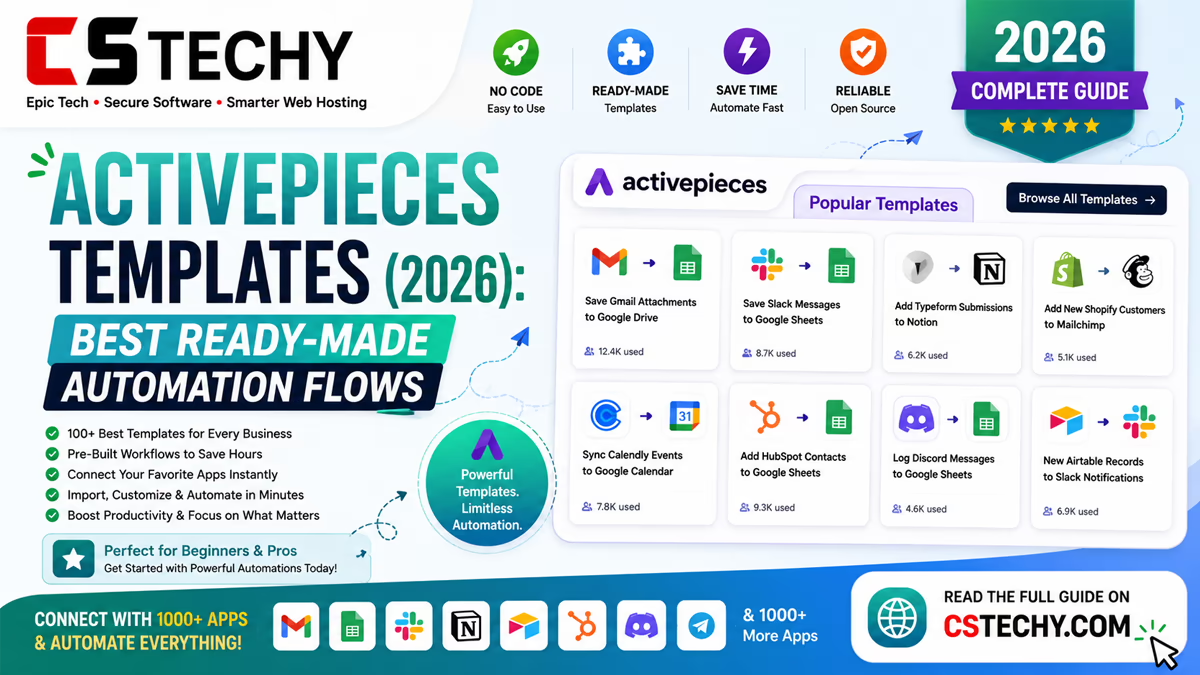
Activepieces Templates (2026): Best Ready-Made Automation Flows
Activepieces templates give you a working automation to start from instead of a blank canvas, which matters most when you’re new to the platform or simply want a common task solved quickly. Each template pairs a proven trigger with one or more actions, ready to connect to your own app accounts.
Because Activepieces is open-source, its template library is smaller than Zapier’s but growing steadily, with strong coverage of the everyday tasks most small teams actually need automated.
This guide covers what Activepieces templates are, how they work, the best ones to start with, and how to build and share your own once you’re comfortable with the basics.
What Are Activepieces Templates?
A template is a pre-built flow that already has a trigger and one or more action steps configured, so you only need to connect your own accounts and adjust field mappings rather than designing the logic from nothing.
Templates work identically to any flow you’d build yourself once installed — they’re simply a faster starting point, tested against a common real-world use case.
How Activepieces Templates Work
See the basic template structure
- Trigger — the event that starts the flow, such as a new form submission.
- Action — what happens as a result, such as sending a message or creating a record.
- Branches — optional conditions that send the flow down different paths.
- AI pieces — optional steps that summarise, draft, or classify content mid-flow.
- Testing — running the template once with sample data before publishing.
Once installed, a template behaves exactly like a flow you built yourself, so anything you’d normally adjust — field mappings, branches, extra steps — can be edited freely.
Key Benefits of Using Templates
- Faster setup — a working flow in minutes instead of building from a blank canvas.
- Fewer mistakes — the trigger-action logic has already been tested.
- No coding required — templates are configured through the same visual builder as any other flow.
- Good for learning — a useful way to see how a working flow is structured before building your own.
- Reusable — the same template can be cloned for a new client or project.
Best Templates for Business
| Template | Apps Used | Purpose | Difficulty | Best For |
|---|---|---|---|---|
| Form → Slack | Forms, Slack | Notify the team of new submissions | Beginner | Support teams |
| Google Sheets → Email | Sheets, Gmail | Send a confirmation on new rows | Beginner | Small businesses |
| Stripe → Discord | Stripe, Discord | Alert the team to new payments | Beginner | Freelancers, indie sellers |
| Webhook → Airtable | Webhooks, Airtable | Log incoming data automatically | Intermediate | Developers, operations teams |
| OpenAI → Notion | OpenAI, Notion | Summarise content into a shared workspace | Intermediate | Content and research teams |
Best Marketing Templates
Marketing teams commonly use Activepieces to forward new leads from a form or landing page straight into an email tool, keeping subscriber lists current without manual exports. Social-posting templates can push new blog content to a chosen channel automatically, while simple campaign-tracking flows log clicks or sign-ups into a shared spreadsheet.
Best Sales Templates
Sales-focused templates typically create or update a CRM record the moment a form is submitted, notify a rep the instant a high-value lead comes in, and log new deals into a shared tracking sheet. Follow-up reminder flows are a popular addition once the basic capture template is running reliably.
Best Productivity Templates
Beyond sales and marketing, teams use Activepieces to connect general work tools together — syncing new tasks between a project tool and a team chat app, or logging completed items into a shared tracking board. These templates are often the easiest starting point for teams testing Activepieces for the first time.
Best AI Templates
AI-powered templates are a growing part of the Activepieces library, typically pairing an incoming trigger with an AI piece that drafts, summarises, or classifies the content before the final action runs. A common example reads an incoming support message, drafts a suggested reply, and sends it to a team channel for a human to approve rather than send automatically.
How to Install a Template
- Open the templates section from your Activepieces dashboard.
- Search for a template that matches your goal.
- Select the template and choose to use it.
- Connect the required app accounts when prompted.
- Adjust field mappings to match your own data.
- Test the flow before publishing it.
How to Create Your Own Template
Building a custom flow starts the same way as using a template: choose a trigger, add action steps, and test each one individually before publishing. Once a flow works reliably, it can be documented and shared with teammates who need the same automation, saving them the trigger-and-action setup entirely.
Templates vs Building from Scratch
| Factor | Templates | From Scratch |
|---|---|---|
| Speed | Minutes to set up | Longer to design and test |
| Flexibility | Good for common cases | Fully custom logic |
| Learning curve | Low | Slightly higher |
| Maintenance | Lower, tested structure | Self-managed |
Common Mistakes to Avoid
- Publishing a template before testing it with real data from your own accounts.
- Leaving default field mappings unchanged when they don’t match your actual data.
- Choosing a trigger event that fires more often than intended.
- Ignoring run history, so a broken flow goes unnoticed.
Expert Tips
- Start with the simplest template that solves your task, then add complexity later.
- Rename each step clearly rather than leaving default labels.
- Test with real sample data, not placeholder text.
- Use branches instead of duplicating near-identical templates.
- Review run history weekly for anything business-critical.
- Document what each template does for future reference.
Frequently Asked Questions
Are Activepieces templates free?
Yes, templates themselves are free to use, whether you’re on the free cloud tier, a paid cloud plan, or self-hosting Activepieces entirely.
Can I customise an Activepieces template?
Yes, once installed, a template behaves like any other flow, so you can edit field mappings, add branches, or insert extra steps freely.
How many templates does Activepieces offer?
The library is smaller than Zapier’s but growing steadily, with solid coverage of common business tasks like notifications, lead capture, and simple AI actions.
Can beginners use Activepieces templates?
Yes, templates are designed to need minimal configuration, mostly connecting your own app accounts and adjusting a few fields.
Can I create and share my own Activepieces template?
Yes, once a flow works reliably, it can be documented and shared with teammates who need the same automation, saving them the setup step entirely.
Do Activepieces templates work with self-hosted instances?
Yes, templates work identically whether you’re using the managed cloud version or a self-hosted instance.
Are there AI-powered Activepieces templates?
Yes, a growing number of templates include AI pieces for drafting, summarising, or classifying content as part of the flow.
What is the difference between a template and a flow?
A template is a pre-built starting point; a flow is the live, working automation created once you install and configure that template.
Which Activepieces template is best for small businesses?
A simple notification template, such as form submissions to Slack or email, tends to deliver the fastest visible benefit for small teams getting started.
Final Verdict
Activepieces templates won’t cover every possible workflow, but for the everyday tasks most small teams actually need — notifications, simple lead capture, basic AI drafting — they get you running faster and with fewer mistakes than starting from a blank canvas.
Browse the template library first for anything that sounds like a common task, and reserve building from scratch for workflows that are genuinely unique to your business. Check our related Activepieces guides for pricing and a full tutorial on building flows from the ground up.