Managed Cloud Hosting 2026: Secure, Easy & Stress-Free Hosting
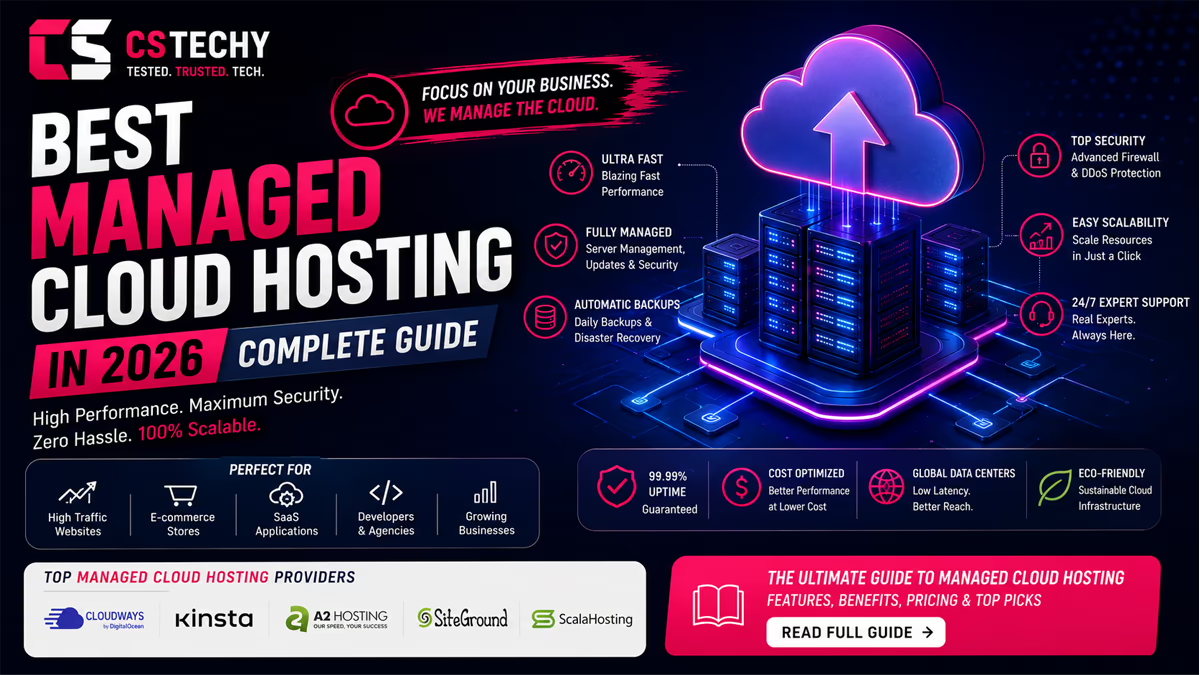
At some point, most growing websites hit the same wall: shared hosting starts choking under traffic, a VPS feels like more server administration than you signed up for, and every hour spent patching software or chasing a security alert is an hour not spent running your business. Managed cloud hosting exists to solve exactly that problem — it gives you cloud infrastructure’s flexibility and scalability, but hands the day-to-day server work (updates, monitoring, backups, security, and support) to the provider instead of you.
This guide covers what managed cloud hosting actually is, how it works under the hood, what’s typically included, how secure and fast it really is, what it costs in 2026, how it compares to unmanaged cloud, shared, VPS, and dedicated hosting, who genuinely needs it, and which providers are worth considering. Management matters here specifically because cloud infrastructure, on its own, is just virtualized compute — someone still has to patch it, secure it, watch it, and keep it backed up. Managed cloud hosting is the version of cloud hosting where that “someone” is the provider’s team rather than you. By the end of this guide, you’ll be able to tell whether that trade is worth it for your site, and if it is, exactly what to check before you buy.
What Is Managed Cloud Hosting?
Cloud hosting runs your website on virtualized resources spread across a network of servers rather than one physical machine, which is what makes it scalable — if traffic spikes, the infrastructure can allocate more CPU, RAM, or storage without you migrating to new hardware. This is fundamentally different from traditional hosting, where your site lives on one fixed server and hitting that server’s ceiling means a disruptive migration to bigger hardware.
Managed hosting, independent of the underlying infrastructure, means the provider handles server administration on your behalf: security patches, monitoring, backups, performance tuning, and technical support. You could, in theory, get “managed shared hosting” or “managed dedicated hosting” too — the “managed” part is about who does the administration work, not what kind of server it runs on.
Managed cloud hosting combines both: cloud infrastructure for flexibility and scalability, plus a provider-managed layer that removes the server administration burden. Instead of SSH-ing into a raw server to install security patches or configure a firewall, the host does that work, and you interact with a dashboard or control panel focused on your website, not the operating system underneath it.
Provider and customer responsibilities typically split like this: the provider manages the server, OS, security patching, backups, uptime monitoring, and (for platform-specific hosts) the application stack; the customer manages the website or application itself — content, plugins or code, and business-level decisions like which plan fits current traffic. This is a genuinely different split of responsibility from unmanaged infrastructure, where the customer owns nearly everything below the application layer.
A simple example: an online store running WooCommerce on unmanaged cloud infrastructure needs someone to patch the OS, configure a firewall, monitor for intrusions, set up automated backups, and troubleshoot server-level performance issues. The same store on managed cloud hosting gets all of that handled by the provider, and the store owner’s actual job shrinks to running the store — updating product listings, managing orders, and making decisions about which plan tier fits current and projected traffic.
How Does Managed Cloud Hosting Work?
Under the hood, managed cloud hosting layers provider-managed services on top of cloud infrastructure. It helps to think of it as two systems working together: the raw cloud infrastructure underneath, and the management layer the provider builds on top of it. Here’s the practical sequence of how that combination actually functions:
- Cloud infrastructure. Your site runs on virtualized compute resources drawn from a pool of physical servers (often across providers like DigitalOcean, AWS, Google Cloud, Vultr, or Linode), rather than one dedicated machine.
- Virtualized resources. CPU, RAM, and storage are allocated to your account as needed, which is what enables scaling without a physical hardware swap. This virtualization is what makes cloud infrastructure fundamentally more flexible than a single fixed server.
- Server provisioning. The managed host provisions and configures the server stack (web server, PHP/application runtime, caching layer, control panel) so you don’t build it from a blank OS image.
- Server monitoring. Automated systems watch uptime, resource usage, and unusual activity around the clock, flagging issues before they become outages.
- Security management. Firewalls, malware scanning, and access controls are configured and maintained by the provider’s team.
- Software updates. OS-level and, on many platforms, application-level updates and security patches are applied on a managed schedule, rather than left for you to track and apply manually.
- Backups. Scheduled, automated backups run on a provider-defined cadence (commonly daily), with restore options built into the dashboard rather than requiring a manual restore process.
- Technical support. Server-level issues go to the provider’s support team instead of requiring in-house sysadmin expertise, which matters most when something breaks outside business hours.
- Performance optimization. Caching, CDN integration, and server-stack tuning are typically pre-configured or available as one-click options rather than manual configuration.
- Scaling. Resource upgrades (more CPU, RAM, or storage) happen through the dashboard rather than a server migration — though as covered below, scaling back down is often more involved than scaling up.
The result is that most of what a system administrator would otherwise do manually happens through automation and a managed support team, with your involvement limited to a dashboard rather than a command line. That said, “managed” is not a single fixed standard across the industry — how much of this list a given provider actually automates, versus leaving as a paid add-on, varies meaningfully and is worth checking plan-by-plan.
What Does Managed Cloud Hosting Include?
Inclusions vary significantly by provider — there’s no single industry-standard “managed cloud hosting” package, so it’s worth checking each provider’s specifics rather than assuming parity. That said, most managed cloud plans converge around a common core of server management, monitoring, backups, and security, with meaningful differences appearing in the details of each.
| Service | Typically included | Varies by provider |
|---|---|---|
| Server management (OS, patching) | Yes | Patch schedule, transparency |
| Uptime & performance monitoring | Yes | Alerting detail, response time |
| Automated backups | Usually | Frequency, retention window |
| Security (firewall, malware scan) | Usually | Depth of scanning, DDoS protection tier |
| Free SSL | Usually | Auto-renewal handling |
| Migration assistance | Often | Free vs. paid, number of sites |
| 24/7 technical support | Often | Channel (chat/ticket/phone), response SLA |
| Performance optimization (caching, CDN) | Often | Pre-configured vs. manual setup |
| Control panel / dashboard | Yes | Proprietary vs. cPanel-style |
| Disaster recovery | Sometimes | Restore speed, backup redundancy |
| Resource management tools | Usually | Auto-scaling vs. manual resize |
The gap between “usually” and “always” matters in practice. Backup retention windows range from a few days to several weeks; support can mean 24/7 live chat with server engineers or ticket-only support with a next-business-day response; and “security” can mean anything from a basic firewall to active malware scanning with automated remediation. Migration assistance is another area where the fine print matters — “free migration” sometimes covers a single site and charges for additional ones, or covers the first migration but not subsequent ones if you change plans later.
Resource management tools are worth a specific mention: some providers offer genuine auto-scaling, where resources adjust automatically as traffic changes, while others require you to manually resize the server through the dashboard when you notice you’re approaching a limit. If predictable, hands-off scaling matters to your use case, confirm which model a provider actually uses before assuming “scalable” means “automatic.”
7 Major Benefits of Managed Cloud Hosting
1. Less Server Administration
The most immediate benefit is time: patching, configuration, and troubleshooting no longer sit on your plate. Instead of researching a CVE, testing a patch, and applying it without breaking your site, the provider’s team handles that cycle on your behalf. This matters most for site owners and small teams without a dedicated sysadmin, where server administration would otherwise compete directly with time spent on the actual business. Limitation: you trade some low-level control for that convenience — custom server configurations, unusual software stacks, or non-standard setups that an unmanaged environment allows may not be possible, or may require a support ticket instead of direct access.
2. Professional Technical Support
Server-level problems get routed to people who work on that infrastructure daily, rather than requiring you to diagnose a kernel-level issue, a misconfigured service, or a resource-exhaustion problem yourself. This benefits non-technical business owners most, since it replaces “learn enough Linux administration to fix this” with “open a support ticket.” Limitation: support quality varies widely between providers — a “24/7 support” badge on a pricing page says nothing about actual response time, technical depth, or whether you’ll reach a generalist agent or an engineer who can actually resolve a server-level issue. Verify this through independent reviews, not marketing copy.
3. Better Security Management
Firewalls, malware scanning, and patch schedules are handled by a team whose job is server security, which tends to close gaps faster than a part-time site owner managing security alongside everything else. A dedicated security team is also more likely to catch and respond to an emerging threat class before it becomes widely exploited. Limitation: managed security covers the server and infrastructure layer — it does not make your website or application code automatically secure. A vulnerable plugin, weak admin password, or poorly sanitized custom form can still be exploited regardless of how well the underlying server is locked down (more on this in the security section below).
4. Monitoring and Maintenance
Automated uptime and resource monitoring catches problems — a runaway process, a failing disk, a traffic spike — before they become visible outages that your visitors or customers notice first. This benefits any site where downtime has a real cost, from ecommerce stores losing sales during an outage to service businesses losing lead-generation traffic. Limitation: monitoring quality and alert responsiveness still vary by provider; not all “monitoring” is equally proactive, and some providers monitor server health without monitoring application-level performance, which can leave a slow-but-technically-up site undetected.
5. Easier Scalability
Scaling up resources typically happens through a dashboard click rather than a server migration, which matters for growing sites and seasonal traffic spikes (ecommerce during sales events, media sites during a viral moment, service businesses during a marketing campaign). Being able to add CPU or RAM in minutes, rather than scheduling a migration, is one of the clearest practical advantages cloud infrastructure has over traditional fixed hosting. Limitation: scaling down is often more restricted — on several platforms, reducing disk allocation requires cloning to a smaller server rather than a simple downgrade, so it’s worth checking a provider’s downgrade process before assuming scaling is symmetric.
6. Performance Management
Managed platforms often pre-configure caching layers, CDN integration, and server-stack tuning that would otherwise require manual setup and ongoing maintenance. This benefits sites without in-house performance engineering, since reasonable defaults are applied automatically rather than left to guesswork. Limitation: managed infrastructure alone does not guarantee fast page loads — application-level factors (theme bloat, unoptimized images, excessive plugins, inefficient database queries) still matter enormously and sit outside what server management can fix, as covered in the performance section below.
7. More Time for Your Business
The cumulative effect of the above six benefits is fewer hours spent on infrastructure and more on the actual website or business. This is the benefit that matters most for agencies managing multiple client sites (where the time savings multiply across a portfolio) and business owners without technical staff, who would otherwise need to either learn server administration or hire for it. Limitation: this time savings comes at a cost premium over unmanaged infrastructure, which is only worth paying if your time (or your team’s time) is genuinely better spent elsewhere — for a technically confident solo developer with time to spare, the premium may not pay for itself.
Is Managed Cloud Hosting Secure?
Managed cloud hosting generally improves your security posture, but it is not “100% secure” — no hosting model is, and any provider or reviewer claiming otherwise should be treated skeptically. Security is a layered problem, and managed hosting addresses some layers thoroughly while leaving others entirely in your hands.
Common security layers included with managed cloud plans:
- Firewalls configured at the server or network level to block unauthorized access attempts
- SSL/TLS certificates, often free and auto-renewing, encrypting traffic between your site and visitors
- Malware protection and scanning, with automated or assisted remediation when something is detected
- Security updates applied to the OS and, on some platforms, the application stack, closing known vulnerabilities before they’re widely exploited
- Access control for server and dashboard logins, often including two-factor authentication options
- Monitoring for unusual traffic or intrusion attempts
- DDoS protection, though tier and coverage vary significantly by provider — some include basic mitigation on every plan, others reserve real protection for higher tiers
- Backups and disaster recovery, which limit damage even when something does go wrong by giving you a clean restore point
- Server hardening at the infrastructure level, reducing the attack surface available to an intruder
What managed hosting does not automatically secure is the application layer: outdated plugins, weak passwords, poorly coded custom scripts, and social-engineering attacks on your own accounts remain your responsibility regardless of how well the underlying server is managed. A perfectly hardened server can still be compromised through a vulnerable plugin or a reused, leaked password on an admin account — the server-level security a managed host provides doesn’t reach into your application code or your team’s password habits.
Realistic security depends on a combination of factors — the hosting provider’s practices, how the server is configured, how your website or application is built, your own account security habits (password hygiene, two-factor authentication), and how promptly software gets updated. Managed cloud hosting removes one major variable from that equation, not all of them, which is why it’s accurate to describe it as “more secure by default” rather than “secure, full stop.”
Managed Cloud Hosting Performance Explained
“Cloud” in the name does not, by itself, guarantee a fast website. Real-world performance comes down to a stack of factors, several of which have nothing to do with the hosting model at all:
- CPU and RAM allocated to your plan, which determines how much traffic and how many concurrent processes the server handles before slowing down
- Storage type — NVMe SSDs outperform standard SSDs, which outperform legacy spinning disks, for read/write-heavy workloads like database-driven sites
- Bandwidth and network capacity, particularly for media-heavy sites serving large images or video
- Server architecture and data center quality, including the underlying cloud provider (DigitalOcean, AWS, Google Cloud, Vultr, and Linode all differ in raw compute performance for a given price point)
- Server location relative to your primary audience — physical distance adds network latency regardless of how powerful the server itself is
- Caching, both server-level (object caching, page caching) and application-level
- CDN usage for distributing static assets closer to visitors around the world
- PHP or application configuration — worker counts, memory limits, and runtime versions all affect throughput, especially under concurrent load
- Traffic patterns and resource limits — a plan sized for 25,000 monthly visits will struggle well before that ceiling if traffic arrives in unpredictable bursts rather than evenly spread out
In practice, two managed cloud plans at the same price point can perform very differently depending on which underlying cloud provider they run on and how the stack is configured. A well-optimized site on a modest plan often outperforms a poorly optimized site on a larger one — server resources set a ceiling on performance, but they don’t guarantee you’ll reach it, and no amount of server-side management fixes a bloated theme, unoptimized images, or an inefficient database query. This is worth remembering before assuming an upgrade will automatically fix a slow site; sometimes the fix is on the application side, not the infrastructure side.
Managed Cloud Hosting Costs in 2026
Managed cloud hosting pricing in 2026 spans roughly $7–$15/month at the entry level up to several hundred dollars monthly for high-resource or agency-scale plans, with the actual number depending heavily on which pricing model a provider uses and how much traffic or resource headroom you actually need.
Pricing generally scales with a combination of:
- CPU cores and RAM allocated
- Storage (type and capacity)
- Bandwidth allowance
- Backup frequency and retention
- Management depth (fully managed vs. semi-managed tiers)
- Support level (live chat vs. dedicated account management)
- Security features included vs. add-on
- Migration assistance included vs. paid
- Additional resources or scalability headroom
Two pricing philosophies dominate the market. Resource-based pricing (used by providers like Cloudways) charges by CPU, RAM, and storage regardless of traffic — predictable if your resource needs are stable, since your bill doesn’t move just because a marketing campaign drove more visits. Visit-based pricing (common among premium managed WordPress hosts like Kinsta and WP Engine) charges by monthly visitor count, with entry plans commonly starting around $30–$35/month for roughly 25,000–35,000 visits — this can be less predictable if your traffic fluctuates or includes significant bot/crawler activity, since some providers count that toward your visit total rather than filtering it out.
It’s also worth distinguishing cheap hosting from good-value hosting. A low introductory price that renews at two or three times the rate after the first term isn’t necessarily bad value, but it needs to be evaluated at the renewal price, not the sign-up price — check a provider’s renewal terms before committing to a multi-year plan based on the first-year number alone. A plan that’s genuinely cheap at renewal, with adequate resources for your site, beats a plan that looks cheap only in its first year and then jumps sharply.
Beyond the base plan price, watch for add-on costs that can meaningfully change the real monthly total: extra storage beyond your allocation, premium or hourly backups, additional staging environments, and overage charges for exceeding bandwidth or visit limits. None of these are necessarily unreasonable fees, but they’re easy to miss when comparing headline prices across providers, and a plan that looks cheaper on paper can end up costing more once realistic add-ons are factored in.
Pricing above is compiled from vendor-published rates as of August 2026 and changes frequently; confirm current pricing directly with each provider before purchasing.
Managed Cloud Hosting vs Unmanaged Cloud Hosting
| Factor | Managed Cloud | Unmanaged Cloud |
|---|---|---|
| Server management | Handled by provider | Handled by you |
| Technical skill required | Low to moderate | High |
| Security | Provider-managed | Self-managed |
| Updates | Scheduled by provider | Manual |
| Monitoring | Included | Self-configured |
| Backups | Usually automated | Self-configured |
| Support | Server-level support included | Infrastructure support only, or none |
| Control | More restricted | Full root-level control |
| Customization | Limited by platform | Unlimited |
| Cost | Higher | Lower |
| Ideal user | Non-technical or time-constrained | Experienced developers/sysadmins |
The table above captures the trade-off cleanly: unmanaged cloud hosting costs less and gives you complete control, but that control comes with full responsibility for security, patching, and uptime. Managed cloud hosting costs more but converts server administration into a monthly line item instead of a time commitment. Neither is objectively “better” — the right choice depends on whether you have (or want to hire) the technical capacity to run unmanaged infrastructure safely.
A useful rule of thumb: if you’d need to hire someone, even part-time or on a freelance basis, to manage unmanaged cloud infrastructure properly, the cost difference against a managed plan often narrows or disappears once you factor in that person’s time. Unmanaged infrastructure is genuinely cheaper only when the person managing it is already doing so as part of an existing role, rather than as dedicated, separately-costed time.
There’s also a middle ground worth knowing about: some providers, including ScalaHosting with its SPanel platform, let you take a technically unmanaged cloud server and add a managed layer on top through their own tools, which can be a cost-effective way to get managed-style convenience on infrastructure you’d otherwise be running unmanaged.
Managed Cloud Hosting vs VPS Hosting
VPS and cloud hosting are not always cleanly separate technologies — many “cloud” products are, technically, virtualized servers not unlike a VPS, and the meaningful distinction in 2026 is less about the underlying technology and more about management level and scaling model.
- Managed VPS gives you a fixed virtual server with provider-handled administration — similar management convenience to managed cloud, but typically less elastic scaling, since you’re generally sized into a specific resource tier.
- Unmanaged VPS gives you root access to a fixed virtual server with no administration included, similar in spirit to unmanaged cloud but usually without the multi-provider flexibility some cloud platforms offer.
- Managed cloud typically adds more elastic, on-demand scaling and often spans multiple underlying cloud providers, giving you a choice of infrastructure rather than a single fixed environment.
- Unmanaged cloud gives you that same elastic infrastructure with full self-administration, for users who want the scaling flexibility without paying for management.
In practice, choose based on management and scaling needs rather than the “VPS vs. cloud” label alone: if you want predictable, fixed resources with hands-off management, managed VPS and managed cloud both work reasonably well. If you expect variable or growing traffic and want to scale resources without a migration, cloud-native platforms generally offer smoother scaling paths and more granular resource adjustment. Cost and control follow the same general pattern as the managed-vs-unmanaged comparison above — managed options cost more and restrict some control in exchange for provider-handled administration, regardless of whether the underlying label is “VPS” or “cloud.”
Providers like ScalaHosting illustrate this overlap directly — their core offering is described as managed cloud VPS hosting, combining VPS-style fixed resource allocation with cloud-style management tooling (SPanel) on top, which is a good example of why the VPS/cloud line has blurred rather than staying sharply defined.
Managed Cloud Hosting vs Dedicated Hosting
Dedicated hosting gives you an entire physical server with no other tenants, which delivers the highest raw performance ceiling and full resource control, but at a higher cost and with less elastic scalability — upgrading typically means migrating to new hardware rather than a dashboard adjustment.
- Resources: dedicated gives you an entire physical machine; managed cloud gives you virtualized, shared-infrastructure resources sized to your plan
- Performance: dedicated has no “noisy neighbor” risk at all, since nothing else runs on the hardware; managed cloud isolates resources well but still runs on shared physical infrastructure underneath
- Scalability: managed cloud scales faster and more flexibly through software; dedicated scaling requires new hardware provisioning and often a migration window
- Management: both are available managed or unmanaged, so this isn’t a distinguishing factor on its own
- Control: dedicated offers full hardware-level control, including choice of exact hardware specs; managed cloud is more restricted by the platform’s available configurations
- Cost: dedicated is typically the most expensive tier, reflecting the cost of reserving entire physical hardware for one customer
- Flexibility: managed cloud adapts to traffic changes more easily, which suits businesses with variable or growing demand
Dedicated hosting fits use cases with consistently high, predictable resource demands and strict compliance or isolation requirements, where sharing physical infrastructure with any other tenant isn’t acceptable. For most growing websites and businesses with variable traffic, managed cloud hosting’s scalability makes it the more practical and cost-effective choice, reserving dedicated hosting for genuinely high-scale or compliance-driven cases.
Who Should Use Managed Cloud Hosting?
Managed cloud hosting fits a fairly specific profile of user well:
- Growing websites that have outgrown shared hosting’s resource ceiling but don’t want to manage raw infrastructure themselves
- Businesses where downtime has a direct revenue or reputational cost, making provider-handled uptime monitoring worth the premium
- Ecommerce stores that need to handle traffic spikes (sales events, seasonal demand) without manual intervention or advance planning
- Agencies managing multiple client sites, where centralized, provider-handled maintenance saves significant time across a portfolio rather than per-site
- WordPress sites with meaningful traffic, especially those running WooCommerce or other resource-intensive plugins that strain shared hosting
- High-traffic websites that need to scale resources without a disruptive migration event
- Users without server administration skills who still need reliable, secure infrastructure without hiring dedicated staff
- Businesses prioritizing support over the lowest possible hosting cost, particularly those without an internal technical team to fall back on
- Organizations anticipating growth that want scaling handled without re-platforming later, avoiding a future migration project
Who Should Avoid Managed Cloud Hosting?
Managed cloud hosting isn’t the right fit for everyone, and that’s a reasonable, cost-conscious decision for the right user rather than a compromise:
- Experienced developers and system administrators who already know how to secure and maintain a server efficiently gain less from paying for management they could do themselves at no marginal time cost
- Infrastructure engineers running custom or unusual server configurations that managed platforms may not support, since managed environments are typically standardized
- Users requiring root-level control for specialized software stacks, custom kernel modules, or fine-grained server tuning that a managed dashboard doesn’t expose
- Technically skilled teams that already manage server infrastructure for other projects and can extend that existing capacity to a new site cheaply
- Cost-sensitive users who prioritize the lowest possible hosting bill over convenience and support, and are comfortable with the added responsibility that comes with unmanaged infrastructure
For these users, unmanaged cloud or VPS hosting typically delivers the same underlying infrastructure at a lower monthly cost, with the trade-off of doing the administration work yourself. This isn’t a lesser option — for a team with the right skills already in place, it’s often the more rational choice.
What to Look for in Managed Cloud Hosting
Before choosing a provider, check each of the following rather than relying on the plan name alone:
- CPU and RAM allocated at your target plan, not just the entry tier — entry-tier specs are often used for marketing while real usage requires the next tier up
- Storage type — NVMe vs. standard SSD — and capacity, since this materially affects database and read/write performance
- Bandwidth allowance and overage costs, particularly for media-heavy sites
- Server location options relative to your audience, since physical distance adds latency that no amount of server power fixes
- Uptime track record and any published SLA, along with what compensation (if any) applies if it’s missed
- Backup frequency and retention window — daily backups with only 3 days of retention protect you far less than daily backups with 30 days
- Security features included by default vs. paid add-ons, especially malware scanning and DDoS protection tier
- Monitoring depth and alerting — does it cover just server uptime, or application-level performance too?
- Migration support — free vs. paid, and how many sites are covered under the free allowance
- Technical support channels and realistic response times (check independent reviews, not just marketing copy)
- Scalability — how easily you can scale up, and what scaling down actually requires, since these are often asymmetric
- Control panel — proprietary dashboard vs. familiar tools like cPanel, which affects how steep the learning curve is if you switch providers later
- Resource limits and what happens when you exceed them — automatic scaling, a warning, or a hard cap that takes your site down
- Introductory vs. renewal pricing — always check the renewal rate, not just the sign-up price
- Cancellation terms and any early-termination costs, particularly on multi-year plans
- What “managed” actually includes at your specific plan tier, since higher tiers often unlock meaningfully more management than entry plans do
Running through this list against two or three shortlisted providers, rather than comparing headline prices alone, is the single most effective way to avoid an unpleasant surprise after you’ve already migrated your site.
Best Managed Cloud Hosting Providers
The comparison below covers providers genuinely relevant to CSTechy’s hosting coverage, evaluated on the same criteria. Not every provider suits every use case — pick based on your actual resource needs and technical comfort level, not by which name is most familiar.
| Provider | Entry pricing | Best for | Management model |
|---|---|---|---|
| Cloudways | From ~$11/mo (resource-based) | Flexibility across multiple cloud providers | Fully managed layer over DigitalOcean, Vultr, Linode, AWS, GCP |
| ScalaHosting | Managed Cloud from $29.95/mo; Entry Cloud from ~$14.95/mo (multi-year) | Teams wanting an independent, non-PE-owned host with a proprietary control panel | Fully managed cloud VPS with SPanel |
| Kinsta (market reference, non-affiliate) | From ~$35/mo (visit-based) | Agencies wanting a premium Google Cloud-based dashboard | Fully managed, WordPress-specific |
| WP Engine (market reference, non-affiliate) | From ~$30/mo (visit-based) | Agencies wanting phone support and Genesis/Local ecosystem tools | Fully managed, WordPress-specific |
⚡ Cloudways
Best for: users who want managed convenience with the flexibility to choose their underlying cloud provider.
✅ Pros
Genuine flexibility across cloud providers, transparent resource-based pricing, no long-term contracts, and multiple infrastructure choices for different workloads.
⚠️ Cons
The pricing structure requires understanding individual resource specifications, while support quality for difficult technical issues can vary according to independent user feedback.
🧪 CSTechy Verdict: Cloudways is a top choice for users who want managed cloud hosting, flexible cloud-provider options, strong resources, and excellent overall value.
💡 ScalaHosting
Best for: users who want fully managed cloud VPS hosting from an independently owned company, with a proprietary control panel as an alternative to cPanel.
✅ Pros
Independent ownership, competitive NVMe hardware, managed cloud options, strong support reputation, and SPanel as a genuine cPanel alternative.
⚠️ Cons
Introductory pricing can renew significantly higher, so buyers should compare the regular renewal price when calculating the long-term cost of hosting.
🧪 CSTechy Verdict: ScalaHosting is a strong pick for managed VPS hosting, especially for users who value SPanel, built-in security, easy scalability, and a simpler alternative to traditional cPanel-based VPS management.
🏆 Kinsta & WP Engine
Kinsta and WP Engine are two prominent premium managed WordPress hosting providers. Both use Google Cloud infrastructure and target customers looking for managed WordPress performance rather than general-purpose cloud infrastructure.
Their offerings commonly include managed WordPress environments, CDN/WAF capabilities, SSL, staging tools, and migration assistance. Differences become more noticeable in areas such as dashboard experience, backup retention, support channels, pricing tiers, and multi-site requirements.
They’re included here primarily for market context because they represent the premium managed WordPress segment, even though they aren’t currently part of CSTechy’s affiliate program.
How CSTechy Evaluates Managed Cloud Hosting
CSTechy evaluates managed cloud hosting providers using practical criteria designed to help beginners, website owners, creators, developers, and businesses understand which options may best fit their needs and budget.
- Performance
- Uptime and reliability
- Server location options
- Resources such as CPU, RAM, and storage
- Security features
- Support and customer service
- Management features and ease of use
- Scalability
- Pricing and renewal costs
- Overall suitability and value
Our evaluations may consider practical experience, available testing, provider specifications, official documentation, publicly available information, independent research, technical data, industry observations, and relevant user experiences. The depth of evaluation may vary depending on the provider, topic, and information available.
Our recommendations focus on suitability rather than simply identifying the most expensive or technically powerful option. We consider different requirements, experience levels, workloads, and budgets to help readers choose an appropriate solution.
How CSTechy Evaluates Managed Cloud Hosting
CSTechy evaluates managed cloud hosting providers using practical criteria designed to help beginners, website owners, creators, developers, and businesses understand which options may best fit their needs and budget.
- Performance
- Uptime and reliability
- Server location options
- Resources such as CPU, RAM, and storage
- Security features
- Support and customer service
- Management features and ease of use
- Scalability
- Pricing and renewal costs
- Overall suitability and value
Our evaluations may consider practical experience, available testing, provider specifications, official documentation, publicly available information, independent research, technical data, industry observations, and relevant user experiences. The depth of evaluation may vary depending on the provider, topic, and information available.
Our recommendations focus on suitability rather than simply identifying the most expensive or technically powerful option. We consider different requirements, experience levels, workloads, and budgets to help readers choose an appropriate solution.
Is Managed Cloud Hosting Worth It in 2026?
There’s no universal answer here — it depends on what you’re optimizing for and what resources (time, money, technical skill) you already have available.
It may be worth it if:
- You value having a support team handle server-level problems instead of troubleshooting them yourself
- You lack in-house server administration expertise and don’t want to develop it
- Your website or business is actively growing and you’d rather not think about infrastructure limits
- Downtime carries a real cost, financial or reputational, that outweighs the management premium
- You expect to need to scale resources without a disruptive migration event
- You’d rather pay a predictable monthly premium than spend your own time on maintenance, even if you technically could do it yourself
It may not be worth it if:
- You’re technically experienced and comfortable managing servers yourself at no real marginal time cost
- You need maximum, unrestricted control over your server configuration for a specialized use case
- Minimizing hosting cost matters more to you than convenience or support quality
- You already manage server infrastructure professionally for other projects and can extend that capacity cheaply
A practical decision framework: estimate the hours you’d spend on server administration under an unmanaged plan in a typical month, value that time at what it would actually cost to hire for (even if you’re doing it yourself and not paying anyone directly), and compare that to the price difference between managed and unmanaged tiers. For most non-technical site owners and growing businesses, that comparison favors managed cloud hosting once realistic time costs are factored in. For experienced technical teams already equipped to manage infrastructure as part of their existing workload, it often doesn’t — and that’s a legitimate, informed choice either way, not a case of one option being objectively correct.
Frequently Asked Questions
What is managed cloud hosting?
Managed cloud hosting combines scalable, virtualized cloud infrastructure with a provider-managed layer that handles server administration — security, updates, monitoring, and backups — so you don’t have to manage the server yourself.
Is managed cloud hosting worth it?
It’s worth it for site owners and businesses who’d rather pay for convenience and support than spend time on server administration. Technically experienced users who already manage infrastructure often get less value from the premium and may prefer unmanaged options.
Is managed cloud hosting secure?
It’s more secure than doing server administration yourself without expertise, since the provider handles firewalls, patching, and monitoring — but it isn’t automatically 100% secure. Application-level security (plugins, code, account passwords) remains your responsibility.
What does managed cloud hosting include?
Most plans include server management, monitoring, backups, basic security, and support, with performance optimization and migration assistance common at higher tiers. Exact inclusions vary significantly by provider and plan, so check the specific plan page rather than assuming parity.
How much does managed cloud hosting cost?
Entry plans generally run $11–$35/month depending on the provider’s pricing model (resource-based vs. visit-based), scaling into hundreds of dollars monthly for high-resource or agency plans. Always check the renewal price, not just the introductory rate.
What is the difference between managed cloud hosting and VPS hosting?
The meaningful difference is usually management level and scaling flexibility rather than the underlying technology — managed cloud typically offers more elastic, on-demand scaling, while VPS plans (managed or unmanaged) usually provide more fixed resources.
Is managed cloud hosting good for WordPress?
Yes, particularly for WordPress sites with meaningful traffic or WooCommerce stores that need reliable performance under load. Look specifically for WordPress-optimized caching and, if running an online store, adequate PHP worker allocation for dynamic pages.
Who needs managed cloud hosting?
Growing websites, businesses where downtime is costly, ecommerce stores, agencies managing multiple sites, and anyone without server administration skills who still needs reliable, secure infrastructure.
Can I migrate my website to managed cloud hosting?
Yes — most managed cloud providers offer migration assistance, often free for a limited number of sites, handling the technical transfer for you. Confirm whether migration is free or paid at your target plan, and back up your current site independently before any migration as a safety net.
Comparing specific providers before you commit? See our full hosting comparisons.
Compare Web Hosting ProvidersRelated reading: Ultimate Web Hosting Guide · Shared vs. Managed Hosting · Uptime, Speed & Server Location Guide · Best Ecommerce Hosting · VPS Buying Guide
Final Verdict — Which Cloud Hosting Should You Choose?
🏆 Best for Beginners
If you’re just starting out, you need simplicity, support, and reliability without technical confusion.
- ✔ Easy-to-use dashboard
- ✔ Affordable pricing
- ✔ Fast setup for beginners
💻 Best for Developers
If you want flexibility, control, and scalability without manually managing complex infrastructure, this is your pick.
- ✔ Access to AWS, Google Cloud, and DigitalOcean
- ✔ Easy deployment and scaling
- ✔ Developer-friendly features
💰 Best Value for Money
If you want strong performance at an affordable price without compromising on security, this is the one to beat.
- ✔ Budget-friendly cloud VPS
- ✔ Excellent performance
- ✔ Built-in security features
🎯 Quick Recommendation
👉 Choose Cloudways if: you want flexibility and value.
👉 Choose ScalaHosting if: you want affordability and simplicity.
👉 Choose Kinsta if: you want premium performance.
👉 Choose SiteGround if: you want strong support and reliability.
There’s no one-size-fits-all answer — but there is a right choice for you.
🔐 Advanced Cloud Hosting Concepts You Should Know
Cloud technology keeps evolving, and hosting today is about far more than raw speed — it’s also about stability and safety. Modern cloud hosting services rely on smart systems that keep your website running smoothly.
⚙️ Flexible Operating Systems
Choose the operating environment that best fits your website, application, or business workload.
☁️ Private Cloud Environments
Dedicated cloud resources provide greater control, isolation, security, and predictable performance.
🛡️ Disaster Recovery
Backup and recovery systems help protect your website and data against unexpected failures and outages.
⚙️ Flexible Operating Systems for Better Performance
Modern cloud server hosting gives you more control over the environment your site runs on. Most providers support Linux and Windows Server, along with custom setups for specific workloads.
- ✔ Linux systems for speed and lower cost
- ✔ Windows Server for business applications
- ✔ Custom configurations for specialised workloads
This flexibility helps your website run efficiently while improving security and compatibility with modern web applications.
☁️ Private Cloud for Better Security and Control
Many businesses prefer private cloud environments, where resources are dedicated to a single user or organisation rather than shared. This can provide greater control and stronger isolation.
- 🔒 Ideal for handling sensitive data
- 🏢 Useful for companies with compliance requirements
- ⚡ Great for high-performance applications
👉 Unlike shared systems, private cloud setups are isolated, providing more predictable resources and greater control.
🛡️ Disaster Recovery — Keep Your Website Safe
Websites can go down because of server issues, attacks, hardware failures, or system errors. That’s why disaster recovery is an important part of modern cloud infrastructure.
- ✔ Automatic backups across multiple data centers
- ✔ Fast recovery with minimal downtime
- ✔ Protection against data loss and infrastructure failures
👉 A properly designed recovery strategy helps ensure that a single infrastructure failure doesn’t permanently take your website offline.
🚀 Why Cloud Hosting Services Are Growing Fast in 2026
The internet moves faster than ever, and websites need speed, stability, and flexibility to keep up. That’s why more businesses are moving toward cloud hosting services.
❌ Shared Hosting Limits
Shared environments can experience resource contention when traffic increases or neighbouring websites consume resources.
❌ VPS Management
Traditional VPS hosting can require more technical knowledge, maintenance, updates, and server administration.
❌ Single-Server Risk
A single-server architecture can create a larger failure point when hardware or infrastructure problems occur.
Cloud hosting addresses these challenges by using virtualised infrastructure and distributed resources, allowing websites to scale more easily as traffic and workloads change.
⚙️ How Cloud Technology Works
Cloud systems run on virtual machines and flexible infrastructure. When traffic or resource requirements increase, additional resources can be allocated according to the hosting platform’s capabilities.
This makes cloud hosting suitable for blogs, business websites, eCommerce stores, SaaS applications, and modern web applications.
⚡ Core Features of High-Performance Cloud Server Hosting
Choosing the right cloud server hosting provider isn’t just about price — it’s about the technology stack and infrastructure powering your website.
🌍 Global Data Centers
Multiple data center locations can reduce latency and help deliver faster response times for visitors in different regions.
⚙️ Scalable Virtual Machines
Virtual machine technology allows resources to be adjusted as workload requirements change, depending on the hosting platform.
🔒 Robust Security Measures
Leading hosting environments can include firewalls, malware scanning, automatic updates, SSL certificates, and other security controls.
🚀 Optimised Web Servers
Modern hosting environments may use high-performance web servers such as NGINX and LiteSpeed to improve website delivery.
📊 Platform Flexibility
Some managed cloud platforms provide access to infrastructure providers such as AWS, Google Cloud, and DigitalOcean.
💡 Key Benefits of Managed Cloud Services
With managed cloud services, you don’t need to handle every technical aspect of server administration yourself. Depending on the provider, experts can help with infrastructure management, monitoring, maintenance, security, and scaling.
🔄 Automatic Maintenance
Updates and routine maintenance can reduce the amount of manual server administration required.
📡 Monitoring & Backups
Monitoring and backup systems help identify problems and protect important website data.
🛡️ Advanced Security
Managed environments can provide additional security controls and professional configuration.
📈 Easy Scaling
Cloud infrastructure makes it easier to increase resources when traffic or application workloads grow.
🔥 Best Cloud Hosting Offers You Should Not Miss
If you’re planning to start or upgrade your website, these cloud hosting offers provide a strong balance of performance, scalability, support, and affordability.
🚀 Hostinger
Best for beginners, small businesses, and budget-conscious users.
⚡ Cloudways
Best for developers, growing websites, and scalable cloud hosting.
💡 ScalaHosting
Best value for users looking for performance, security, and affordable cloud VPS hosting.
🔵 Bluehost
Best for WordPress websites and users who want a beginner-friendly hosting experience.
🌐 Namecheap
Best for users searching for affordable hosting and domain solutions.
🔥 MilesWeb
Best for Indian users looking for affordable hosting and local support options.
🚀 Ready to Upgrade Your Hosting?
Don’t let slow servers or unreliable infrastructure hold back your growth. Choose a cloud hosting solution that matches your website’s performance, scalability, and budget requirements.
🔥 Start with Cloudways Now❓ Frequently Asked Questions About Cloud Hosting
Everything you need to know before choosing the right cloud hosting provider for your website.
What is cloud hosting?
Cloud hosting is a type of web hosting that uses virtualised infrastructure and resources distributed across cloud servers. Instead of relying entirely on one physical server, cloud hosting can provide greater flexibility, scalability, and resilience for websites and applications.
Is cloud hosting better than shared hosting?
Cloud hosting can be a better choice for websites that need more performance, scalability, and resource flexibility. Shared hosting is usually more affordable and simpler for small websites, while cloud hosting becomes more attractive as traffic and resource requirements increase.
Is cloud hosting suitable for beginners?
Yes. Managed cloud hosting can be suitable for beginners because the provider may handle many technical tasks such as server configuration, monitoring, backups, security, and maintenance. Hostinger is particularly beginner-friendly, while Cloudways provides more advanced flexibility for users who need greater control.
What is managed cloud hosting?
Managed cloud hosting is a hosting service where the provider takes care of many infrastructure and server-management tasks. Depending on the provider and plan, this can include updates, monitoring, security configuration, backups, performance optimisation, and technical support.
Which cloud hosting is best for WordPress?
The best option depends on your traffic, budget, technical requirements, and expected growth. Beginners may prefer a managed WordPress-friendly provider such as Hostinger or Bluehost, while developers and growing businesses may prefer platforms such as Cloudways for additional infrastructure flexibility.
Is cloud hosting good for high-traffic websites?
Cloud hosting can be an excellent option for high-traffic websites because cloud infrastructure can provide more flexible resource allocation and scaling options. However, actual performance depends on the provider, server configuration, application optimisation, caching, database performance, and traffic pattern.
Which is better: Cloudways or Hostinger?
Hostinger is generally more attractive for beginners who want affordability and a simple hosting experience. Cloudways is better suited to developers, agencies, and growing businesses that want more infrastructure flexibility and access to multiple cloud providers. The better choice depends on your technical requirements and budget.
How much does cloud hosting cost?
Cloud hosting prices vary significantly depending on the provider, resources, infrastructure, support, and management level. Entry- level plans can be affordable for small websites, while managed cloud VPS and premium infrastructure can cost considerably more. Always compare the included CPU, RAM, storage, bandwidth, backups, and support before choosing a plan.
What should I look for when choosing cloud hosting?
Look at performance, uptime history, data center locations, scalability, security, backups, customer support, resource limits, pricing, and ease of management. You should also consider whether the provider supports your CMS, applications, expected traffic, and technical requirements.