
To Move Your Ecommerce Store To Cloudways, is it Important, If your ecommerce website feels slow, unreliable, or limited by your current hosting provider, this guide is for you. In this Migration Guide: Move Your Ecommerce Store to Cloudways, I’ll walk you through a proven, zero-downtime process to move your online store safely—without breaking sales, SEO, or customer trust.
👉 Read Our Detailed Cloudways Review (2025) – Remember This Before Migrating
At CSTechy, we’ve helped countless store owners migrate WooCommerce, Magento, and custom ecommerce platforms to Cloudways for better speed, scalability, and peace of mind. This guide is updated for 2025 and focuses on real-world ecommerce needs—not theory.
🛒 WooCommerce Official Guide – Build & Scale Your Online Store
Migration Guide: Move Your Ecommerce Store to Cloudways, Why ?
Ecommerce hosting in 2025 is no longer just about uptime. You need speed, security, scalability, and flexibility—all at once. Cloudways stands out because it combines managed cloud hosting with full control.
- Faster page load times using optimized cloud infrastructure
- Better checkout performance during traffic spikes
- Managed security without shared hosting risks
- One-click scaling for seasonal sales
- No long-term lock-in like traditional hosts
Cloudways Is Ideal If You:
- Run WooCommerce or Magento stores
- Face slow checkout or cart abandonment
- Need better server-level caching
- Want cloud power without sysadmin stress
🚀 Official Cloudways Hosting – See Features, Pricing & Cloud Stack
Before Migration: What You Must Prepare
A successful ecommerce migration starts before you move anything. Skipping preparation is the #1 reason stores face downtime or broken orders.
✅ Pre-Migration Checklist (Critical)
- Full website backup (files + database)
- List of active plugins & payment gateways
- Current DNS records & hosting credentials
- Disable caching & security plugins temporarily
- Note PHP version & WooCommerce settings
Step-by-Step Migration Guide: Move Your Ecommerce Store to Cloudways
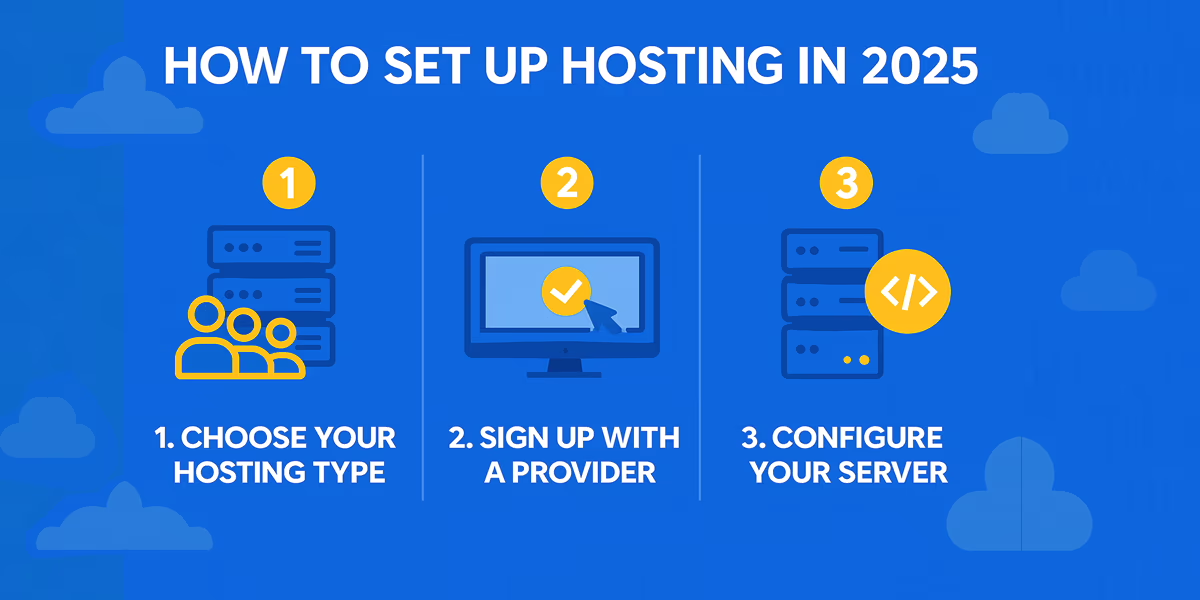
Step 1: Create a Cloudways Account & Server
Sign up on Cloudways and launch a new server. Choose your preferred cloud provider (DigitalOcean is best for most ecommerce stores), select server size, and set your location close to your target customers.
Step 2: Install Your Ecommerce Application
Cloudways lets you deploy WooCommerce or Magento with one click. This creates a fresh, optimized environment ready for migration.
Step 3: Use Cloudways Migration Tool
For WordPress & WooCommerce, install the Cloudways WordPress Migrator plugin on your existing site and follow the on-screen steps.
- Enter destination server details
- Start migration
- Monitor progress (usually 10–30 minutes)
Step 4: Test Your Store on Temporary URL
Before going live, Cloudways provides a temporary URL. Test:
- Product pages
- Add-to-cart functionality
- Checkout & payment gateways
- User login & orders
Step 5: Point Domain & Go Live
Update DNS records to point your domain to Cloudways. DNS propagation usually completes within a few hours.
Zero-Downtime Ecommerce Migration Strategy
Downtime equals lost revenue. Here’s how CSTechy ensures smooth migrations:
- Keep old hosting active until DNS fully propagates
- Enable maintenance mode only if necessary
- Sync orders if traffic continues during migration
- Test SSL and payment gateways immediately
Post-Migration Optimization on Cloudways
Migration is just the beginning. Cloudways shines when you optimize it correctly.
Essential Post-Migration Steps
- Enable Varnish & Redis (if compatible)
- Activate free SSL
- Set up automated backups
- Configure CDN (CloudwaysCDN)
- Enable server-level caching
SEO Impact: Will Migration Affect Rankings?
A properly executed migration to Cloudways often improves SEO. Faster load times, better uptime, and optimized server response help rankings long-term.
- No URL changes = no SEO loss
- Improved Core Web Vitals
- Better crawl efficiency
Common Ecommerce Migration Mistakes to Avoid
- Ignoring checkout testing
- Not checking cron jobs
- Forgetting email delivery setup
- Skipping performance tuning
Final Verdict: Is Cloudways Worth Migrating To?
If you’re serious about ecommerce growth in 2025, Cloudways is a powerful upgrade. It delivers cloud performance without complexity, making it ideal for growing online stores.
Small to medium ecommerce stores looking for speed, scalability, and reliability should strongly consider Cloudways.
… previous content …
Why Move Your Ecommerce Store to Cloudways in 2025?
If you’re planning to Move Your Ecommerce Store to Cloudways, you’re making a strategic decision for speed, stability, and scalability. Many growing brands choose to Move Your Ecommerce Store to Cloudways because shared hosting can’t handle modern traffic and checkout demands.
The decision to Move Your Ecommerce Store to Cloudways is especially important for WooCommerce and high-transaction stores. When you Move Your Ecommerce Store to Cloudways, you gain cloud performance without server management stress.
In 2025, store owners Move Your Ecommerce Store to Cloudways to reduce downtime, improve Core Web Vitals, and support future growth. If performance, SEO, and reliability matter, it makes sense to Move Your Ecommerce Store to Cloudways.
FAQs: Migration Guide: Move Your Ecommerce Store to Cloudways
Q: Can I migrate my ecommerce store to Cloudways without downtime?

Yes, with proper DNS timing and testing, downtime can be avoided.
Q: Does Cloudways support WooCommerce?

Yes, Cloudways is fully optimized for WooCommerce hosting.
Q: Will my SEO be affected after migration?

No, SEO usually improves due to faster speed and better uptime.
Q: Is Cloudways beginner-friendly?

Yes, it offers managed features while allowing advanced control.
Q: Does CSTechy recommend Cloudways?

Yes, for serious ecommerce performance and growth.