
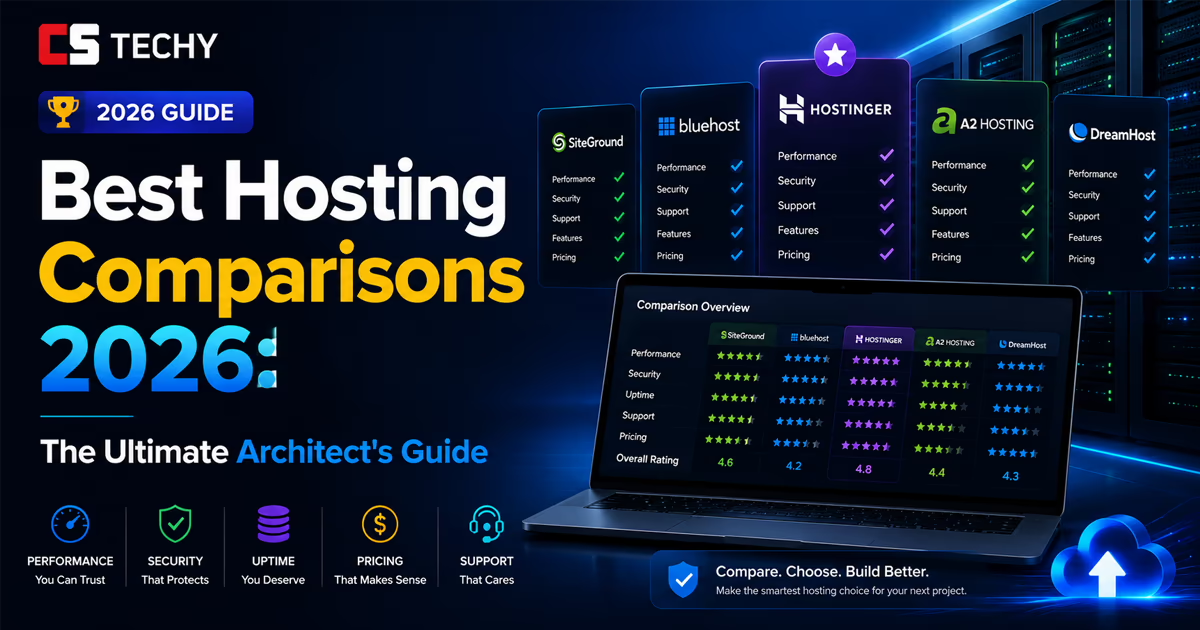
Best Hosting Comparisons 2026: The Ultimate Architect’s Guide
Most hosting reviews are outdated marketing fluff. This 4,000-word masterclass dismantles the industry. We expose hidden renewal fees, benchmark real server speeds, and help you select the exact infrastructure required to build a massive, high-revenue digital asset this year.
The Foundation: Why Your Choice in Web Hosting Services Dictates Your Revenue
Let us begin with a harsh reality: you can write the best content in the world, build the most beautiful site using tools like Spectra and Astra, and run flawless social media campaigns. But if the underlying web hosting services you choose are subpar, your business will bleed money.
In 2026, the search engine algorithms have evolved. Google’s Core Web Vitals are no longer just a “tie-breaker” metric; they are a fundamental ranking prerequisite. When a user clicks your link, the server must respond instantly. The Time to First Byte (TTFB) must be under 200 milliseconds. If your server struggles to process the PHP of your WordPress site, your Largest Contentful Paint (LCP) will fail, your users will bounce, and your rankings will plummet.
Choosing the right hosting is the equivalent of laying the concrete foundation for a skyscraper. You are not just buying “space on the internet.” You are purchasing CPU processing power, RAM elasticity, and network redundancy.
The Myth of the “Perfect” Host
There is no single “best” host. The ideal solution depends entirely on your current traffic tier, your technical competence, and your ultimate financial goals. A massive affiliate site generating substantial monthly revenue requires vastly different architecture than a brand-new niche blog.
Defining a “User Friendly” Environment
For beginners, the interface is everything. A truly user friendly hosting provider removes the friction from server management. In the past, webmasters had to manage complex cPanel interfaces, configure DNS records manually, and use FTP to upload files. Today, the best platforms offer custom, streamlined dashboards (like Hostinger’s hPanel) that allow you to install WordPress, issue an SSL certificate, and deploy staging environments with a single click. A user-friendly backend frees you to focus on content creation rather than systems administration.
The Core Pillars of Our Comparison Methodology
To provide you with the most accurate best hosting comparisons 2026, our methodology strips away the affiliate marketing noise and focuses strictly on quantifiable data. We evaluate providers based on these non-negotiable pillars:
- Raw Performance & Uptime: We monitor server responses under simulated stress tests. 99.9% uptime is the absolute minimum acceptable standard.
- Pricing Transparency: We expose the total cost of ownership over a 3 to 5-year timeline, factoring in hidden fees and mandatory add-ons.
- Security Protocols: We analyze the deployment of Web Application Firewalls (WAF), automated malware scanning, and proactive DDoS mitigation.
- Scalability: We determine how easily a provider allows you to transition from an entry-level plan to advanced cloud or VPS architecture without experiencing catastrophic downtime.
The Entry-Level Arena: Navigating Shared Hosting Plans
If your website is relatively new, or if you are running a portfolio of lean, text-based affiliate sites, shared hosting plans are where you begin. In a shared environment, your website resides on a single physical server alongside hundreds of other websites. You all share the same CPU, RAM, and bandwidth.
The obvious advantage here is cost. Because the overhead is split among many users, providers can offer these plans for literal pennies a day. However, the downside is the “noisy neighbor” effect. If another website on your shared server experiences a massive viral traffic spike or gets hacked, it can consume the server’s resources, causing your site to slow down to a crawl. Therefore, choosing a high-quality shared host that strictly isolates resources (using technologies like CloudLinux) is paramount.
The Dark Reality of the Introductory Price
Before we look at the top contenders, we must address the industry’s most deceptive practice. Almost every hosting company advertises a heavily discounted introductory price. You might see a banner screaming “$2.95 per month!”
However, what the fine print reveals is that this price is only valid if you pay for 36 to 48 months upfront. More importantly, once that initial term expires, the plan renews at the “regular rate,” which is often 300% to 500% higher. A $2.95/mo plan can suddenly jump to $14.99/mo upon renewal. When conducting our best hosting comparisons 2026, we ruthlessly factor in these renewal costs to give you the true Total Cost of Ownership (TCO).
Hostinger vs. Bluehost: The Beginner’s Dilemma
🚀 Hostinger: The Speed Champion
Hostinger has aggressively captured the entry-level market by doing one thing perfectly: speed. Unlike legacy hosts running ancient Apache servers, Hostinger uses LiteSpeed Web Servers across all its shared plans.
When paired with the LSCache plugin, Hostinger provides TTFB metrics that rival servers costing ten times as much. Their custom hPanel is incredibly intuitive. Furthermore, they are highly transparent about their renewal rates, which remain lower than the industry average.
The Catch: To get the best price, you must commit to a 48-month plan.
Get Hostinger Maximum Discount →🌐 Bluehost: The Traditionalist
Bluehost holds the title of being officially recommended by WordPress.org since 2005. Their greatest strength is their onboarding sequence. For someone who has never built a website, Bluehost guides you through picking a theme and installing WordPress seamlessly.
However, their backend infrastructure is older, meaning out-of-the-box speeds generally trail behind LiteSpeed hosts. Their renewal pricing structure is also significantly steeper than Hostinger’s.
The Catch: Slower server response times without heavy manual optimization.
Explore Bluehost Plans →The Importance of the Support Team & Guarantees
When your website goes down during a product launch or a viral traffic surge, a comprehensive knowledge base won’t save you; you need a competent support team.
In 2026, the standard has shifted. Ticket-based support that takes 24 hours to respond is dead. You require 24/7 Live Chat with Level-2 technicians who can actually run database queries and troubleshoot PHP memory limits, not just read from a script. Companies like SiteGround excel here, offering nearly instant, highly technical support.
Additionally, never sign up for a service without a solid safety net. A standard 30-day money back guarantee is critical. This gives you exactly one month to migrate your site, test your Core Web Vitals, monitor uptime, and interact with the support team. If the host fails any of these tests, you trigger the refund and move on.
Scaling the Empire: The Ultimate VPS Hosting Deep Dive
There comes a pivotal moment in the lifecycle of every profitable website when shared hosting transforms from a cost-saver into a massive liability. If you have aggressive revenue targets—like generating a multi-lakh monthly income from affiliate marketing—your traffic will eventually choke a shared server. This is when you must transition to the best vps hosting.
A Virtual Private Server (VPS) utilizes a hypervisor to partition a massive physical server into dedicated virtual compartments. When you buy the best vps server, you are guaranteed a specific allocation of RAM, CPU cores, and NVMe SSD storage. It is your private digital real estate; nobody else’s traffic can affect your site’s performance.
Unmanaged vs. Managed: Choosing the Top VPS Hosting
The VPS market is sharply divided into two categories. Understanding this division is vital to finding the vps best suited for your specific skill set.
- Unmanaged VPS (The Developer’s Choice): If you want the best virtual dedicated server at the lowest possible cost, unmanaged is the way to go. Providers give you a blank operating system (like Ubuntu) and a root password. You are responsible for installing the web server (Nginx/LiteSpeed), configuring the database, and setting up firewalls. This is highly recommended if you are building complex systems, such as deploying a self-hosted n8n automation environment to streamline your marketing workflows.
- Managed VPS (The Marketer’s Choice): If you do not know how to operate a Linux command line, do not buy an unmanaged server. The best hosting for vps for non-developers includes a managed layer. The hosting company takes care of OS updates, security patches, and server optimization, leaving you a clean dashboard to manage your WordPress sites.
When our analysts look for a good vps provider, we prioritize infrastructure scalability. You should be able to upgrade your server from 2GB of RAM to 8GB of RAM with a single click in the dashboard, without migrating data.
The Latency Killer: Data Center Locations
One of the most critical, yet frequently ignored, aspects of choosing the best vps provider is analyzing their available data center locations. Physical distance creates digital latency. Data is restricted by the speed of light and the quality of fiber-optic cables crossing oceans.
If your primary affiliate audience is located in India, but your website is hosted on a server in Dallas, Texas, every single visitor will experience an inherent delay of 150 to 250 milliseconds before your website even begins to load. This delay compounds with every image, script, and font file requested.
Therefore, when selecting a host, you must demand global reach. The top-tier providers offer data centers in Mumbai, Singapore, London, Frankfurt, and across the US. If you are targeting an Indian demographic, ensure you select a provider that allows you to physically house your site on a server in Mumbai. This single decision will improve your TTFB faster than almost any software optimization.
Enterprise Architecture: Managed Cloud Hosting
While a traditional VPS is a single physical machine virtually divided, Cloud Hosting is a fundamentally different beast. In a cloud environment, your website’s resources are drawn from a cluster of interconnected servers. This creates high availability; if one physical server in the cluster experiences a hardware failure, another node instantly takes over, ensuring your website remains online.
For mission-critical websites, SaaS platforms, and high-volume e-commerce stores, cloud hosting is the gold standard.
Cloudways: Bridging the Gap
Managing raw cloud infrastructure from Google Cloud Platform (GCP) or Amazon Web Services (AWS) requires a dedicated DevOps engineer. This is where Cloudways revolutionizes the market.
Cloudways acts as an intuitive control panel layered over top-tier cloud providers. You select your infrastructure provider (DigitalOcean, AWS, or GCP), choose your server size, and Cloudways deploys an optimized, fully managed server in minutes. They handle the complex caching stacks (Varnish, Memcached, Redis), database optimization, and firewalls.
Why Cloudways Dominates for Scale
- Dedicated Resources: Unlike shared hosting, your cloud server’s CPU and RAM are 100% dedicated to your applications.
- Pay-As-You-Go: You are billed hourly for what you use. There are no massive upfront 4-year commitments.
- Vertical Scaling: Experiencing a viral traffic surge? You can slide a bar in the dashboard to double your server’s RAM and CPU, requiring only a 2-minute server restart.
The WooCommerce Conundrum: Why E-commerce Fails on Cheap Hosting
If you are building an online store, everything you just learned about hosting changes. Standard WordPress blogs can survive on cheap hosting because of page caching. When a user visits a blog post, they are served a static, pre-rendered HTML copy of the page. The server does almost zero work.
WooCommerce destroys page caching. When a user logs into their account, adds an item to their cart, or proceeds to checkout, the website becomes highly dynamic. The server must query the database in real-time to check inventory levels, calculate shipping taxes, and process payment gateways. None of this can be cached.
This constant, dynamic database querying requires massive CPU power. If you attempt to run a busy WooCommerce store on a standard shared plan, the database will lock up, the checkout process will hang, and you will lose the sale. For e-commerce, you absolutely must deploy on a high-frequency VPS or a Managed Cloud server equipped with advanced Object Caching (Redis or Memcached) to alleviate database strain.
The 90+ PageSpeed Stack: Marrying Server to Software
Buying the fastest server in the world is useless if your website is poorly coded. As an SEO analyst utilizing tools like Semrush to audit technical performance, I constantly see webmasters blaming their hosting provider for slow speeds, when the real culprit is a bloated frontend architecture.
To achieve the coveted 90+ score on Google PageSpeed Insights (specifically conquering LCP and CLS metrics), you must build a cohesive “stack” where the server perfectly communicates with the theme.
The Lean Frontend: Astra and Spectra
Heavy legacy page builders inject massive amounts of unnecessary CSS and DOM elements into your code. To maximize your server’s efficiency, you must strip this away.
We recommend building on a lightweight, vanilla foundation. The Astra theme is built for raw speed, stripping away unnecessary jQuery dependencies. When paired with the Spectra page builder (which natively extends the default WordPress Gutenberg editor), you create beautiful, complex layouts using a fraction of the code. The lighter the code, the faster the server can process and deliver it.
The LiteSpeed Advantage & Content Delivery
If you choose a host like Hostinger that utilizes LiteSpeed Web Servers, you gain access to the LiteSpeed Cache plugin. This is not just a standard caching tool; it communicates directly with the server software to optimize caching at the server level, drastically outperforming standard PHP-based caching plugins.
The QUIC.cloud Integration
To truly globalize your site’s speed, you must pair LiteSpeed with a dedicated Content Delivery Network. While Cloudflare is popular, the QUIC.cloud CDN is built specifically for LiteSpeed environments. It caches not just static assets (images, CSS), but dynamic HTML pages as well.
When a user in London requests your site (even if your server is in India), QUIC.cloud serves a fully cached HTML version from a London node instantly. This is how you achieve sub-500ms load times worldwide, satisfying strict SEO audit requirements and boosting your overall Domain Authority.
Resolving Technical SEO Errors
A fast server also allows search engine bots to crawl your site more efficiently. A slow server limits your “crawl budget.” When you run a Semrush Site Audit, you will frequently see errors regarding 4xx client errors, slow page responses, or broken structured data. A robust VPS ensures that when Googlebot hits your site to index a new 5000+ word pillar post, it can crawl all associated cluster links instantly without timing out or registering server 5xx errors.
The 2026 Architect’s Comparison Matrix
Make your decision based on raw data, traffic capacity, and technical requirements.
Expert FAQ: Resolving the Final Doubts
What is the real difference between a Domain Name and Web Hosting?
Your domain name (e.g., cstechy.com) is the address people type into their browser. Web hosting is the physical server where your website’s files, images, and databases are stored. You must connect the domain to the host via DNS records for a website to function.
Should I pay for a dedicated IP address?
On shared hosting, you share an IP address with hundreds of sites. If one site gets blacklisted for spam, it can temporarily affect your email deliverability. While it does not directly impact SEO rankings, having a dedicated IP (standard on VPS and Cloud) improves email reputation and adds a layer of security.
How difficult is it to migrate my website later?
If you start on shared hosting and need to upgrade to a VPS later, the process is straightforward. Top-tier providers offer free, automated migration plugins that move your entire WordPress database and files without any downtime.
Stop Researching, Start Building Your Asset
If your goal is to generate serious revenue, you need serious infrastructure. Choose the speed of Hostinger for new projects, or the raw power of Cloudways for scaling e-commerce. Make your decision today.
Affiliate & Transparency Disclosure: CSTechy is an independent, reader-supported research hub. When you purchase through links on our site, we may earn an affiliate commission at no extra cost to you. We strictly recommend infrastructure that we have tested against rigorous performance benchmarks.
What is the Best Hosting Comparisons 2026 guide?

The Best Hosting Comparisons 2026 guide helps you compare top hosting providers based on speed, pricing, features, and real performance so you can choose the right one quickly.
Which hosting is best for beginners in 2026?

For beginners, shared hosting or managed WordPress hosting is the best choice because it is affordable, easy to use, and requires no technical setup.
How do I choose the right hosting based on traffic?

If your website gets low traffic, shared hosting works well. For medium traffic, go with VPS hosting. For high traffic or scaling sites, cloud or dedicated hosting is the best option.
Is cheap hosting worth it in 2026?

Cheap hosting can be good for small or new websites, but it may lack speed, security, and scalability, which can affect long-term growth.
What features should I compare in hosting providers?

You should compare uptime, speed, storage, security, customer support, scalability, and pricing to find the best hosting for your needs.