
- Battery Average Life: 7.0 hours
Lenovo IdeaPad Slim 1 Ryzen 3 7320U Review and Full Specifications: An Affordable Everyday Laptop for Students
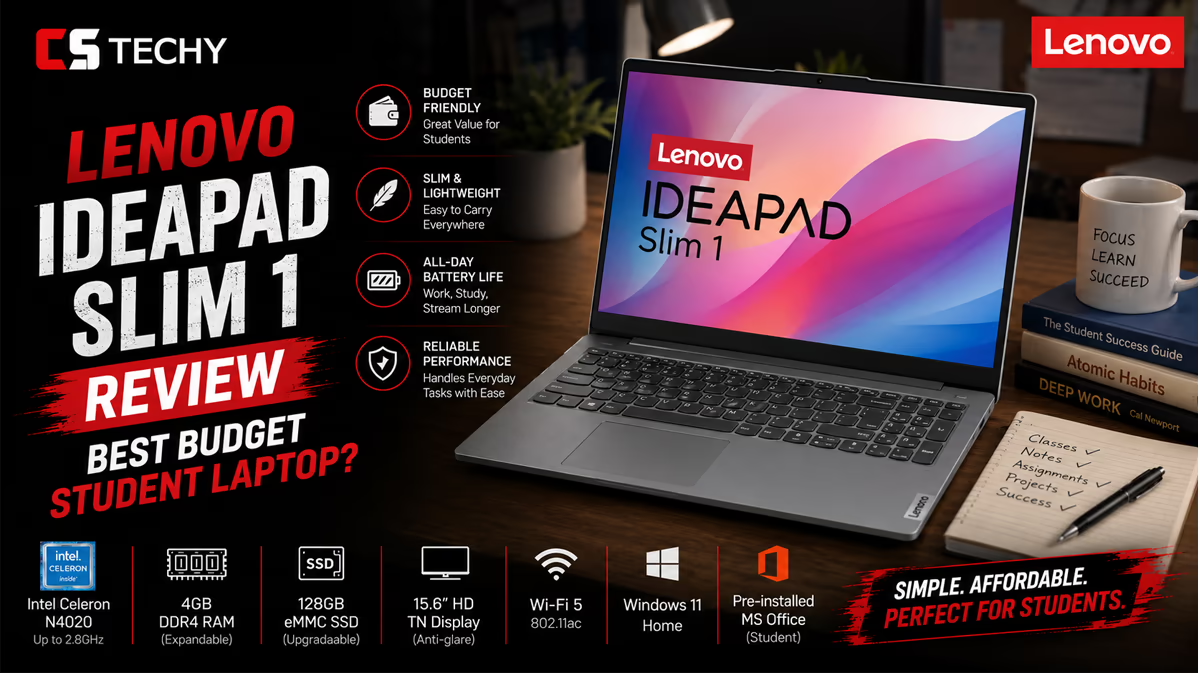
Picking the right laptop for online study can feel overwhelming, especially when your budget is tight and your to-do list is long. You need a machine that handles back-to-back video lectures, keeps your assignments organized, and travels easily from your desk to the library, all without costing a fortune. The Lenovo IdeaPad Slim 1 (82VG009MIN) aims to tick every one of those boxes.
This AMD-powered laptop pairs a 15.6-inch Full HD display with the energy-efficient Ryzen 3 7320U processor, 8GB of fast LPDDR5 memory, and a speedy 512GB SSD. Add in a generous bundle of extras like Microsoft Office 2021, Alexa Built-in, and a 3-month Xbox Game Pass, and you have a package that’s built for everyday productivity and a little downtime too. In this detailed review, we’ll break down each feature in plain language, explain what it means for your daily routine, and help you decide whether this affordable laptop deserves a spot on your shortlist.
Let’s get started.
1. Introduction: Meet the Lenovo IdeaPad Slim 1
The Lenovo IdeaPad Slim 1 (model number 82VG009MIN) is part of Lenovo’s well-loved IdeaPad family, a lineup known for delivering dependable performance at an accessible price. Finished in a sleek Cloud Grey tone and weighing right around 1.5 kilograms, this laptop is designed to be a versatile companion for study, work, and entertainment.
Lenovo built the Slim 1 to handle the fundamentals well rather than chase flashy specs you’ll never use. It’s a machine for browsing the web, writing essays, joining video calls, researching online, and streaming your favorite shows between study sessions. For most students and everyday users, that’s precisely the right set of priorities.
What helps this configuration stand out is its modern foundation. The AMD Ryzen 3 7320U processor and 8GB of LPDDR5 RAM represent newer, more efficient technology than you typically find at this price point. Combined with a roomy 512GB SSD and a Full HD display, the IdeaPad Slim 1 offers a balanced experience that punches above its weight.
2. Processor and Performance: AMD Ryzen 3 7320U
At the core of the Lenovo IdeaPad Slim 1 sits the AMD Ryzen 3 7320U processor. This is a quad-core, eight-thread chip with a base speed of 2.40 GHz that boosts up to 4.10 GHz when you need extra power. It’s built on efficient architecture, which means it delivers solid everyday performance while keeping power consumption and heat in check.
In real-world use, that translates into smooth, responsive computing for the tasks that fill a student’s day. You can comfortably keep a browser open with several tabs, draft a report in your word processor, run your email in the background, and join a live lecture without the system slowing to a crawl. The four physical cores and eight threads help the laptop juggle these tasks gracefully.
To be clear about expectations, the Ryzen 3 7320U is an everyday productivity chip, not a powerhouse for heavy 3D rendering, professional video editing, or demanding modern games. But for online study, note-taking, research, and general multitasking, it’s a capable and reliable performer that won’t leave you waiting.
Integrated AMD Radeon 610M Graphics
Handling the visuals is the integrated AMD Radeon 610M graphics, which shares system memory rather than relying on a separate, dedicated graphics card. This integrated solution is perfectly suited to everyday viewing: streaming HD video, displaying presentations, browsing photo galleries, and rendering web pages smoothly.
You can even enjoy some light, casual gaming when you need a break. Just keep in mind that this isn’t a setup for high-end titles at maximum settings. For students who want a machine that handles study by day and a bit of entertainment by night, the Radeon 610M is more than up to the task.
3. RAM and Storage: 8GB LPDDR5 and 512GB SSD
Memory and storage often make or break the everyday feel of a laptop, and the IdeaPad Slim 1 gets the balance right for its class. It comes with 8GB of LPDDR5 RAM running at a brisk 5500MHz.
LPDDR5 is a newer, faster, and more power-efficient memory standard than the LPDDR4X you’ll find in many budget laptops. That extra speed helps the system stay responsive when you’re switching between research tabs, a streaming video, your study notes, and a messaging app. The efficiency also helps conserve battery during long sessions, which matters when you’re studying away from a power outlet.
Fast 512GB SSD Storage
For storage, the laptop uses a 512GB M.2 2242 PCIe Gen4 solid-state drive (SSD). This is a genuine strength of the IdeaPad Slim 1. Instead of a slow mechanical hard drive, you get the speed and reliability of modern solid-state storage with no moving parts to wear out.
The benefits are easy to feel day to day. Your laptop boots up in seconds, applications launch quickly, and large files transfer in a flash. The 512GB capacity gives you plenty of room for lecture recordings, e-books, assignments, project files, photos, and a healthy stash of downloaded movies and music, all without constantly worrying about running out of space.
4. Display: 15.6-Inch FHD LED with Anti-Glare Coating
The Lenovo IdeaPad Slim 1 features a spacious 15.6-inch (39.62 cm) Full HD display with a sharp 1920 x 1080 resolution. That’s a meaningful step up from the lower-resolution HD screens common in entry-level laptops, giving you crisper text, more detailed images, and a more enjoyable viewing experience overall.
A larger, sharper screen is a real advantage for students. It reduces the need to scroll constantly, makes it easier to view documents side by side, and creates a more comfortable setup during long reading and study sessions. The razor-thin frame around the display also keeps the overall footprint compact, so you get a big screen without a bulky body.
Easier on the Eyes with Anti-Glare Coating
The display includes an anti-glare coating, which is a thoughtful touch for anyone who studies in bright rooms or near windows. The matte finish helps cut down on harsh reflections and distracting glare, so you can focus on your work rather than fighting with your screen.
With a brightness rating of 220 nits, the panel is well suited to indoor use such as classrooms, libraries, dorm rooms, and home offices. The anti-glare treatment also helps reduce eye fatigue during those marathon study sessions, supporting your comfort as much as your productivity.
5. Design and Build: Cloud Grey, Thin, and Lightweight
The IdeaPad Slim 1 sports a clean, understated design in an elegant Cloud Grey finish. It’s the kind of laptop that looks right at home in a lecture hall, a café, or a home office, with a professional appearance that never feels flashy or out of place.
Weighing approximately 1.5 kilograms, this is a genuinely portable machine. It slips easily into a backpack and won’t weigh you down as you move between classes, head to the library, or work from your favorite coffee shop. The slim profile and razor-thin display bezels keep the laptop compact and travel-friendly.
For students who are always on the go, portability is one of the most valuable qualities a laptop can offer. The Slim 1 keeps things light and manageable, so your study setup goes wherever you do.
The ClickPad Input
For navigation, the IdeaPad Slim 1 includes a built-in ClickPad. It gives you smooth, precise control for browsing the web, scrolling through documents, and moving around your desktop, all without needing to carry a separate mouse. It’s a practical, space-saving choice that keeps your setup simple when you’re working on the move.
6. Keyboard: Comfortable Typing for Long Study Sessions
A laptop’s keyboard matters more than almost any other feature when you spend hours typing essays, notes, and assignments. The Lenovo IdeaPad Slim 1 features a full-size English keyboard with a comfortable layout designed for everyday productivity.
The generous 15.6-inch chassis leaves ample room for well-spaced keys, which helps you type accurately and confidently during long writing sessions. Whether you’re banging out a last-minute assignment, taking rapid notes during a live lecture, or messaging your study group, the keyboard is built to keep up with your pace.
It’s worth noting that this configuration uses a standard, non-backlit keyboard. If you frequently work in very dim environments, you’ll want to keep a small light handy. For most everyday study and work scenarios in normal lighting, though, the keyboard offers a comfortable and dependable typing experience.
7. Wireless Connectivity: Wi-Fi 6 and Bluetooth 5.1
Staying connected is non-negotiable for online learning, and the IdeaPad Slim 1 keeps you online with modern, fast wireless technology. It supports Wi-Fi 6 (802.11ax) with a 2×2 antenna configuration, the current generation of Wi-Fi that delivers faster speeds, better efficiency, and improved performance on busy networks.
Wi-Fi 6 is especially helpful in environments with lots of connected devices, such as dorms, shared apartments, and campus networks. It helps keep your connection stable while you stream lectures, join video calls, and download course materials, reducing the buffering and dropouts that can derail an online class.
Built-In Bluetooth 5.1
Unlike some budget laptops, the IdeaPad Slim 1 includes Bluetooth 5.1, which is a genuinely useful addition. This lets you connect wireless accessories such as headphones, earbuds, a mouse, a keyboard, or a speaker without using up your physical ports.
Bluetooth 5.1 offers a reliable, low-energy connection with solid range, so you can pair your wireless earbuds for a private study session or hook up a wireless mouse for added comfort at your desk. It’s the kind of everyday convenience that makes the laptop more flexible and pleasant to use.
8. Ports and Connectivity Options
Despite its slim profile, the Lenovo IdeaPad Slim 1 offers a practical selection of ports to keep your essential devices connected. Here’s what you get:
- 1 x USB 2.0: A standard USB-A port that’s perfect for connecting a mouse, keyboard, or other everyday accessories.
- 1 x USB 3.2 Gen 1: A faster USB-A port ideal for external drives and flash drives, delivering quick data transfer speeds when you’re moving large files.
- 1 x USB-C 3.2 Gen 1: A versatile USB-C port for modern accessories and fast data transfer, giving you flexibility as more devices adopt the USB-C standard.
- 1 x HDMI 1.4b: The HDMI output lets you connect an external monitor, TV, or projector. This is great for students who want a bigger screen at home or who need to present assignments.
- 1 x Card Reader: A built-in card reader makes it easy to transfer photos and files directly from a memory card, handy for coursework, photography, and creative projects.
- 1 x Headphone/Microphone Combo Jack (3.5mm): The combo audio jack lets you plug in wired headphones or a headset for private listening during online classes and study sessions.
This is a well-rounded selection for a laptop in this category. Having three USB ports across different standards means you rarely need to unplug one device to make room for another, and the addition of HDMI and a card reader gives you the flexibility to build a more complete study station at home.
9. Webcam, Microphone, and Audio
Video calls are a core part of modern study life, from virtual lectures and group projects to online office hours. The Lenovo IdeaPad Slim 1 comes equipped with a 720p HD webcam paired with a built-in microphone that supports voice control, so you’re ready for video communication straight out of the box.
Whether you’re attending a live class, presenting an assignment, or catching up with classmates, the camera and mic help ensure you’re seen and heard. The built-in microphone with voice control also lets you take advantage of voice commands, adding a layer of hands-free convenience to your daily routine.
Privacy Shutter for Peace of Mind
A standout feature here is the webcam privacy shutter. This is a small physical cover you can slide across the camera lens when it’s not in use, instantly blocking the view and giving you confidence that no one can see you when you don’t want them to. For privacy-conscious students and remote workers, it’s a simple but genuinely reassuring touch.
Stereo Dolby Audio Speakers
For sound, the laptop features stereo speakers tuned with Dolby Audio. This setup delivers clear, rich audio for video calls, online lectures, music, and movies. Whether you’re listening to a recorded class or unwinding with a show after a long day of studying, the Dolby Audio speakers help bring your content to life.
10. Battery Life: All-Day Lithium Polymer Power
The Lenovo IdeaPad Slim 1 is powered by a 3-cell, 42Wh lithium polymer battery rated for up to 9 hours of use. Paired with the power-efficient Ryzen 3 7320U processor and LPDDR5 memory, the battery is designed to carry you through a typical day of lighter tasks like writing, browsing, video calls, and online classes.
The efficiency-first design works in your favor here. Because the core components draw relatively little power, the laptop can stretch its battery across much of your study routine, helping you stay productive between charges. Real-world battery life will naturally vary with your tasks and screen brightness, but the rated figure gives you a dependable cushion for everyday use.
When it’s time to top up, the included 65W adapter supports fast charging, so you can get back to a healthy battery level quickly. For students moving between classes and study spots, that combination of efficient power and rapid charging makes the Slim 1 a reliable, low-stress companion.
11. Software and Extras: Windows 11, Office 2021, Alexa, and Game Pass
One of the most appealing aspects of the Lenovo IdeaPad Slim 1 is the value-packed software bundle it ships with. This configuration comes ready to work and play right out of the box.
- Windows 11 Home: The laptop runs Windows 11 Home Single Language, offering a clean, modern, and intuitive interface. Features like Snap Layouts make it easy to organize multiple windows, which is perfect for keeping your notes and your lecture side by side.
- Microsoft Office Home & Student 2021: A pre-loaded copy of Office 2021 gives you trusted productivity tools like Word, Excel, and PowerPoint. For students, having Office ready to go is a real money-saver and removes the hassle of sourcing essential software separately.
- Alexa Built-in: With Amazon’s Alexa integrated, you can use voice commands to set reminders, check your calendar, play music, get answers, and more, adding a hands-free helper to your study setup.
- 3-Month Xbox Game Pass: The included 3-month Xbox Game Pass subscription gives you access to a library of games for those well-earned breaks between study sessions.
Because Windows is the most widely used desktop operating system, you’ll find plenty of tutorials, guides, and support online whenever you need a hand. That keeps the learning curve gentle and troubleshooting straightforward, which is exactly what you want when you’re focused on your studies rather than your tech.
12. Who Is the Lenovo IdeaPad Slim 1 For?
Every laptop is built with a particular user in mind, and the Lenovo IdeaPad Slim 1 is squarely aimed at people who need a reliable, affordable machine for everyday computing. Here’s who will get the most out of it:
Students and Online Learners
This is, first and foremost, an excellent student laptop. The large Full HD display with anti-glare coating, the 720p webcam with privacy shutter, the voice-controlled microphone, and the snappy SSD make it well suited to online classes, research, essay writing, and study sessions. The bundled Office 2021 is the cherry on top, giving you the productivity tools you need from day one.
Remote Workers
For those working from home or splitting time between locations, the Slim 1 handles core productivity tasks with ease. Email, document editing, web conferencing, and spreadsheet work all run comfortably. The mix of USB-A, USB-C, and HDMI ports plus built-in Bluetooth makes it simple to set up a fuller workstation at home.
Everyday and Entertainment Users
If you mainly browse the web, stream movies and shows, manage your photos, and stay in touch with family and friends, the IdeaPad Slim 1 is a great fit. The roomy FHD display, Dolby Audio speakers, and included Game Pass make everyday entertainment enjoyable.
Who Should Look Elsewhere?
To keep things balanced, it’s worth noting who this laptop isn’t for. If you’re a serious gamer, a video editor, a 3D designer, or someone who runs heavy professional software, you’ll want a machine with a more powerful processor, more RAM, and dedicated graphics. The Slim 1 is built for everyday computing, not demanding creative or gaming workloads.
13. What’s in the Box?
When your Lenovo IdeaPad Slim 1 arrives, you’ll find everything you need to get started right away. The box includes:
- The Lenovo IdeaPad Slim 1 (82VG009MIN) laptop
- 65W power adapter
- User manual
It’s a straightforward, no-frills package that gets you up and running quickly. Backed by a 2-year on-site warranty along with accidental damage protection coverage, this laptop also gives you added peace of mind with your purchase.
14. Full Specifications Table
For a quick, at-a-glance summary, here’s the complete specification breakdown of the Lenovo IdeaPad Slim 1 (82VG009MIN):
| Specification | Details |
|---|---|
| Model | Lenovo IdeaPad Slim 1 (82VG009MIN) |
| Processor | AMD Ryzen 3 7320U (Quad Core, 8 Threads, 2.40 GHz up to 4.10 GHz) |
| Graphics | Integrated AMD Radeon 610M (shared) |
| RAM | 8GB Soldered LPDDR5 5500MHz |
| Storage | 512GB SSD M.2 2242 PCIe Gen4 |
| Display | 15.6-inch FHD (1920 x 1080), Anti-Glare, Non-Touch, 220 Nits |
| Operating System | Windows 11 Home Single Language |
| Wireless | Wi-Fi 6 (802.11ax, 2×2) |
| Bluetooth | Bluetooth 5.1 |
| Webcam | 720p HD with Privacy Shutter |
| Microphone & Audio | Built-in microphone with voice control; Stereo speakers with Dolby Audio |
| Keyboard | Full-size, Non-Backlit, English |
| Ports | 1 x USB 2.0, 1 x USB 3.2 Gen 1, 1 x USB-C 3.2 Gen 1, 1 x HDMI 1.4b, 1 x Card Reader, 1 x 3.5mm headphone/microphone combo jack |
| Input Device | ClickPad |
| Battery | 3-cell, 42Wh Lithium Polymer, up to 9 hours, Rapid Charge |
| AC Adapter | 65W Round Tip |
| Color | Cloud Grey |
Lenovo IdeaPad Slim 1 Ryzen 3 7320U: Frequently Asked Questions
What are the full specs for the Lenovo IdeaPad Slim 1 Ryzen 3 7320U?
The Lenovo IdeaPad Slim 1 features the AMD Ryzen 3 7320U processor (4 cores, 8 threads), integrated AMD Radeon 610M graphics, and 8GB of soldered LPDDR5-5500 RAM. Storage includes a fast PCIe NVMe SSD, typically up to 512GB. It houses a 14-inch or 15.6-inch FHD (1920×1080) TN anti-glare display, a 720p webcam with a privacy shutter, and a 42Wh battery. Ports usually consist of USB-C 3.2, USB-A 3.2, USB 2.0, HDMI 1.4, an SD card reader, and an audio jack.
Is the Lenovo IdeaPad Slim 1 Ryzen 3 7320U a good laptop according to reviews?
Reviews indicate that the Lenovo IdeaPad Slim 1 is an excellent budget-friendly laptop for students and everyday users. Its standout features are great battery life, modern LPDDR5 memory, and reliable daily performance. However, reviewers frequently point out that the TN display panel has limited viewing angles and washed-out colors, and the keyboard lacks backlighting.
Can the Lenovo IdeaPad Slim 1 Ryzen 3 7320U be used for gaming?
This laptop is not built for heavy gaming. The integrated Radeon 610M graphics are very basic. While it can handle lightweight, older titles (like CS:GO) at low settings or browser-based games, it will struggle significantly with modern AAA gaming. It is strictly recommended for casual gaming.
What is the Lenovo IdeaPad Slim 1 Ryzen 3 7320U best used for?
The laptop is best used for everyday productivity and office work. It effortlessly handles tasks like web browsing, word processing, creating spreadsheets, attending online classes or video calls, and streaming media. Its lightweight design makes it a highly portable option for basic computing needs.
How does the Lenovo IdeaPad Slim 1 compare to the IdeaPad Slim 3 with the Ryzen 3 7320U?
Both laptops share the same efficient Ryzen 3 7320U processor, but the IdeaPad Slim 3 generally offers slightly better build quality, improved thermal management, and often upgrades the display from a basic TN panel to an IPS panel for superior color accuracy and viewing angles. The Slim 3 may also include a backlit keyboard.
How does the Ryzen 3 7320U compare to the Ryzen 5 5500U or Ryzen 5 7520U in IdeaPad laptops?
The older Ryzen 5 5500U features 6 cores and 12 threads, outperforming the 4-core Ryzen 3 7320U in heavy multitasking and video editing. However, the Ryzen 5 7520U belongs to the same 7000-series “Mendocino” family as the 7320U; it also has 4 cores and 8 threads but operates at higher clock speeds for a slight performance boost.
What does the “7000 Series” mean for the Lenovo IdeaPad Slim 1?
The “7000 Series” refers to AMD’s generation of processors. The Ryzen 3 7320U is part of the “Mendocino” lineup, utilizing a 6nm Zen 2 architecture paired with RDNA 2 graphics. This specific series is highly optimized for battery efficiency and cool operation, allowing budget laptops to run longer on a single charge.
Is a Lenovo laptop with Ryzen 3, 8GB RAM, and 512GB storage sufficient?
Yes, for the vast majority of standard users, an 8GB RAM and 512GB SSD configuration is highly capable. The 512GB SSD provides ample space for documents, photos, and applications, while the fast 8GB LPDDR5 RAM ensures smooth multitasking for everyday office tasks and web browsing. Note that the RAM is soldered on these models, meaning it cannot be upgraded later.
Should I upgrade from the older Lenovo IdeaPad Slim 1 AMD Ryzen 3 3250U?
Upgrading from the older Ryzen 3 3250U to the 7320U provides a massive leap in overall performance and efficiency. The 7320U doubles the processing power with 4 cores and 8 threads (compared to the 3250U’s 2 cores and 4 threads) and introduces significantly faster LPDDR5 memory, resulting in a much snappier experience and longer battery life.
- Battery Average Life: 7.0 hours