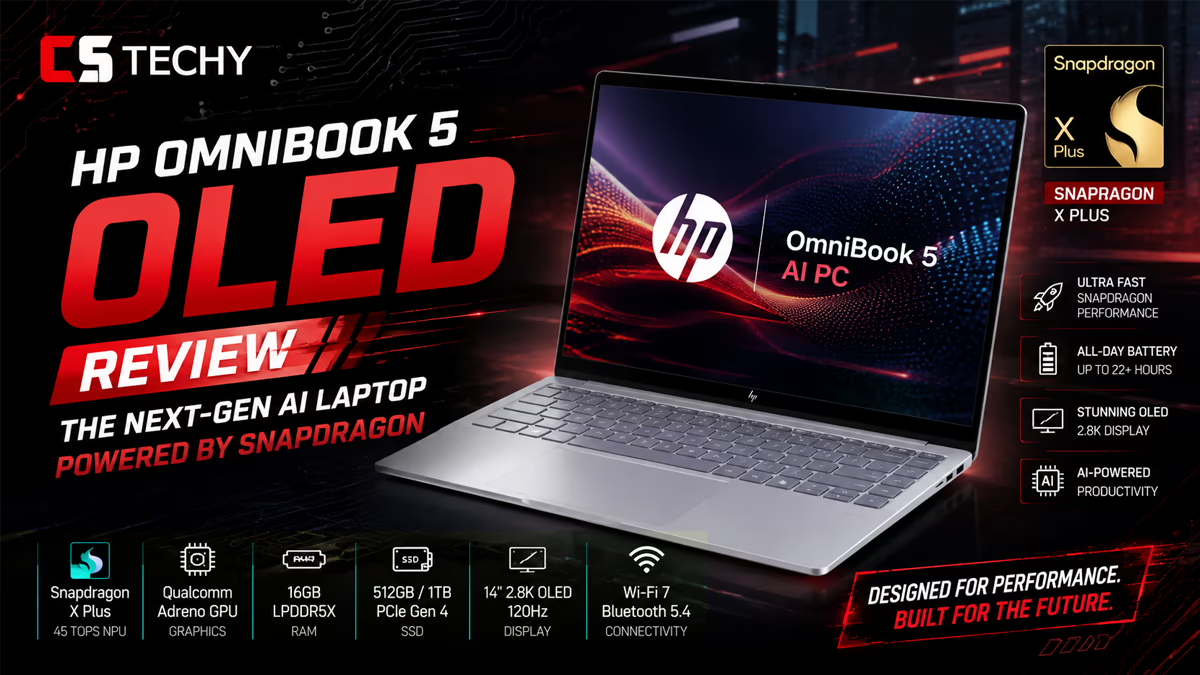
HP OmniBook 5 OLED Review: A Snapdragon-Powered Stunner
Quick answer: The HP OmniBook 5 OLED (16-fb0001QU) is a thin-and-light 16-inch laptop built around the Qualcomm Snapdragon X (X1-26-100) chip, a gorgeous 2K OLED display, 16GB RAM, 1TB SSD, and an impressive 34-hour rated battery life. It’s a strong pick for students and professionals who want all-day endurance and a premium screen without spending flagship money.
Finding a laptop that nails battery life, display quality, and everyday speed—all at a reasonable price—usually feels like a game of pick two. The HP OmniBook 5 OLED tries to break that pattern. It pairs Qualcomm’s energy-efficient Snapdragon X processor with a vibrant OLED panel and a generous amount of storage, then wraps everything in a slim aluminum body that weighs just 1.59 kg.
At CSTechy, we look at laptops the way real buyers do: Will it survive a full day of classes or back-to-back meetings? Does the screen make long hours bearable? And is it worth the asking price? This review breaks down the OmniBook 5 OLED across design, performance, display, connectivity, battery, and software—so you can decide whether it deserves a spot in your bag.
By the end, you’ll know exactly who this laptop is for, where it shines, and where it makes compromises. Let’s get into it.
Why does the HP OmniBook 5 OLED stand out in 2025?
The laptop market is crowded with machines that look great on a spec sheet but disappoint in daily use. The HP OmniBook 5 OLED earns attention for a few clear reasons.
First, it runs on an ARM-based Snapdragon X chip, which prioritizes efficiency. That translates to a battery life rating most x86 laptops can’t touch. Second, it ships with a 2K OLED display in a 16-inch form factor—a combination that’s still relatively rare at this price. Third, HP loads it with 16GB of fast LPDDR5x memory and a roomy 1TB SSD, so you won’t feel boxed in by storage or multitasking limits.
HP positions the OmniBook 5 as a meaningful upgrade over its older Pavilion line. For students juggling research, streaming, and assignments, or professionals running browser-heavy workflows and video calls, the formula makes a lot of sense.
How is the design and build quality?
The HP OmniBook 5 OLED leans into a clean, modern aesthetic. The chassis is crafted from aluminum, giving it a premium feel that’s a step above the plastic builds common in this price bracket. Our review unit came in Glacier Silver, a restrained color that looks at home in a lecture hall or a boardroom.
Despite its 16-inch screen, the laptop stays portable. It measures roughly 35.5 x 24.4 x 1.32 cm and weighs 1.59 kg. That’s light enough to carry between classes or commute with daily, though the larger footprint means you’ll want a bag that accommodates 16-inch machines.
What are the key design specs?
- Body material: Aluminum
- Dimensions (W x D x H): 35.50 x 24.40 x 1.32 cm
- Weight: 1.59 kg
- Color: Glacier Silver
- Webcam: 1080p with IR camera and a physical privacy shutter
The 1080p webcam with an IR sensor is a thoughtful touch. It supports Windows Hello facial login, while the privacy shutter lets you physically block the lens when you’re not on a call—a small feature that adds real peace of mind.
How does the Snapdragon X X1-26-100 perform?
At the heart of the HP OmniBook 5 OLED sits the Qualcomm Snapdragon X (X1-26-100), an 8-core ARM processor with clock speeds up to 2.97 GHz. This chip is part of Qualcomm’s push into Windows laptops, and its strength is efficiency rather than raw horsepower.
For everyday tasks—web browsing, document editing, email, video streaming, and virtual meetings—the OmniBook 5 feels smooth and responsive. The 16GB of LPDDR5x memory keeps multiple browser tabs and apps running without obvious slowdown, and the SSD makes boot times and file access quick.
What about AI features and the NPU?
The Snapdragon X platform includes a dedicated Neural Processing Unit (NPU) that handles on-device AI tasks efficiently. According to Notebookcheck, the X1-26-100’s NPU delivers up to 45 TOPS (INT8), which is enough to power Windows 11’s AI features like background blur, live captions, and Copilot-driven tools without leaning hard on the CPU or draining the battery.
Are there any performance trade-offs?
Yes, and it’s worth being honest about them. Because this is an ARM-based chip, some older Windows apps run through emulation, which can occasionally affect performance or compatibility. Most mainstream software—browsers, Microsoft Office, streaming apps, and popular productivity tools—runs well. But if you depend on niche legacy programs or demanding professional applications, check compatibility first. Choose the OmniBook 5 OLED if efficiency and battery life matter more to you than heavy gaming or specialized x86 software.
Is the 16-inch 2K OLED display worth it?
The display is one of the OmniBook 5’s biggest selling points. You get a 16-inch OLED panel with a 2K-class resolution of 1920 x 1200 pixels and a 16:10 aspect ratio. OLED technology means deep blacks, vivid colors, and excellent contrast—movies look richer, photos pop, and text stays crisp.
The taller 16:10 ratio gives you more vertical space, which is a genuine productivity win. You’ll see more of a webpage, document, or spreadsheet before scrolling. For students reading long PDFs or professionals working across multiple windows, that extra height adds up over a day.
The panel runs at a standard 60 Hz refresh rate. That’s perfectly fine for productivity, streaming, and everyday use. If you’re a competitive gamer chasing high frame rates, this isn’t the screen for you—but for the target audience of students and professionals, 60 Hz on an OLED panel is a great experience.
Display specs at a glance
- Size: 16 inches (40.6 cm)
- Type: OLED
- Resolution: 1920 x 1200 (2K-class)
- Aspect ratio: 16:10
- Refresh rate: 60 Hz
What storage and connectivity options does it offer?
Storage is generous. The HP OmniBook 5 OLED comes with a 1TB PCIe NVMe M.2 SSD, giving you plenty of room for documents, photos, videos, and software—plus the speed benefits of a modern SSD for fast boots and quick file transfers.
On the connectivity side, the laptop covers the essentials and then some. You get a mix of USB Type-C and USB Type-A ports, an HDMI output, and a 3.5mm headphone/microphone combo jack. That means you can plug in an external monitor, connect peripherals, and use wired headsets without immediately reaching for a dongle.
Ports and wireless connectivity
- USB ports: 3 total, including USB Type-C and USB Type-A
- HDMI: 1 HDMI output
- Audio: 3.5mm headphone/microphone combo port
- Wireless: Wi-Fi and Bluetooth 5.4
A built-in HDMI port is a real convenience for students presenting in class or professionals connecting to conference room displays. Bluetooth 5.4 keeps wireless mice, headphones, and accessories connected reliably.
How long does the battery actually last?
Battery life is where the Snapdragon X platform truly flexes. HP rates the OmniBook 5 OLED at up to 34 hours of standard battery life, powered by a 3-cell Li-Ion polymer battery. Real-world numbers will always come in lower than lab ratings depending on screen brightness and workload, but even a fraction of that figure means you can comfortably get through a full day—often two—without hunting for a charger.
That endurance is the headline benefit of an ARM chip. For students moving between classes and libraries, or professionals working away from a desk, leaving the charger at home becomes a realistic option.
When you do need to top up, fast charging helps. HP says the battery reaches approximately 50% in just 30 minutes, so a short break is enough to grab meaningful runtime before you head back out.
What software and extras come included?
The HP OmniBook 5 OLED ships with Windows 11 Home, giving you the latest interface, security features, and built-in AI tools. Crucially, HP bundles Microsoft Office 2024 and Microsoft 365, which adds real value—you won’t need to buy a separate productivity suite to start writing documents, building spreadsheets, or creating presentations on day one.
Other extras include advanced security features, an AI companion experience, and the IR webcam for Windows Hello sign-in. Together, these touches make the laptop feel ready to use right out of the box, which is exactly what most students and busy professionals want.
- Operating system: Windows 11 Home
- Productivity software: Microsoft Office 2024 and Microsoft 365
- Security: Advanced security features and IR camera with privacy shutter
- AI: On-device AI companion and Windows 11 AI tools
Who should buy the HP OmniBook 5 OLED?
This laptop isn’t for everyone, but it fits several types of buyers extremely well. Here’s how it lines up against different needs.
Is it good for students?
Absolutely. The combination of all-day battery life, a lightweight aluminum build, a beautiful OLED screen for reading and streaming, and bundled Microsoft Office makes it close to ideal for student life. Choose it if you want a laptop that lasts through lectures and study sessions without a charger and handles research, writing, and media with ease.
Is it good for professionals?
Yes. For knowledge workers who live in browsers, email, video calls, and Office apps, the OmniBook 5 OLED delivers smooth performance and exceptional endurance. The 1080p IR webcam improves video calls, and the 16:10 OLED display reduces eye strain during long days. It’s a strong remote and hybrid work companion.
Is it good for creators?
It depends on the workload. Light creative tasks—photo touch-ups, social content, and video viewing—look fantastic on the OLED panel. But the integrated Qualcomm Adreno graphics and ARM architecture mean it’s not built for heavy video editing, 3D rendering, or demanding creative suites. Casual creators will be happy; professional creators with intensive workflows should look at a dedicated GPU laptop instead.
Final verdict: Is the HP OmniBook 5 OLED worth buying?
The HP OmniBook 5 OLED (16-fb0001QU) is a smartly balanced laptop that delivers where it counts for everyday users. Its standout 2K OLED display, marathon battery life, premium aluminum design, generous 1TB storage, and bundled Microsoft Office make it a compelling package for students and professionals alike.
The trade-offs are clear and reasonable: the 60 Hz screen and integrated graphics won’t satisfy gamers, and ARM-based Windows means you should verify app compatibility if you rely on older or specialized software. For the right buyer, though, those compromises are easy to accept given everything you gain.
If you want a portable, long-lasting, beautiful-screened laptop that handles daily work and study without breaking a sweat, the OmniBook 5 OLED earns a confident recommendation from CSTechy.
Check the latest price and buy the HP OmniBook 5 OLED on Amazon
Frequently asked questions
What processor does the HP OmniBook 5 OLED use?
The HP OmniBook 5 OLED (16-fb0001QU) uses the Qualcomm Snapdragon X (X1-26-100), an 8-core ARM processor with clock speeds up to 2.97 GHz and a built-in NPU rated at up to 45 TOPS for on-device AI tasks.
How much does the HP OmniBook 5 OLED cost?
Pricing varies by region and retailer. In India it has been listed around the ₹88,000 mark, though promotions and exchange offers can lower the effective price. Check the current Amazon listing for the most accurate, up-to-date pricing.
How long does the battery last?
HP rates the OmniBook 5 OLED at up to 34 hours of standard battery life. Real-world results depend on brightness and usage, but most users can expect a full day or more of typical work. Fast charging delivers roughly 50% charge in about 30 minutes.
Is the HP OmniBook 5 OLED good for gaming?
No, it’s not designed for serious gaming. It uses integrated Qualcomm Adreno graphics and a 60 Hz display, which suit casual or browser-based games. For demanding titles, choose a laptop with a dedicated GPU and a high-refresh screen.
Can it run all Windows software?
Most mainstream apps run well, including browsers, Microsoft Office, and popular productivity and streaming tools. Because it’s an ARM-based chip, some older or specialized x86 programs run through emulation, which can affect performance or compatibility. Verify your essential apps before buying.
Does it come with Microsoft Office?
Yes. The HP OmniBook 5 OLED ships with Microsoft Office 2024 and Microsoft 365, along with Windows 11 Home, so you can start working immediately without buying a separate productivity suite.
Does the laptop have a touchscreen?
Configurations vary by region. The fb0001QU OLED variant is listed by some retailers as non-touch, while certain OmniBook 5 models offer touch support. Confirm the touchscreen capability on the specific listing before purchasing.