- Operating System & Software : Windows 11 Home | 1-month trial for new Microsoft 365 customers. Credit card required | Xb…
- Display & Graphics : 15.6-inch (39.6 cm), FHD (1920 x 1080) 16:9, 144Hz Refresh Rate, 250nits Brightness, Anti-glare dis…
- Ports & Connectivity : 1x RJ45 LAN port, 1x USB 3.2 Gen 2 Type-C with support for DisplayPort (data speed up to 10Gbps),…
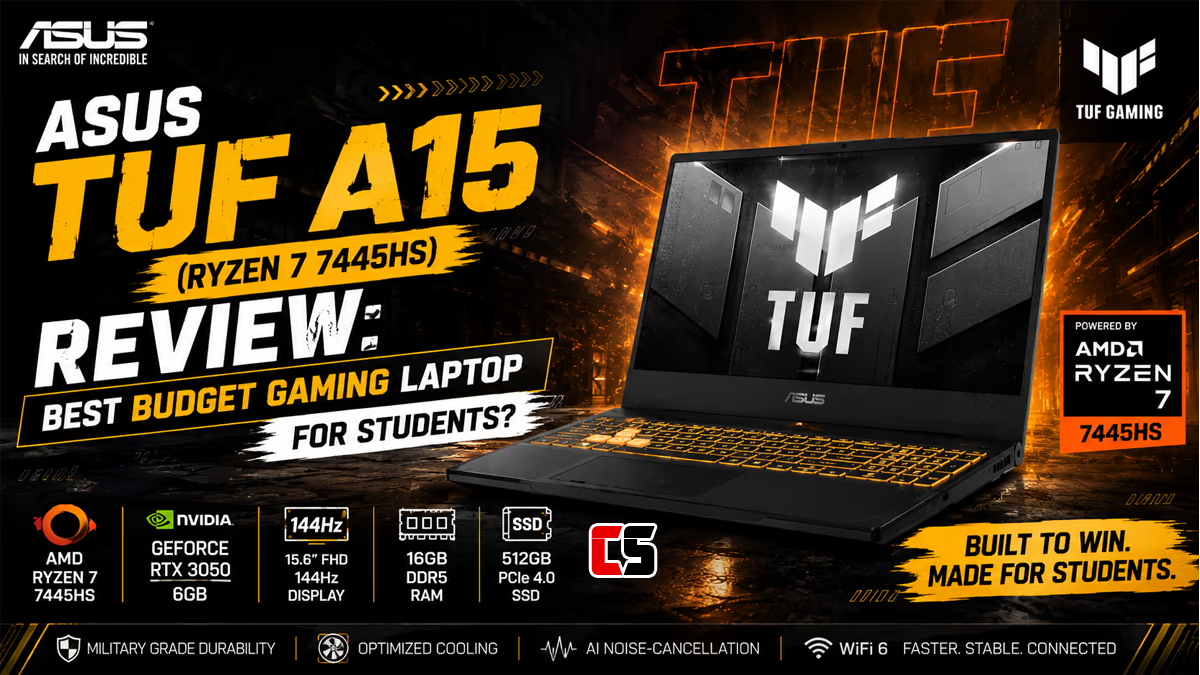
ASUS TUF A15 (Ryzen 7 7445HS) Review: Best Budget Gaming Laptop for Students?
Introduction
Looking for a gaming laptop that won’t wipe out your savings? The ASUS TUF A15, running the AMD Ryzen 7 7445HS, lands right in that sweet spot for students and anyone watching their budget. It promises smooth 1080p gaming, a build that can take a beating, and a price that won’t make you wince.
Of course, specs on a page only tell you so much. Does the Ryzen 7 7445HS actually hold up through long study sessions and late-night gaming runs? Can it handle a bit of video editing, your coding projects, and streaming without stuttering? I dug into everything that matters here — performance, the display, battery, cooling, and overall value — so you can decide if it earns a spot on your desk.
Whether you’re a first-year student kicking off a new semester or a self-taught creator trying to level up, here’s the honest breakdown.
Key Specs at a Glance
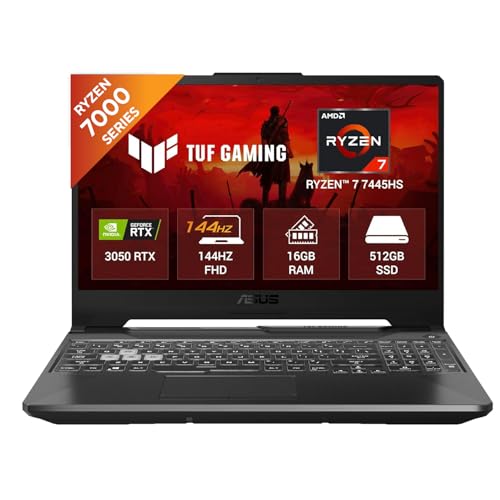
Before we get into the details, here’s a quick snapshot of what the ASUS TUF A15 (FA506 series) offers in the Ryzen 7 7445HS configuration:
- Processor: AMD Ryzen 7 7445HS (6 cores, 12 threads, Zen 4 architecture, 3.55 GHz base, up to 4.70 GHz boost)
- Integrated Graphics: AMD Radeon 740M (RDNA 3, 4 compute units)
- Dedicated Graphics: NVIDIA GeForce RTX 3050 (typically configured up to 95W)
- Display: 15.6-inch Full HD (1920 x 1080), 144Hz, IPS
- RAM: 8GB or 16GB DDR5
- Storage: 512GB PCIe SSD
- Operating System: Windows 11 Home
- Connectivity: Wi-Fi 6
- Weight: Around 2.30 kg (5.1 lbs)
- TDP Range: 20–40W (CPU)
One thing worth flagging: on the Ryzen 7 7445HS configurations, ASUS notes that due to motherboard limitations, the second SSD slot runs at restricted bandwidth. Keep that in mind if you’re planning to add a second drive later.
Performance
The brain of this machine is the AMD Ryzen 7 7445HS. It’s built on Zen 4, with 6 cores and 12 threads, a 3.55 GHz base clock, and boost up to 4.70 GHz. Now, the “Ryzen 7” name might make you assume 8 cores — but this chip uses 6. That’s an important detail if you’re comparing it to older Ryzen 7 models.
In everyday use, it just feels quick. You can have a pile of browser tabs open, run a code editor, stream a lecture, and keep music playing in the background without things grinding to a halt. For students bouncing between research, assignments, and a bit of downtime, that kind of responsiveness genuinely matters.
Gaming Performance
Paired with the NVIDIA GeForce RTX 3050, the TUF A15 is made for 1080p gaming. Esports titles like Valorant, CS2, and League of Legends run comfortably at high frame rates, which is exactly where that 144Hz display earns its keep. Heavier AAA games will ask you to drop settings to medium or lean on upscaling, but they stay very playable at Full HD.
Creative and Academic Workloads
Those 12 threads cope well with light-to-moderate creative work. Photo editing, shorter video projects, and 3D modeling for coursework are all doable. The DDR5 RAM (especially the 16GB option) keeps everything fluid, while the integrated Radeon 740M steps in as a power-sipping fallback when you’re not gaming — handy for stretching battery during regular work.
Tip: If your budget stretches, go for the 16GB RAM version. Modern games and heavy multitasking love the extra memory, and DDR5 is noticeably faster than the DDR4 in older laptops.
Display
The TUF A15 comes with a 15.6-inch Full HD IPS panel running at 144Hz. For a budget gaming laptop, that’s a genuinely good deal. The high refresh rate makes fast-paced games feel silky, and the IPS panel gives you wider viewing angles and more consistent colors than the cheaper TN screens you’ll find elsewhere.
And it’s not just a gaming perk. Scrolling documents, browsing, and moving around Windows all feel smoother at 144Hz. The Full HD resolution strikes a smart balance too — sharp enough for reading and media, but easy enough on the GPU to keep frame rates high.
Color accuracy and brightness sit at typical budget-tier levels. The screen is great for gaming, streaming, and day-to-day study, though if you do serious color-critical work like professional photo retouching, you’ll probably want an external monitor with wider color coverage.
Tip: Dial the brightness down in well-lit rooms. It’s kinder on your eyes during long study sessions and helps the battery last a little longer.
Battery Life
This configuration ships with a 48Wh Li-ion battery. Battery life is where most gaming laptops cut corners, and this one is no exception — though the efficiency of the Ryzen 7 7445HS and the Radeon 740M integrated graphics softens the blow.
For light tasks like writing, browsing, and watching lectures, you can get several hours unplugged, especially when the laptop sticks to integrated graphics instead of the RTX 3050. Gaming, on the other hand, drains it fast — plan to stay plugged in for any serious session.
For students, that means the TUF A15 can come along to class for notes and research, but you’ll want your charger nearby if you’re away from an outlet all day.
Tip: Switch to a battery-saver or “silent” mode and force integrated graphics for non-gaming work. It makes a real difference to how long you can stay off the charger.
Build Quality & Design
The TUF (The Ultimate Force) line has a reputation for toughness, and the A15 lives up to it. The chassis feels solid, and ASUS markets military-grade durability standards across the series. For a laptop that gets tossed into a backpack and hauled around campus every day, that ruggedness brings real peace of mind.
Design-wise, it’s more understated than a lot of flashy gaming laptops. The look is gamer-friendly but not loud, so it fits in just as well in a lecture hall as it does in a gaming setup. At roughly 2.30 kg, it’s not the lightest thing out there, but that’s fair for a 15.6-inch machine with dedicated graphics.
The keyboard is comfortable for both typing essays and gaming, and the layout includes a number pad — handy for spreadsheets and data entry. Port selection on the TUF line is usually generous, covering USB ports, HDMI, and audio, so you’ve got plenty of room for peripherals, external displays, and accessories.
Cooling System
Gaming laptops live and die by their thermals, and ASUS gives the TUF A15 a cooling setup built to keep the Ryzen 7 7445HS and RTX 3050 in check. It uses dual fans and heat pipes to manage temperatures when things get demanding.
During everyday tasks — browsing, writing, streaming — it stays quiet and cool. Fire up a demanding game and the fans audibly spin up to push heat out, which is completely normal for this class of laptop. The cooling generally keeps performance steady, letting the components hold their clocks through longer gaming or rendering sessions.
If fan noise bugs you during quiet study time, the silent or balanced profiles keep things calmer. Save the turbo or performance modes for gaming, when the extra cooling is worth a bit of noise.
Tip: Use it on a hard, flat surface rather than a bed or your lap. Blocking the air intakes traps heat and can throttle performance. A simple laptop stand or cooling pad helps keep speeds high.
Value for Money
This is where the ASUS TUF A15 with the Ryzen 7 7445HS really shines. Priced at the affordable end of the dedicated-GPU market, it packs a capable Zen 4 processor, a 144Hz IPS display, DDR5 memory, and a PCIe SSD into one accessible package.
For students who need a single device to juggle coursework, creative projects, and gaming, the value here is hard to argue with. You’re getting modern components and a durable build without paying the premium that flashier gaming laptops demand. Plenty of real-world buyers point to the strong price-to-performance ratio as the main reason they picked it.
The DDR5 RAM and PCIe SSD also future-proof it a little, helping it stay responsive across a typical multi-year study program. Just remember that restricted second SSD slot on this CPU configuration if you’re thinking about storage upgrades.
Tip: Keep an eye out for sales around the start of semesters and big shopping events. Budget gaming laptops like the TUF A15 often see solid discounts then, stretching your money even further.
Pros and Cons
Pros
- Strong price-to-performance: Excellent value for a dedicated-GPU gaming laptop.
- Modern Zen 4 CPU: The Ryzen 7 7445HS handles multitasking, study, and creative work with ease.
- 144Hz IPS display: Smooth, vibrant, and great for both gaming and everyday use.
- Fast DDR5 RAM and PCIe SSD: Snappy responsiveness and quick load times.
- Durable TUF build: Rugged chassis built to survive daily campus life.
- Capable 1080p gaming: The RTX 3050 delivers solid frame rates at Full HD.
- Power-efficient integrated graphics: Radeon 740M extends battery for non-gaming tasks.
Cons
- 6 cores, not 8: The Ryzen 7 7445HS has fewer cores than some other Ryzen 7 chips.
- Modest battery life: The 48Wh battery drains fast during gaming.
- Restricted second SSD slot: Limited bandwidth on this CPU configuration.
- Average color coverage: Not ideal for professional color-critical creative work.
- Fan noise under load: Audible during demanding gaming sessions.
- Weight: At ~2.30 kg, it’s not the most portable option.
Final Verdict
The ASUS TUF A15 with the Ryzen 7 7445HS is a genuinely strong budget gaming laptop. It blends a capable Zen 4 processor, a smooth 144Hz IPS display, modern DDR5 memory, and the dependable RTX 3050 into a rugged, affordable package. For the price, it’s tough to beat as an all-rounder that handles study, creativity, and gaming alike.
It’s not flawless — the 6-core CPU, the modest battery, and the restricted second SSD slot are real trade-offs. But none of them are dealbreakers for the people this laptop is built for. Set realistic expectations and prioritize value, and the TUF A15 delivers exactly what it promises.
Who Should Buy It
- Students on a budget: One device that covers coursework, projects, and downtime gaming.
- 1080p gamers: Anyone who wants smooth Full HD gameplay without overspending.
- Aspiring creators: Those doing light-to-moderate video editing, photo work, or 3D coursework.
- Multitaskers: Users who want DDR5 speed and a responsive SSD for heavy browser and app use.
- First-time gaming laptop buyers: A durable, reliable, no-fuss entry point.
Who Should Look Elsewhere
- Heavy content creators: Those needing 8+ cores or wide-gamut color accuracy for professional work.
- All-day mobile users: If you need long battery life away from outlets, consider a more efficient ultrabook.
- 4K or high-refresh enthusiasts: Gamers chasing ultra settings or 1440p/4K should look at higher-tier laptops.
- Frequent travelers: If portability tops your list, lighter machines exist.
- Storage power users: Anyone planning to run two high-speed SSDs may be frustrated by the restricted second slot.
Ready to upgrade your setup for the new semester? If affordable performance and reliable everyday power are high on your list, the ASUS TUF A15 with the Ryzen 7 7445HS deserves a spot on your shortlist — a laptop built to keep up with both your studies and your downtime.
ASUS TUF A15 Ryzen 7 7445HS FAQ
Here are the most common questions about the ASUS TUF A15 Ryzen 7 7445HS gaming laptop, including price, RTX 3050 performance, TGP, launch details, and buying advice.
1. Is the ASUS TUF A15 Ryzen 7 7445HS good for gaming?
Yes. The ASUS TUF A15 Ryzen 7 7445HS is a strong budget-to-midrange gaming laptop for students and gamers who want solid 1080p performance. With the Ryzen 7 7445HS, RTX 3050 graphics, 144Hz display, and upgradeable DDR5 RAM, it can comfortably handle esports titles and many AAA games at medium to high settings.
2. What GPU comes with the ASUS TUF A15 Ryzen 7 7445HS?
The popular India variant of the ASUS TUF A15 Ryzen 7 7445HS usually comes with the NVIDIA GeForce RTX 3050 4GB Laptop GPU. Depending on the exact model and seller, you may also find other GPU variants in the TUF lineup, so always verify the product code before buying.
3. What is the RTX 3050 TGP on the ASUS TUF A15 Ryzen 7 7445HS?
For the common ASUS TUF A15 Ryzen 7 7445HS RTX 3050 variant sold in India, the RTX 3050 typically runs at up to 75W TGP with Dynamic Boost. That makes it better than low-power RTX 3050 implementations and helps improve gaming performance in GPU-heavy titles.
4. What is the price of the ASUS TUF A15 Ryzen 7 7445HS in India?
The ASUS TUF A15 Ryzen 7 7445HS price in India usually falls in the ₹66,000 to ₹76,000 range for the RTX 3050 model, depending on sales, platform discounts, and bundled offers. Pricing changes frequently on Amazon, Flipkart, and ASUS Store, so check the latest live deal before purchasing.
5. Is the ASUS TUF A15 Ryzen 7 7445HS RTX 3050 worth buying in 2026?
Yes, if your budget is under ₹75,000 and you want a gaming laptop with a strong CPU, upgradeable RAM, and a 144Hz display, it is still a value-for-money option. It is especially good for students, casual creators, and gamers who want smooth 1080p gameplay without spending on a more expensive RTX 4050 laptop.
6. How much RAM and storage does the ASUS TUF A15 Ryzen 7 7445HS offer?
Most ASUS TUF A15 Ryzen 7 7445HS variants come with 16GB DDR5 RAM and a 512GB SSD out of the box. The laptop also supports RAM upgrades up to 64GB, which is great for gaming, multitasking, and future-proofing.
7. Does the ASUS TUF A15 Ryzen 7 7445HS have a 144Hz display?
Yes. The common ASUS TUF A15 Ryzen 7 7445HS gaming model features a 15.6-inch Full HD 144Hz display. This high refresh rate panel makes gameplay smoother in titles like Valorant, CS2, Fortnite, and other fast-paced esports games.
8. What is the launch date of the ASUS TUF A15 Ryzen 7 7445HS RTX 3050 model?
The ASUS TUF A15 Ryzen 7 7445HS RTX 3050 model is generally sold as part of the newer TUF A15 refresh cycle in India, with listings appearing across 2025. Exact launch timing can vary by retailer and model code, so it is best to check the ASUS India product page for the latest official listing details.
9. Should I buy the ASUS TUF A15 Ryzen 7 7445HS RTX 3050 or go for an RTX 4050 laptop?
If your budget is tight and you want the best value under around ₹75,000, the RTX 3050 version of the ASUS TUF A15 is a smart buy. But if you can stretch your budget and want noticeably better gaming performance, DLSS 3 support, and stronger long-term value, an RTX 4050 laptop will be the better choice.
- Operating System & Software : Windows 11 Home | 1-month trial for new Microsoft 365 customers. Credit card required | Xb…
- Display & Graphics : 15.6-inch (39.6 cm), FHD (1920 x 1080) 16:9, 144Hz Refresh Rate, 250nits Brightness, Anti-glare dis…
- Ports & Connectivity : 1x RJ45 LAN port, 1x USB 3.2 Gen 2 Type-C with support for DisplayPort (data speed up to 10Gbps),…