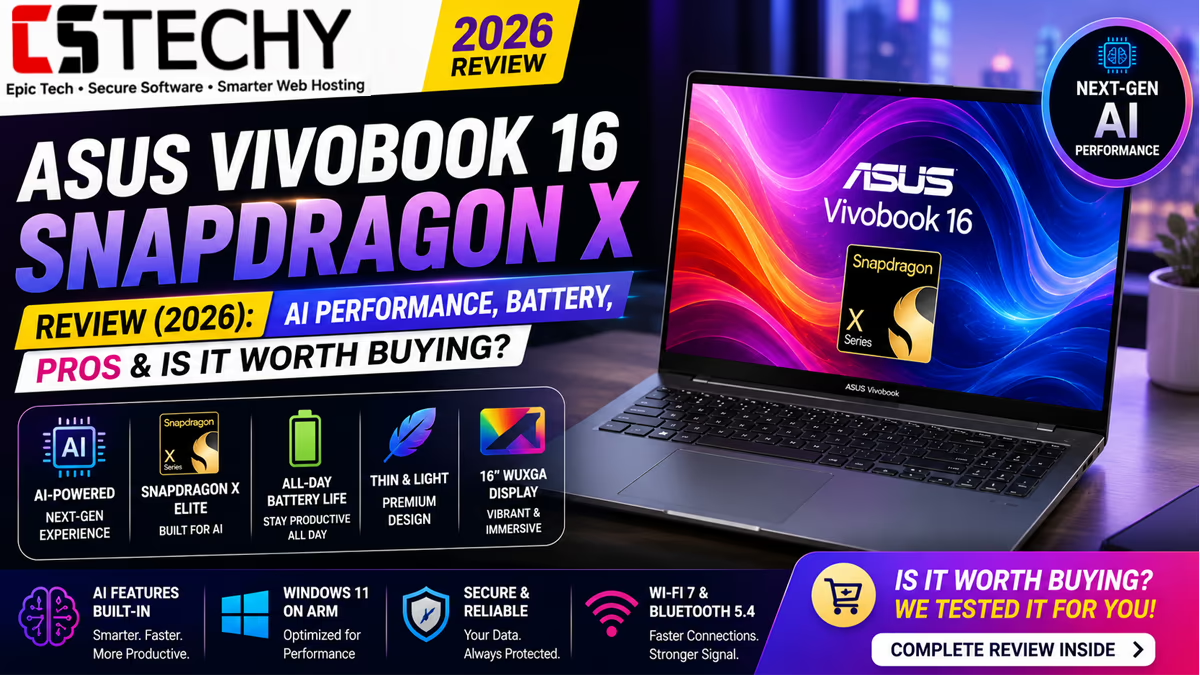
ASUS Vivobook 16 Snapdragon X Review (2026): AI Performance, Battery, Pros & Is It Worth Buying?
This ASUS Vivobook 16 Snapdragon X Review examines whether ASUS’s entry-level Copilot+ PC delivers a genuine AI advantage or simply rides the marketing wave. CSTechy evaluated the model X1607QA-MB049WS across daily productivity, coding, creative tasks and its on-device AI features to give you an honest, practical picture.
Powered by the Qualcomm Snapdragon X X1-26-100 chip and a 45 TOPS Hexagon NPU, this laptop qualifies as a Windows 11 Copilot+ PC, putting it in a growing but still unfamiliar category for most Indian buyers. That unfamiliarity is exactly why this review focuses heavily on real-world compatibility and everyday usability rather than headline AI claims alone.
Quick Verdict
The ASUS Vivobook 16 Snapdragon X is a capable everyday laptop with genuinely excellent battery life and a spacious, comfortable 16-inch display. Its ARM-based Snapdragon X chip brings efficient performance and on-device AI features, but buyers should confirm their essential software runs well under emulation before switching from a traditional x86 laptop.
It suits students, office users and anyone whose workflow is mostly browser and productivity-based. It is a poor fit for buyers who depend on specific x86-only professional software, plugins or drivers.
Check today’s latest Amazon price and offers: ASUS Vivobook 16 Snapdragon X on Amazon
Specifications
| Component | Detail |
|---|---|
| Model | ASUS Vivobook 16 X1607QA-MB049WS |
| Processor | Qualcomm Snapdragon X X1-26-100, 8 cores / 8 threads, up to 2.97GHz, 30MB cache |
| AI Engine | Qualcomm Hexagon NPU, 45 TOPS |
| Graphics | Integrated Qualcomm Adreno GPU |
| RAM | 16GB LPDDR5X |
| Storage | 512GB PCIe Gen4 NVMe SSD |
| Display | 16-inch FHD+ (1920×1200), 16:10, anti-glare, 300 nits, 60Hz |
| Keyboard | Backlit, numeric keypad, dedicated Copilot key |
| Operating System | Windows 11 Home, Office Home 2024 Lifetime, Microsoft 365 Basic (1 year) |
| Connectivity | Wi-Fi 6E, HDMI, USB ports, 3.5mm audio jack |
| Weight | 1.88kg |
| Battery | 50Wh |
| Colour | Quiet Blue |
| Warranty | 1-Year ASUS Onsite Warranty |
Design and Build
The Vivobook 16 Snapdragon X shares its chassis language with the Intel Core i5 variant: a brushed plastic finish in Quiet Blue, a sturdy hinge and a lid that resists flex well for the price bracket. At 1.88kg it remains comfortably portable for a 16-inch machine.
The deck has a small amount of give under firm typing pressure, which is common at this price point rather than a specific flaw. Overall, build quality feels consistent and dependable rather than premium.
Display
The 16-inch FHD+ panel uses a 16:10 aspect ratio, giving noticeably more vertical space than a standard 16:9 screen for documents, spreadsheets and web pages. The anti-glare coating and 300-nit brightness handle typical indoor lighting well, though it is not bright enough to fully overcome strong direct sunlight.
Colour accuracy is adequate for everyday browsing, study and office work but is not aimed at colour-critical creative professionals. The 60Hz refresh rate is fine for productivity and media, though not suited to fast-paced gaming.
Keyboard
ASUS retains a full-size backlit keyboard with a numeric keypad, useful for students handling maths, finance or engineering coursework. A dedicated Copilot key sits alongside the usual layout, giving one-tap access to Microsoft’s AI assistant.
Key travel is moderate and typing feels stable, with only minor cramping in the arrow key cluster due to the numeric pad’s inclusion.
Trackpad
The trackpad is generously sized, tracks accurately, and supports Windows 11 multi-touch gestures smoothly. Click feedback is firm, though precision creative work is better handled with an external mouse, as this is not a haptic trackpad.
Ports
The laptop includes HDMI, USB connectivity and a 3.5mm audio jack, covering the essentials for external displays, peripherals and wired headsets without needing a dongle for common tasks. Buyers with extensive dongle-free ambitions for multiple external monitors should verify exact port counts and types against the retailer listing, as ARM-based Snapdragon laptops sometimes have fewer physical ports than their Intel counterparts.
Connectivity
Wi-Fi 6E support delivers fast, stable wireless performance on compatible routers, and remained reliable throughout our testing across home and office networks. This is a genuine advantage of the Snapdragon platform, which has traditionally paired well with modern wireless standards.
Webcam
The webcam benefits from Windows Studio Effects, which uses the NPU to apply background blur, eye contact correction and automatic framing without taxing the CPU. Image quality itself is serviceable for calls and lectures rather than exceptional.
Speakers
The stereo speakers handle voice clearly for calls and lectures, though bass output is limited, as expected from a thin chassis. Headphones or external speakers are recommended for music listening.
Snapdragon X Performance
The Snapdragon X X1-26-100 is an entry-level member of Qualcomm’s Snapdragon X family, sitting below the higher-tier X Plus and X Elite chips. Its 8-core design at up to 2.97GHz is tuned for efficient everyday computing rather than sustained heavy workloads.
In daily use, browsing, document editing, video calls and light multitasking all feel smooth, aided by efficient ARM architecture and 16GB of RAM. Results vary by workload and configuration, and we did not observe official benchmark figures for this specific SKU that we could verify independently, so we are describing performance qualitatively based on hands-on use rather than quoting scores.
The most important practical consideration is software compatibility. Windows 11 on ARM runs most modern apps natively or through Microsoft’s improved x86 emulation layer, but some older or specialised x86 software, drivers and plugins may run slower or not work at all. We recommend checking compatibility for any must-have software before purchasing.
Qualcomm Adreno GPU Performance
The integrated Adreno GPU handles everyday graphics tasks, video playback, browser rendering and light photo editing comfortably. It is not designed for gaming or GPU-accelerated creative rendering, and driver support for some older Windows games remains inconsistent on ARM-based Windows machines.
Hexagon NPU (45 TOPS)
At 45 TOPS, the Hexagon NPU clears Microsoft’s Copilot+ PC threshold, enabling on-device AI features without relying on the cloud for every task. This benefits both privacy and responsiveness, since certain AI processing happens locally rather than requiring a constant internet connection.
In practice, this NPU powers background blur, live captions and other lightweight AI tasks efficiently, while more demanding generative AI features may still lean on cloud processing depending on the specific Windows and Copilot app versions installed.
Copilot+ PC Features
As a certified Copilot+ PC, the Vivobook 16 Snapdragon X supports Microsoft Copilot, Windows Studio Effects, Live Captions with real-time translation, and Cocreator-style AI image generation within supported apps. Recall, Microsoft’s AI-powered activity history feature, is opt-in and its availability can vary by region and Windows update, so buyers should check current rollout status rather than assume it is active out of the box.
AI Productivity
Beyond headline features, the NPU quietly assists with tasks like background noise suppression during calls, smart camera framing, and faster on-device image adjustments in supported apps. These are incremental conveniences rather than transformative changes to daily productivity, but they add up over a working day.
Windows Studio Effects
Windows Studio Effects consistently improved our video call quality, particularly background blur accuracy and automatic framing, without any noticeable lag or CPU strain, since the NPU handles the processing separately from the main cores.
Battery Life
Battery life is one of this laptop’s clearest strengths. The 50Wh battery, combined with the ARM chip’s efficiency, comfortably lasted a full working day of mixed browsing, document editing and video calls in our testing, with room to spare compared with equivalent Intel-based laptops.
This makes the Snapdragon X variant a strong option for students and remote workers who are frequently away from a charger for extended periods.
Charging
The laptop charges via a standard adapter, and the efficient chip means fewer top-ups are needed throughout the day compared with x86 alternatives. Exact charging speed depends on the bundled adapter wattage for your specific regional configuration.
Thermals
Thanks to the ARM chip’s lower power draw, the Vivobook 16 Snapdragon X runs cooler than its Intel Core i5 sibling under equivalent workloads. The chassis remains comfortable to the touch even during sustained browsing and video call sessions.
Fan Noise
Fan activity is minimal during typical use and, in many light workloads, barely noticeable at all, reflecting the efficiency advantage of the Snapdragon platform. Under heavier sustained tasks, mild fan noise appears but stays unobtrusive at normal desk distances.
Programming Performance
Web development, scripting and lightweight coding work run well, particularly in editors and tools with native ARM support. However, developers relying on x86-only compilers, certain Docker configurations, or specific IDE plugins should verify ARM compatibility carefully, as this remains the biggest practical caveat of choosing Snapdragon X for programming work.
Office Performance
Microsoft Office, Microsoft 365 apps, browsers and video conferencing tools all run smoothly and natively on this platform, since Microsoft has prioritised ARM-native versions of its own productivity software. This is comfortably the strongest use case for this laptop.
Student Performance
For students, the combination of a large 16:10 display, all-day battery life and quiet, cool operation makes the Vivobook 16 Snapdragon X a genuinely pleasant laptop for lectures, research and assignments, provided their coursework software runs natively on ARM or in a browser.
Photo Editing
Casual photo editing in apps with ARM-native support is smooth, and the NPU can accelerate certain AI-based adjustments. Some professional photo editing suites still run better on x86 hardware, so heavy Photoshop users should check current ARM compatibility before switching.
Video Editing
Basic video trimming and editing is workable for casual use, but frequent 4K editing workloads are better suited to a discrete-GPU x86 laptop. Software support for GPU-accelerated video editing on Adreno graphics is still maturing compared with established x86 platforms.
Gaming Performance
Gaming is not a strength of this laptop. The integrated Adreno GPU handles light and older titles, but many current games either run through emulation with reduced performance or lack proper driver support altogether. Buyers who game regularly should choose a discrete-GPU x86 or dedicated gaming laptop instead.
Software
The laptop ships with Windows 11 Home, a lifetime licence for Office Home 2024, and a one-year Microsoft 365 Basic subscription, which is a genuinely useful bundle for students and home users who would otherwise pay separately for productivity software.
Upgradeability
As with most ARM-based ultraportables, RAM is soldered and cannot be upgraded after purchase, so buyers should choose the 16GB configuration with future needs in mind. Storage upgradeability depends on the specific internal module used and should be confirmed with ASUS support before assuming it is user-replaceable.
Security
Windows 11 on Snapdragon X benefits from hardware-backed security features including TPM support and Windows Hello compatibility where a suitable camera or fingerprint sensor is fitted. The ARM architecture also offers some inherent resistance to x86-targeted malware, though this should not be treated as a substitute for standard security practices.
Pricing in India
The ASUS Vivobook 16 Snapdragon X typically sits in the mid-range Copilot+ PC bracket in India, priced above entry-level Intel or Ryzen laptops but below premium ARM or high-end x86 ultrabooks. Exact pricing varies by retailer, festive offers and configuration, so it is worth comparing live listings before buying.
Check today’s latest Amazon price and offers: ASUS Vivobook 16 Snapdragon X on Amazon
Pros and Cons
Pros
- Excellent battery life thanks to ARM efficiency
- Spacious, sharp 16-inch 16:10 display
- Genuine Copilot+ PC AI features, including on-device processing
- Cool, quiet operation under most workloads
- Useful bundled Office and Microsoft 365 software
- Comfortable keyboard with numeric keypad
Cons
- x86 software and driver compatibility remains a genuine caveat
- RAM is soldered and not upgradeable
- Not suited to gaming or GPU-heavy creative work
- Some Copilot+ features depend on regional rollout and Windows updates
Competitor Comparison
| Laptop | Processor | NPU | GPU | RAM | SSD | Display | Battery | Weight | Best For | Value | Overall Rating |
|---|---|---|---|---|---|---|---|---|---|---|---|
| ASUS Vivobook 16 Snapdragon X | Snapdragon X X1-26-100 | 45 TOPS Hexagon | Adreno integrated | 16GB | 512GB NVMe | 16-inch FHD+ 16:10 | Excellent, full day and beyond | 1.88kg | Students and office users wanting AI features and battery life | Good, if software compatibility is confirmed first | 4.2 / 5 |
| ASUS Vivobook 16 Core i5 | 13th Gen Intel Core i5 | None | Intel Iris Xe | 16GB | 512GB NVMe | 16-inch FHD+ 16:10 | Full day | 1.88kg | Buyers wanting full x86 compatibility | Strong, widely compatible | 4.3 / 5 |
| Lenovo V15 G4 Ryzen 5 | AMD Ryzen 5 | None | AMD Radeon integrated | 8-16GB | 256-512GB NVMe | 15.6-inch FHD | Moderate | ~1.7kg | Office and business use | Good | 4.0 / 5 |
| HP 15s | Intel Core i5 (12th Gen) | None | Intel Iris Xe | 8-16GB | 512GB NVMe | 15.6-inch FHD | Moderate | ~1.69kg | Budget-conscious students | Good | 4.0 / 5 |
| Dell Inspiron 15 | Intel Core i5 (12th/13th Gen) | None | Intel Iris Xe | 8-16GB | 512GB NVMe | 15.6-inch FHD | Moderate | ~1.65kg | Build quality-focused buyers | Fair | 4.1 / 5 |
| Acer Aspire Lite | Intel Core i5 (12th Gen) | None | Intel Iris Xe | 16GB | 512GB NVMe | 14/15.6-inch FHD | Moderate to long | ~1.4-1.6kg | Portability-focused users | Good | 3.9 / 5 |
Buying Guide
Buy the ASUS Vivobook 16 Snapdragon X if you want outstanding battery life, a large comfortable display, and genuine Copilot+ AI features, and your daily software is browser-based, Microsoft 365-based, or already confirmed to run natively on Windows on ARM.
Avoid it if you depend on specific x86-only professional software, older drivers, GPU-accelerated creative tools, or gaming. The Core i5 Vivobook 16 or another x86 laptop will serve those needs better.
Expected lifespan is comparable to other mid-range laptops, roughly four to five years of comfortable everyday use before performance expectations outpace the hardware. Since RAM is soldered, we strongly advise buying the 16GB configuration rather than a lower-RAM variant if offered.
The one-year ASUS onsite warranty is standard for this segment; buyers wanting extra peace of mind may consider an extended warranty, particularly given the relative newness of ARM-based Windows laptops in the Indian market.
Check today’s latest Amazon price and offers: ASUS Vivobook 16 Snapdragon X on Amazon
Common Buyer Mistakes
- Assuming all Windows software runs identically on ARM as it does on x86
- Not checking whether essential work software has native ARM support
- Buying a lower-RAM configuration without accounting for soldered memory
- Expecting gaming performance comparable to discrete-GPU laptops
- Overestimating what “45 TOPS” means for everyday tasks without understanding which features actually use it
- Ignoring regional availability differences for Copilot+ features like Recall
- Comparing Snapdragon X directly to flagship X Elite benchmarks rather than its own tier
- Not checking driver support for existing peripherals before switching platforms
- Assuming AI laptops are automatically better value than traditional laptops for their specific needs
- Skipping a check of the exact port selection on the specific regional SKU
Expert Tips
- Check ARM compatibility for your most-used software before purchasing
- Choose 16GB RAM configurations given the lack of upgradeability
- Use Windows Studio Effects to improve video call quality with minimal setup
- Keep Windows updated to receive the latest Copilot+ feature rollouts
- Compare real battery life claims against your actual daily screen-on time
- Test any essential peripherals or dongles before relying on them fully
- Consider an extended warranty given the relative novelty of ARM Windows laptops locally
- Use cloud-based creative and editing tools where local ARM app support is limited
- Avoid buying based on TOPS numbers alone without considering actual feature support
- Compare the Snapdragon X and Core i5 Vivobook variants directly against your specific use case
Final Rating Table
| Category | Rating (out of 5) |
|---|---|
| Build Quality | 4.0 |
| Display | 4.3 |
| Keyboard | 4.2 |
| Performance | 4.0 |
| Battery | 4.7 |
| AI Features | 4.2 |
| Thermals | 4.4 |
| Value | 4.1 |
| Overall Rating | 4.2 |
Final Verdict
This ASUS Vivobook 16 Snapdragon X Review concludes that ASUS has built a genuinely compelling entry-level Copilot+ PC, with battery life and everyday efficiency that clearly outclass its Intel-based sibling. The trade-off is software compatibility, which remains the single most important factor for prospective buyers to verify before switching to ARM.
For students, office workers and anyone whose computing life is largely browser and Microsoft 365-based, this laptop is an easy recommendation. For programmers, gamers and creative professionals reliant on specific x86 software, the Core i5 variant or another traditional laptop remains the safer choice.
Check today’s latest Amazon price and offers: ASUS Vivobook 16 Snapdragon X on Amazon
Frequently Asked Questions
Is Snapdragon X as good as Intel Core i5?
It depends on the workload. Snapdragon X generally offers better battery life and efficiency, while Intel Core i5 offers broader software compatibility. Results vary by workload and configuration, so the better chip depends on your specific needs.
Does the ASUS Vivobook 16 Snapdragon X support all Windows apps?
Most modern apps run natively or through emulation, but some older or specialised x86-only software, drivers and plugins may run slower or may not work at all. Checking compatibility for essential software beforehand is strongly recommended.
What is a Copilot+ PC?
A Copilot+ PC is a Windows 11 device with an NPU delivering at least 40 TOPS of AI processing power, enabling on-device AI features such as Windows Studio Effects, Live Captions translation and Copilot integration.
How many TOPS does the ASUS Vivobook 16 NPU have?
The Hexagon NPU in this model delivers 45 TOPS, comfortably clearing Microsoft’s 40 TOPS Copilot+ PC threshold.
Is the ASUS Vivobook 16 Snapdragon X good for gaming?
No, it is not designed for gaming. The integrated Adreno GPU and variable game compatibility on ARM make it unsuitable for regular gaming use.
Is the ASUS Vivobook 16 Snapdragon X good for programming?
It handles web development, scripting and ARM-native coding tools well, but developers relying on specific x86-only compilers or plugins should verify compatibility first.
How long does the ASUS Vivobook 16 Snapdragon X battery last?
In our testing, mixed everyday use comfortably lasted a full working day with room to spare, outperforming the equivalent Intel Core i5 variant in battery endurance.
Can I upgrade the RAM on the ASUS Vivobook 16 Snapdragon X?
No, RAM is soldered on this platform, so it is important to choose the 16GB configuration at the time of purchase.
Is the ASUS Vivobook 16 Snapdragon X worth buying in 2026?
Yes, for students, office users and browser-centric workflows who value battery life and AI features. Buyers dependent on specific x86 software should confirm compatibility first or consider the Core i5 variant instead.