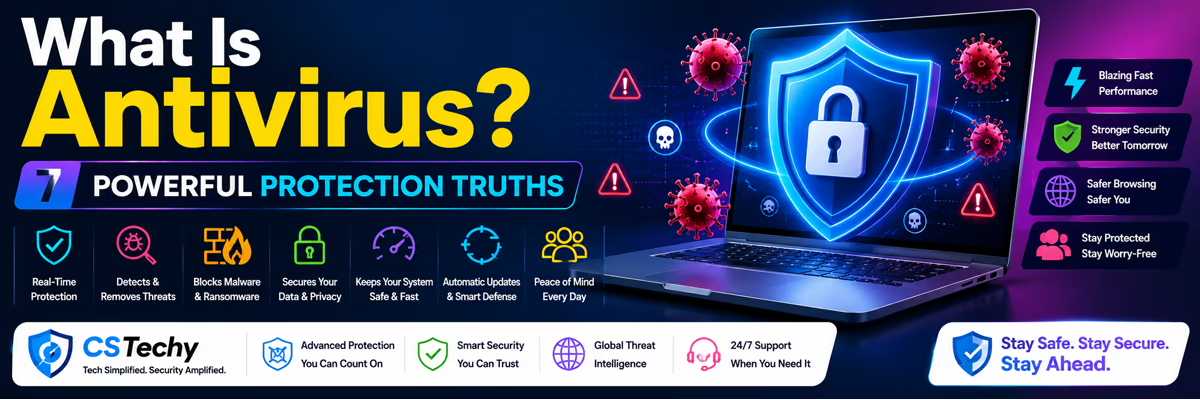
What Is Antivirus 2026 CSTechy Security Guide
Expert Masterclass by CSTechy | Updated for 2026
The Ultimate Digital Bodyguard for Your Business
The internet is an incredible place to build a business. However, it is also highly dangerous. Every single time you download a software package, click an email link, or install a new WordPress plugin, you take a massive risk. Hackers work 24 hours a day to infiltrate systems.
Antivirus alone isn’t enough for speed. Match your hardware specs to software needs. Upgrade now.
Check PC ComponentsYou might be asking, what is antivirus exactly? In the simplest terms, it is a specialized security program designed to detect prevent and remove digital threats from your computer. It acts exactly like a digital bodyguard. It stands firmly at the door of your operating system and inspects every single piece of data trying to enter.
In 2026, security software is no longer just a basic scanner. The modern cyber landscape has evolved. Hackers now use automated AI bots. To fight back, modern security relies heavily on artificial intelligence, behavioral analysis, and global cloud networks.
For bloggers, YouTube creators, and affiliate marketers, this software is absolutely mandatory. Having strong digital armor is just as important as buying premium hosting or using great SEO tools.
How Does Core Security Software Actually Work?
To truly understand your protection, you must look behind the scenes. Old security programs were very simple and easy to trick. Modern programs are incredibly complex. They do not rely on just one scanning trick. They use multiple layers of heavy digital armor.
A premium security suite operates using four distinct scanning engines. Each engine has a very specific job. Here is exactly how they stop hackers in real-time.
1. The Traditional Signature Scanner
This is the oldest security method. Think of it like a police fingerprint database. Security companies keep a massive, global list of known hacker code. When you download a file, the software checks the file’s code against the database. If the fingerprints match a known threat, the software instantly deletes it.
2. Advanced Behavioral Analysis
Hackers are smart. They constantly change their code to hide their digital fingerprints. This is where behavioral analysis saves your business. Instead of looking at the static code, the software actively watches the background for malicious activities.
Does a brand new program try to secretly turn off your firewall? Does it try to rapidly lock all your family photos? These are dangerous behaviors. If a file acts like a criminal, the software stops it immediately.
3. Real-Time Cloud Intelligence
Modern security software connects directly to the cloud. If a user in Japan gets hit by a brand new cyber attack, the Japanese software uploads the threat data to the cloud. Instantly, millions of computers around the world download the cure. This global hive-mind keeps you protected automatically.
4. Safe Digital Sandboxing
Sometimes, a file looks slightly dangerous, but the software is not totally sure. When a suspicious file is detected, the program opens it inside a “sandbox.” This is a fake, locked, and invisible digital room inside your computer. If the file explodes like a digital bomb inside the sandbox, your real computer stays perfectly safe.
The Digital Threats You Must Block Daily
People use the word “virus” to describe absolutely everything. But a virus is just one small category. The correct umbrella term is “Malware” (Malicious Software). A powerful security suite stops all of the following enemies.
- The Classic Virus: This is a piece of bad code that attaches itself to a clean file. When you open the clean file, the code wakes up and infects your entire machine.
- Destructive Self-Replicators: Network worms trojan applications, and self-replicating code are terrifying. A worm does not need a human to click it. Once it enters your network, it copies itself automatically to every connected device.
- Silent Spyware: This software hides deep in your system. It quietly watches everything you do. It records your keystrokes specifically to steal your private financial information and bank passwords.
- Aggressive Adware: Have you ever seen your screen fill up with hundreds of pop-up ads? That is adware. It ruins your browsing experience and tracks your web history to sell your data.
- Phishing Attacks: You get an email that looks exactly like a message from PayPal. It asks you to log in. It is a fake website. Good security software scans web links in real-time and blocks you from visiting these scam pages.
The Absolute Nightmare of Ransomware
Ransomware deserves its own dedicated section. It is the most profitable and dangerous type of malware in the world today. It can completely destroy a decade-old business in under an hour.
Unlike spyware, ransomware does not want to steal your data quietly. When ransomware enters your computer, it uses military-grade encryption. It locks every single document, photo, video, and spreadsheet on your hard drive. You cannot open anything.
Then, the hacker leaves a text file on your screen. They demand thousands of dollars in Bitcoin to give you the unlock password. If you do not pay, your business files are deleted forever.
Premium software uses dedicated ransomware shields. It watches for rapid encryption behavior. If a hidden program tries to suddenly lock 50 files at once, the software freezes the program instantly. The best modern tools can even automatically restore the files using hidden shadow copies.
Why Bloggers and Affiliate Marketers Must Use Protection
Many online creators think, “I only write articles and make YouTube videos. I am not a big national bank. Hackers do not care about me.” This is a massive mistake. Hackers love targeting independent bloggers.
If you run a WordPress site like CSTechy, your computer holds the keys to your entire business. Hackers want your active web browser cookies. If they steal your cookies, they can easily bypass your Two-Factor Authentication (2FA).
A single data breach can ruin your brand. Here is what happens if an affiliate marketer gets infected:
- Total Loss of Revenue: Hackers log into your affiliate networks (like Amazon or Impact). They change the payout bank account to their own. You lose all your hard-earned commissions.
- SEO Destruction: Hackers inject hidden spam links into your WordPress blog. Google notices the spam. Google instantly blacklists your website. Your traffic drops to zero overnight.
- Loss of Trust: If your email list gets hijacked, hackers will send scams to your loyal readers. Your audience will never trust your brand again.
Free vs. Premium Software: What You Need to Know
This is the most common question absolute beginners ask. Do you really need to pay money for security software? The answer depends entirely on how you use your laptop.
When Free Software is Good Enough
Free software provides a basic lock on your front door. It uses standard signature scanning to catch old, known viruses. If you only use your computer to watch Netflix and read the daily news, free protection is usually acceptable.
Why Premium Software is Required for Business
Premium software is a complete home security system. It has cameras, motion sensors, and a direct line to the police. Paid software gives you advanced tools that free versions completely block.
- Real-Time Ransomware Rollback: Free tools rarely stop modern ransomware. Premium tools stop it instantly and restore your files.
- Malicious Website Blocking: Premium software stops you from loading dangerous websites before the webpage even opens.
- No Annoying Advertisements: Free software constantly bothers you with pop-up ads asking you to upgrade. Premium software runs silently and peacefully in the background.
Debunking Outdated Cybersecurity Myths
The cybersecurity world is full of outdated rumors. Let us destroy these false myths right now.
Myth 1: “Security software slows down my computer.”
The Reality: This was highly true in 2005. Today, it is completely false. Modern software is incredibly lightweight. It pushes all the heavy processing work to the internet cloud. You will never feel a premium program running in the background.
Myth 2: “I use an Apple Mac, so I am immune to viruses.”
The Reality: Mac computers are absolutely not immune. For years, hackers ignored Macs because Windows was more popular. Today, Mac malware is rising rapidly. Hackers target Mac users because they often have higher disposable incomes. If you use a Macbook, you need protection.
Myth 3: “I do not visit shady websites, so I am safe.”
The Reality: You do not have to visit a bad website to get hacked. Mainstream news websites and popular blogs often get hacked silently. The hackers place malicious code inside the normal display advertisements. Simply loading the safe webpage can trigger an invisible download that infects your PC.
Frequently Asked Questions (2026)
Is Windows Defender good enough for my business?
Windows Defender has improved dramatically and provides an excellent baseline of protection. However, it lacks the advanced ransomware rollback features and dedicated financial browser tools found in premium third-party software. For business use, you should layer it with a dedicated premium tool.
Will this software slow down my video games?
No. Modern premium security tools include a “Gaming Mode” or “Silent Mode.” When you launch a full-screen game or video editor, the software automatically suspends heavy background scans and mutes all notifications to ensure you get maximum CPU performance.
How often should I scan my computer?
You do not need to manually scan your computer every day. Modern software features real-time protection, meaning it scans files the exact second they are downloaded or opened. Running one full, deep system scan per week is the recommended best practice.
Final CSTechy Security Verdict
In 2026, cybersecurity is absolutely not an option. It is a strict requirement for digital survival. Hackers are actively using AI to write faster, deadlier, and more complex code. You must use AI-powered defense systems to fight back and protect your assets.
Whether you run a fast-growing tech blog, a highly successful YouTube channel, or a quiet affiliate business, investing in premium digital protection is the smartest business decision you can make today. Lock your digital doors, protect your revenue, and browse the web with total confidence.
Frequently Asked Questions (2026)
Can a single data breach ruin my affiliate business?
Yes. A serious data breach can expose your affiliate dashboard logins and private financial information. If hackers gain control, they can change your payment details and steal your commissions before you even notice.
Is it true that modern security software relies heavily on AI?
Absolutely. In 2026, premium software relies heavily on artificial intelligence to spot a suspicious file by its behavior. This allows it to detect prevent and remove threats that haven’t even been named yet.
What is the most dangerous type of malware for bloggers?
While worms trojan apps, and spyware are dangerous, Ransomware is the most critical type of malware today. It can lock your entire computer, preventing you from accessing your website backups or client files.
Does antivirus software catch all malicious activities?
While no tool is 100% perfect, a high-quality suite is designed to monitor malicious activities 24/7. It acts as a shield to detect prevent and remove hidden scripts that try to steal your browser cookies or hijack your webcam.
How does cloud intelligence help stop a suspicious file?
If your software finds a suspicious file, it checks a global cloud database instantly. If that specific type of malware was seen elsewhere in the world, your system gets the “cure” in seconds, preventing a local infection.
Should I use a different security tool for my phone?
Your phone often stores more financial information than your PC. You should use a plan that covers all devices to stop malicious activities like fake banking apps or SMS phishing scams across your entire digital life.