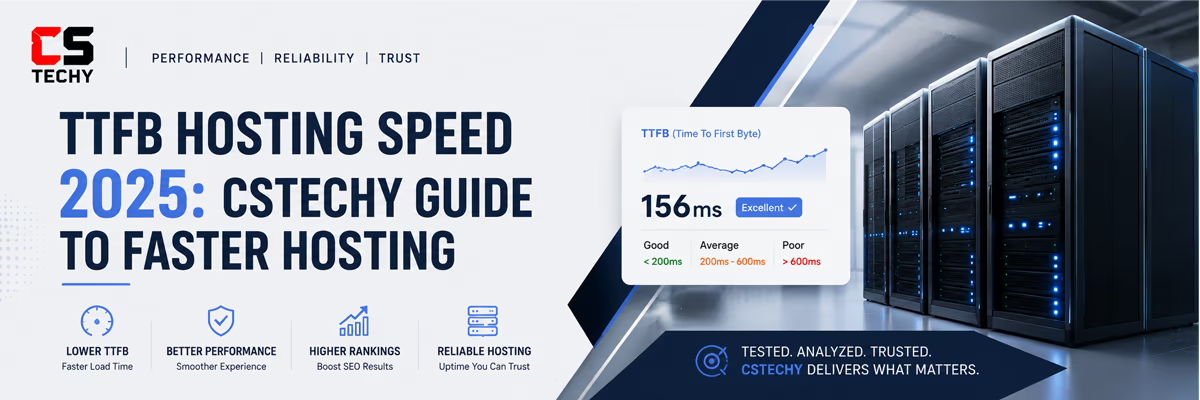
TTFB Hosting Speed: The Hidden Server Delay Quietly Destroying Website Performance
Most website owners believe slow websites happen because of oversized images, heavy WordPress themes, or too many plugins running in the background.
They spend countless hours compressing images, optimizing CSS files, testing speed plugins, and removing unnecessary scripts — yet the website still feels frustratingly slow.
The real problem often begins much earlier.
Before your homepage even appears on the screen, your server is already making visitors wait silently in the background.
Modern website speed is no longer controlled by hosting alone.
Global CDN routing, edge caching, DNS optimization, and distributed web server architecture now play a major role in reducing latency and improving TTFB.
To understand how enterprise-level hosting infrastructure works behind the scenes, explore our Global Web Hosting Architecture Guide .
That invisible delay is called TTFB — Time To First Byte.
A website never feels fast if the server responds slowly.
Modern users expect websites to respond instantly. Even a delay of a few hundred milliseconds can affect trust, engagement, conversions, and search rankings.
This is why improving TTFB hosting speed has become one of the most important parts of technical SEO and website optimization.
Faster User Experience
Lower TTFB creates smoother page loading and faster interaction.
Better SEO Performance
Fast server response improves Core Web Vitals and search visibility.
Lower Bounce Rate
Visitors stay longer when websites respond quickly.
What Is TTFB and How It Measures the Time Before a Website Responds
TTFB stands for Time To First Byte. It measures the time required for web servers to begin sending the first byte of data after a visitor requests your website.
In simple terms, it measures the waiting period before your website starts reacting.
The process looks simple on the surface, but multiple technical operations happen in the background before content becomes visible.
- The visitor clicks your website link
- The browser sends a request to the hosting server
- The server begins processing the request
- The browser starts receiving the first byte of data
This entire waiting period is what TTFB measures.
If the server reacts slowly, users experience an immediate sense of delay before the website even begins rendering.
That delay influences how fast your entire website feels emotionally to visitors.
Why Web Servers Are the Foundation of Website Speed
Every modern website depends on web servers to deliver content.
No matter how beautiful your design looks, every image, heading, paragraph, script, and layout must first pass through the server.
When web servers become overloaded or poorly optimized, performance problems begin immediately.
Fast hosting infrastructure creates:
- Faster server response time
- Smoother page rendering
- Better mobile performance
- Improved search engine trust
- Higher engagement rates
Modern hosting powered by LiteSpeed or optimized NGINX architecture generally provides dramatically faster response times than outdated shared hosting environments.
The fastest websites are usually built on powerful hosting infrastructure long before visual optimization begins.
Receiving the First Byte of Data and Why It Feels So Important
When users open a website, browsers wait silently for the first response from the server.
This process of receiving the first byte of data determines how quickly the page can begin rendering visible content.
If the browser waits too long:
- The page appears frozen
- Visitors feel uncertainty
- User confidence decreases
- Perceived performance drops
This is why fast TTFB creates such a powerful first impression.
Even before images load or layouts appear, users emotionally judge the speed of the website based on how quickly the server responds.
Server Processing and Why It Creates Hidden Performance Delays
Every website request triggers multiple backend operations inside the hosting environment. This process is known as server processing.
Before content becomes visible, the server may need to:
- Process PHP scripts
- Run WordPress functions
- Load plugins and themes
- Handle dynamic page generation
- Access database content
Heavy server processing dramatically increases TTFB.
This is especially common on poorly optimized WordPress websites using heavy plugins or overloaded shared hosting.
Fast websites are created by reducing unnecessary server work.
Database Queries and Their Impact on Website Load Time
Every dynamic website relies heavily on database queries.
Whenever users open a page, WordPress communicates with the database repeatedly to collect important information.
Database queries may include:
- Loading blog posts
- Fetching theme settings
- Displaying comments
- Loading menus and widgets
- Running plugin functions
As databases become larger and more bloated, query performance becomes slower.
This directly increases server response time and overall load time.
| Database Issue | Performance Impact |
|---|---|
| Large post revisions | Slower query execution |
| Unused plugin tables | Increased database weight |
| Spam comments | Higher processing load |
| Heavy WooCommerce queries | Slower dynamic page generation |
Regular database optimization helps maintain fast website responsiveness and lower TTFB.
How User Experience Changes When Websites Respond Faster
Visitors notice speed emotionally before they notice design quality.
A fast website feels professional, modern, trustworthy, and premium.
A slow website creates frustration within seconds.
Poor server response affects:
- User confidence
- Reading experience
- Page interaction
- Mobile usability
- Engagement duration
Improving TTFB improves overall user experience because visitors start seeing visible content faster.
This creates smoother browsing and better retention across all devices.
Contentful Paint FCP and Why Faster TTFB Improves Rendering
FCP stands for First Contentful Paint.
It measures how quickly the first visible content appears on the screen after a page begins loading.
A slow server response automatically delays FCP because the browser cannot display content until the server reacts.
Slow TTFB → Delayed FCP → Slower visual experience → Poor user perception
Websites with faster server response often experience an FCP within the “good” performance range much more consistently.
This creates a smoother experience for both users and search engines.
Largest Contentful Paint LCP and Why Google Prioritizes It
LCP stands for Largest Contentful Paint. It measures how quickly the largest visible content element fully loads.
This may include:
- Hero banners
- Featured images
- Main content sections
- Large text headings
When TTFB becomes slow, LCP also becomes slower because the browser cannot begin rendering large page elements immediately.
Google heavily considers LCP as part of Core Web Vitals evaluation.
Reducing TTFB improves LCP because rendering begins earlier and large content elements load faster.
How Bounce Rate Increases on Slow Websites
Modern internet users have very little patience for slow websites.
When pages feel delayed, users often leave before interacting with the content.
This behavior increases your bounce rate, which means visitors exit without further engagement.
High bounce rates are commonly caused by:
- Slow server response
- Heavy server processing
- Poor hosting quality
- No caching configuration
- Weak mobile performance
Fast websites create stronger first impressions and encourage visitors to continue exploring additional pages.
How CDN Technology Improves Website Response Time
A CDN, or Content Delivery Network, stores copies of your website across multiple global server locations.
Instead of loading data from a single physical server, visitors receive content from the nearest available location.
This reduces latency dramatically and improves response speed worldwide.
| CDN Benefit | Performance Advantage |
|---|---|
| Reduced latency | Faster loading worldwide |
| Edge caching | Lower server workload |
| Traffic distribution | Better stability during spikes |
| Local delivery | Improved mobile performance |
Cloudflare remains one of the most popular CDN solutions because of its strong global infrastructure and excellent caching system.
How Caching Improves Website Load Time
Without caching, servers must rebuild every page repeatedly for every visitor.
This creates unnecessary server work and slows down response time.
Caching stores ready-made versions of pages that can be delivered instantly.
Popular caching systems include:
- LiteSpeed Cache
- Redis Cache
- Memcached
- Cloudflare Edge Cache
- Browser caching systems
Proper caching significantly reduces server processing and improves overall load time.
Ideal TTFB Benchmarks for High Performance Websites
| TTFB Range | Performance Rating | User Experience |
|---|---|---|
| 0–200ms | Excellent | Extremely fast and premium |
| 200–500ms | Good | Smooth browsing experience |
| 500–900ms | Slow | Noticeable loading delay |
| 900ms+ | Poor | High bounce risk |
For modern websites, maintaining TTFB below 400ms is highly recommended for strong SEO and user experience.
Professional Optimization Tips for Faster TTFB Hosting Speed
Upgrade to Better Hosting Infrastructure
The hosting provider itself creates the biggest impact on server response time.
Use LiteSpeed or Optimized NGINX Servers
Modern server software delivers significantly faster performance than traditional Apache setups.
Enable CDN and Edge Caching
Global content delivery reduces physical distance between visitors and website data.
Reduce Heavy Plugins
Large plugins create additional server processing and unnecessary database queries.
Optimize Images and Scripts
Smaller assets reduce rendering time and improve loading efficiency.
Clean the WordPress Database Regularly
Removing unused data keeps database queries fast and efficient.
Final Thoughts on TTFB Hosting Speed and Modern Website Performance
Website speed begins long before visual content appears on the screen.
Before animations render, before layouts load, and before users begin reading your content, browsers are already waiting for the server to respond.
That invisible waiting period shapes the entire browsing experience.
Fast server response creates fast websites, better SEO, lower bounce rates, and stronger user trust.
Improving TTFB is not simply about technical optimization. It is about creating smoother digital experiences that feel fast, responsive, and professional from the very first interaction.
The strongest modern websites combine:
- Powerful hosting infrastructure
- Efficient server processing
- Optimized database queries
- Advanced caching systems
- Global CDN delivery
- Fast rendering performance
When all these elements work together, websites feel dramatically faster, cleaner, and more enjoyable to use.
TTFB Hosting Speed: The Hidden Server Delay Quietly Destroying Website Performance
Most website owners believe slow websites happen because of oversized images, heavy WordPress themes, or too many plugins running in the background.
They spend countless hours compressing images, optimizing CSS files, testing speed plugins, and removing unnecessary scripts — yet the website still feels frustratingly slow.
The real problem often begins much earlier.
Before your homepage even appears on the screen, your server is already making visitors wait silently in the background.
That invisible delay is called TTFB — Time To First Byte.
A website never feels fast if the server responds slowly.
Modern users expect websites to respond instantly. Even a delay of a few hundred milliseconds can affect trust, engagement, conversions, and search rankings.
This is why improving TTFB hosting speed has become one of the most important parts of technical SEO and website optimization.
Faster User Experience
Lower TTFB creates smoother page loading and faster interaction.
Better SEO Performance
Fast server response improves Core Web Vitals and search visibility.
Lower Bounce Rate
Visitors stay longer when websites respond quickly.
Dynamic Content and Why It Increases Server Response Time
Dynamic content makes websites more interactive, personalized, and flexible.
Unlike static pages, dynamic content is generated in real time whenever visitors open a page.
This means the server must process additional tasks before displaying content to users.
Dynamic content may include:
- Live search results
- WooCommerce product pages
- User dashboards
- Personalized recommendations
- Membership content
- Real-time notifications
Every dynamic request increases server-side processing because the page must be built instantly for each visitor.
This additional workload can increase TTFB significantly if the hosting environment is not optimized properly.
The more dynamic your website becomes, the harder your server must work behind the scenes.
Using proper caching systems and optimized hosting infrastructure helps reduce the performance impact of dynamic content.
Byte TTFB and Why the First Server Response Matters
The term byte TTFB refers to the exact moment the browser begins receiving the first byte of data from the hosting server.
This tiny moment plays a massive role in overall website speed perception.
Before users can see layouts, images, text, or menus, the browser waits for the first response from the server.
If the first byte arrives slowly:
- Pages feel delayed
- Content rendering starts later
- User experience becomes weaker
- SEO performance suffers
Fast byte delivery creates the feeling of an instantly responsive website.
This is why modern website optimization focuses heavily on reducing TTFB and improving server responsiveness.
DNS Lookup and How It Affects Website Load Time
Before a browser can connect to your website, it must first locate the server address connected to your domain name.
This process is called a DNS lookup.
DNS servers work like internet directories. They translate domain names into server IP addresses so browsers know where to load website data from.
Slow DNS lookup times increase the waiting period before the website even begins loading.
Several factors influence DNS performance:
- DNS provider quality
- Server location distance
- DNS caching efficiency
- Network latency
Premium DNS providers like Cloudflare DNS often deliver much faster lookup performance compared to standard domain registrar DNS systems.
Fast DNS lookup helps browsers connect to your website faster, improving overall loading speed and reducing delay before server communication begins.
Server Side Processing and Why It Impacts Performance
Server side processing refers to all the backend operations performed before content becomes visible to users.
Whenever visitors open a page, the server may need to:
- Process PHP code
- Run WordPress functions
- Load plugin operations
- Generate dynamic content
- Access database queries
Heavy server side processing increases CPU usage and memory load, which can directly raise TTFB.
This becomes especially noticeable on websites using:
- Complex WordPress themes
- WooCommerce stores
- Large plugin collections
- Membership systems
- Real-time dynamic content
Optimizing backend processing helps websites respond faster and improves overall page speed consistency.
Reducing unnecessary server-side workload is one of the most effective ways to improve website responsiveness.
Measuring TTFB Correctly for Accurate Performance Analysis
Proper performance optimization always begins with accurate testing.
Measuring TTFB helps identify hidden server delays that may not be visible through normal browsing.
Professional testing tools provide detailed insight into:
- Server response time
- DNS lookup duration
- Connection time
- Content rendering delays
- Overall load performance
Popular tools used for measuring TTFB include:
- WebPageTest
- GTmetrix
- Google PageSpeed Insights
- Chrome DevTools
Inside these reports, the TTFB metric usually appears as:
- Waiting time
- Server response time
- First byte delay
Consistent monitoring helps identify performance bottlenecks before they begin affecting SEO and user experience.
Multiple Page Requests and Their Effect on Website Speed
Modern websites often load multiple page resources simultaneously.
A single webpage may contain:
- CSS files
- JavaScript files
- Fonts
- Images
- Tracking scripts
- Third-party resources
Every additional request increases the amount of communication between the browser and server.
When websites generate too many multiple page requests, overall load time becomes slower and server workload increases.
Heavy resource requests can also delay:
- First Contentful Paint
- Largest Contentful Paint
- Visual rendering speed
- Mobile performance
Reducing unnecessary files and combining optimized assets helps websites load faster and feel smoother for visitors.
Efficient websites focus on minimizing excessive page requests while maintaining strong visual quality and functionality.
What Is TTFB and How It Measures the Time Before a Website Responds
TTFB stands for Time To First Byte. It measures the time required for web servers to begin sending the first byte of data after a visitor requests your website.
In simple terms, it measures the waiting period before your website starts reacting.
The process looks simple on the surface, but multiple technical operations happen in the background before content becomes visible.
- The visitor clicks your website link
- The browser sends a request to the hosting server
- The server begins processing the request
- The browser starts receiving the first byte of data
This entire waiting period is what TTFB measures.
If the server reacts slowly, users experience an immediate sense of delay before the website even begins rendering.
That delay influences how fast your entire website feels emotionally to visitors.
Why Web Servers Are the Foundation of Website Speed
Every modern website depends on web servers to deliver content.
No matter how beautiful your design looks, every image, heading, paragraph, script, and layout must first pass through the server.
When web servers become overloaded or poorly optimized, performance problems begin immediately.
Fast hosting infrastructure creates:
- Faster server response time
- Smoother page rendering
- Better mobile performance
- Improved search engine trust
- Higher engagement rates
Modern hosting powered by LiteSpeed or optimized NGINX architecture generally provides dramatically faster response times than outdated shared hosting environments.
The fastest websites are usually built on powerful hosting infrastructure long before visual optimization begins.
Receiving the First Byte of Data and Why It Feels So Important
When users open a website, browsers wait silently for the first response from the server.
This process of receiving the first byte of data determines how quickly the page can begin rendering visible content.
If the browser waits too long:
- The page appears frozen
- Visitors feel uncertainty
- User confidence decreases
- Perceived performance drops
This is why fast TTFB creates such a powerful first impression.
Even before images load or layouts appear, users emotionally judge the speed of the website based on how quickly the server responds.
Server Processing and Why It Creates Hidden Performance Delays
Every website request triggers multiple backend operations inside the hosting environment. This process is known as server processing.
Before content becomes visible, the server may need to:
- Process PHP scripts
- Run WordPress functions
- Load plugins and themes
- Handle dynamic page generation
- Access database content
Heavy server processing dramatically increases TTFB.
This is especially common on poorly optimized WordPress websites using heavy plugins or overloaded shared hosting.
Fast websites are created by reducing unnecessary server work.
Database Queries and Their Impact on Website Load Time
Every dynamic website relies heavily on database queries.
Whenever users open a page, WordPress communicates with the database repeatedly to collect important information.
Database queries may include:
- Loading blog posts
- Fetching theme settings
- Displaying comments
- Loading menus and widgets
- Running plugin functions
As databases become larger and more bloated, query performance becomes slower.
This directly increases server response time and overall load time.
| Database Issue | Performance Impact |
|---|---|
| Large post revisions | Slower query execution |
| Unused plugin tables | Increased database weight |
| Spam comments | Higher processing load |
| Heavy WooCommerce queries | Slower dynamic page generation |
Regular database optimization helps maintain fast website responsiveness and lower TTFB.
CSTechy Achieves a Perfect 100/100 Google PageSpeed Performance Score
Website speed is no longer just a technical advantage.
It directly affects SEO rankings, user experience, bounce rate, Core Web Vitals, mobile responsiveness, and overall website trust.
That is why achieving a perfect Google PageSpeed Insights score has become one of the strongest indicators of a highly optimized modern website.
CSTechy successfully achieved a perfect 100/100 mobile performance score on Google PageSpeed Insights.The website demonstrated exceptional optimization across all major categories:
| Performance Metric | Score |
|---|---|
| Performance | 100 |
| Accessibility | 95 |
| Best Practices | 100 |
| SEO | 100 |
The report also showed outstanding real-world loading metrics:
- First Contentful Paint: 1.2s
- Largest Contentful Paint: 1.3s
- Total Blocking Time: 60ms
- Cumulative Layout Shift: 0
- Speed Index: 2.6s
These results reflect a carefully optimized website architecture focused on:
- Fast server response time
- Optimized web servers
- Advanced caching systems
- Efficient frontend rendering
- Clean HTML structure
- Mobile-first performance optimization
The performance analysis was tested directly through Google PageSpeed Insights.
You can verify the live performance report here: View the Live Google PageSpeed Report
Modern websites are judged within seconds.
Fast-loading pages create stronger engagement, lower bounce rates, better SEO performance, and a smoother browsing experience across all devices.
Performance is no longer optional. It has become part of modern website credibility.How User Experience Changes When Websites Respond Faster
Visitors notice speed emotionally before they notice design quality.
A fast website feels professional, modern, trustworthy, and premium.
A slow website creates frustration within seconds.
Poor server response affects:
- User confidence
- Reading experience
- Page interaction
- Mobile usability
- Engagement duration
Improving TTFB improves overall user experience because visitors start seeing visible content faster.
This creates smoother browsing and better retention across all devices.
Contentful Paint FCP and Why Faster TTFB Improves Rendering
FCP stands for First Contentful Paint.
It measures how quickly the first visible content appears on the screen after a page begins loading.
A slow server response automatically delays FCP because the browser cannot display content until the server reacts.
Slow TTFB → Delayed FCP → Slower visual experience → Poor user perception
Websites with faster server response often experience an FCP within the “good” performance range much more consistently.
This creates a smoother experience for both users and search engines.
Largest Contentful Paint LCP and Why Google Prioritizes It
LCP stands for Largest Contentful Paint. It measures how quickly the largest visible content element fully loads.
This may include:
- Hero banners
- Featured images
- Main content sections
- Large text headings
When TTFB becomes slow, LCP also becomes slower because the browser cannot begin rendering large page elements immediately.
Google heavily considers LCP as part of Core Web Vitals evaluation.
Reducing TTFB improves LCP because rendering begins earlier and large content elements load faster.
How Bounce Rate Increases on Slow Websites
Modern internet users have very little patience for slow websites.
When pages feel delayed, users often leave before interacting with the content.
This behavior increases your bounce rate, which means visitors exit without further engagement.
High bounce rates are commonly caused by:
- Slow server response
- Heavy server processing
- Poor hosting quality
- No caching configuration
- Weak mobile performance
Fast websites create stronger first impressions and encourage visitors to continue exploring additional pages.
How CDN Technology Improves Website Response Time
A CDN, or Content Delivery Network, stores copies of your website across multiple global server locations.
Instead of loading data from a single physical server, visitors receive content from the nearest available location.
This reduces latency dramatically and improves response speed worldwide.
| CDN Benefit | Performance Advantage |
|---|---|
| Reduced latency | Faster loading worldwide |
| Edge caching | Lower server workload |
| Traffic distribution | Better stability during spikes |
| Local delivery | Improved mobile performance |
Cloudflare remains one of the most popular CDN solutions because of its strong global infrastructure and excellent caching system.
How Caching Improves Website Load Time
Without caching, servers must rebuild every page repeatedly for every visitor.
This creates unnecessary server work and slows down response time.
Caching stores ready-made versions of pages that can be delivered instantly.
Popular caching systems include:
- LiteSpeed Cache
- Redis Cache
- Memcached
- Cloudflare Edge Cache
- Browser caching systems
Proper caching significantly reduces server processing and improves overall load time.
Ideal TTFB Benchmarks for High Performance Websites
| TTFB Range | Performance Rating | User Experience |
|---|---|---|
| 0–200ms | Excellent | Extremely fast and premium |
| 200–500ms | Good | Smooth browsing experience |
| 500–900ms | Slow | Noticeable loading delay |
| 900ms+ | Poor | High bounce risk |
For modern websites, maintaining TTFB below 400ms is highly recommended for strong SEO and user experience.
Professional Optimization Tips for Faster TTFB Hosting Speed
Upgrade to Better Hosting Infrastructure
The hosting provider itself creates the biggest impact on server response time.
Use LiteSpeed or Optimized NGINX Servers
Modern server software delivers significantly faster performance than traditional Apache setups.
Enable CDN and Edge Caching
Global content delivery reduces physical distance between visitors and website data.
Reduce Heavy Plugins
Large plugins create additional server processing and unnecessary database queries.
Optimize Images and Scripts
Smaller assets reduce rendering time and improve loading efficiency.
Clean the WordPress Database Regularly
Removing unused data keeps database queries fast and efficient.
Final Thoughts on TTFB Hosting Speed and Modern Website Performance
Website speed begins long before visual content appears on the screen.
Before animations render, before layouts load, and before users begin reading your content, browsers are already waiting for the server to respond.
That invisible waiting period shapes the entire browsing experience.
Fast server response creates fast websites, better SEO, lower bounce rates, and stronger user trust.
Improving TTFB is not simply about technical optimization. It is about creating smoother digital experiences that feel fast, responsive, and professional from the very first interaction.
The strongest modern websites combine:
- Powerful hosting infrastructure
- Efficient server processing
- Optimized database queries
- Advanced caching systems
- Global CDN delivery
- Fast rendering performance
When all these elements work together, websites feel dramatically faster, cleaner, and more enjoyable to use.
Final Verdict on TTFB Hosting Speed
Website speed begins at the server level.
Before layouts appear, before images load, and before users begin reading content, browsers are already waiting for the server to respond.
That invisible waiting period is controlled by TTFB — Time To First Byte.
Fast server response creates fast user experience.
A slow TTFB affects:
- Load time
- User experience
- Bounce rate
- Core Web Vitals
- SEO performance
- Mobile responsiveness
Modern websites depend on multiple systems working together efficiently, including optimized web servers, fast DNS lookup, reduced database queries, advanced caching, CDN delivery, and efficient server-side processing.
When these systems are properly optimized, websites feel dramatically faster, smoother, and more professional.
Visitors notice speed emotionally before they notice design quality.
That is why improving TTFB is no longer just technical optimization — it has become part of modern website experience and search engine performance.
The strongest websites today are not only visually attractive. They are technically optimized from the hosting infrastructure upward.
FAQs: Mastering TTFB Hosting Speed 2025
Bro, still grinding for that sub-200ms load time? Here are the rapid-fire answers you need to dominate the SERPs and pass Core Web Vitals flawlessly.
1. Which provider actually dominates TTFB hosting speed in 2025?
If you want maximum performance for business, Cloudways is the absolute king (averaging 45–120ms). However, if you are looking for the best budget-to-performance ratio, Hostinger Business provides incredible TTFB (180–350ms), especially for traffic based in India when paired with LiteSpeed caching.
2. Will a slow TTFB destroy my Google Core Web Vitals score?
Yes, 100%. A slow server response delays your Largest Contentful Paint (LCP). If your server takes 2 seconds just to respond, it is physically impossible to pass Google’s 2.5-second LCP requirement. Fixing TTFB is step one for passing Core Web Vitals.
3. Is a 1-second (1000ms) TTFB acceptable, or am I losing traffic?
Bro, a 1-second TTFB is a massive red flag in 2025. By the time your server wakes up, 30% of mobile users have already hit the back button. You are actively losing affiliate sales and SEO rankings. Your target must be below 400ms.
4. Can the free version of Cloudflare fix a terrible server TTFB?
It helps, but it is not a magic bullet. Free Cloudflare acts as a CDN to serve static assets closer to your visitors, which reduces distance latency. But if your actual physical hosting server is overloaded and slow to process PHP/Database requests, your TTFB will still bottleneck.
5. Do page builders like Elementor slow down TTFB compared to Spectra?
Absolutely. Heavy page builders generate massive amounts of DOM nodes and database queries, which forces the server to work harder before delivering the first byte. Running a lightweight stack like the Astra theme paired with Spectra blocks is the ultimate CSTechy blueprint for keeping your DOM minimal and TTFB lightning fast.
6. How can I reduce TTFB to under 200ms without paying for better hosting?
If you are stuck on a budget host, do these three things immediately: 1) Enable a robust page caching plugin (like LiteSpeed Cache). 2) Connect a free CDN. 3) Clean up your WordPress database to remove bloated transients and old post revisions that slow down PHP queries.
7. LiteSpeed vs NGINX: Which guarantees better TTFB hosting speed in 2025?
For WordPress sites, LiteSpeed is the undisputed champion. Its built-in server-level caching (LSCache) completely bypasses PHP processing for cached pages, dropping TTFB down to incredible speeds that standard NGINX setups struggle to match without heavy custom configuration.
8. Why is my TTFB lightning fast on desktop but terrible on mobile?
Mobile networks (3G/4G/5G) have much higher inherent latency than a wired desktop connection. If your mobile TTFB is slow, it means you aren’t using a CDN effectively. A CDN puts your server data physically closer to the mobile user’s cell tower, closing that latency gap.
9. Why does my server response time suddenly spike during peak hours?
This is the classic symptom of cheap Shared Hosting. During peak hours, other websites sharing your physical server are sucking up the CPU and RAM. Your site gets starved for resources, causing TTFB to spike. The only permanent fix is migrating to a VPS or a strict isolated cloud environment.