How to Connect Domain to Hosting (2025): Step-by-Step Beginner Guide
How to Connect Domain to Hosting (2025) is one of the most important skills every website owner must learn. If your domain is not connected properly, your website will not load — no matter how good your hosting is. This CSTechy guide explains everything in a simple, beginner-friendly way.
Connecting a domain to your hosting account is a crucial first step in launching any website, and doing it correctly prevents downtime and DNS issues later. For a complete overview of hosting setup—from choosing the right plan to configuring essential settings—refer to our web hosting setup guide , which walks you through the entire process step by step.
Many beginners buy a domain from one company and hosting from another. Then confusion starts — DNS, nameservers, propagation, A records, CNAME… This guide removes that confusion completely.
What Does “Connect Domain to Hosting” Actually Mean?
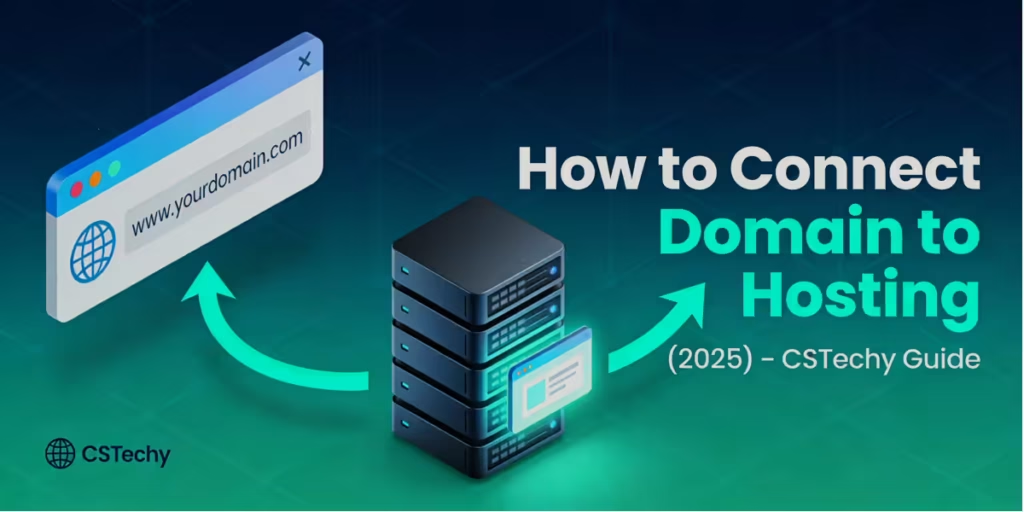
How to Connect Domain to Hosting means telling the internet where your website lives. Your domain name is just an address. Your hosting server is the actual house where your website files are stored. DNS is the system that connects the address to the house.
When someone types your domain name in a browser:
- DNS checks where your hosting server is located
- The browser connects to that server
- Your website loads
Without proper domain-hosting connection, visitors will see errors like:
- Site not found
- This domain is parked
- DNS_PROBE_FINISHED_NXDOMAIN
Things You Must Have Before Connecting Domain to Hosting
Before learning How to Connect Domain to Hosting (2025), make sure you have:
- ✔ A registered domain name (GoDaddy, Namecheap, Hostinger, etc.)
- ✔ An active hosting plan
- ✔ Access to domain DNS settings
- ✔ Hosting control panel (cPanel / hPanel / Custom panel)
If your domain and hosting are from the same provider, the process is usually automatic. If they are from different providers, you must connect them manually.
Method 1: Connect Domain to Hosting Using Nameservers (Recommended)
This is the easiest and most reliable method when learning How to Connect Domain to Hosting correctly. You simply point your domain to your hosting provider’s nameservers.
Step 1: Find Your Hosting Nameservers
Log in to your hosting account and look for:
- Nameservers
- DNS Information
- Server Details
Example nameservers:
- ns1.hostingprovider.com
- ns2.hostingprovider.com
Step 2: Log in to Your Domain Registrar
Go to the website where you purchased your domain and:
- Select your domain
- Open DNS / Nameserver settings
- Choose “Use Custom Nameservers”
Step 3: Replace Old Nameservers
Delete existing nameservers and paste the hosting nameservers. Save the changes.
🟠 DNS propagation may take 5 minutes to 24 hours (sometimes up to 48 hours). This is normal — do not panic.
Method 2: Connect Domain to Hosting Using A Record (Advanced)
This approach is useful if you want more control while following How to Connect Domain to Hosting using DNS records. Accuracy is extremely important here.
What Is an A Record?
An A record connects your domain directly to your hosting server’s IP address.
Step 1: Get Hosting IP Address
Find your server IP inside hosting dashboard or welcome email. Example:
- 192.168.1.1
Step 2: Open DNS Zone Editor
- Login to domain provider
- Open DNS management
- Find A record section
Step 3: Update A Record
- Host: @
- Type: A
- Value: Your hosting IP
- TTL: Auto
Save changes and wait for DNS propagation.
Method 3: Connect WWW Version Using CNAME
To ensure both example.com and www.example.com work properly:
- Create a CNAME record
- Point www to your main domain
This avoids duplicate content and SEO issues.
How Long Does Domain Connection Take?
DNS propagation time depends on multiple factors:
- Registrar speed
- DNS cache
- Internet service provider
Typical time:
- Minimum: 5–10 minutes
- Average: 1–6 hours
- Maximum: 24–48 hours
How to Check If Domain Is Connected Properly
Use these methods:
- Open domain in browser (incognito)
- Use DNS checker tools like DNS Checker
- Check hosting control panel
If WordPress installer loads — connection is successful.
Common Mistakes Beginners Make
- ❌ Mixing nameserver and A record methods
- ❌ Forgetting to save DNS changes
- ❌ Expecting instant results
- ❌ Wrong IP or typo in records
🔴 Even a single wrong character in DNS can break your website.
How to Connect Domain to Hosting for WordPress Websites
Once your domain is connected:
- Login to hosting
- Install WordPress
- Select your connected domain
After installation, your website becomes live instantly.
SEO Impact of Proper Domain & Hosting Connection
Understanding How to Connect Domain to Hosting correctly helps improve:
- Website uptime
- Page load speed
- Crawlability
- Search engine trust
Wrong DNS setup can cause:
- Indexing issues
- Traffic loss
- Ranking drops
Should You Use Nameservers or A Records in 2025?
CSTechy recommendation:
- Beginners → Nameservers
- Advanced users → A Records
- Multiple services → Custom DNS
Final Verdict: How to Connect Domain to Hosting (2025)
Mastering How to Connect Domain to Hosting is not difficult — it just needs clarity. Once you understand DNS basics, the process becomes simple and repeatable.
Follow this guide step-by-step and your website will be live without errors. This is the exact process professionals use — simplified by CSTechy.
🚀 Your domain + hosting = live website. Now build something amazing.
🔥 High-CTR FAQs – How to Connect Domain to Hosting (2025)
1️⃣ How long does it take to connect a domain to hosting in 2025?

Usually 5 minutes to 6 hours. In rare cases, DNS propagation can take up to 24–48 hours, depending on your domain registrar and ISP caching.
2️⃣ What is the easiest way to connect a domain to hosting for beginners?

The nameserver method is the easiest. Just replace your domain’s nameservers with your hosting provider’s nameservers and wait for propagation.
3️⃣ Can I connect a domain and hosting from different companies?

Yes. Most users buy domains and hosting from different providers. You just need to update DNS settings or nameservers — no extra cost involved.
4️⃣ Why is my website not showing after connecting domain to hosting?

This usually happens due to DNS propagation delay, wrong nameservers, or incorrect A record IP. Wait a few hours and double-check DNS values.
5️⃣ Should I use nameservers or A records in 2025?

For most users, nameservers are recommended because they are simple and less error-prone. A records are better for advanced users managing custom DNS setups.
6️⃣ Does connecting a domain to hosting affect SEO?

Yes. A correct connection improves website uptime, crawlability, and loading reliability, which directly helps SEO. Wrong DNS setup can cause indexing issues.
7️⃣ Do I need to connect my domain before installing WordPress?

Yes. Your domain must be connected to hosting first. After that, WordPress installation becomes automatic and works without errors.