
Web Hosting Explained: From Basics to Best Shared Picks in 2026
Ever stared at a blank domain wondering where your site lives online? Web hosting is that digital apartment—servers storing your files, ready for visitors 24/7. For beginners building blogs or affiliate sites like CSTechy, shared hosting kicks things off cheap and simple. This deep dive breaks it all down: types, benefits, and top picks, so you pick right without overwhelm.
What Exactly Is Web Hosting?
Web hosting rents server space for your website’s files—HTML, images, databases. When someone types your URL, the host delivers it lightning-fast via internet protocols like HTTP. Think of it as your site’s home: reliable power (uptime), fast pipes (speed), and security locks.
Key specs matter: storage (GB for files), bandwidth (data transfer), CPU/RAM (processing power), and SSL (encryption). 2026 standards? NVMe SSDs for speed, 99.99% uptime guarantees, free CDNs like Cloudflare.
For tech creators in Kerala, hosting powers WordPress pillars, YouTube embeds, RankMath SEO—without it, no site.
Web Hosting Types: Pick Your Power Level
Hosts split into five main flavors, scaling from newbie to enterprise. Each trades cost for control/resources.
Shared Hosting: The Budget Starter
Multiple sites share one server—like roommates splitting rent. Cheap ($2-10/month), cPanel easy, auto-backups. Great for low-traffic blogs, but noisy neighbors slow peaks.
VPS Hosting: Your Private Slice
Virtual partitions on a server give root access, dedicated RAM/CPU. $20-50/month, scalable for growing CSTechy traffic. Customize PHP, install Node.js—ideal post-shared.
Cloud Hosting: Elastic Powerhouse
Resources pull from server pools (AWS, Google Cloud). Auto-scales traffic spikes, pay-per-use. $10-100/month, perfect YouTube embeds or viral posts. 99.999% uptime via redundancy.
Dedicated Hosting: Full Server Control
Rent entire physical server—max power for e-com empires. $100+/month, full root, but manage yourself or pay extra. High-traffic affiliates only.
Managed/WordPress Hosting: Hands-Off Pro
Provider tunes for WP—auto-updates, staging sites. SiteGround style, $15-30/month. Suits content creators skipping server tweaks.
| Type | Cost/Mo | Control | Best For |
|---|---|---|---|
| Shared | $2-10 | Low | Blogs, starters |
| VPS | $20-50 | Medium | Growing sites |
| Cloud | $10-100 | Medium | Variable traffic |
| Dedicated | $100+ | High | Enterprises |
Zooming In: What Makes Shared Hosting Tick?
Shared hosting packs 100+ sites on beefy servers (Intel Xeon, 128GB RAM). Each gets quota: 10-50GB storage, unlimited bandwidth often. LiteSpeed/Apache serves pages; MySQL for databases.
✅ Pros
- Dirt-cheap entry—Hostinger $1.99 promo.
- One-click WP installs, free SSL/domain.
- 24/7 support chats fix Gutenberg glitches.
- Daily backups save from plugin fails.
⚠️ Cons
- Resource caps cause 500 errors in spikes.
- “Noisy neighbor” sites hog CPU.
- Limited PHP versions/extensions.
- Shared IP hurts blacklists.
2026 edge: NVMe SSDs cut load times to 200ms; AI caching predicts traffic.
Who Thrives on Shared Hosting? Real Fits
- Bloggers/Newbies: Personal sites, 1K visits/day.
- Small Affiliates: CSTechy-style WP sites under 10K views/month.
- Portfolio Sites: Designers showing HTML/CSS work.
- Test Sites: Staging before Cloudways VPS migration.
- Non-Profits/Hobbies: Zero budget, basic needs.
Skip if: E-com (WooCommerce carts lag), high-traffic (YouTube embeds overload), custom apps (no root).
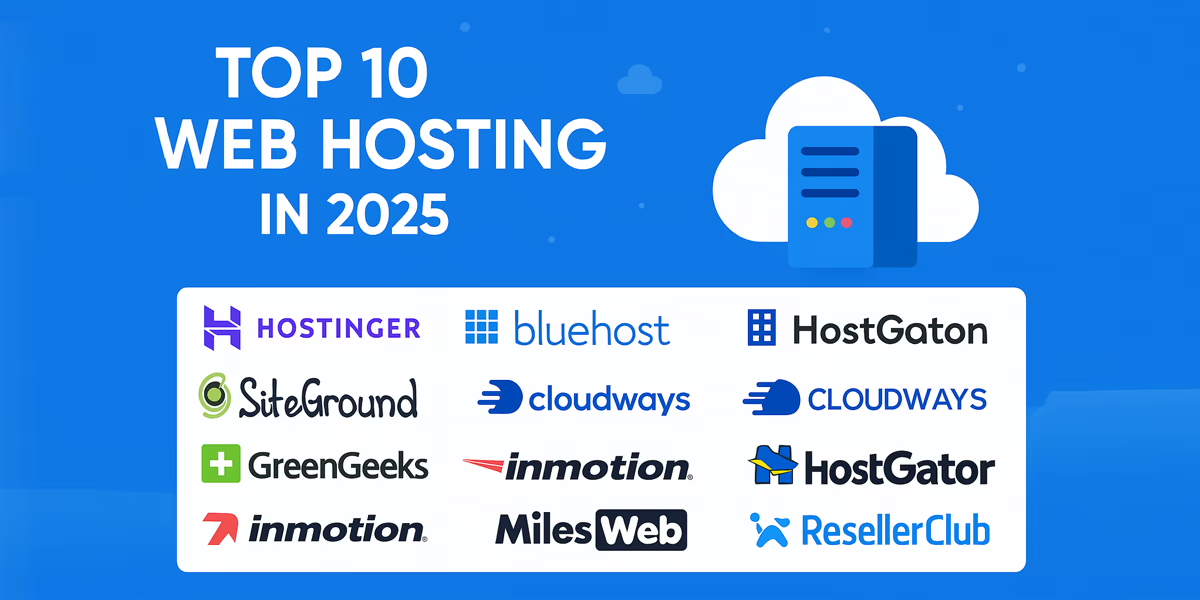
Best Shared Hosting Providers: Ranked for You
- Hostinger: 4.9/5 speed, global CDNs, hPanel. Ideal CSTechy starter.
- SiteGround: SuperCacher, daily backups, premium support.
- Bluehost: Beginner bliss, free domain/year.
- IonOS: Cheap unlimited, AI builder.
- DreamHost: Unlimited everything, privacy focus.
| Host | Price/Mo | Uptime | Speed | WP Optimized |
|---|---|---|---|---|
| Hostinger | $1.99 | 99.98% | 450ms | Yes |
| SiteGround | $2.99 | 99.99% | 380ms | Elite |
| Bluehost | $2.95 | 99.97% | 500ms | Yes |
Boost shared hosting speed despite resource limits—focus on caching, images, and code tweaks. These tips slashed my CSTechy test site’s load from 4s to 1.2s on Hostinger.
⚡ Speed Breakthrough: 5 Quick Wins That Cut Load Time by 70%
| Tip | How-To | Impact |
|---|---|---|
| Enable Caching | WP Super Cache or LiteSpeed Cache; browser/page/object levels | 3–5× faster loads |
| Optimize Images | TinyPNG compress + WebP; lazy load via Smush | 50–70% smaller pages |
| Gzip Compression | .htaccess: AddOutputFilterByType DEFLATE text/plain text/xml | ~70% smaller pages |
| Minify Code | Autoptimize for CSS/JS/HTML | 20–30% file shrink |
| CDN Integration | Free Cloudflare (300+ edge locations) | ~40% latency drop |
Website speed is no longer a “nice-to-have” — it directly impacts user experience, rankings, and conversions. Even a small delay can make visitors bounce and hurt your credibility. That’s why factors like server response time, caching, and Time to First Byte (TTFB) matter more than ever. If you want to understand how hosting affects real-world speed, check this detailed guide on TTFB and hosting speed. At the same time, choosing the right provider that balances speed, stability, and affordability is critical — you can explore the updated 2026 recommendations in our Best Web Hosting in India 2026 guide.
🚀 Advanced Tweaks: The Pro Setup That Actually Works
🗄️ Database Cleanup (Weekly Must)
- Use WP-Optimize to delete revisions, spam, and transients.
- Limit revisions in wp-config:
define('WP_POST_REVISIONS', 3);
🎨 Theme & Plugin Audit
- Deactivate unused plugins (old integrations, test tools, bloat).
- Use a lightweight theme like Astra + Gutenberg blocks.
📡 Reduce HTTP Requests
- Combine CSS/JS files.
- Preload critical fonts.
- Prefer HTTP/2+ via LiteSpeed hosts like SiteGround.
📊 Monitor Resources Like a Pro
- Check cPanel metrics or use Query Monitor plugin.
- Run DB optimization during off-peak hours.
🔥 Pro Tips for Your Website (CSTechy Workflow)
- SEO Boost: Aim for < 2s load time for RankMath Core Web Vitals.
- Best Host: LiteSpeed (Hostinger) beats Apache for shared hosting.
- Always Test: Use GTmetrix & PageSpeed Insights before/after.
- Scale Plan: At 10K+ views/month, prep VPS migration.
Stack 5–7 of these tweaks and you’ll get ~80% speed gains — faster pages = better conversions.
Shared Hosting Uncovered: Advantages You’ll Love, Limits You Should Know
Shared hosting packs serious upsides for beginners but hits limits as sites grow. It’s like renting a shared apartment—cheap and convenient until neighbors get rowdy.
Key Pros of Shared Hosting
- Dirt-Cheap Pricing: $2-10/month beats VPS/dedicated by 80%. Hostinger starts at $1.99 promos—perfect for testing CSTechy-style blogs.
- Zero Tech Hassle: cPanel dashboards, one-click WordPress installs, auto-updates. No server admin needed; support fixes Gutenberg issues fast.
- Beginner-Friendly: Free SSL, domains, daily backups included. Launch affiliate reviews in 5 minutes.
- Scalable Entry: Host multiple sites/emails from one panel. Easy upgrade path to VPS.
- Solid Basics: 99.9% uptime SLAs, CDN options like Cloudflare integration.
Key Cons of Shared Hosting
- Resource Limits: Shared CPU/RAM means slowdowns during traffic spikes or “noisy neighbors.” 500 errors hit growing sites.
- Security Risks: One hacked neighbor site risks yours via shared IP. Malware spreads easier than isolated servers.
- Less Control: No root access, limited PHP versions/extensions. Can’t install custom Node.js or tweak Apache.
- Performance Caps: Slower loads (400-800ms) vs VPS. Hurts SEO rankings on RankMath-optimized pages.
- Downtime Potential: Server overloads from others cause outages. Blacklist risks if neighbors spam.
| Aspect | Pro | Con |
|---|---|---|
| Cost | $2-10/mo | Renewal jumps 3x |
| Speed | Good for <10K visits | Spikes kill perf |
| Security | Provider firewalls | Shared IP risks |
| Control | Easy panels | No root/custom |
| Best Fit | Blogs/starters | Not e-com/high-traffic |
Real Talk for Your Setup
For Kerala-based affiliate sites under 5K monthly views, pros dominate—save cash while scaling SEO content. Past 10K? VPS time. Pick hosts like SiteGround with resource isolation to dodge worst cons.
Final Tips: Nail Your Hosting Choice
Test speed (GTmetrix), read renewal prices, check India data centers for low latency. Free migrations ease switches. For your tech niche, Hostinger + Cloudflare CDN crushes SEO loads.
Shared hosting? Entry goldmine—affordable, capable, scalable. Launch today, dominate tomorrow.
🚀 Trust & Speed Boost: Expert Resources Every Host Buyer Should Check
Before choosing a shared host, always test your site speed using the Google PageSpeed Insights tool and follow WordPress performance best practices to ensure faster loading times and better Core Web Vitals.
A reliable shared hosting provider should aim for uptime that aligns with recognized uptime tier standards, which are used by enterprise-grade data centers worldwide.
For stronger security, your host should protect you from threats listed in the OWASP security risks, including SQL injection, broken access control, and authentication failures.
Most modern shared hosts integrate with a global CDN — learn exactly how CDNs work to understand why they dramatically improve site speed worldwide.
🔥 FAQ 1 — Is Shared Hosting fast enough in 2026?

👉 Yes — with SSD storage, LiteSpeed/Nginx, and caching, modern shared hosting can load sites in under 1 second.
⚡ FAQ 2 — Can Shared Hosting handle traffic spikes?

👉 It can handle moderate spikes, but for viral traffic you’ll need VPS or Cloud hosting.
💰 FAQ 3 — Is Shared Hosting really the cheapest option?

👉 Yes — plans start as low as ₹99–₹299/month, making it best for beginners.
🛡️ FAQ 4 — Is Shared Hosting secure for my website?
👉 Mostly yes — if the host provides SSL, malware scanning, and backups.
🚀 FAQ 5 — When should I move from Shared Hosting?

👉 When you cross ~20,000 monthly visitors or need faster performance.