Upgrade Shared Hosting to VPS: Signs You Need It
Every growing website reaches a point where it must upgrade shared hosting to VPS. You may notice slow loading speed, downtime errors, or limits from your hosting provider. This is a clear sign your website has outgrown shared hosting and needs more power.
In 2026, performance matters more than ever. If you’re running n8n workflows, WooCommerce stores, or automation tools, shared hosting can’t handle the load. To understand the full setup process, read our ultimate n8n self-hosting guide . Making the move to upgrade shared hosting to VPS gives you better speed, control, and stability.
Moving to VPS providers like Hostinger, Bluehost, or MilesWeb helps you scale without limits. It improves SEO rankings, user experience, and even conversions—making it a smart long-term decision.
⚡ Main Reasons to Upgrade
- 🚀 Faster website speed and performance
- 🔒 Better security and isolated resources
- 📈 Handles high traffic without crashing
- ⚙ Full control over server settings
- 💰 Improves SEO and conversion rates
Sign #1: The Performance Plateau (TTFB & Page Speed)
One of the biggest signals to upgrade shared hosting to VPS is when your website hits a performance limit. In 2026, speed is everything—both for users and search engines. If your site feels slow or unresponsive, it’s already costing you traffic and revenue.
According to Google Core Web Vitals , your website should become interactive within 2.5 seconds. If your Time to First Byte (TTFB) or load time exceeds this, your rankings will drop, and users will leave before your page even loads.
🚨 Signs You’ve Hit the Limit
- ⏱ TTFB increasing beyond 500ms–1000ms
- 🐢 Page load time above 2.5 seconds
- 📉 Drop in Google rankings and traffic
- ❌ High bounce rate due to slow pages
- ⚠ Hosting errors during traffic spikes
If you’re seeing these issues, it’s time to upgrade shared hosting to VPS. A VPS gives you dedicated resources, ensuring consistent speed, better SEO performance, and a smoother user experience.
⚠️ The “Spinning Wheel” Syndrome
If your dashboard feels slow or stuck loading, it’s a clear sign you need to upgrade shared hosting to VPS. Many users experience delays when clicking “Save Post” or updating pages—this is where shared hosting starts failing.
This happens due to CPU throttling. Shared hosting limits how much processing power your website can use. So when your site needs more power (like saving posts or running workflows), it slows down because resources are shared with others.
When you upgrade shared hosting to VPS, you get dedicated CPU resources. That means faster actions, smooth dashboard performance, and no waiting. Your server responds instantly—whether you’re managing WordPress or running automation tools like n8n.
🚀 Key Signs of CPU Limitation
- ⏳ 5–10 seconds delay when saving posts
- 🐢 Slow WordPress admin dashboard
- ⚠ Frequent lag during updates or edits
- 📉 Poor performance during multiple tasks
- ❌ Delays in automation workflows (n8n)
Sign #2: Frequent “Resource Limit Reached” Warnings
Most shared hosting providers in 2026 use CloudLinux to isolate users and improve security. While this protects your site, it also creates strict resource limits. If you see errors like “508 Resource Limit Reached”, it means your website has hit its maximum allowed usage.
This is a strong signal to upgrade shared hosting to VPS. On a VPS, you get dedicated resources without hard limits, allowing your website to run smoothly even during high traffic or heavy processing tasks.
- Entry Processes: Shared hosting often limits you to 20–30 concurrent connections. If you run a sale or an email blast, you’ll hit this limit in seconds.
- I/O Limits: This is the speed at which data is written to the disk. For n8n users, low I/O is a death sentence for database-heavy workflows.
- Physical Memory: If your host gives you 1GB of RAM but your AI-integration requires 1.5GB to process a request, the process will fail.
Moving to a MilesWeb VPS allows you to scale these resources instantly. If you need 8GB of RAM for a day, you can have it. No more “508” errors killing your sales.
Sign #3: Security, Isolation, and “Noisy Neighbors”
Security in 2026 is no longer just about your own password. It’s about Lateral Movement. On a shared server, if a neighbor’s site is compromised via a vulnerable plugin, there is a non-zero chance the malware can attempt to bridge over to other accounts on the same IP.
Furthermore, if a neighbor sends spam emails and gets the server’s shared IP blacklisted, your business emails will start landing in the spam folder of your clients.
The VPS Solution: On a VPS, you get a Dedicated IP Address. Your reputation is your own. You are isolated in a virtual container that prevents any neighbor’s issues from ever touching your files or your email deliverability.
Sign #4: You Need to Run Custom Software (n8n, Docker, Python)
Shared hosting is designed for standard PHP/MySQL applications like WordPress. But if you are building the “Automation Hub” we talk about at CSTECHY, you need more.
You cannot install Docker on shared hosting. You cannot run a persistent Node.js process like n8n effectively. You cannot tweak the php.ini settings to allow for massive file uploads or long execution times.
A VPS gives you Root Access. You are the administrator. You can install Python libraries for AI, set up Redis for caching, or deploy OpenClaw for your trading bots. If your project requires anything beyond “standard WordPress,” you need a VPS.
Sign #5: Your E-commerce Store is Growing
If you are running WooCommerce or Magento, you are running a heavy database application. Every time a customer adds an item to the cart or searches for a product, a complex database query is triggered.
Studies in 2026 show that a 1-second delay in mobile load times can decrease conversion rates by up to 20%. If your checkout page takes 5 seconds to load because the shared server is busy, you are literally throwing money away. Upgrading to a VPS is an investment that pays for itself through recovered sales.
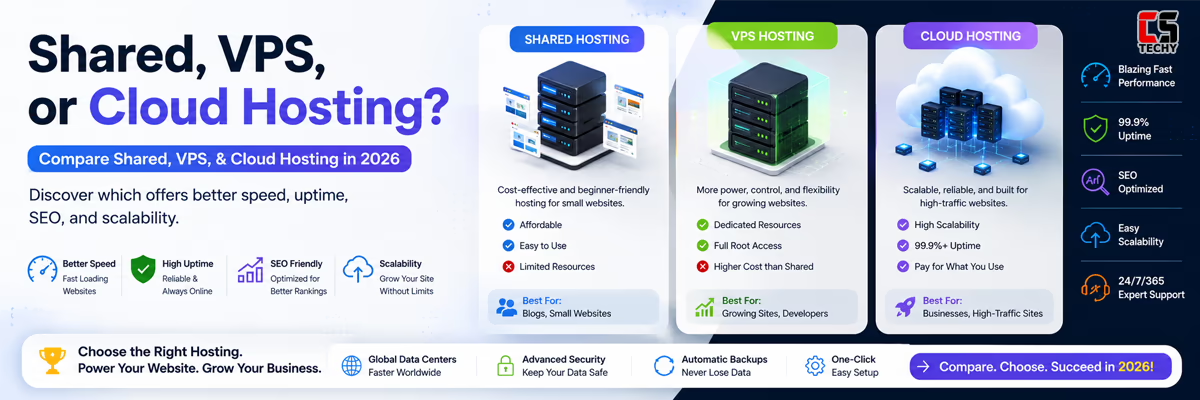
Shared Hosting vs VPS: 2026 Comparison Table (When to Upgrade Shared Hosting to VPS)
| Feature | Shared Hosting | VPS Hosting (KVM/NVMe) |
|---|---|---|
| Resources | Shared & Burstable (Unreliable) | 100% Dedicated (Reserved for you) |
| Performance | Varies based on neighbors | Consistent & Snappy |
| Security | Basic; Shared IP risk | High; Isolated; Dedicated IP |
| Control | Limited (No Root) | Total (Full Root/SSH Access) |
| Technical Skill | Beginner Friendly | Intermediate (or Managed) |
TThe Verdict: Should You Upgrade Shared Hosting to VPS in 2026?
If you’ve identified two or more of the signs above, it’s time to move. But where? In 2026, we recommend three specific paths:
- For High Performance & Value: Hostinger KVM VPS. Their NVMe storage and 1-click n8n installer make them the #1 choice for developers.
- For Managed Stability: Bluehost VPS. If you want the power of a VPS but still want 24/7 expert phone support to help you, Bluehost is the answer.
- For Budget Global Power: MilesWeb. Their pricing-to-RAM ratio is unmatched, especially for the Indian and UK markets.
Once you make the leap to dedicated resources, you aren’t limited to just automation. Discover the massive potential of your new server by exploring 12 powerful things you can do with a VPS for your international projects.
Conclusion
Upgrading from shared hosting to VPS isn’t just a technical move; it’s a mindset shift. It’s the moment you decide that your website is a real business, not just a hobby. By providing your site with dedicated resources, you are ensuring that your visitors have the best experience possible and that your automations never miss a beat.
Ready to make the jump? Don’t let your growth be stunted by a shared server. Choose your new VPS today and experience the speed of 2026.
When Should You Upgrade from Shared Hosting to VPS? FAQs
1. When should I upgrade from shared hosting to a VPS?

You should upgrade when your website starts experiencing slow loading speeds, traffic spikes, or resource limitations on shared hosting. A VPS provides dedicated CPU, RAM, and storage, improving overall performance.
2. How much traffic requires a VPS instead of shared hosting?
Most websites should consider VPS hosting once they reach around 30,000–50,000 monthly visitors, or when traffic spikes cause performance issues on shared hosting.
3. What are the main signs that shared hosting is no longer enough?
Common signs include frequent downtime, slow page loading, limited server resources, security concerns, and restricted customization options.
4. Is VPS hosting faster than shared hosting?
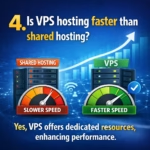
Yes. VPS hosting is usually faster because you get dedicated resources and better server isolation, while shared hosting splits resources among multiple websites.
5. Is upgrading to VPS worth it in 2026?

Yes. VPS hosting offers better performance, scalability, security, and control, making it ideal for growing websites, eCommerce stores, and automation platforms.