
Best Desk Setup 2026: Monitors, Keyboards & Gaming Gear You Shouldn’t Miss (Ultimate Guide)
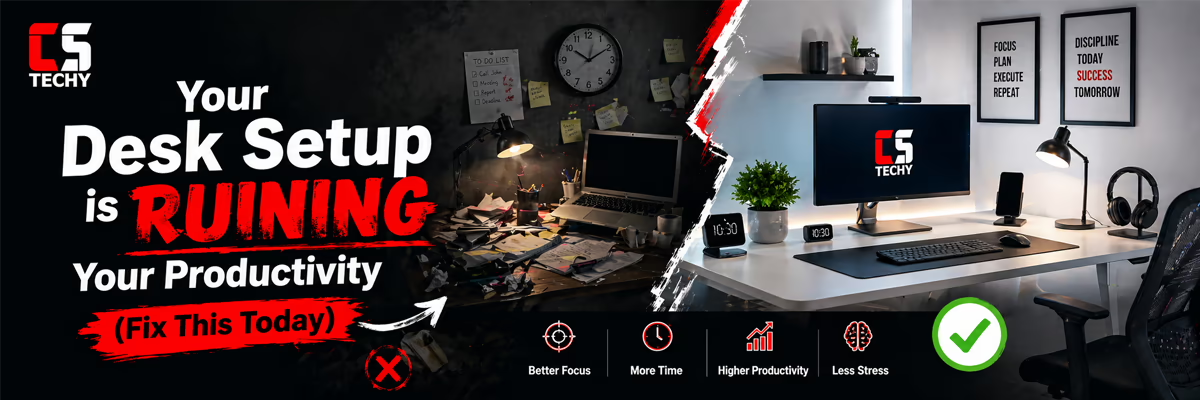
🔥 Your Desk Setup is RUINING Your Productivity (Fix This Today)
Most people focus on buying the best laptop or monitor, but ignore their desk setup. This is a big mistake. A poor setup can reduce your productivity, cause discomfort, and even lead to long-term health issues.
If your workspace feels messy, uncomfortable, or tiring, your setup is working against you—not for you.
✔ Pros of a Good Setup
| ❌ Cons of a Bad Setup
|
Common Desk Setup Mistakes
👉 Common Mistakes:
Fixing these small issues can instantly improve your productivity and comfort. You don’t need an expensive setup — just a smart one. |
Best PC Components 2026 🖥️
Read this before you finalize & waste cash!
🔥 Gaming vs Work Setup – 90% People Choose Wrong
Many people try to use the same setup for gaming and work, but both require completely different priorities. This is where most users make mistakes.
A gaming setup focuses on performance and visuals, while a work setup focuses on comfort, posture, and productivity.
🎮 Gaming SetupPros:
Cons:
| 💼 Work SetupPros:
Cons:
|
👉 Common Mistakes
- Buying gaming chairs without ergonomic support
- Using RGB-heavy setups for work
- Ignoring keyboard and mouse comfort
- Choosing looks over usability
👉 Smart Tip
If you do both gaming and work, build a balanced setup. Focus on comfort first, then performance.
Top gaming monitors under 10000Now let’s build a smart desk setup step by step. You don’t need a luxury setup — just follow these basics to create a professional and comfortable workspace.
✅ Step 1: Choose the Right Desk & ChairPros:
Cons:
👉 Mistake: Choosing style over comfort |
✅ Step 2: Optimize Monitor PositionPros:
Cons:
👉 Mistake: Keeping monitor too low or too close |
✅ Step 3: Improve LightingPros:
Cons:
👉 Mistake: Using harsh or dim lighting |
✅ Step 4: Organize Your DeskPros:
Cons:
👉 Mistake: Keeping unnecessary items on desk |
✅ Step 5: Use Proper AccessoriesPros:
Cons:
👉 Mistake: Buying unnecessary gadgets |
🔥 Final Tip: A perfect desk setup is not about expensive gear — it’s about comfort, balance, and smart choices.
Now let’s build a smart desk setup step by step. You don’t need a luxury setup — just follow these basics to create a professional and comfortable workspace.
| Step | Pros | Cons | Common Mistake |
|---|---|---|---|
| ✅ Choose the Right Desk & Chair |
|
| Choosing style over comfort |
| ✅ Optimize Monitor Position |
|
| Keeping monitor too low or too close |
| ✅ Improve Lighting |
|
| Using harsh or dim lighting |
| ✅ Organize Your Desk |
|
| Keeping unnecessary items on desk |
| ✅ Use Proper Accessories |
|
| Buying unnecessary gadgets |
🔥 Final Tip: A perfect desk setup is not about expensive gear — it’s about comfort, balance, and smart choices.
🎮 Best Gaming Monitor Guide 2026
Choosing the best gaming monitor in 2026 is not about buying the most expensive display. The real goal is finding the right balance between refresh rate, resolution, panel quality, and gaming performance.
Many gamers waste money by following hype instead of understanding what actually improves gameplay and responsiveness.
This guide explains everything clearly — from 60Hz vs 240Hz to 1080p vs 4K gaming — so you can choose the perfect monitor without confusion.
| Feature | Best Choice | Why It Matters |
|---|---|---|
| Refresh Rate | 144Hz / 165Hz | Smooth gameplay with best value |
| Resolution | 1440p | Perfect balance of visuals and FPS |
| Panel Type | IPS | Better colors and viewing angles |
| Adaptive Sync | G-Sync / FreeSync | Reduces screen tearing and stutter |
🔥 Smart Buying Tip: Always match your monitor with your GPU performance and the games you actually play.
🌈 RGB Keyboards – Cool Feature or Waste of Money?
RGB keyboards look amazing, but many users wonder whether RGB actually improves gaming performance or simply adds visual effects.
The truth is simple: RGB improves aesthetics and customization — not raw speed or FPS performance.
| RGB Advantages | RGB Disadvantages |
|---|---|
|
|
🧠 Smart Buying Advice
- 👉 Focus on switch quality before RGB
- 👉 Build quality matters more than lighting
- 👉 RGB is best for aesthetics and immersion
- 👉 Skip RGB if you want maximum value for money
🔥 Final Verdict: RGB is a premium visual feature — not a gaming performance upgrade.
🌈 RGB Keyboards – Cool Feature or Waste of Money?
RGB keyboards look amazing, but many users wonder whether RGB actually improves gaming performance or simply adds visual effects.
The truth is simple: RGB improves aesthetics and customization — not raw speed or FPS performance.
| RGB Advantages | RGB Disadvantages |
|---|---|
|
|
🧠 Smart Buying Advice
- 👉 Focus on switch quality before RGB
- 👉 Build quality matters more than lighting
- 👉 RGB is best for aesthetics and immersion
- 👉 Skip RGB if you want maximum value for money
🔥 Final Verdict: RGB is a premium visual feature — not a gaming performance upgrade.
🎤 Best Microphones for Clear Voice (No Noise Setup)
A good microphone improves voice clarity, removes background noise, and makes your setup sound professional instantly.
Modern USB microphones now provide studio-quality audio without complicated setup.
| Feature | Mic 1 | Mic 2 | Mic 3 | Mic 4 |
|---|---|---|---|---|
| Sound Quality | ⭐⭐⭐⭐⭐ | ⭐⭐⭐⭐⭐ | ⭐⭐⭐⭐ | ⭐⭐⭐ |
| Noise Reduction | Excellent | Very Good | Good | Basic |
| Setup | Plug & Play | Plug & Play | Plug & Play | Plug & Play |
| Best For | Streaming | Professional Content | Meetings | Beginners |
| Price Range | Mid | High | Mid | Budget |
🧠 Pro Audio Tips
- 👉 Keep microphone close to your mouth
- 👉 Use a pop filter for cleaner vocals
- 👉 Reduce room noise and echo
- 👉 Use boom arm for proper placement
- 👉 Audio quality matters more than webcam quality
🔥 Final Advice: Invest in clear audio first — it instantly makes your setup feel professional.
Frequently Asked Questions (FAQs)
Is an OLED monitor worth it for a desk setup in 2026?
Answer: Yes. In 2026, OLED technology has become the gold standard for both gaming and professional work due to its infinite contrast, 0.03ms response times, and improved text clarity in 3rd-gen panels. It is the single most impactful visual upgrade you can make this year.
Which is the best budget gaming keyboard to buy right now?
Answer: The Aula F75 remains the best value-for-money mechanical keyboard in 2026. It offers a premium “thocky” sound, gasket-mount comfort, and low-latency performance at a fraction of the cost of flagship models.
Should I choose a standing desk or a traditional desk?
Answer: A sit-stand electric desk (like the Secretlab MAGNUS or FlexiSpot E6) is highly recommended for 2026. Frequent posture changes reduce fatigue during long sessions, and modern versions now include essential integrated cable management systems to keep your setup clean.
What is the most important accessory for a clean desk setup?
Answer: A high-quality integrated cable management tray or a “Magic Arm” mount. These tools free up desk real estate by lifting monitors and peripherals off the surface, which is the key to achieving the “minimalist” aesthetic popular in 2026
Is a 4K monitor necessary for gaming and productivity?
Answer: While 1440p is still the “sweet spot” for performance, 4K at 240Hz has become the 2026 standard for high-end setups. It provides the necessary pixel density for sharp text in productivity tasks while delivering immersive detail in modern AAA gaming titles.